
Everything you'd want to know before you install.
A detailed look at how Booking & Appointments works, why we built it the way we did, and the thinking behind the features above.
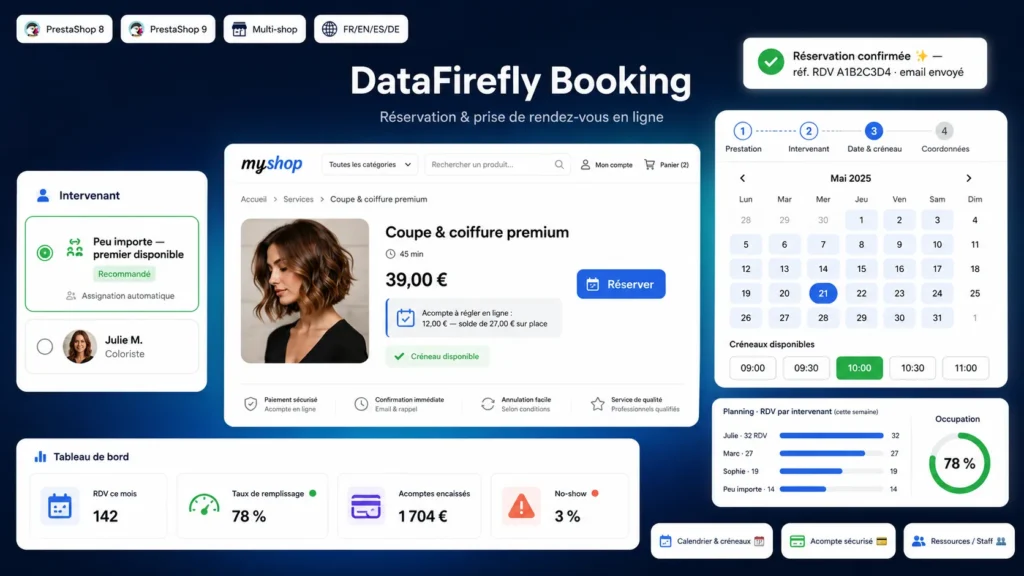
§ 01
A booking flow customers actually finish
Each step folds into one line as soon as it is completed, with a "Change" link. The calendar opens directly on the first available day instead of an empty month, bookable days are marked with a dot, and times are grouped into morning, afternoon and evening. On the right, a ticket-style summary fills in with each choice: service, staff member, date, time, total, deposit due now and balance on site. When the catalogue has several groups, filters appear; above six services, a search too. Everything is responsive, keyboard accessible and uses your theme font.
§ 02
A calendar built for the team's daily work
The Bookings menu opens on a calendar. In week view, each appointment shows its service colour and a border for its status. In day view, each staff member has a column. Clicking a free time opens a new phone booking with the day, time and staff member already filled in. Dragging an appointment moves it, changes the staff member if needed and offers to email the customer. A taken slot is refused unless you choose to force it.
§ 03
Customers manage their appointment without calling you
Every email contains a private link to the appointment page, which also works for customers without an account. There they add the appointment to Google Calendar, Apple Calendar or Outlook, move it to another free time or cancel it, up to the deadline you set (24 hours by default). A reminder goes out automatically before the appointment. You and the staff member concerned are notified of every change.
§ 04
The deposit goes through your own checkout
A fixed or percentage deposit goes through a standard PrestaShop order: it appears on the invoice and in your statistics, with the payment methods already active. Paid by card, the appointment is confirmed immediately. By bank transfer, the slot stays reserved and is confirmed when the order is paid. If the customer abandons the payment, the slot is released after the delay you choose. The cart they had is set aside and restored.
§ 05
Group sessions, special hours and calendar on the phone
A service can host several people per slot: the customer chooses the number of participants and sees the places left. Exceptional hours replace the usual week on a specific date, for the whole shop or one staff member. Each staff member has a private subscription link to see their appointments in Google Calendar or on their iPhone, updated automatically.


There are no reviews yet.