




Everything you'd want to know before you install.
A detailed look at how Smart 404 Page PrestaShop 8 & 9: Product Suggestions & 301 Redirects works, why we built it the way we did, and the thinking behind the features above.
§ 01
A default 404 page is a lost sale
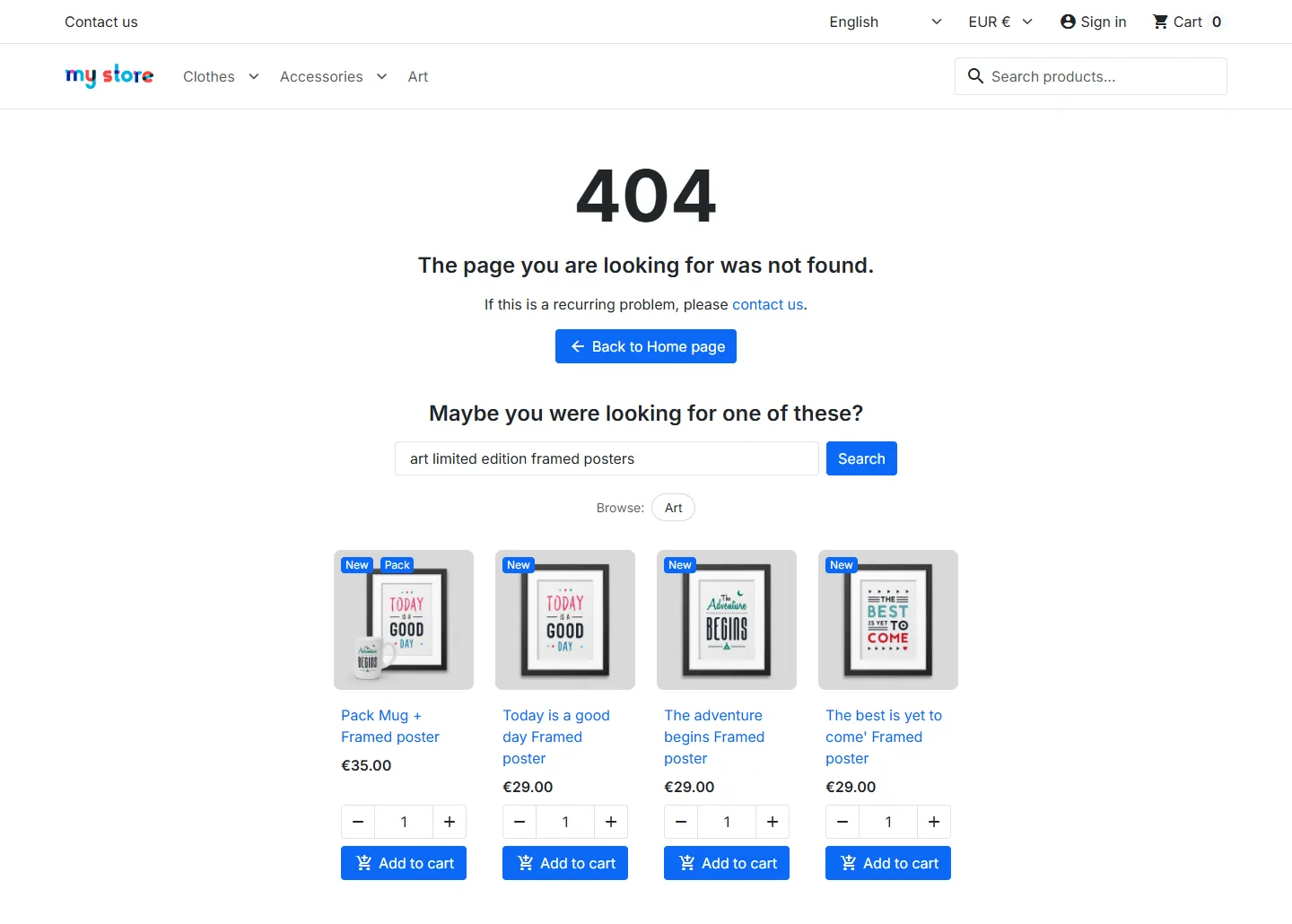
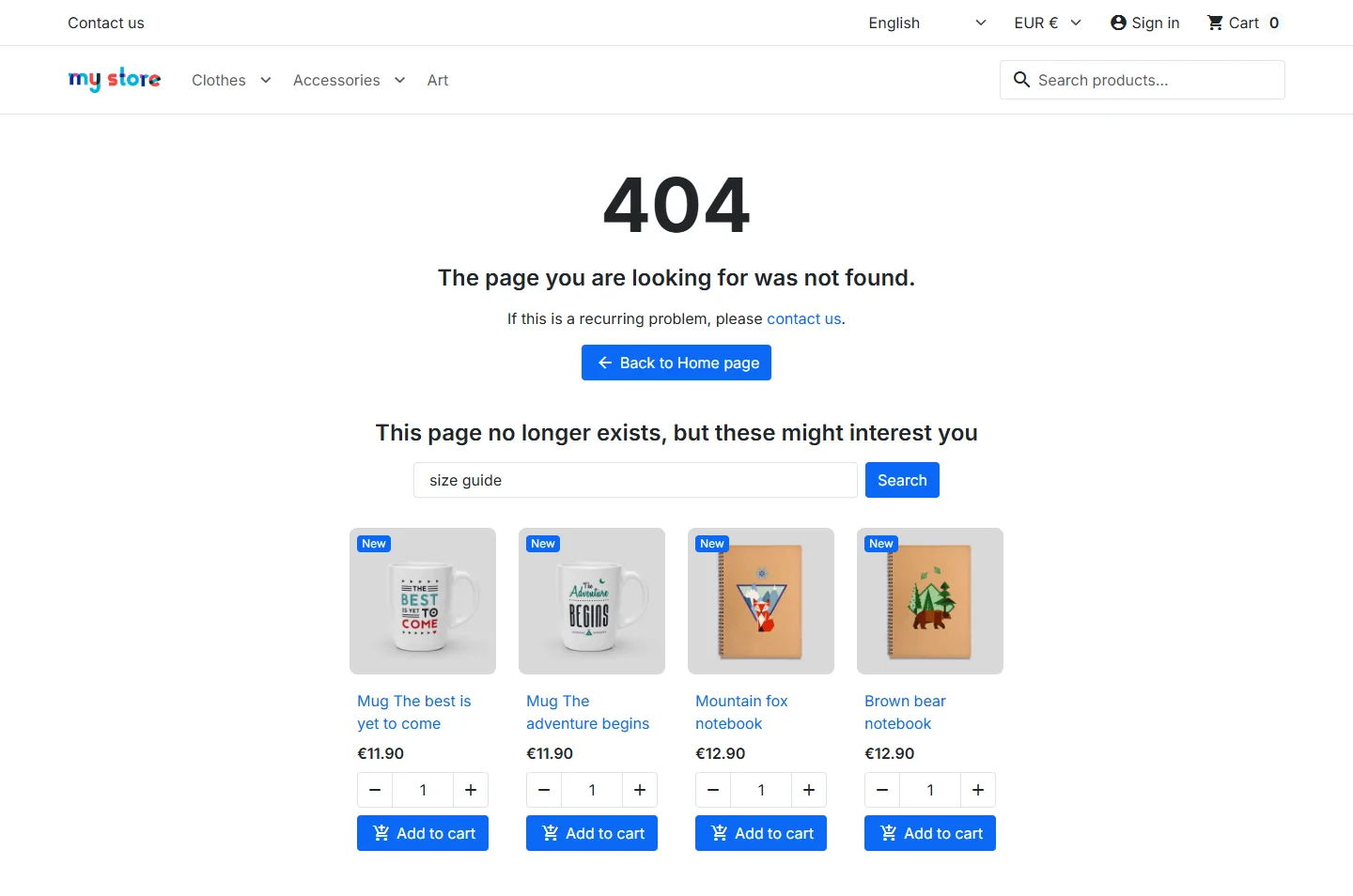
On a standard PrestaShop shop, the 404 page shows an apology and an empty search field. The visitor arrives with a clear intent, often from Google or an old link, and leaves. It happens more often than you might think: every deleted product, every disabled category and every URL overhaul produces 404s. The module replaces this dead end with the products the visitor was most likely looking for, and gives you what you need to fix the cause.
§ 02
Every 404, not just the page-not-found page
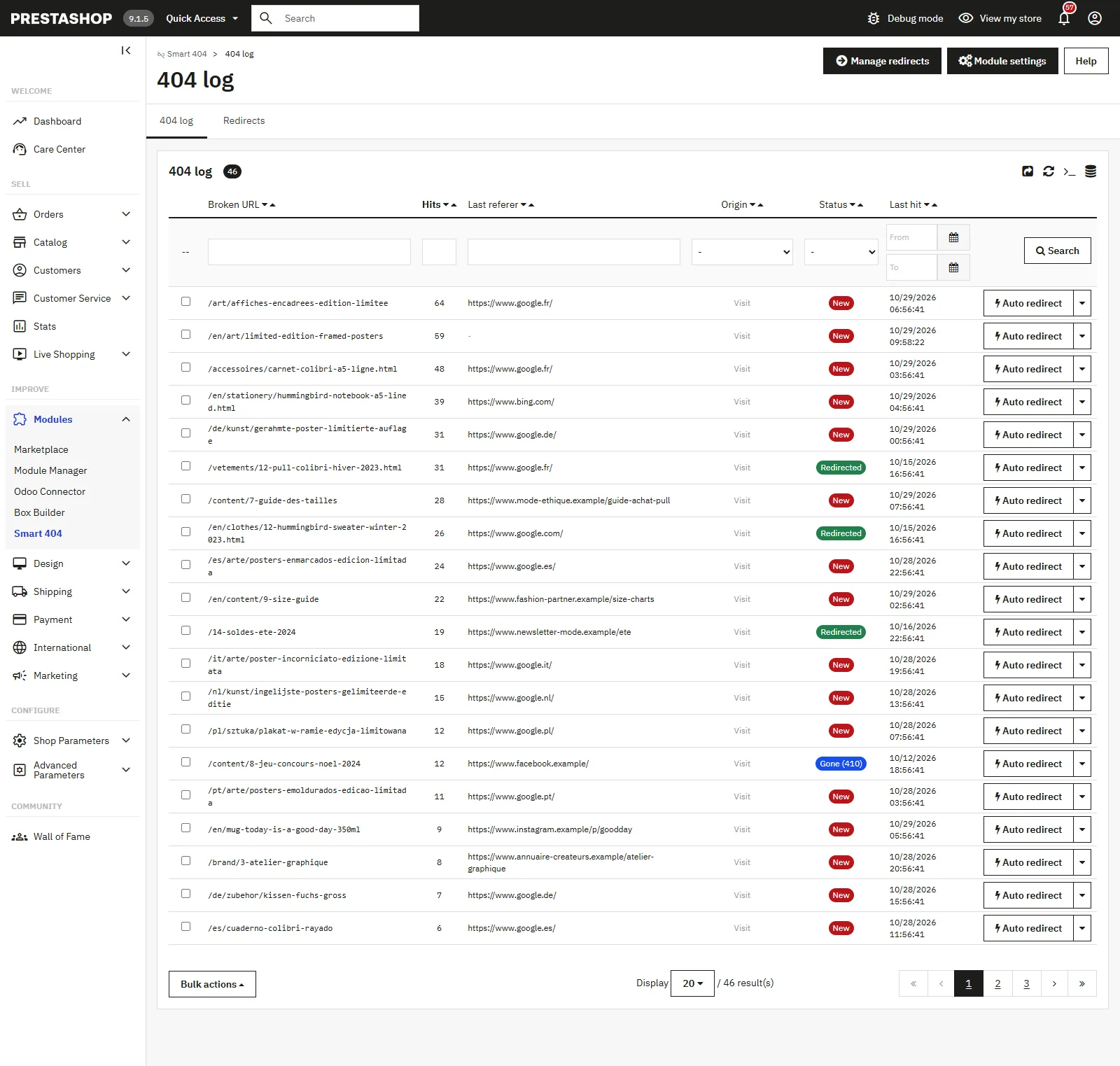
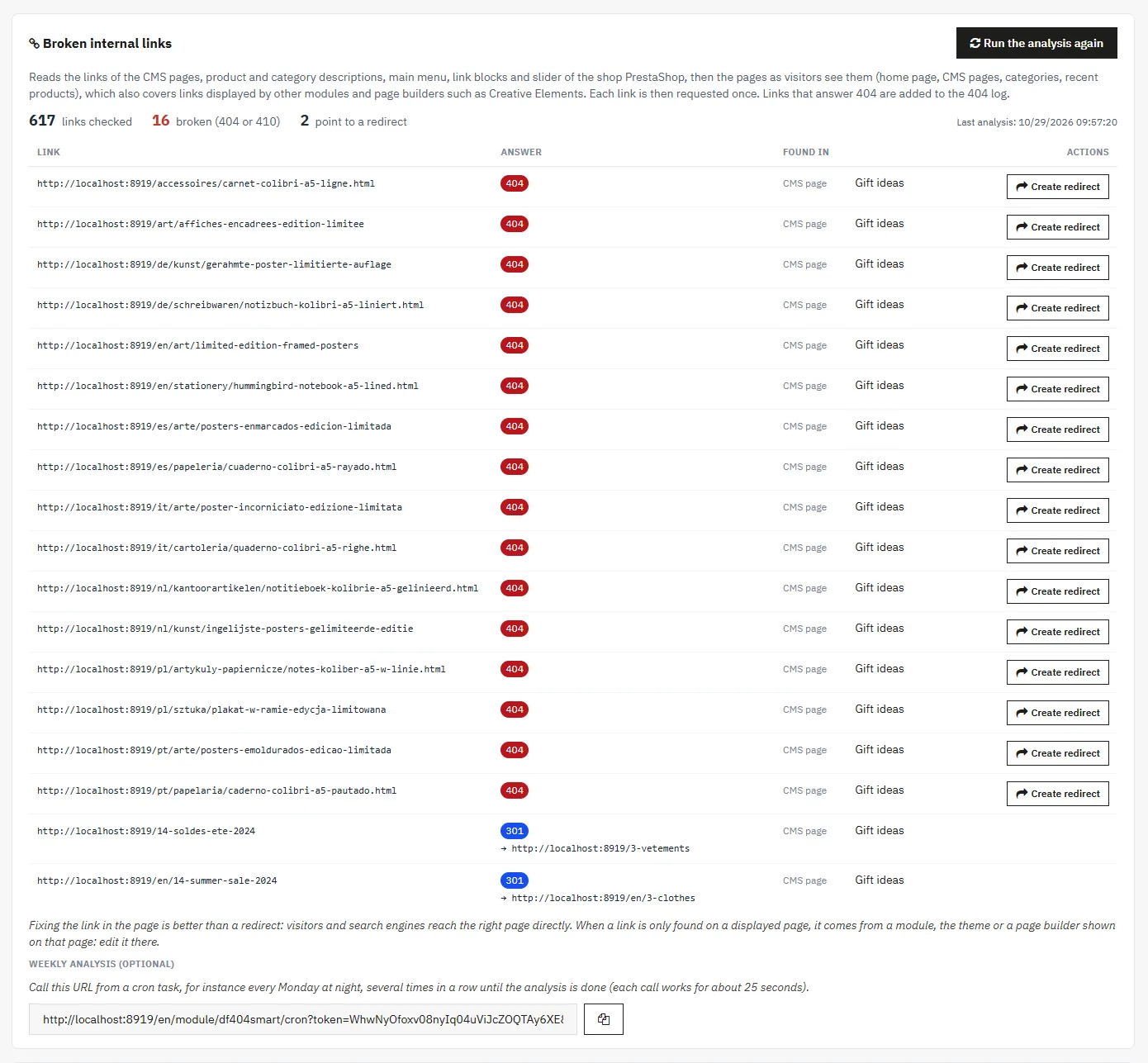
PrestaShop does not render all its 404 errors from the same page. A deleted or disabled product, a removed category or an offline CMS page is rendered by its own controller, with a 404 status. The module detects these cases just like unknown URLs: the suggestion block shows up everywhere, and every broken URL goes into the log. Missing CMS pages, brands and suppliers, which PrestaShop answers with a 302 to its error page, get a real 404 under their own URL. And the module does not wait for visitors: deleted or disabled pages, a Search Console report and the analysis of your internal links add broken URLs before anyone lands on them.
§ 03
Suggestions that look like your shop
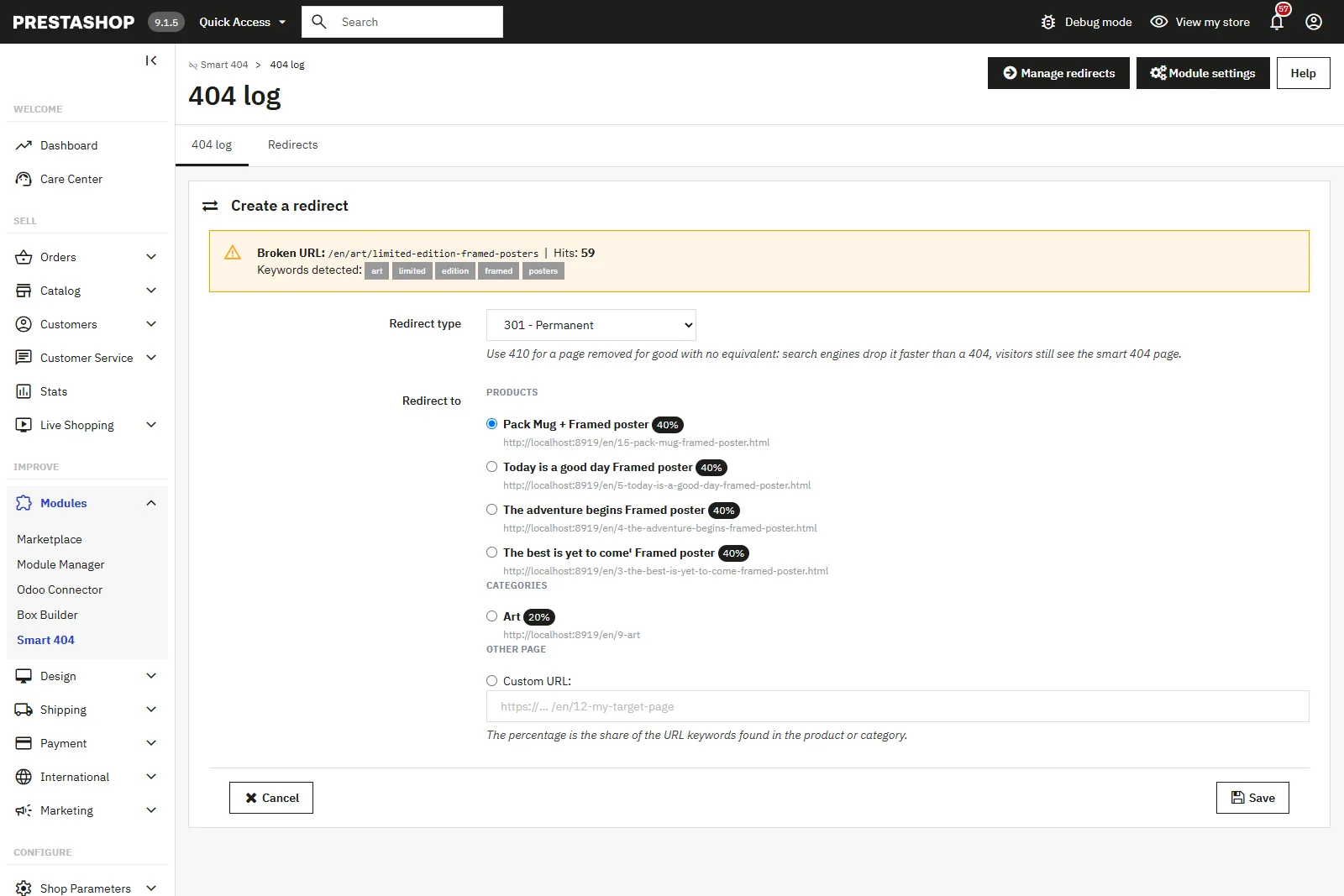
The module splits the last two segments of the URL, filters out stop words and route words in eight languages, and reduces plurals to their singular form. Products are ranked first by the number of keywords found, then by a weighted score: link_rewrite x4, name x3, reference x2. They are displayed with your theme's product list template, like the featured products on the homepage: same prices, same labels, same quick view. Up to three related categories are offered as quick links, and nothing is suggested that a customer group could not see. With no match, the module shows best sellers, then new products, with a matching title.
§ 04
A 404 page that fits your theme
The block is inserted after the theme's 404 content, not inside it. On Classic and its child themes, with the replacement option enabled by default, it reuses the native white box in a wider version, then shows the products on the page background, two per row on mobile and four on desktop. On Hummingbird, the theme keeps its content and its grid. The search field is pre-filled with the URL keywords and points to the native search. The titles and an introduction text can be customized per language.
§ 05
From 404 to 301, in one click or automatically
From the log, a broken URL is redirected in one click to the best product, or to a category if no product stands out. The module only accepts reliable matches: two thirds of the keywords covered and a clear winner. Several URLs can be handled in one bulk action. The automatic mode goes further: on the first visit of a broken URL that meets these conditions, the rule is created and the visitor is redirected immediately. These rules are marked "Automatic" and remain editable.
§ 06
Measure what 404s cost and what the module recovers
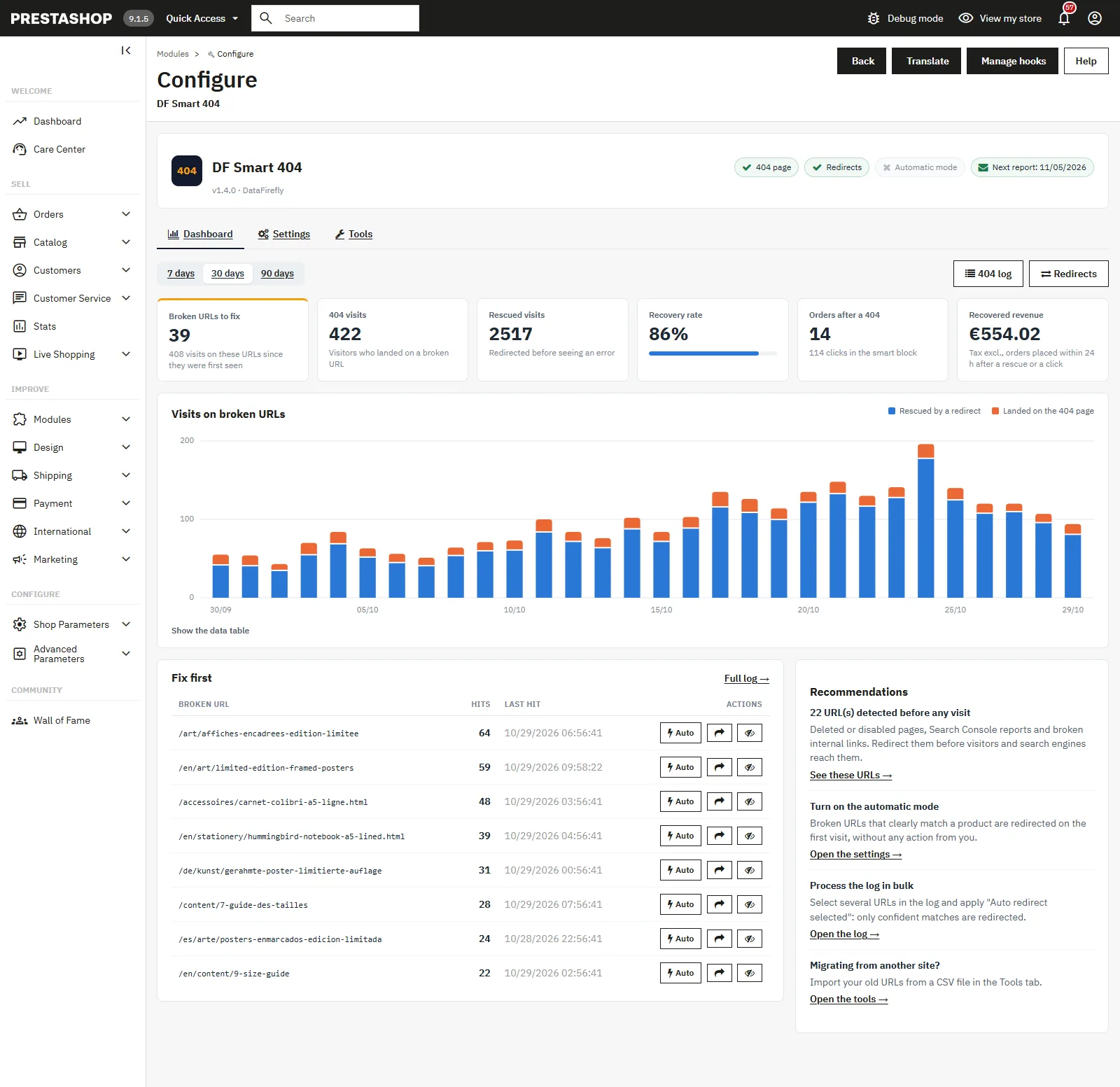
The dashboard shows the URLs to fix, visits on broken URLs, visits rescued by a redirect and the recovery rate. Orders placed within 24 hours after a redirect or a click in the block are counted with their tax-excluded amount. A daily chart over 7, 30 or 90 days separates rescued visits from visits that landed on the 404. A daily or weekly email report sends these figures and the URLs to fix first.
§ 07
Site migration and removed pages
During a migration, the CSV import takes over your old URLs: delimiter and encoding are detected, and exports from most tools are recognized as soon as the header names a source column and a target column. For a page removed for good, a 410 rule tells search engines the page will not come back, while still showing the smart 404 page to the visitor. Before anything goes live, the URL tester shows the detected language, the keywords, the existing rule and the redirect candidate.
§ 08
A discreet and safe redirect engine
Redirects are applied before dispatch, only on GET and HEAD so a form is never broken. Paths are normalized, loops and duplicates are rejected, and chains are flattened automatically. UTM parameters can follow the redirect. If you already use an advanced redirect manager, the engine can be turned off with a checkbox: the suggestion block, the log and the statistics stay active.




There are no reviews yet.