
A visitor using the search bar has a precise intent. If they get an empty page, they do not rephrase in most cases: they leave. On an average store, between 10 and 20% of internal searches return nothing, and those sessions convert at a rate close to zero even though they carried the strongest intent on the site.
PrestaShop shows a short message for these cases, with no alternative. That is a dead end where the page should be a recovery point.
Why a search returns nothing
Four causes, very unequal in frequency.
- The vocabulary does not match. The customer searches for “car charger”, your product page is titled “cigarette lighter adapter”. The product exists, the query fails. This is by far the most frequent case.
- The typo. Native search relies on a MySQL fulltext index with no error tolerance. One extra letter is enough.
- The product is not in the catalogue. A minority case, but the most interesting one commercially.
- The product exists but is disabled, or out of stock with ordering blocked. The customer is looking for a reference you withdrew without a redirect.
These four cases call for different answers, which rules out a generic zero-results page.
The five blocks of a useful page
The suggested correction. “Did you mean…” with an automatic re-run on the corrected term. This is the block that recovers the most sessions, because it handles cases 1 and 2 with no effort from the visitor.
Nearby categories. From the words in the query, offer two or three categories rather than isolated products. A customer searching a generic term often wants to browse, not land on one product page.
A commercial selection. Best sellers or new arrivals from the inferred category. This block converts little but retains: it avoids the blank page and gives the visitor a reason to stay one page longer.
The request form. “We did not find it, tell us what you are looking for.” Email and free text, two fields. This is the block almost nobody installs and it has the best value-to-effort ratio.
Direct contact. On a technical catalogue, a phone number or a chat on this specific page makes sense: the visitor who cannot find something is often the one with the highest basket.
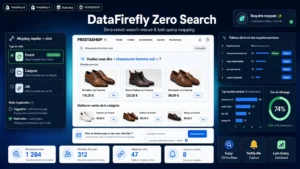 No Search Results Page PrestaShop 8/9: Rescue Page and Product AlertsThe "no results" page that rescues the sale instead of losing it.€79.00
The request form, in detail
What you collect is not limited to an email address. Every submission is a qualified, dated request, phrased in the customer’s own words. Three concrete uses:
- Individual reply. If the product exists under another name, you answer with the link and recover a sale that was lost.
- Sourcing decision. Ten requests for the same missing reference are worth a trial order from the supplier.
- Catalogue correction. Requests concerning a product that exists but cannot be found give you the exact list of synonyms to add to your product pages.
Plan for consent to reply, and keep it distinct from any marketing sign-up.
Measuring the recovery
Three indicators are enough, and they should be tracked over time rather than observed once.
- The exit rate on the zero-results page. That is the arbiter. Before any work, it often exceeds 70%.
- The click rate on each block, to know which one actually works and which one just takes up space.
- The conversion rate of recovered sessions, meaning visitors who went through an empty page and then returned to the buying journey.
The empty query log is a work plan
Beyond the page itself, the list of searches with no results is one of the few perfectly free data sources a store has. Sorted by frequency, the top 50 gives you three immediate work streams.
Terms matching existing products become synonyms to add to the product pages or to the search index. Recurring terms with no matching product feed the sourcing list. And queries with meaningful volume sometimes deserve a dedicated indexable page that captures the same demand from Google.
One caution on that last use: automatically generating a page for every query produces thousands of empty pages and harms the whole site. Selection has to stay manual, or rest on a volume threshold plus a check on the number of results.
Building the recovery page
The No Results Search module for PrestaShop builds this page on PrestaShop 8 and 9: corrected suggestions, inferred categories, commercial selection, product request form, and an empty query log with recovery rate tracking.