


Everything you'd want to know before you install.
A detailed look at how No Search Results Page PrestaShop 8/9: Rescue Page and Product Alerts works, why we built it the way we did, and the thinking behind the features above.
§ 01
A no-result search is a sale slipping away
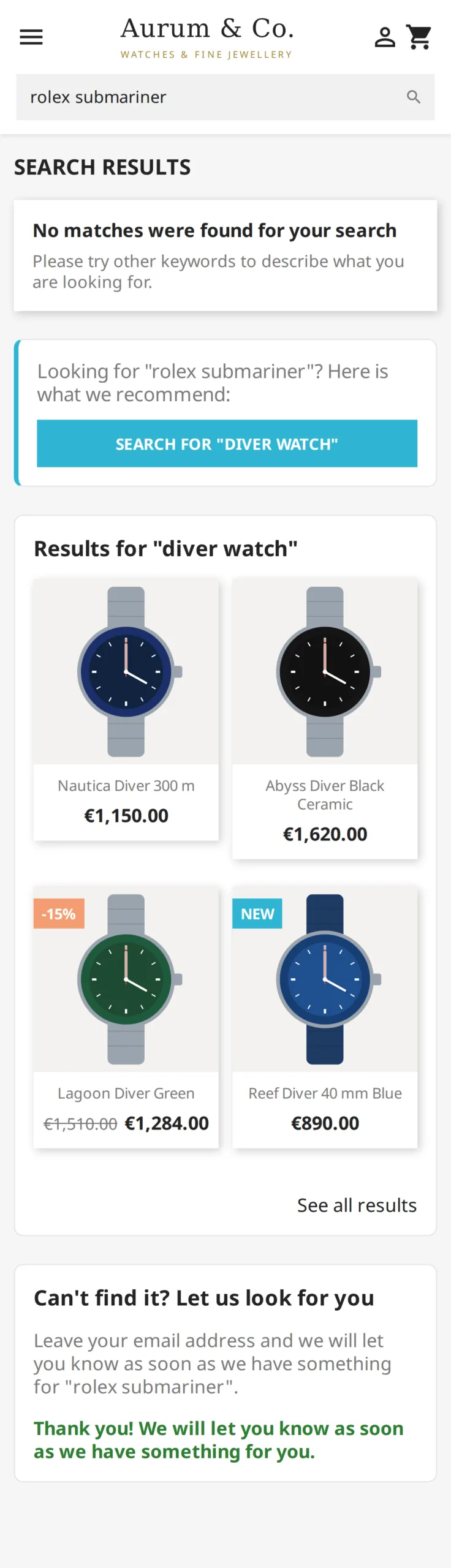
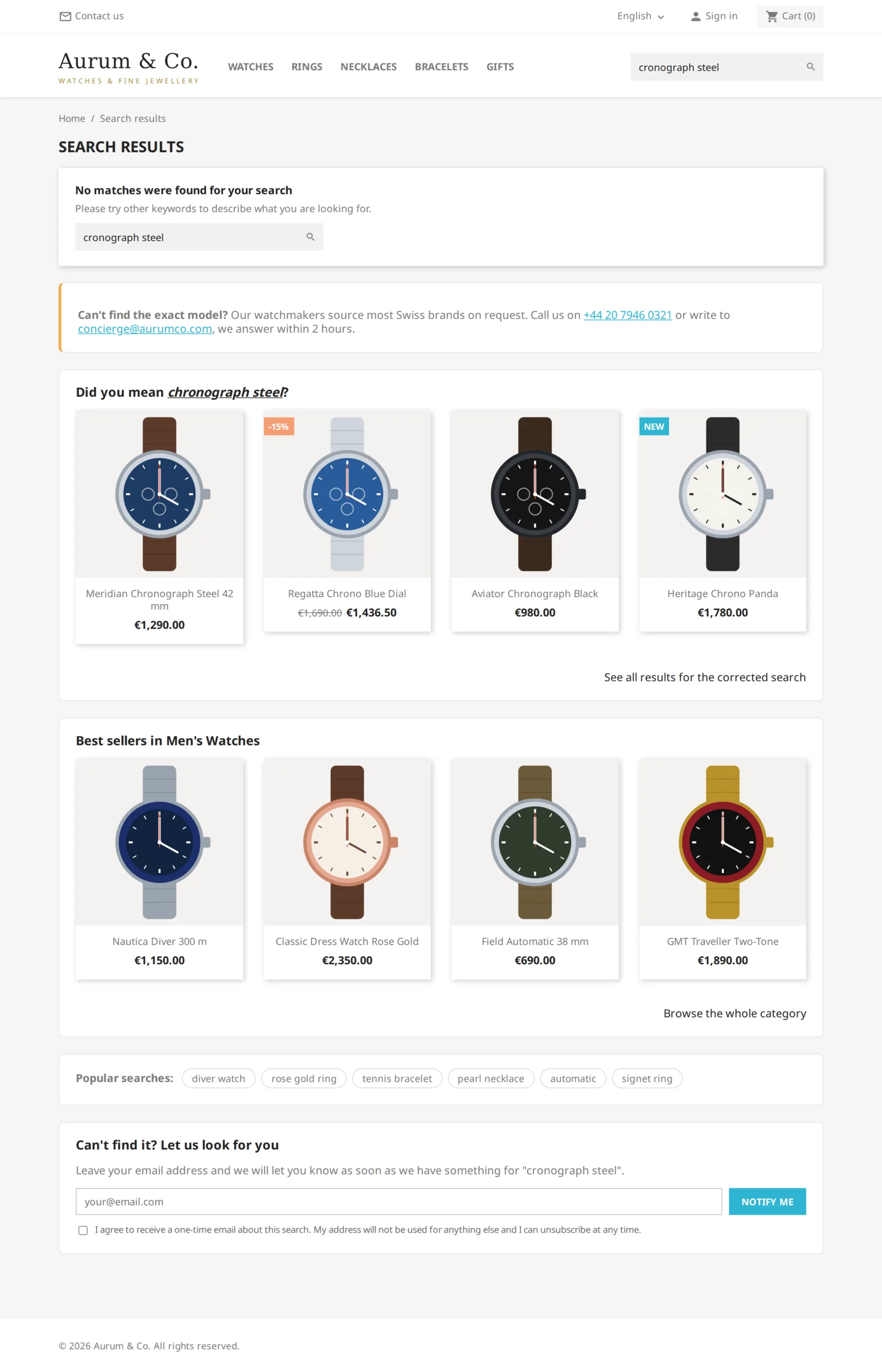
When a visitor types a query, they express a precise buying intent. Answering "no results" closes the door at the exact moment they were ready to buy. The module intercepts these searches and shows a rescue page instead, which puts them back on the track of a product. It also handles a case most modules ignore: PrestaShop's native fuzzy search often returns unrelated products for an unknown word, and these searches are counted as lost, with the rescue shown above them.
§ 02
Built for searches by reference
In watchmaking, spare parts or B2B, customers type an exact reference. If M91650-0005 is not in the catalogue, the module automatically shows the products whose reference starts the same way (M91650-0001, M91650-0002), ignoring hyphens, dots, spaces and case, combinations included. To go further, a single M91650* wildcard rule redirects the whole family to a category, with no rule per reference.
§ 03
Rescue leads, in the right order
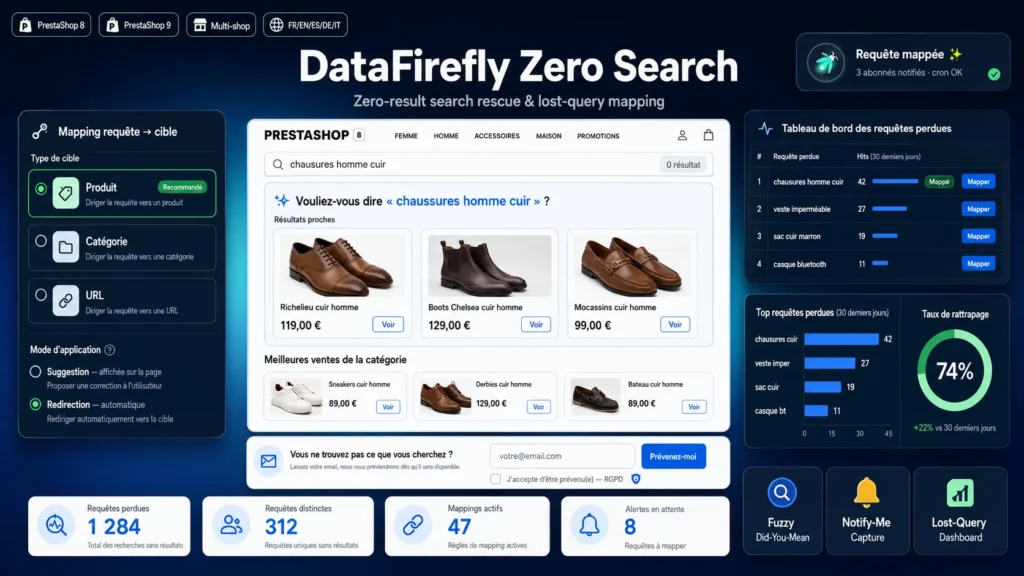
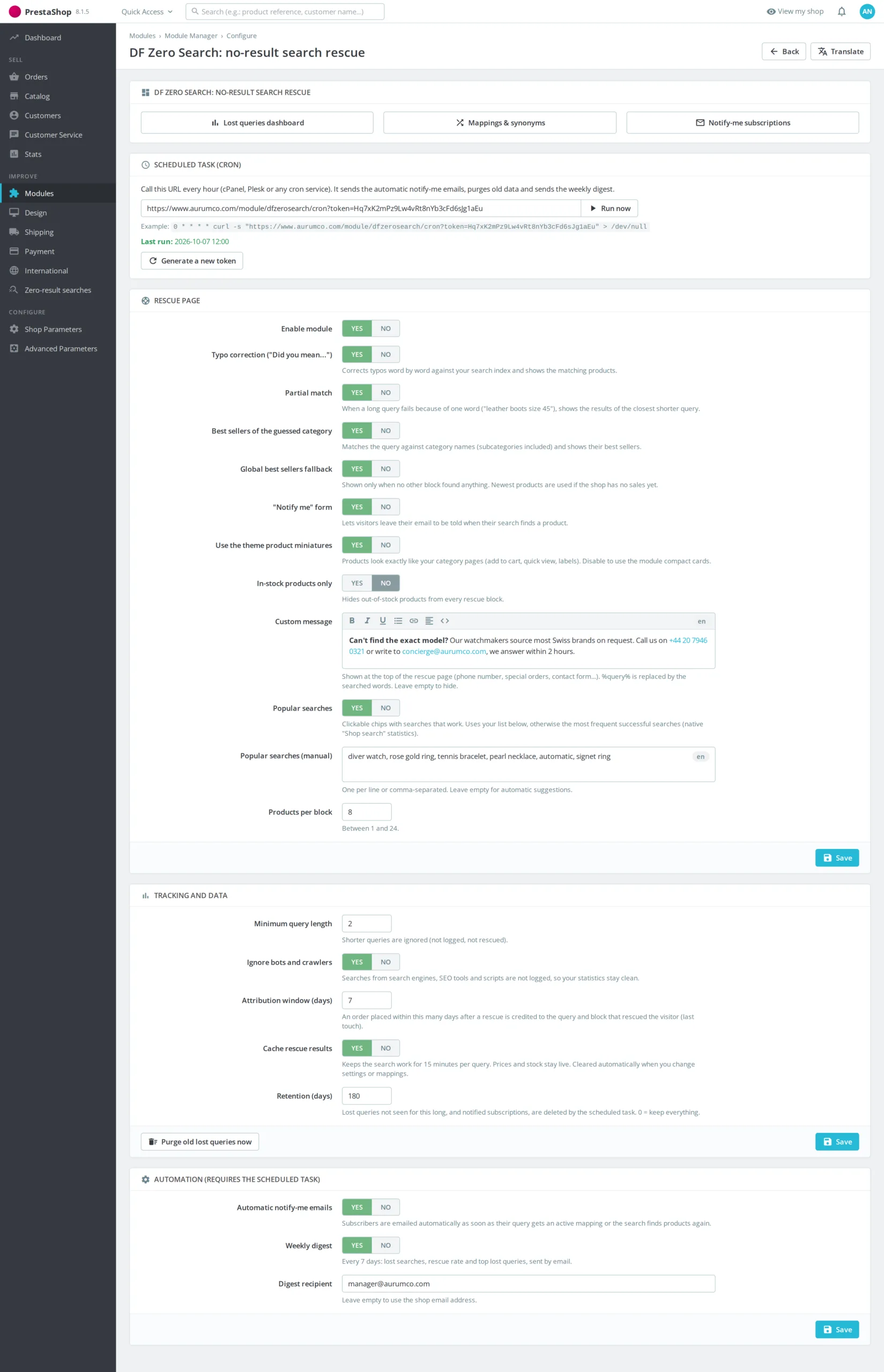
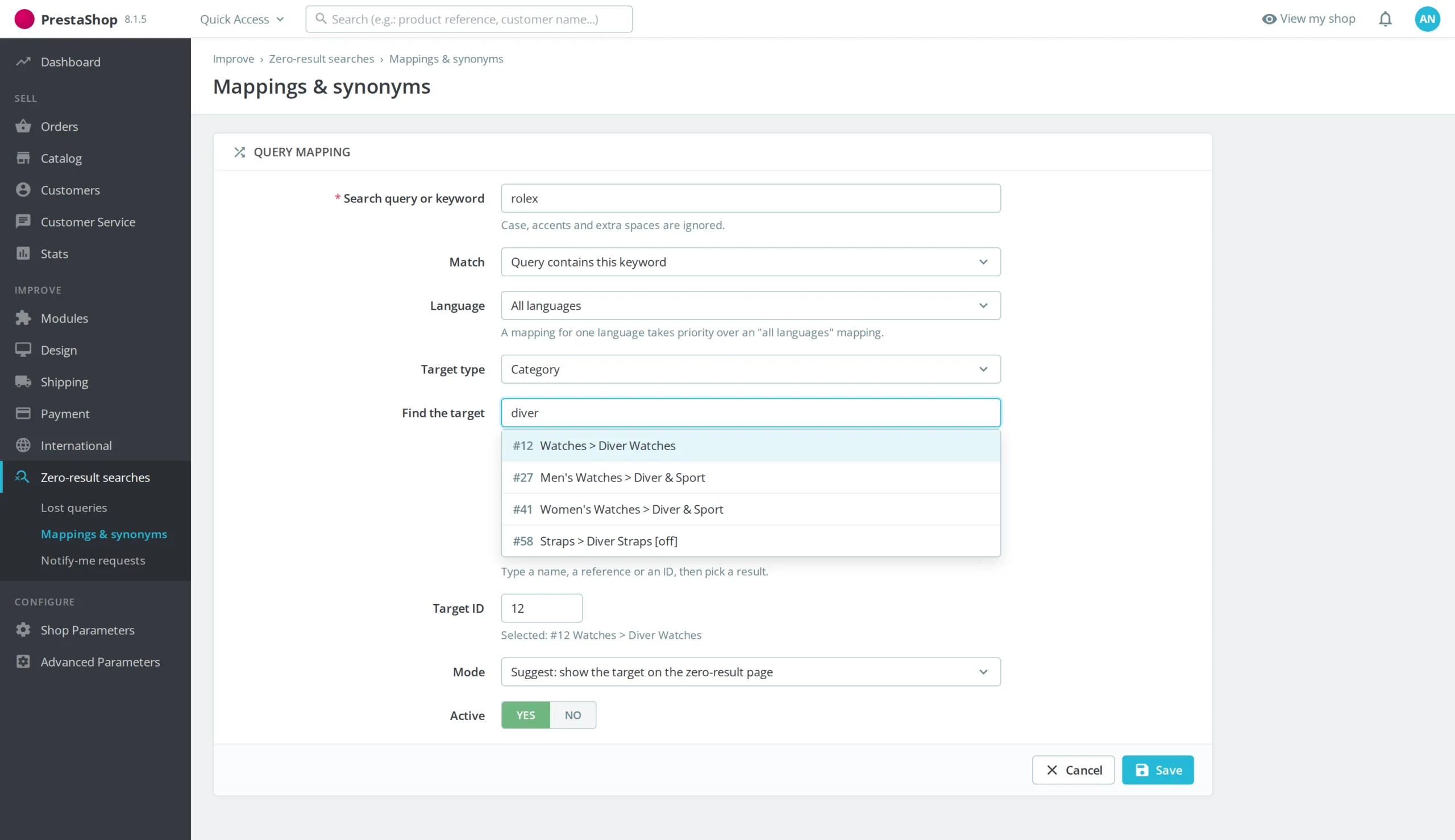
The module first applies your rules, then similar references, the "did you mean…" correction against the native search index, the partial match when a single word makes a long query fail, and the best sellers of the guessed category. Only if nothing worked does it show your best sellers. Products are displayed with your theme's miniatures, and each block can be enabled independently.
§ 04
A dashboard that measures what you rescue
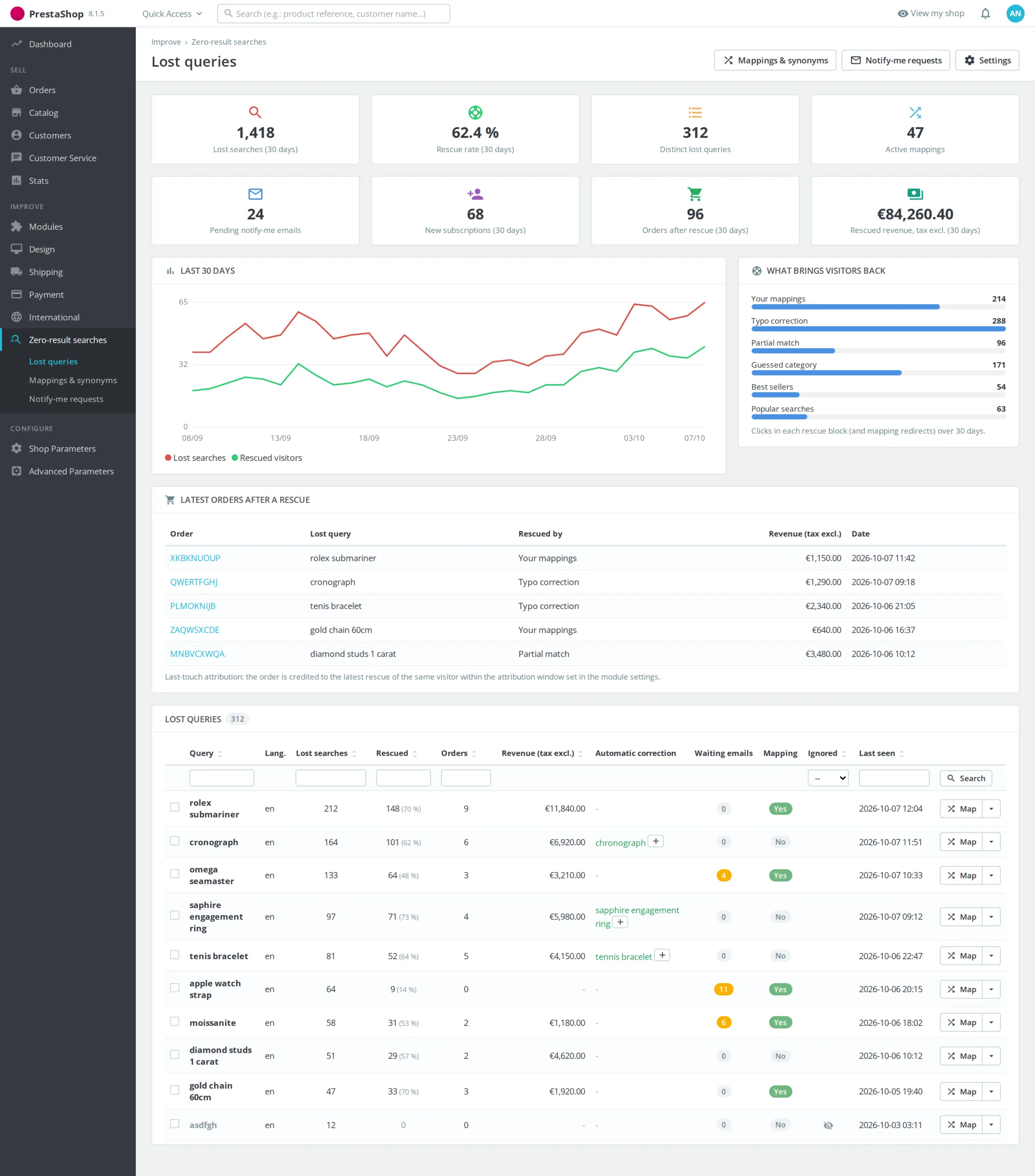
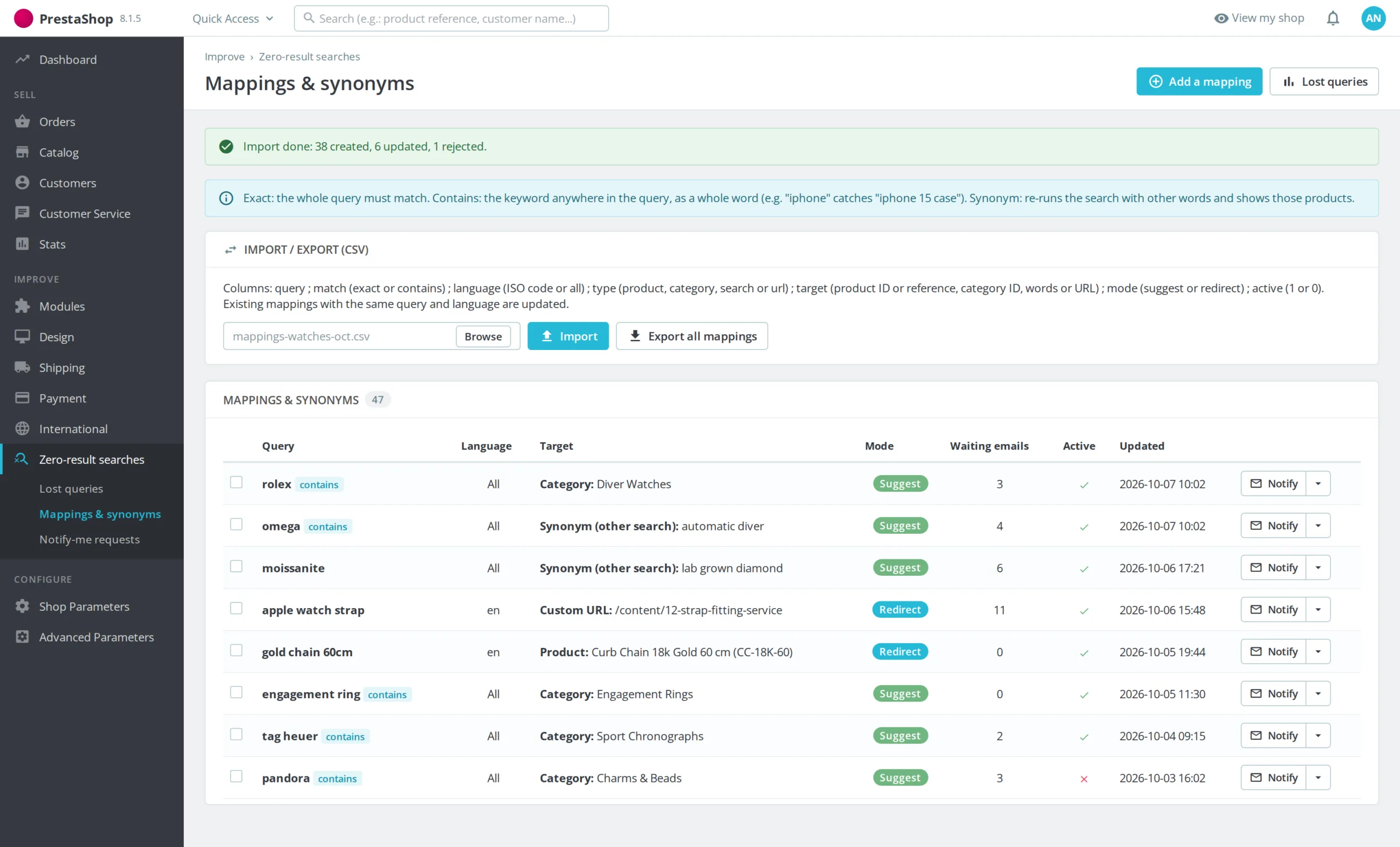
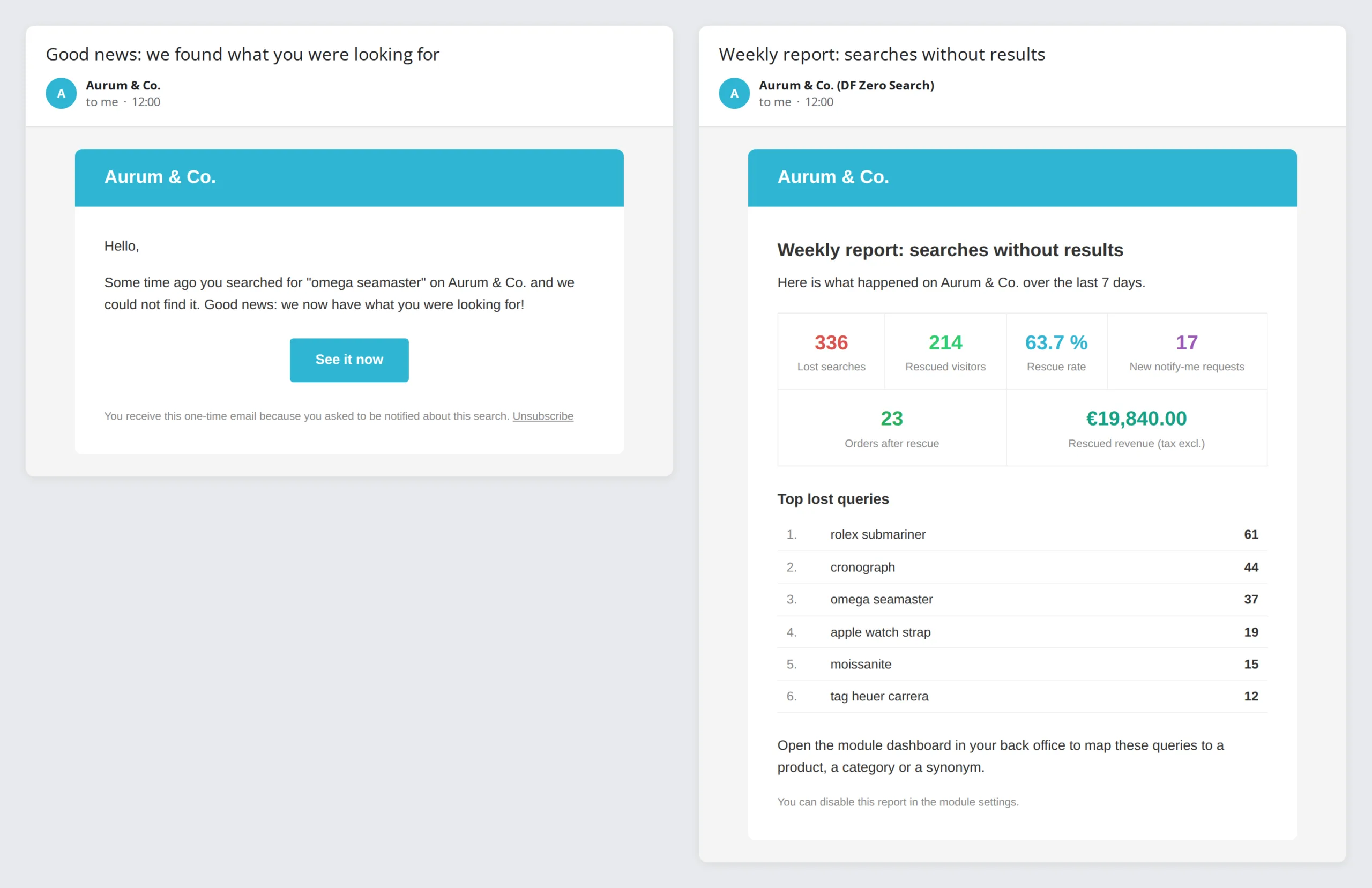
Every lost search is counted and ranked by volume. The dashboard shows the rescue rate, the effectiveness of each block and, above all, the orders and revenue (tax excl.) placed after a rescue, attributed to the last touch within an adjustable window. From the list, you create a rule in one click, turn the suggested correction into a synonym or ignore a query. A weekly report sums it all up by email.
§ 05
Capture the demand you don't cover yet
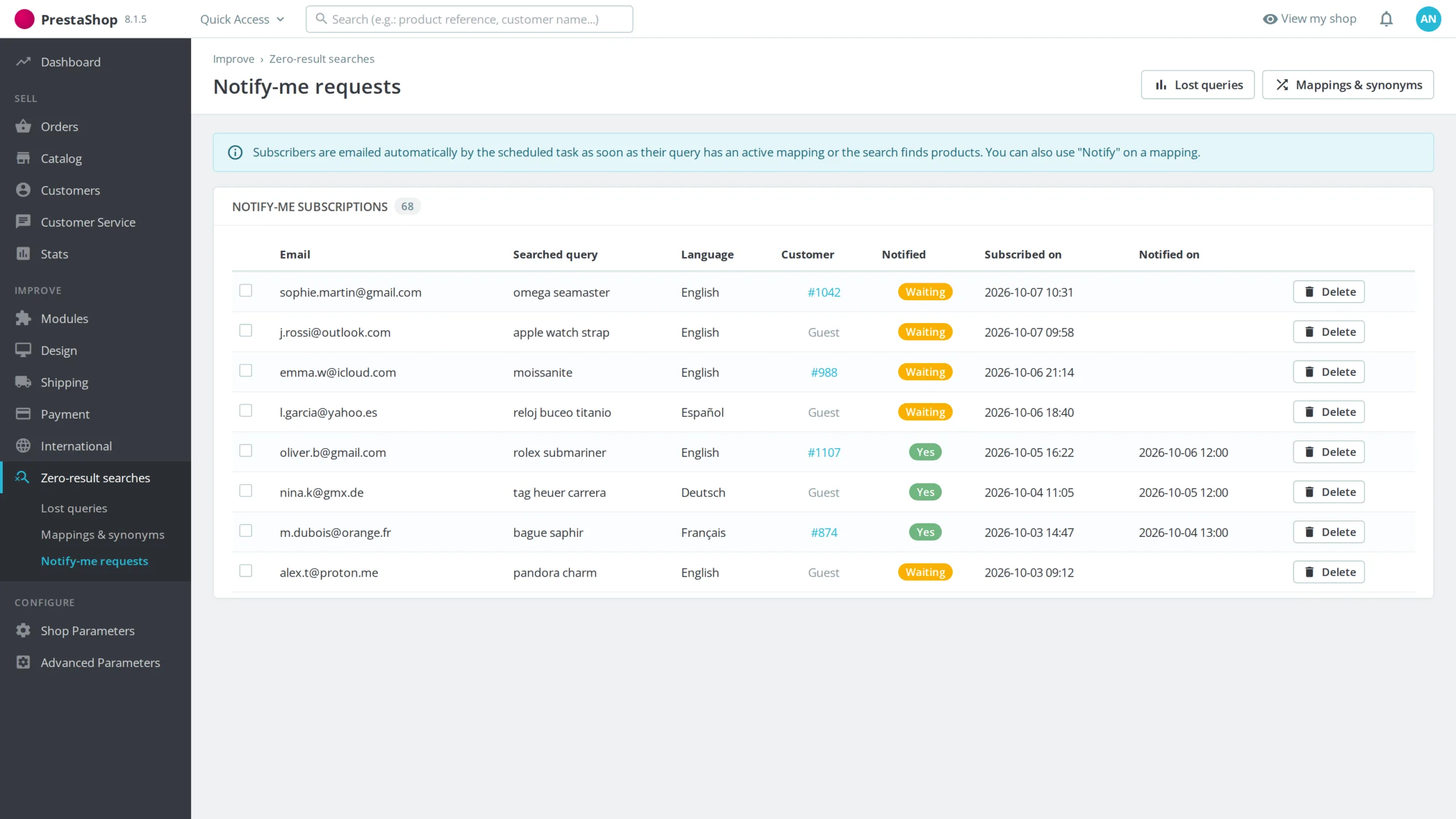
A GDPR opt-in "notify me" form, protected by a honeypot, captures the visitor's email for their search. As soon as a rule exists or the search finds products again, the scheduled task emails them in their language, with a one-click unsubscribe link. Data can be exported and deleted through the official GDPR module, and is purged automatically beyond the retention period.


There are no reviews yet.