Exporting then importing a CSV is the reflex method for moving products from one store to another. It works on simple catalogs, and it loses a lot as soon as the product pages are complete.
This article compares the methods. Duplicating a full category tree is a neighbouring project, covered separately.
What the CSV carries correctly
Let us be precise: file import is not bad, it has a scope.
It handles simple fields well: name, reference, price, description, weight, status. It handles associations by name: categories, brand, supplier, provided those entities already exist on the destination side.
It is also the only practical tool for a bulk update: changing three hundred prices, fixing descriptions, activating or deactivating a batch.
On a catalog of simple products without combinations, with one image per product, export-import does the job.
What it loses
Five elements, in order of severity.
Images. The format expects publicly reachable addresses, not files. That assumes the source store’s images stay reachable from the destination for the whole import, and downloading several thousand visuals is slow and fragile.
Above all, the image-to-combination associations do not survive. Your images all end up attached to the product, with no link to the variants.
Combinations. They import through a separate file, with an attribute syntax to respect to the character. Impact prices, per-combination references and per-variant stock each need their own column, and a format error produces partial combinations that are hard to spot.
Features and custom values, which follow the same syntax logic and fail silently when a value does not exist.
Positions within categories. They are not part of the standard format. All your products arrive sorted by identifier, which erases merchandising work.
Relations between products: accessories, related products, packs. They rely on internal identifiers that mean nothing in the destination store.
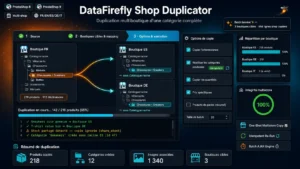 Multistore Duplication of a Full Category — PrestaShop 8 & 9Copy a whole category from one shop to another, in a single click€109.00
The identifier problem
This is the structural difficulty of file-based transfer, and it explains most failures.
An exported product carries its identifier from the source store. On import, two behaviours are possible: either the system creates a new product with a new identifier, which breaks all the relations, or it tries to reuse the identifier, which potentially overwrites an existing product.
The same questions arise for categories, brands, attributes and features. Each has its own identifier, and nothing guarantees the correspondence between the two stores.
The practical consequence: after a CSV import, there is always manual reconstruction work on the associations. On a hundred products, that is several hours.
Direct copy
The alternative is to never take the data out of the database: the copy happens internally, with correspondences resolved along the way.
Four practical differences.
Images stay files, copied on disk with their combination associations intact.
Combinations are rebuilt with their attributes, creating missing values on the destination side when needed.
Correspondences are computed and kept: the system knows that source product 1245 became product 3891, which makes it possible to rebuild the relations.
Positions are carried over, since they are read directly from the structure.
The trade-off: this method assumes both stores share the same installation, which is the case in multistore but not between two separate installations.
Which method for which situation
Three scenarios.
Two stores in the same multistore installation: direct copy, without hesitation. It is the most common case and the one where the gap is widest.
Two separate installations, same hosting: direct copy is possible with access to both databases, or a transfer through a programmable interface, which preserves the structures.
Two unrelated installations: the file remains the only simple route. Plan for the manual reconstruction, and handle images separately.
What to check before copying
Four preparations, whatever the method.
The destination entities exist. Brands, suppliers, attributes, features, carriers. A product copied to a store without the matching attributes loses its combinations.
The active languages match. Copying a trilingual product to a monolingual store loses two translations, and the reverse leaves empty fields.
The tax rules are configured. Without them, prices arrive with no applicable VAT.
A backup exists. A badly calibrated copy of three hundred products cannot be undone product by product.
After the copy
Five checks on a sample of ten products.
The images display, with the right combination associations.
The combinations are complete, with their stock and impact prices.
The prices are correct tax included.
The products appear on the front office, not only in the back office.
The internal search returns them, which validates the index regeneration.
Two operations not to forget after any transfer: regenerating the thumbnails for the new store, and regenerating the search index. They explain most situations where products seem missing even though they were properly created.
The recurring-update case
A separate question from the initial transfer, and often more important over time.
Once the products are copied, how do you keep things consistent when the source evolves?
Three approaches. Sharing rather than copying, if the content must stay identical: a single product associated with both stores, modified once. Periodic synchronisation on chosen fields, typically price and stock, letting descriptions diverge. Or assumed independence, if the catalogs are going to part ways.
The choice is made at copy time, not afterwards: going back means redoing the work.
The Multistore Full Category Duplication module performs this direct copy on PrestaShop 8 and 9: transfer of products with combinations, images and their associations, positions within categories, creation of missing entities on the destination side and preservation of the identifier correspondences to rebuild the relations.