A visitor using your search box has a precise intent. If they get nothing, they usually do not rephrase: they leave. Before fixing anything, you need to know what that costs you.
Putting a figure on the loss
Four measurements, to take before any work begins.
The share of sessions with a search. On a large catalogue it frequently exceeds 20 %. That is the volume concerned.
The conversion rate of sessions with a search, compared with the others. It is generally much higher: a visitor who searches knows what they want.
The share of searches with no result, against the total number of searches.
The exit rate from an empty result page, which measures abandonment directly.
The loss is then calculated simply: number of sessions with an empty search, multiplied by the usual conversion rate of sessions with a search, multiplied by your average basket.
That figure is generally higher than expected, because it applies to a qualified population. It is what justifies the budget for the work.
The five causes of an empty result
They do not carry the same weight nor call for the same fixes.
The typo. The product exists, the engine does not find it because it is looking for an exact match.
The synonym. The customer uses a word your product pages do not.
The natural language search. A full sentence rather than a keyword, which the engine cannot break down.
The attribute search. “Shoe size 12” when size is a variant attribute and not a word in the title.
The product missing from the catalogue. This is the only cause that belongs to sourcing, and it is a minority.
A point of method: sort your first hundred no-result searches into these five families. The distribution tells you where to put the effort, and it generally holds surprises.
Typo tolerance
The most profitable fix, because it addresses the most frequent cause.
The principle: accept a difference of one or two characters between what was typed and the indexed term.
Three calibration precautions.
Tolerance depends on length. On a four-letter word, one character of difference often changes the meaning. On a twelve-letter word, two characters stay safe.
References tolerate nothing. A search by product code must be exact, or you return the wrong part.
The correction must be visible. “Results for drill” with a mention of what was originally typed lets the customer understand and correct if the interpretation is wrong.
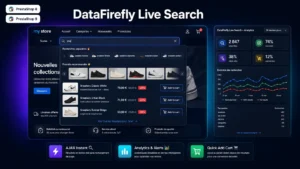 Advanced Search Module for PrestaShop 8 & 9 - DataFirefly Live SearchThe advanced PrestaShop search module that converts€199.00
The synonym dictionary
Second fix by order of return, and it takes manual work that is worth doing.
Four families of synonyms to handle.
Technical and everyday terms. “Combustion” and “petrol”, “dishwasher” and “dish washer”.
Trade names and generic names. A brand that has become a common noun is frequently typed in place of the generic product.
Abbreviations. Trade customers use acronyms that your product pages spell out in full.
Regional or trade vocabulary. Depending on your sector, the same object goes by several names.
Method for building it: start from your no-result searches, not from a theoretical list. In an hour you get around thirty genuinely useful matches, which beats a generic thousand-entry dictionary.
Searching the right fields
A cause of empty results that often goes unnoticed.
By default the engine searches the name and the description. Four additional fields deserve to be indexed.
The reference and the variant references, which handles searches by code.
The attributes, which lets a product be found by its size or colour.
The features, which often carry the technical information being looked for.
The brand, including when it does not appear in the title.
A point of caution: indexing more fields increases noise. Weighting is necessary, with the name counting for more than the description, or you surface products that mention the term in passing.
Search redirects
A simple and underused mechanism.
Some searches deserve a directed answer rather than a list of results. A customer typing “delivery” is looking for your information page, not a product.
Four typical cases: service terms, category names that should lead straight to the category, brands that should lead to the brand page, and current commercial operations.
These redirects are configured manually, on twenty terms at most. Beyond that, you are compensating for a shortcoming in the engine rather than fixing it.
The empty result page
It must offer, not merely report. Five elements.
The suggested spelling correction, if a close entry exists.
Partial results, by relaxing the criteria. If “cordless drill 18V” gives nothing, offer the results for “cordless drill”.
The matching category, if the term relates to one.
Popular searches, which give a way out.
The alert form, for products genuinely absent from the catalogue.
The second point is the most effective: a three-term search that gives nothing becomes a two-term search that gives fifteen products. The customer rarely finds exactly what they typed, but often what they were looking for.
Instant search
It prevents the empty result rather than handling it.
By showing suggestions from the first characters, it guides the visitor towards terms that exist in your catalogue. They no longer type a full search only to discover it gives nothing.
Three implementation rules.
Triggering from three characters, with a slight delay so as not to query on every keystroke.
Product suggestions, not just words. A thumbnail with the name and price converts better than a list of terms.
A link to the full results, for broad searches.
Add categories and brands to the suggestions: they steer towards browsing rather than towards a list, which is often more useful.
The order of the work
Five steps, by decreasing return.
1. Measure, so you know what you are fixing and can compare afterwards.
2. Switch on typo tolerance, calibrated to word length.
3. Build the synonym dictionary from your real data.
4. Extend the indexed fields, with weighting.
5. Rebuild the empty result page.
The first three steps generally handle the majority of cases, and they take a day of work.
Measuring afterwards
Three indicators, taken a month later.
The share of searches with no result, which should fall clearly.
The click rate from the results, which measures relevance and not merely the presence of answers.
The conversion rate of sessions with a search, which is the final figure.
A measurement trap worth knowing: the share of no-result searches can fall without anything improving, if you return irrelevant results. The click rate is the control that prevents it.
The Live Search module for PrestaShop handles this chain on PrestaShop 8 and 9: instant suggestions with product thumbnails, categories and brands, typo tolerance calibrated to word length, a synonym dictionary and configurable redirects, and weighted indexing of references, attributes and features.