
Everything you'd want to know before you install.
A detailed look at how Change Product Variant in Cart for PrestaShop 8 & 9: Edit Size and Color Without Removing the Product works, why we built it the way we did, and the thinking behind the features above.
Why the PrestaShop cart stalls on a simple size change
The native cart lets customers change the quantity or remove a line, nothing more. To go from an S to an M, the customer has to remove the product, go back to its page, find the right combination and add it again. On mobile, that is four or five screens for a one second fix. This module adds the missing step: change the combination where the customer already is.
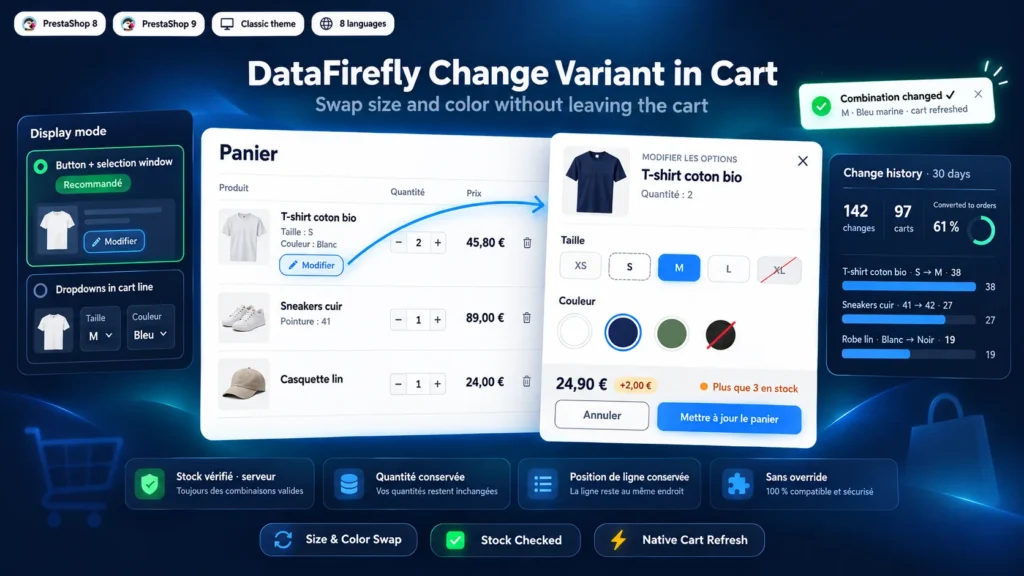
Two layouts depending on your shop
The window mode suits fashion, footwear or home decor shops: the color is picked on a swatch and the image follows the selection. The dropdown mode suits technical or B2B catalogs, where the customer wants to switch a reference in one move from the line. In that mode, the theme's native attribute rows are hidden to avoid showing them twice.
A swap that follows your shop rules
The module goes through the PrestaShop cart methods (updateQty and deleteProduct), not through direct queries on cart lines. Automatic cart rules, specific prices and minimum quantities apply as they do for a normal add to cart. Lines tied to a gift cart rule are refused with a message, so a running offer is not broken.
Measure what the feature brings
Each change is logged with the cart, the product, the starting combination and the chosen one. The configuration page shows the number of changes over 30 days, the number of carts concerned, how many became orders, the most changed products and the last 20 changes. A product often changed from S to M points to a size guide worth reviewing.


There are no reviews yet.