



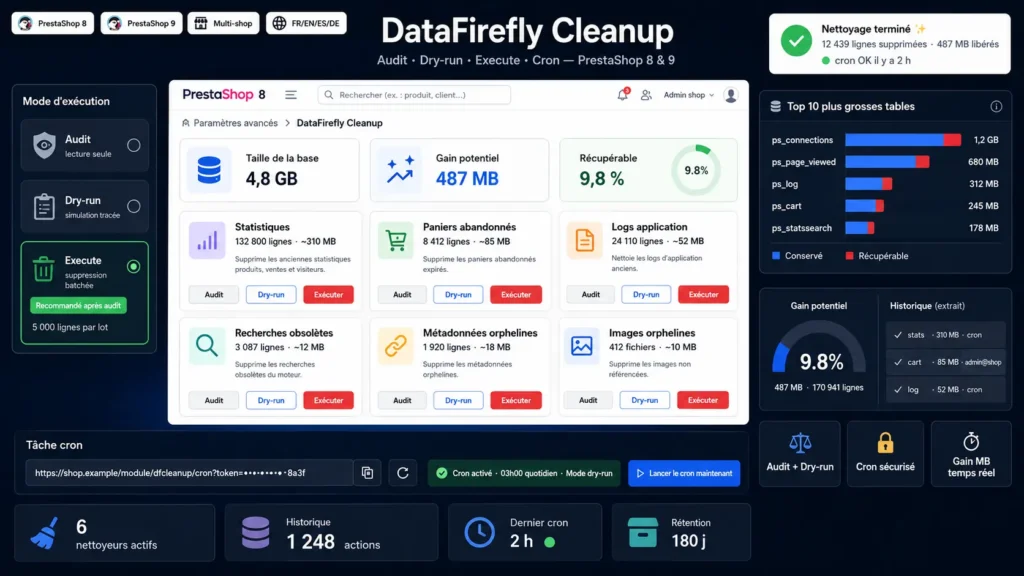
Everything you'd want to know before you install.
A detailed look at how DataFirefly Cleanup — PrestaShop Database Cleaner works, why we built it the way we did, and the thinking behind the features above.
§ 01
Clean up without risking breaking the shop
A PrestaShop database piles up visits, carts that were never ordered, logs, searches, rows of deleted products and useless files. Deleting them is easy; doing it without touching what the shop or another module still uses is much harder. DataFirefly Cleanup is built around that requirement: each target states what it protects, and each execution is first simulated, backed up and reversible.
§ 02
Simulation, preview, execution, report
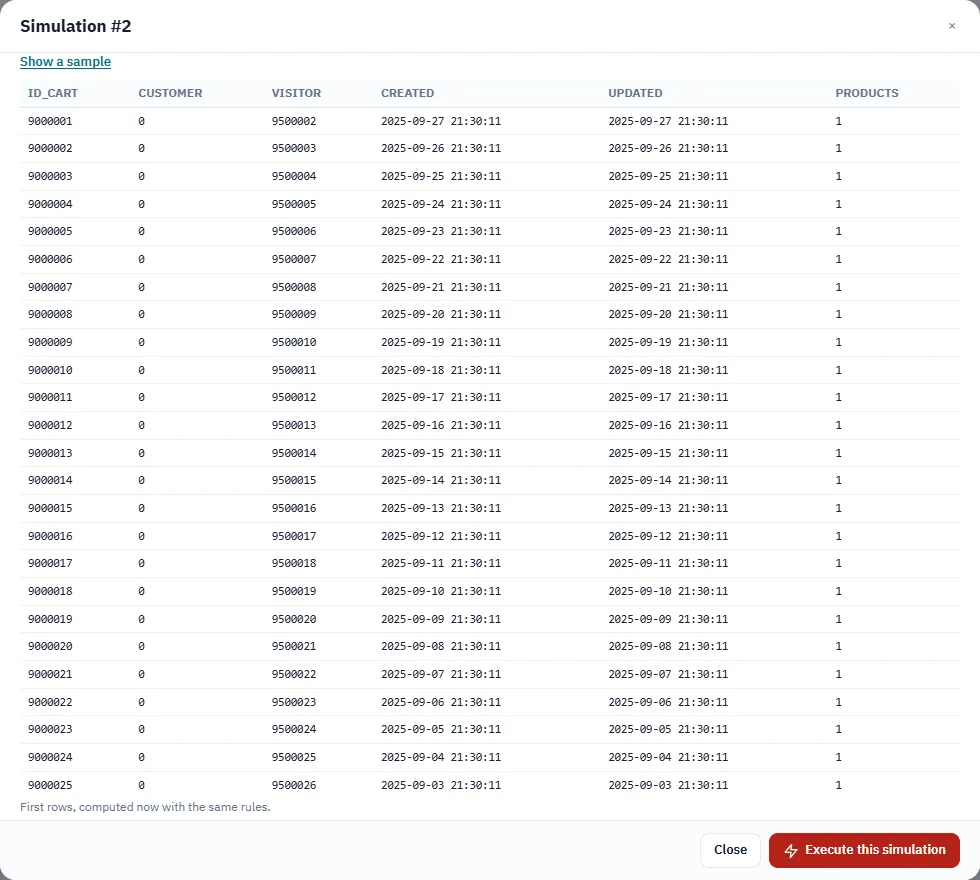
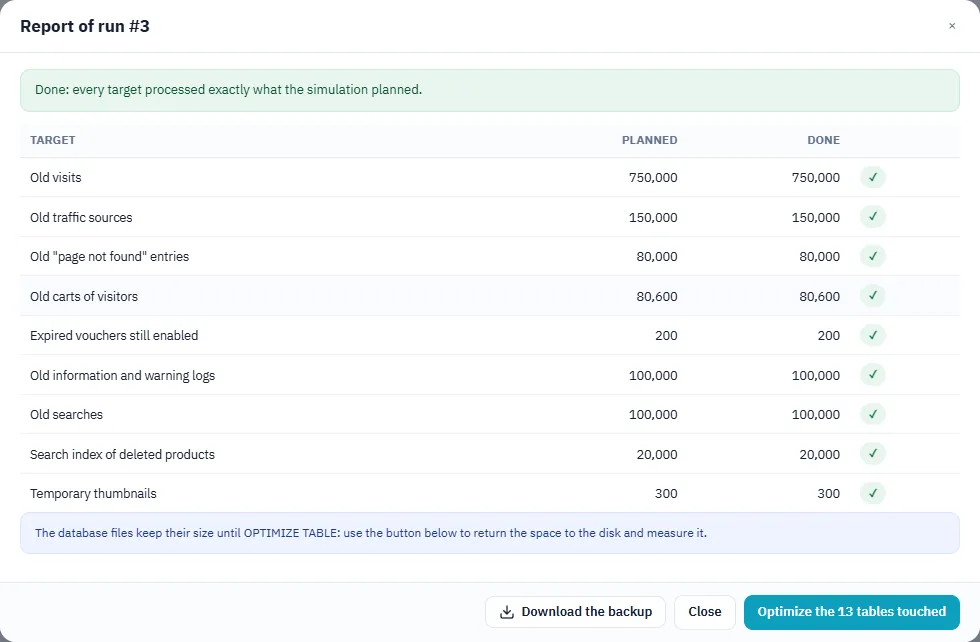
The simulation counts the rows per table, the files, the estimated logical size and what the protections keep, with a sample of the rows and image thumbnails. The execution follows exactly that simulation: same settings, same reference time, same shops. It works in batches inside transactions, with a progress bar; an interruption erases nothing that has been done and the execution resumes where it stopped. The report compares planned and done for each target.
§ 03
Carts and the data of other modules
A cart linked to an order, to a customer message, or referenced by any other table in the database is never deleted. Detection is automatic: it covers live shopping, auction, payment link, quote, subscription, cart recovery and pending-payment modules, including those installed after this module. The latest cart of each customer is kept by default. Expired vouchers are only disabled.
§ 04
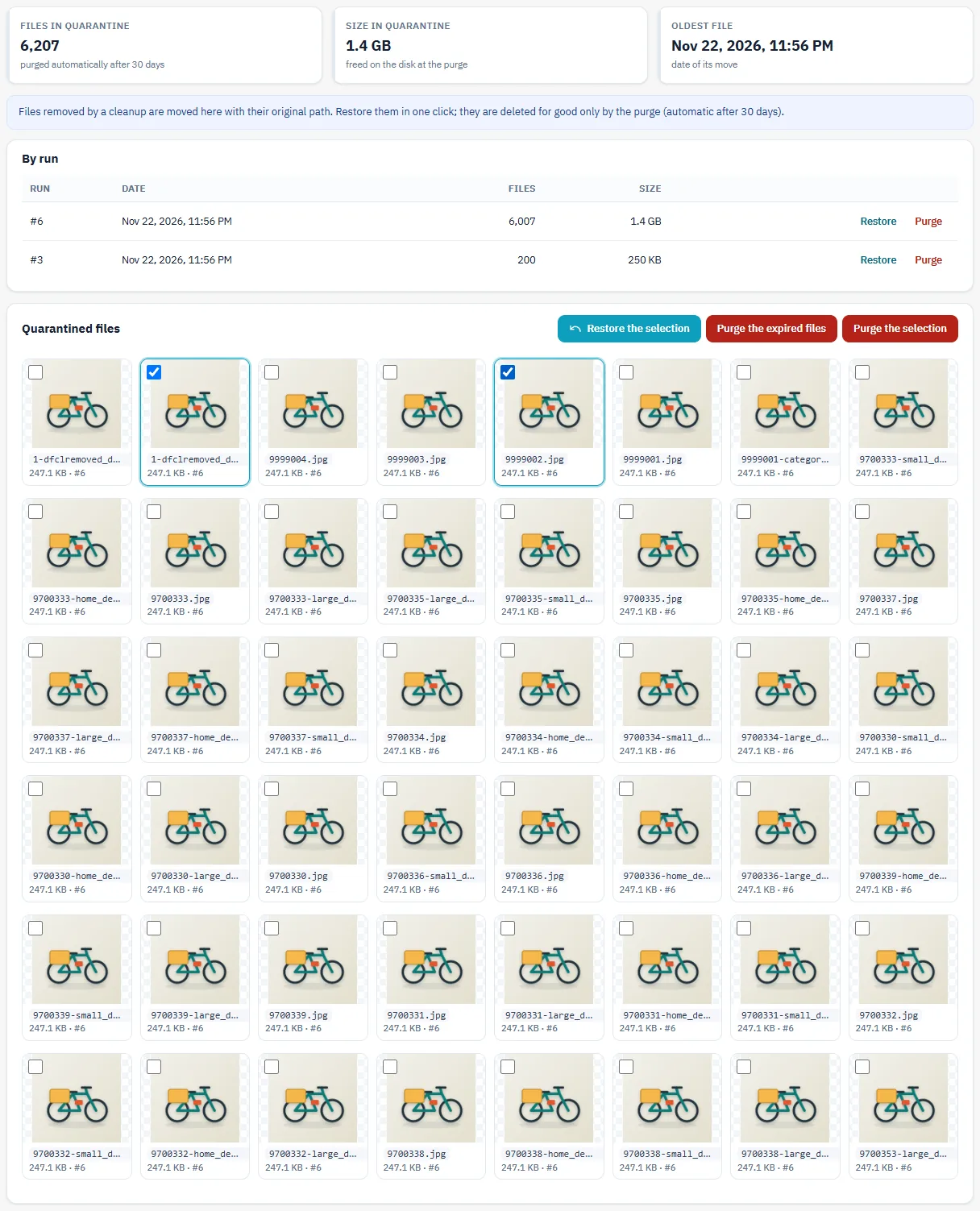
Images: quarantine rather than deletion
Only the PrestaShop image folders are scanned, never those of modules. A file is a candidate only if its image, category, brand, supplier or store no longer exists, if its name and folder follow the PrestaShop pattern, if it is more than 24 hours old and if it is mentioned nowhere: descriptions, CMS pages, configuration, module tables, themes, templates or e-mails. It is then moved to the quarantine, restorable for 30 days.
§ 05
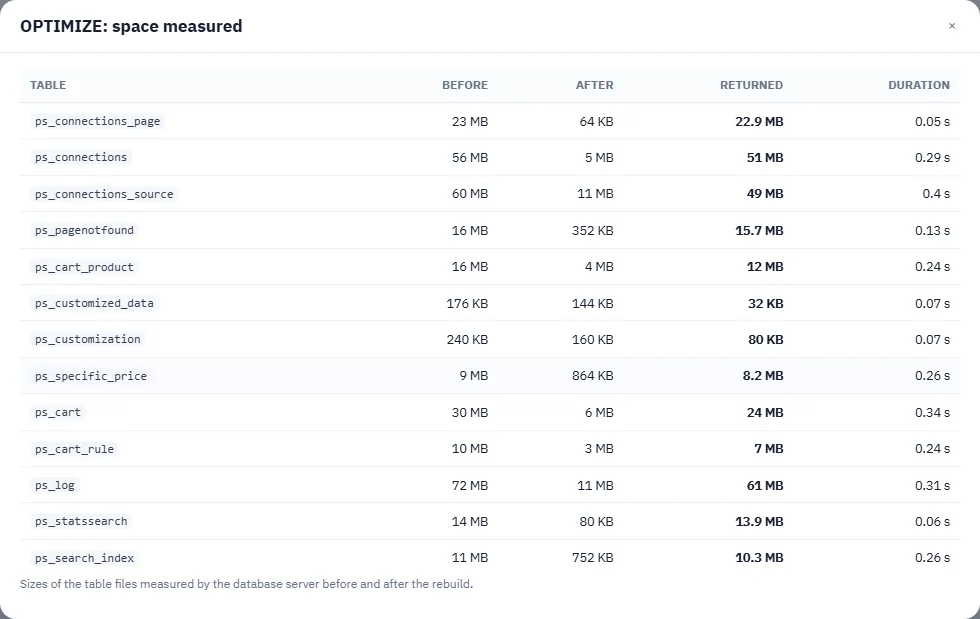
Space gains shown honestly
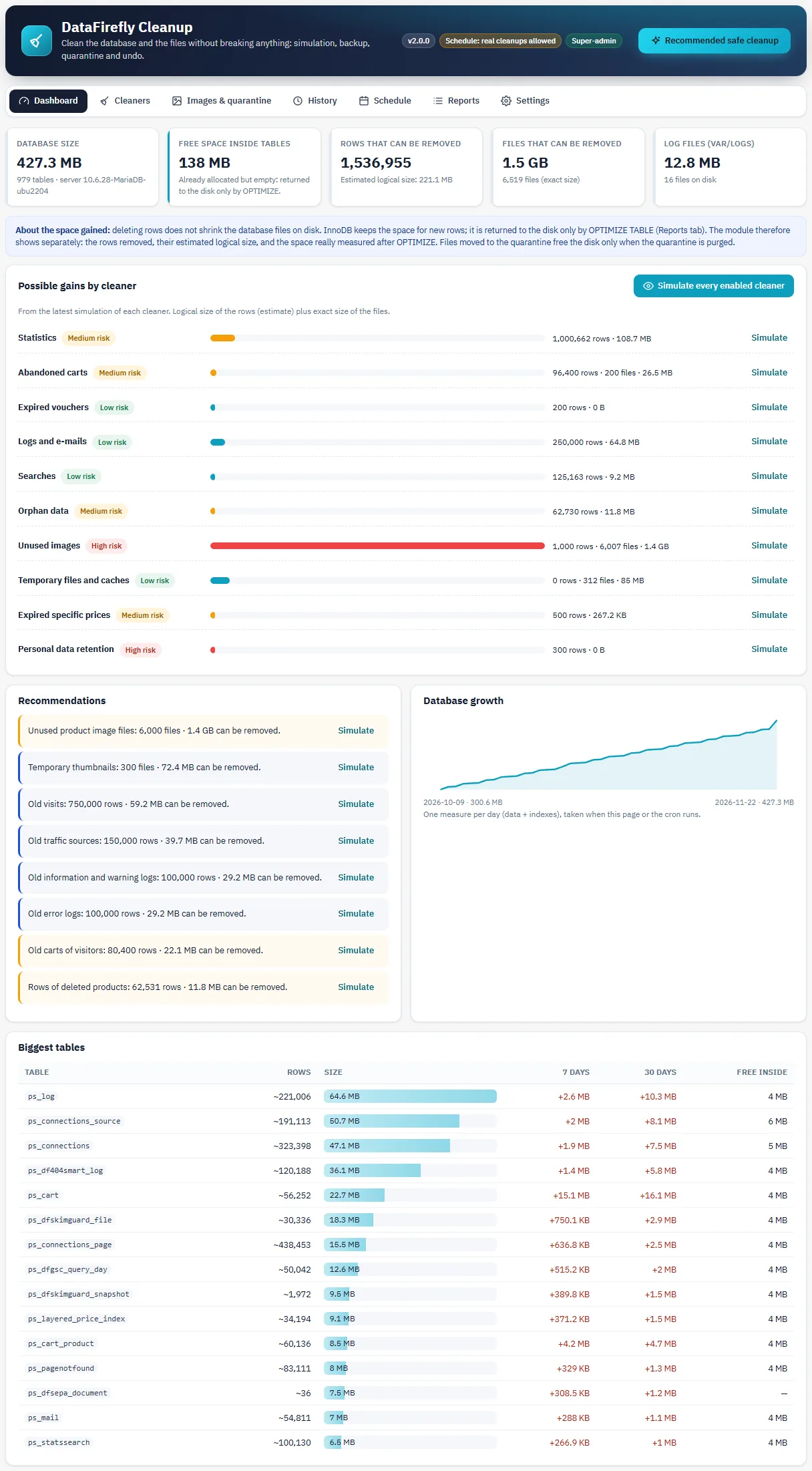
Deleting rows does not reduce the size of the database files: InnoDB keeps the space for new rows. The module therefore shows separately the deleted rows, their estimated logical size and the space really returned to the disk, measured only after OPTIMIZE TABLE. That operation is a separate action, preceded by warnings about locking and duration. Quarantined files free the disk when they are purged.
§ 06
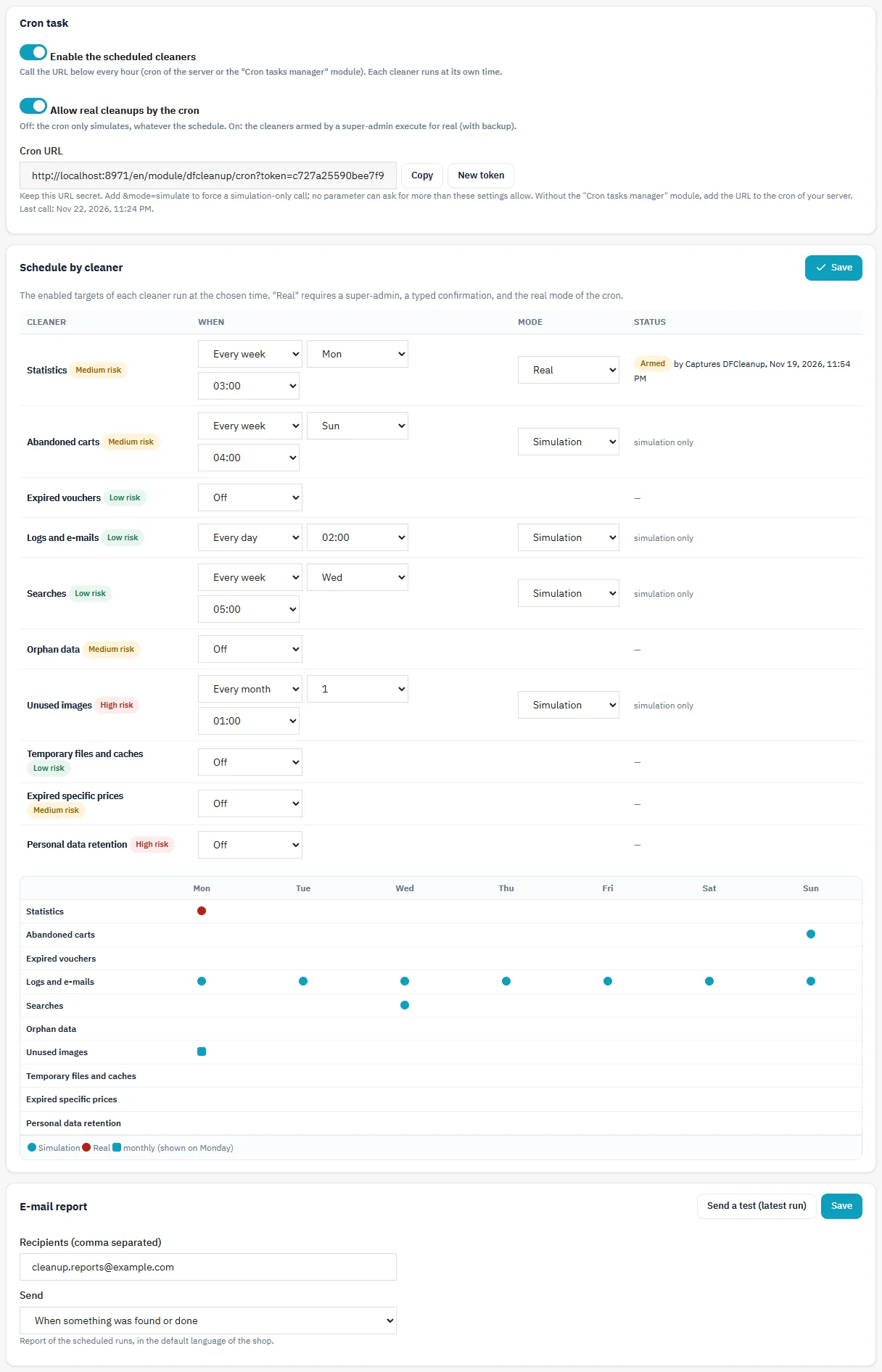
Security, scheduling and reports
Executions, undo, quarantine purge, OPTIMIZE and table deletion are reserved for the super-admin, who must type a confirmation word. Other employees can view and simulate. The cron stays in simulation until a super-admin has armed a cleaner; a report can be sent by e-mail. The dashboard tracks the growth of the database and flags tables left by uninstalled modules.
§ 07
Who it is for
For merchants who want to slim down their database without taking risks, for agencies that maintain several shops, and for shops that use many modules: the module recognises the data they still use.





There are no reviews yet.