



Everything you'd want to know before you install.
A detailed look at how Core Web Vitals PrestaShop: CrUX monitoring and per-module diagnostics works, why we built it the way we did, and the thinking behind the features above.
§ 01
Real-user data or lab score: you need both
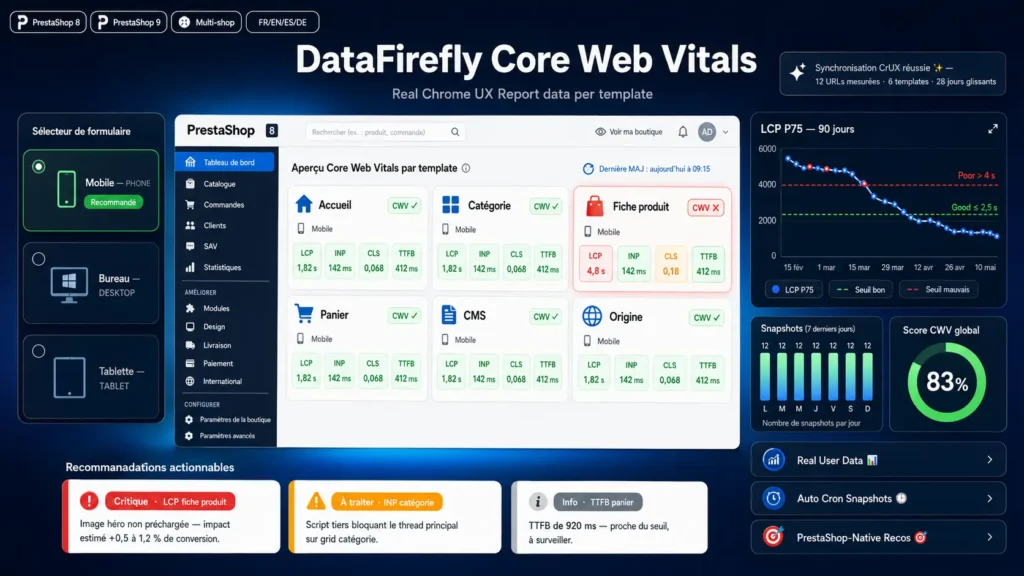
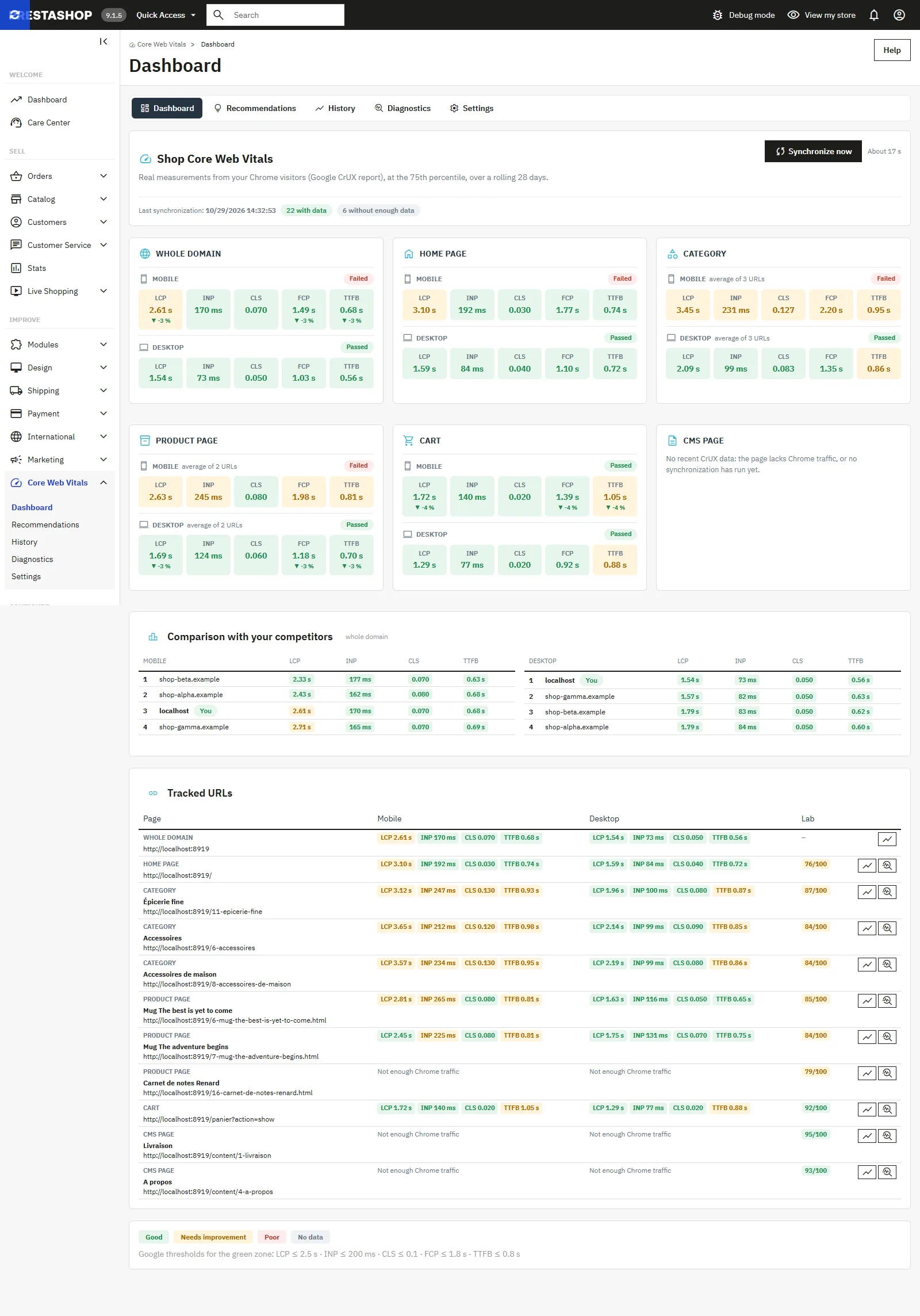
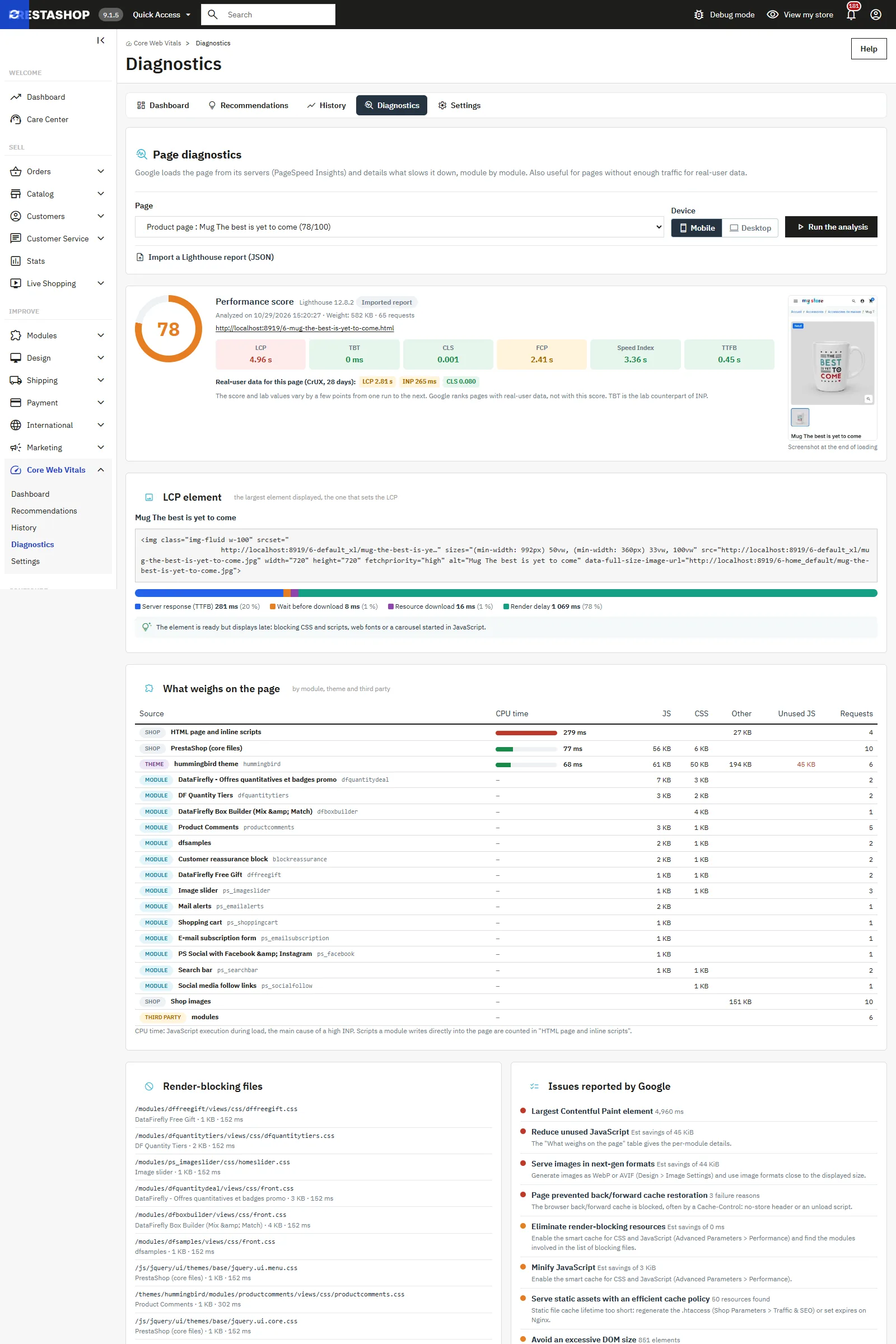
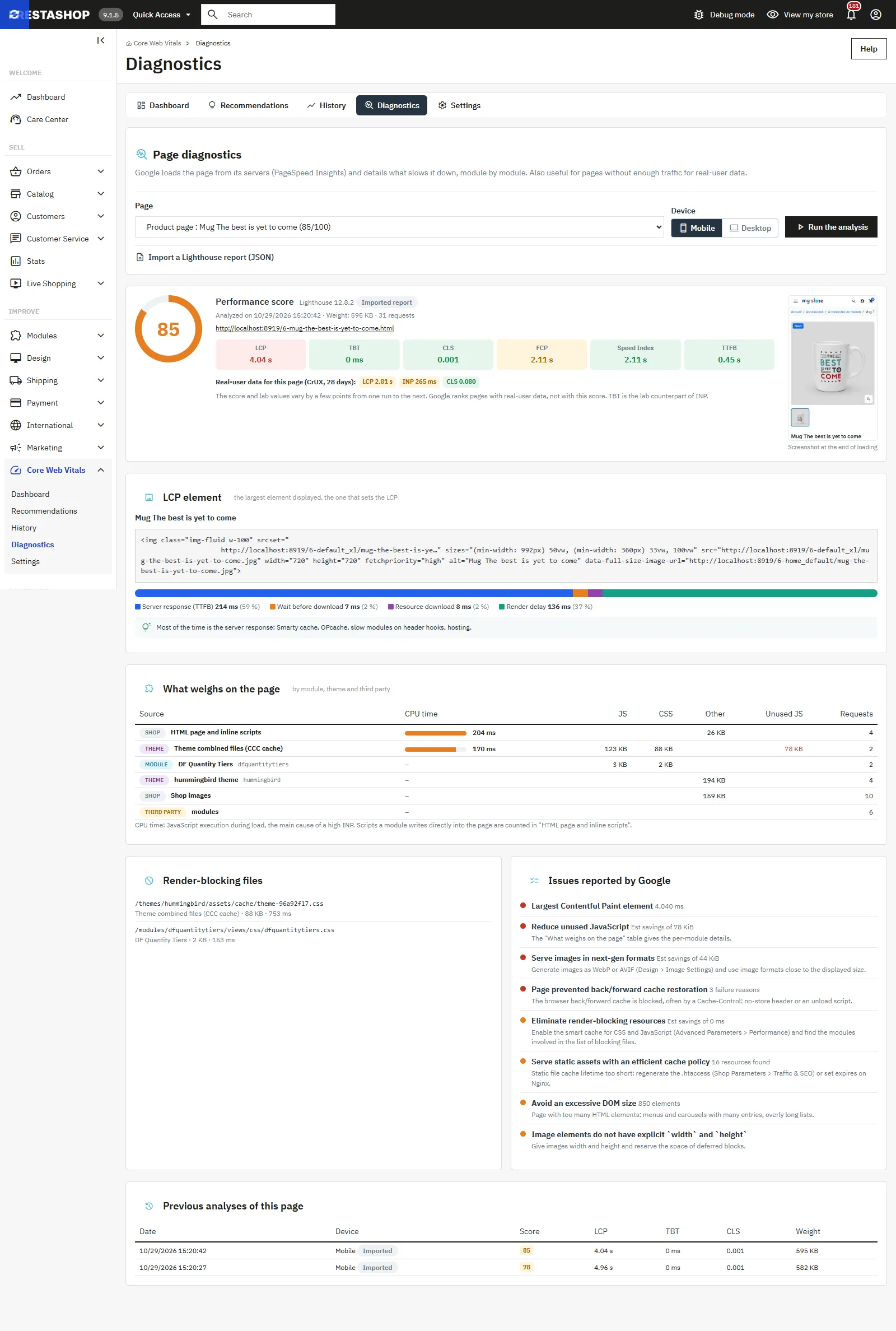
Google ranks your pages with CrUX measurements: the real experience of your Chrome visitors over 28 days. These measurements tell you whether a page is slow, not why. A PageSpeed Insights analysis tells you why, but from a single simulated load. dfcoreweb brings both into the back office: the dashboard tracks real measurements per page type, and the Diagnostics tab explains the cause, page by page.
§ 02
Which module is slowing the page down?
Diagnostics sorts every loaded file by origin: /modules/module_name/, the theme, the PrestaShop core or a third-party domain. For each one, you see the JavaScript and CSS weight, the unused JavaScript and the CPU time consumed during loading, the main cause of a high INP. Scripts that a module writes directly into the page are grouped separately. If the CCC smart cache combines the files, the module flags it and explains how to get the breakdown.
§ 03
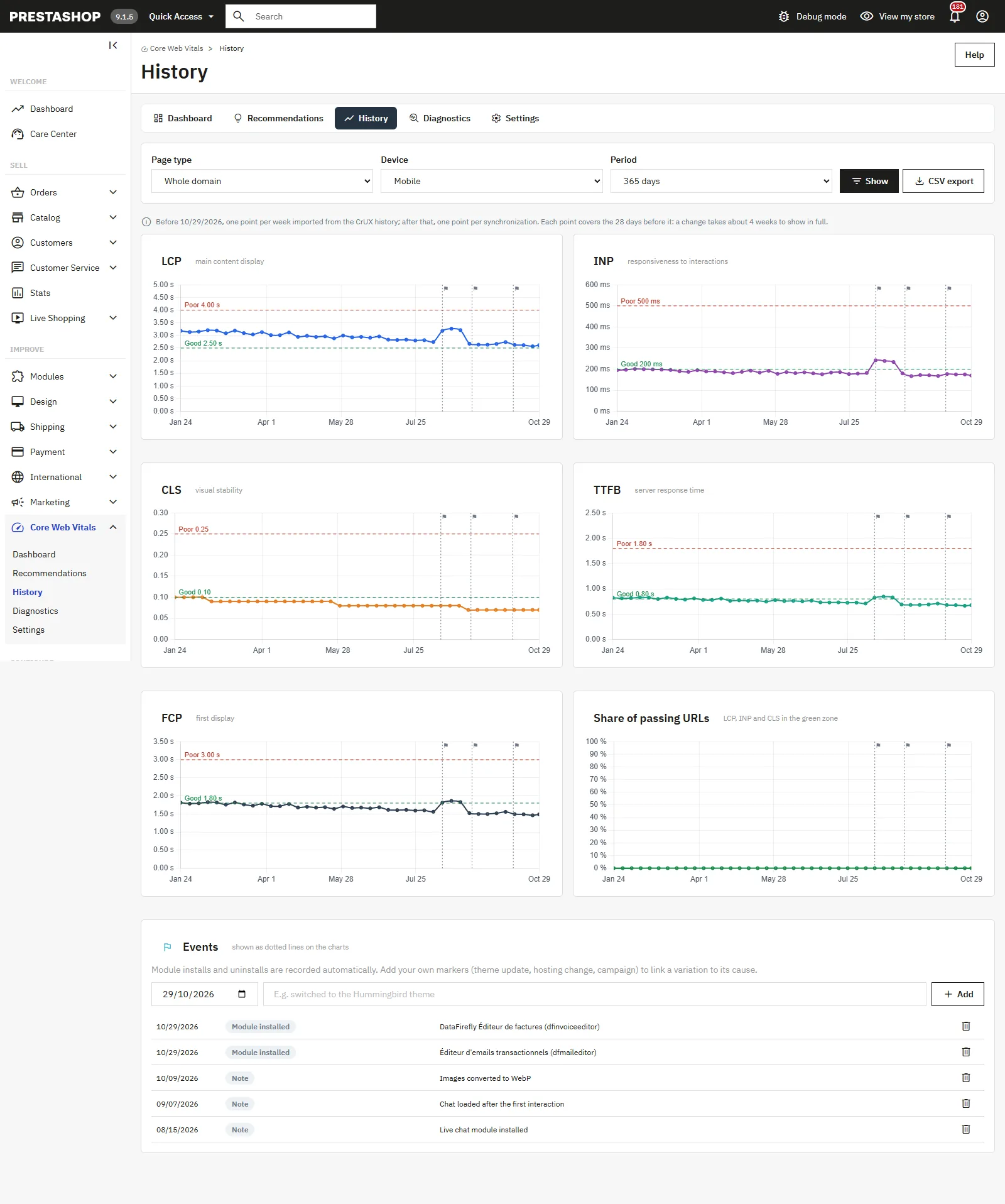
History and markers to link a change to its cause
From the first synchronization, the module imports up to 40 weeks of past measurements from the CrUX History API, then records a point at each synchronization. Every module install or uninstall is marked on the charts, and you can add your own events. An LCP increase three weeks after installing a live chat stands out at a glance.
§ 04
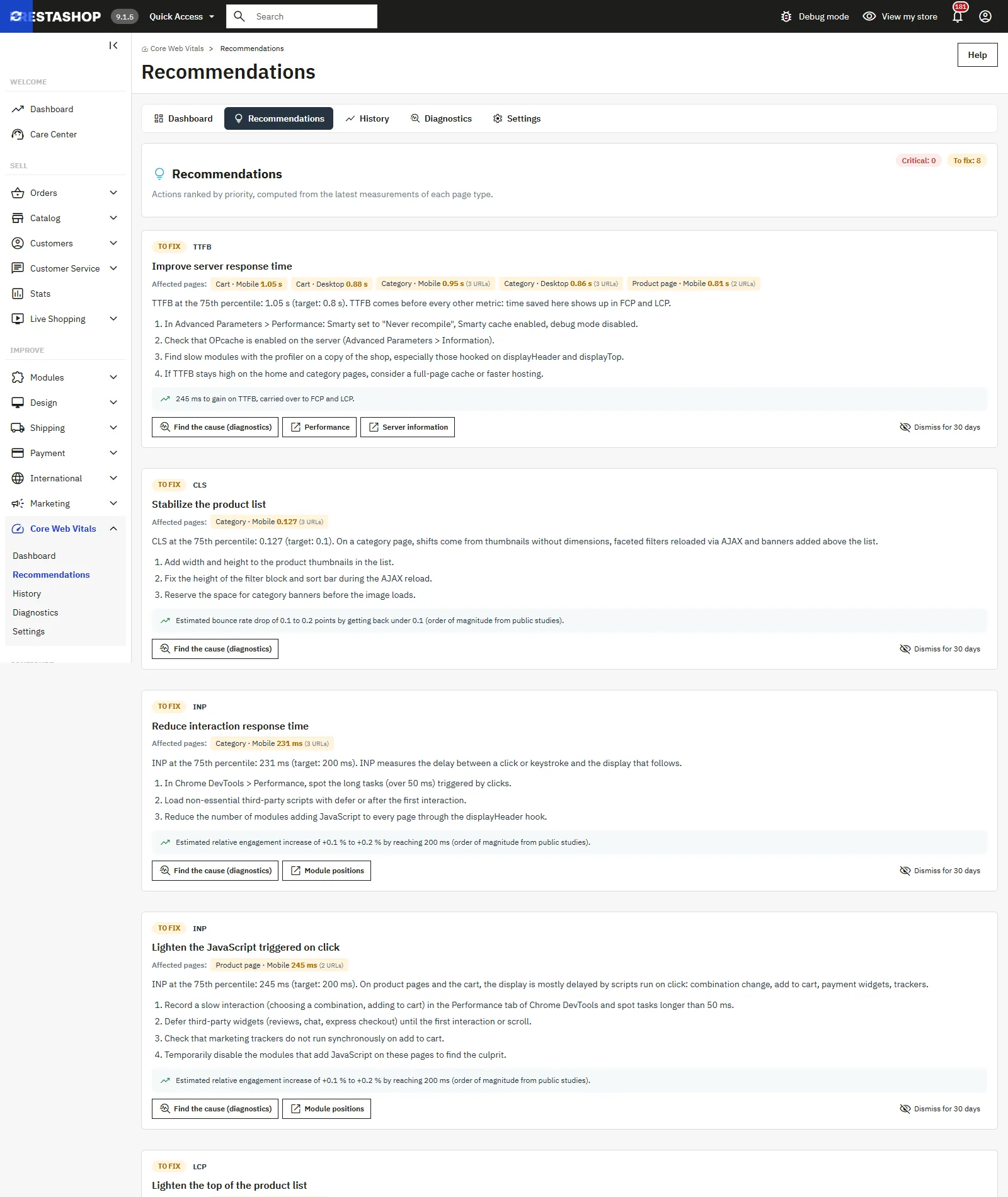
Recommendations written for PrestaShop
A slow product page does not get generic advice: remove loading="lazy" from the first gallery image in product-cover-thumbnails.tpl, add fetchpriority="high", check the large_default format. On the cart, the culprits are cart rules and the modules hooked on displayShoppingCart. Recommendations are grouped by cause, list the affected pages with their values and link to the right back-office screen.
§ 05
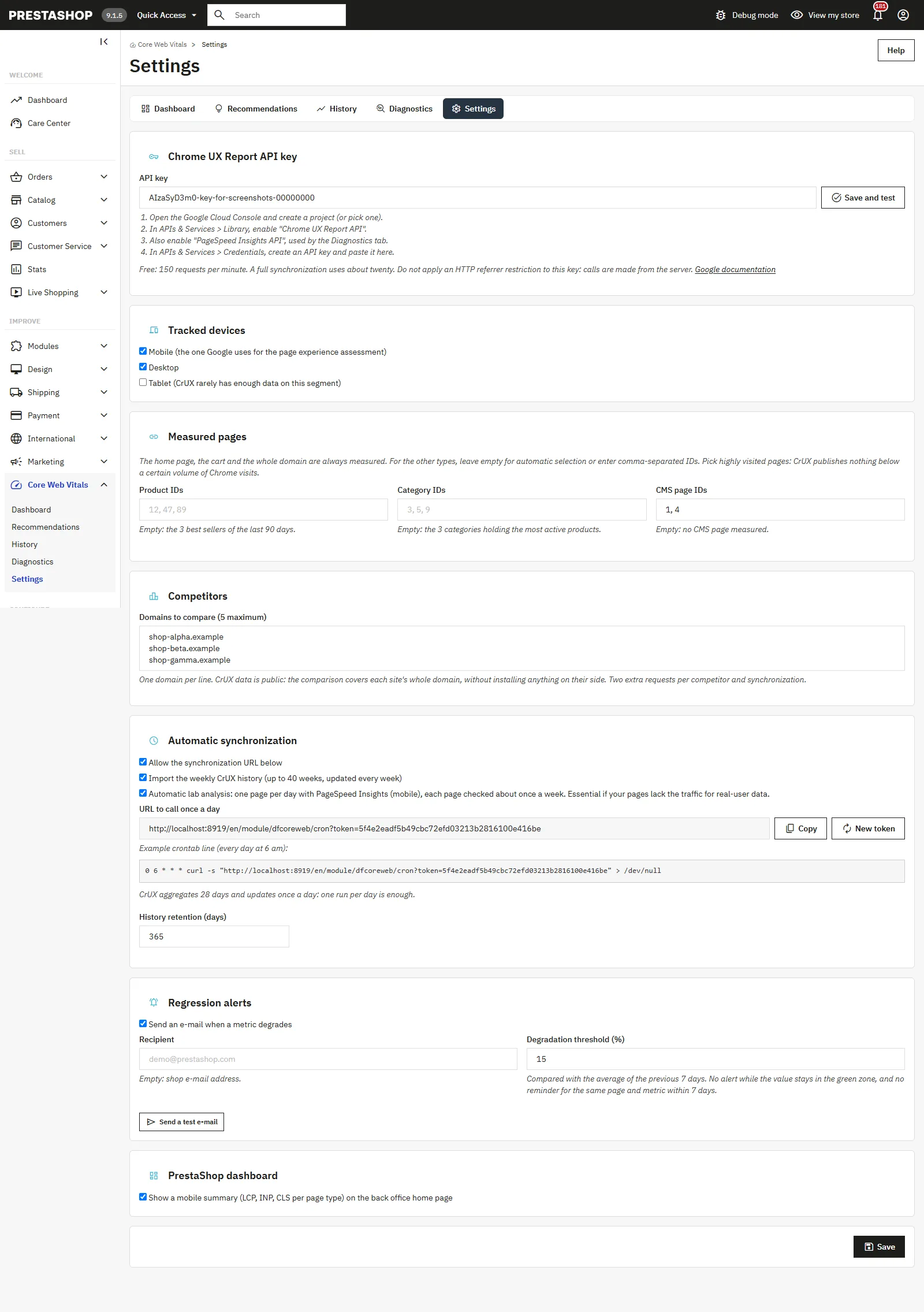
Monitoring that runs on its own
A daily scheduled task updates the measurements, sends an e-mail if a metric degrades beyond your threshold and analyzes one page with PageSpeed. The dashboard warns you if the task has never run or has stopped for more than 3 days, and the URL returns an HTTP error code on failure so that your cron service alerts you as well.
§ 06
Privacy
Only your shop's public URLs are sent to Google. No customer data leaves the shop, all measurements stay in your PrestaShop database, and the module loads nothing on the visitor side: no front-office hook, no script, no CDN.




There are no reviews yet.