




Everything you'd want to know before you install.
A detailed look at how Customs Duty DDP / DAP PrestaShop: Import Taxes Outside the EU for European Stores works, why we built it the way we did, and the thinking behind the features above.
§ 01
Why handle customs fees on your store
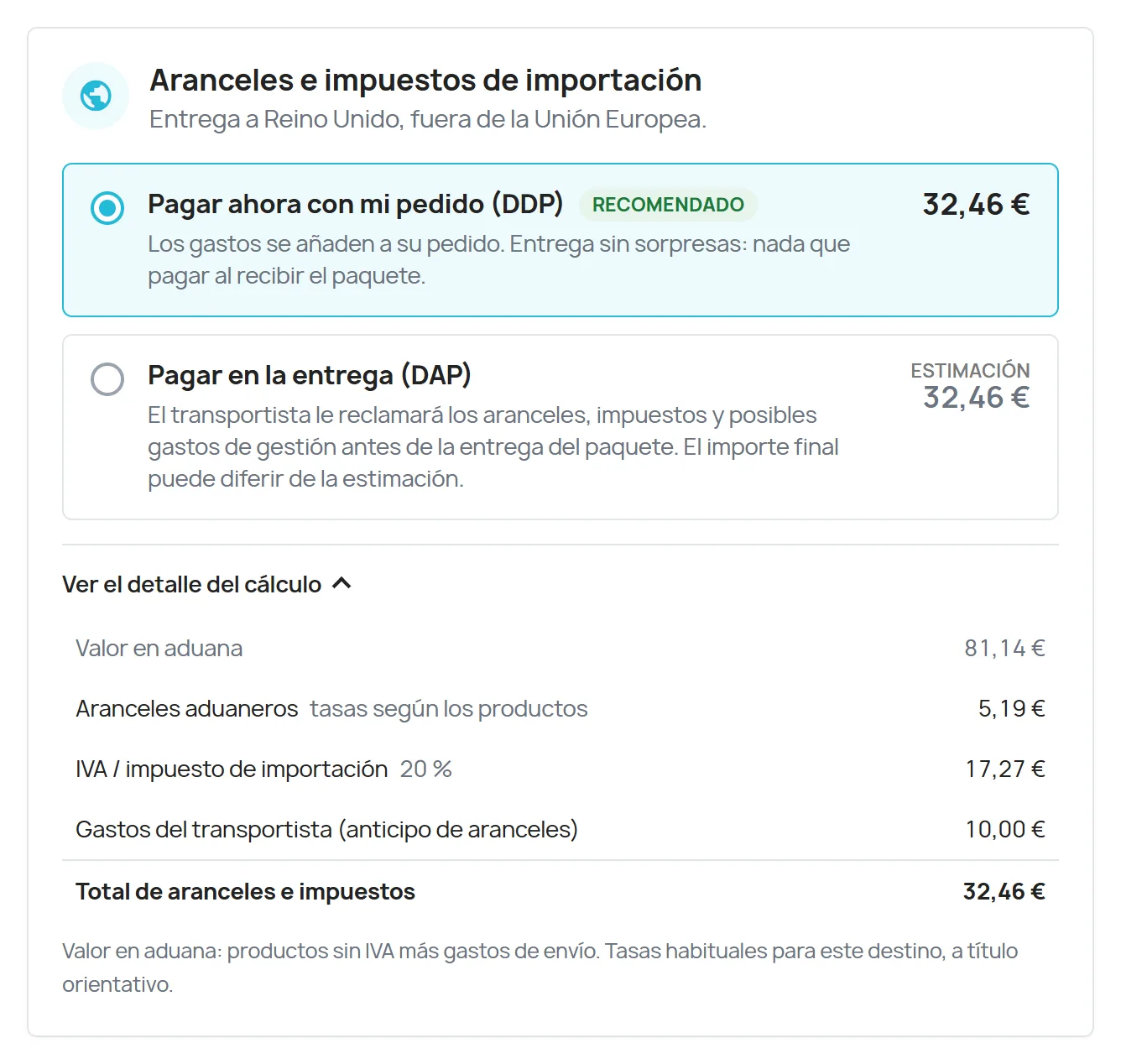
For a European store, selling outside the EU opens new markets, until the customer finds out on delivery that they have to pay duties, import VAT and handling fees to the carrier. Refused parcels, returns at your expense, disputes and negative reviews follow. This module shows the amount from checkout onwards and lets the customer choose how to pay it.
§ 02
DDP: nothing to pay on receipt
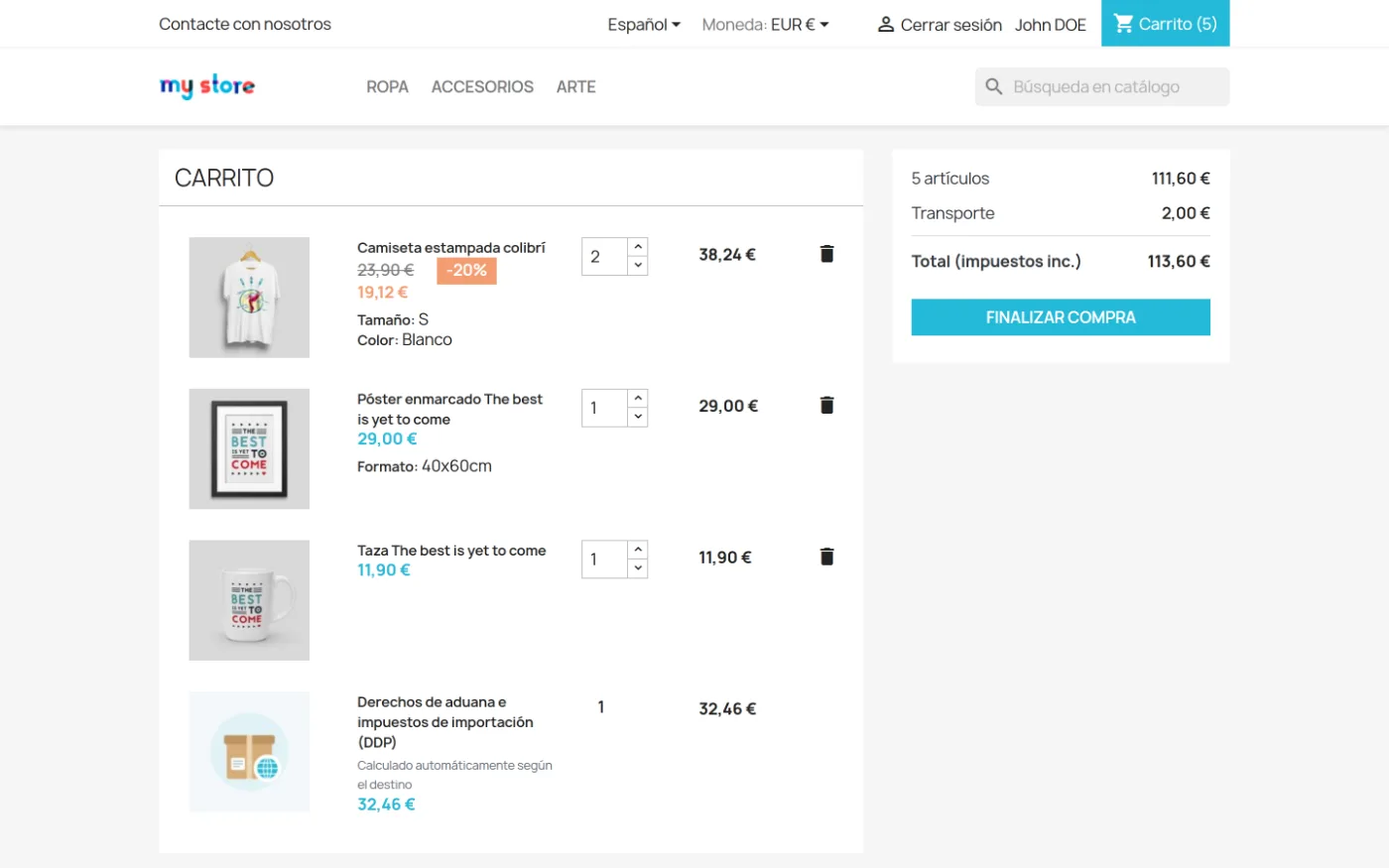
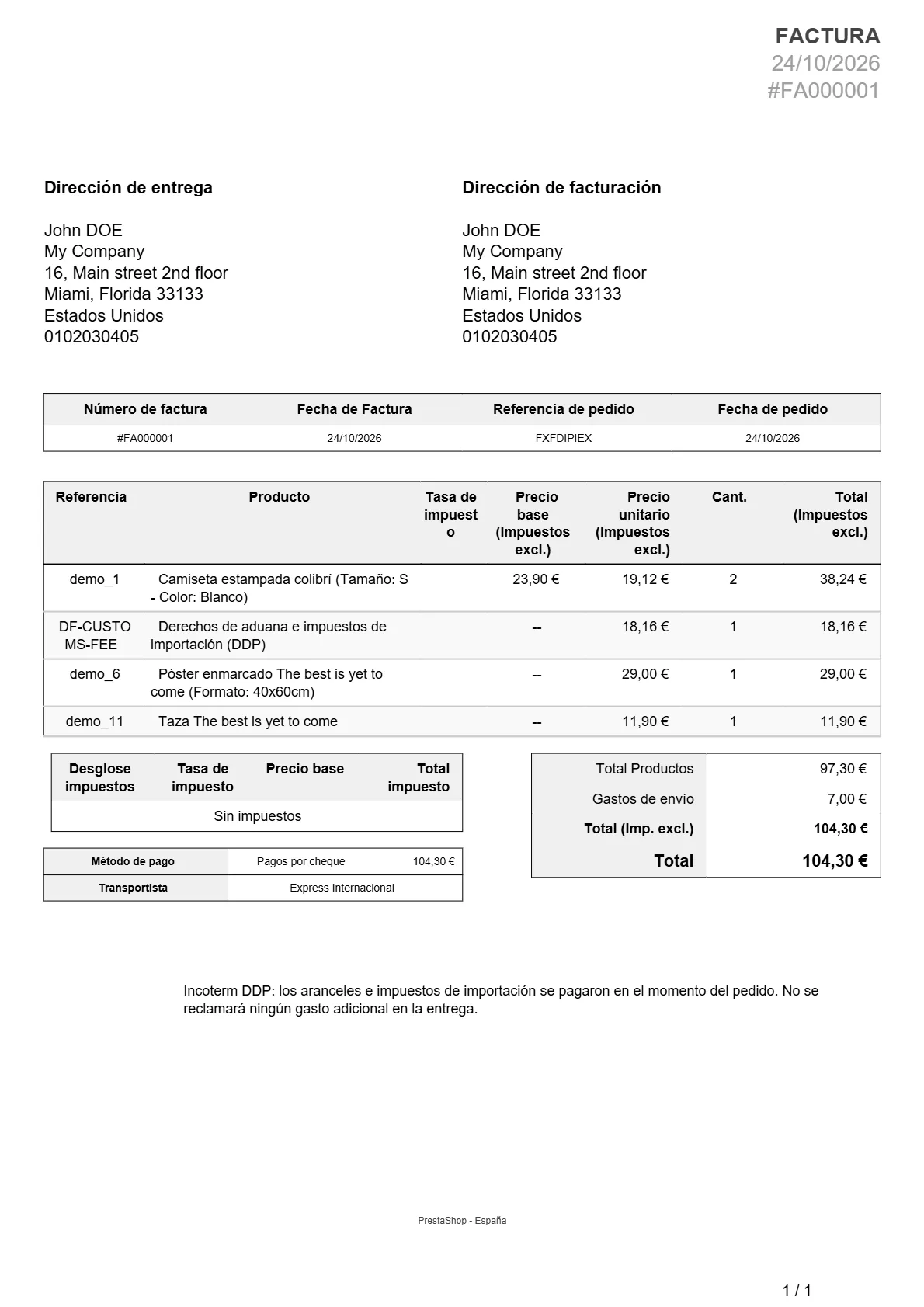
Under DDP (Delivered Duty Paid), the customer pays the duties with their order. A tax-excluded fee line is added to the cart, calculated according to your rules, and appears on the order and invoice with the Incoterm notice. The delivery slip tells the packer to ship with a DDP service. For the customer, the purchase works like a domestic one.
§ 03
DAP: informed, and with proof
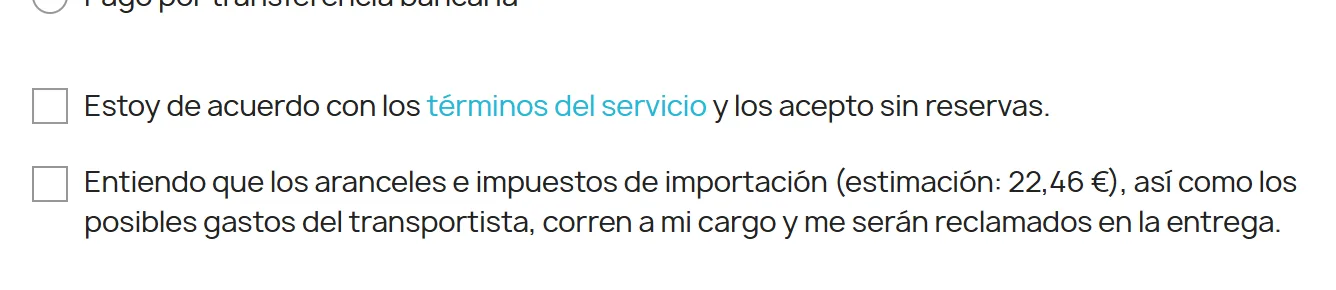
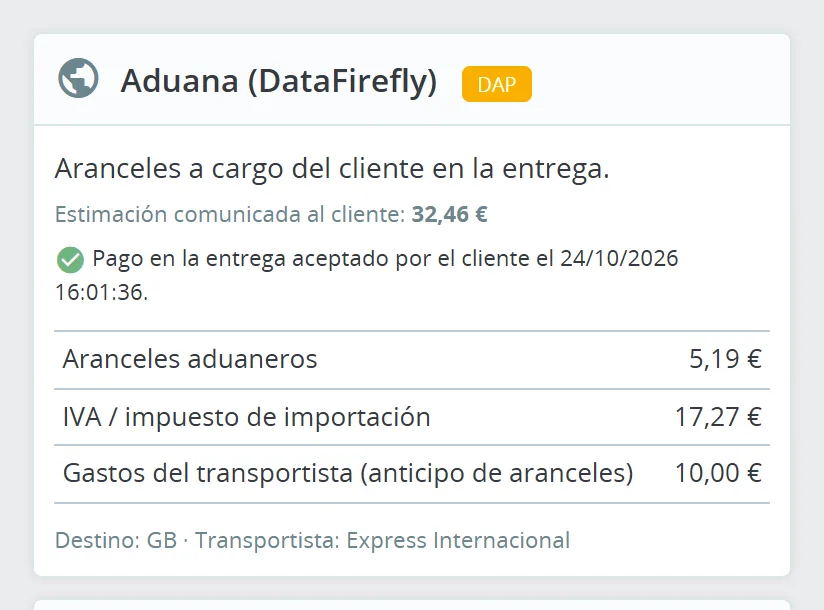
Under DAP (Delivered At Place), the customer pays the carrier upon delivery, but sees the estimate before ordering. A mandatory checkbox at the payment step makes them acknowledge that duties will be charged to them, and the date of this acceptance is recorded on the order. If the parcel is refused, you know what the customer accepted and when.
§ 04
A calculation close to actual customs practice
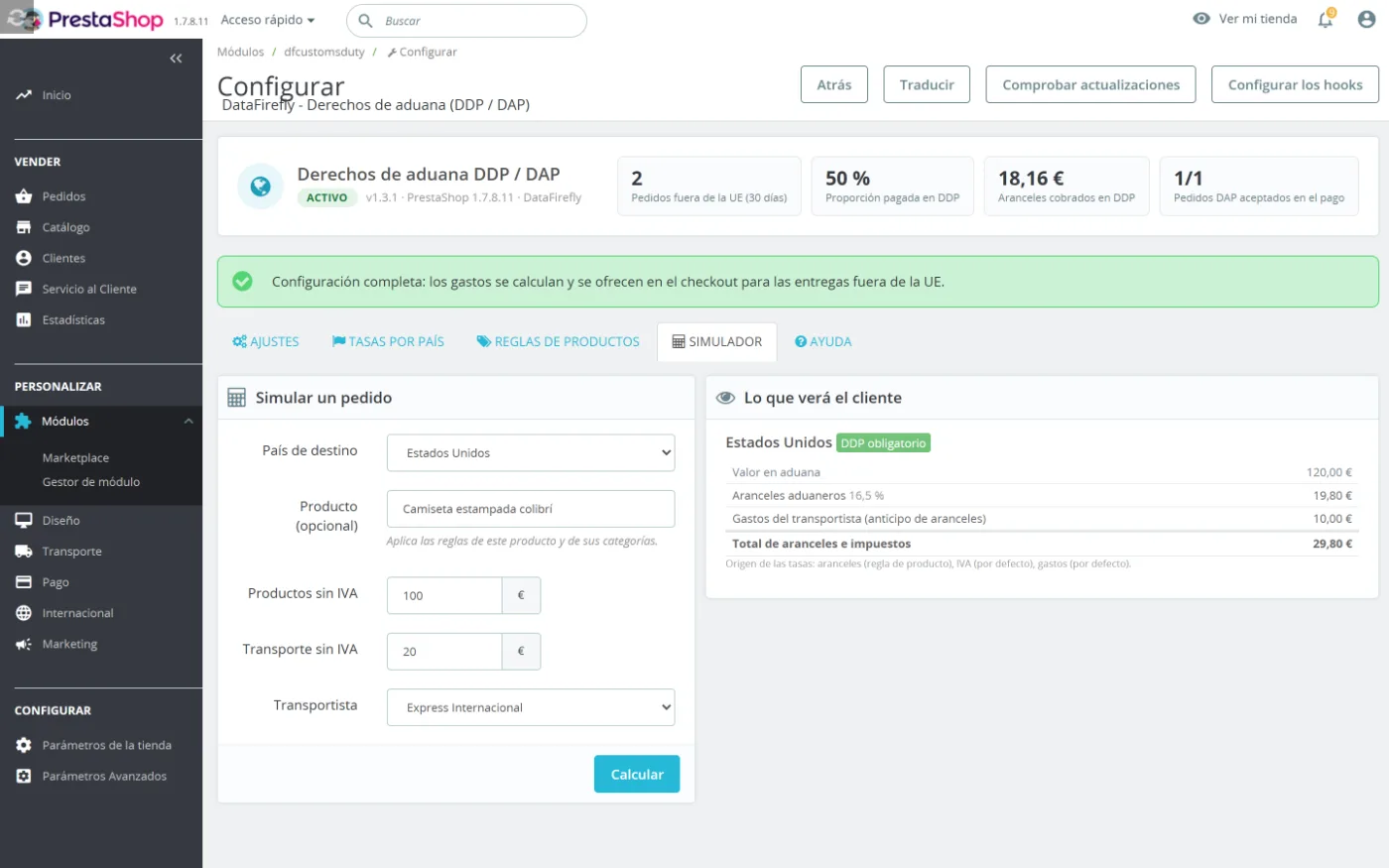
Duties apply to the customs value (products, with shipping as an option), import VAT to that value plus duties, and then the handling fees and, where applicable, the carrier fees are added. Each country can have its own rates, fees and threshold; a field left empty uses the default value. The presets apply the standard import VAT of 21 countries in one click, and the simulator shows you the result before your customers see it.
§ 05
Exempt products and carrier fees
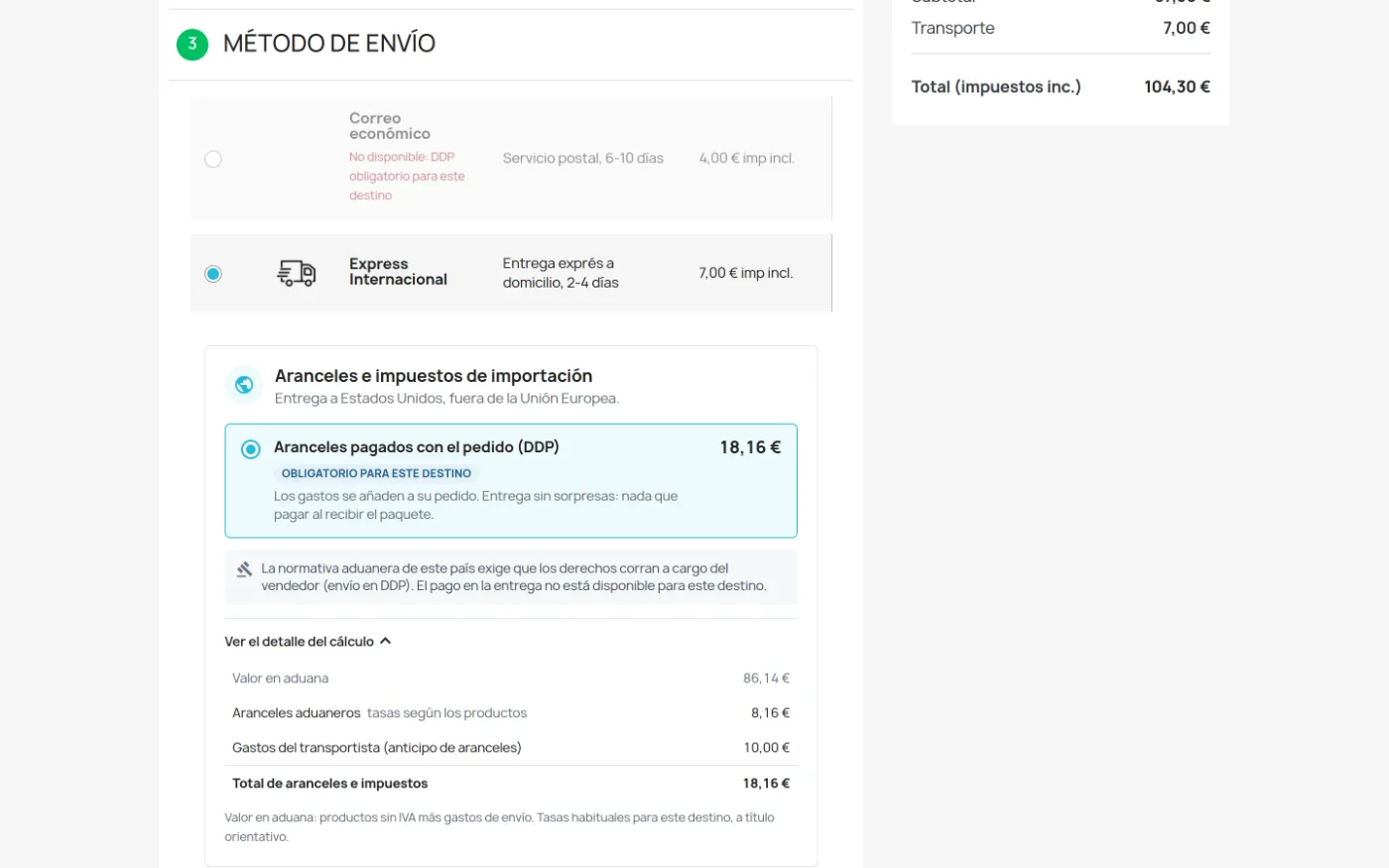
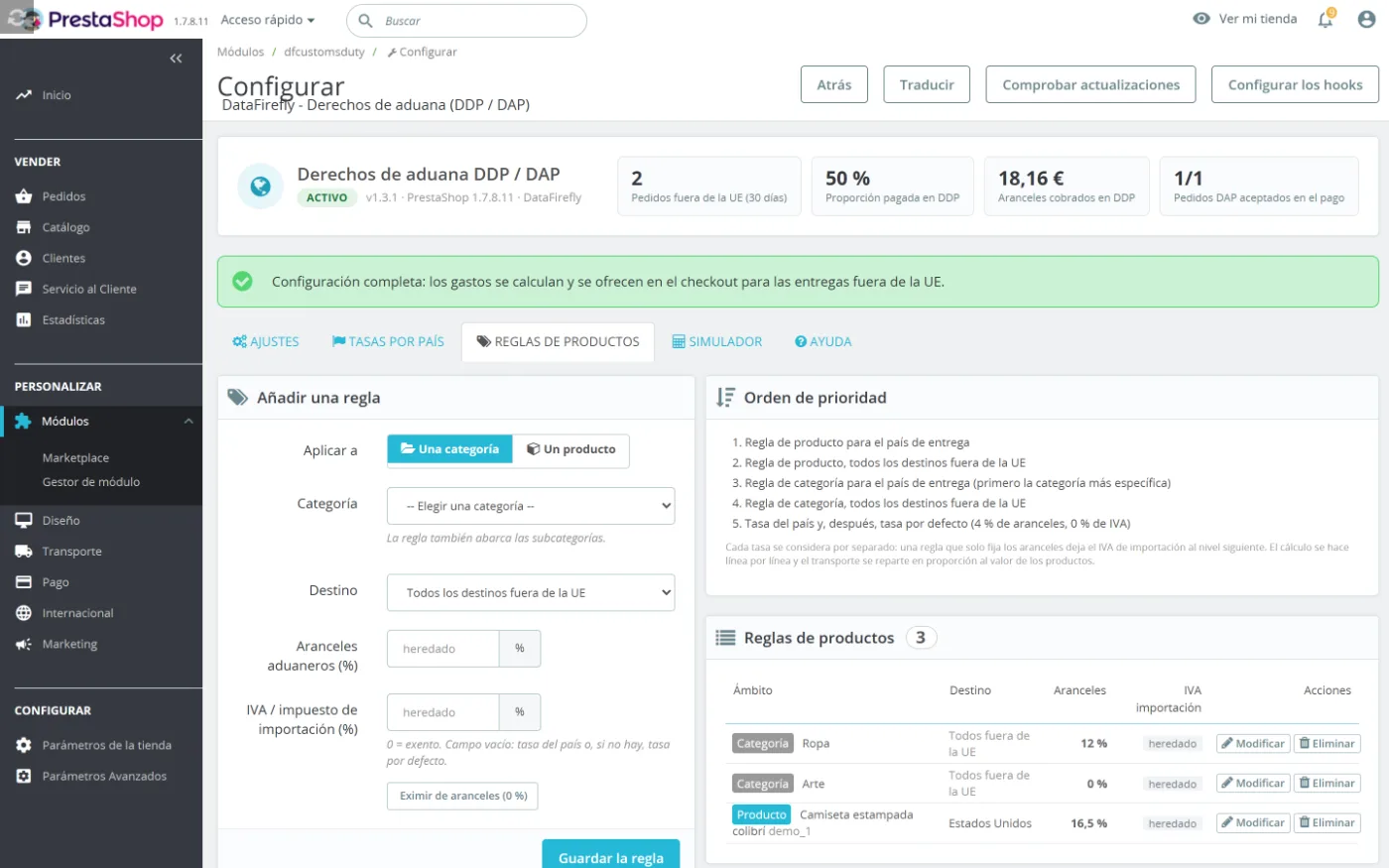
A single average rate does not fit the whole catalog. Create rules per category or per product, for one country or for all destinations: 0% duties for your items that are exempt for the United States, a specific rate for a product family. The calculation is done line by line. The fees that DHL, FedEx or UPS charge for advancing duties are entered per carrier and added automatically.
§ 06
The amount shown right on the product page
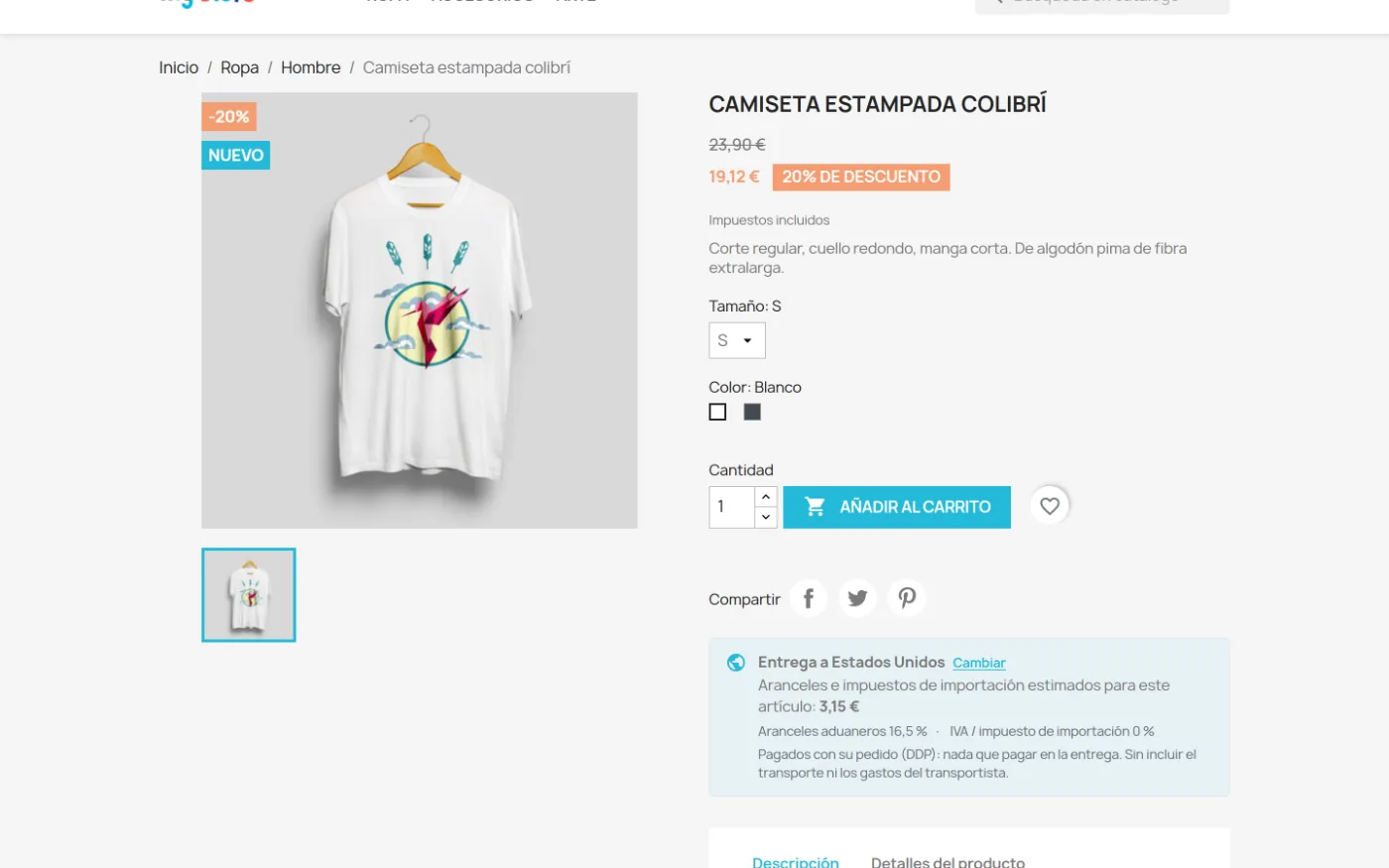
The non-EU customer sees the duties before even adding the item to the cart. The block shows the destination, the estimate for the item and the rates applied; the country comes from their address, from geolocation or from a selector. Fewer surprises at checkout, fewer carts abandoned at the shipping step.
§ 07
Carriers and countries that enforce DDP
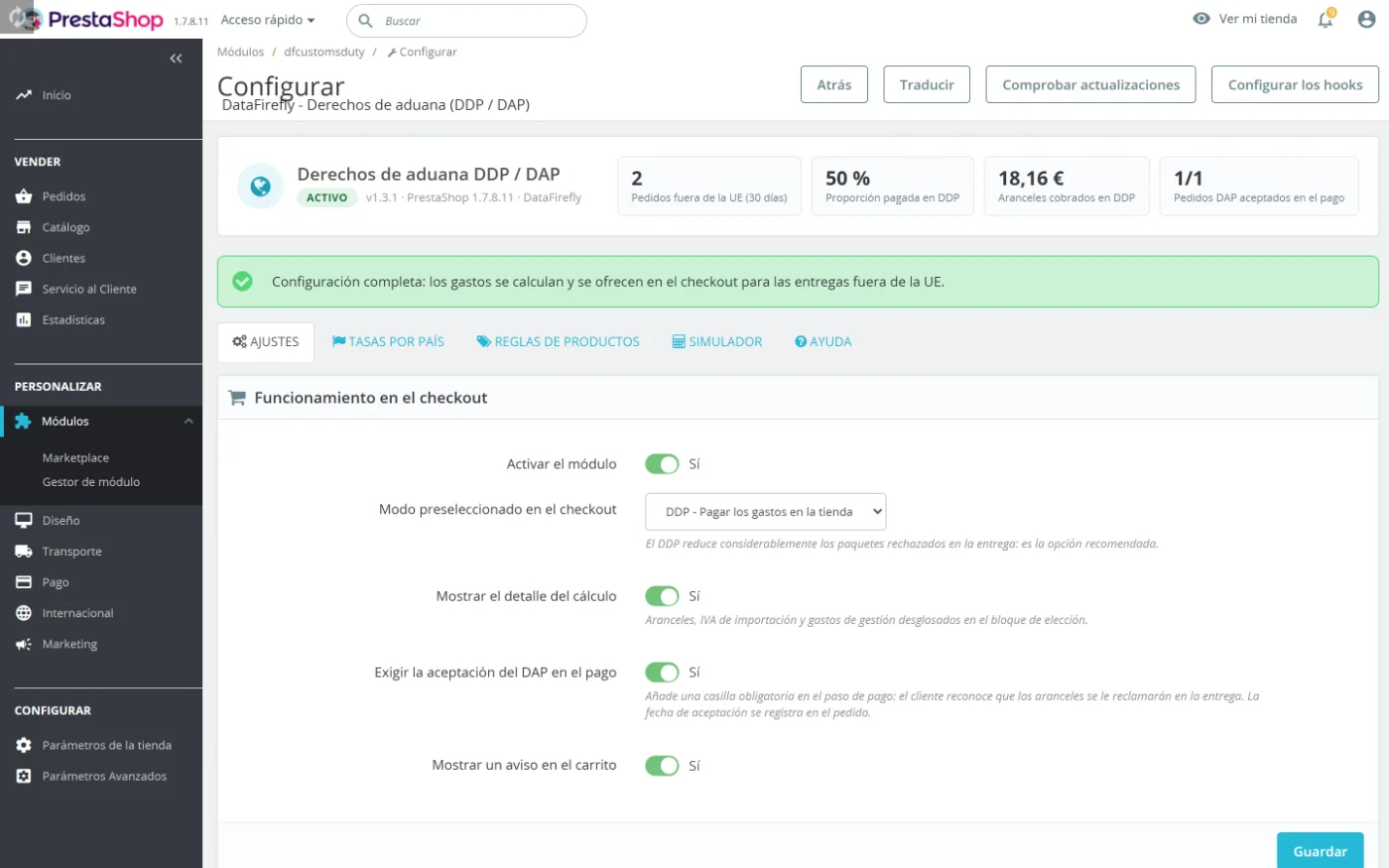
Not every carrier can deliver duties paid. Declare those that can: with the others, the module offers DAP only. For countries where DDP is mandatory, such as the United States, non-compatible carriers are disabled at checkout and the back-office status banner points out the zones to fix.
§ 08
A predictable installation
One package runs from PrestaShop 1.7.0 to 9.x, on the Classic and Hummingbird themes, with no core override. The status banner shows what remains to be configured after installation. The module ships in 8 languages and remains translatable in the back office. Updating from a previous version keeps your rates and orders.




There are no reviews yet.