

PrestaShop Administration & Productivity

Store Staging & Cloning for PrestaShop 8 & 9

Clone your shop with no risk to your disk. Test. Push to production.

Staging Pro creates a complete copy of your shop (files and database) in a subfolder, a subdomain or a separate database. Disk space is checked before and during the copy: it can no longer fill the disk of your hosting. A 4-step wizard, live progress and an atomic push to production, with backup and one-click undo.

At a glance
  • Disk space checked before and during the copy, automatic cleanup on failure
  • 4-step wizard with pre-checks and live progress
  • Protected staging: noindex, password or private link, e-mails always blocked
  • Atomic push to production, backup and one-click undo
  • Subfolder, subdomain or separate database, PrestaShop 8 and 9
PrestaShop 8 & 9 Disk space checked Atomic push 8 languages
  • 30-day refund
  • 12 months updates
  • 24h support
  • PrestaShop Certified Agency 2026
  • PrestaShop Expert Certification — Core Skills
  • PrestaShop Expert, level 3

Built by a PrestaShop Certified Agency

www.datafirefly.com/en/
Cloning a PrestaShop store into a staging environment
v2.0.0 · updated 2026-11-01
What it does

The short version.

01

Your disk will never be filled

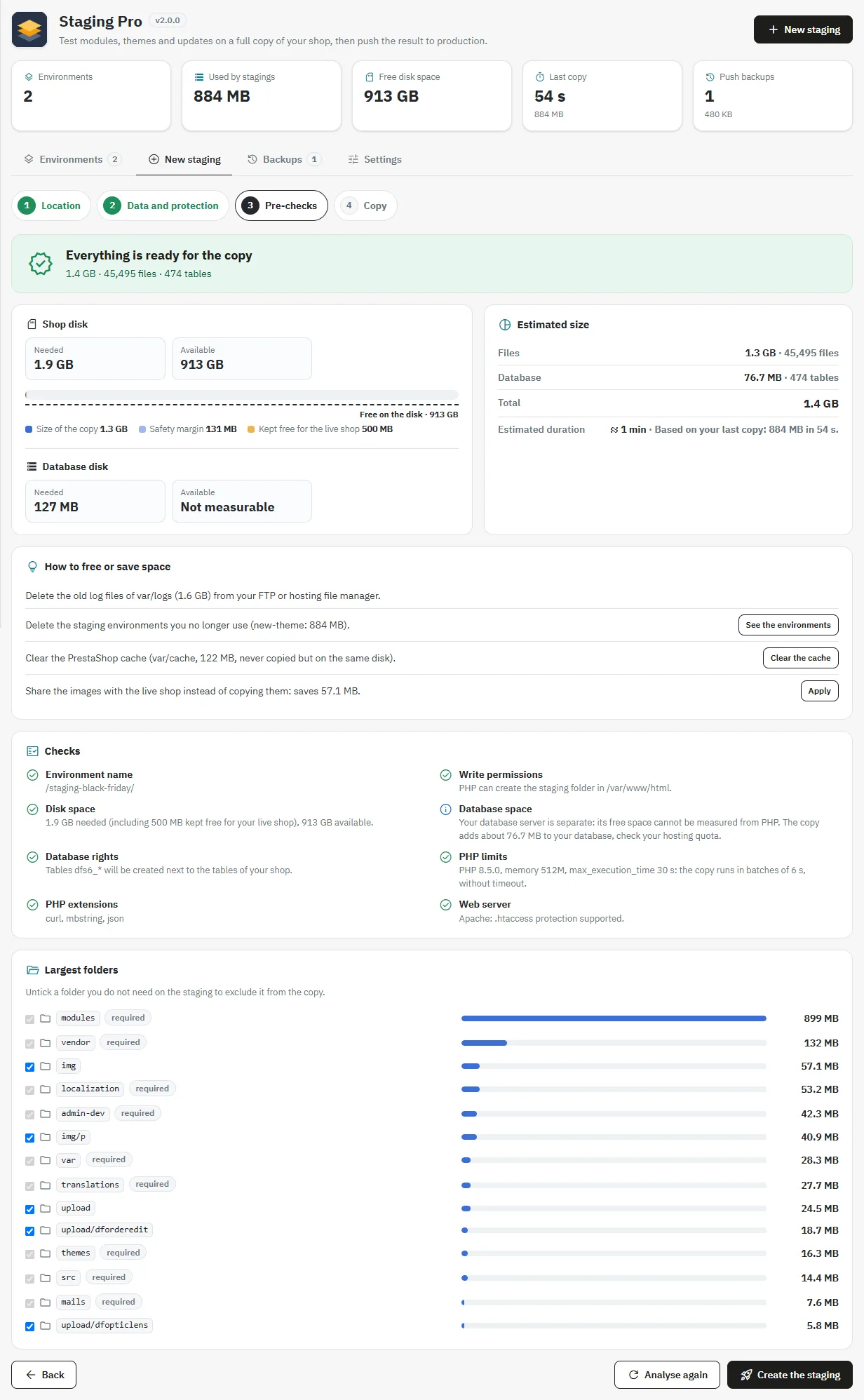
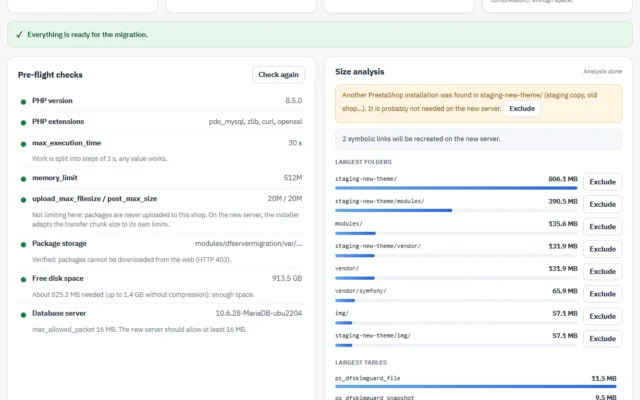
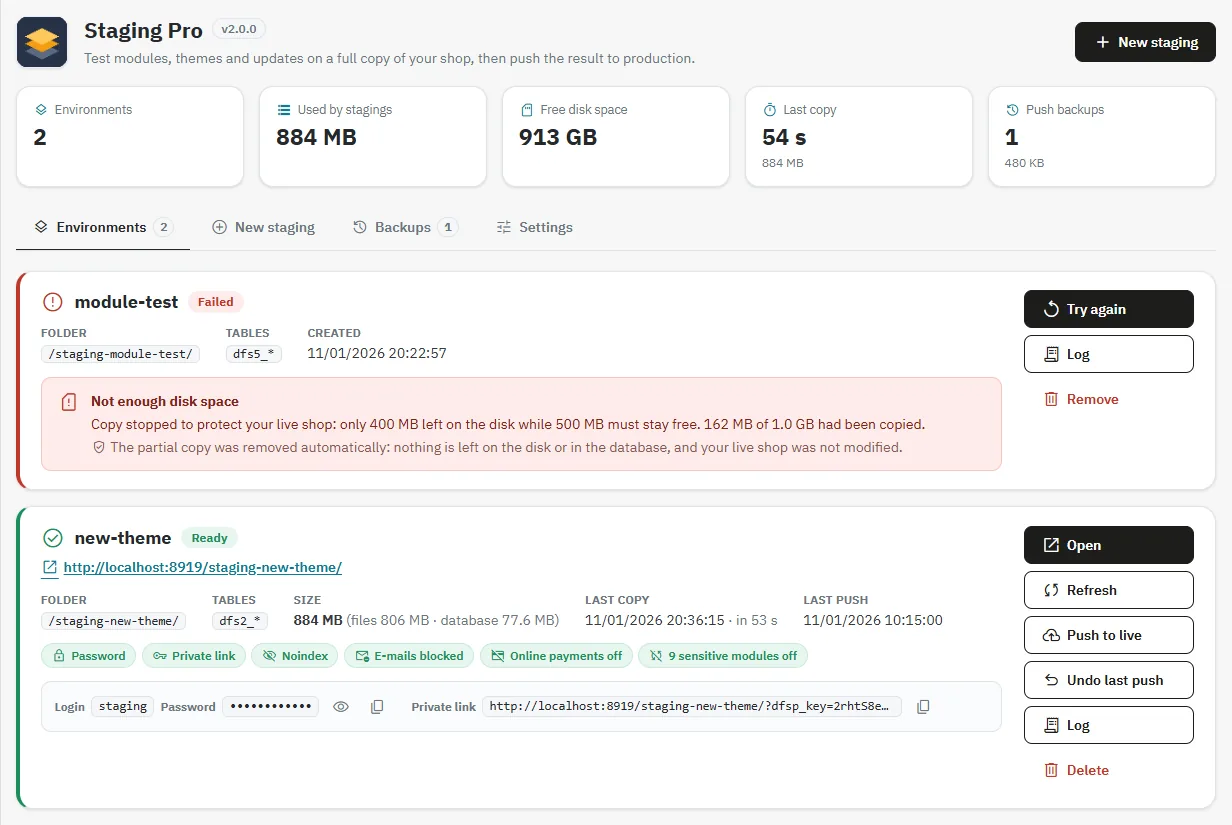
Before the copy, the module calculates the space needed (files, database, margin and space reserved for the shop) and refuses the copy if space is missing, with clear figures. During the copy, the space is monitored: it stops before filling the disk, and the partial copy is removed automatically.

02

A clear wizard, live progress

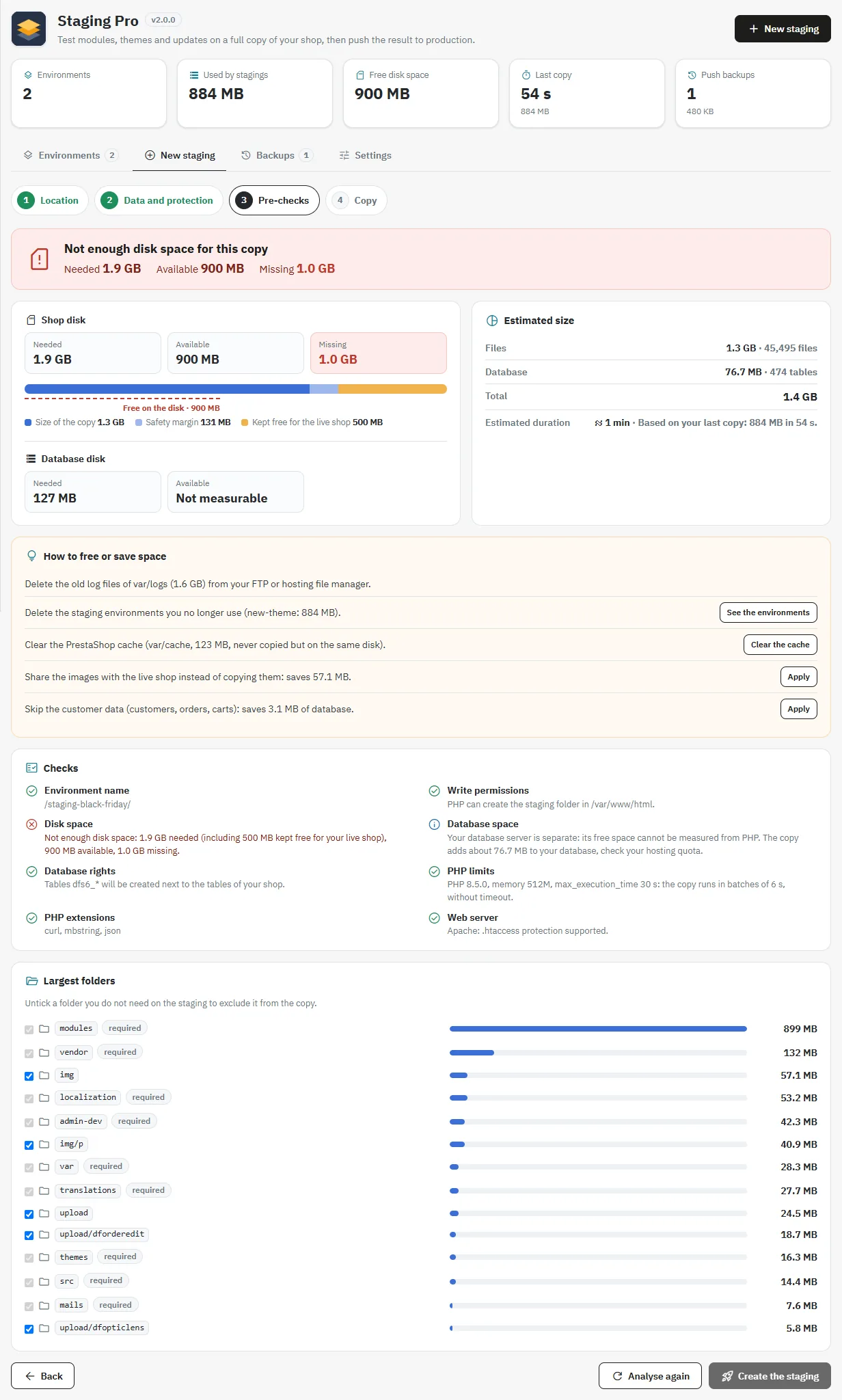
Location, data and protection, pre-checks, copy. The report shows the space needed, the estimated size and the largest folders. During the copy: steps, files, tables, remaining time and a live log.

03

An invisible, harmless staging

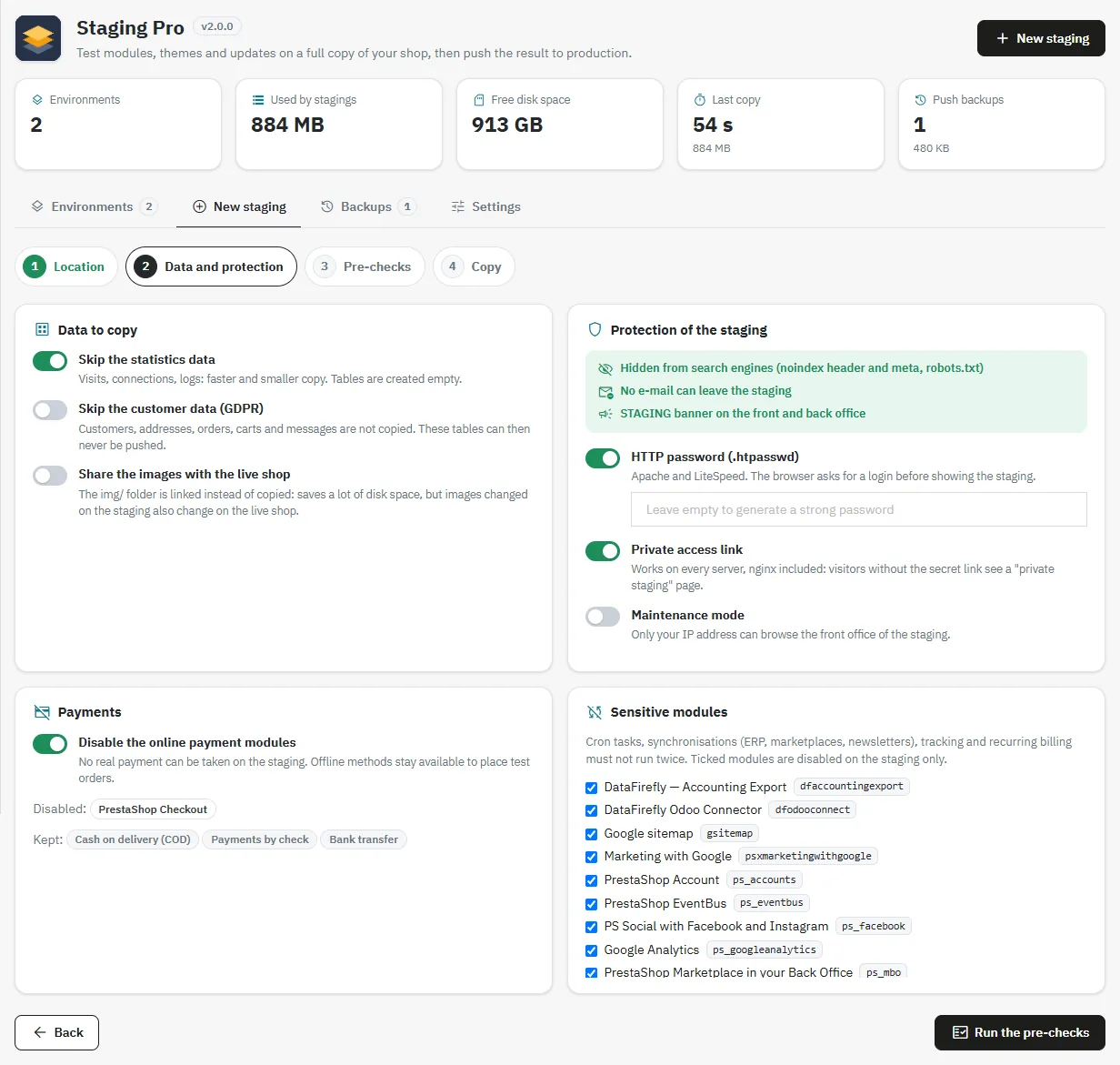
Noindex sent by PHP (even under nginx), HTTP password or private access link, e-mails always blocked, online payments and sensitive modules (cron, ERP, tracking) disabled, STAGING banner.

04

Push to production without interruption

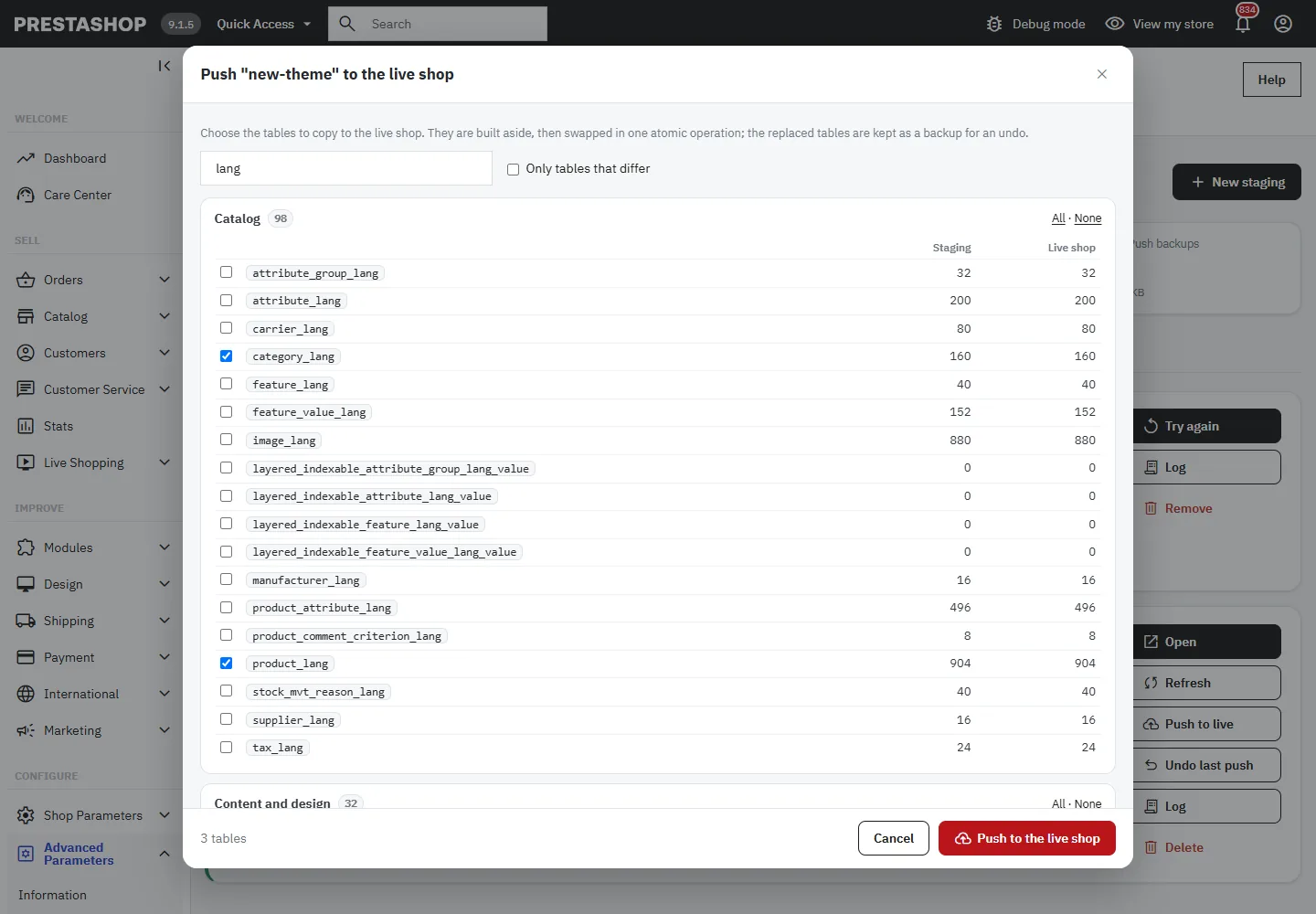
The chosen tables are prepared aside, then swapped in a single atomic operation: the shop never sees an empty table. The replaced tables are backed up and undo takes one click.

The long version

Everything you'd want to know before you install.

A detailed look at how Store Staging & Cloning for PrestaShop 8 & 9 works, why we built it the way we did, and the thinking behind the features above.

§ 01

A staging that never puts your shop at risk

The staging is created on the same disk as your shop. A full disk can block the live shop. Staging Pro therefore calculates the space needed before copying anything: files (without caches, logs, sessions and backups), database, safety margin and space always kept free for the shop. If space is missing, the copy is refused with three clear figures (needed, available, missing) and concrete solutions. During the copy, the space is monitored continuously and every write is checked: if there is a problem, the copy stops and the partial copy is removed automatically.

§ 02

A wizard designed to avoid bad surprises

Choose the location (subfolder, subdomain, same or separate database), the data to copy and the protections, then run the pre-checks. The report shows the estimated size, the estimated duration based on your last copy, the write and MySQL permissions, the PHP limits, the web server, and the largest folders you can exclude in one click.

§ 03

A copy you can watch progress

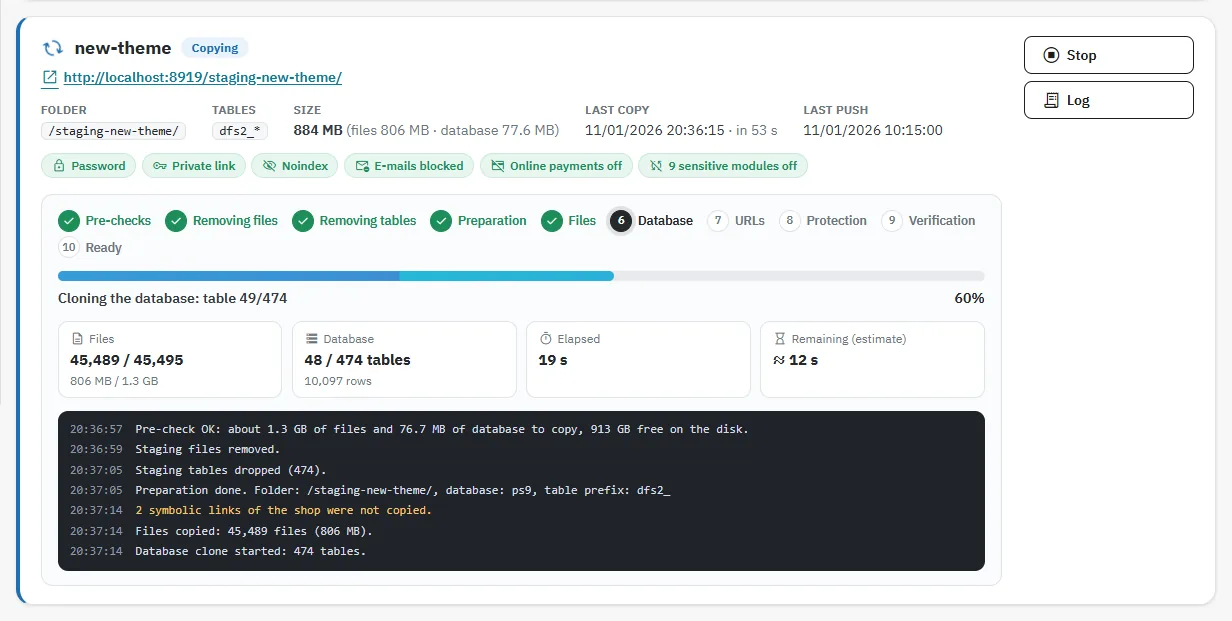
The environment card shows the steps, the files and tables copied, the elapsed and remaining time, and the latest log lines. The copy advances in batches of a few seconds, with no timeout. If the page is closed, it resumes when reopened. A button lets you stop it cleanly at any time.

§ 04

A staging invisible to Google and safe for your customers

Noindex is sent by PHP on all pages, even under nginx. E-mails are always blocked, even if someone re-enables SMTP. Online payments and sensitive modules (cron, synchronizations, tracking, recurring billing) are disabled, and offline methods remain available for test orders. Protect access with an HTTP password or a private link that works on all servers.

§ 05

Push to production without interrupting the shop

Choose the tables to push, grouped by category, with the number of rows in the staging and in the shop. They are prepared aside, then swapped in a single atomic operation: the shop never sees an empty table. The replaced tables are kept and undo takes one click from the Backups tab.
€79.00
One-time · 12 months updates
Read the docs
  • Unlimited dev & staging installs
  • Source code included
  • 30-day refund
  • 24h support · EN / FR
5.0/5 20 reviews