



Everything you'd want to know before you install.
A detailed look at how PrestaShop 8 & 9 Server Migration: Move Your Shop to a New Host works, why we built it the way we did, and the thinking behind the features above.
Why server migrations go wrong
A PrestaShop shop is tens of thousands of files and a database full of absolute URLs, some of them inside serialized module settings. Copied by hand, the transfer stops halfway, the SQL import times out, the disk of the old server fills up during the backup, and after the DNS switch the shop still points to the old domain. Server Migration turns these traps into a guided flow with a check at each step.
Measure first, then build
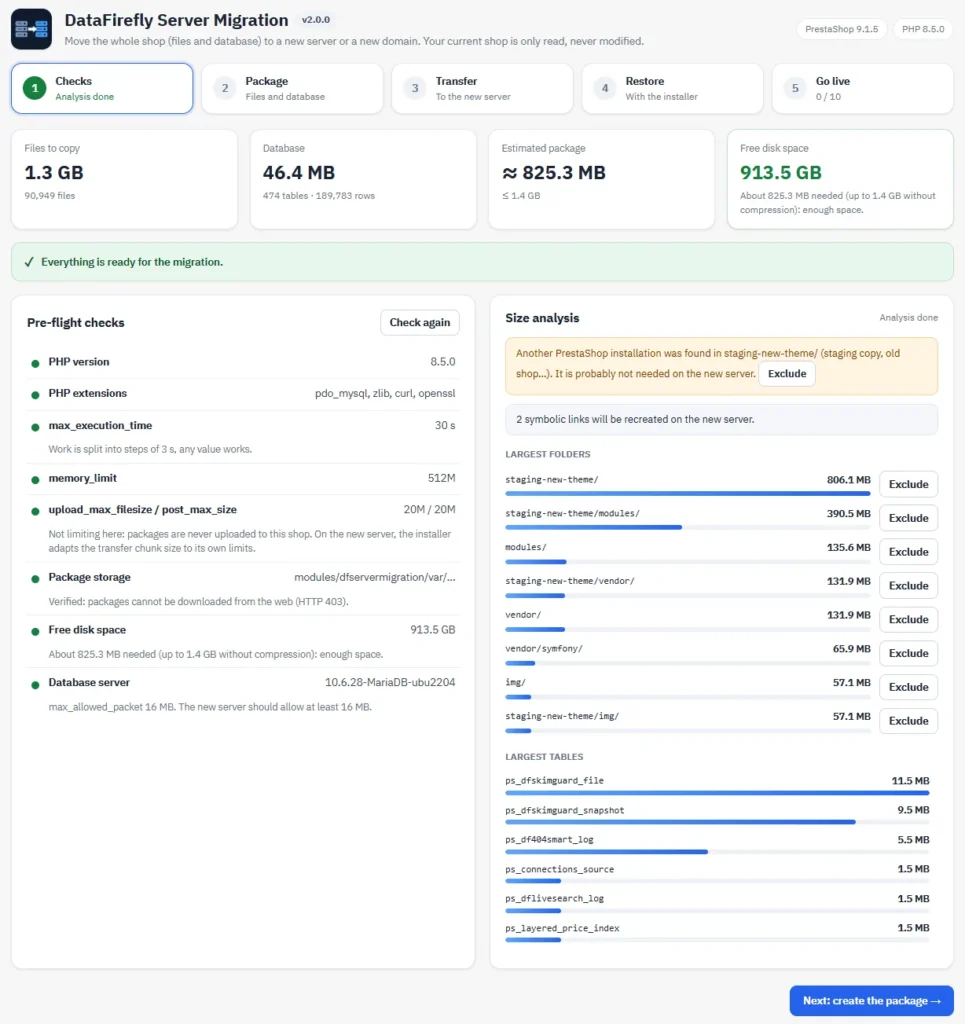
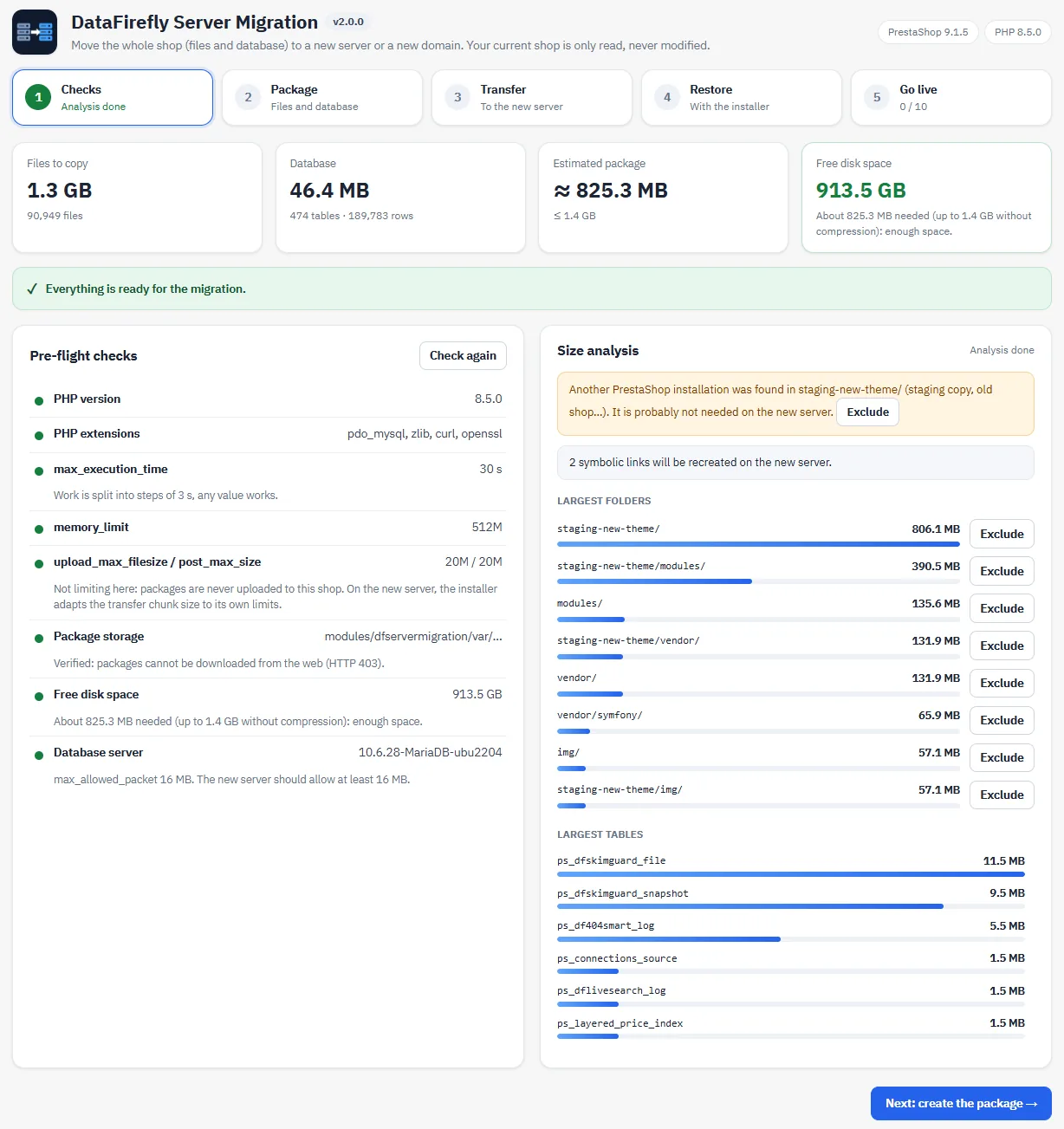
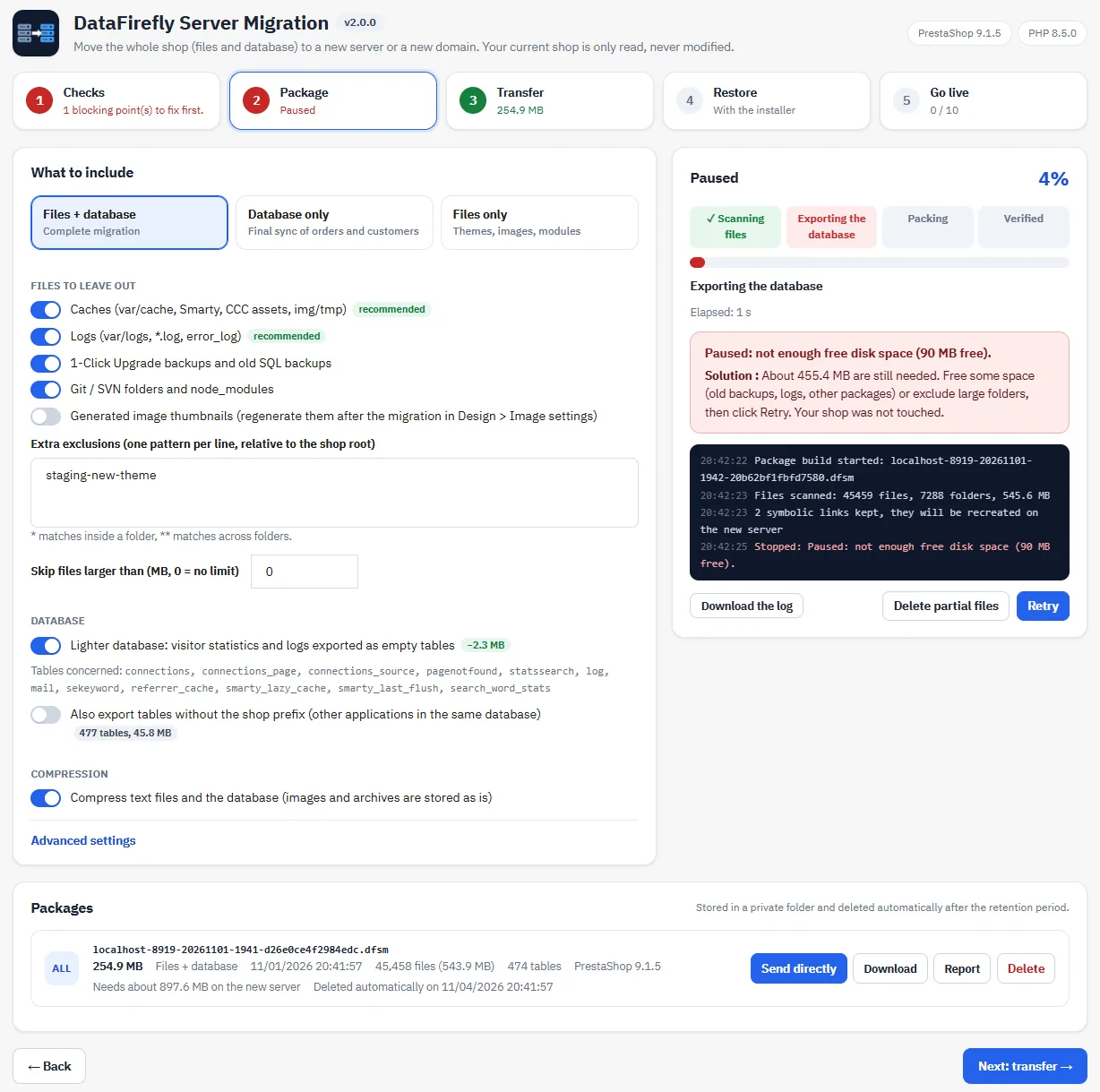
The first step analyses the shop: number and size of files, database size, estimated package and free disk space, with the largest folders and tables. A copy of PrestaShop stored in a sub-folder is detected and can be excluded in one click. If the package will not fit, the module says so with numbers before anything is written.
A build that never breaks the live shop
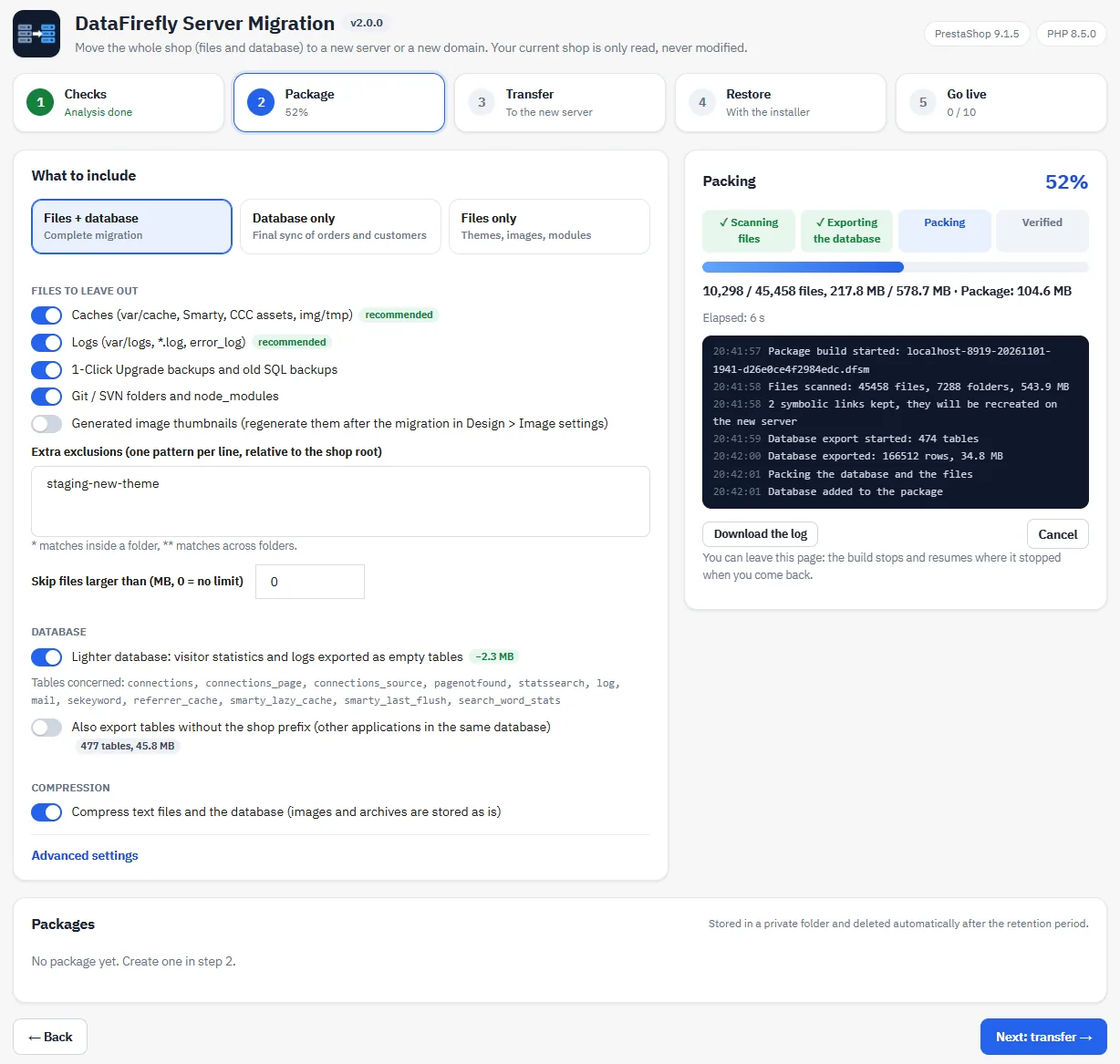
Files are read and the database is exported with read queries, in steps of a few seconds that resume exactly where they stopped. A safety margin of 128 MB is kept free on the disk: if it runs short, the build pauses instead of filling the disk, and resumes with one click once space is freed. A database-only package lets you sync the last orders just before the switch.
From one server to the other, without your computer
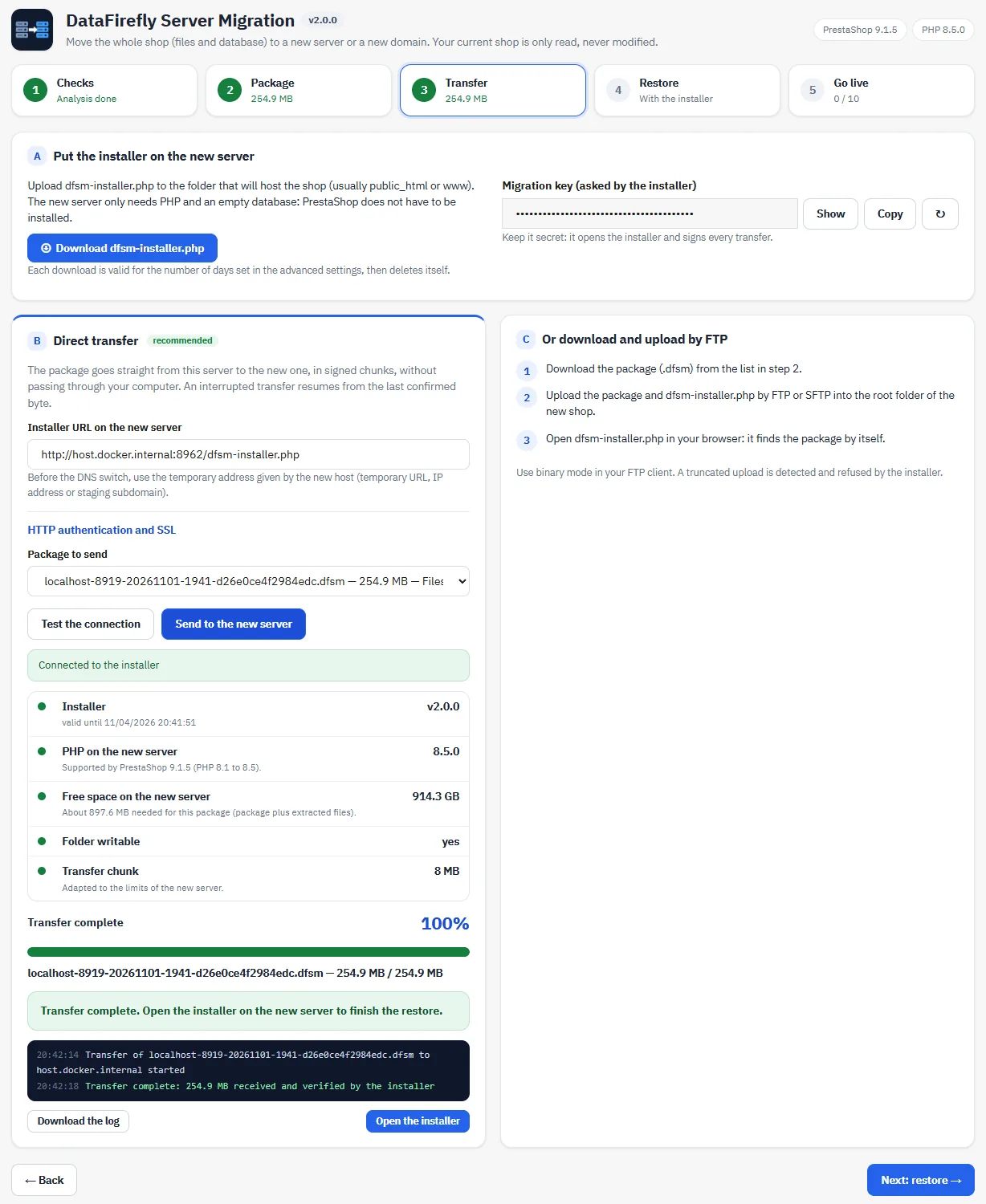
Upload the installer to the new host, paste its address, test the connection: the module checks the PHP version, the free space and the write access of the destination. The package then goes straight from server to server in signed chunks. If you prefer, download the package and upload it by FTP: the installer finds it by itself.
A restore that finishes the job
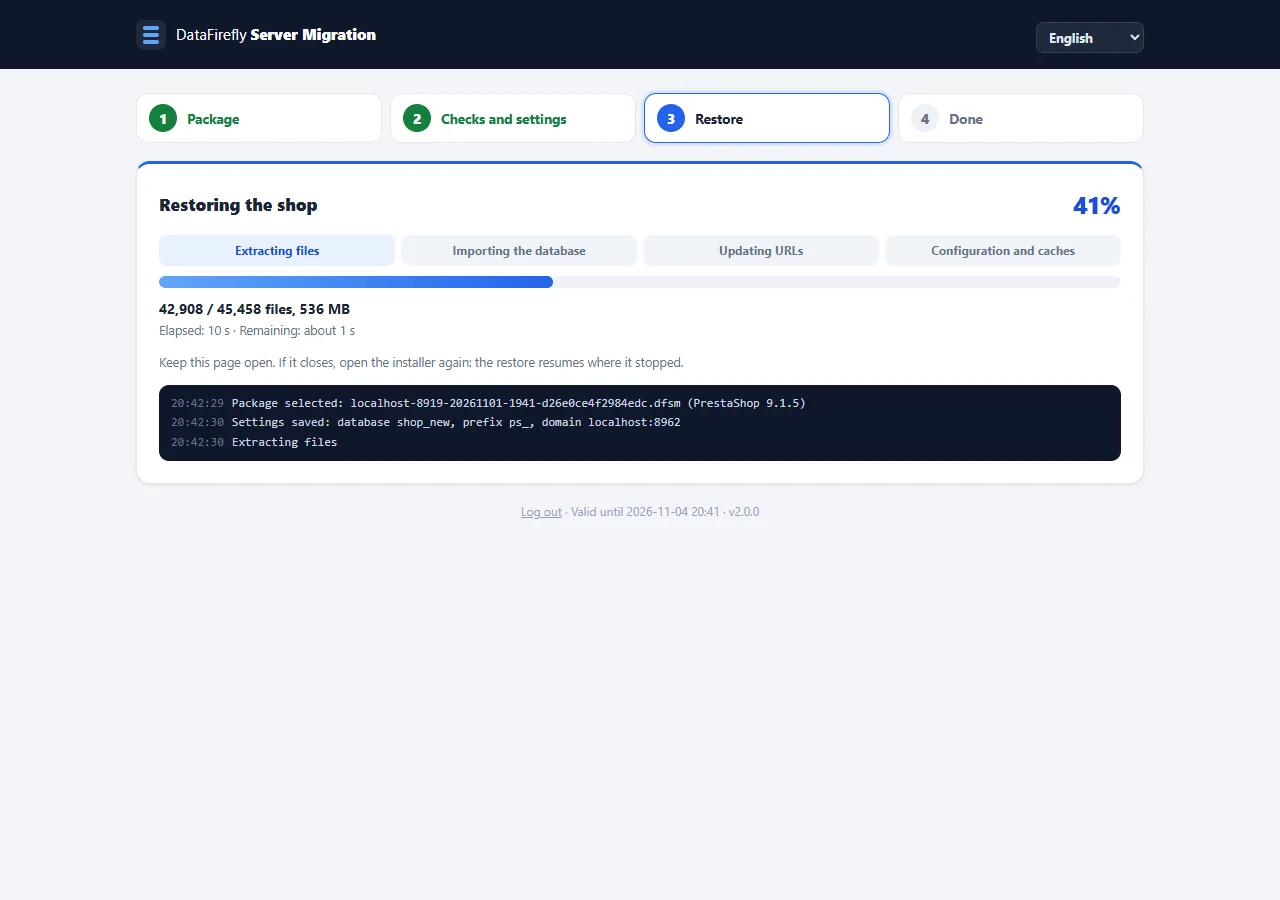
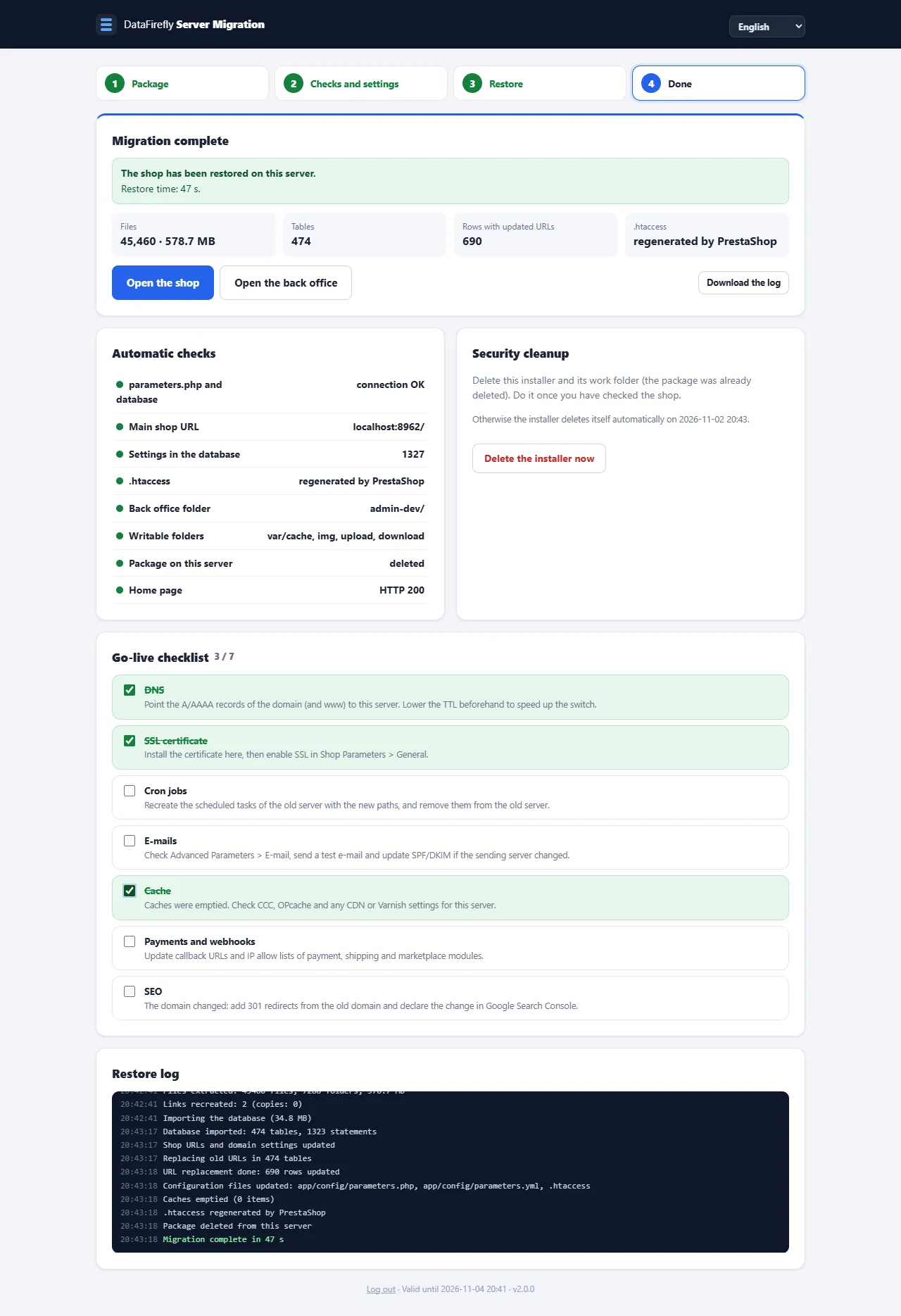
The installer tests the new database before writing anything, then extracts, imports and rewrites: parameters.php, ps_shop_url, domain settings per shop, URLs in every table including serialized data, symbolic links, .htaccess regenerated by PrestaShop and caches. It then checks the result, shows a go-live checklist and deletes itself 24 hours later at the latest.
There are no reviews yet.