

The large majority of satisfied customers never leave a review spontaneously. Those who write without being asked are mostly the dissatisfied ones, which explains the strangely low average rating of stores that never solicit. Automating the request is not there to inflate the score, but to restore representativeness.
Timing: after use, not after delivery
This is the parameter that determines both the response rate and the quality of the reviews. Asking on delivery produces reviews about the packaging and the carrier. Asking too late produces a response rate in free fall.
The useful rule: send the request once the customer has actually used the product. The delay therefore varies with what you sell.
- Consumables or immediate-use products: 3 to 5 days after delivery.
- Clothing, footwear: 7 to 10 days, time enough to try it on and put it through one wash.
- Equipment, tools, appliances: 15 to 30 days, time enough for meaningful use.
- Seasonal or rarely used products: calendar delay means nothing here, prefer a request at a fixed date after the season.
If your catalogue mixes these cases, a single delay applied to everything is a mediocre compromise. The delay should be configurable per category.
The two-email sequence
A single send captures part of the responses. A follow-up seven days later, addressed only to non-responders, typically adds between a third and half the volume of the first send. Beyond two messages, returns collapse and complaint risk rises.
The follow-up must not be a copy of the first message. It is shorter, it names the product concerned, and it gives a reason: helping the next buyers choose.
The content of the email
Three elements matter, the rest is decoration.
The visual reminder of the product. A customer who ordered three items no longer knows which one you are asking them to rate. The image and the product name in the message avoid confusion and generic answers.
Rating directly inside the email. Five clickable stars, each leading to a form already pre-filled with the chosen score. That single mechanic changes the response rate more than everything else, because it turns a form into one click.
A short form. Score, optional title, free comment. Every extra field costs submissions. Multiple criteria, price, quality, delivery, only earn their place if you actually use them.
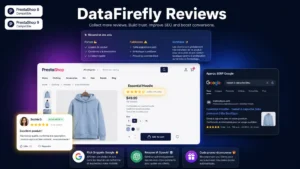 DataFirefly Verified Reviews — PrestaShop 8 and 9 customer reviews with rich snippets and AI summaryVerified reviews, photos, rich snippets, AI summary and reward discount — no subscription.€89.00
The legal frame, plainly
Three obligations to respect, regularly checked across the EU.
- Disclose how reviews are handled. You have to state whether reviews are checked, and if so how, along with the publication date and the ranking criteria. That information has to be reachable from the pages displaying reviews.
- Do not filter out negative reviews. Removing a review because it is unfavourable is a misleading commercial practice. Moderation can only rest on objective grounds: abusive language, off-topic content, personal data, manifestly false claims.
- Declare any consideration given. A discount voucher in exchange for a review is not forbidden as such, but it has to be publicly announced, and it cannot be conditional on a favourable score.
The point most often missed is the first one. A ten-line page titled “How we handle reviews” settles the question, and reassures visitors along the way.
The verified review, and what the term covers
A review is verified when you can demonstrate that its author actually bought the product. Technically, that means linking every review to an order, and only opening the rating option to customers who have received their parcel.
This constraint reduces review volume and increases its value. It also makes the “verified reviews” claim usable without risk, which is not the case with a form open to everyone.
Replying, including to good reviews
The merchant’s reply is read by future buyers far more than by the author of the review. On a negative review, a factual and non-defensive reply neutralises the effect of the comment. On a positive review, a short reply shows that a human is watching the store.
Set a reply deadline, forty-eight working hours is a good marker, and hold to it. A negative review left unanswered for three months does more damage than the review itself.
The volume needed for Google stars
Product reviews marked up in structured data can produce stars in search results. Two practical conditions: correct markup at the level of each product page, and enough volume for the score to be credible. A page with a single five-star review generally gets nothing.
That is one more argument for automating collection rather than waiting. Volume takes months to build, and it cannot be caught up later.
Setting up collection
The Verified Reviews module for PrestaShop handles this chain on PrestaShop 8 and 9: automatic request with configurable delay, follow-up to non-responders, one-click rating from the email, linking to the order and structured data markup.