
The constraint is common: you have a purchased theme, customised, possibly modified by a service provider who is no longer around. Touching it to improve search means opening a disproportionate worksite, with a risk of regression on pages that work.
Good news, most of the gains happen elsewhere. Here are the four steps, from the most profitable to the heaviest, none of which requires modifying a template.
Step 1: the native settings, thirty minutes
Everything happens in Configure > Shop Parameters > Search, and this page is rarely opened.
Field weighting. PrestaShop assigns a weight to each source: product name, reference, short description, long description, brand, attributes, features. The default values are rarely suitable. On a technical catalog where customers search by reference, raising the weight of the reference immediately changes relevance. On a fashion catalog, the name and the attributes come first.
Minimum word length. Set to three characters by default, it excludes searches on sizes, short references or acronyms. Lowering it to two improves coverage, at the price of a larger index.
Fuzzy search. The option exists and is not always enabled. It allows matching on the beginning of words, which catches singulars, plurals and truncations. It does not catch a typo in the middle of a word, but it costs zero.
Rebuilding the index. The button sits at the bottom of the same page. If you have run an import in recent months, part of your catalog is probably not indexed. Launch the full rebuild, then schedule a recurring task for incremental indexing.
Step 2: clean up the catalog vocabulary
Second best effort-to-result ratio, and it requires no technical intervention.
The method: extract the no-result searches from the past three months, sort them by frequency, and look at the top fifty. You will mostly find terms your customers use and your catalog does not.
These terms belong in an indexed but discreet field. Product features work well: they are indexed, weightable, and do not necessarily appear in the sales description. A feature called “Other names” filled with three or four synonyms fixes dozens of lost searches.
Count half a day to process the top fifty terms. It is the best investment on the list.
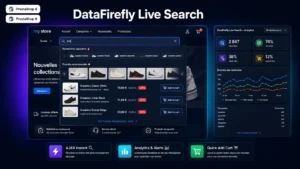 Advanced Search Module for PrestaShop 8 & 9 - DataFirefly Live SearchThe advanced PrestaShop search module that converts€149.00
Step 3: autocomplete, without touching the theme
This is where the initial constraint finds its answer. A layer of instant suggestions does not need to replace your search field: it attaches to it.
The technical principle is simple. A module registers on the header hook, injects its script, detects the theme’s existing search field by its selector, and attaches its own behaviour. The theme template is not modified. A theme update overwrites nothing, and uninstalling the module returns the field to its original behaviour.
The only condition is that the search field be identifiable, which is the case for almost all themes, including heavily customised ones. On an exotic theme, a configurable selector settles the matter.
What a suggestion should contain
A list of product names in plain text brings almost nothing. A useful suggestion contains four elements.
- The product thumbnail. The visitor recognises visually before reading.
- The price. It allows discarding what is out of budget immediately, without opening the page.
- Availability. Suggesting an out-of-stock product at the top of the list creates unnecessary frustration.
- Matching categories, next to the products. A customer typing a generic term often wants to browse, not land on a precise reference.
A fifth element is worth testing: popular searches displayed before the first keystroke, in the empty field. On a seasonal catalog, they guide effectively.
Mobile behaviour
On mobile, the autocomplete should occupy the whole screen rather than slide under the field. The virtual keyboard already takes the bottom half, and a dropdown of four suggestions in the remaining hundred pixels is unusable.
Another point: trigger the search from two characters, not three, and wait about 250 milliseconds after the last keystroke before querying the server. Below that, you multiply useless requests.
Step 4: measure
Three indicators, to record before any change so you have a baseline.
The no-result search rate, which should drop after steps 1 and 2. The click-through rate on suggestions, which indicates whether they are relevant. And the conversion rate of sessions with a search, compared with sessions without, which gives the economic value of the project.
When you do have to touch the theme
Two situations. If your theme has no visible search field on mobile, no software layer will replace its absence. And if you want a fully redesigned results page, with side filters and custom sorting, the results template will have to be reworked.
These two cases aside, the four steps above cover most of the accessible gain.
The Live Search module for PrestaShop handles steps 3 and 4 on PrestaShop 8 and 9: instant suggestions with image, price and availability, attachment to the existing field without template modification, and a query log with click-through and conversion rates.