

Selling food online involves two distinct obligations that are often confused. Nutrition values fall under the European INCO regulation and are mandatory. The Nutri-Score is a voluntary scheme, but as soon as you display it, its rules of use become binding.
What is mandatory, and what is not
The INCO regulation requires that, for distance selling of prepacked food, the mandatory information be available before the purchase is concluded. That covers the name of the food, the ingredient list, highlighted allergens, net quantity, the nutrition declaration and storage conditions.
The point that often gets missed: this information must appear on the product page, not only in a photo of the packaging. An image of the label cannot be used by a screen reader, and is not considered sufficient provision.
The Nutri-Score, on the other hand, is not mandatory. Using it requires registering with Santé publique France, the scheme’s operator, which grants the right to use the logo under a precise set of usage rules.
The logo’s rules of use
They are strict, and breaking them forfeits the benefit of the registration.
- The official logo only. No redrawn, recoloured or simplified version. The files are supplied along with the usage rules.
- A minimum size guaranteeing legibility, and proportions that must not be altered.
- Completeness. If you sign up, you must display the Nutri-Score on all the covered products in your range, not only the well-rated ones. This is the most important rule, and the one that makes some stores hesitate.
- A compliance deadline after registration, beyond which the display must be complete.
Showing an A on three products and nothing on the other twenty is not a partial rollout: it is non-compliant use of the logo, and a misleading practice from the consumer’s point of view.
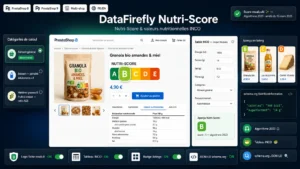 Nutri-Score & INCO Nutrition Facts — Official Logo and schema.org Table (PrestaShop 8 & 9)Nutritional transparency that reassures and sells€49.00
The calculation, and its revision
The score is calculated from the composition per 100 grams or 100 millilitres. Unfavourable points are assigned for energy, saturated fatty acids, sugars and salt. Favourable points come from fibre, protein and the share of fruit, vegetables and pulses. The difference gives a result translated into a letter from A to E.
The algorithm has been revised, with gradual rollout, and the revision changes the classification of some families: sweetened drinks, salty and sweet products, or oils and dairy products are no longer rated against the same thresholds.
The practical consequence: do not copy a score found in an old database. The displayed score must be the one supplied by the manufacturer under the version in force, and it must be updated when the manufacturer revises it.
Where to display it in PrestaShop
Three locations, in order of priority.
On the product page, close to the product information and not buried in a secondary tab. The full nutrition declaration can live in a tab, the logo must stay visible.
On the category listing, optionally. It is not required, and it is a real commercial advantage on a well-rated range. On a range mostly rated D and E, displaying it in listings is consistent but commercially debatable, the call is yours.
In internal search results and recommendation blocks, for consistency. A score visible in the category but absent from the “similar products” block gives an impression of selective display.
The case of bundles and gift boxes
A frequent question with no simple answer. A box containing six different products has no Nutri-Score of its own: the score applies to a foodstuff, not to an assortment.
The most defensible practice is to display each component’s score in the box’s details, without calculating one for the whole. An averaged score would be invented, and therefore misleading.
The same logic applies to products sold by weight or prepared to order: if the composition varies, no fixed score can be displayed.
Storing the data properly
As with the repairability index, the score and the nutrition values must be structured fields, not text inside the description.
Three concrete reasons. You must be able to list the food products with missing values, which is a compliance check. You must be able to export this data to your feeds, as food marketplaces increasingly require it. And structured data markup, which improves how search engines understand your pages, presupposes identified fields.
The Nutri-Score and INCO nutrition values module handles this need on PrestaShop 8 and 9: the official logo in regulation proportions, a compliant nutrition table, structured fields per product, display on the product page and optionally in listings, and structured data markup.