
Everything you'd want to know before you install.
A detailed look at how Omnibus Directive Compliance (Lowest Prior Price) for PrestaShop works, why we built it the way we did, and the thinking behind the features above.
§ 01
Why this module is mandatory in the EU
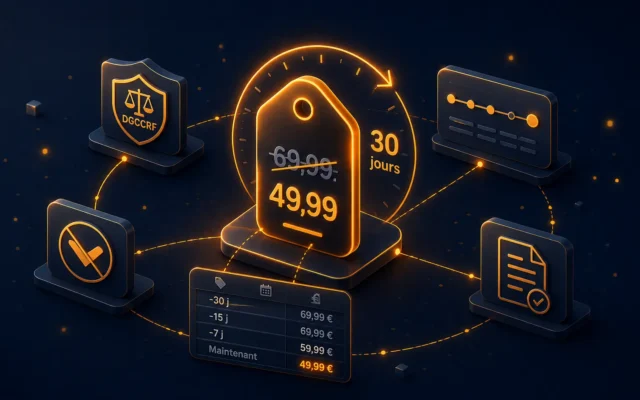
Since May 28, 2022, European Directive 2019/2161 known as Omnibus requires every online merchant established in the European Union to display, in any announcement of a price reduction, the lowest price recorded during the 30 days preceding the application of that reduction. This obligation applies to all product pages, newsletters, banners and promotional campaigns, under penalty of administrative sanctions that can reach 300,000 euros in France (DGCCRF) or 4 percent of annual turnover.
§ 02
How dfomnibus guarantees your compliance
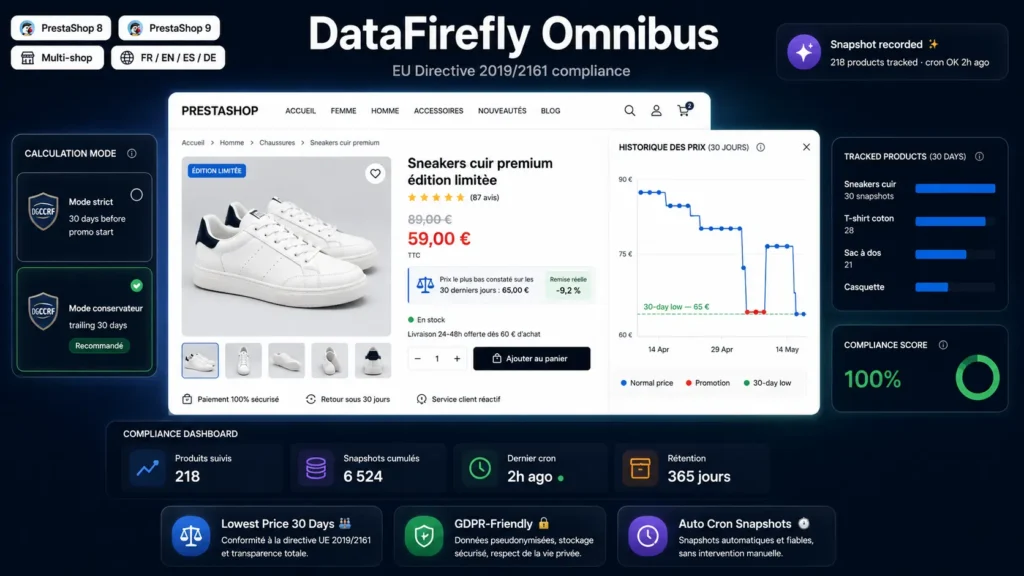
The module continuously builds the price history of every product, with no manual entry and no intervention from you. On every change of the base price or of a reduction rule (SpecificPrice), a snapshot is recorded. In parallel, a daily cron task captures the complete state of the catalog, which guarantees historical continuity even if some changes have bypassed the hooks. At display time on the storefront, the module compares the current price to the minimum recorded over the last 30 days and automatically inserts the legal notice under the promotional price.
§ 03
Two calculation modes, compliant with the letter and the spirit of the directive
Strict mode applies the strict legal definition: the Omnibus reference price is the lowest price applied during the 30 days preceding the effective start of the current promotion. Conservative mode, recommended by default, extends the window to the trailing 30 days and always picks the value most favorable to the consumer. It is the most defensive interpretation in case of a DGCCRF inspection, and it removes any ambiguity about the start date of the promotion.
§ 04
30-day chart, ultra-light and tracker-free
An optional chart is shown as a product tab or under the price. It is rendered entirely in vanilla JavaScript using a canvas element, with no external dependency (no Chart.js, no D3.js, no third-party CDN). Rendering weighs around 3 kilobytes, lazy-loads via IntersectionObserver, and sets no cookie. No outbound call: GDPR compliance is fully preserved.
§ 05
Dashboard and audit export
The back-office dashboard summarizes at a glance the number of tracked products, the total snapshots recorded, the date of the last cron run, and the list of products with their first and last capture, lowest price, and an active-promotion indicator. A per-product CSV export provides the full timestamped history, ready to be archived or handed to an inspector.
§ 06
Multi-shop, multi-currency, multi-combination
If you run several shops on the same PrestaShop instance, each shop keeps its own history and the module automatically detects the context. Prices are recorded in every active currency, which avoids on-the-fly conversions and guarantees consistency with the amounts displayed. Combination tracking is enabled by a single checkbox: useful for products where each combination has its own price, such as XL sizes with a surcharge.
§ 07
EU restriction and customization
An option restricts display of the compliance notice to visitors from the 27 EU member states, which keeps your product page clean for non-EU markets (Switzerland, United Kingdom, United States). Detection falls back from the delivery address of the logged-in customer to the address of the current cart and finally to the shop default country. Another option hides the notice when the current price already matches the lowest recorded price, in which case the information adds no value for the consumer.
§ 08
Installation and first setup
Installation takes less than five minutes. Upload the ZIP in Modules, Install a module. The module creates its tables, generates a cron token, and registers its hooks. Open the configuration screen: copy the cron URL displayed and schedule a daily call on your server (Unix cron or external scheduler). The first run seeds the history for the entire catalog, and subsequent price changes are captured in real time by the hooks.
§ 09
No bloatware, made for developers
The code follows PrestaShop standards: ObjectModel, ModuleAdminController, official hooks, Db helpers for performant queries. No extra framework is injected. The code is commented, readable, ready to be audited or extended. You can override classes if your business needs require it.


There are no reviews yet.