


Everything you'd want to know before you install.
A detailed look at how Trust Badges & Reassurance Blocks works, why we built it the way we did, and the thinking behind the features above.
§ 01
Why reassurance blocks matter for your store
A hesitant visitor always asks the same questions: is the payment secure, how fast will I get my order, can I return it, where does it come from. Reassurance blocks answer these objections at the right moment, on the product page, in the cart or right on the homepage. It is one of the simplest and best documented conversion levers in e-commerce.
§ 02
An icon library built for European e-commerce
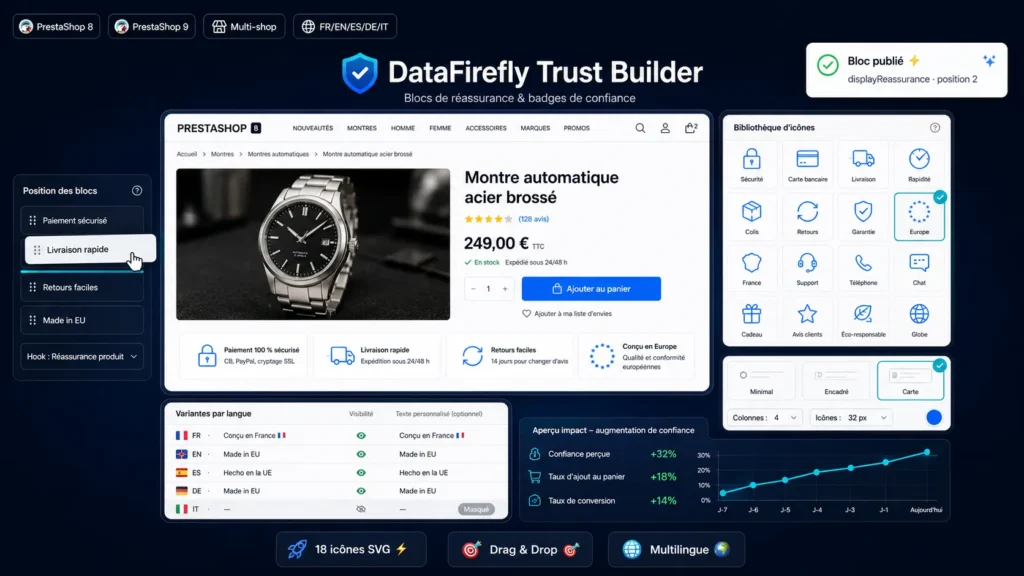
The module ships with 18 vector icons covering the essential trust messages: secure payment, payment methods, delivery, express shipping, returns, warranty, customer support, reviews, eco-friendliness, plus two icons dedicated to product origin, made in EU with the circle of stars and made in France with the hexagon. Icons inherit your theme color or the color set in the configuration.
§ 03
Free positioning, without touching your theme
Each block is assigned to one of six supported areas: the product page reassurance zone, the homepage, full width below the header, above the footer, product additional information or the cart footer. The order of the blocks is set with drag and drop from the list, with a per-area filter to fine-tune each location.
§ 04
Per-language variants, not just translations
Beyond translating the title, subtitle and link, the module lets your reassurance vary per language. A title left empty in a language hides the block for that language only: show a made in France badge to French visitors and a made in EU badge to the rest of Europe, or a different phone number per market.
§ 05
Ready to use in 2 minutes
On install, four sample blocks pre-translated in five languages are created on the product reassurance area: secure payment, fast delivery, easy returns and made in EU. All that is left is adjusting the copy to your commercial policy and picking a display style: minimal, bordered or card.


There are no reviews yet.