

PrestaShop Design & Navigation

Product Gallery Video for PrestaShop 1.7.8, 8 & 9

Your MP4, WebM, YouTube and Vimeo videos in the product gallery, next to the photos.

  • 30-day refund
  • 12 months updates
  • 24h support

DataFirefly Product Video puts your videos in the image gallery of the PrestaShop product page, alongside the photos, with a “Video” badge on the thumbnail. MP4 and WebM files checked on their content, YouTube and Vimeo loaded only on click, WebVTT subtitles, keyboard lightbox. PrestaShop 1.7.8, 8 and 9, Hummingbird and Classic themes.

At a glance
  • MP4, WebM, YouTube and Vimeo in the product gallery, with a “Video” badge
  • YouTube and Vimeo loaded on click, waiting for consent when a cookie manager is present
  • WebVTT subtitles, keyboard playback, accessible lightbox
  • PrestaShop 1.7.8, 8 and 9 · Hummingbird and Classic · 8 languages
PrestaShop 1.7.8 · 8 · 9 MP4 / WebM YouTube + Vimeo WebVTT subtitles Multistore 8 languages
  • PrestaShop Certified Agency 2026
  • PrestaShop Expert Certification — Core Skills
  • PrestaShop Expert, level 3

Built by a PrestaShop Certified Agency

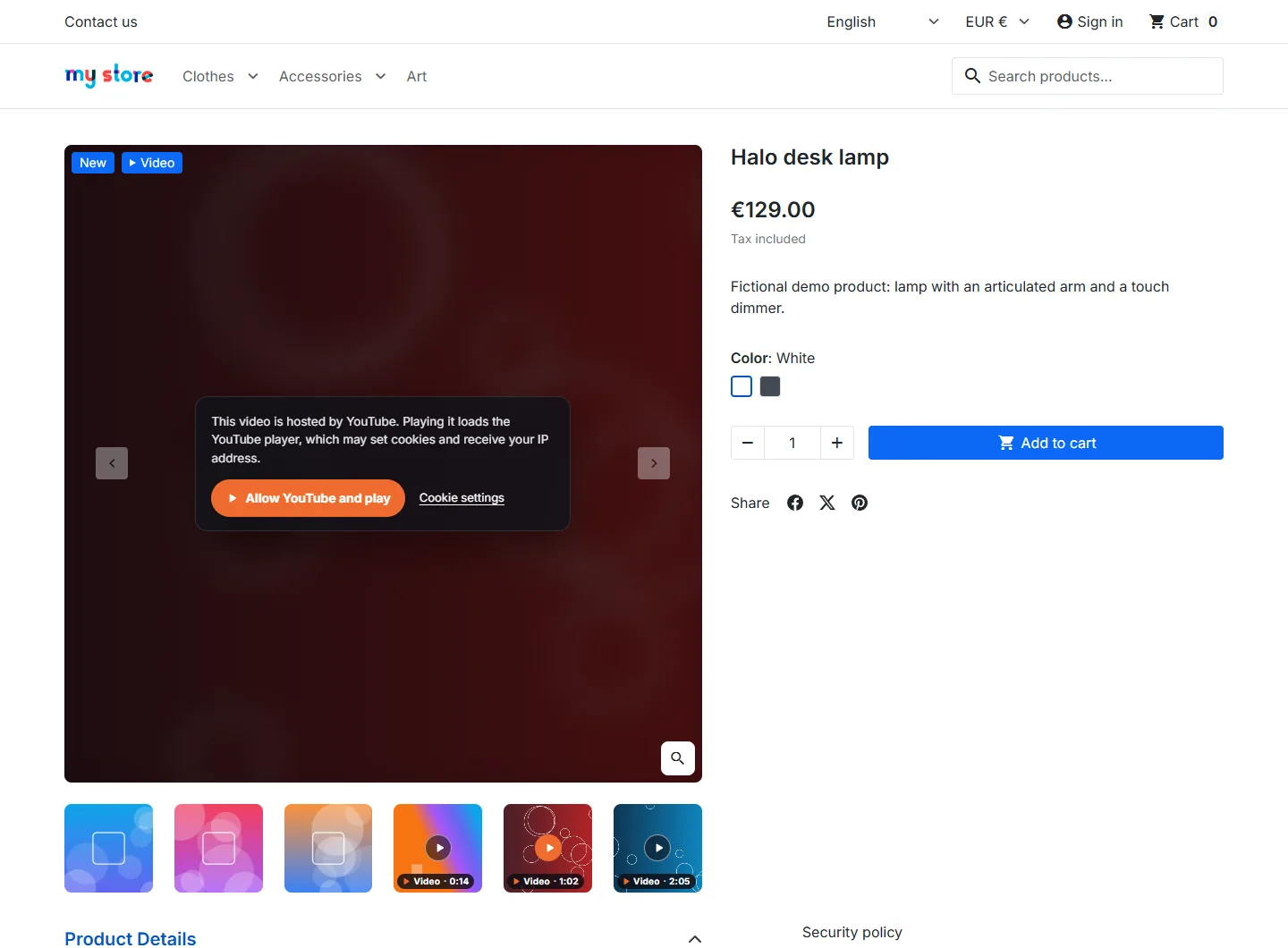
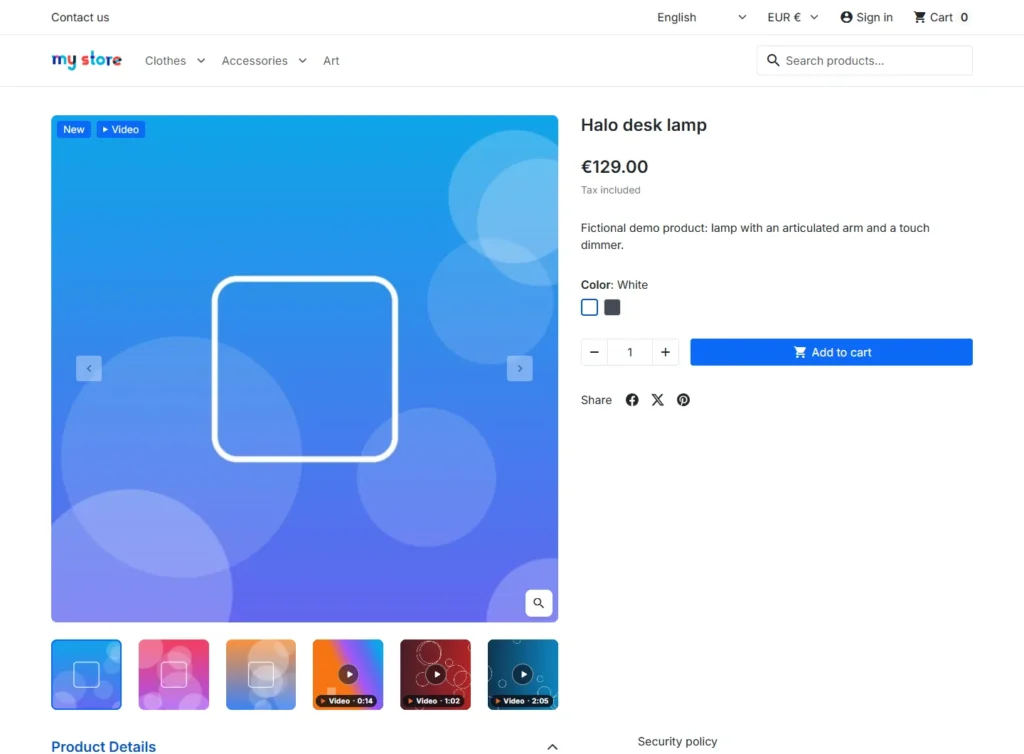
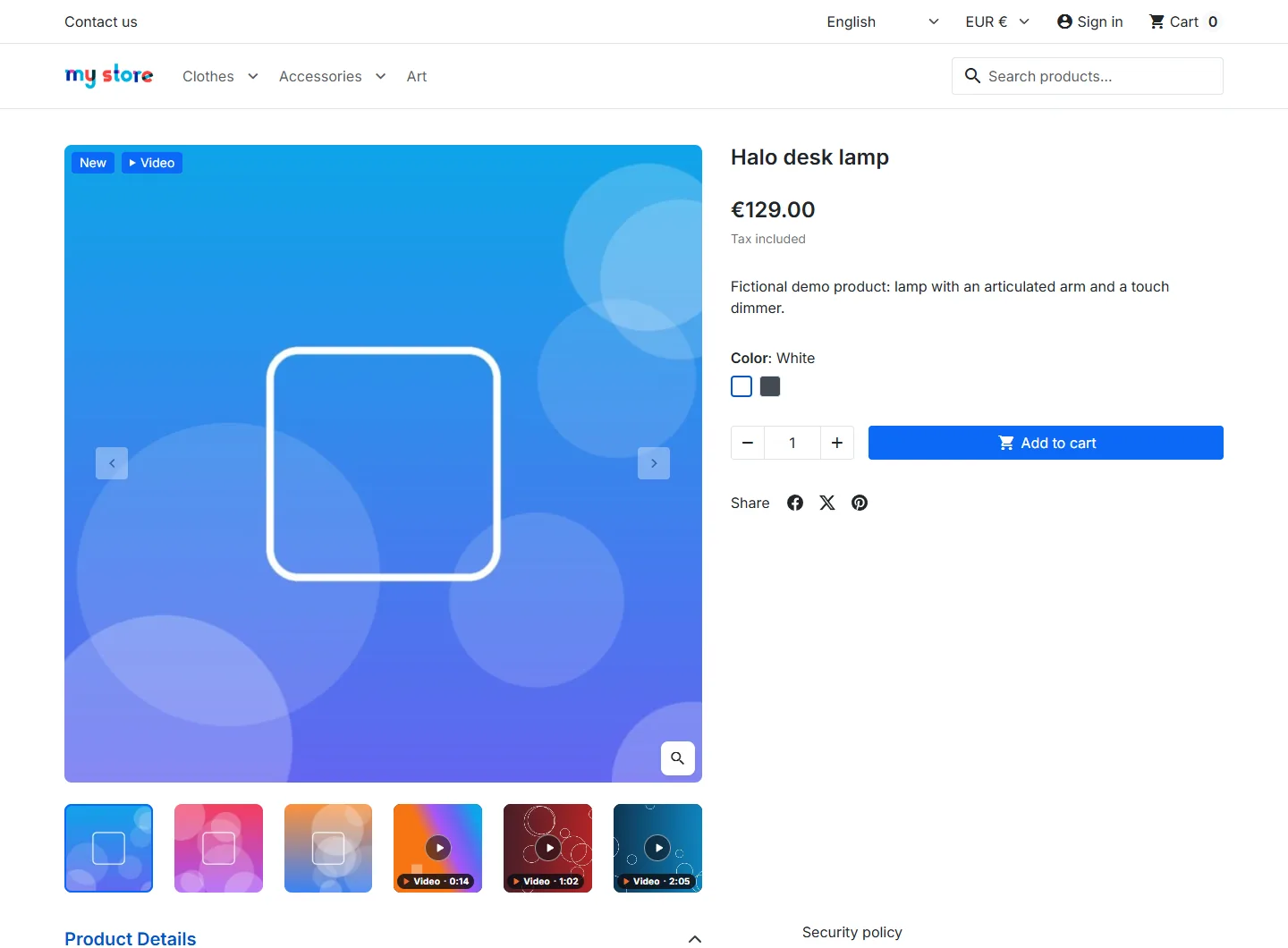
Hummingbird product gallery with the video thumbnails and their "Video" badge and duration
v2.0.0 · updated 2026-11-09
Product Gallery Video for PrestaShop 1.7.8, 8 & 9 €120.00
What it does

Overview

01

In the gallery, not below the description

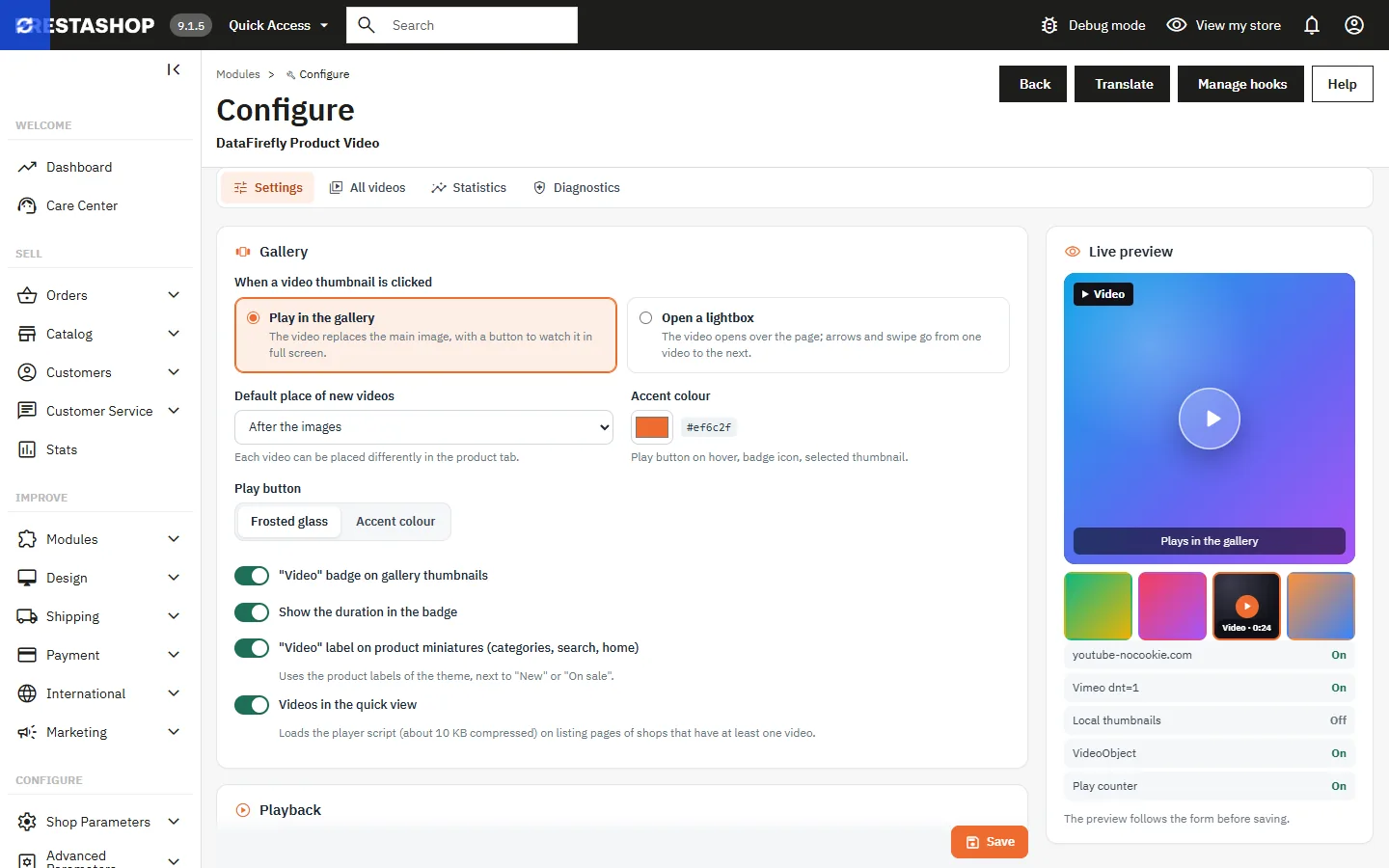
The video becomes a thumbnail of the Hummingbird or Classic gallery: before the images, after image n or at the end, or as the main image. “Video” badge and duration on the thumbnail, swipe on mobile.

02

YouTube and Vimeo loaded on click

Before the click, visitors see a poster served by your shop: no request to YouTube or Vimeo. youtube-nocookie.com and Vimeo dnt=1 as options. With tarteaucitron, the player waits for consent to the service.

03

Files checked on their content

MP4 and WebM checked by signature and structure, posters re-encoded, subtitles cleaned, random names, folder protected against script execution. nginx rules provided.

04

Anonymous statistics

Plays per day, share of videos watched to the end and most played videos, with no cookie, no IP address and no customer data. Known bots ignored, adjustable retention.

The long version

Everything you'd want to know before you install.

A detailed look at how Product Gallery Video for PrestaShop 1.7.8, 8 & 9 works, why we built it the way we did, and the thinking behind the features above.

§ 01

Video where it belongs: in the gallery

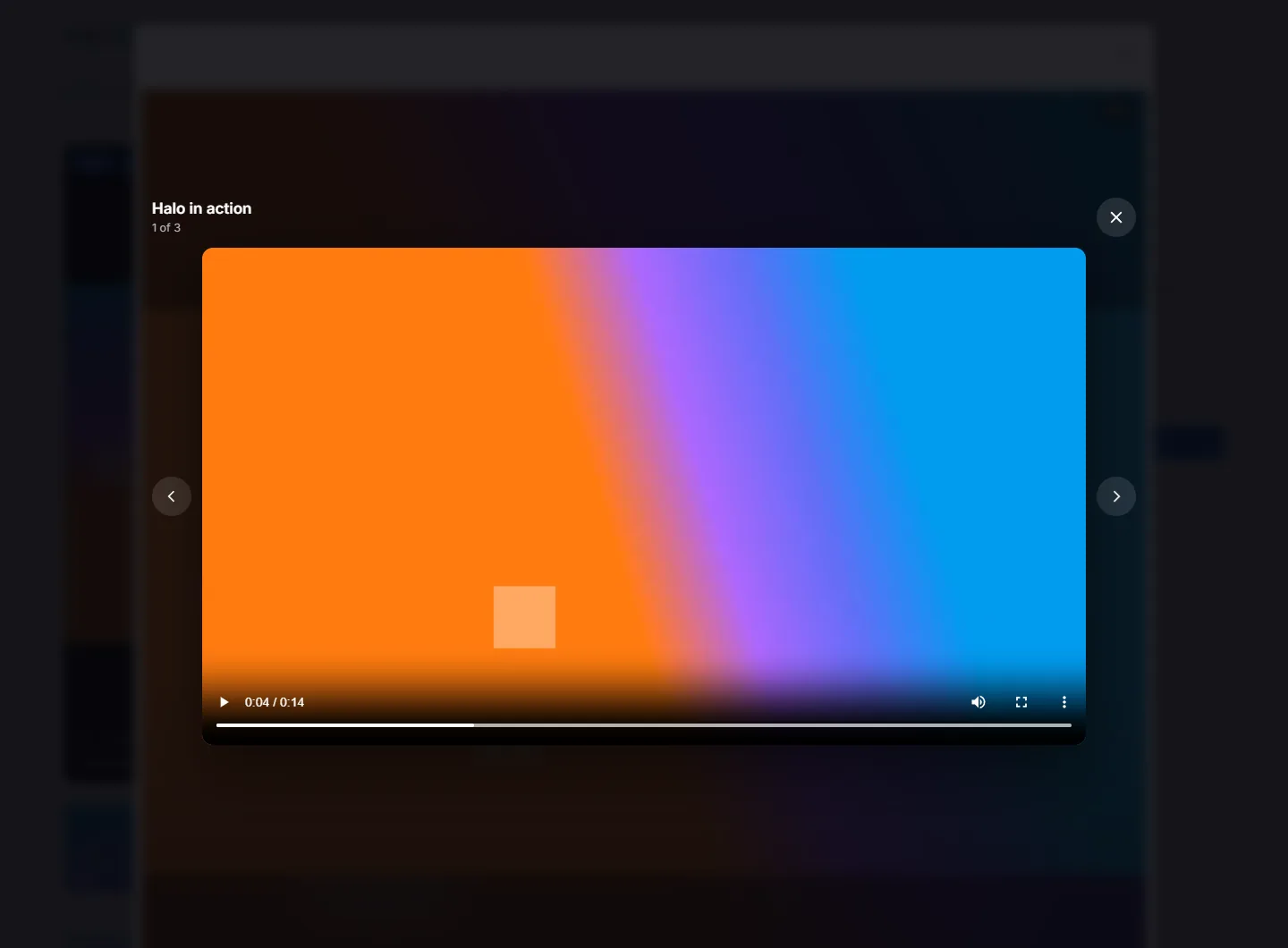
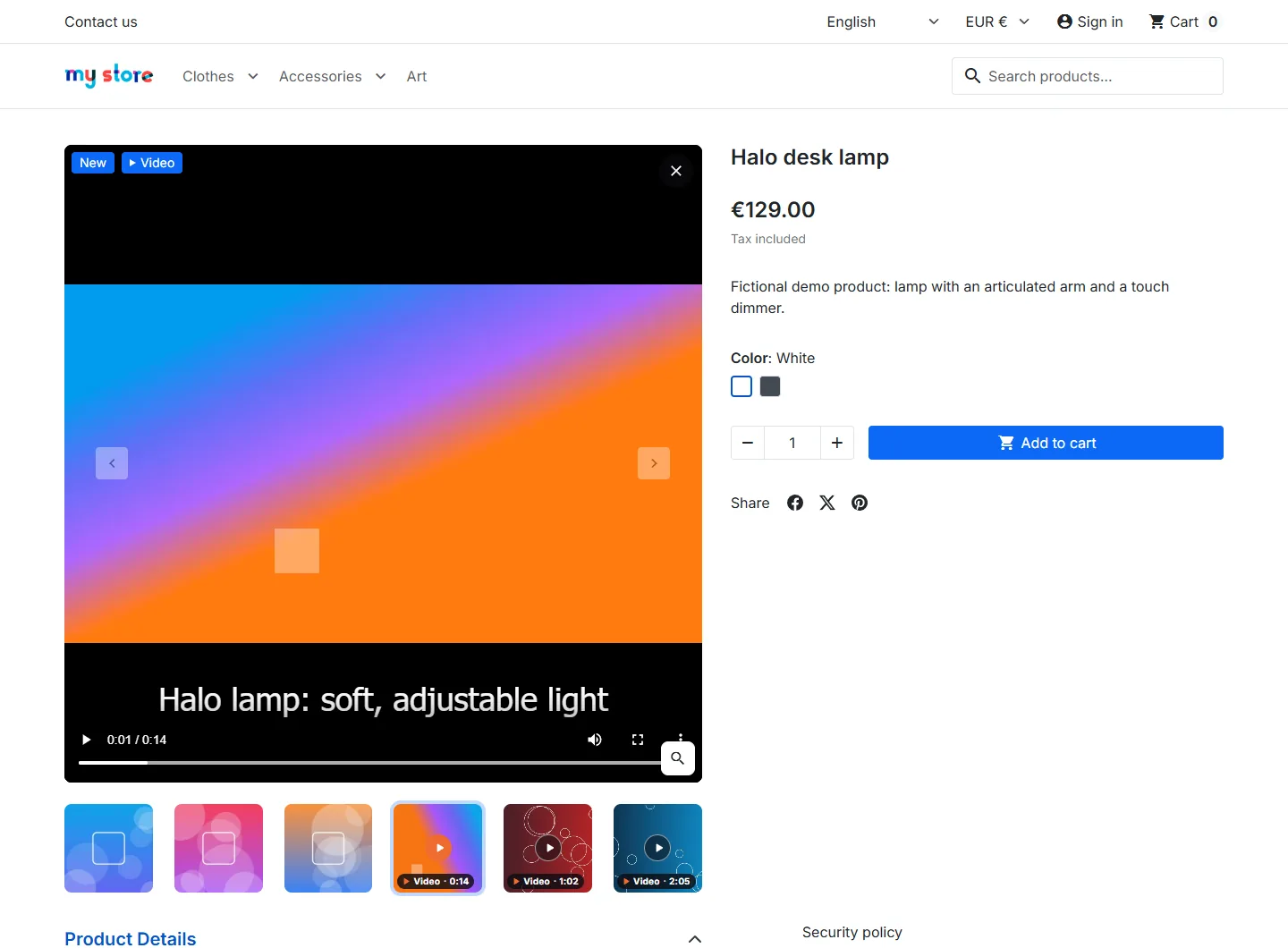
On Hummingbird, the video becomes a carousel slide; on Classic, a thumbnail sized like the theme's. The theme's zoom button opens the video in a lightbox, with arrows and swipe. On other themes, videos appear in a strip below the gallery. Page loading does not shift the layout: the video's space is reserved.

§ 02

YouTube and Vimeo with no request before the click

A poster served by your shop replaces the player until the click: no connection to YouTube or Vimeo before. Without a cookie manager, a short message names the provider before loading its player. With DataFirefly's tarteaucitron banner, the player waits for consent to the service, and the “Allow YouTube and play” button records the choice in the banner without changing its settings. The module does not replace a compliance review of your site.

§ 03

Checked files, protected folder

A file is accepted only if its content is a real, complete MP4 or WebM. Posters are re-encoded, subtitles cleaned and every file gets a random name. The img/dfproductvideo/ folder blocks script execution on Apache; the equivalent nginx rules are in the Diagnostics tab. The upload limit shown takes the PHP configuration into account, and a file that is too large is refused before sending.

§ 04

Accessible by keyboard and screen readers

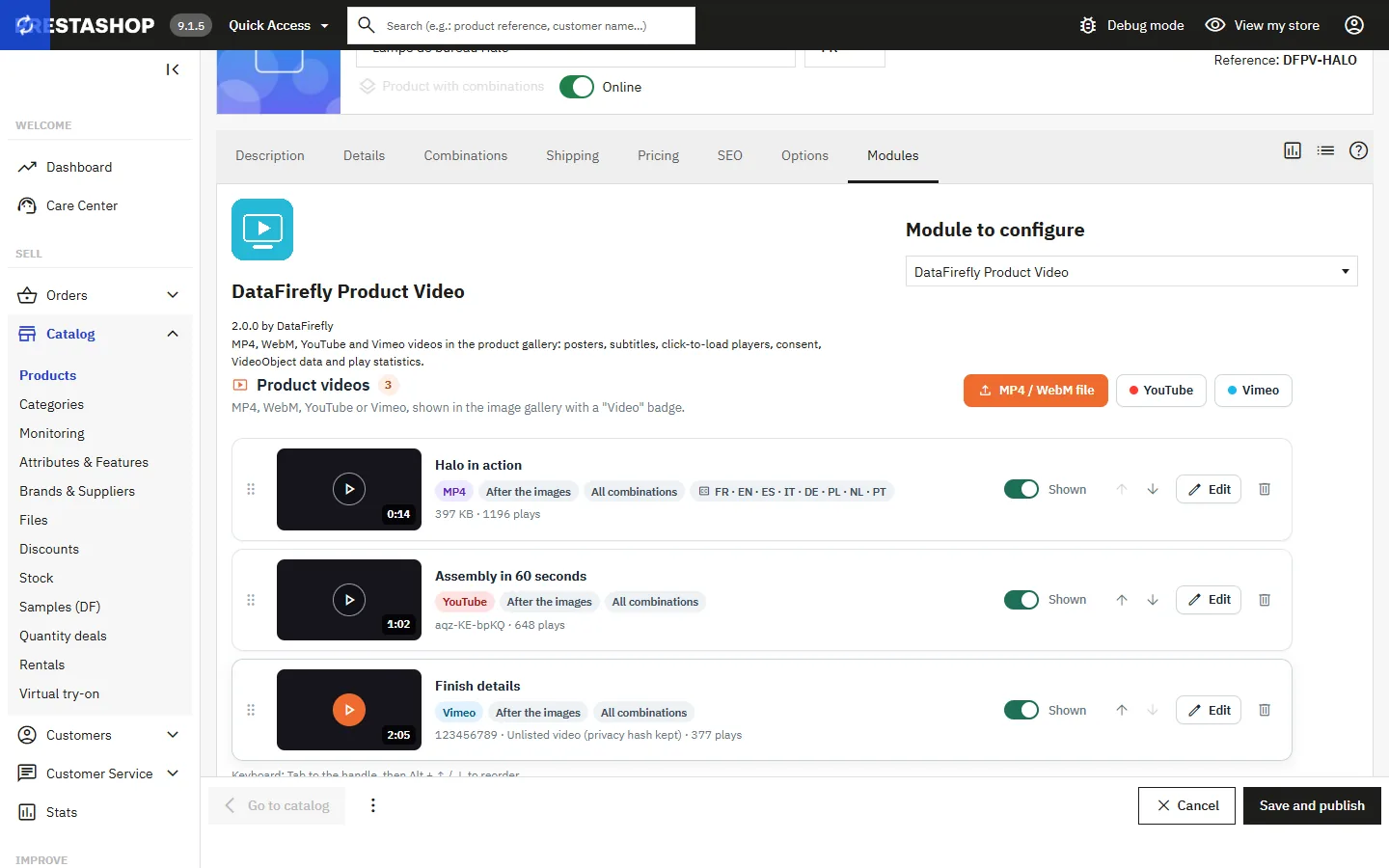
Video title read by screen readers, WebVTT subtitles per language, keyboard lightbox with visible focus, autoplay disabled for visitors who ask for reduced motion. In the back office, the video order can also be set with the keyboard.

§ 05

Statistics without personal data

A play is counted once per video and per page view, only when the visitor starts the video or turns its sound on. No cookie, no IP address, no customer; known bots ignored, hourly cap, adjustable retention and a purge button.

§ 06

Upgrade from 1.0.0

Upload the 2.0.0 zip over 1.0.0: videos, positions and files are kept. Every file is checked again; a file that is not a real video is hidden and flagged, never deleted.
€120.00
One-time · 12 months updates
Read the docs
  • Unlimited dev & staging installs
  • Source code included
  • 30-day refund
  • 24h support · EN / FR
5.0/5 25 reviews
All customer reviews