
Internal linking is the only SEO lever entirely under your control. It depends on no third party, it cannot be bought, and it acts on two things at once: how search engines distribute importance across your pages, and how deep a visitor has to go to find what they are looking for.
On a shop, it is rarely built, and almost never in both directions.
The silo principle
A shop has a natural three-level structure: home, categories, product pages. Internal linking consists of making value circulate through this structure rather than letting it stagnate.
Two flows exist, and the second is almost always missing.
The downward flow, from category to products, happens by itself: the product grid is internal linking. It is massive but unprioritised, each product receiving the same treatment.
The upward flow, from product to category, is the one that is missing. A breadcrumb creates it weakly. A contextual link in the description, a “see the full range” block, a mention of the parent category in the content do far more.
Without an upward flow, your category pages depend only on the menu to exist, while they carry the highest-volume queries.
The four flows to build
- Category to products: existing, to be prioritised. Products featured at the top of the grid receive more value than those on page 4. This choice should follow your strategy, not the default order.
- Product to category: to be built. It has the best effort-to-result ratio, because it can be generated automatically from the product’s main category.
- Product to product: accessories, similar products, frequently bought together. It circulates value laterally and improves discovery.
- Content to product: from blog posts, guides, help pages. It is the highest-quality flow, because the link is contextual and surrounded by relevant text.
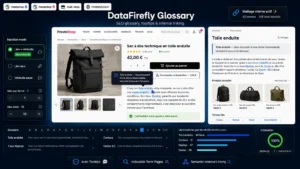 DataFirefly SEO Glossary — Industry term lexicon, automatic tooltips in your descriptions and internal linking to your products for PrestaShop 8 & 9The glossary that turns your industry vocabulary into an SEO asset. Your technical terms become links with tooltips across every description, each term gets its own indexable definition page, and…€69.00
The anchors
Three rules, the first of which is the most broken.
Vary the wording. Three hundred product pages all pointing to the same category with exactly the same anchor constitute an artificial signal. Alternate between the exact category name, a descriptive wording, and a variant.
The anchor describes the destination. “Click here” and “learn more” bring nothing, neither to the engine nor to the reader. “Our full range of cordless drills” says where you are going.
Stay natural. An over-optimised anchor that stacks keywords is spotted immediately and degrades reading. If the sentence sounds wrong read aloud, the anchor is bad.
How many links per page
The question always comes back, and there is no magic number. Two usable principles instead.
The value passed on is divided. A page that emits two hundred links passes little to each. On a product page, ten well-chosen contextual links are worth more than a hundred-entry footer.
The footer counts. A mega footer repeated on every page generates uniform linking that prioritises nothing. It is not harmful in itself, but it does not replace contextual links and it dilutes the rest.
A practical benchmark: on a product page, count the links outside navigation and footer. If there are fewer than five, your contextual linking is non-existent.
What can be automated and what cannot
Automates well: the product’s link to its main category, the link to the brand, similar-product blocks computed on real data, the enriched breadcrumb.
Requires intervention: contextual links in descriptions, links from blog posts, and cross-links between universes that have no relation in your database.
An intermediate device works well: a glossary of trade terms, where each term defined once is automatically linked from every description that uses it. You get contextual linking at scale without rewriting the pages.
The traps
JavaScript links. A similar-products block loaded on click or on scroll may not be seen. The link must exist in the initial HTML.
Links to non-indexable pages. Pointing massively to noindexed or blocked pages wastes the value passed on.
Redirect chains. An internal link that goes through a redirect loses value and slows crawling. After a redesign, internal links must point to the new addresses, not the old ones.
Orphan pages. Pages with no incoming link exist on almost every shop: old categories, CMS pages, products removed from the menu. They are reachable only through the sitemap, which is not enough.
Measuring
Three indicators, obtained with a crawler.
Click depth from the home page. Every important page should be reachable in three clicks. Beyond five, it is treated as secondary.
The number of incoming internal links per page, compared with its commercial importance. A gap between the two is your work plan: your best pages should be the best linked.
The number of orphan pages, to bring down to zero or to accept explicitly.
The SEO Glossary module for PrestaShop automates part of this linking on PrestaShop 8 and 9: a glossary of trade terms with tooltips in descriptions and automatic links to the relevant products and categories. On the brand axis, the SEO Brand Pages module builds the flow from product pages to their brand page.