The customer-built gift box answers an objection that fixed packs never lift: “there are two products in there I don’t want”. It raises average order value and it shifts the difficulty to the warehouse, where every order becomes unique.
The three box models
The fixed pack. A composition defined by you, sold as a single product. Simple to manage, prepare and photograph. It loses the customers who don’t want one of the components.
The constrained-choice box. The customer composes within a frame: six products from a selection of twenty, with rules. It is the model that best balances freedom and manageability.
The free box. The customer fills a container with whatever they want from the catalogue. Maximum freedom, maximum complexity: the physical assembly constraints become hard to control.
The second model is the one that works in the vast majority of cases. The other two are special cases.
The composition rules
This is the configuration that decides feasibility. Five rules to define.
The number of slots. Fixed, six products, or variable between a minimum and a maximum. Fixed is more readable and simpler to prepare.
The allowed categories per slot. Some boxes impose a structure: two savoury, two sweet, one drink. That guides the customer and guarantees a coherent assembly.
Quantities per reference. Can the customer take the same product six times? Usually no, with a cap of two or three per reference.
Incompatibilities. Two products that cannot travel together, for temperature, fragility or regulatory reasons.
The container. Its size limits the number and volume. If you offer several box sizes, each has its own rules.
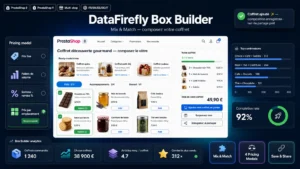 Custom Box Builder Module for PrestaShop 8 & 9 — Mix & Match BundlesLet customers build their own box — you set the rules and the price.€129.00
Pricing
Three models, with very different effects on margin and perception.
The fixed box price, whatever the content. The most readable for the customer, and it assumes your eligible products have similar prices. Otherwise, the customer mechanically composes with the most expensive ones.
The sum of the products, with or without a discount. The fairest economically, and the least appealing: the customer watches the total climb with every addition.
Tiered pricing. A six-product box costs one amount, a nine-product box another. A common compromise, which nudges customers to fill up to the tier.
If you choose the fixed price, one precaution is essential: classify your eligible products by cost band and limit the number of top-band products per box. Without this rule, your margin depends entirely on the customer’s choices.
Stock management
The central technical point, and it has a clear answer.
The box has no stock of its own. Its availability is that of its components, computed at composition time.
Three practical consequences.
The count runs on the products, not on the box. A customer composing a box with six references decrements six unit stocks.
A sold-out product disappears from the available choices, in real time. A customer composing for ten minutes must be warned if a product becomes unavailable in the meantime.
The container has its own stock, often forgotten. If you have one hundred gift boxes and two thousand products, your limit is one hundred boxes.
The impact on order preparation
This is the model’s real cost, and it is almost always underestimated at decision time.
A fixed pack is prepared like a product: it sits on the shelf, assembled in advance, ready to ship. A composed box is prepared like an order: the picker must gather six different references, arrange them in the container, and check conformity.
Allow three to five extra minutes of preparation per box, more if there is careful wedging or a personalised message.
At fifty boxes a day in the holiday season, that is three to four extra hours of daily work. It is a calculation to make before launching.
Three measures that lighten preparation.
A dedicated picking slip, listing the components in picking order rather than in the customer’s choosing order.
Grouped warehouse locations: gathering the box-eligible products in one zone divides the walking time.
Order batching: preparing ten boxes together by pulling the total quantities of each reference, then distributing.
The composition interface
Five elements, which determine the completion rate.
Visible progress. “4 products out of 6” with a graphic representation of the box filling up. That is what pushes people to finish.
The price updated at every addition, without reloading.
Easy removal of a chosen product, in one gesture, without starting over.
Rules announced before starting, not at blocking time. A customer who discovers after four choices that they need at least two products from one category starts over in a bad mood.
Saving the composition in progress, for a later return. A box to compose is a long journey, and mid-way abandonment is frequent.
On mobile, provide a compact display of the current box, fixed at the bottom of the screen, with the counter and the price.
What gets complicated
Four situations to handle.
The partial return. A customer returns one product from the box. Does the refund cover the unit value, or a fraction of the box price? The rule must be defined and announced.
The gift message. Highly requested on this format, it adds a preparation step and a risk of mismatching.
Delivery to a third party. The box is often a gift, so delivered to someone else. Provide for a separate address and no prices on the delivery note.
The seasonal peak. This format concentrates its sales into a few weeks. Your preparation capacity, not your sales capacity, will be the limiting factor.
Measuring
Four indicators.
The completion rate of the composition, the share of customers who start and finish. Below 50%, your interface or your rules are too constraining.
The average order value of the boxes, compared with regular orders. That is the commercial justification for the setup.
The real margin after preparation, factoring in the extra time. That is the figure most often missing from the decision.
The distribution of chosen products. It tells you which references drive the format, and which are never selected and could leave the list.
The Custom Box Builder module sets this up on PrestaShop 8 and 9: guided composition with rules per category and per quantity, stock counted on the components with real-time removal of sold-out products, fixed or tiered pricing, saving of the composition in progress and a picking slip listing the components in picking order.