
The wishlist is present on almost every store and it is rarely looked at. Yet it is one of the few features that tells you what a visitor wants to buy, before they buy it.
What it is actually for
Three distinct uses, and they do not call for the same features.
Deferring a purchase. The customer is interested but not ready: budget, hesitation, waiting for a promotion. This is the main use and the one that produces the most later sales.
Comparing. The customer sets three products aside to review them together. A real use, often better served by a comparison tool, and one that explains a share of the lists that never convert.
Building a wish list to share. Gifts, weddings, births, Christmas lists. This is the commercially strongest use, because the person buying is not the person who created the list.
These three uses coexist, and the proportions vary a great deal depending on the catalogue. Measuring them guides your development.
The usage figures worth knowing
Three observations that hold on most stores.
The usage rate is low in absolute terms: a small minority of visitors create a list. That does not disqualify the feature, it shapes how you should judge it.
The conversion rate of listed products is high, clearly above that of a product simply viewed. This is a qualified audience.
The delay between adding and buying is long, often several weeks. That is what makes reminders essential: without them the list fills up and nothing happens.
Practical conclusion: a wishlist is not judged on its usage rate but on the revenue produced by the reminders it enables.
With or without an account
A decision with a large effect on usage volume.
Requiring account creation to add a product sharply reduces usage. The visitor who clicks the heart and sees a login form appear gives up in the vast majority of cases.
The configuration that works: immediate adding without an account, stored browser-side, with an offer to save it afterwards.
Two points of detail. The anonymous list must be picked up at login, not overwritten. A customer who set five products aside and then logs in should find them again.
And the offer to create an account comes after the second or third addition, with a concrete argument: “save your list to find it on all your devices”.
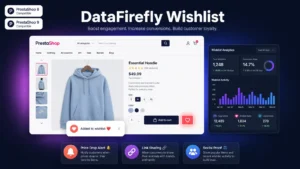 DataFirefly Advanced Wishlist – Sharing, Alerts & AnalyticsThe wishlist that converts€49.00
Reminders, which do all the work
Without reminders, the wishlist is a graveyard. Four triggers, in order of effectiveness.
The price drop. This is the best-performing trigger, by a wide margin. A customer who set a product aside at 89 euros and learns it is now 69 has a reason to act.
Back in stock, on a product that was unavailable when it was added.
Low stock. To handle with care: the statement must be true. “Only 3 left” on a product you hold fifty units of is a misleading practice.
The plain reminder, after several weeks without activity. The weakest performer, and it still works because it revives a forgotten intention.
Three frequency rules. One message per event and per product. A global cap, one wishlist reminder per month per customer at most. And an unsubscribe option per reminder type.
Sharing
This is the most profitable feature and the one most often done badly.
A shared list turns a customer into an advocate. The person receiving the link is a new visitor, with a precise purchase intent and a product already chosen.
Five elements to make it work.
A link reachable without an account for the recipient. Requiring a sign-up to view someone else’s list cancels out the whole point.
A careful display of the shared list, with products, prices and availability.
Marking of already-purchased items, essential on gift lists: two people should not buy the same item.
Buyer anonymity towards the list creator, on gift lists, otherwise the surprise is spoiled.
Simple sharing: copyable link, sharing by message, short code. Not just a button to a social network.
On gift, baby or home decor catalogues, this feature can represent a significant share of sales, and it is often underused.
What the data teaches you
Three analyses, usable without an extra tool.
The most listed products. If they are not your best sellers, that is a signal: the desire exists, something is blocking the purchase. Price, lead time, uncertainty.
The conversion rate per product from the list. A product added often and never bought deserves a review of its page and its price.
The average delay between adding and buying, by category. It tells you when to send the reminder, and it varies widely: a few days on consumables, several months on furniture.
This last analysis is the one that improves reminder performance the most, because it replaces an arbitrary delay with an observed one.
The mistakes that make it useless
The invisible button. A pale grey heart in the corner of a thumbnail is not spotted. It must be visible on the product page and in listings.
No visual feedback. A click that produces nothing visible leaves the customer in doubt. A short confirmation and an updated counter are enough.
The unreachable list. If it is buried in the account area, nobody goes back to it. Access from the header, with the product count, makes it present.
Obsolete products. A list containing deleted or permanently unavailable products loses its credibility. Flag them and offer an equivalent.
Wishlist or abandoned cart
A useful distinction, because the two features partly overlap.
The abandoned cart covers an immediate purchase intent that did not complete. The reminder is fast, a few hours to a few days.
The wishlist covers a deliberately deferred intent. The reminder is slow and triggered by an event.
Two consequences. Do not chase a wishlist like an abandoned cart: the urgent tone is out of place. And do not count listed products in your cart abandonment indicators, they are not the same situations.
Measuring
Four indicators.
The list creation rate, the share of visitors who add at least one product.
The conversion rate from the list, over a three to six month window depending on your purchase cycle.
The revenue attributed to reminders, which is the justification for the whole feature.
The sharing rate and the revenue produced by visitors arriving through a shared list. This is the most revealing figure on the catalogues concerned.
The Advanced Wishlist module for PrestaShop sets this up on PrestaShop 8 and 9: adding without an account with pickup at login, reminders triggered by price drops and back in stock events, sharing by link reachable without sign-up with marking of items already bought, and per-product statistics on additions and conversions.