PrestaShop Catalogue Management

Automatic Clearance Sale for Dead Stock PrestaShop 8 & 9

Stock that sleeps goes to the outlet on its own, with a discount that rises tier by tier.

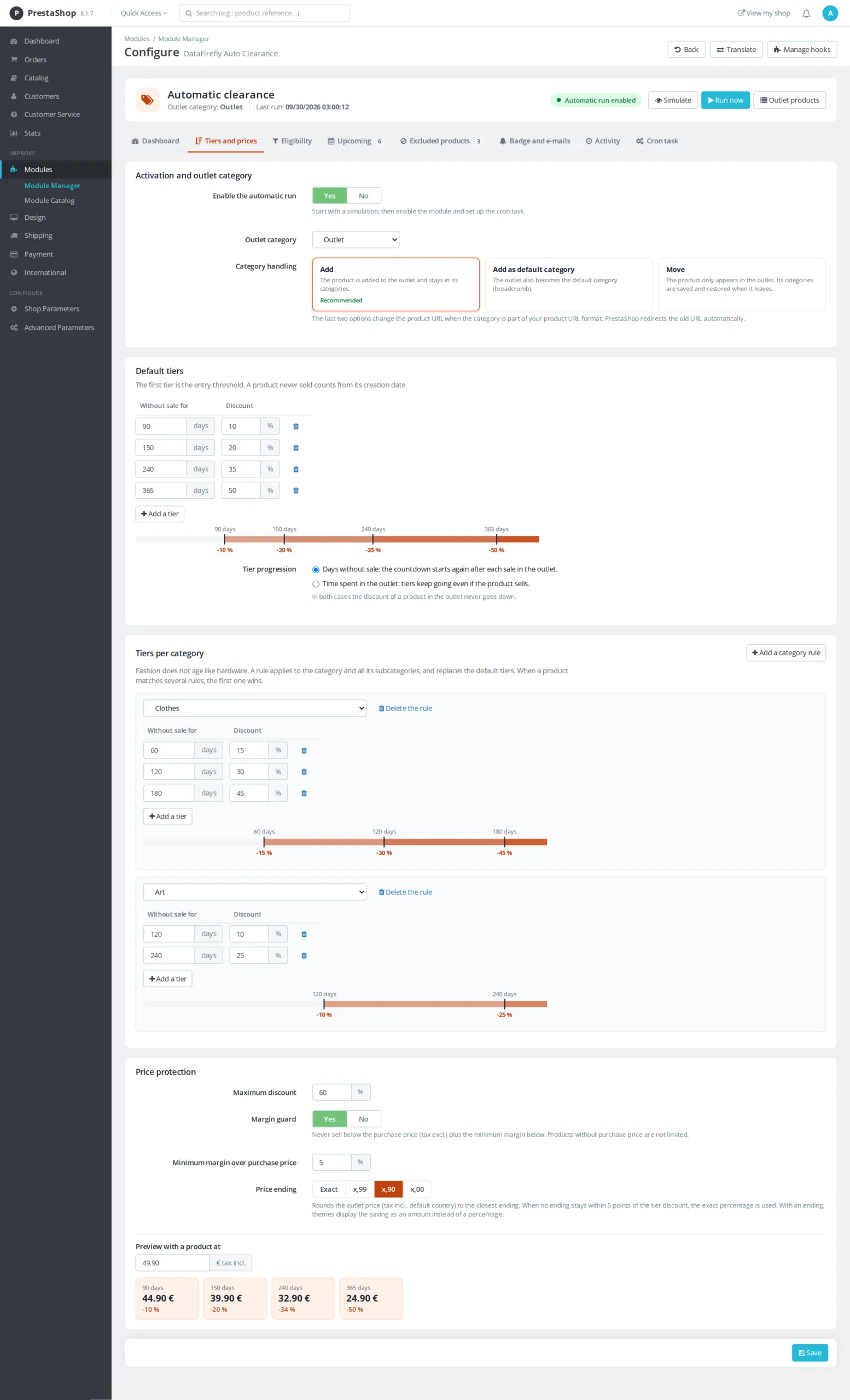
Every catalog has its forgotten products: an item bought in excess, a color that did not take, a season that is over. They tie up cash and nobody has time to follow them one by one. Every night, this module finds the products without sales for the number of days you set, places them in your outlet category and applies a discount that rises at each tier: 10% at 90 days, 20% at 150 days, 35% at 240 days for example. The discount never goes below your margin floor, and the product gets its price and categories back as soon as it sells out.

At a glance
  • Products without sales for X days moved automatically to an outlet category
  • Progressive discount per tier, never going back down while the product is in the outlet
  • Margin floor on the purchase price and maximum discount to protect your prices
  • Different tiers per category and prices ending in .99 or .90
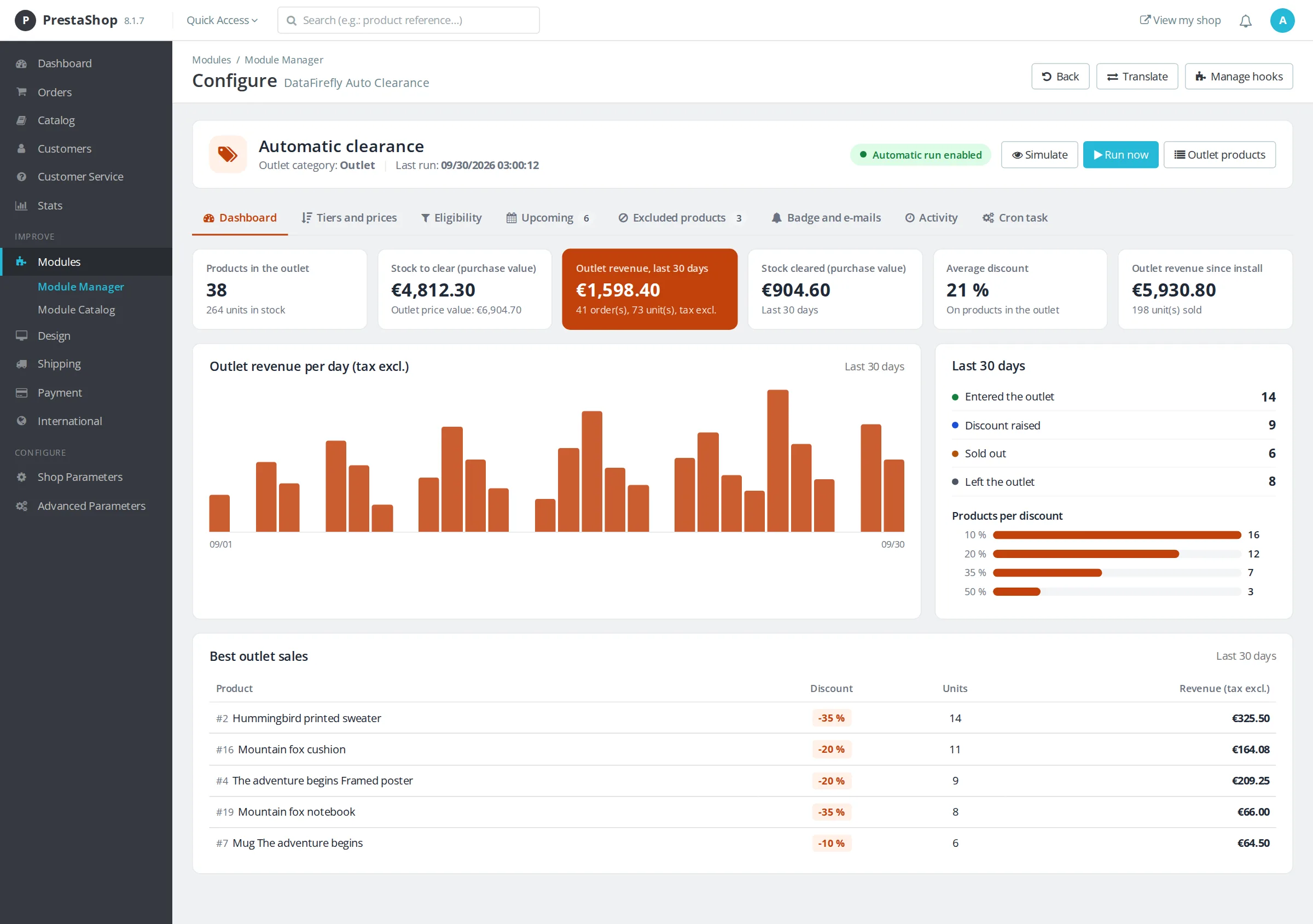
  • Dashboard: stock to clear, outlet revenue, stock cleared at purchase value
PrestaShop 8 & 9 Cron task Dry run before going live Multistore
  • 30-day refund
  • 12 months updates
  • 24h support
www.datafirefly.com/en/
Automatic Clearance Sale for Dead Stock PrestaShop 8 & 9
v1.1.0 · updated 2026-09-30
What it does

The short version.

01

Tiers that do the work for you

You set the thresholds once: number of days without sale and the matching discount. The module raises the discount tier after tier, and a discount already applied never goes down while the product stays in the outlet. The countdown restarts from the last sale, or runs from the entry into the outlet, depending on the mode you choose.

02

Your prices stay under control

A maximum discount caps every tier, and the margin floor prevents selling below the purchase price plus the percentage you set. Prices can be rounded to .99, .90 or .00 to show a clean outlet price instead of 23.47.

03

You see what clearance brings in

Every sale of a product in the outlet is recorded. The dashboard shows the stock left to clear at purchase value, outlet revenue over the last 30 days and since install, the stock cleared and a day-by-day chart.

04

Nothing moves before you have seen it

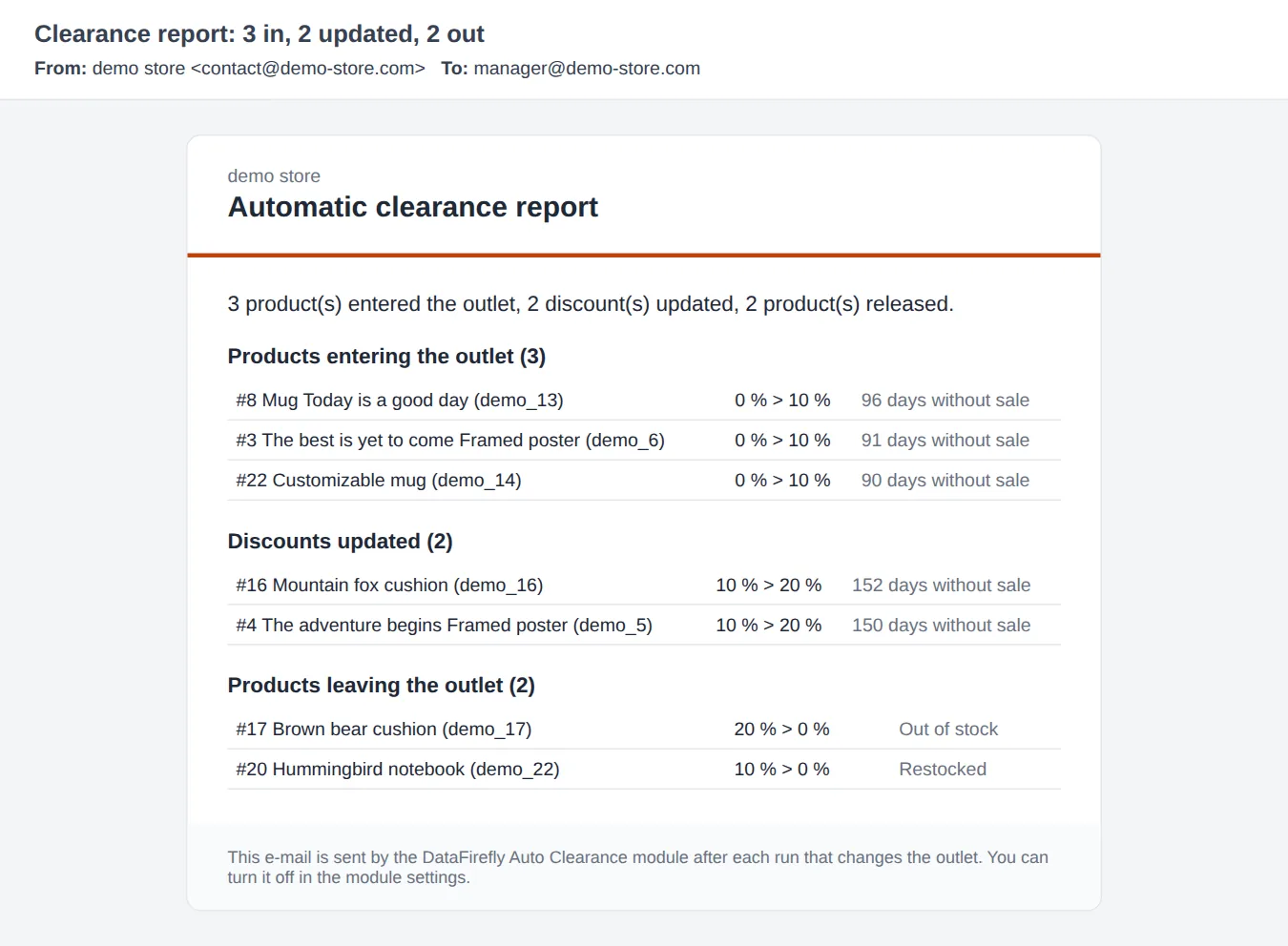
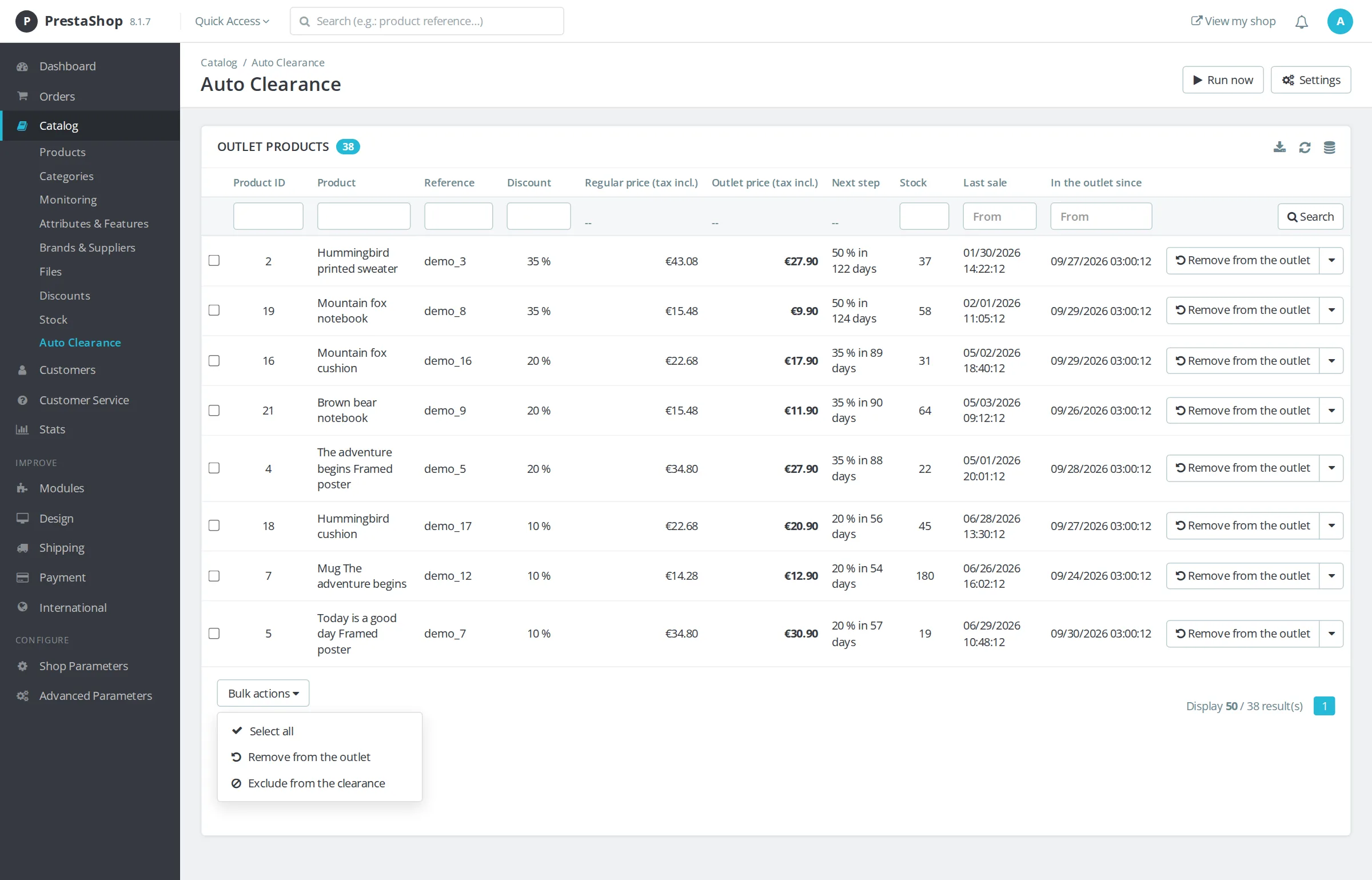
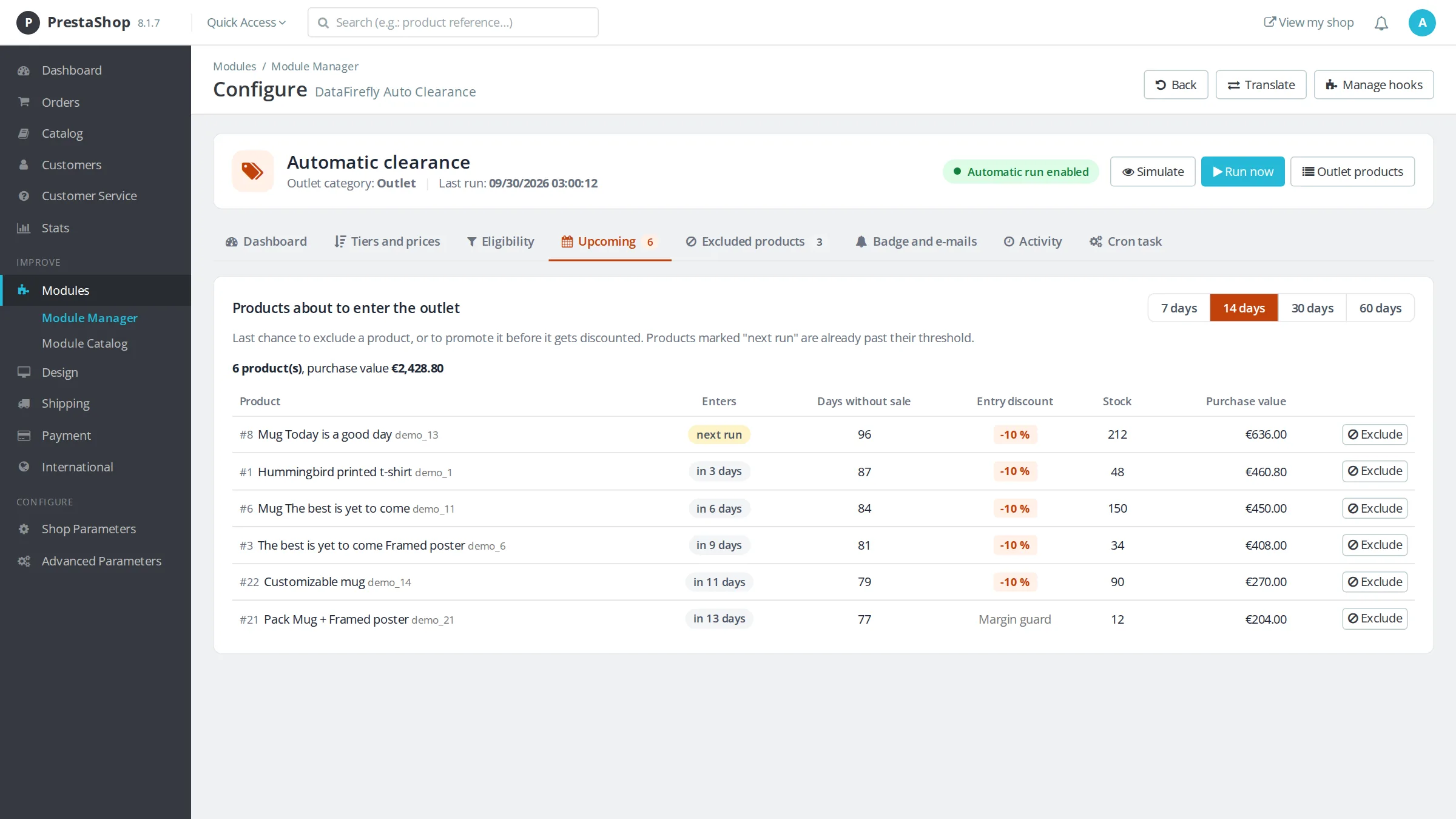
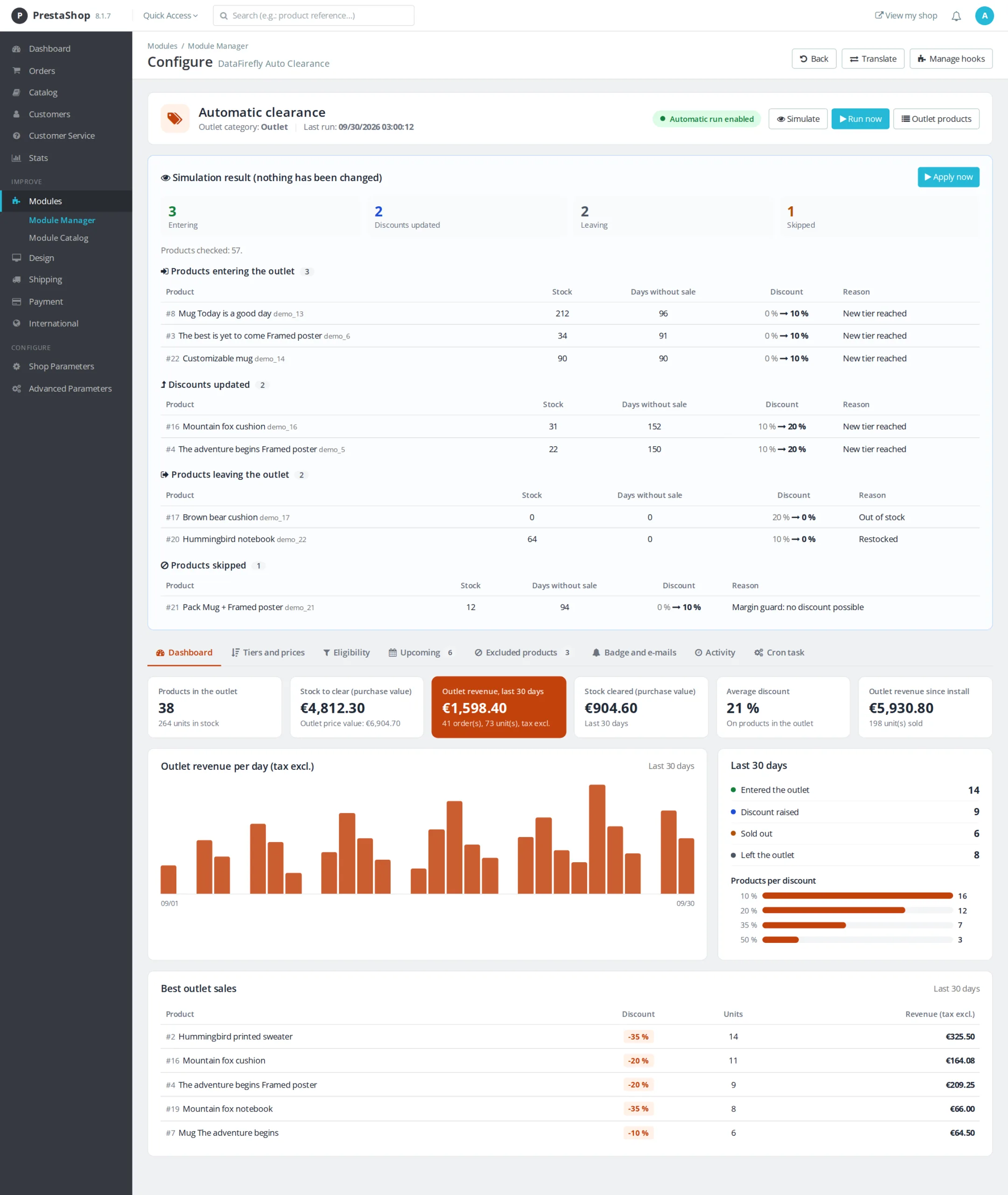
The module is installed disabled. The simulation shows the products that would enter the outlet, the discounts that would go up and those that would leave, without changing anything. The Upcoming tab lists the products that will reach their threshold in the coming days, with a button to exclude them.

The long version

Everything you'd want to know before you install.

A detailed look at how Automatic Clearance Sale for Dead Stock PrestaShop 8 & 9 works, why we built it the way we did, and the thinking behind the features above.

§ 01

Dead stock costs more than a discount

A product that does not sell ties up its purchase price, takes up space and ages. The longer you wait, the bigger the discount needed to clear it. The problem is not knowing what to do, it is doing it regularly across hundreds of references. PrestaShop has no mechanism for this: you have to spot unsold items in the statistics, create specific prices one by one, then remember to remove them.

§ 02

An outlet that runs itself

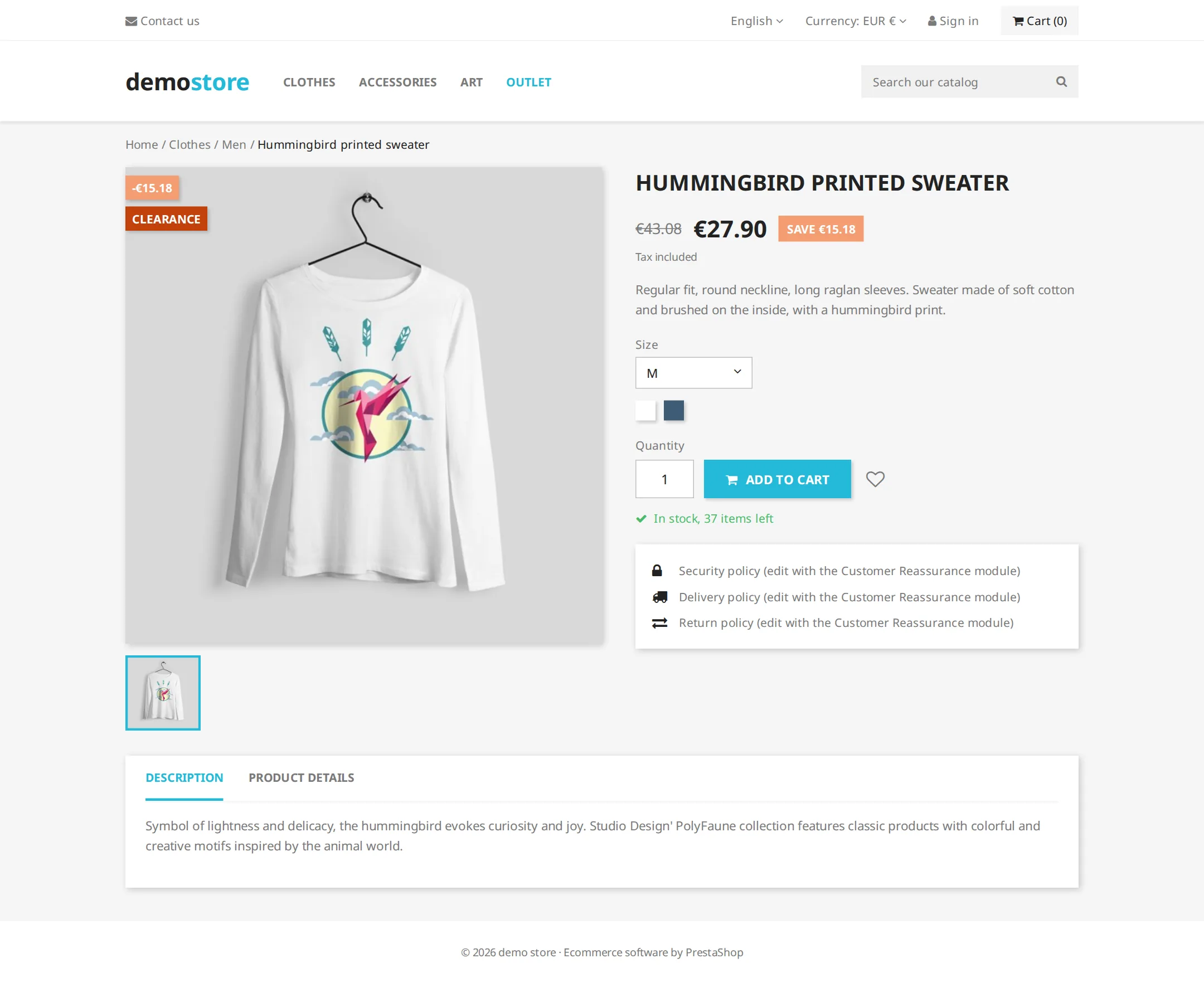
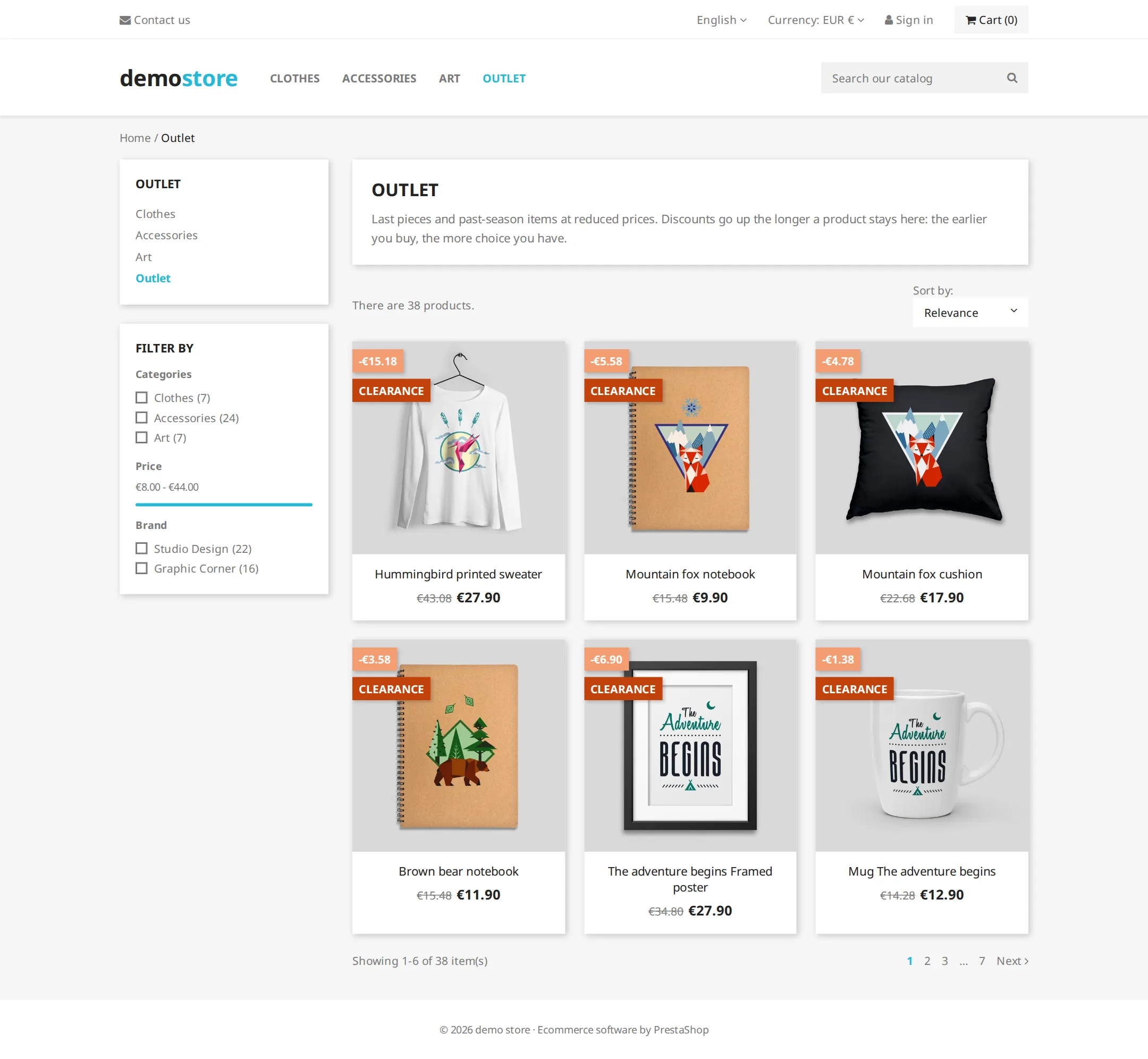
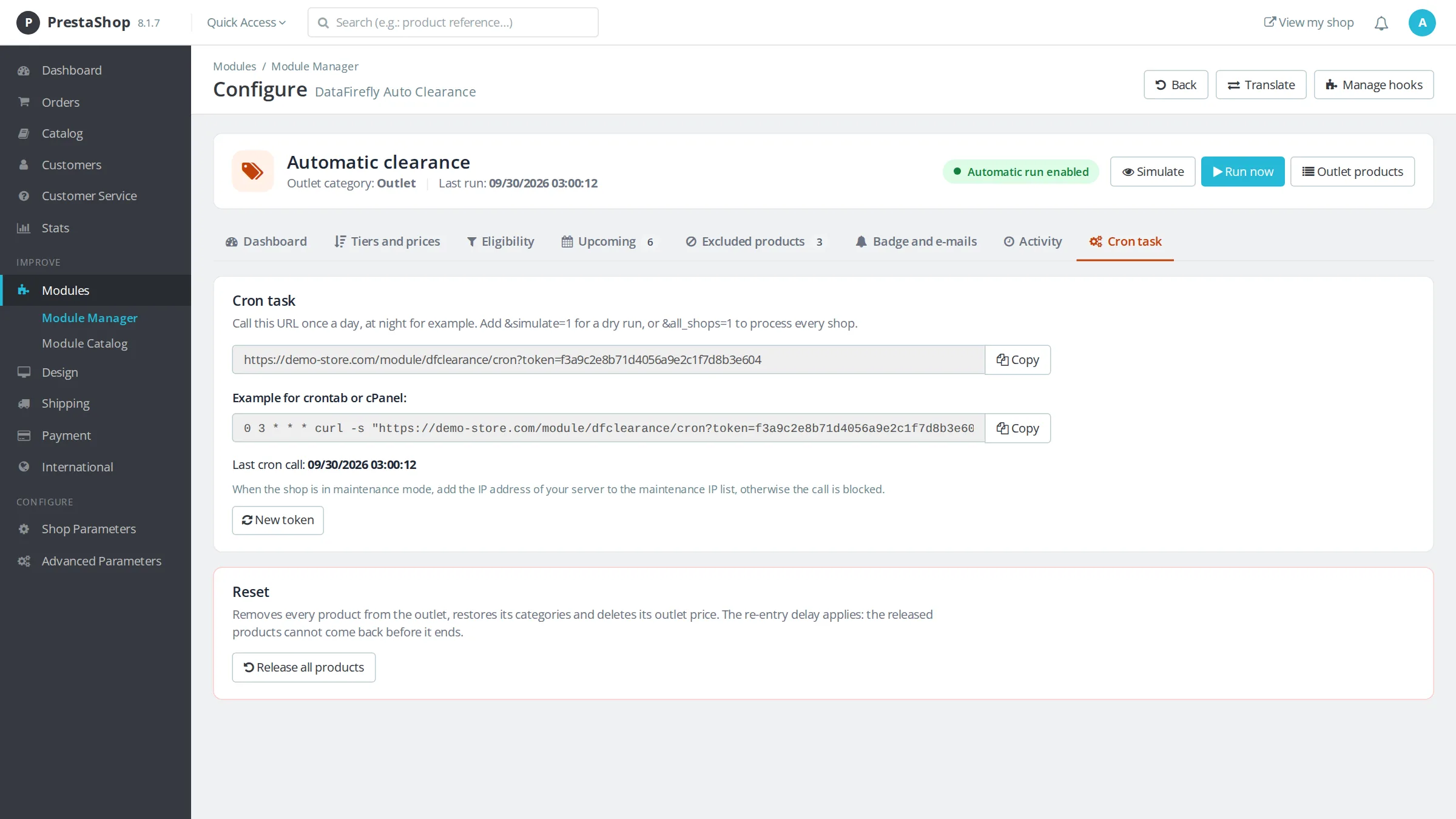
Every night, the cron task goes through the catalog. Products that crossed the first tier enter the outlet category with the matching discount, those that crossed the next tier get a higher discount, and those that sold out get their regular price and categories back. Processing runs in batches with a time budget, so catalogs of tens of thousands of products are handled without hitting hosting limits.

§ 03

Rules for each department

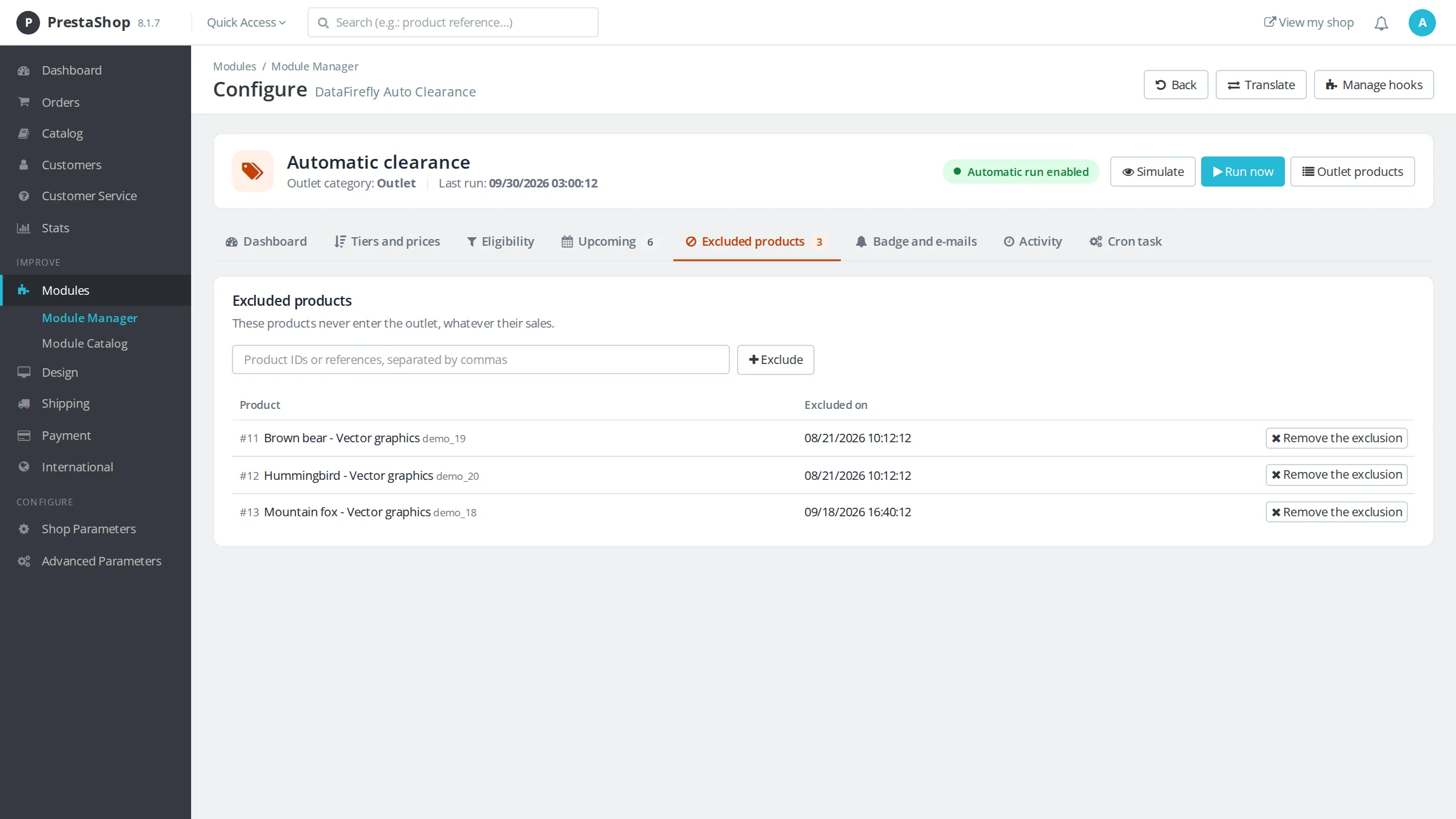
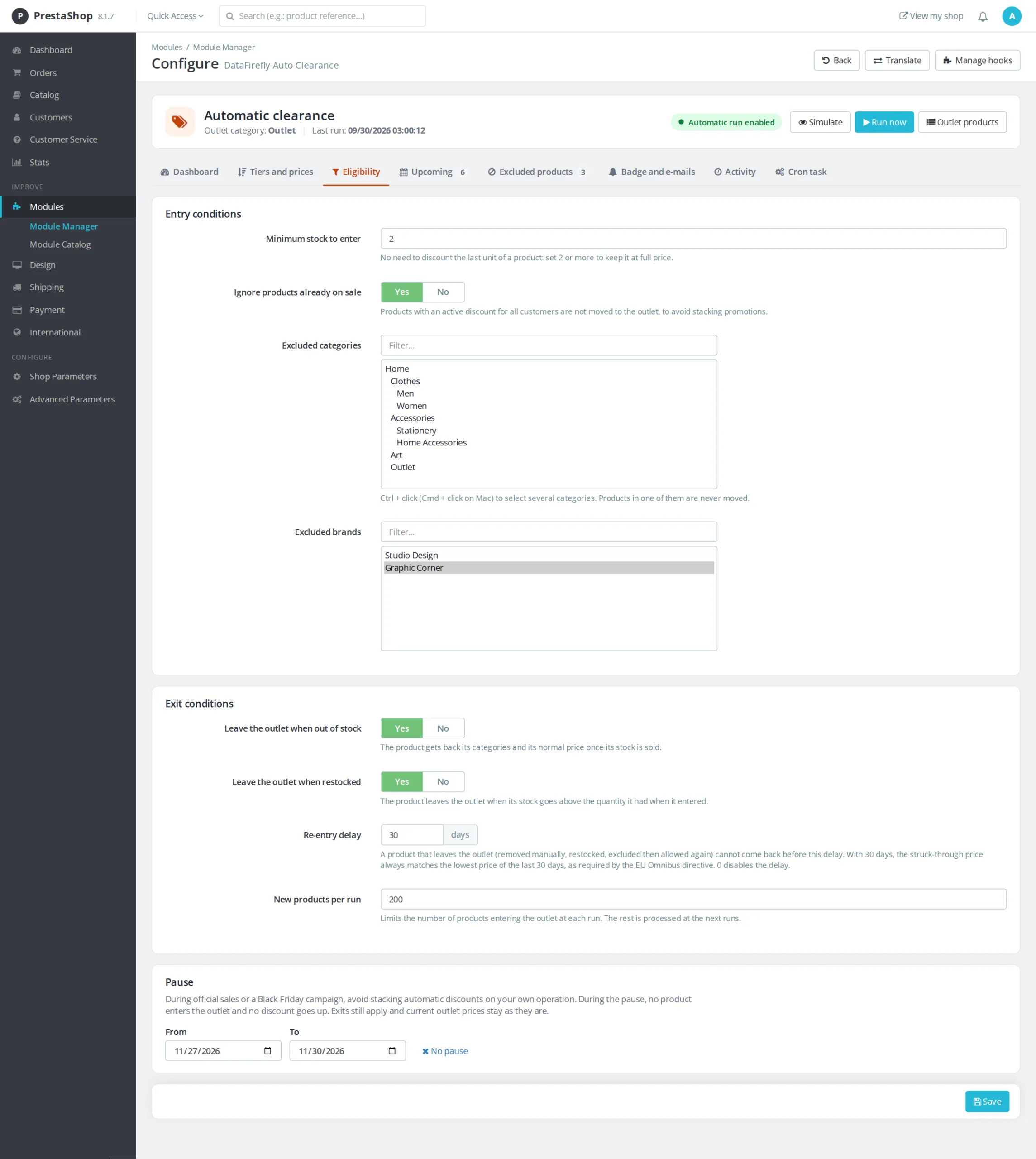
A winter sweater and a drill do not age at the same pace. Tiers per category replace the default tiers for a category and all its subcategories: fashion can enter the outlet at 60 days with 15% off, while hardware waits 180 days. Exclusions by category, brand and product protect new arrivals, brands with imposed prices and references you keep on purpose.

§ 04

Outlet prices that stay profitable and clean

The margin floor is based on the purchase price set in the product page: if a tier would push the price below that threshold, the discount is limited automatically. Price endings set the outlet price to .99, .90 or .00 within 5 points of the tier discount, so a 3 euro product never gets an oversized discount.

§ 05

Measure the result, stay compliant

The dashboard puts figures on what the outlet brings in: revenue excluding tax, units sold, stock cleared at purchase value. On the regulatory side, a product that left the outlet cannot come back before 30 days by default, so the struck-through price matches the lowest price of the last 30 days as required by the Omnibus directive. A pause by dates stops entries and discount increases during official sales or Black Friday.