
Everything you'd want to know before you install.
A detailed look at how Advanced Search Module for PrestaShop 8 & 9 - DataFirefly Live Search works, why we built it the way we did, and the thinking behind the features above.
§ 01
PrestaShop’s native search is not enough
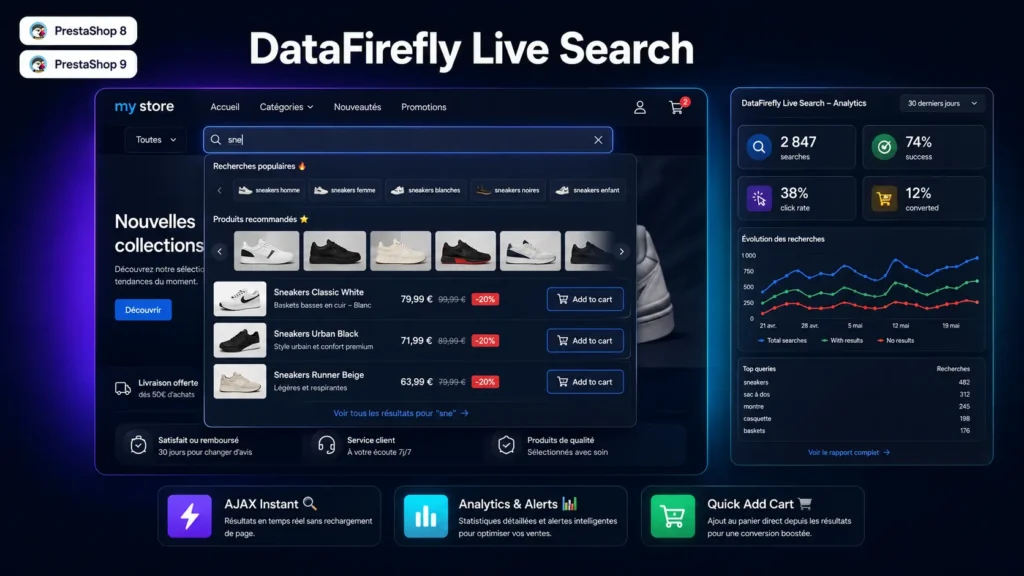
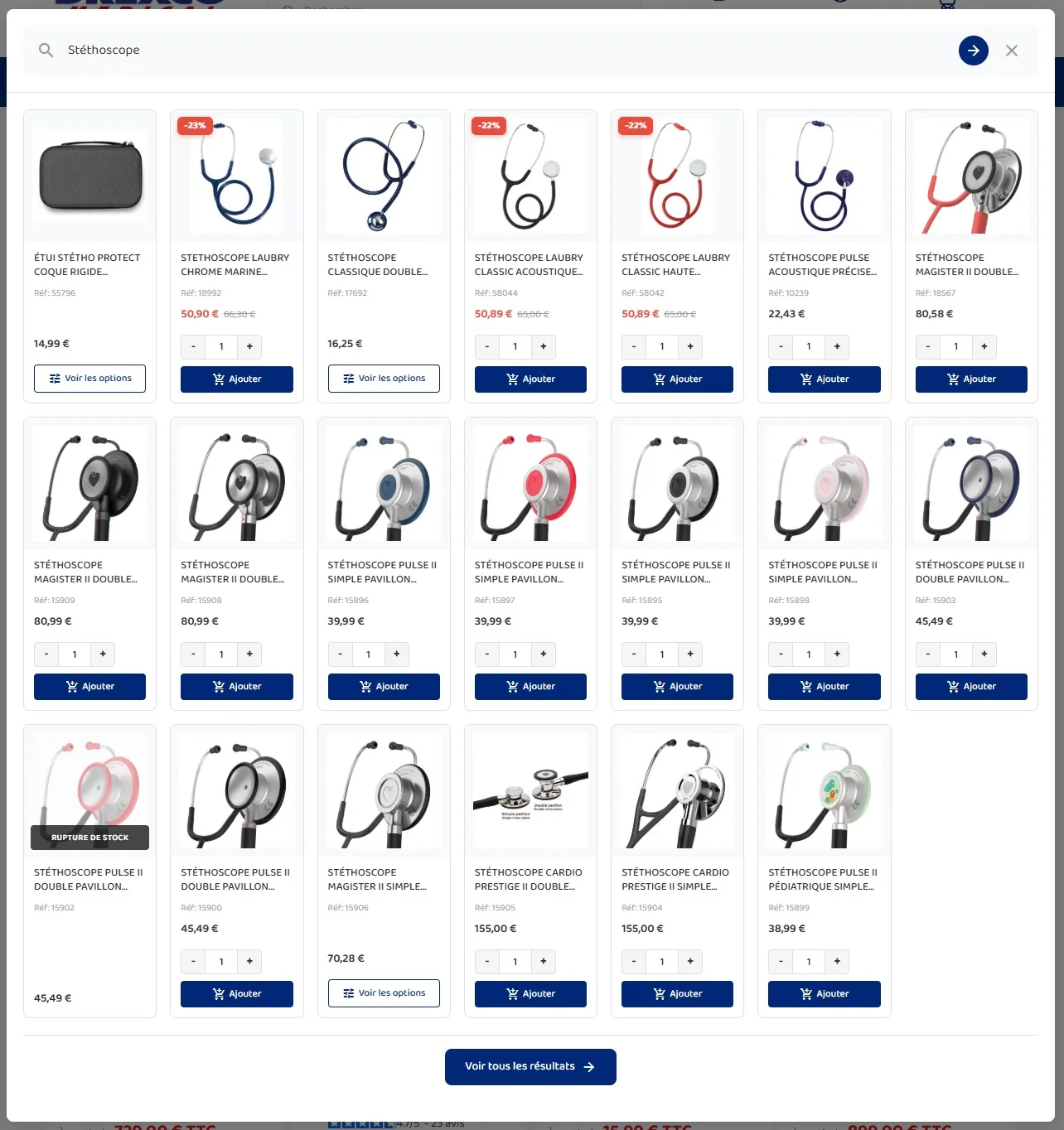
PrestaShop’s built-in search module redirects to a results page on every submit. On mobile, that is slow and discouraging. Customers who don’t find what they’re looking for within 2 seconds leave the store. DFLiveSearch replaces this behaviour with a live experience: a dropdown opens instantly, products appear with their image, price and promotional badges, and the customer clicks directly on what interests them.
§ 02
A search that forgives typos and understands synonyms
A customer typing “televsion” or “computr” should not land on an empty page. DF Live Search automatically corrects the typo, re-runs the query and shows “Results for television”, with a link back to the original spelling. The synonym dictionary, editable per language from the back-office, maps “tv”, “telly” and “television” to the same catalogue. The outcome: queries that used to convert nothing finally find the right product.
§ 03
Relevance designed for conversion
Not all results are equal. The engine assigns a weighted score based on where the query matches — exact name, start of name, reference, EAN — then prioritises in-stock products and best-sellers. Variant references are taken into account too: type the barcode or reference of a specific variant, and the result points straight to the right combination, with its reference and price.
§ 04
Smart suggestions before the first character
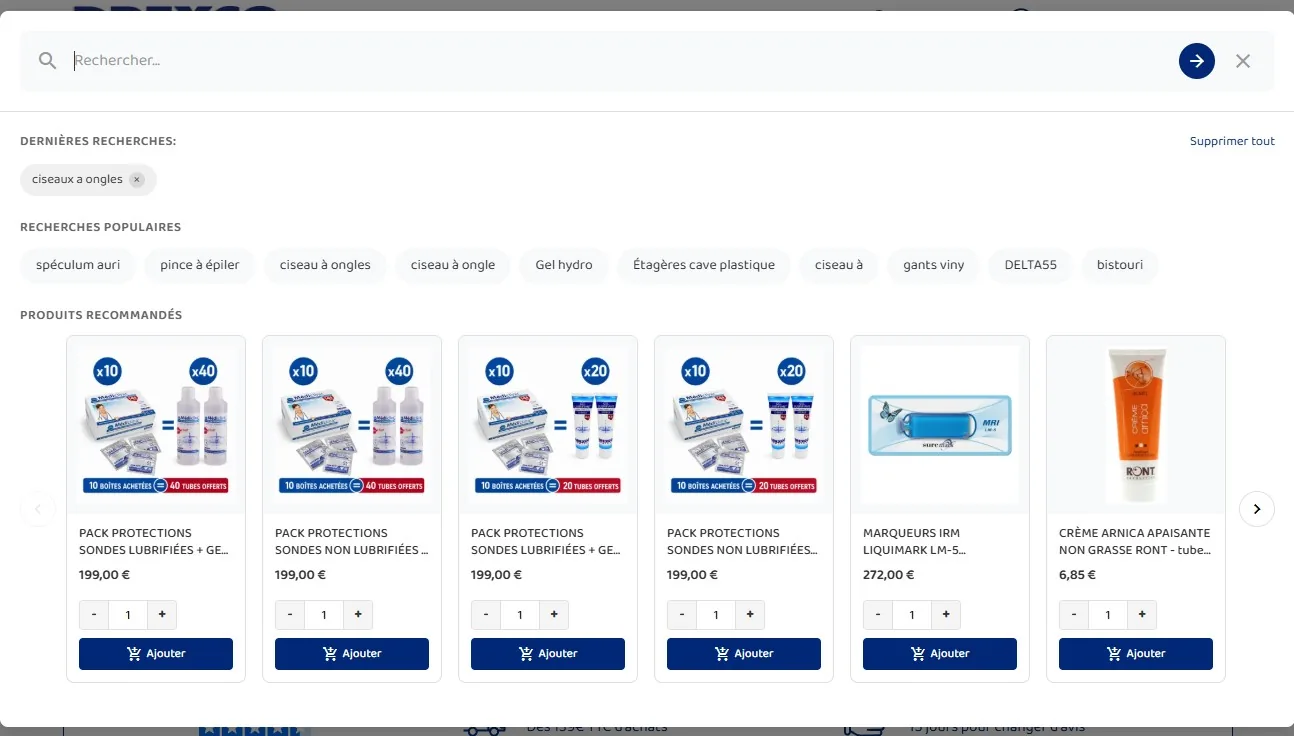
As soon as the customer activates the search field, two carousels appear: the most popular searches on your store and a selection of recommended products. This data is calculated from your store’s actual search logs. By enabling the personalisation option, recommended products factor in the browsing history of the logged-in customer.
§ 05
An analytics dashboard to understand your customers
Every search is logged: term entered, number of results returned, any product click, and order conversion. The back-office dashboard gives you access to the success rate (searches with results), click rate and conversion rate, a day-by-day evolution chart, the 20 most searched terms and the 20 terms that never returned any results. The latter are a goldmine for detecting catalogue gaps or common typos.
§ 06
Email alerts to catch every gap
The alert system continuously monitors no-result terms. As soon as a term exceeds the configurable threshold (5 by default), an email alert is sent to your chosen address and a notification appears in the back-office header. Each alert can be marked as read or dismissed after being handled.
§ 07
Conversion and add to cart directly from search
The quick add to cart option lets customers add a product directly from the dropdown without navigating to the product page. An optional quantity selector completes this feature. The module then tracks the conversion: if the customer places an order after clicking a product in the search results, the order is flagged as converted and counted in the stats.


Really good search engine for PrestaShop, the analytics data is genuinely usefulAutomatically translated