
Our best PrestaShop modules for on-site search
Seven modules to answer the question the customer just typed.
Whoever types into your search bar is telling you exactly what they want to buy. Most shops answer "No results". These are the PrestaShop modules that turn that query into an order, or at the very least into a contact.
Sound familiar?
"No results" for a product you sell
The customer types "sweatshirt", the page says "hoodie". Native search compares words, not intentions.
A dead end instead of a page
Zero results, empty page, back to Google. No email captured, no suggestion, no trace.
Queries nobody reads
Your visitors tell you every day what they are looking for. Without analytics, that list does not exist.
The customer who can't name it
They saw the lamp at a friend's house, they know neither the brand nor the right term. They have nothing to type.
Our selection, ranked
Every module below is built, maintained and supported by our team. The ranking reflects what we would install first on a client store.
-
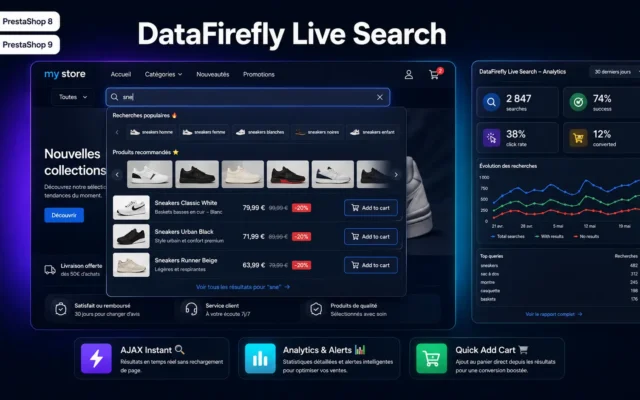
Advanced Search Module for PrestaShop 8 & 9 – DataFirefly Live Search
Install this firstSuggestions from the third letter, analytics on every query and tracking of zero-result searches. Without it, you don't know what your customers are looking for.
Advanced search module for PrestaShop 8 & 9: AJAX live engine, instant suggestions, synonyms, typo correction, carousels and a full analytics dashboard (conversion rate,…
-
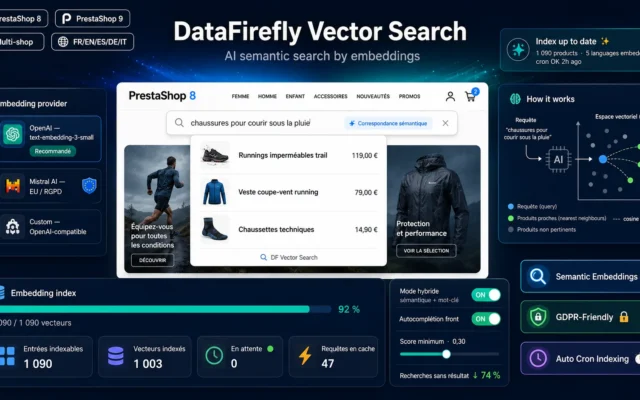
AI Semantic Search — PrestaShop
When the words don't matchAI semantic search: the query is compared with the meaning of your product pages, not their words. Essential when your customers and your catalogue use different vocabulary.
Your customers find the right product by meaning, not just by keyword. Autocomplete, results page and You may also like block share the same…
€149.00 View the module -
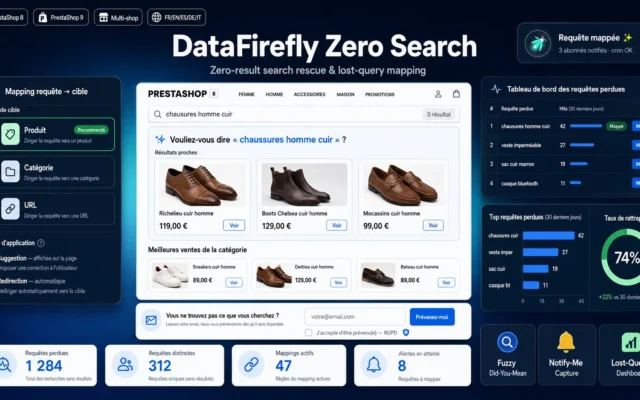
A real page for zero-result searches, with similar products and a product alert. The visitor leaves an email instead of closing the tab.
Instead of a "no results" dead end, show a rescue page: spelling correction, near-match products, best sellers of the guessed category, best sellers and…
€79.00 View the module -
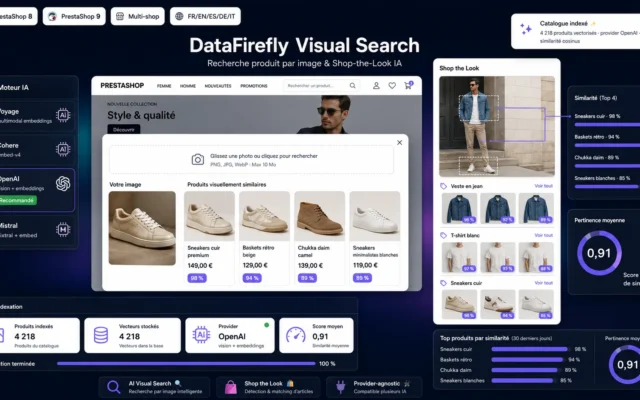
AI Visual Search by Image & Shop the Look
Search without wordsSearch by image. The customer knows what they want looks like without knowing its name, common in fashion and home decor.
Your customers search by photo: they drop in an image and the module surfaces the visually closest products in your catalog. With Shop the…
€79.00 View the module -
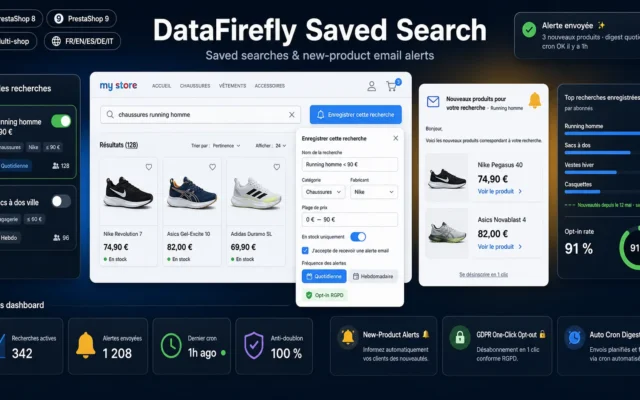
Saved Searches & New Product Alerts Module for PrestaShop 8/9
For the visitor who will come backThe customer saves the search and gets an alert when a matching new product arrives. The search keeps working after the session ends.
Your customers save their searches and get an email alert as soon as a new matching product appears. Anti-duplicate, opt-in GDPR, one-click unsubscribe, self-hosted…
€99.00 View the module -
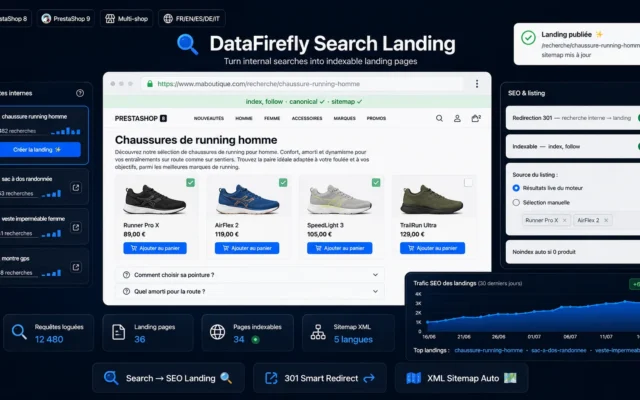
Search Landing Pages — SEO landing pages from internal search
Your searches working for SEOTurns frequent on-site searches into indexable landing pages. A query typed fifty times a month on your shop is also typed into Google.
Turn your most frequent internal searches into real indexable landing pages: editorial content, native product listing, clean URL, dedicated XML sitemap and smart 301…
€89.00 View the module -
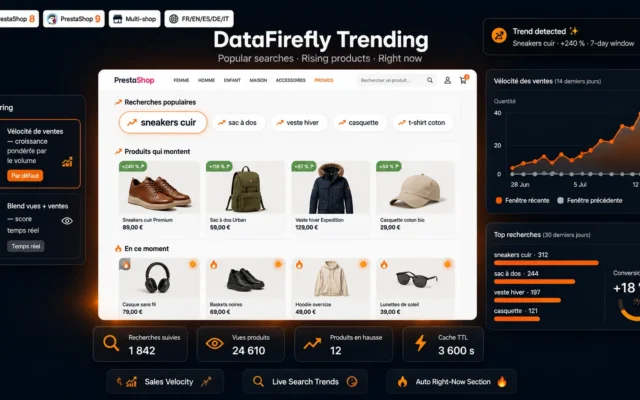
Trending Products & Popular Searches Module PrestaShop 8/9
For those who don't know what to typePopular searches and trending products shown in the search bar. Other visitors' demand becomes the starting point.
Trending widget for PrestaShop 8 and 9: popular searches of the moment, products accelerating in sales and an auto-generated Right now section, with a…
€59.00 View the module
Side-by-side comparison
| Module | Best for | Price | Rating | Link |
|---|---|---|---|---|
| Advanced Search Module for PrestaShop 8 & 9 – DataFirefly Live Search | Install this first | €149.00 | 5.0 | |
| AI Semantic Search — PrestaShop | When the words don't match | €149.00 | — | |
| No Search Results Page PrestaShop 8/9 — Rescue Page & Product Alerts | The safety net | €79.00 | — | |
| AI Visual Search by Image & Shop the Look | Search without words | €79.00 | — | |
| Saved Searches & New Product Alerts Module for PrestaShop 8/9 | For the visitor who will come back | €99.00 | — | |
| Search Landing Pages — SEO landing pages from internal search | Your searches working for SEO | €89.00 | — | |
| Trending Products & Popular Searches Module PrestaShop 8/9 | For those who don't know what to type | €59.00 | — |
The search bar is where the customer talks
On a product page, the visitor reads. In the search bar, they tell you what they want, in their own words. It is the most precise intent data your shop has, and it costs you nothing.
Why native search is not enough
PrestaShop’s native search compares character strings. It ignores synonyms, common typos, and the fact that “rain jacket” and “waterproof windbreaker” describe the same need. Every vocabulary gap between the customer and your product pages turns into “No results”.
For navigation through categories, filters and menus, see our search and navigation selection.
How to choose
Start by reading your searches
Before installing anything, export the last thirty days of queries and isolate those that returned nothing. Some are for products you sell under another name: that is an engine problem. The rest are for products you don't carry: that is free range-planning information.
Fix autocomplete, then vocabulary
Live Search shows products from the third letter and records every query. Semantic search comes next, when your customers and your product pages don't use the same words. On technical or fashion catalogues, that is often most of the failures.
Never let a search end on an empty page
The recovery page suggests similar products and an alert field. Saved searches extend that work over time: the customer is notified when a matching product joins the catalogue.
Put your queries to work for SEO
A query typed fifty times a month into your search bar is very likely typed into Google as well. Turning it into an indexable landing page means ranking on demand you have already measured, not on a keyword tool's estimate.
What you gain
Meaning, not just words
Semantic search matches "rain shoe" with "waterproof trail runner" without a synonym list to maintain.
No search goes nowhere
Similar products, categories, availability alert: zero results becomes a useful page.
Your queries become SEO
Frequent searches turn into indexable landing pages, built on demand you have already measured.
A shopping list to read
Analytics show what is searched, found, clicked and bought, and above all what is not.
From install to results
-
Export your zero-result searches
Thirty days is enough. Separate what you sell under another name from what you don't sell.
-
Install Live Search
Suggestions from the third letter and analytics on every query. It produces the data for every following step.
-
Add meaning
Semantic search, if your customers and your product pages don't share the same vocabulary.
-
Close the dead ends
Recovery page and saved searches: zero results captures an email instead of losing a visitor.
-
Turn frequent queries into pages
Recurring, distinct searches become SEO landing pages. Group close variants together.
Frequently asked questions
What is the difference between classic search and semantic search?
Classic search compares words: if the product page doesn't contain the typed term, it doesn't show up. Semantic search compares the meaning of the query with that of the pages using embeddings. "Waterproof bike bag" finds a rainproof pannier even with no word in common.
How many searches end with no results on my shop?
It depends on the catalogue and the vocabulary, and the only useful number is yours. Live Search records every query and its result: after a few weeks you have the exact rate and the list of terms involved.
Can a zero-result page really help?
It doesn't always sell straight away, but it keeps the visitor: similar products, categories, an email alert if the product arrives. Without it, the session ends on an empty page and you never learn what they were looking for.
Do landing pages built from search create duplicate content?
Not if they are generated with judgement: only frequent, distinct queries become pages, each with its own title, introduction and selection. Close variants of the same query should be grouped, not multiplied.
Is search by image useful for every catalogue?
No. It helps when the customer knows what they want looks like without knowing what it is called: fashion, decor, lighting, furniture. On a catalogue of technical parts, a compatibility selector is more useful.
Not sure which one fits your store?
Tell us your context — we answer with a straight recommendation, not a sales pitch.