


Everything you'd want to know before you install.
A detailed look at how Automatic Product Image Watermark — PrestaShop 8 & 9 works, why we built it the way we did, and the thinking behind the features above.
§ 01
Why watermark your product images?
On an online store, product visuals are the easiest asset to copy: a right-click is enough. Competitors, unauthorised marketplaces, rogue resellers — your photos end up everywhere with nothing in return. A discreet watermark protects your images, reinforces your brand on shared visuals (social media, screenshots, Google Images) and discourages resale. But it has to be automatic: no one is going to stamp 3,000 products by hand.
§ 02
How the watermark is applied
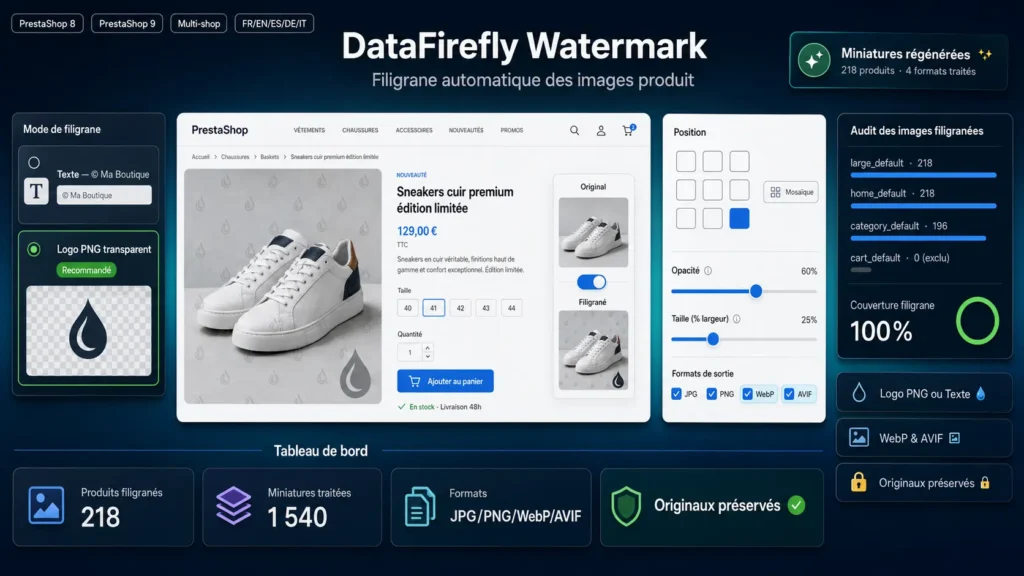
The module hooks into PrestaShop's native actionWatermark hook, triggered every time thumbnails are (re)generated. In practice, it acts when a product image is uploaded and when thumbnails are regenerated. The key point: only the per-image-type variants (large, home, cart...) are stamped. The original file stays intact, which means you can change the watermark and regenerate at will without ever degrading the source.
§ 03
Logo or text: which one to choose?
Logo mode suits you if you have a strong visual identity: a transparent PNG placed bottom-right at 60% opacity is enough to sign your visuals without disturbing the product. Text mode is perfect for a quick notice (shop name, © 2026, URL) without preparing a file. Since the DejaVuSans font is bundled with the module, the text rendering is strictly identical on every host, independent of the fonts installed on the server.
§ 04
A clean result, without the classic watermark-module flaw
Many modules destroy the logo's transparency or add an ugly opaque rectangle around it. Automatic Watermark uses a custom alpha-merge that combines the adjustable global opacity with the native PNG transparency. The logo blends cleanly onto the image, exactly as expected, on light and dark backgrounds alike.
§ 05
Built for PrestaShop 8 and 9
Recent PrestaShop versions generate images in WebP and AVIF in addition to the historical format, and regeneration now runs through the Symfony engine. The module processes all of these formats, handles high-density @2x variants, and resolves its file paths defensively to work in every context: upload, back-office regeneration, or the CLI command bin/console prestashop:thumbnails:regenerate products.
§ 06
Lightweight and risk-free for your shop
No external library, no SQL table, no Composer dependency: the module relies solely on the GD extension, available on virtually every PHP host. It never alters your originals and can be disabled at any time — just regenerate thumbnails to get watermark-free images back.







There are no reviews yet.