PrestaShop PrestaShop Modules

PrestaShop Security Headers: CSP, HSTS and an A+ Grade Without Server Access

An A+ grade on security scanners without server access: CSP, HSTS and Permissions-Policy set from the back office, tested on your devices first, monitored afterwards.

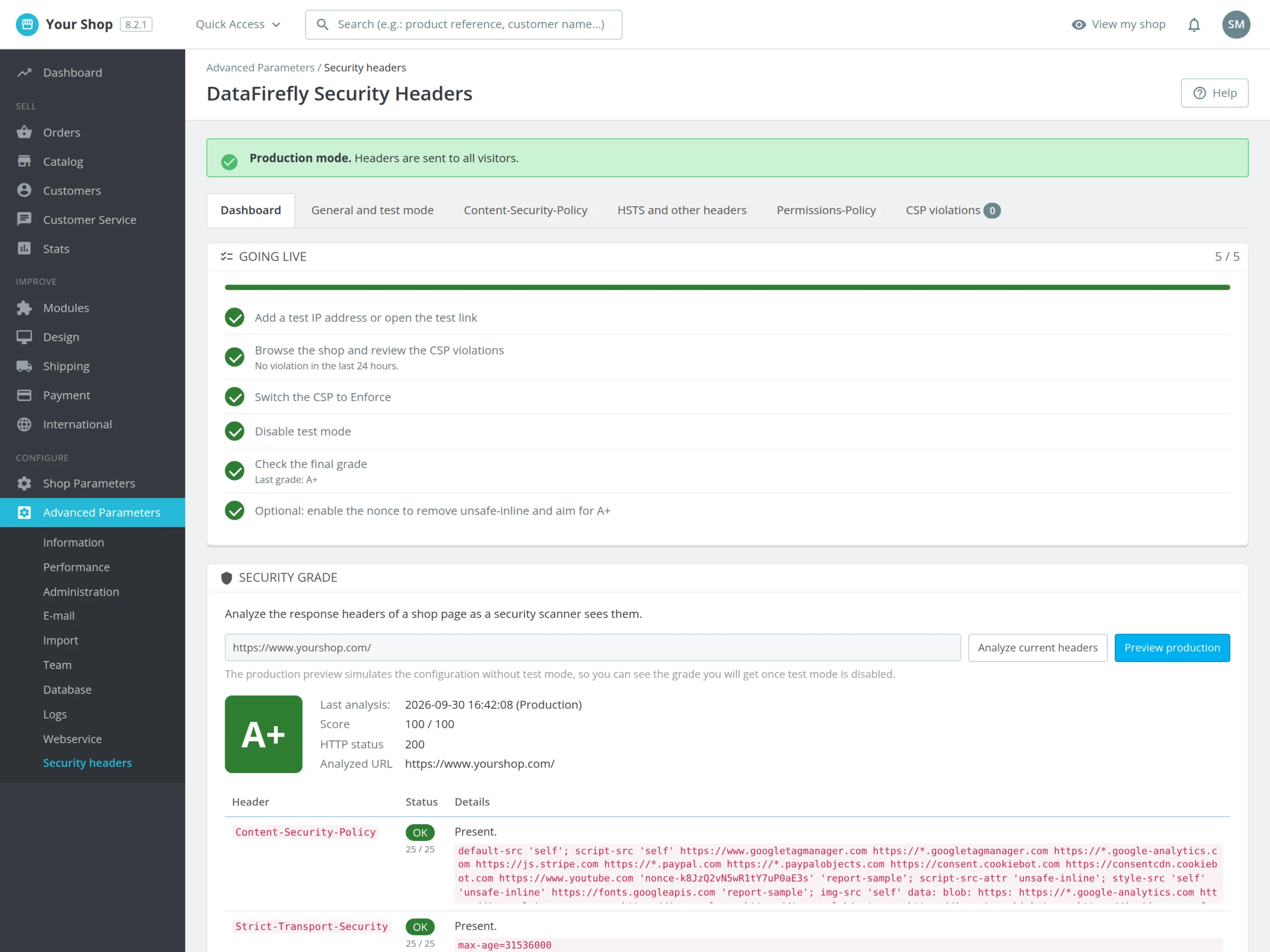
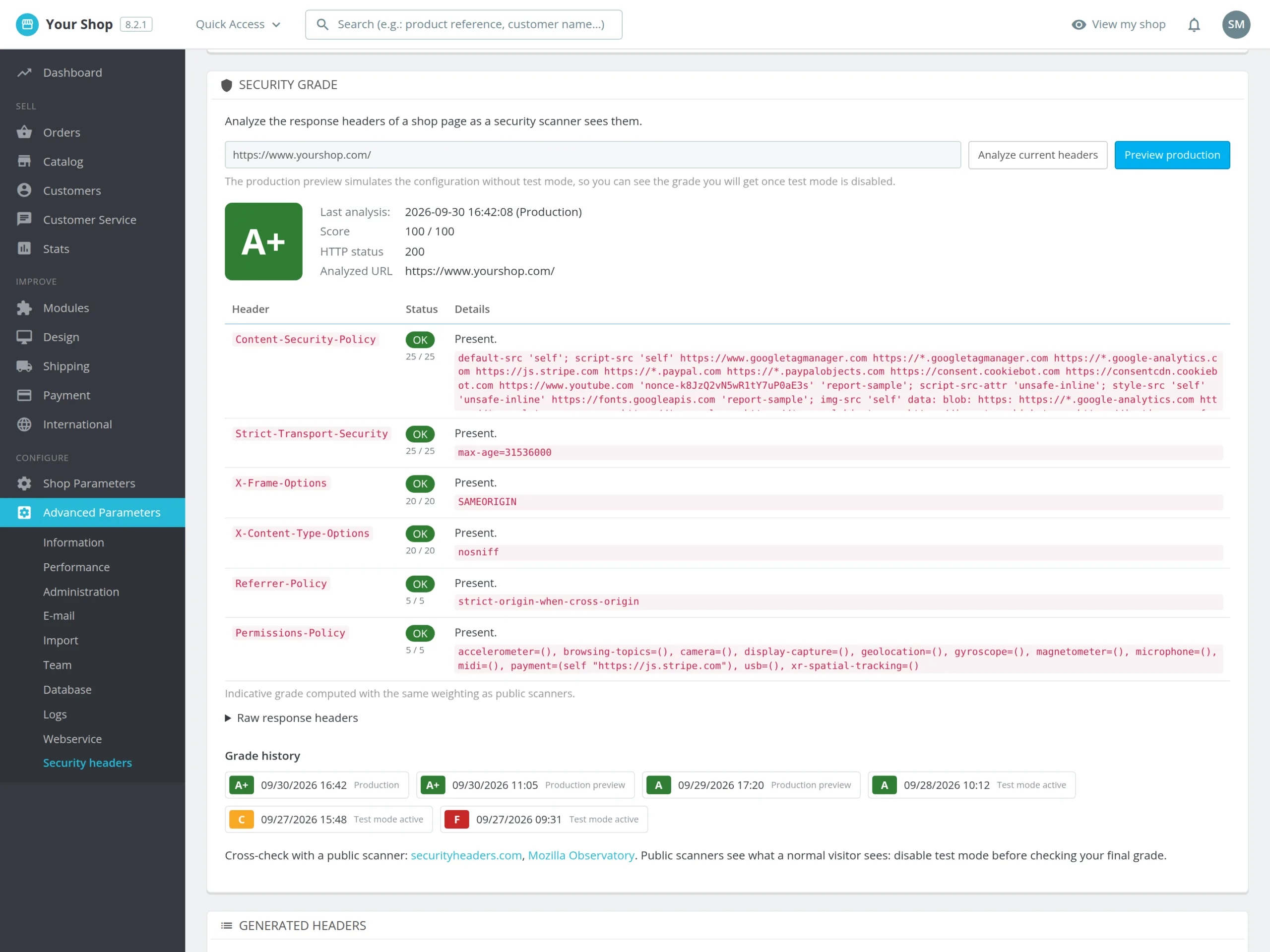
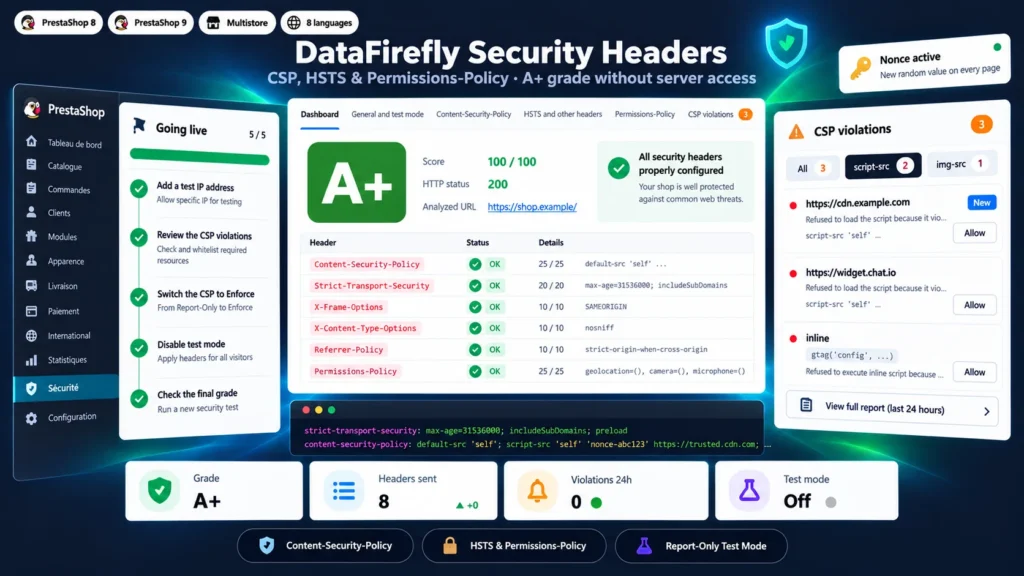
Scanners such as securityheaders.com and Mozilla Observatory grade the HTTP headers of your shop, and most PrestaShop stores get D or F. Fixing it usually means editing .htaccess or the Nginx configuration, then writing a Content-Security-Policy that breaks neither Google Analytics nor the checkout. This module sends the headers from PrestaShop, without touching the server. Test mode applies the policy to your own devices while visitor browsers report what it would block, and the violation log turns each report into a one-click allowance. The nonce mode removes unsafe-inline without changing the theme: that is the way to the A+ grade.

At a glance
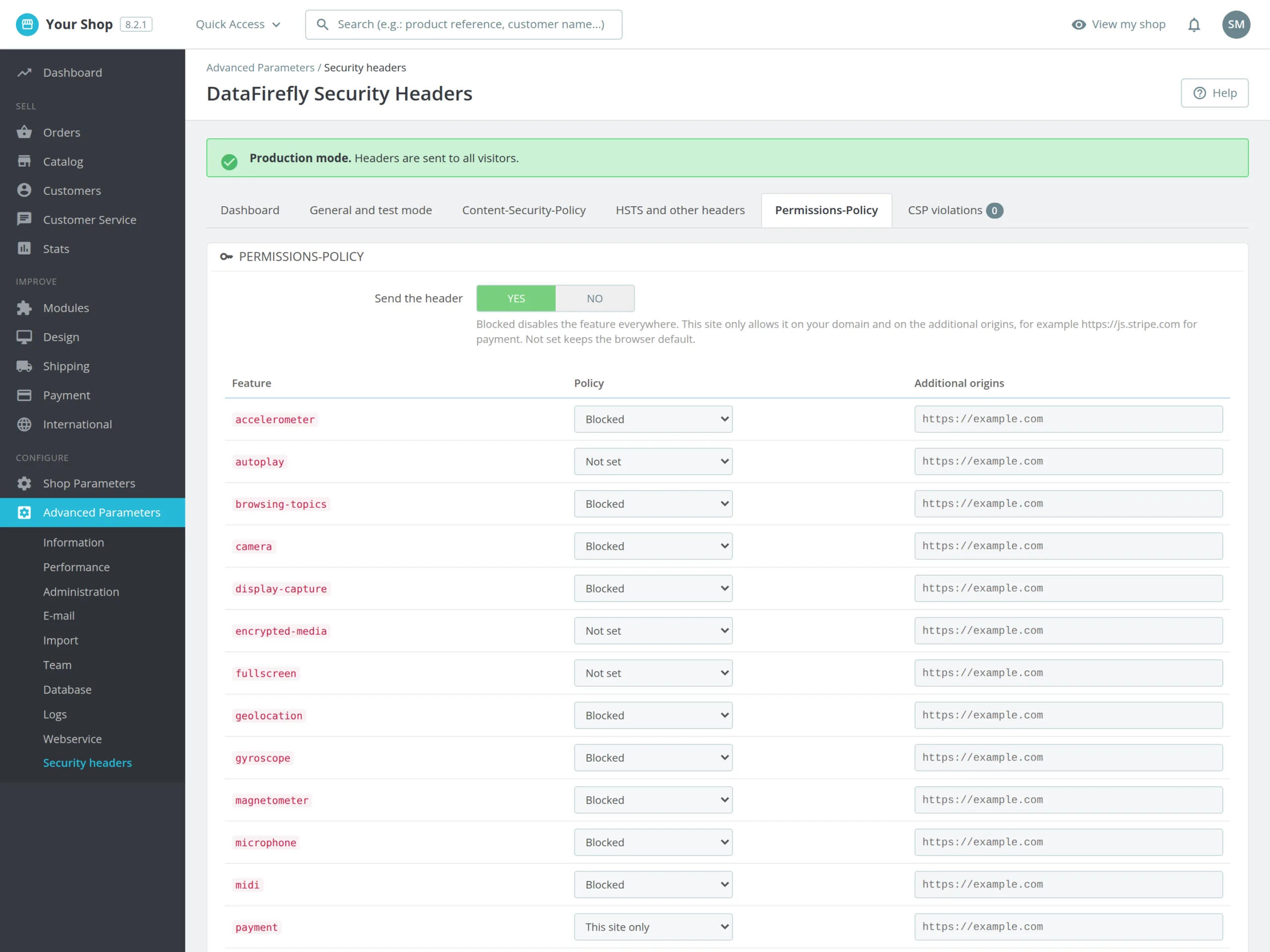
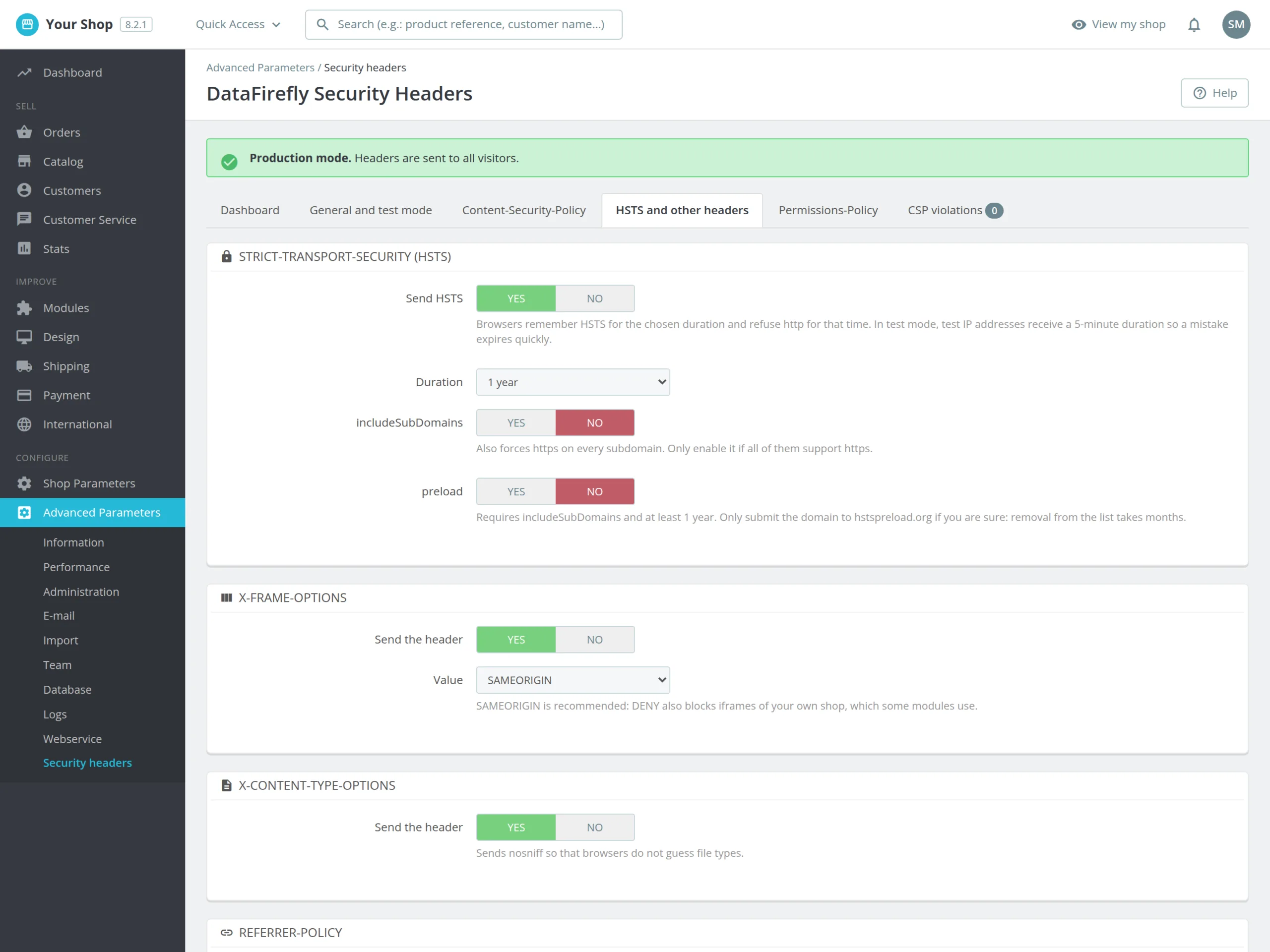
  • CSP, HSTS, X-Frame-Options, Permissions-Policy, Referrer-Policy and COOP set from the back office
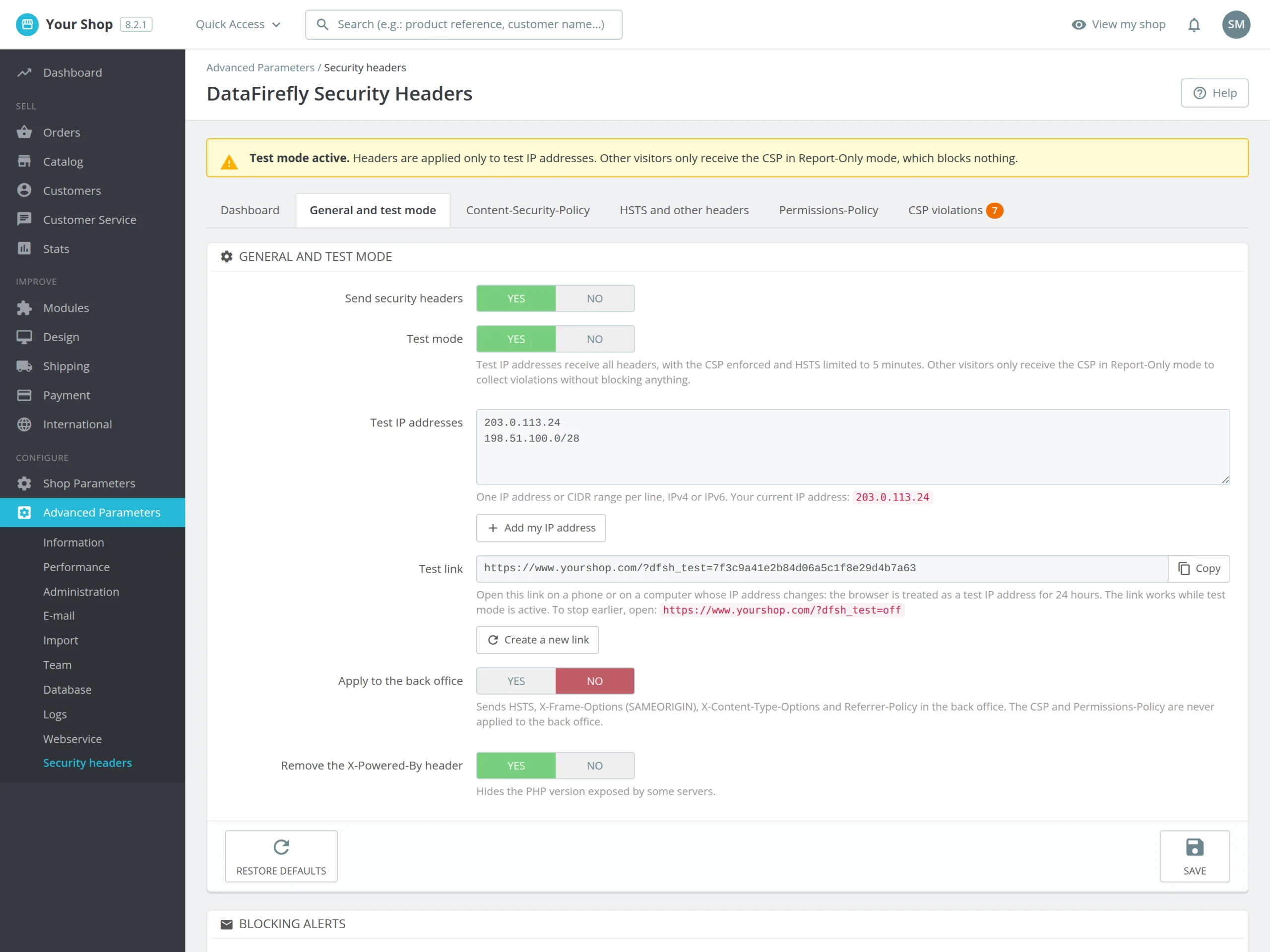
  • Test mode: the policy applies to your IP addresses or through a link on mobile, Report-Only for visitors
  • CSP violation log with one-click allow and 19 preconfigured third-party services
  • Automatic nonce on inline scripts to remove unsafe-inline and aim for A+
  • Built-in grade scanner, settings history with rollback and email alerts on blocking
PrestaShop 8 & 9 Content-Security-Policy A+ grade No .htaccess
  • 30-day refund
  • 12 months updates
  • 24h support
www.datafirefly.com/en/
PrestaShop Security Headers: CSP, HSTS and an A+ Grade Without Server Access
v1.1.0 · updated 2026-09-30
What it does

The short version.

01

Tested on your devices before your customers

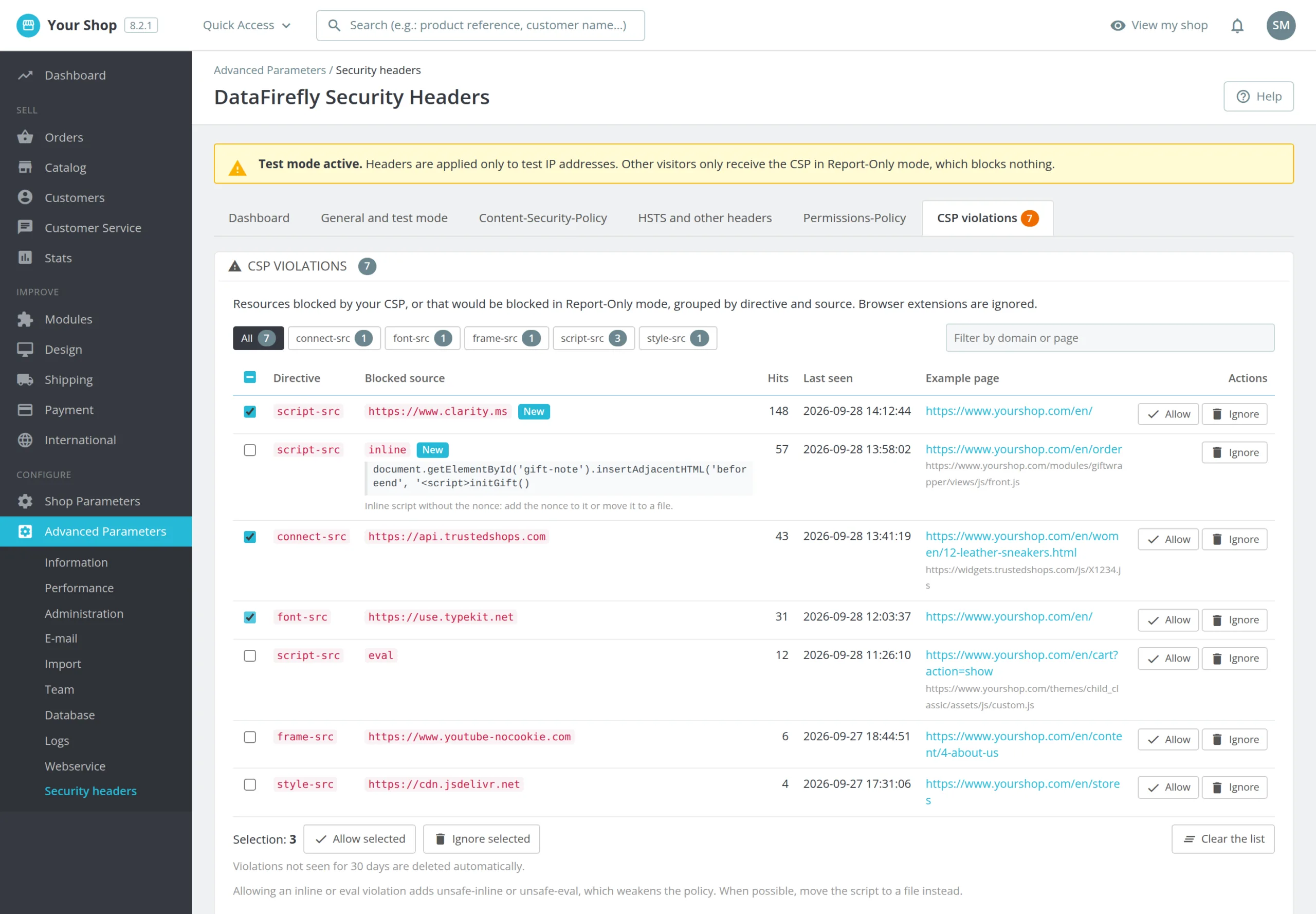
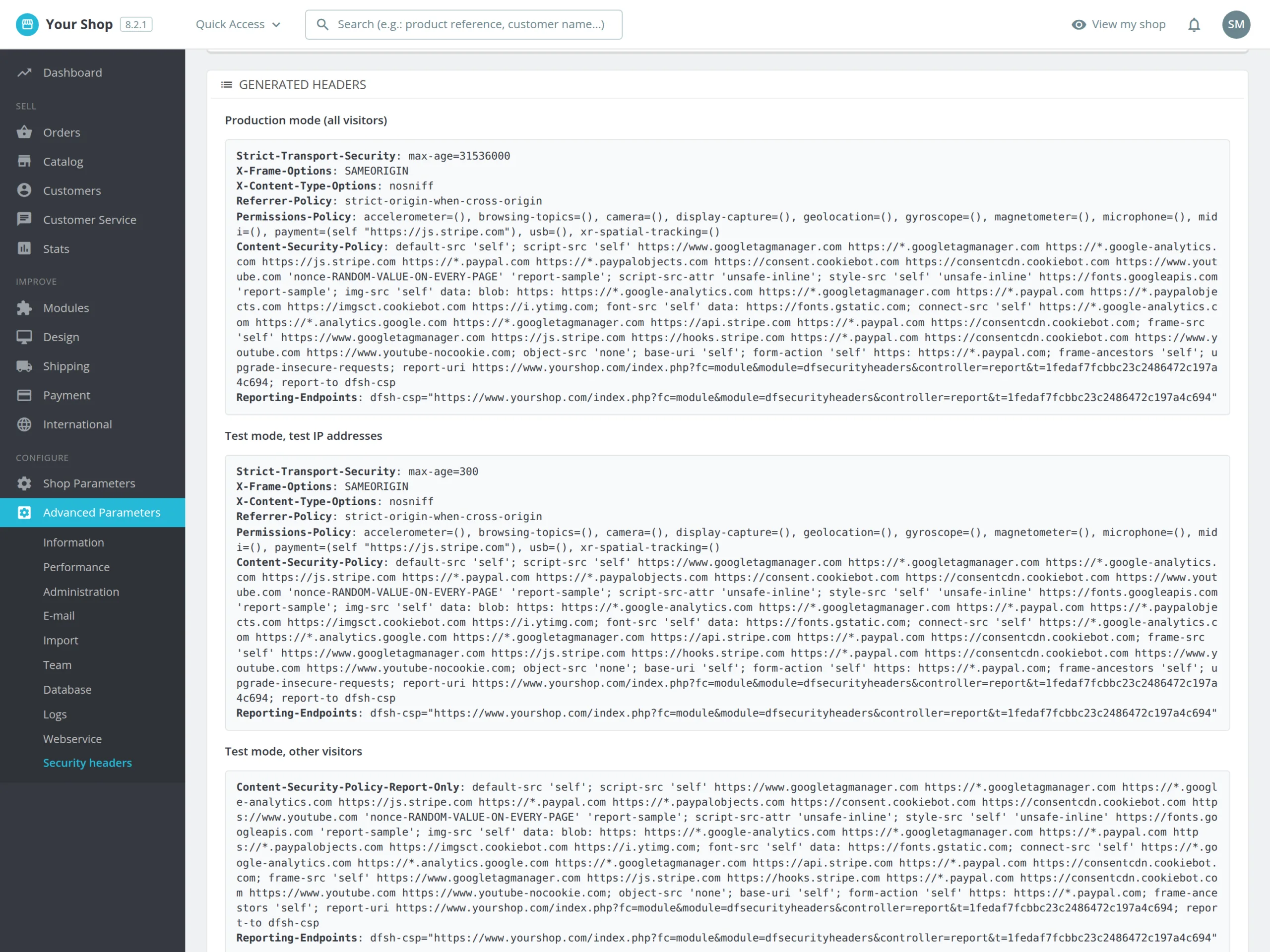
In test mode, the IP addresses you list get the full policy, with an enforced CSP and HSTS capped at 5 minutes so a mistake expires quickly. A test link does the same on a phone on 4G. Visitors only get the CSP in Report-Only: nothing is blocked for them, but their browser reports what would be.

02

Every block becomes a decision

Browser reports are grouped by directive and domain, with the page involved and the start of the blocked inline code. Allow adds the source to the right directive, Ignore removes the line. Filters and bulk actions handle dozens of lines in minutes, and browser extensions are filtered out.

03

The way to A+

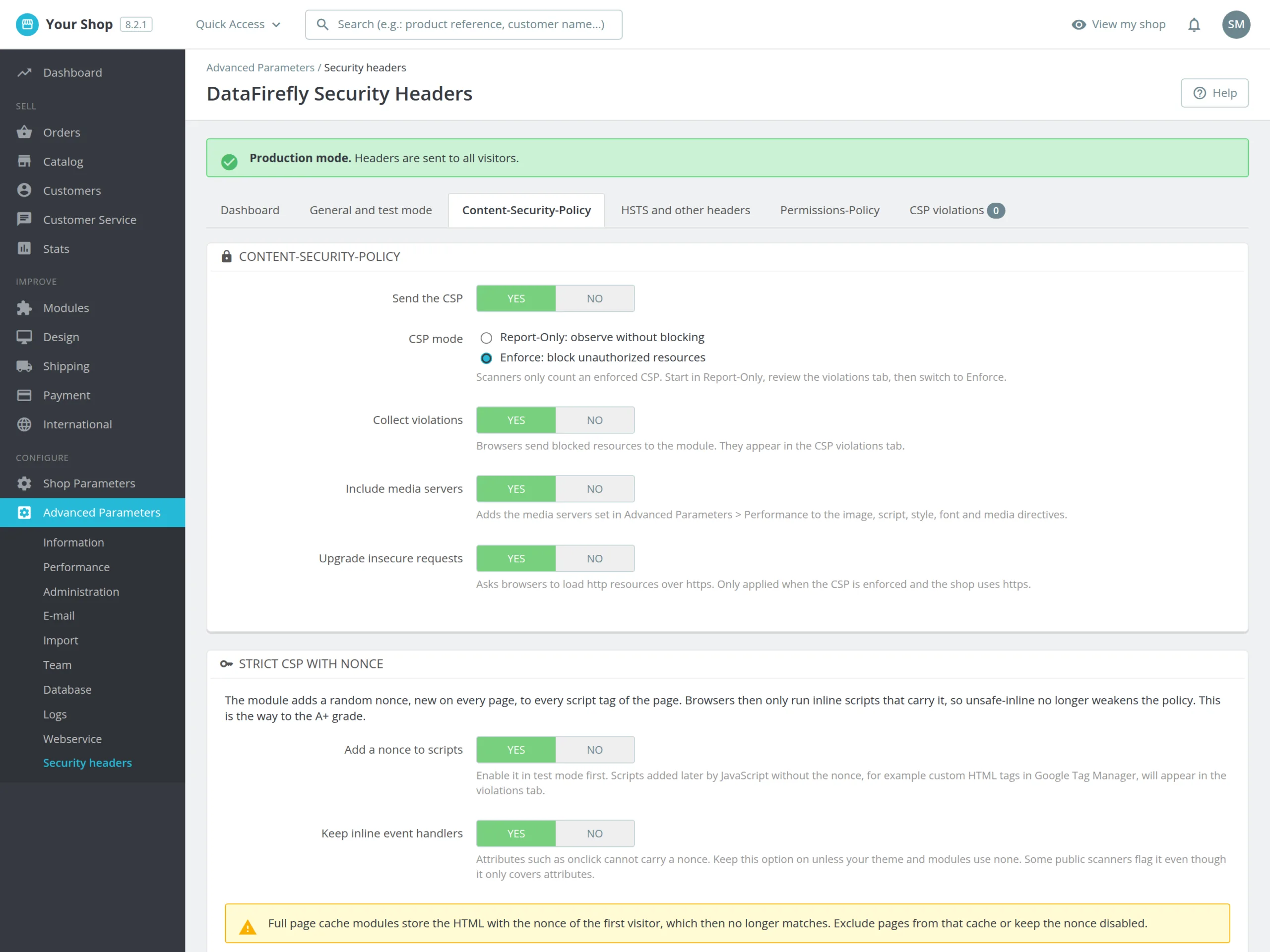
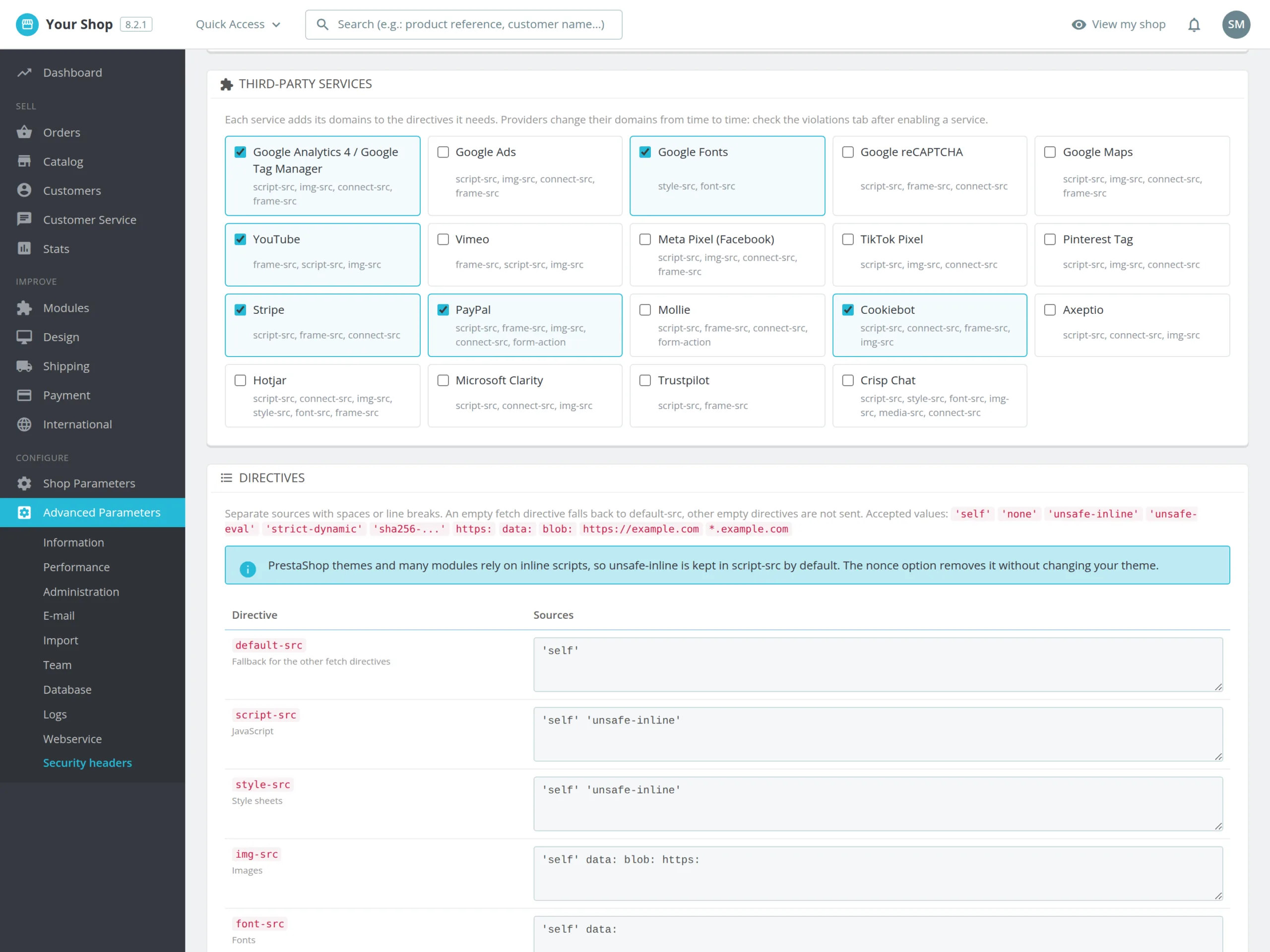
PrestaShop themes rely on inline scripts, hence the unsafe-inline that caps the grade at A. The nonce mode adds a random token, new on every page, to every script tag and removes unsafe-inline from the policy. The theme is not modified.

04

Nothing breaks silently

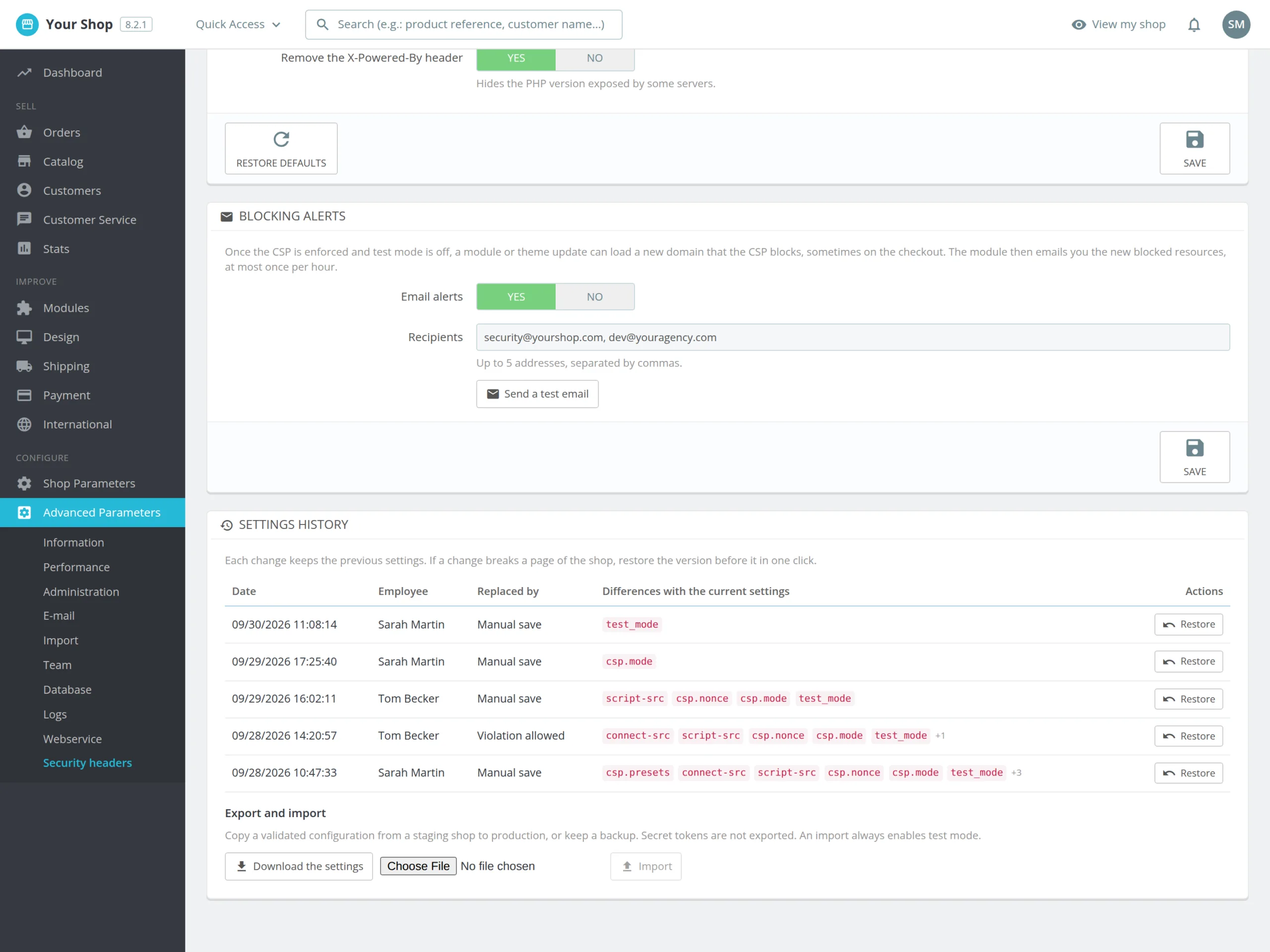
Every change keeps the previous version, restorable in one click. In production, if a module update loads a new domain that the CSP blocks, an email tells you the resource and the page involved, at most once per hour.

The long version

Everything you'd want to know before you install.

A detailed look at how PrestaShop Security Headers: CSP, HSTS and an A+ Grade Without Server Access works, why we built it the way we did, and the thinking behind the features above.

§ 01

Why your shop gets F on securityheaders.com

PrestaShop sends almost no security headers. Without a Content-Security-Policy, a script injected by a compromised module or an XSS flaw can read the fields of the payment form. Without HSTS, the first visit can go over http. Without X-Frame-Options, your shop can be displayed inside the frame of a trap site. Public scanners see this in seconds, and agencies, auditors and some payment partners check these grades.

§ 02

Building a CSP without breaking the checkout

A CSP that is too strict blocks Google Analytics, the chat widget or the Stripe form. The module therefore starts from a policy compatible with PrestaShop themes and lets you tick the services you use. In test mode, the policy applies to your IP addresses and test devices, while visitor browsers report in Report-Only what would be blocked. You browse the shop, handle the violations, then switch to enforced mode once the list stays empty.

§ 03

unsafe-inline, nonce and the A+ grade

Grade A requires an enforced CSP, HSTS of at least six months and the usual headers. A+ also requires that inline scripts are no longer allowed without control. The nonce mode adds a random token to every script tag of the page and removes unsafe-inline. Two limits to know: a full page cache module serves the HTML with the nonce of the first visitor, and custom HTML tags in Google Tag Manager must use the GTM nonce variable. The violation log shows these cases before you go live.

§ 04

A module that keeps watching after go-live

Once the CSP is enforced, a theme or module update can load a new domain. The module spots resources that are really blocked and had never been seen, and emails the recipients you choose, at most once per hour. Every settings change is kept with the employee who made it and the differences with the current state: if a page breaks, the previous version is restored in one click.

§ 05

From PrestaShop rather than from the server

Headers are sent by PHP at the start of each request, on the front office and, if you wish, on the back office. No SSH access or .htaccess file is needed, which suits shared hosting. If your host or Cloudflare already adds some headers, the built-in scanner flags the duplicates. And if you finally prefer the server to handle the headers, the module generates the matching Apache and Nginx blocks.