


Everything you'd want to know before you install.
A detailed look at how Step-by-Step Product Configurator: Visual Options, Live Preview & Price Impact (PrestaShop 1.7, 8 & 9) works, why we built it the way we did, and the thinking behind the features above.
§ 01
Sell made-to-order without blowing up your catalog
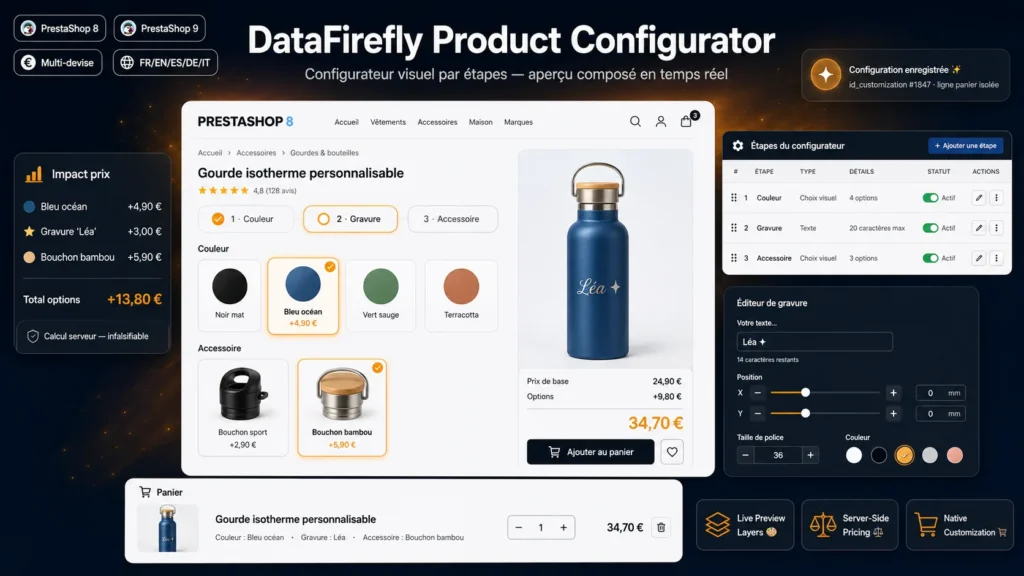
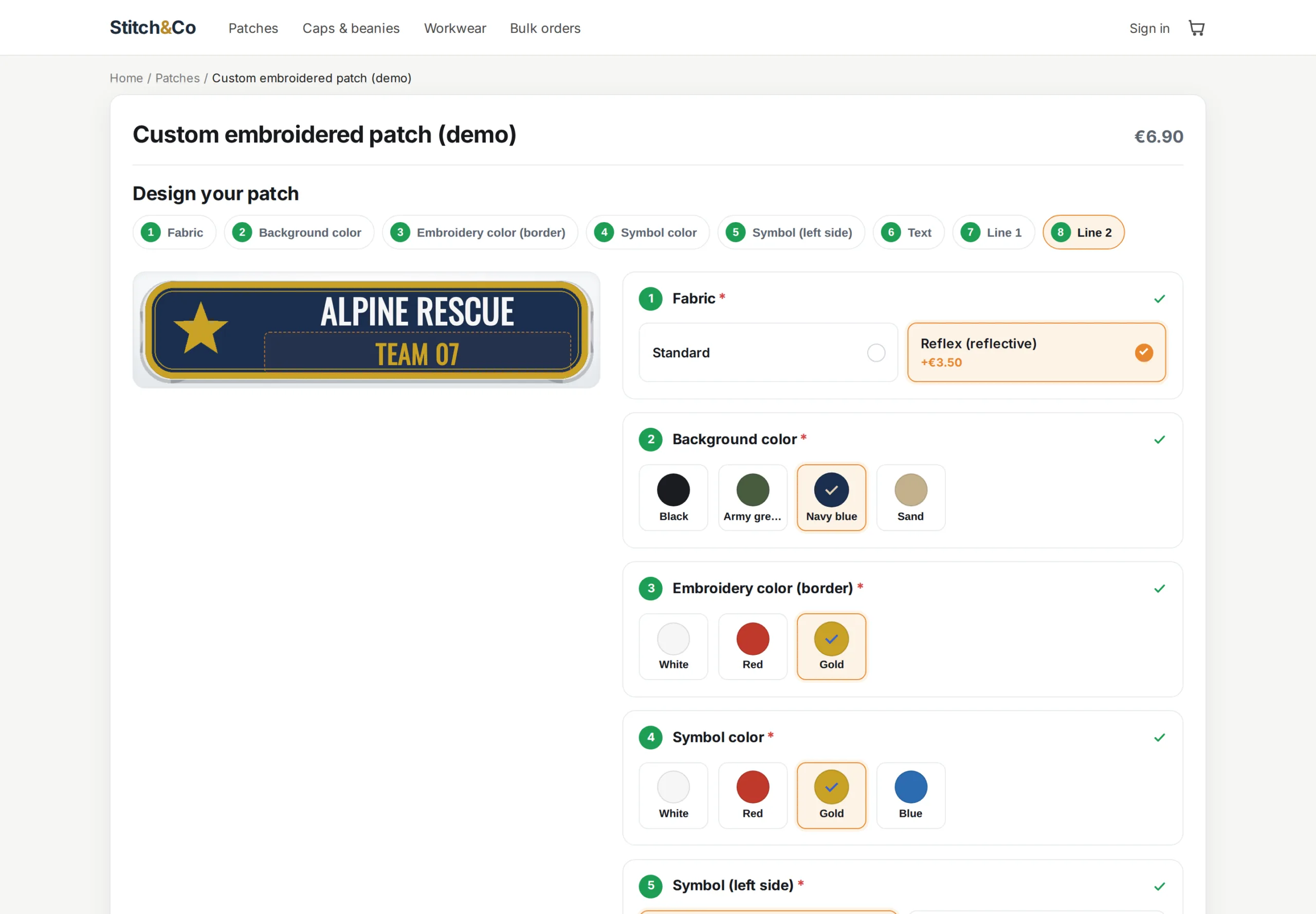
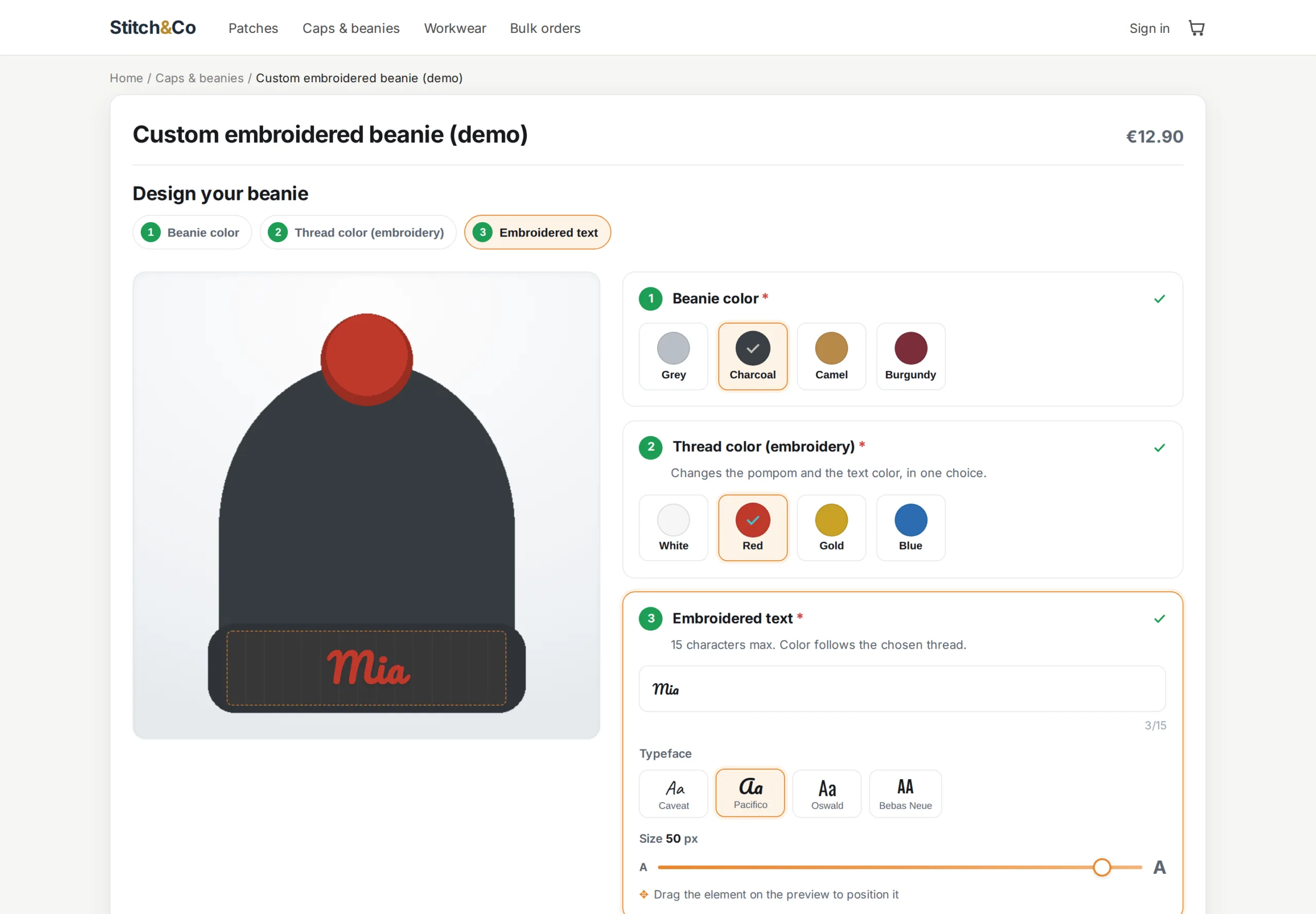
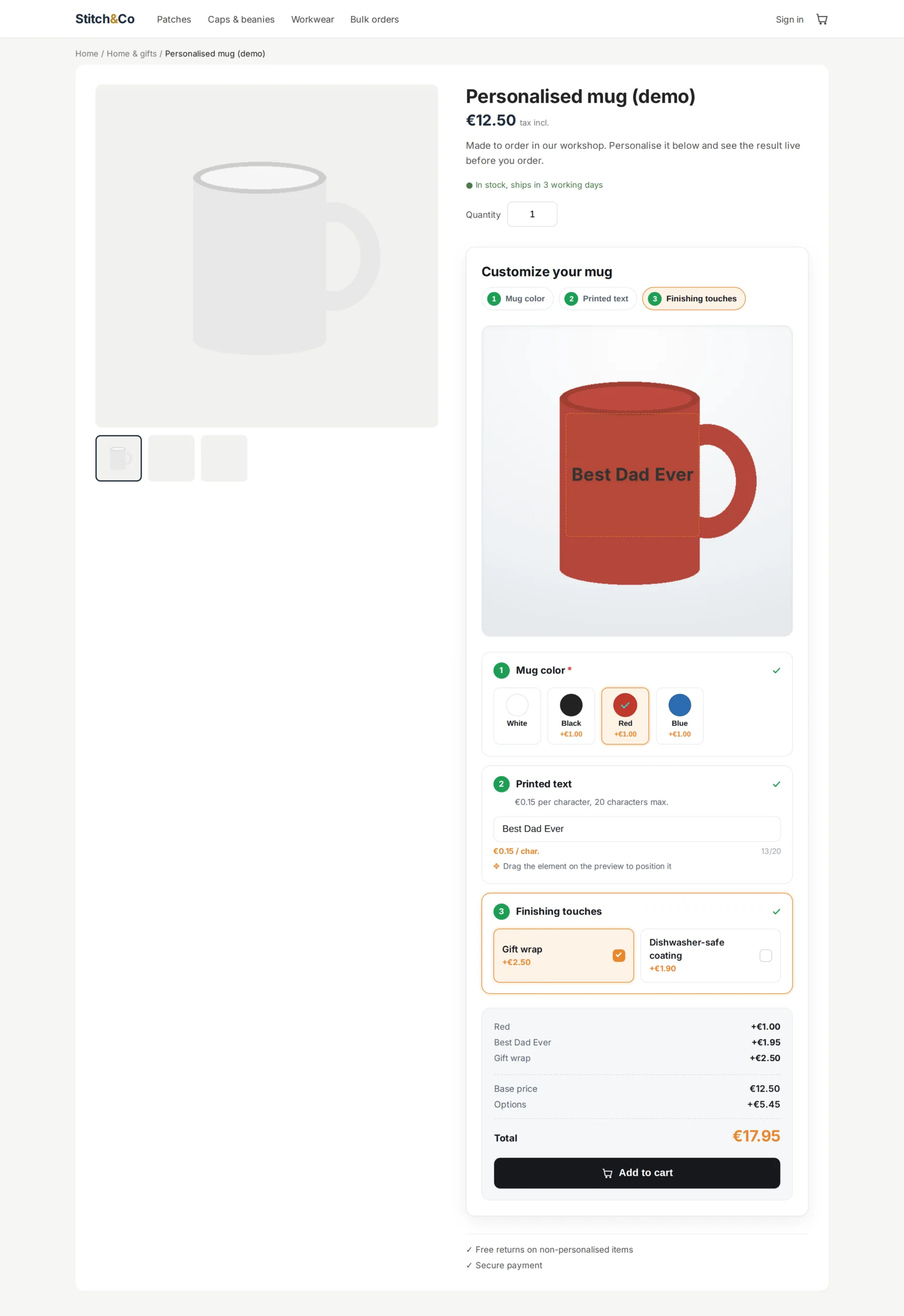
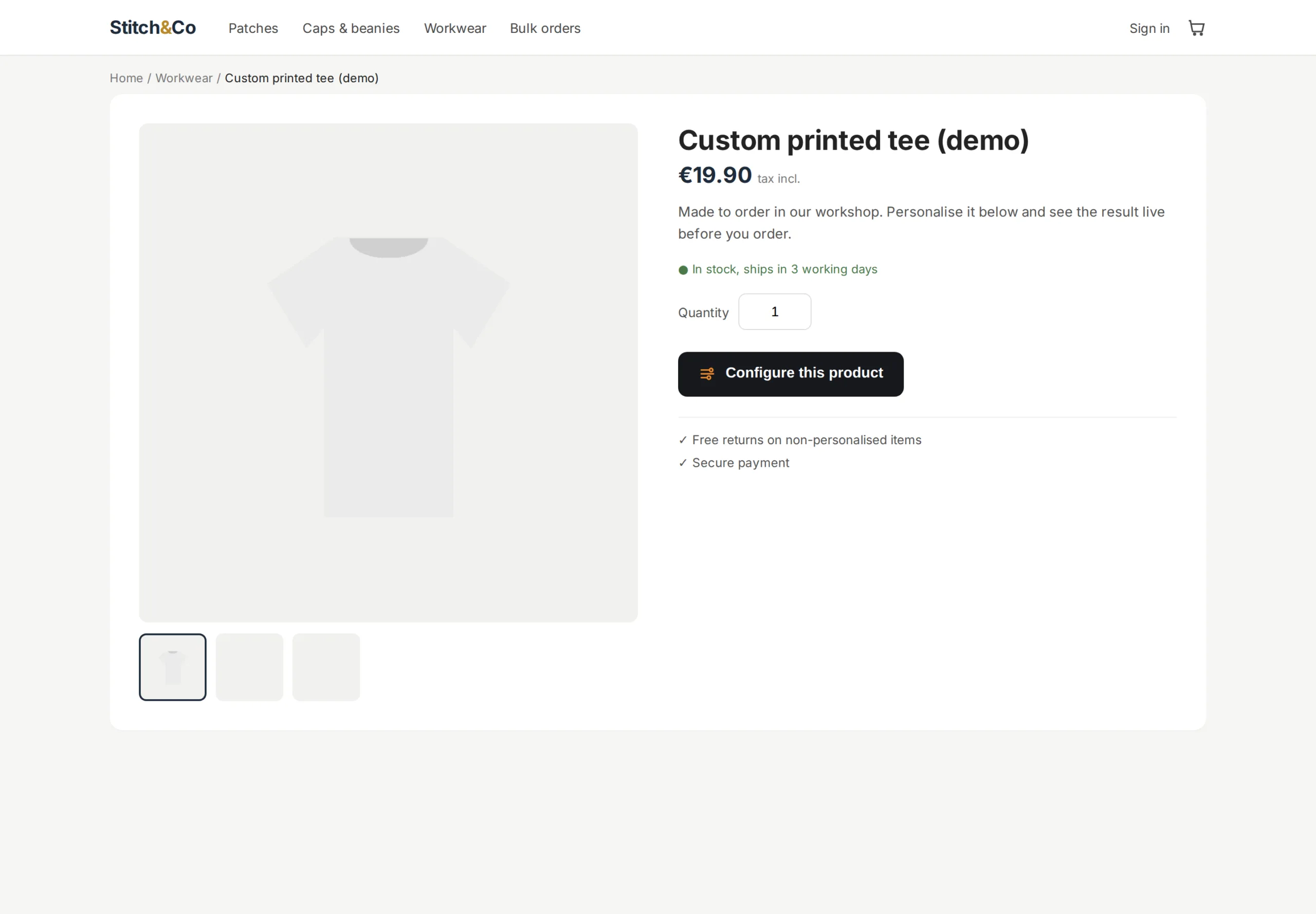
Photo art, engraved bottles, personalized jewelry, configurable furniture: as soon as a product comes in sizes, finishes and paid options, native combinations hit their limits (combinatorial explosion, unmanageable stock, no engraving). The Product Configurator adds a guided flow right on the product page: the customer chooses, sees, and pays the right price, without you creating a single extra combination.
§ 02
A preview that sells for you, or your own visuals
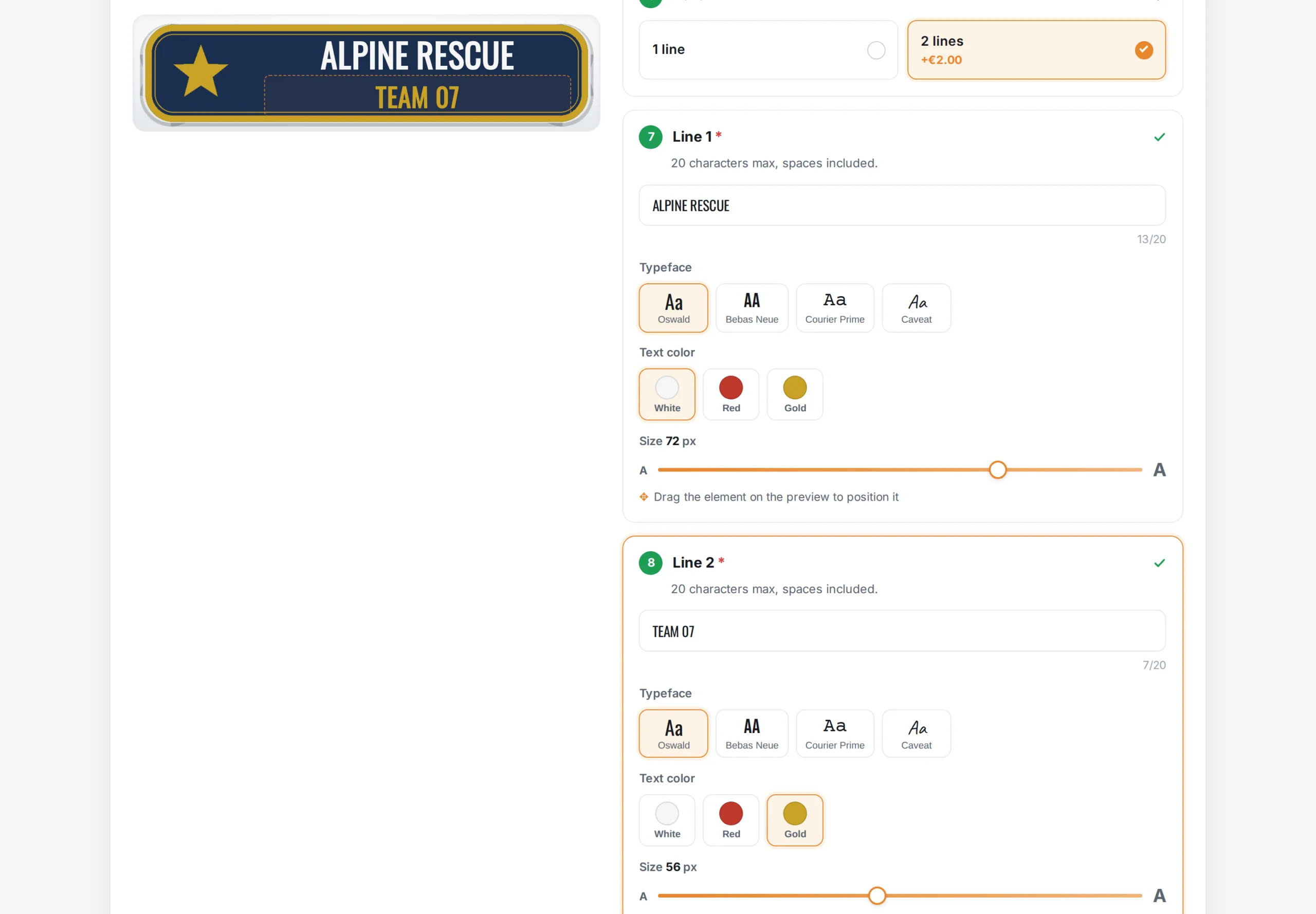
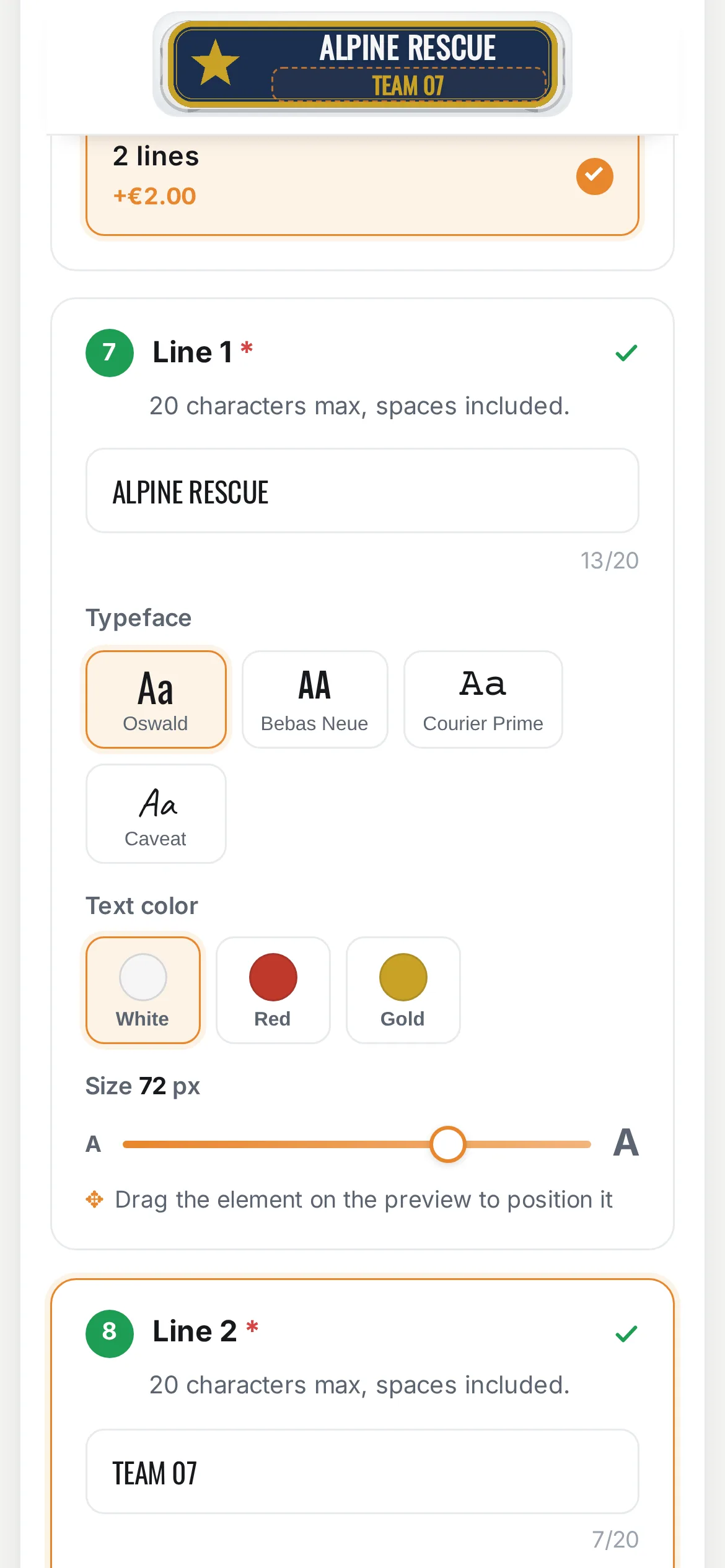
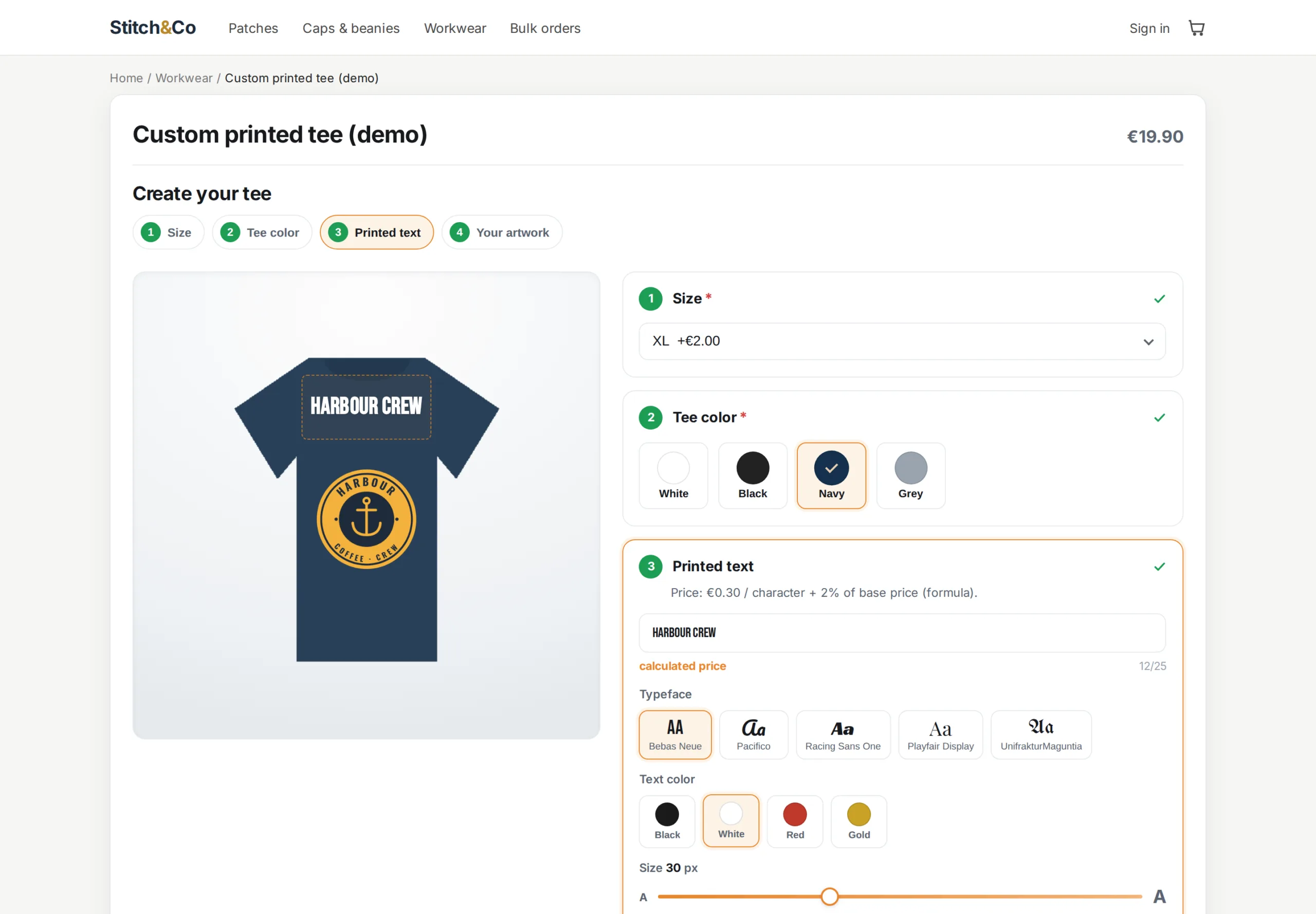
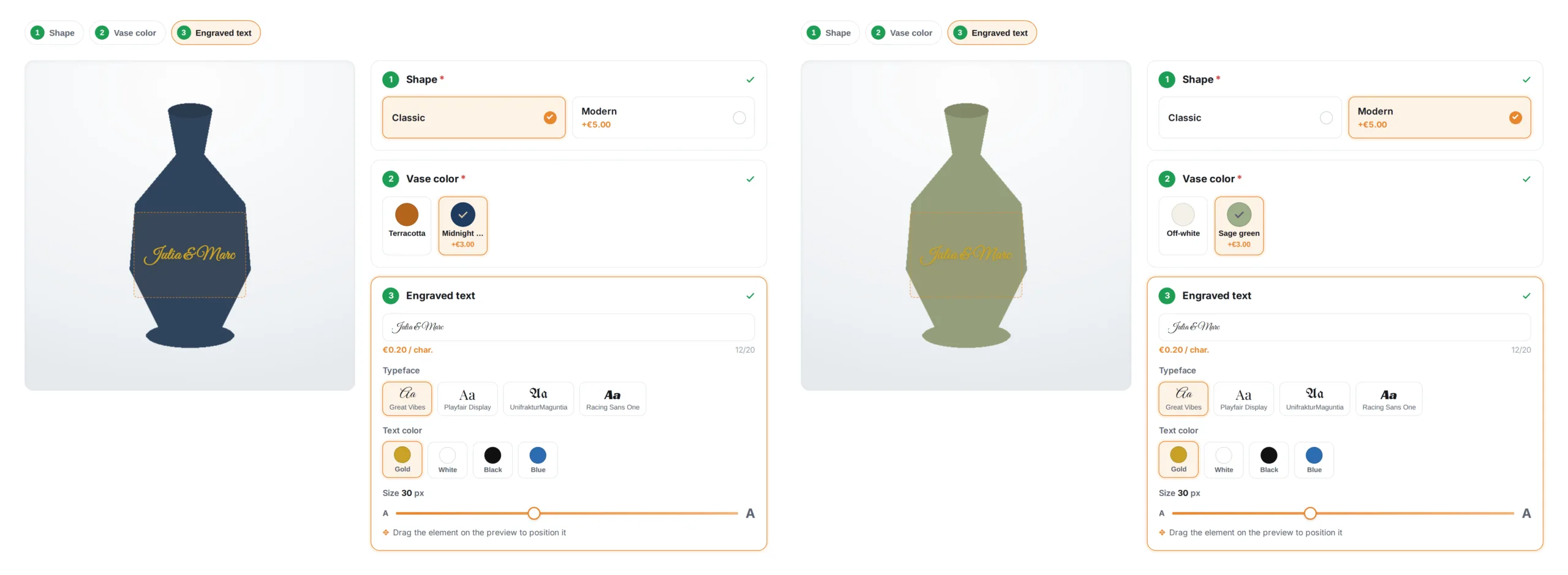
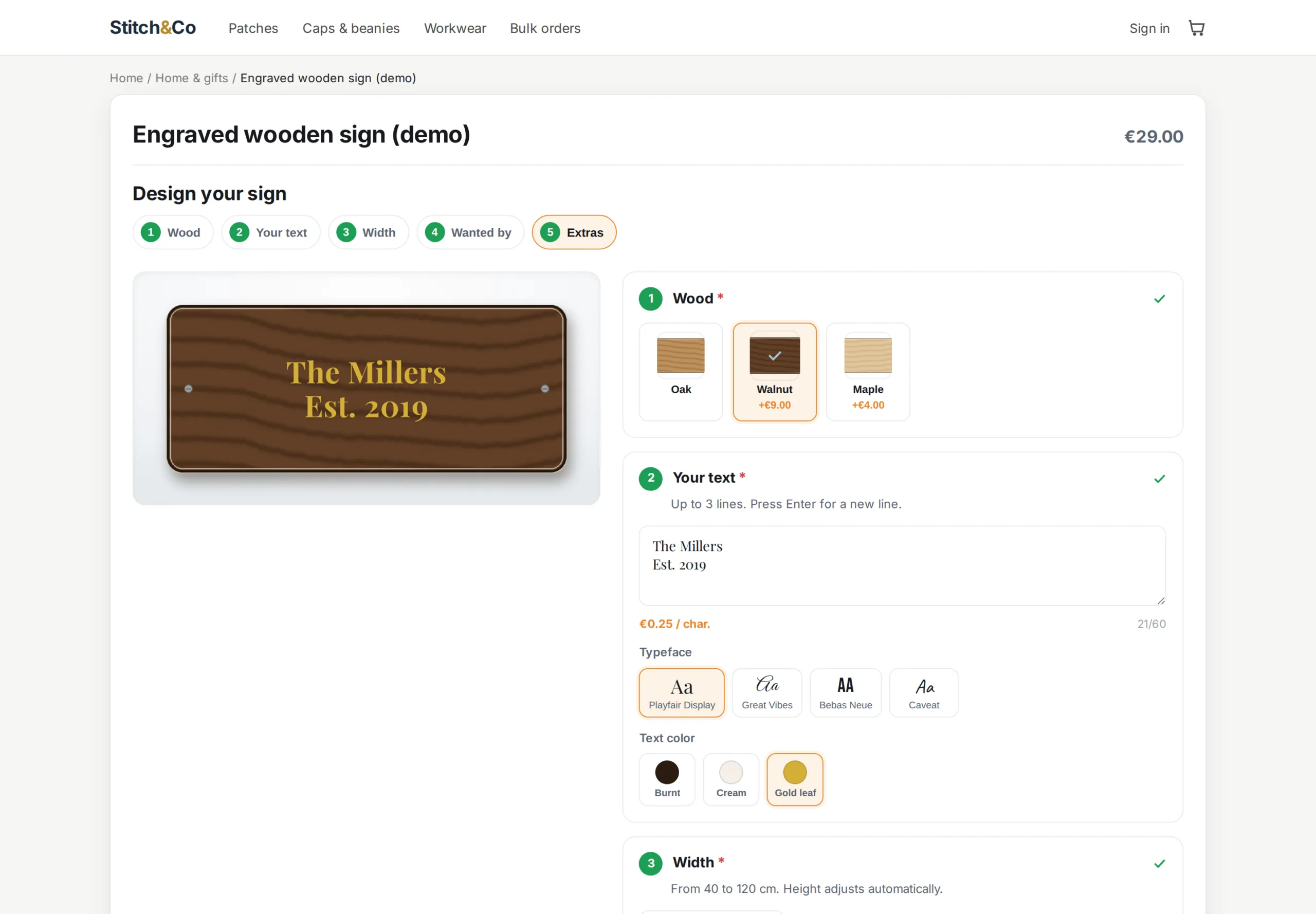
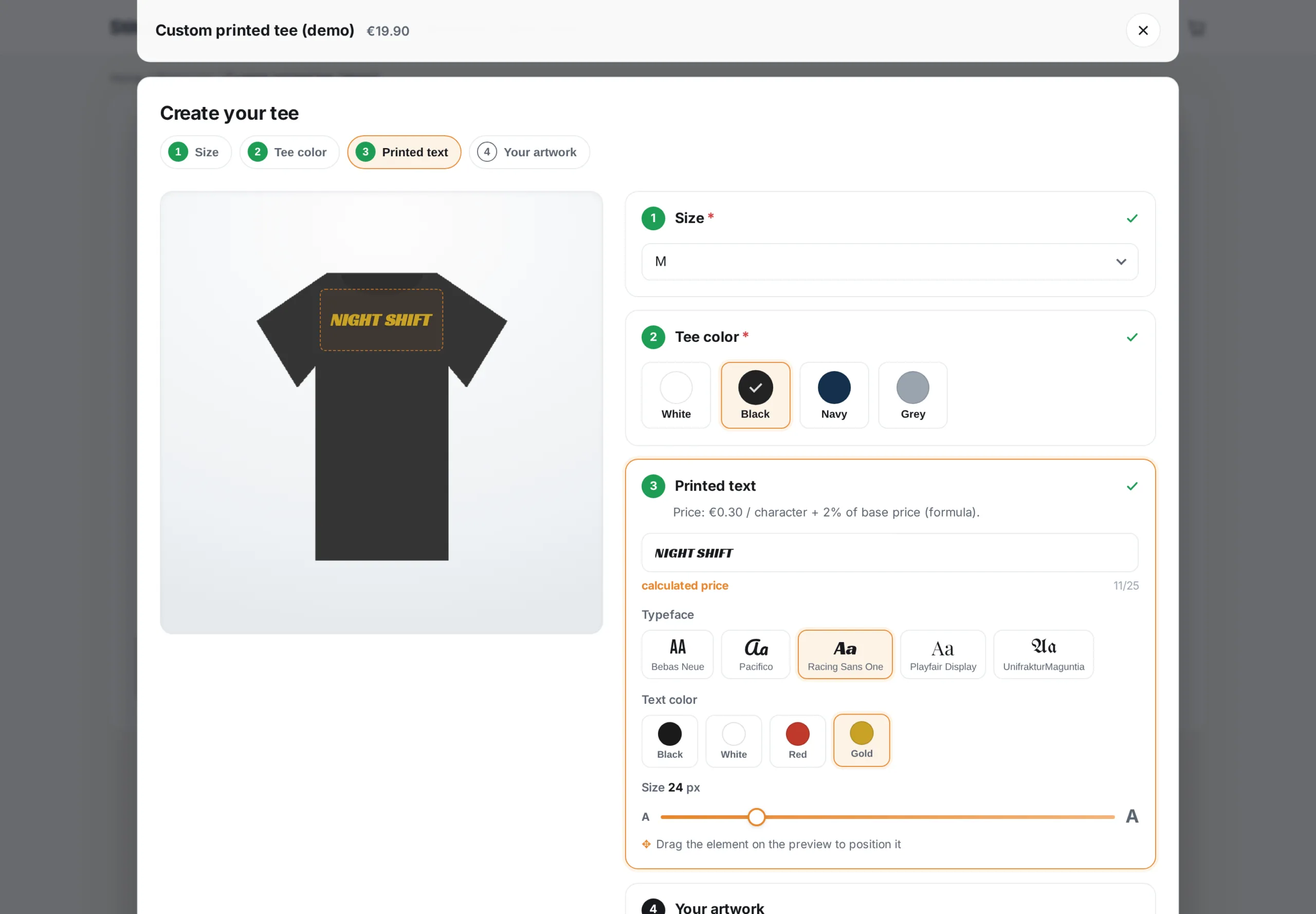
Each option can carry a transparent PNG layer stacked in real time on the product photo, and engraved text renders with the chosen font, size and color. If your product pages are built with Creative Elements, turn the preview off: your galleries and blocks stay intact, and the configurator sits under the title and price thanks to its dedicated hook.
§ 03
The right price, applied where nobody can cheat
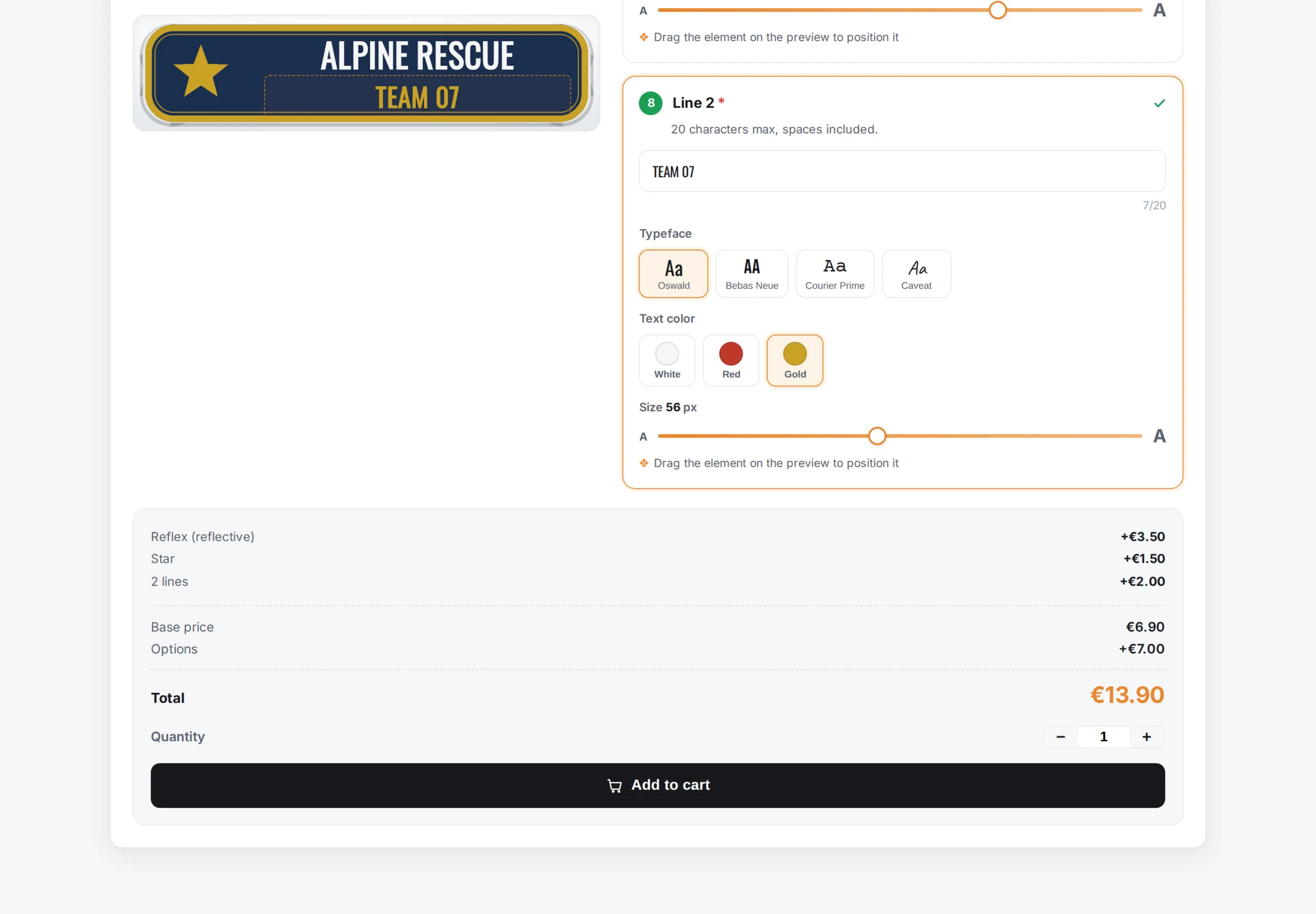
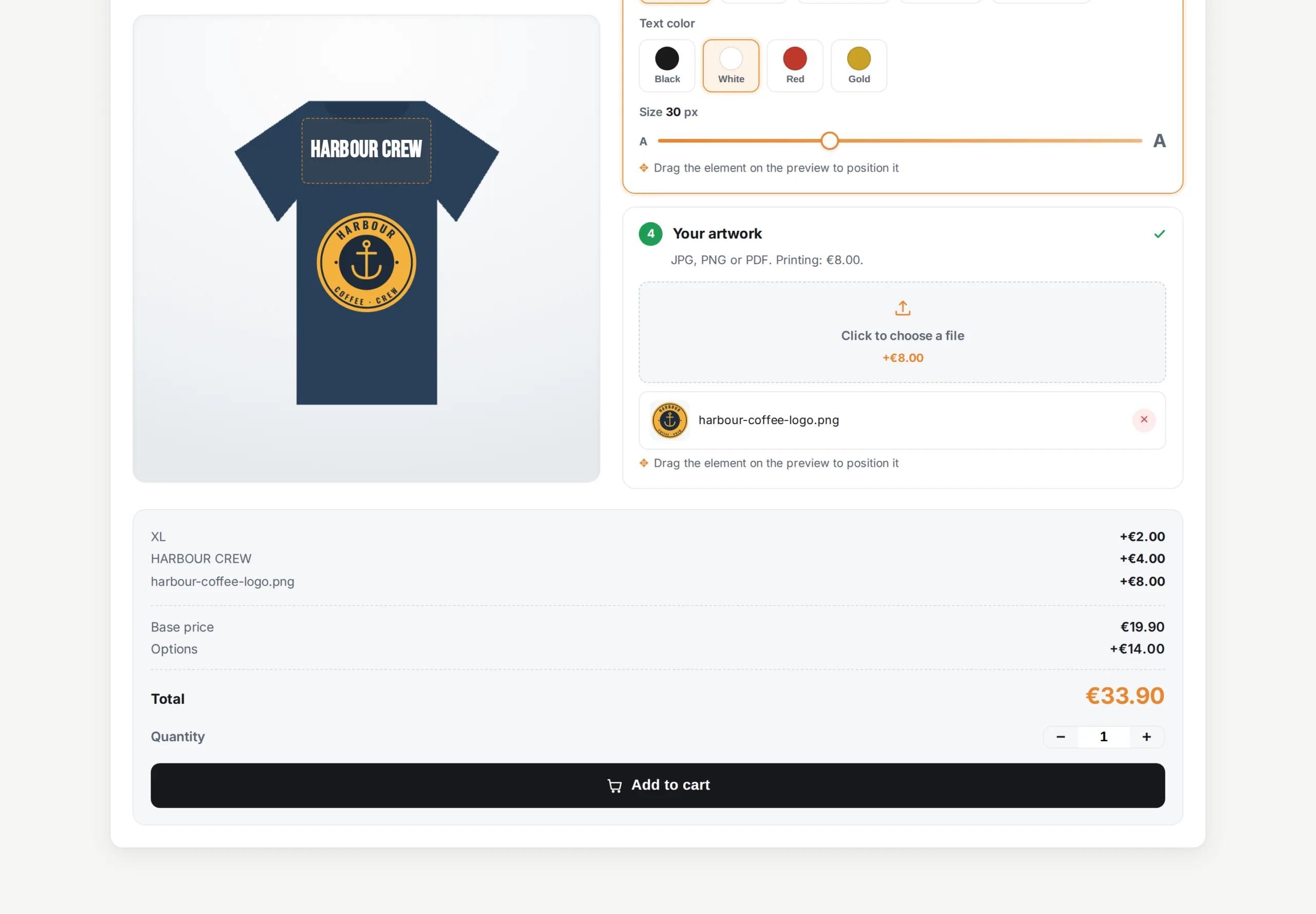
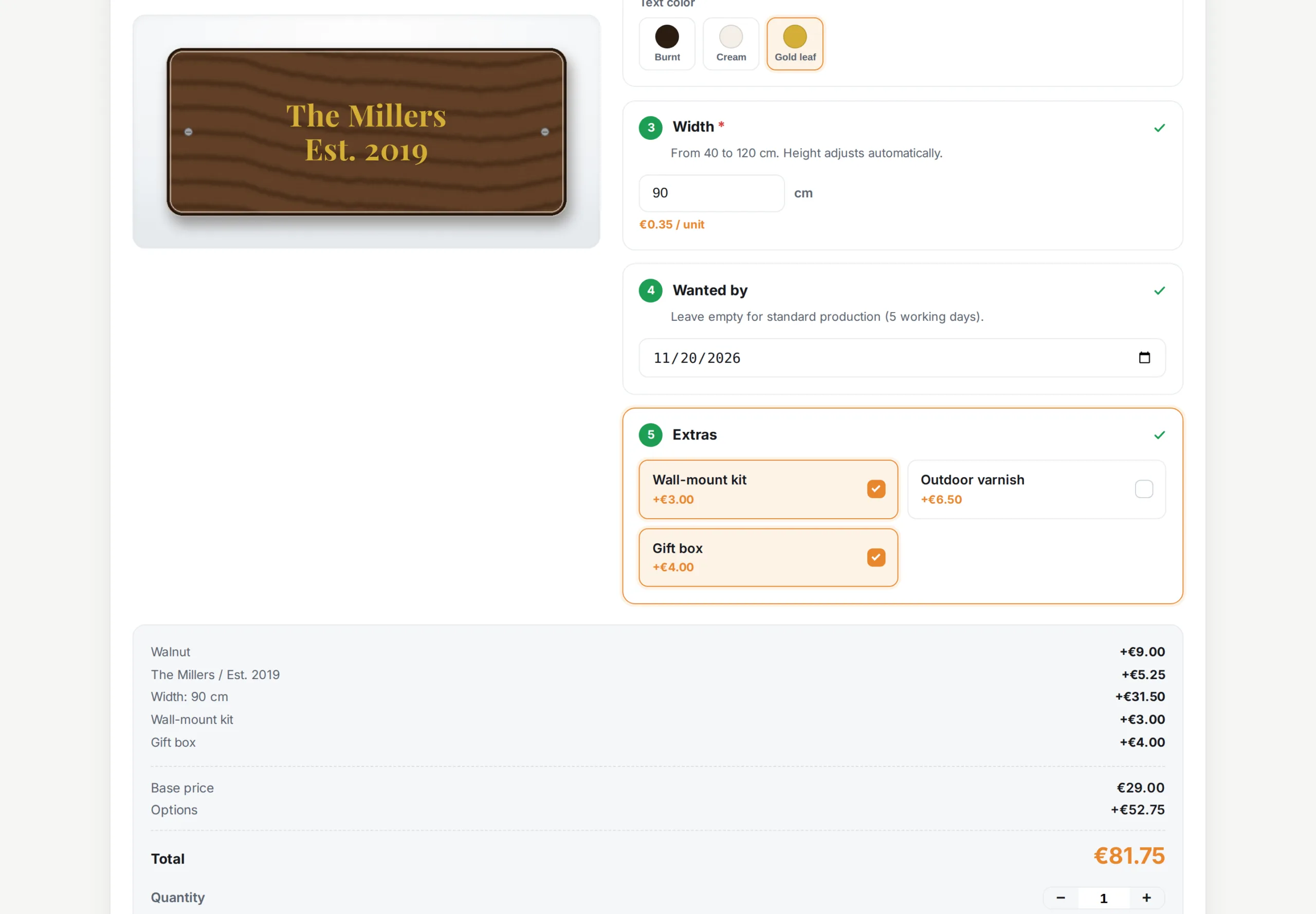
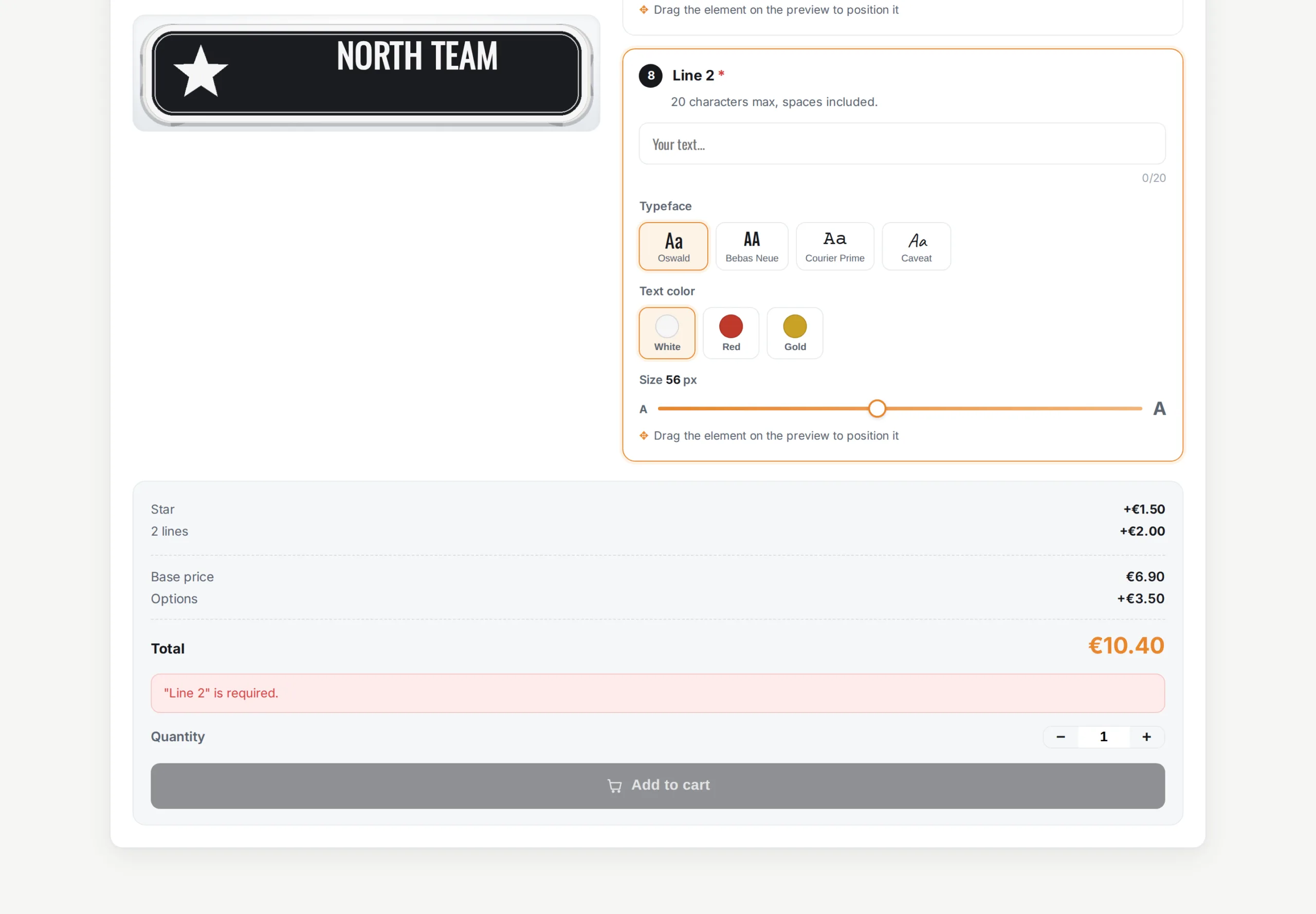
Each option carries a tax-excluded price impact, positive or negative, and a weight. The total updates live in the visitor's currency, but that amount is only a display: the real surcharge is applied by PrestaShop's native price calculation, server-side, with currency conversion and the customer's VAT. Option weights are added to the cart, which keeps weight-based shipping and your free-shipping threshold accurate.
§ 04
Native customizations, not a fragile overlay
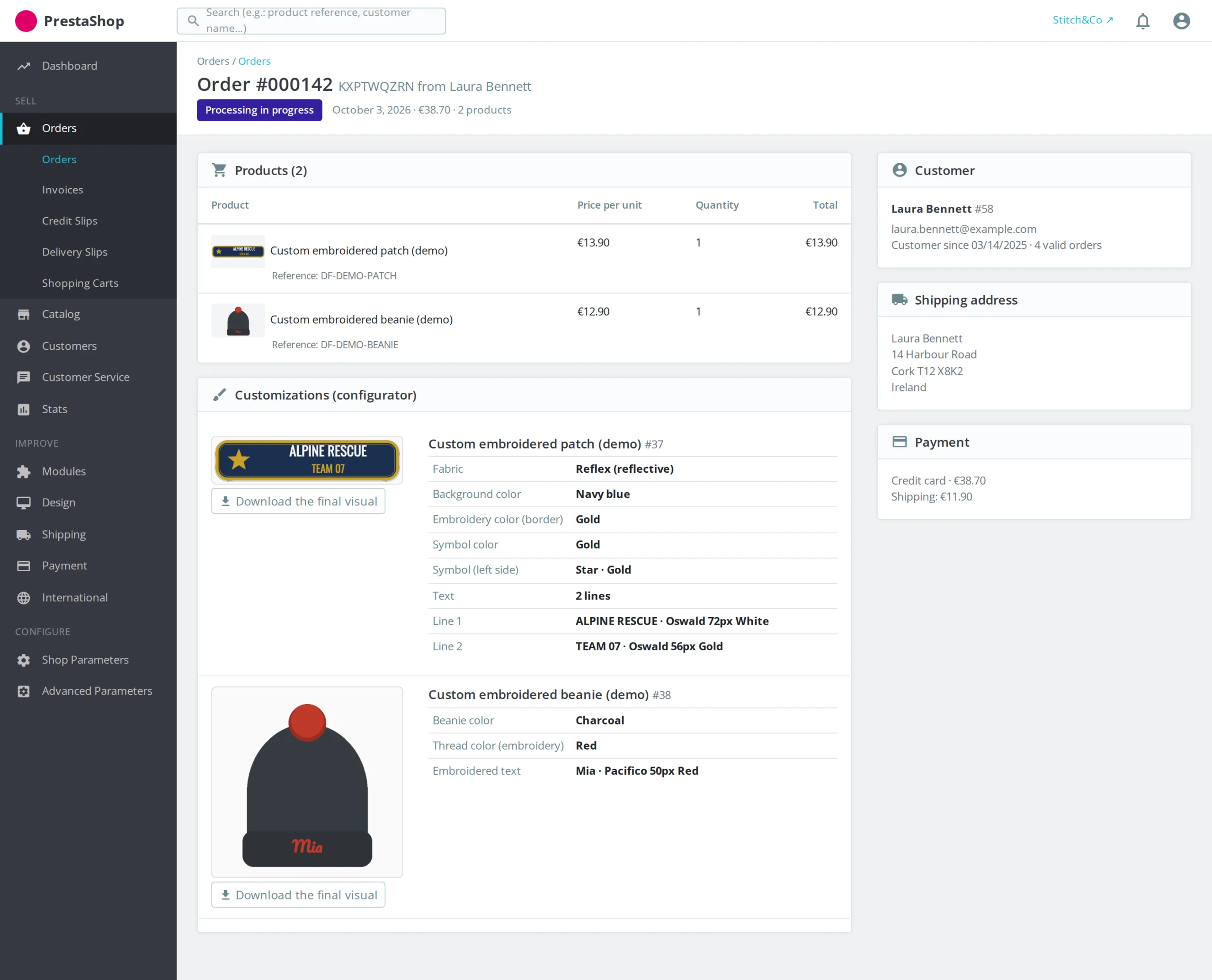
Rather than reinventing the cart, the module relies on PrestaShop's native customizations: each validated configuration creates its own line with a readable summary (Size: 40 × 60 cm · Type: Framed Print · Frame: Walnut) that follows the order to the invoice and the back office. After adding, a popup sums up the choices and offers to continue shopping or check out.
§ 05
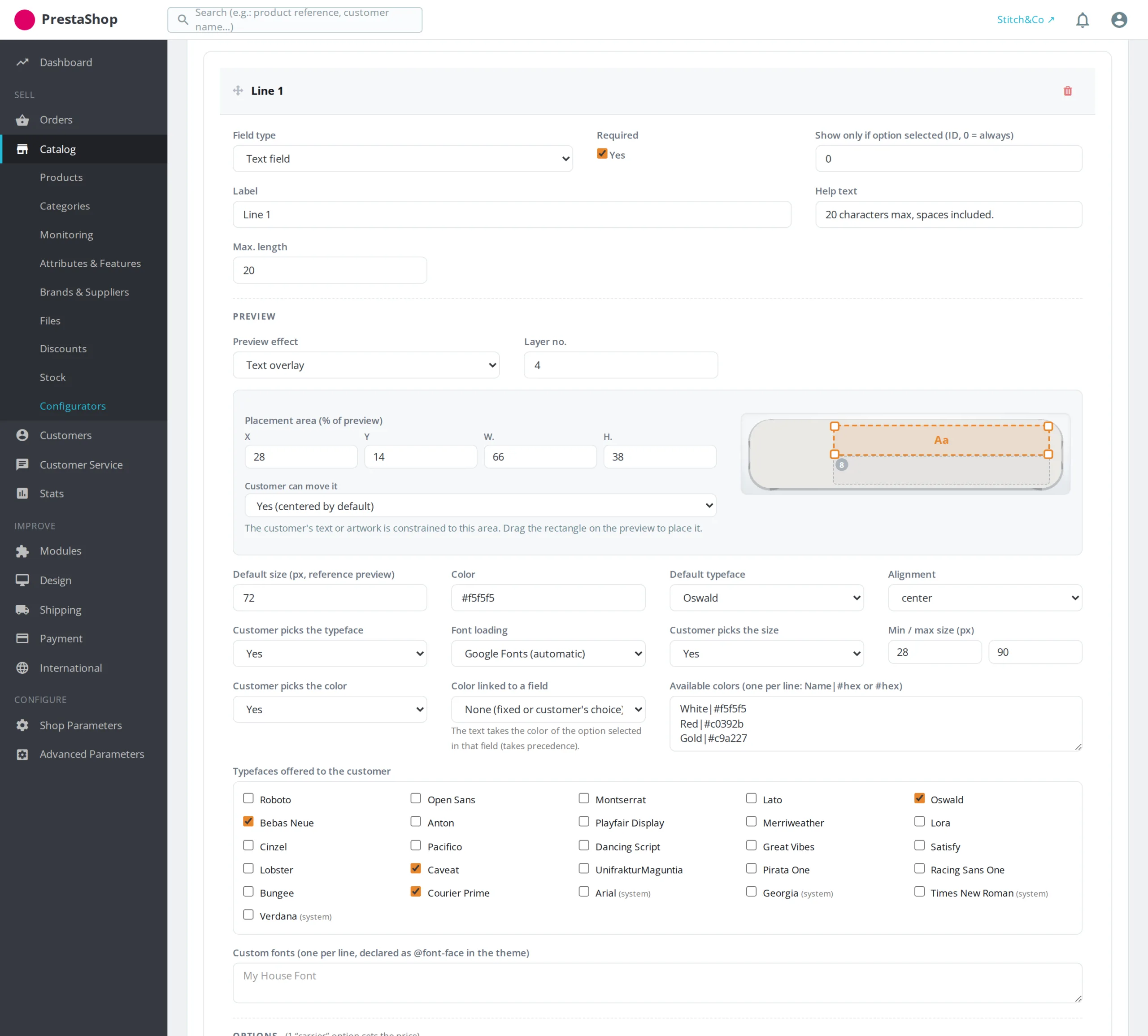
An admin built for speed
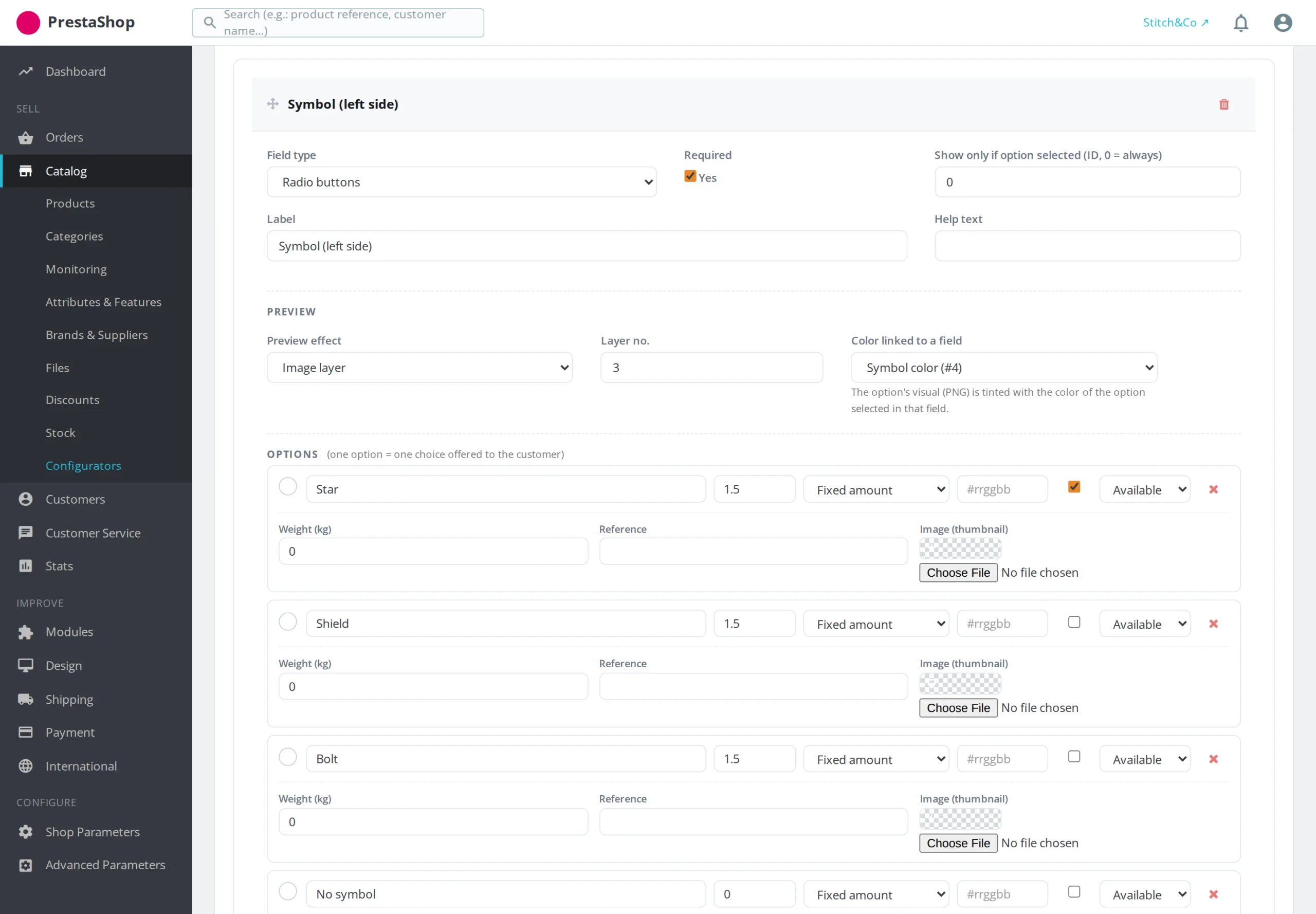
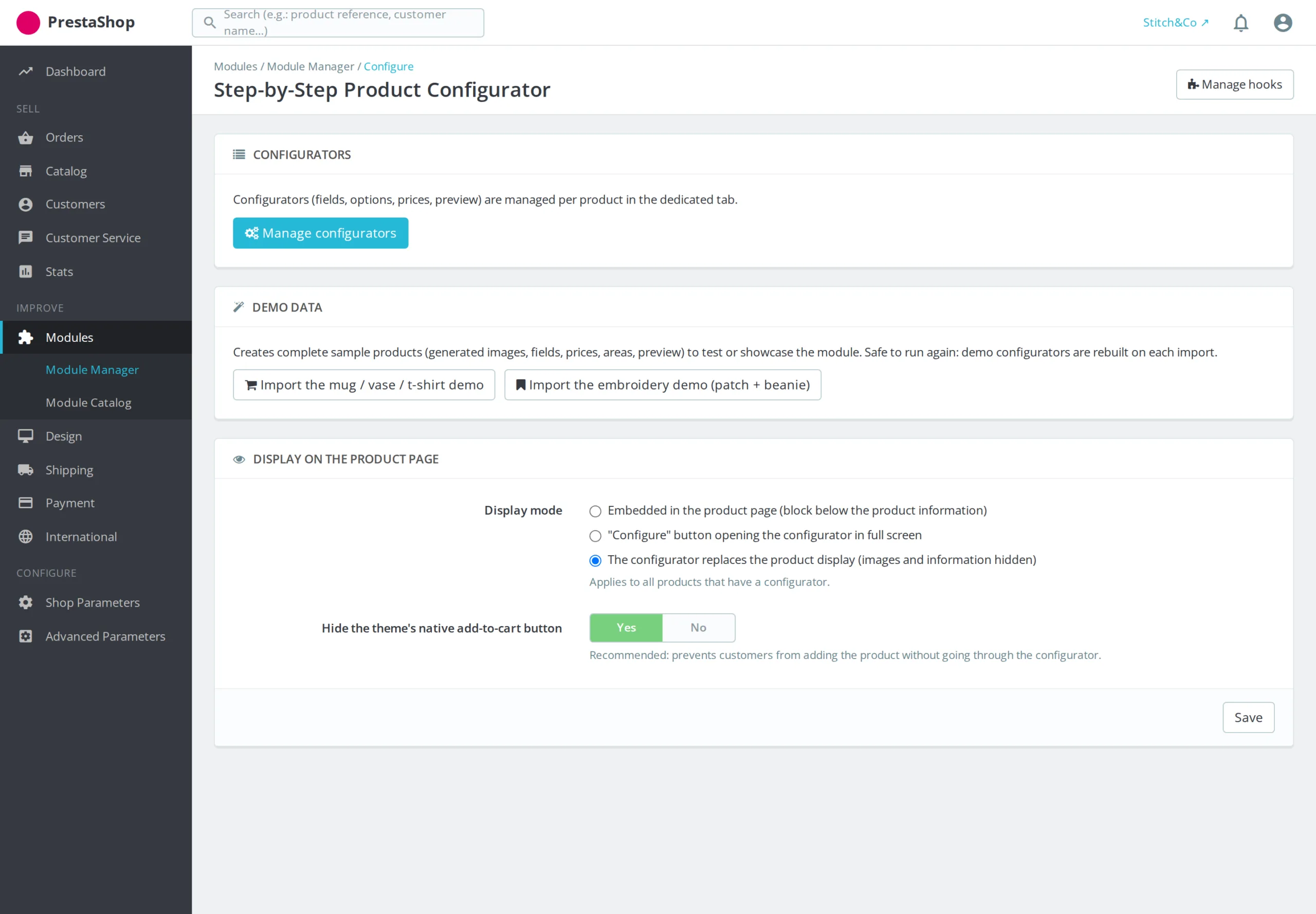
One screen per configurator: the targeted products and categories, then the fields, which you reorder by drag-and-drop and collapse to keep an overview. Each field carries its options (label, price, weight, reference, color, thumbnail), its display conditions picked from a list and, if needed, an information link. A configurator can be duplicated in one click to build a range, and three demo sets can be imported from the module settings.




There are no reviews yet.