
Our best PrestaShop modules for catalogue management
Eight modules for the moment your catalogue stops being manageable by hand.
At twenty products you edit one by one. At two hundred, every action you perform “once” is in fact performed two hundred times. And a pricing policy you cannot execute is not a policy.
Sound familiar?
One action done two hundred times
A 3% price increase: two clicks on one product, a lost day on two hundred. So you do not do it.
An import that breaks every night
The supplier renames a column with no warning. Your import breaks, and nobody notices until morning.
A deletion with no way back
One misclick and the product is gone for good — with its history, its reviews and its SEO authority.
A best-seller nobody sees
Your best-seller sits at position fourteen. You are not selling it — you are hiding it.
Our selection, ranked
Every module below is built, maintained and supported by our team. The ranking reflects what we would install first on a client store.
-
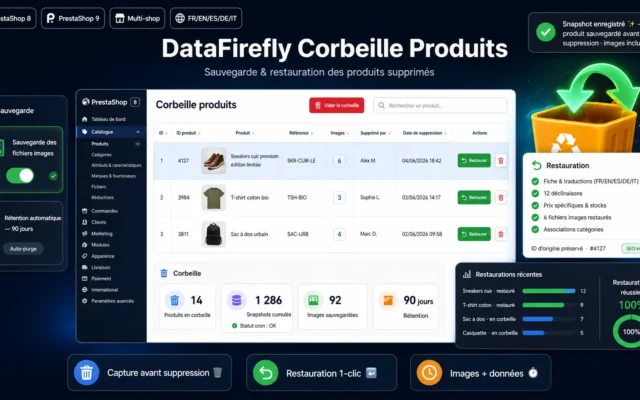
DataFirefly Product Trash
Install this firstPrestaShop has no trash bin. A deleted product is gone for good. The only module that protects you from yourself.
Every product deleted in PrestaShop is automatically backed up (data + image files) to a trash bin. Restore it identically in one click, with…
€59.00 View the module -
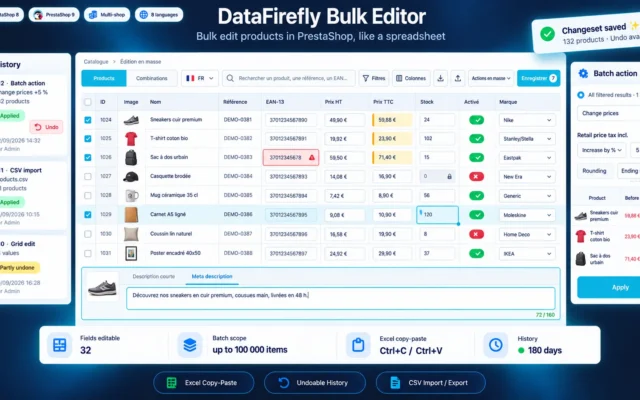
Bulk Edit Products in PrestaShop 8 & 9: Spreadsheet-Style Editor
The most versatileA spreadsheet-style grid for prices, stock, EAN, categories and SEO, with filters, batch edits and an undoable history. What used to take a day is done in a single view.
Edit prices, stock, EANs, categories, discounts and SEO fields of hundreds of products in a spreadsheet-style grid, right inside the PrestaShop 8 or 9…
€129.00 View the module -
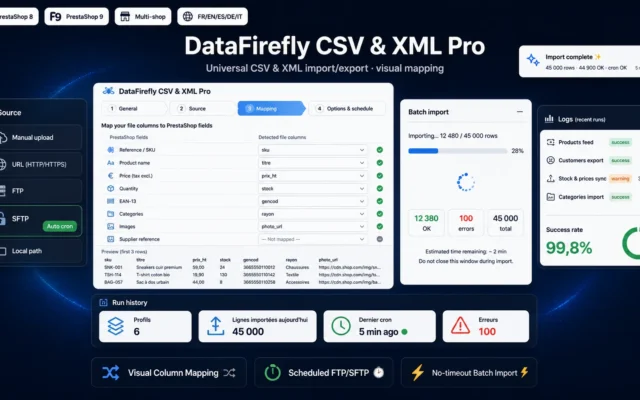
Import Export CSV & XML for PrestaShop 8 & 9 — Visual Mapping, Scheduled FTP/SFTP Imports
The import that survivesVisual mapping and scheduled FTP/SFTP imports. A one-off import is easy, the twentieth night is not.
Import and export your entire PrestaShop catalog in CSV or XML, with visual column mapping, reusable profiles and scheduled imports from FTP, SFTP or…
€129.00 View the module -
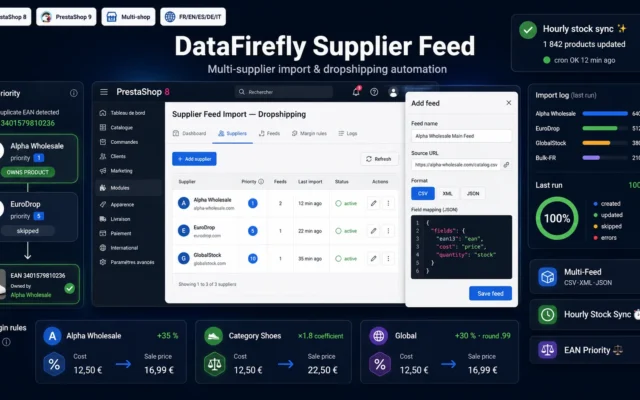
Supplier Feed Import & Dropshipping for PrestaShop 8 & 9 — CSV, XML, JSON
The dropshipping trapCSV, XML, JSON. Decide what the feed is allowed to control: stock yes, your selling price no.
Import and sync several supplier catalogs (CSV, XML, JSON), apply your margins per supplier and category, keep stock up to date every hour, and…
€99.00 View the module -
Bulk Edit Product Features for PrestaShop 8
The underrated leverFeatures in bulk: they feed your facets, hence your filters, hence your category SEO. Customers who can't filter don't buy.
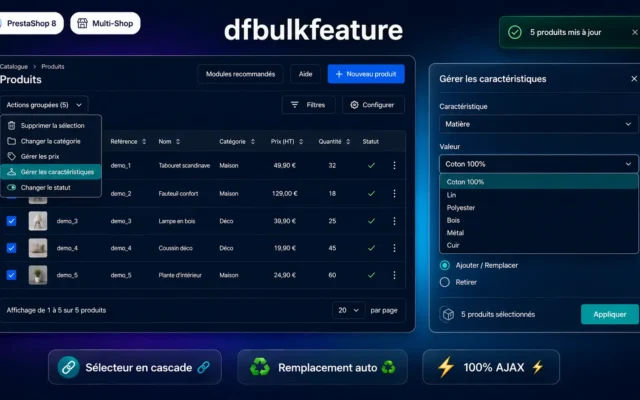
Assign or remove product features from a product selection in bulk, directly from the PrestaShop 8 product list. Cascading feature and value selector, 100%…
€49.00 View the module -
Merge Duplicate Attributes & Features PrestaShop 8 & 9
Clean filtersMerges duplicate attribute and feature values (Red, red, RED) and sets their order. One value per colour in your facets.
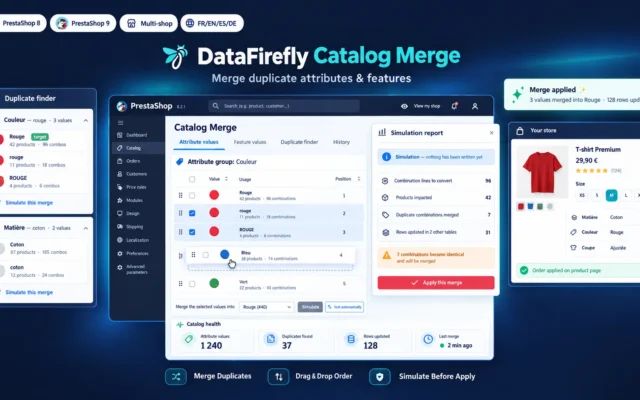
Merge duplicate attribute values and feature values in your PrestaShop 8 or 9 catalog, then set their display order with drag and drop. Every…
-
Group Products as Variants in PrestaShop 8 & 9: Amazon-Style Color and Size Selector
Variants without mergingGroups separate products under an Amazon-style colour and size selector, without merging the pages or losing their rankings.
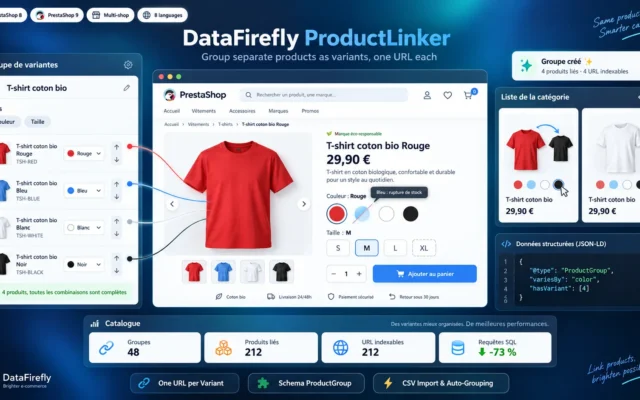
Link separate product pages so they show as one item with a color or size selector, like on Amazon. Each variant keeps its own…
€129.00 View the module -
DataFirefly Product Positions — Drag & drop categories for PrestaShop 8 & 9
Five minutes, instant effectDrag and drop for ordering. The first three positions capture most of the clicks.
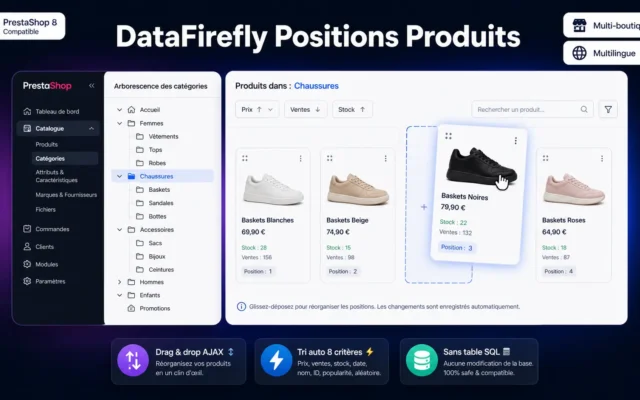
Reorder products in your categories by drag & drop, auto-sort by price, sales, stock, date or name, and pin your strategic positions so no…
Side-by-side comparison
| Module | Best for | Price | Rating | Link |
|---|---|---|---|---|
| DataFirefly Product Trash | Install this first | €59.00 | — | |
| Bulk Edit Products in PrestaShop 8 & 9: Spreadsheet-Style Editor | The most versatile | €129.00 | — | |
| Import Export CSV & XML for PrestaShop 8 & 9 — Visual Mapping, Scheduled FTP/SFTP Imports | The import that survives | €129.00 | — | |
| Supplier Feed Import & Dropshipping for PrestaShop 8 & 9 — CSV, XML, JSON | The dropshipping trap | €99.00 | — | |
| Bulk Edit Product Features for PrestaShop 8 | The underrated lever | €49.00 | — | |
| Merge Duplicate Attributes & Features PrestaShop 8 & 9 | Clean filters | €79.00 | 5.0 | |
| Group Products as Variants in PrestaShop 8 & 9: Amazon-Style Color and Size Selector | Variants without merging | €129.00 | — | |
| DataFirefly Product Positions — Drag & drop categories for PrestaShop 8 & 9 | Five minutes, instant effect | €60.00 | 5.0 |
A catalogue is not content, it is a database
While you have twenty products, you edit them one by one. At two hundred, every action you perform “once” is in fact performed two hundred times — and that changes everything.
A 3% price increase: two clicks on one product, a lost day on two hundred. A new category: one second on one, an afternoon on two hundred. That is why bulk editing is not a convenience but a condition of survival past a certain catalogue size.
The import is not the problem
Anyone can import a CSV once. What fails is the repetition: the supplier feed that changes every night, the columns the supplier renames without warning, the images that do not come through. An import that is neither mapped nor scheduled is an import you rework by hand every single time.
The action nobody can undo
Deletion. In PrestaShop, a deleted product is gone for good — with its history, its reviews, its SEO. A trash bin costs almost nothing and is the only module in this selection that protects you from yourself.
For what happens after the order (editing orders, customising invoices and emails, audit log), see our back-office order management selection.
How to choose
Install the trash bin first
Yes, really — before anything else. PrestaShop has none: a deleted product is gone for good, with its history, its reviews and its SEO authority. And the first bulk import you map badly can overwrite two hundred products in one second. The trash bin is your undo key. It costs almost nothing.
Then automate what you do most often
If you adjust prices regularly: bulk price update. If you are restructuring your catalogue: categories and features. The rule is simple — automate the action you repeat most often, not the most impressive one.
The import that counts is the repeatable one
Anyone can import a CSV once. What fails is the twentieth night, when the supplier renames a column. Visual mapping and scheduling survive that; a hand-built script does not.
The supplier feed trap
A dropshipping feed changes prices and stock every night. Decide explicitly which fields it may control: stock yes, your selling price no. Fail to decide, and one morning you are selling at supplier cost — and you find out at month end.
And the lever nobody sees
The order within the category. The first three positions take the bulk of the clicks. If your best-seller sits at position fourteen, you are not selling it — you are hiding it. Five minutes of drag and drop, immediate effect.
What you gain
Two hundred products, one action
Prices, categories, features: what costs two clicks on one product costs a day on two hundred. Until now.
An import that repeats
Visual column mapping and scheduled FTP/SFTP imports. The repeatable import, not the one-off.
The supplier feed, automated
CSV, XML, JSON: the supplier feed changes every night. It gets mapped, not retyped.
The trash bin that does not exist
In PrestaShop a deleted product is gone for good — with its history, its reviews and its SEO.
The order that sells
Drag and drop to set the order within a category. The first three positions take the bulk of the clicks.
A pricing policy you can execute
A 3% price increase across the whole catalogue: seconds instead of a lost day.
From install to results
-
The trash bin first
PrestaShop has none. The first badly mapped import can overwrite two hundred products in one second.
-
Automate the most frequent action
Prices, categories or features — whichever you do most often. Not the most impressive one.
-
Build the repeatable import
The one-off import is easy. The twentieth night, when the supplier renames a column, is not.
-
Decide what the feed may control
Stock yes, your selling price no. Fail to decide and one morning you are selling at supplier cost.
-
Sort the order within the category
The first three positions take the bulk of the clicks. Five minutes of work, immediate effect.
“A badly mapped supplier import replaced our selling prices with the supplier's cost prices. We noticed three days later. Without a trash bin we would have restored nothing.”
Frequently asked questions
At how many products do I need bulk editing?
Around a hundred products. Not because of the number itself, but because of the repetition: the moment an action costs more than an hour by hand, it stops being done. And a pricing policy you cannot execute is not a policy.
Why is PrestaShop's native import not enough?
The one-off import is easy. What fails is the repetition: the supplier renames a column, adds one, changes the delimiter — without warning. An import with visual mapping and scheduling survives that; a hand-built script does not.
Why a product trash bin?
Because PrestaShop has none. A deleted product is gone for good — with its order history, its reviews, its inbound links and its SEO authority. It is the only module in this selection that protects you from yourself, and it costs almost nothing.
Does the order within a category really matter?
Yes, and it is the most underrated lever on this page. The first three positions in a category take the bulk of the clicks. If your best-seller sits at position fourteen, you are not selling it — you are hiding it. Drag and drop takes five minutes and works immediately.
Can I destroy my catalogue with a bad import?
You can — and you will. That is why the trash bin goes in first, before you run your first bulk import. A badly mapped import can overwrite two hundred prices in one second. The trash bin is your undo key.
Can the supplier feed overwrite my prices?
Yes, and it is a real trap. A dropshipping feed changes prices and stock every night — if it overwrites your own prices, you are selling at supplier cost. Decide which fields the feed may control (stock, yes) and which it may not (your selling price, no).
Which bulk edit is most underrated?
Features. Their effect is invisible, but they feed your faceted navigation — so your filters, so your SEO on category pages. A catalogue with incomplete features is a catalogue where the customer cannot filter. And someone who cannot filter does not buy.
Will these modules tidy up my catalogue?
No, and it matters. These modules execute what you tell them — very fast, across very many products. If your categorisation is wrong, bulk assignment will make it wrong very efficiently. Fix the logic first, automate second.
Not sure which one fits your store?
Tell us your context — we answer with a straight recommendation, not a sales pitch.