
Everything you'd want to know before you install.
A detailed look at how DataFirefly Size Guide — PrestaShop 8 & 9 module works, why we built it the way we did, and the thinking behind the features above.
§ 01
What this module is for
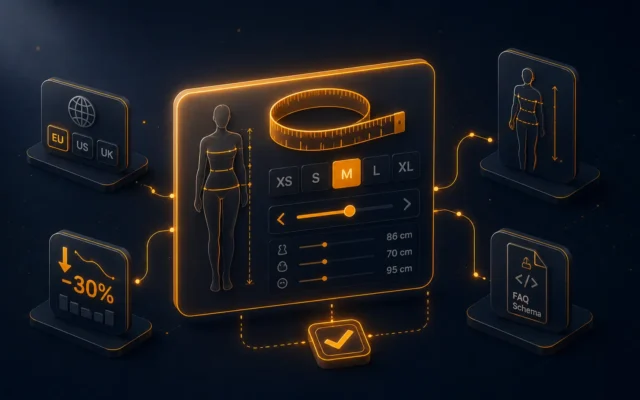
On apparel and footwear shops, more than 20 percent of returns come down to a size problem. The answer: show a clear, contextual guide right on the product page (the correct chart for the category or the brand), ideally interactive so the buyer can place themselves. dfsizeguide combines the three: an EU/US/UK chart editor, an assignment system that picks the right chart automatically, and a calculator that turns measurements into a recommendation.
§ 02
How the chart resolver works
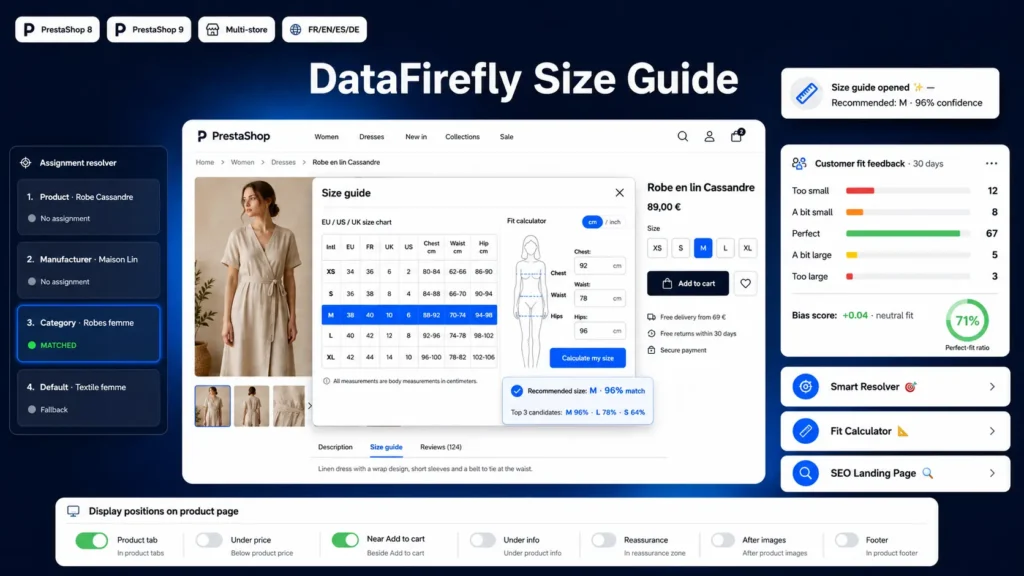
When a customer lands on a product page, the module walks a strict priority: an explicit assignment for that product first, then the combo formed by one of its categories and its brand, then its manufacturer alone, then one of its categories (deepest first), and finally the chart marked as the global default. The merchant therefore maintains one chart per brand or per department without ever touching individual product pages.
§ 03
Narrowing a rule: exclusions and strict combos
A category rule or the default assignment covers every brand by nature. Two mechanisms narrow them. Exclusions carve specific brands or products out of a rule's scope: the excluded product skips that rule and keeps falling through, to the parent category, then the global fallback, then no guide at all. Strict combo mode works differently: it makes any category holding at least one brand × category combo exclusive to those brands, so products of the other brands there inherit neither the category rule nor the default guide. A chart assigned explicitly to their brand still applies.
§ 04
The size calculator in detail
The customer enters one measurement per measurement group in the chart. Values are normalised to centimetres, converted automatically if inches were selected. The module returns the sizes that fit exactly first, meaning those whose ranges all contain the entered values. It then returns, separately and presented as secondary, the neighbouring sizes obtained by widening each range by the tolerance, minus whatever the first list already holds. When nothing fits even with the tolerance, it points at the least distant row rather than saying nothing. Matching rows are highlighted in the chart above.
§ 05
Grouped columns: one measurement, several variants
Some charts describe the same measurement across several columns. On a bra chart, the cup B, C, D and E columns are one bust circumference, not four. Give them the same group code in the editor and the calculator shows a single field, with the answer combining the row's size and the matching variant: 4B instead of 4. One measurement can land in several variants, in which case all of them are offered. Charts with no grouping keep the original behaviour exactly: one field per column.
§ 06
8 positions to fit any theme
Every PrestaShop theme lays the product page out differently. The module therefore exposes a checkbox per position in the back office: a clean tab through displayProductExtraContent (the default, recommended), under the price, next to the add-to-cart button, under the product info, in the reassurance block, after the images, at the bottom of the page, and inside the quick view popup. Enable them alone or combined, with a single shared modal that borrows nothing from Bootstrap and therefore works whatever the theme ships. Three visual button variants, compact, prominent and reassurance, applied automatically per position.
§ 07
Customer feedback: turning every purchase into a quality signal
The post-purchase feedback widget is rendered only to logged-in customers who actually bought the product and have not answered yet. Five choices: too small, slightly small, perfect, slightly large, too large. The back office aggregates everything in a table with an automatically computed bias score: positive when the product consistently runs large, negative when it runs small. That is how you identify badly graded references to fix with the supplier, or switch manually to a more generous chart.
§ 08
SEO: capturing size-related searches
The module exposes a dedicated page per category through PrestaShop's moduleRoutes system, at a configurable URL such as /size-guide/women. That page carries an h1 title, a breadcrumb, the full chart, the measuring instructions and JSON-LD WebPage markup that helps Google understand the page is a practical guide. Meta title and description are configurable per chart. Ideal for long-tail queries such as "women's dress size guide" or "men's shoe size conversion".



There are no reviews yet.