
Everything you'd want to know before you install.
A detailed look at how PrestaShop 8 Product Sales Columns Module — df_productsales works, why we built it the way we did, and the thinking behind the features above.
Three sales metrics directly in your product list
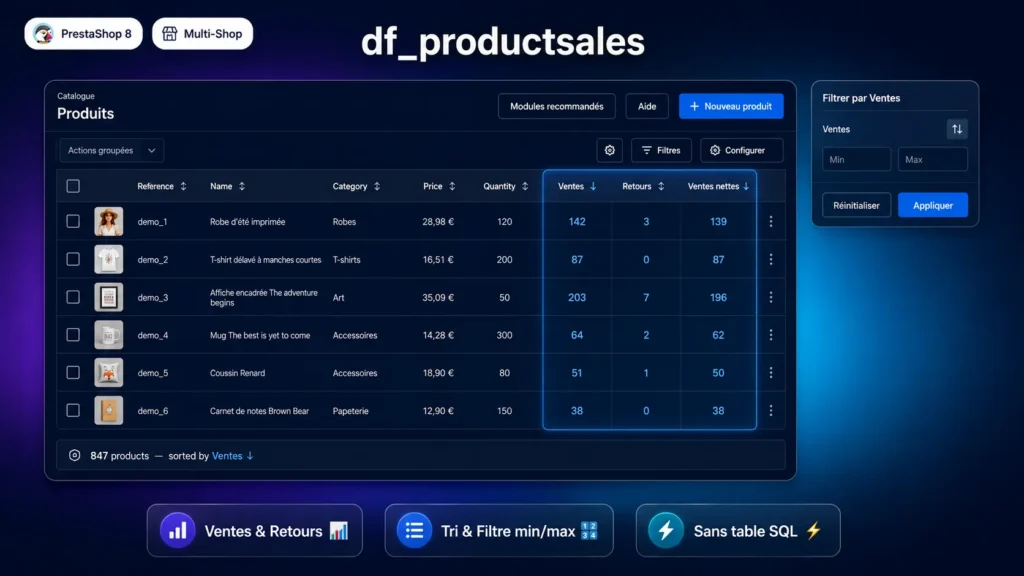
By default, the PrestaShop 8 product list shows reference, name, category, price and stock quantity — but not a single sales figure. To find out which products are selling, you have to navigate to the statistics section or cross-reference order reports. df_productsales fixes that in one install: the Sales, Returns and Net Sales columns appear directly in the table, on the same row as each product.
Accurate and reliable sales and returns calculation
Sales are calculated by summing product_quantity on order_detail rows where the order is in a valid state (paid, shipped, delivered via PS_OS_PAYMENT, PS_OS_SHIPPING, PS_OS_DELIVERED). Cancelled or pending orders are excluded. Returns sum product_quantity_refunded with no state filter, since a refund can be recorded regardless of the final order state — this detail prevents under-counting returns on stores that use a specific state for refunded orders.
Sort and min/max filters directly in the table
Each column is sortable by clicking its header, exactly like native columns. The min/max filter (Symfony PrestaShop NumberMinMaxFilterType) allows filtering products by sales range — for example: show only products sold between 5 and 20 times to identify mid-rotation items, or filter products with more than 0 returns for a quality audit. Filtering works via SQL HAVING to avoid breaking the GROUP BY of the main query.
Zero performance impact and clean installation
The module creates no SQL table on install. Data is calculated on the fly by subqueries added to the main grid query via the actionProductGridQueryBuilderModifier hook. The performance impact is limited to back-office product list page loads — no calculation happens on the front office. On a catalogue of a few hundred products, the subqueries have negligible cost thanks to PrestaShop's native indexes on id_product and id_order.




There are no reviews yet.