
Everything you'd want to know before you install.
A detailed look at how AI Competitor — Competitor Price Monitoring with AI works, why we built it the way we did, and the thinking behind the features above.
§ 01
Why monitor competitor prices continuously
Two shoppers out of three compare prices before buying. A 3 percent move at a direct competitor can flip a purchase decision. Without automated monitoring you find out about those gaps too late, after losing the sale. AI Competitor watches your competitors in the background, at the frequency you choose, and only tells you when it matters.
§ 02
Pulling a competitor's entire catalogue
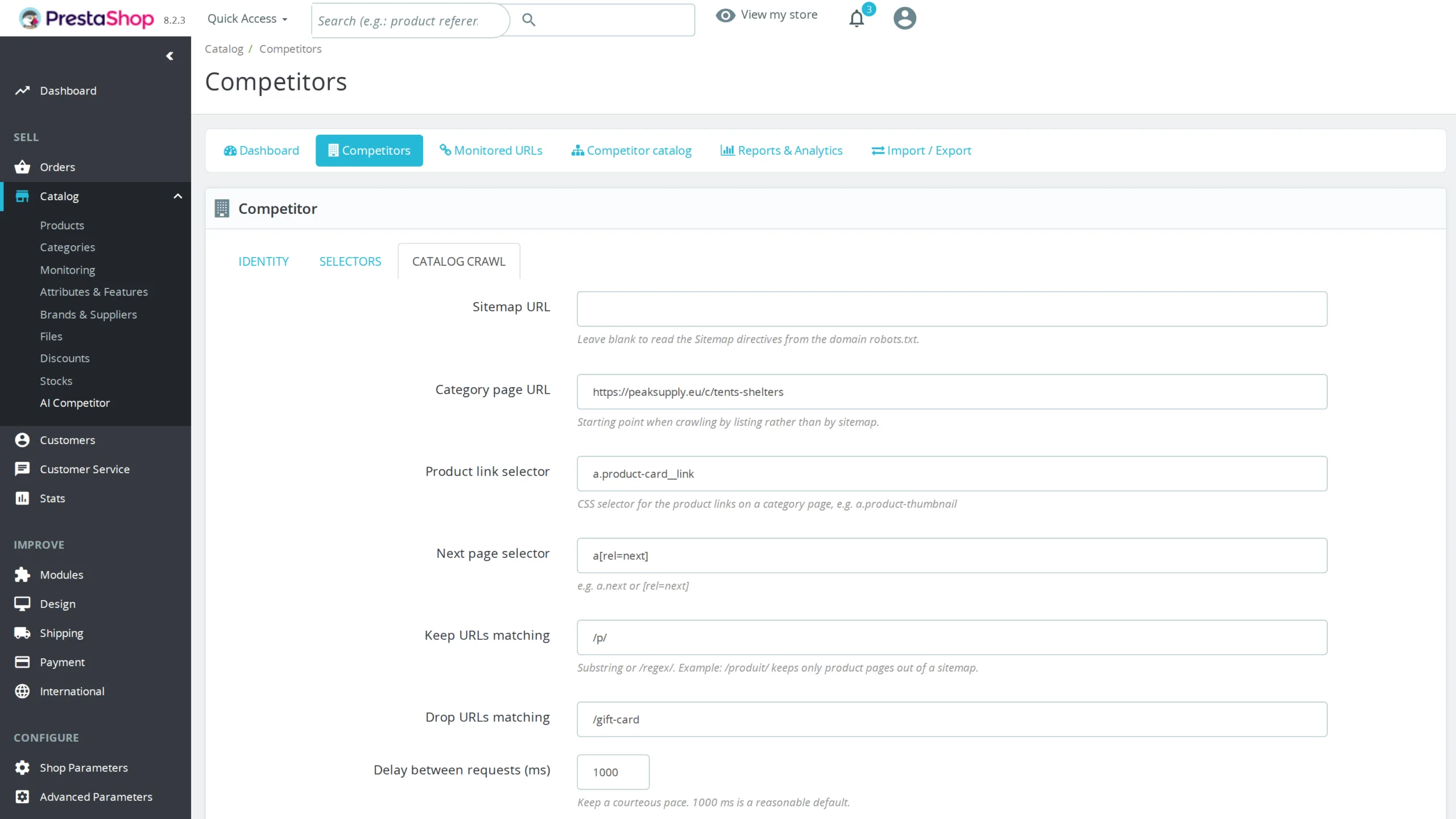
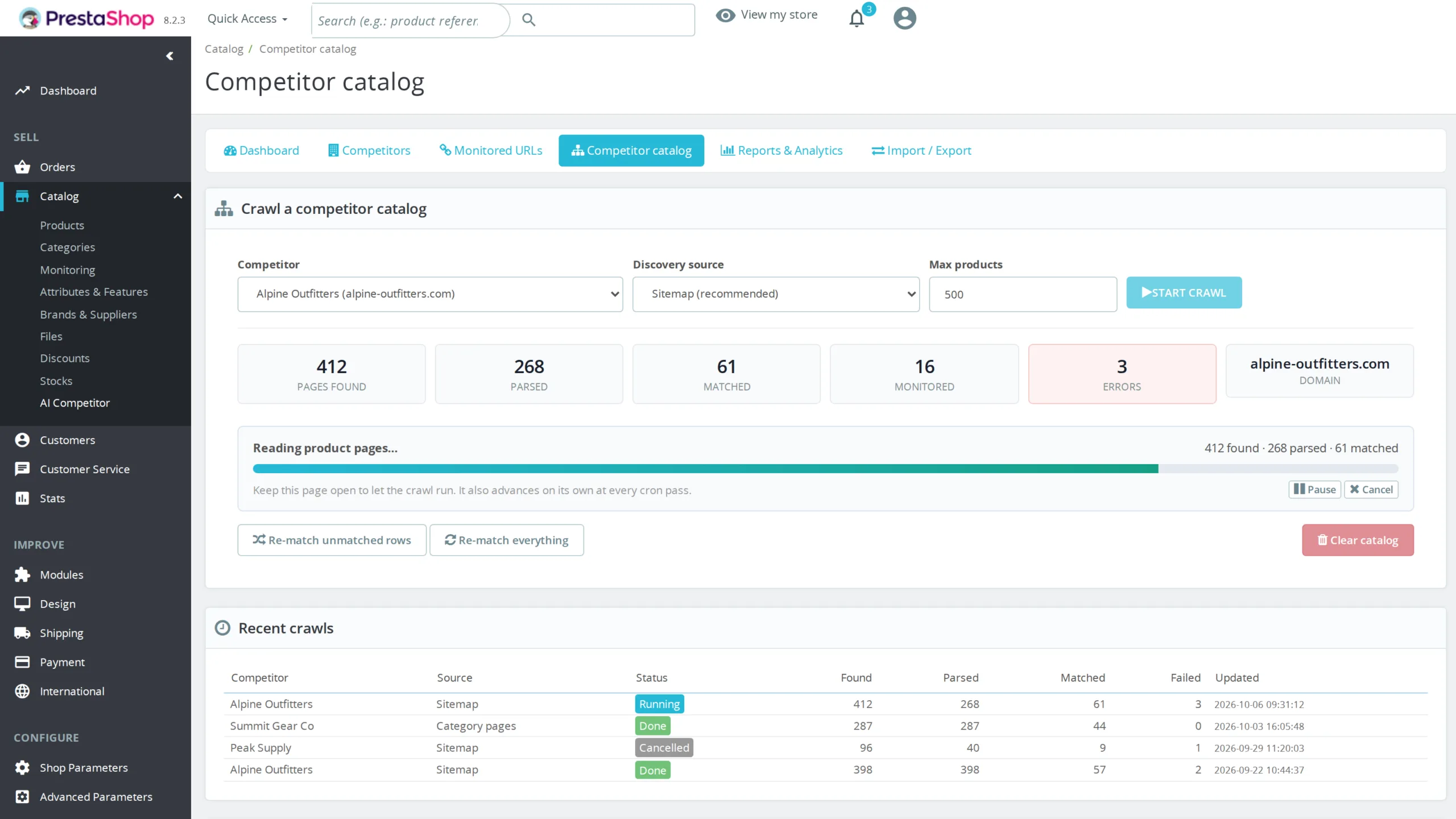
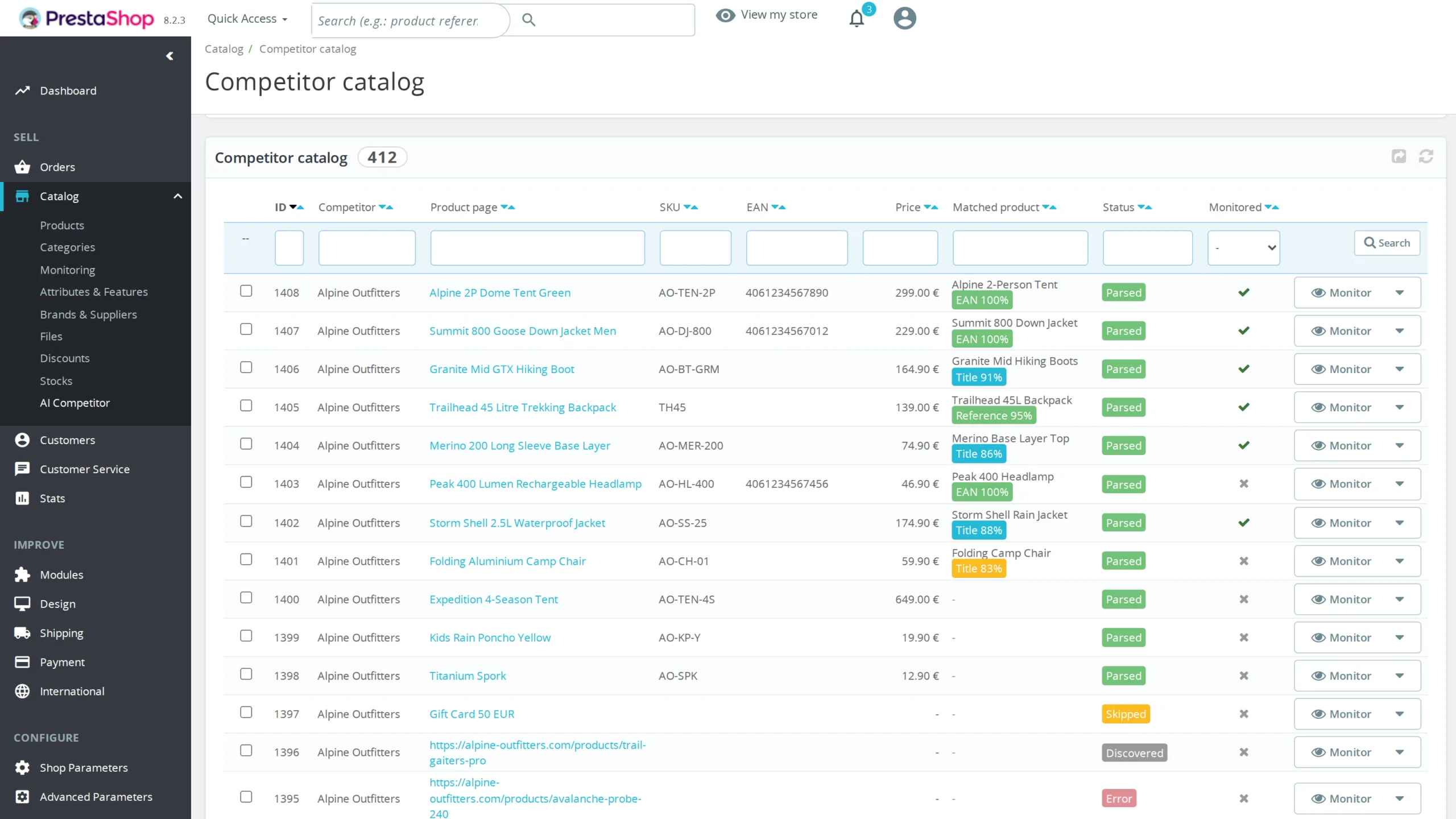
Typing competitor URLs one at a time does not scale to a real catalogue. The module builds the list itself: you give it a domain, it reads the configured sitemap or the one advertised by robots.txt, follows sitemap index files recursively, and keeps the addresses matching the pattern of that site's product pages. When no usable sitemap exists, the crawl starts from a category page, collects the product links and follows the pagination. Every discovered page is then opened to extract title, SKU, EAN, brand, price, availability and image.
§ 03
Matching against your catalogue
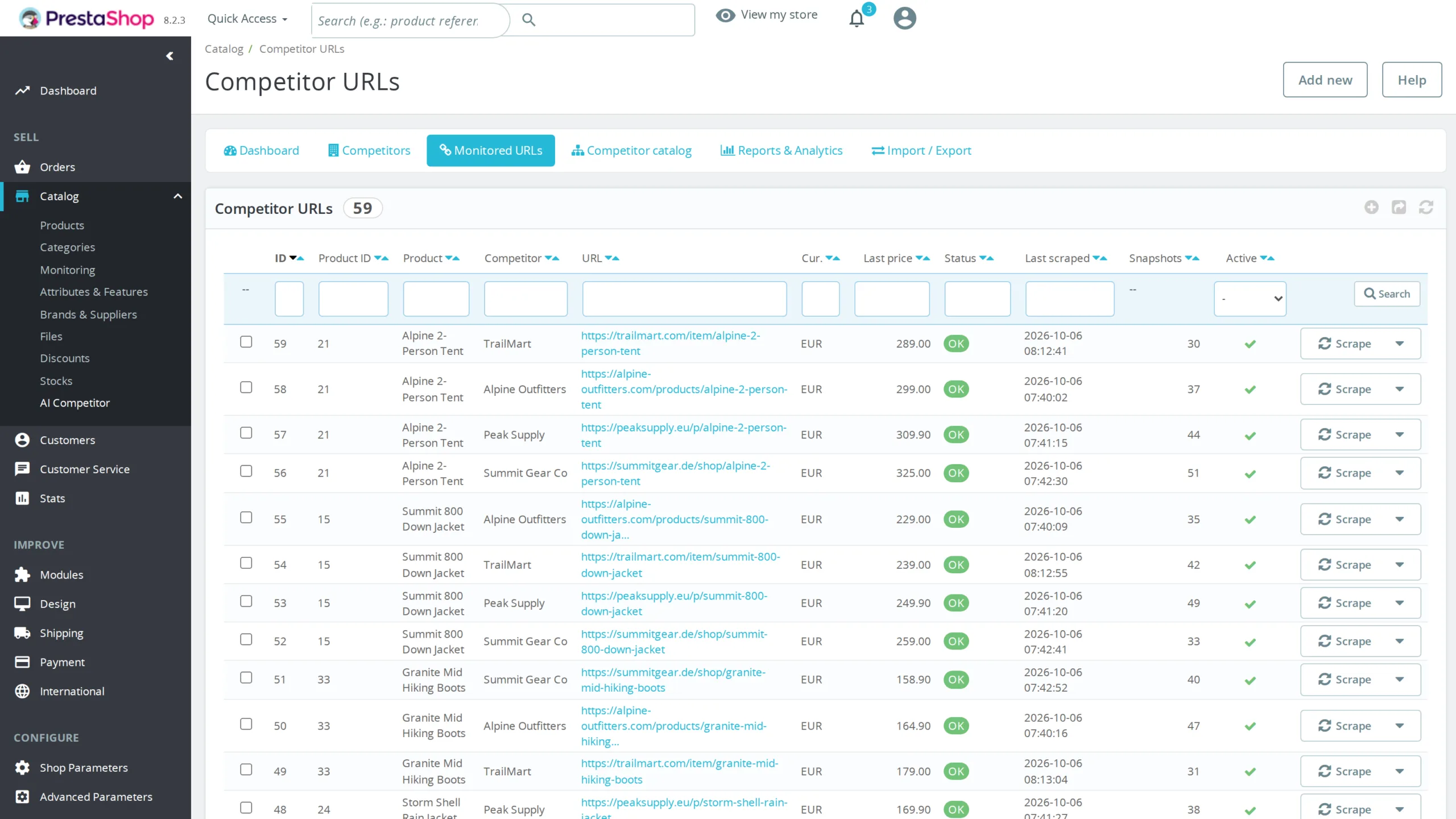
A list of competitor pages is only worth something once matched to your own products. The module tries EAN13 first, on products and on their combinations, which gives a certain match. Failing that it compares the reference, the supplier reference and the MPN. As a last resort it scores title similarity, with a weighting that gives model numbers and brands more weight than common words, against a threshold you set. Doubtful matches stay visible and are corrected by hand with autocomplete on your catalogue. A matched page becomes a monitored URL in one click, or in bulk from the list.
§ 04
One competitor definition, reused everywhere
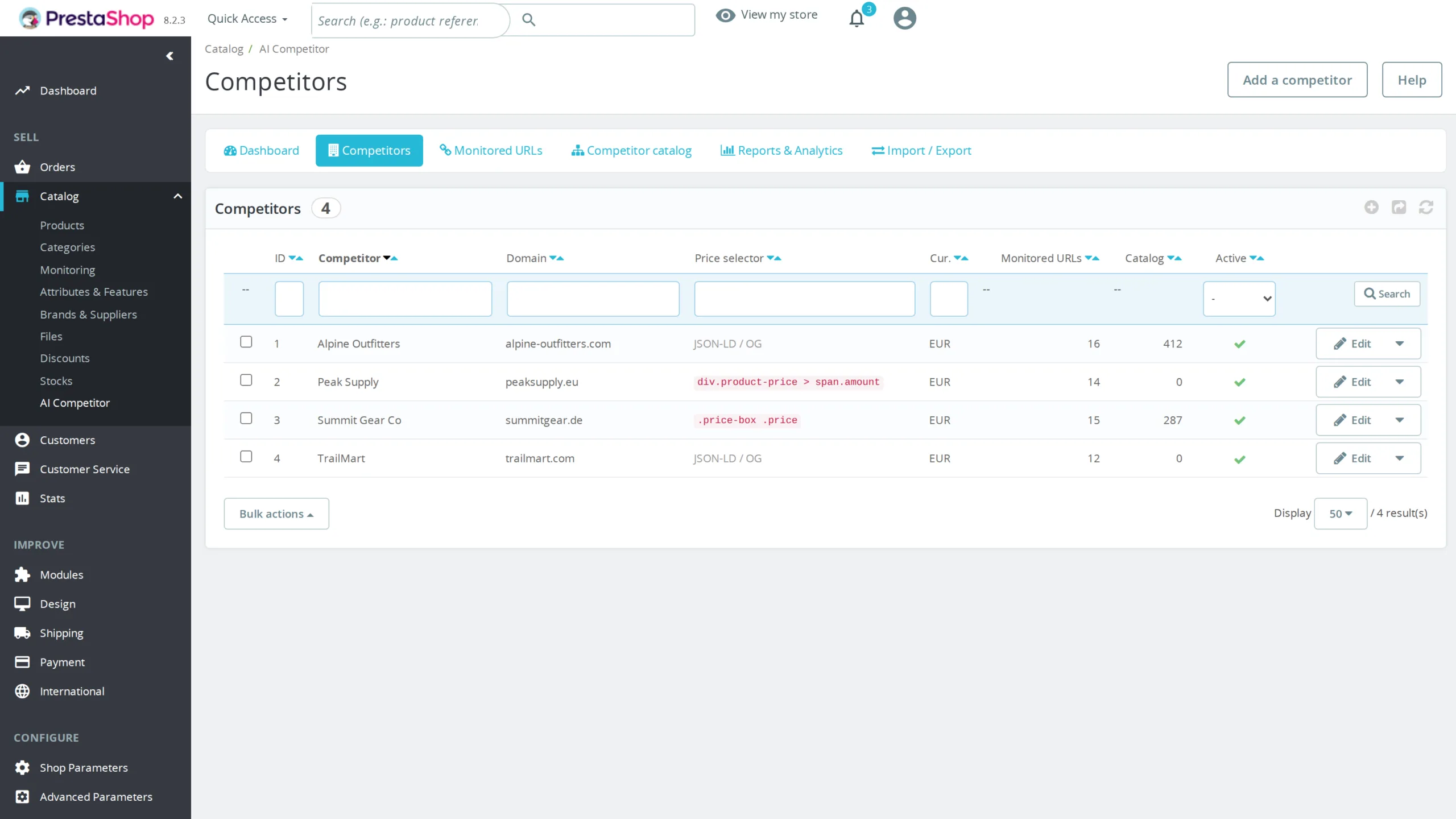
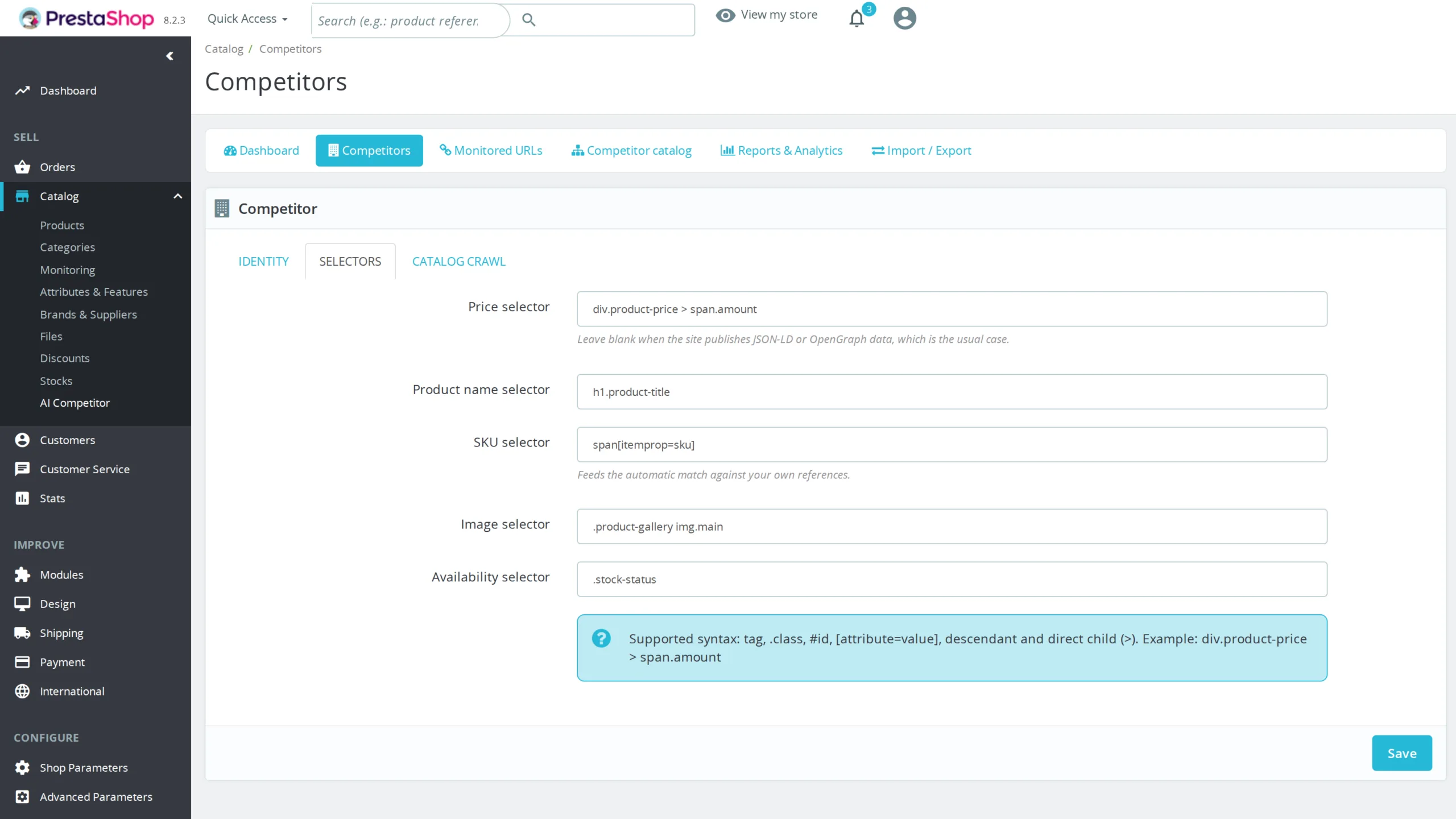
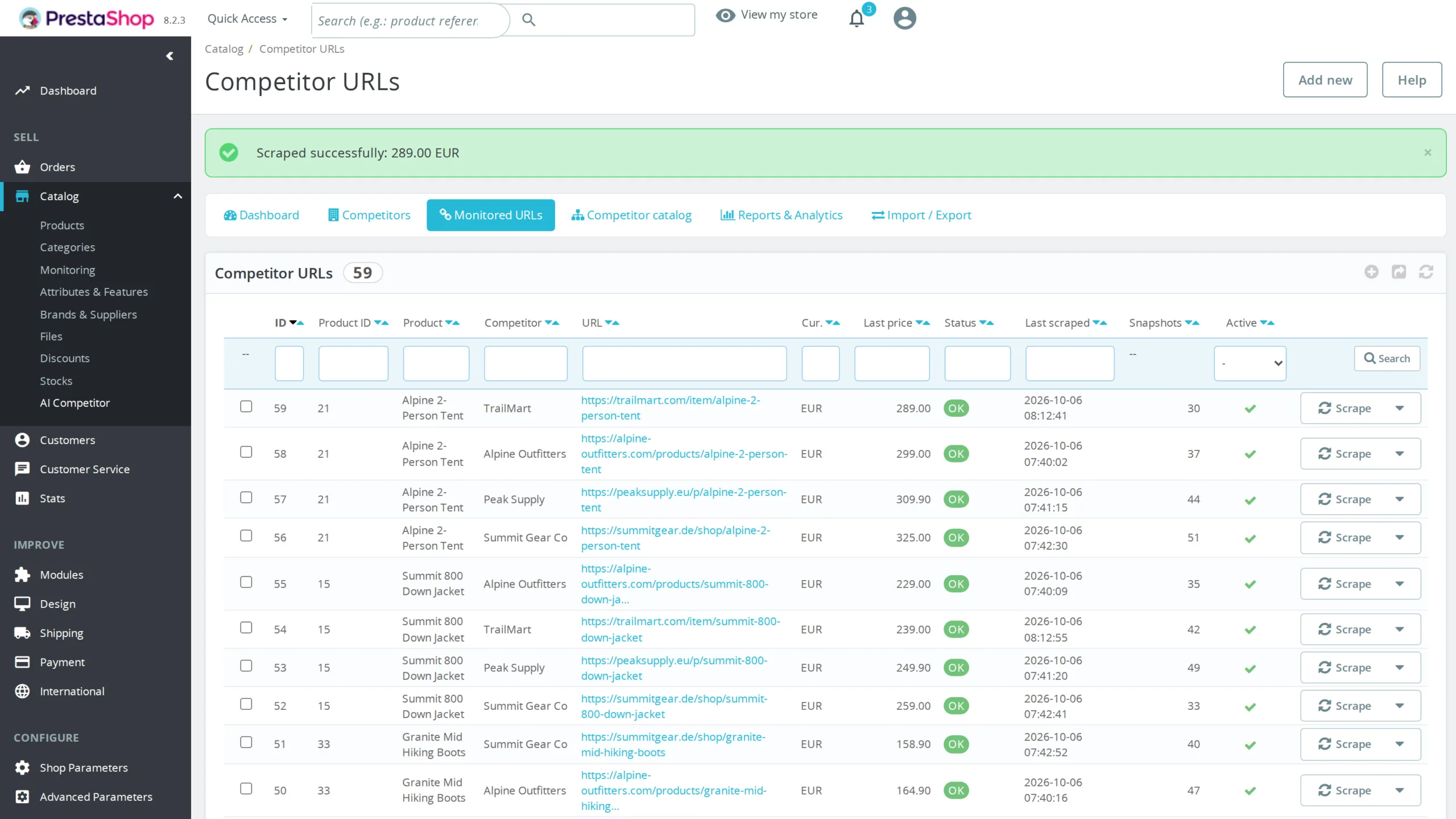
The competitor name and its CSS selectors are no longer retyped on every URL. A competitor is a record: name, domain, selectors for price, title, SKU, image and availability, currency, reading interval, crawl settings. Every URL attached to it inherits all of that, and the attachment happens automatically by comparing the domain of the address you enter. The day a competitor rebuilds its site and breaks a selector, you fix it on the competitor record and the fix propagates to all of its URLs.
§ 05
Carrying your configuration between shops
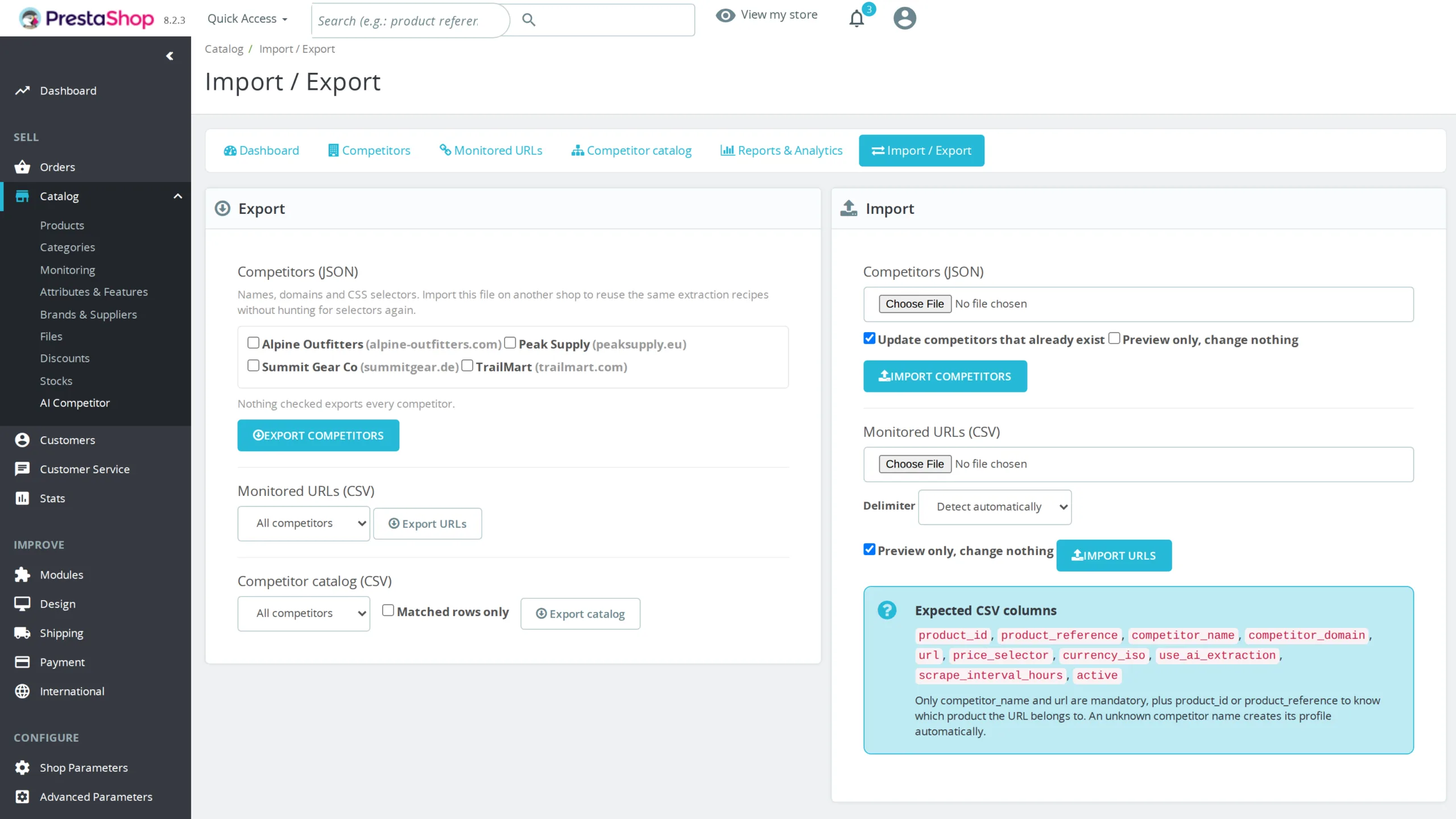
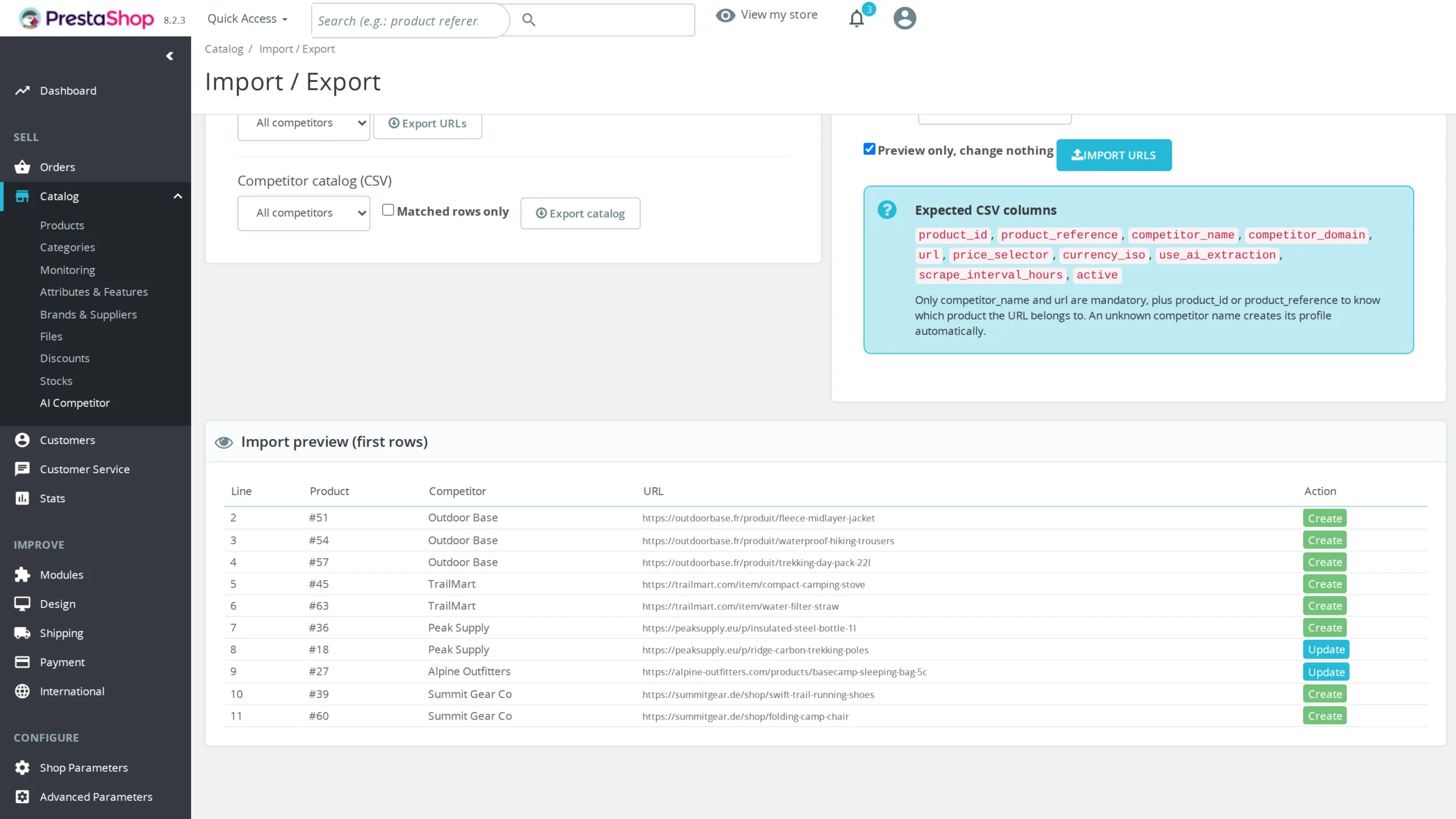
The competitor library exports to a JSON file and re-imports elsewhere. The extraction recipes you worked out on one shop serve immediately on the next, instead of being rediscovered selector by selector. Monitored URLs travel as CSV: the product is resolved by id or by reference, and an unknown competitor name creates its record on the fly, so a single file is enough to bootstrap an entire setup. The delimiter is detected automatically, and imports start in preview mode, reporting line by line what would be created, updated or skipped before anything is written.
§ 06
Price extraction that never breaks
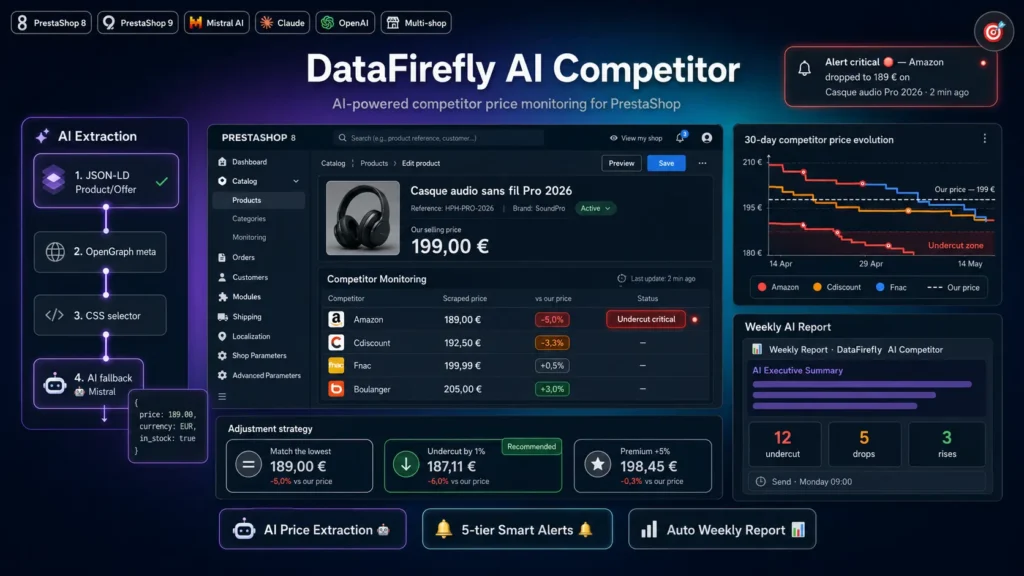
The module tries several extraction methods in cascade for each URL. First JSON-LD Product/Offer structured data, published by most modern sites. Then OpenGraph product price amount tags. Then your CSS selector if you provided one. And as a last resort the AI: a cleaned HTML excerpt goes to the provider of your choice, which returns the price, the currency and the stock state as strict JSON. In practice, even if a competitor rebuilds its site tomorrow, your monitoring keeps running.
§ 07
Analytics that answer the useful question
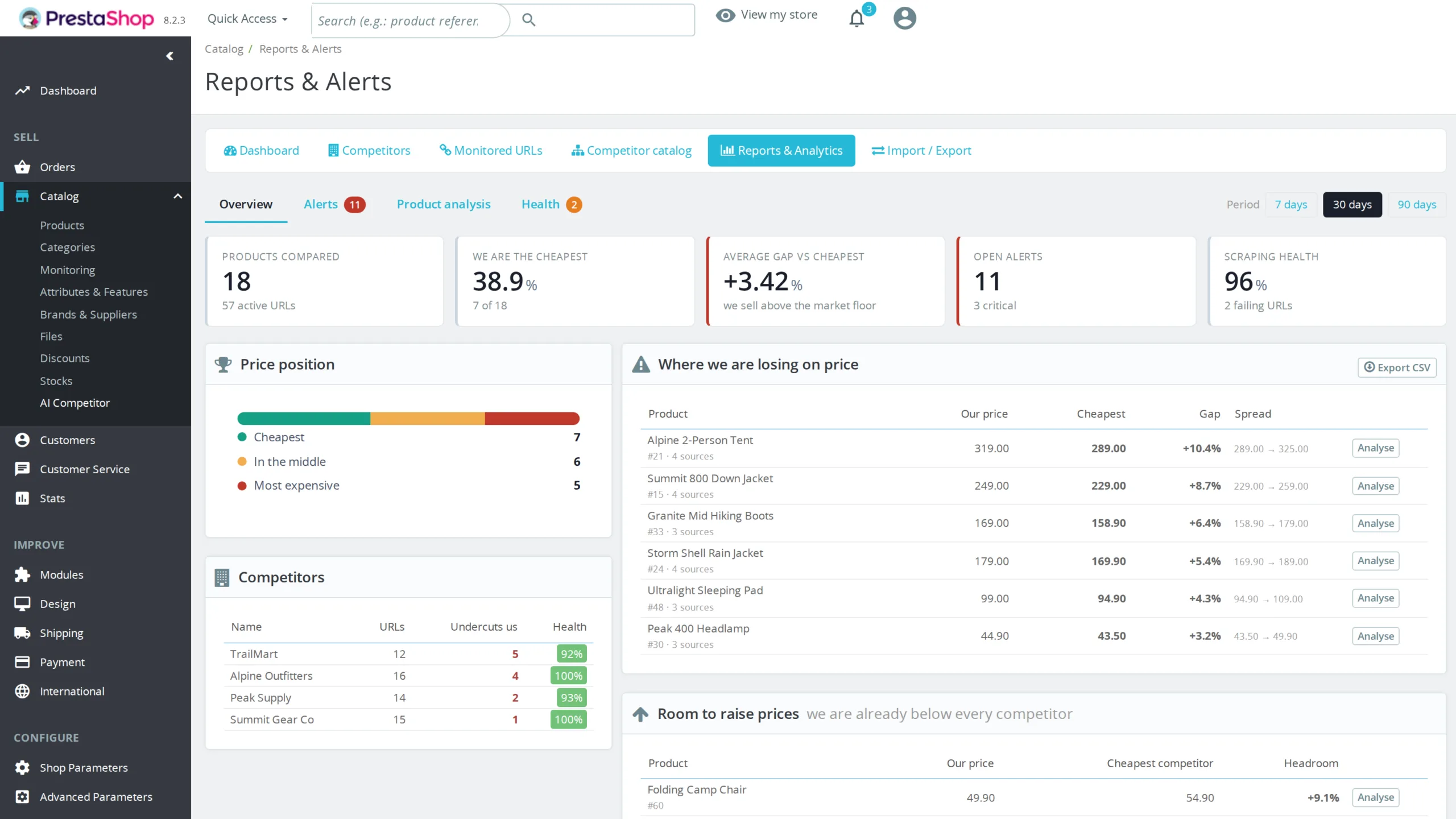
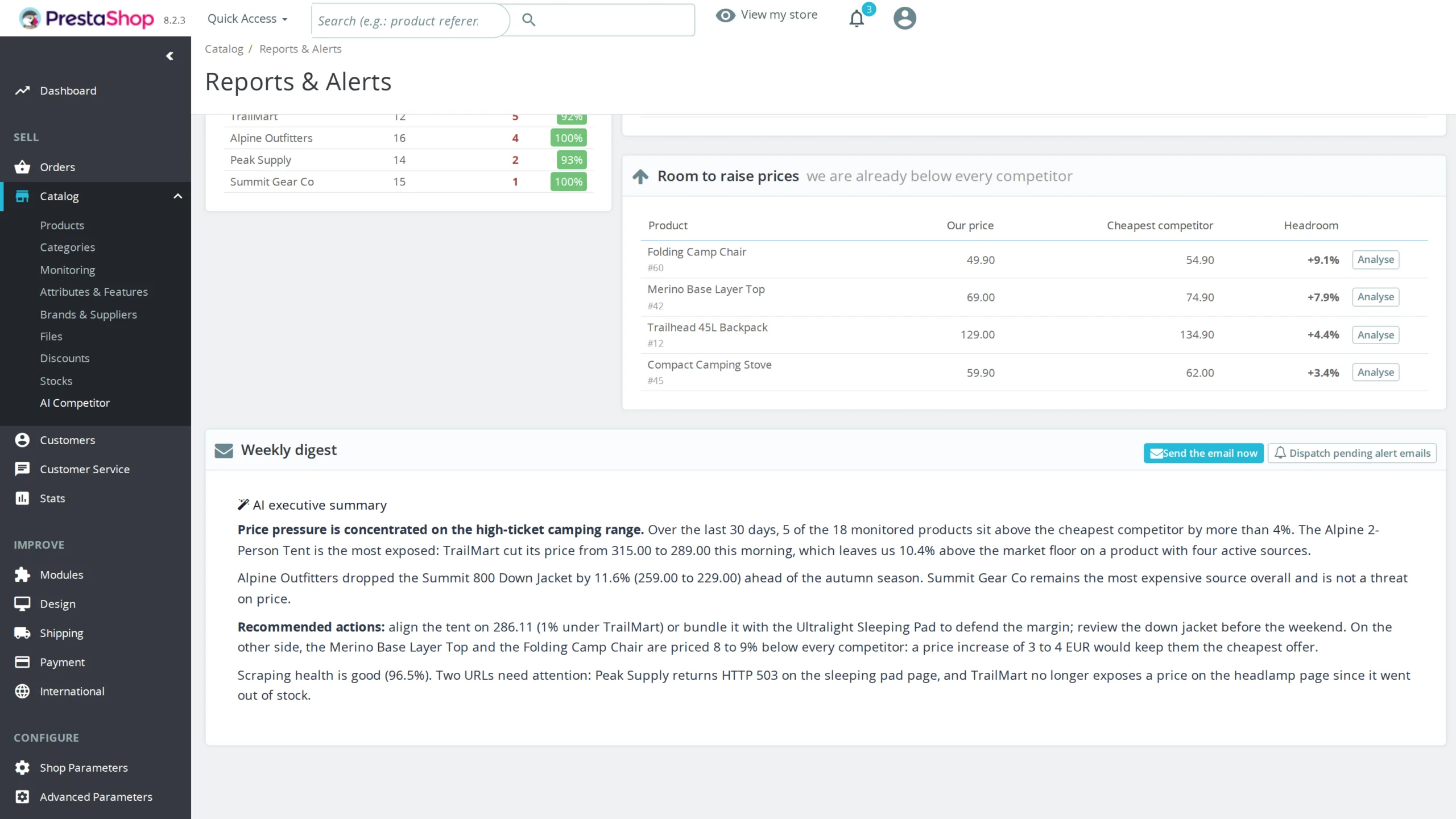
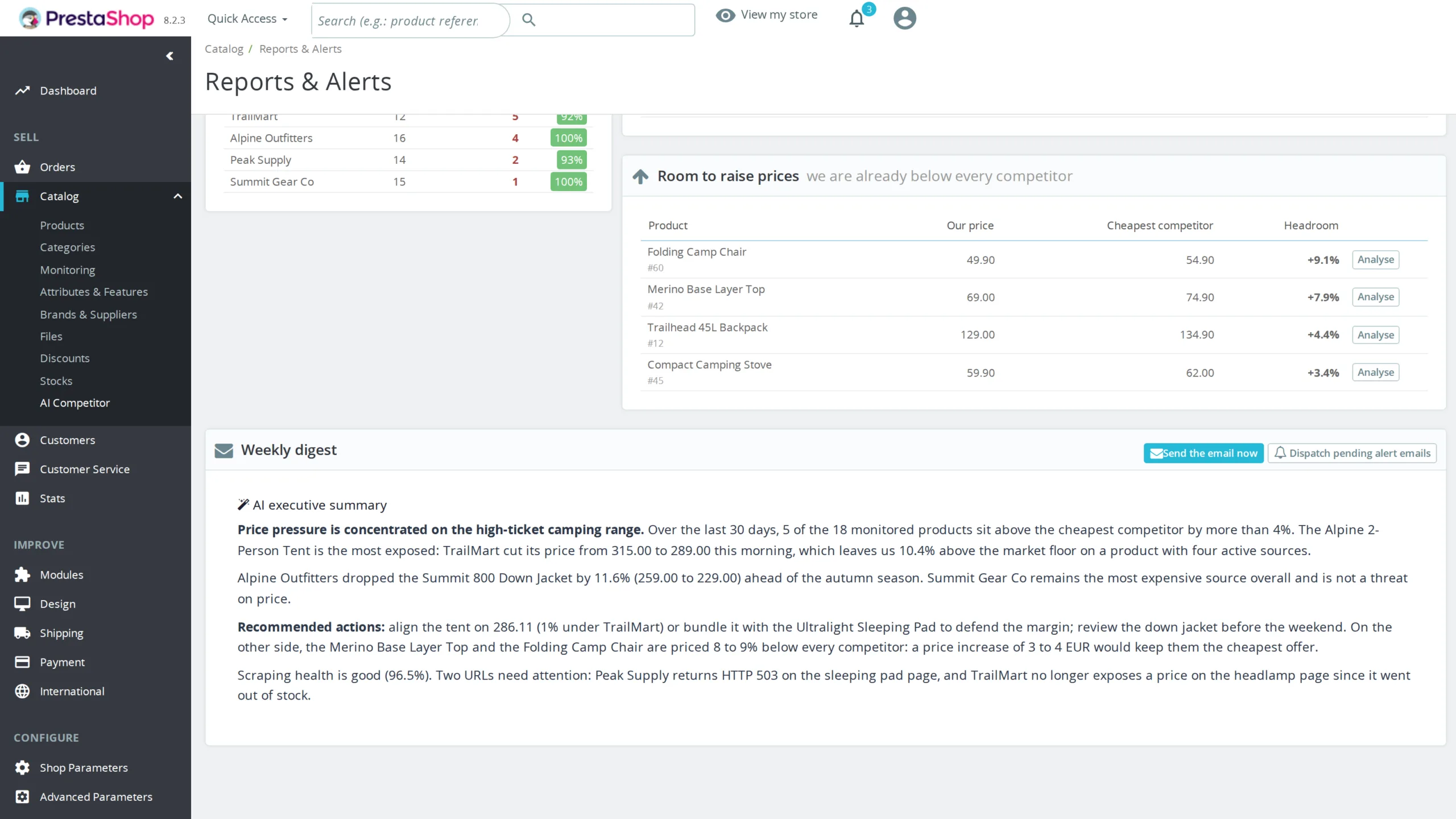
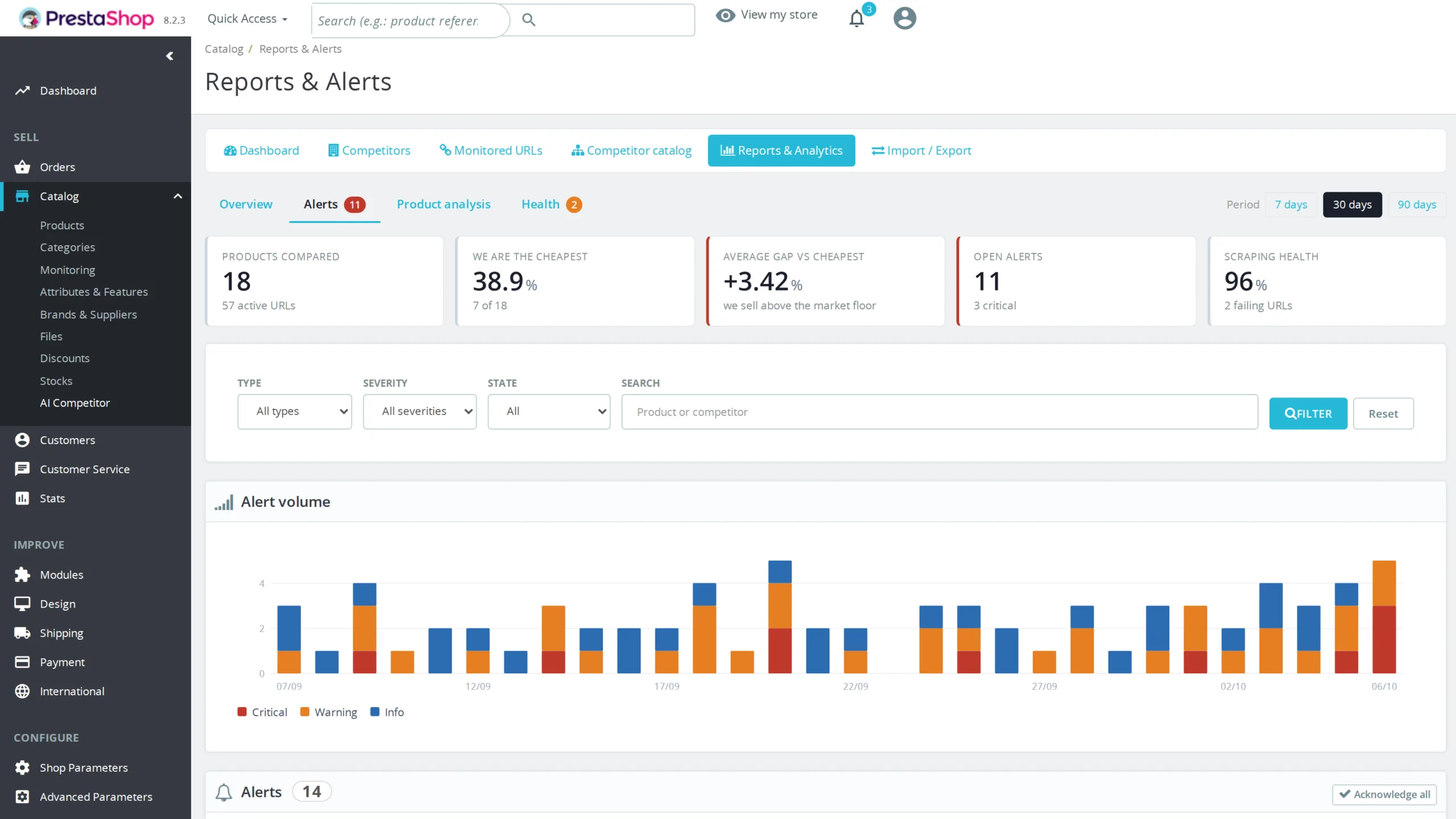
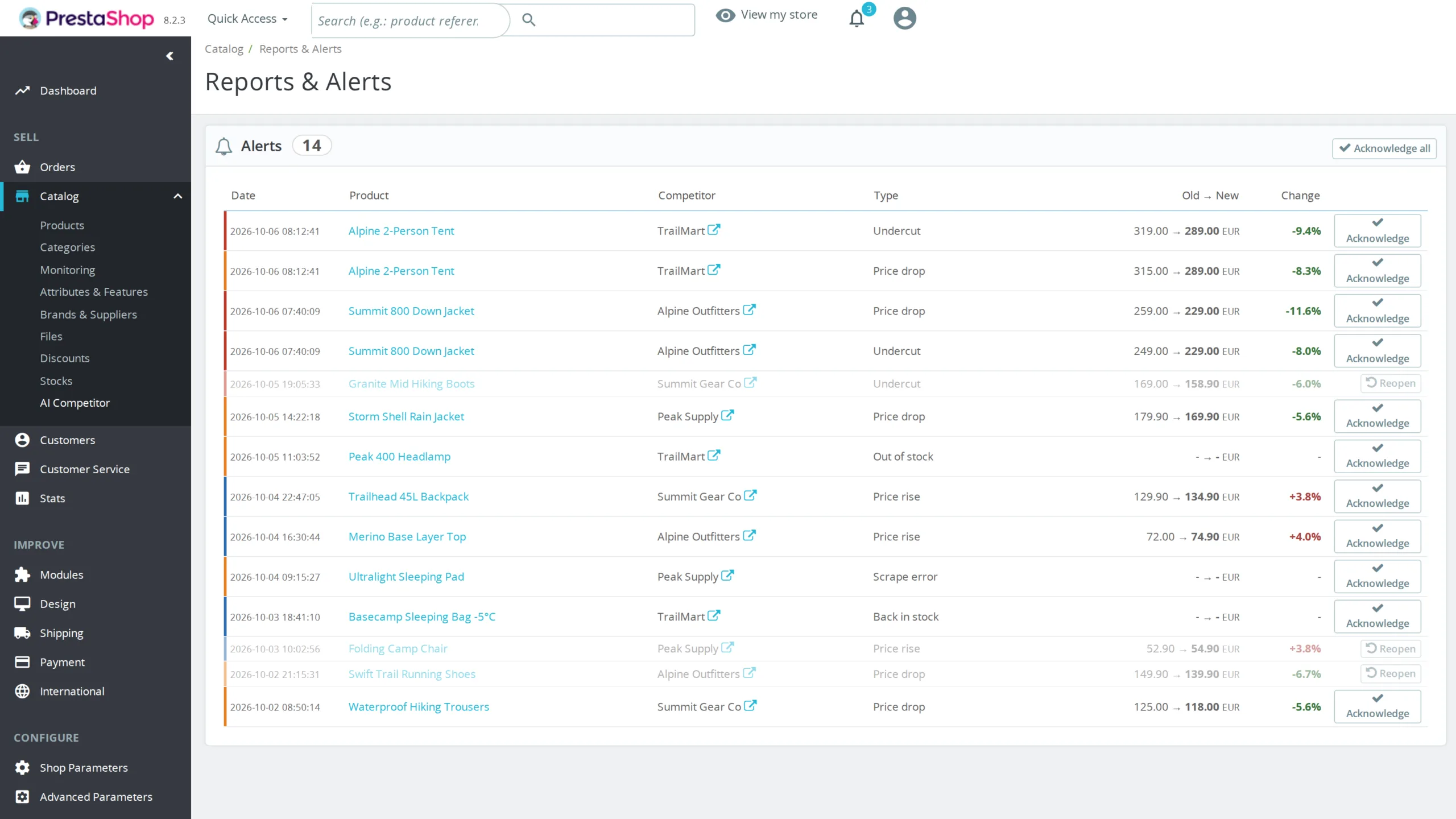
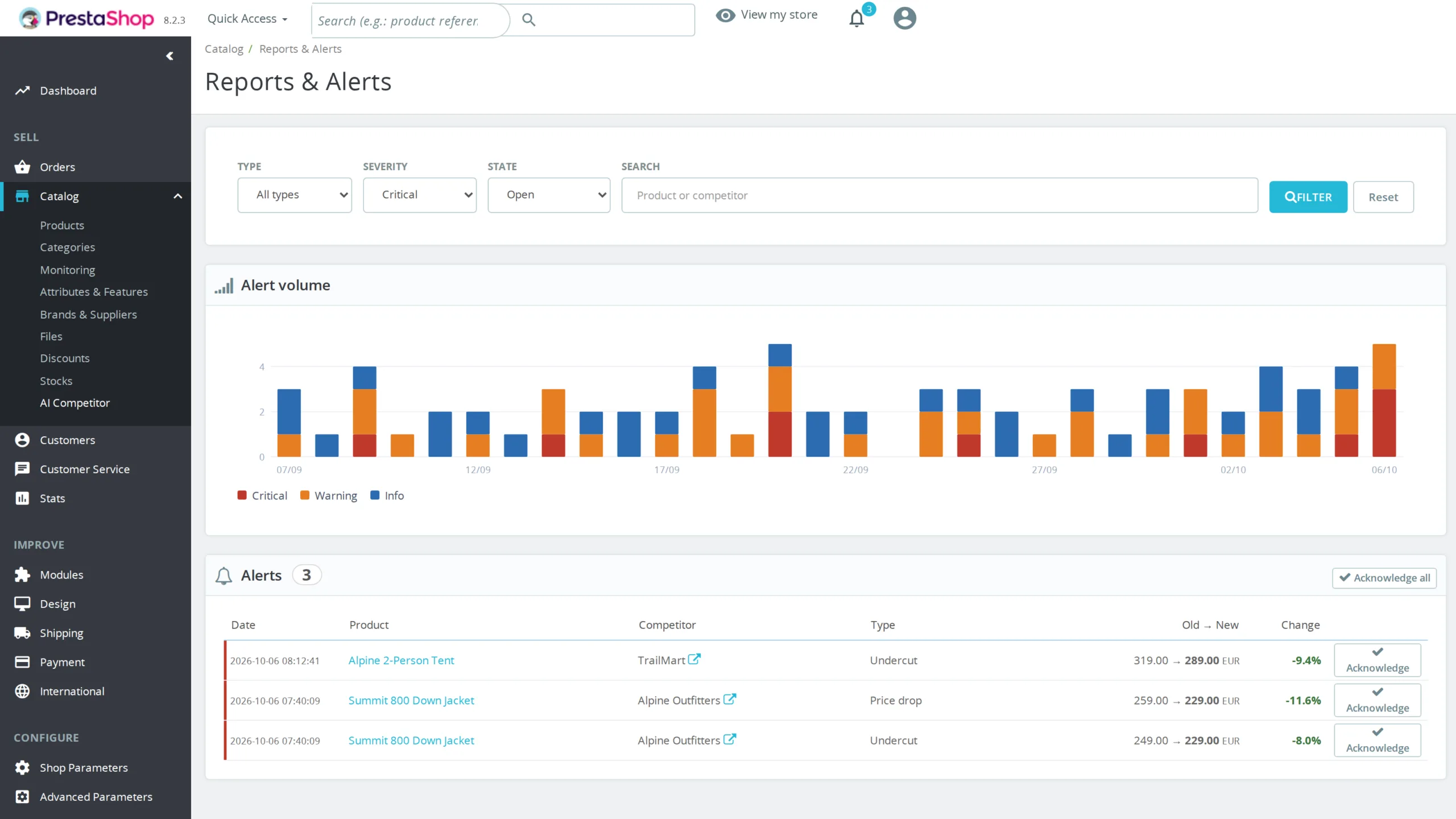
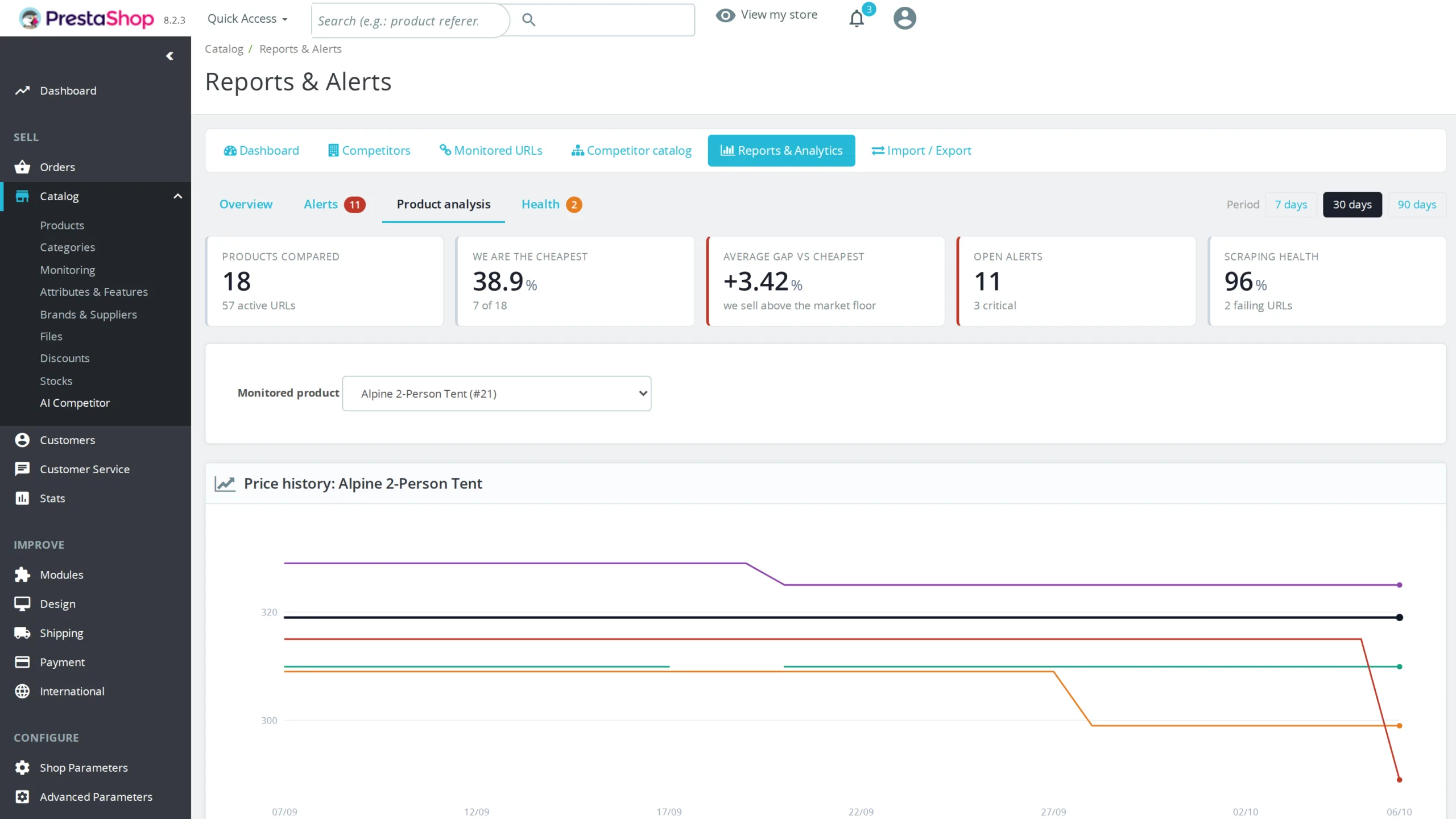
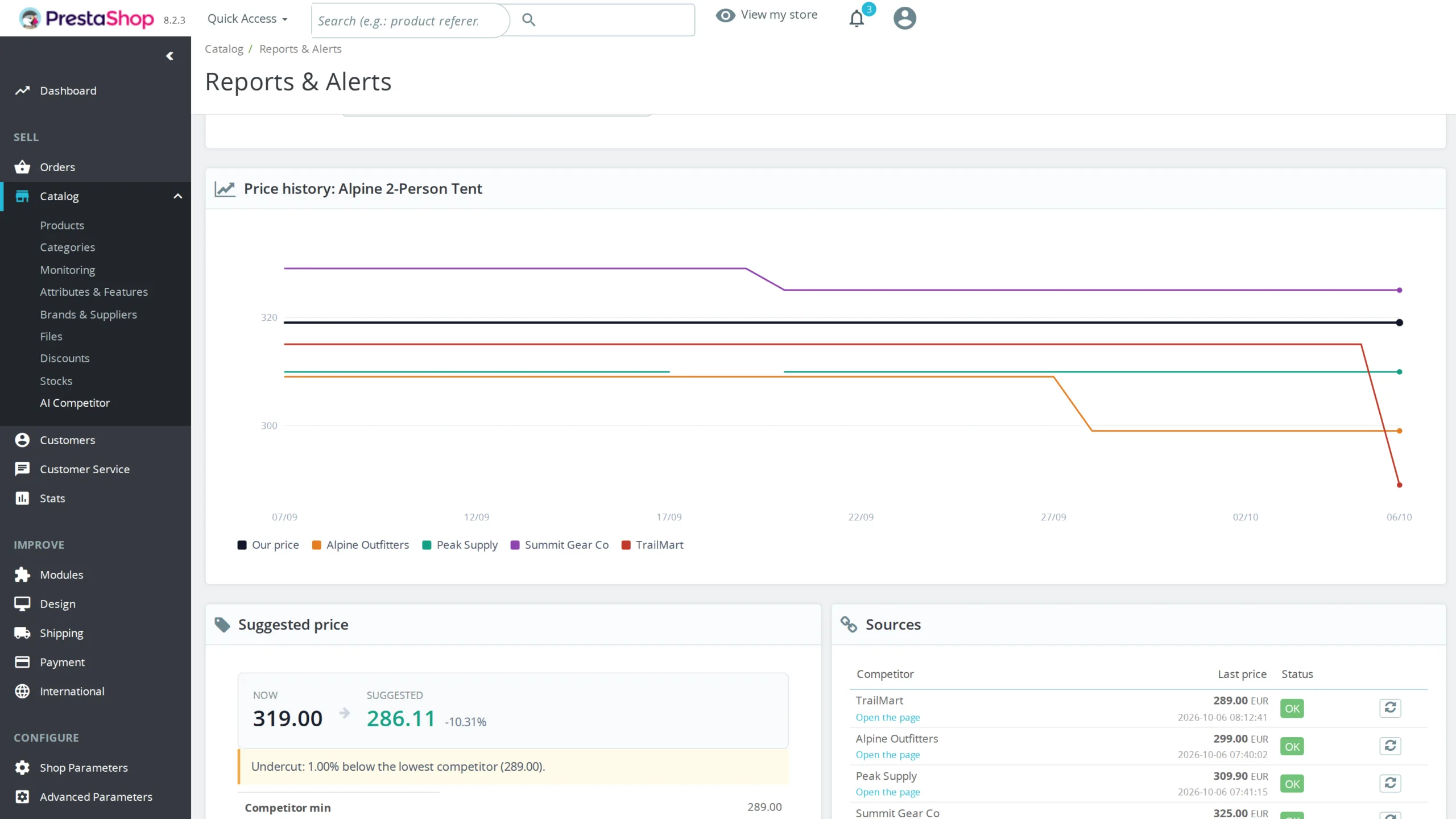
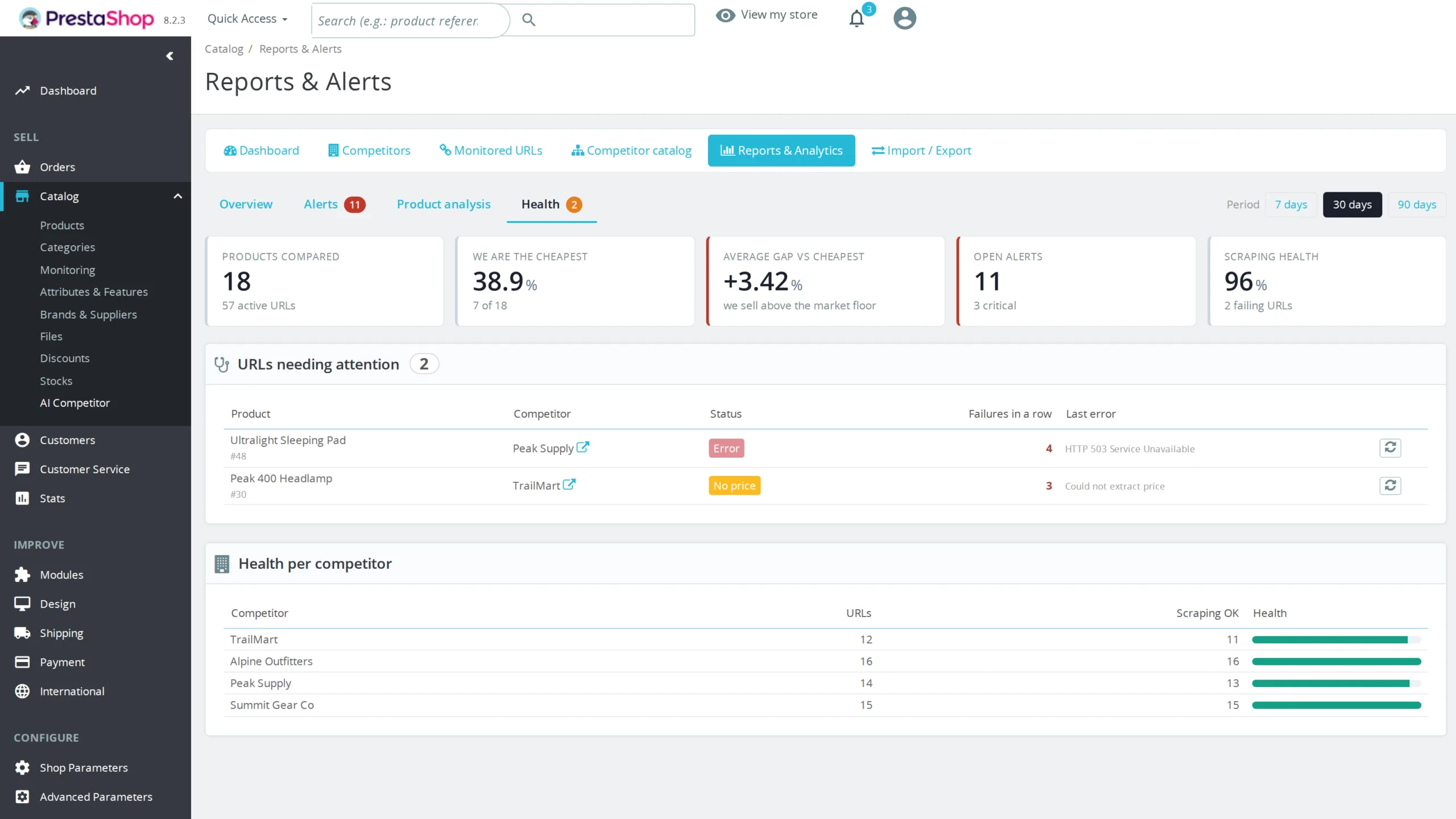
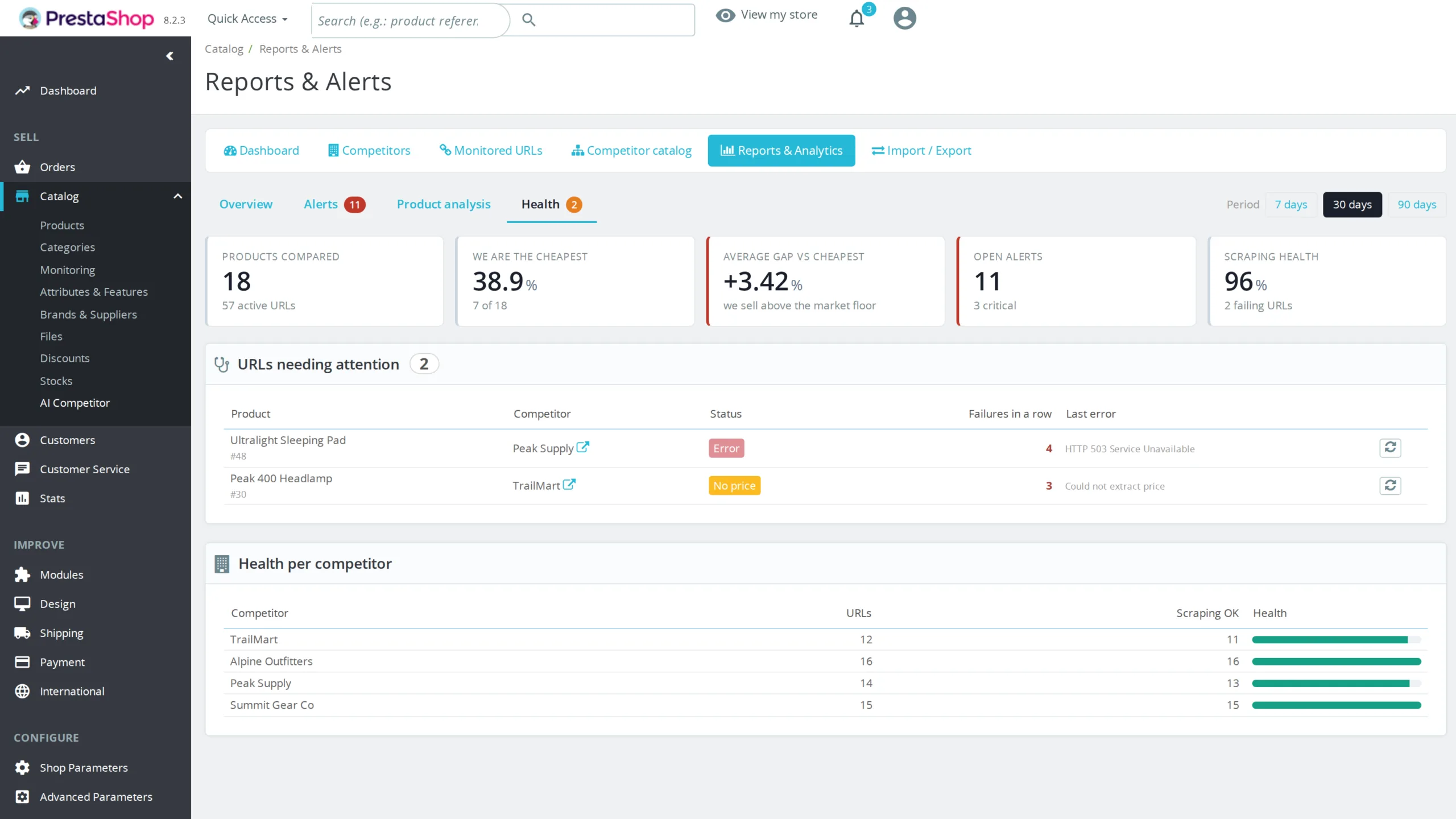
The reporting screen fits in four tabs behind a permanent KPI strip. The overview gives your market position: share of products where you are the cheapest, share where you are the most expensive, average gap against the market floor, and the products ranked by gap, both where you are losing on price and where you have room to raise. The alerts tab filters by type, severity, state and free text, with inline acknowledgement. The product analysis tab plots your price against each competitor over the chosen period. The health tab lists the URLs that keep failing, with their last error and a retry button. Every reading also stores your own price at that moment, which is what makes the gap history reconstructible.
§ 08
Alerts that are useful, never noisy
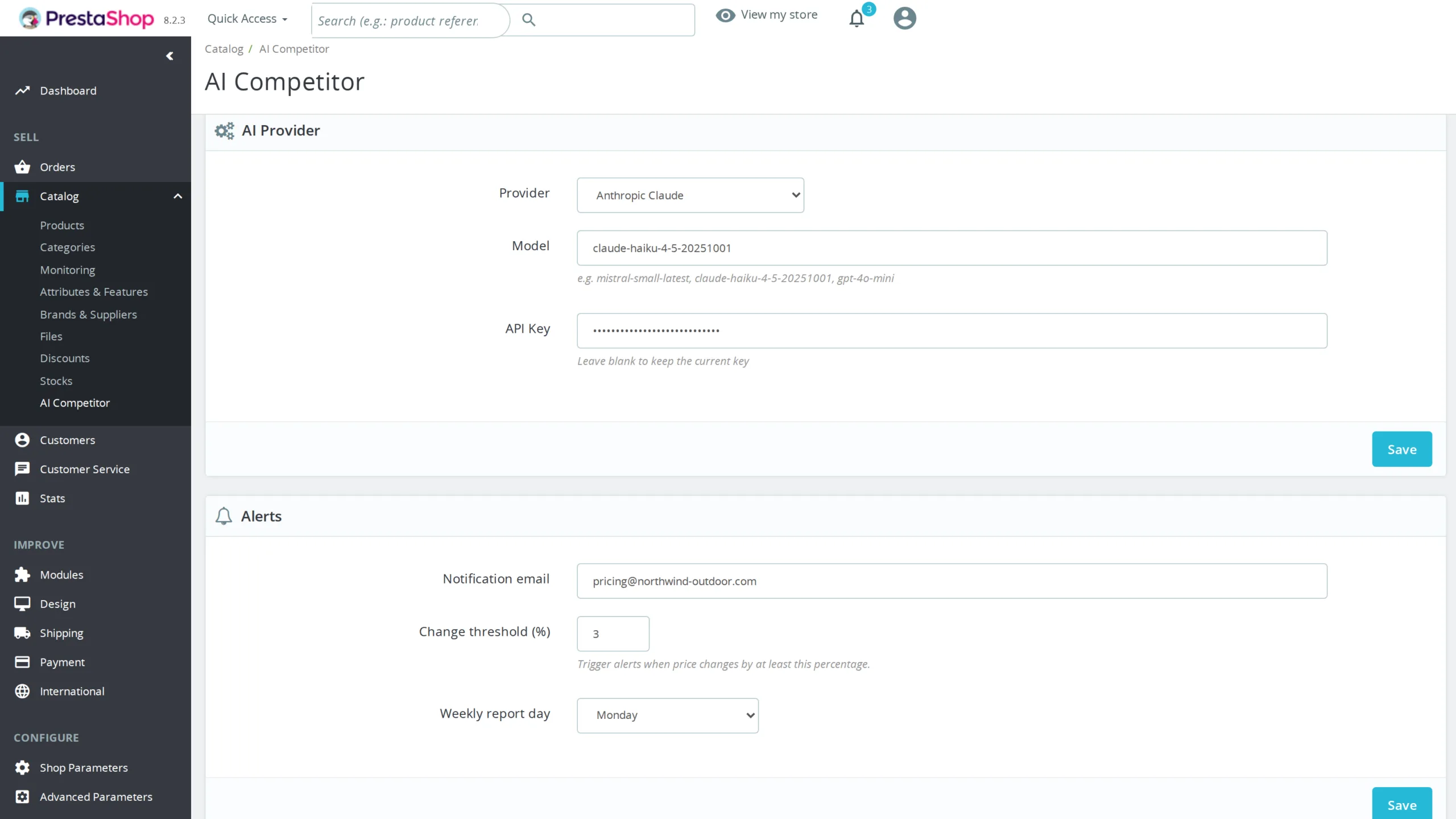
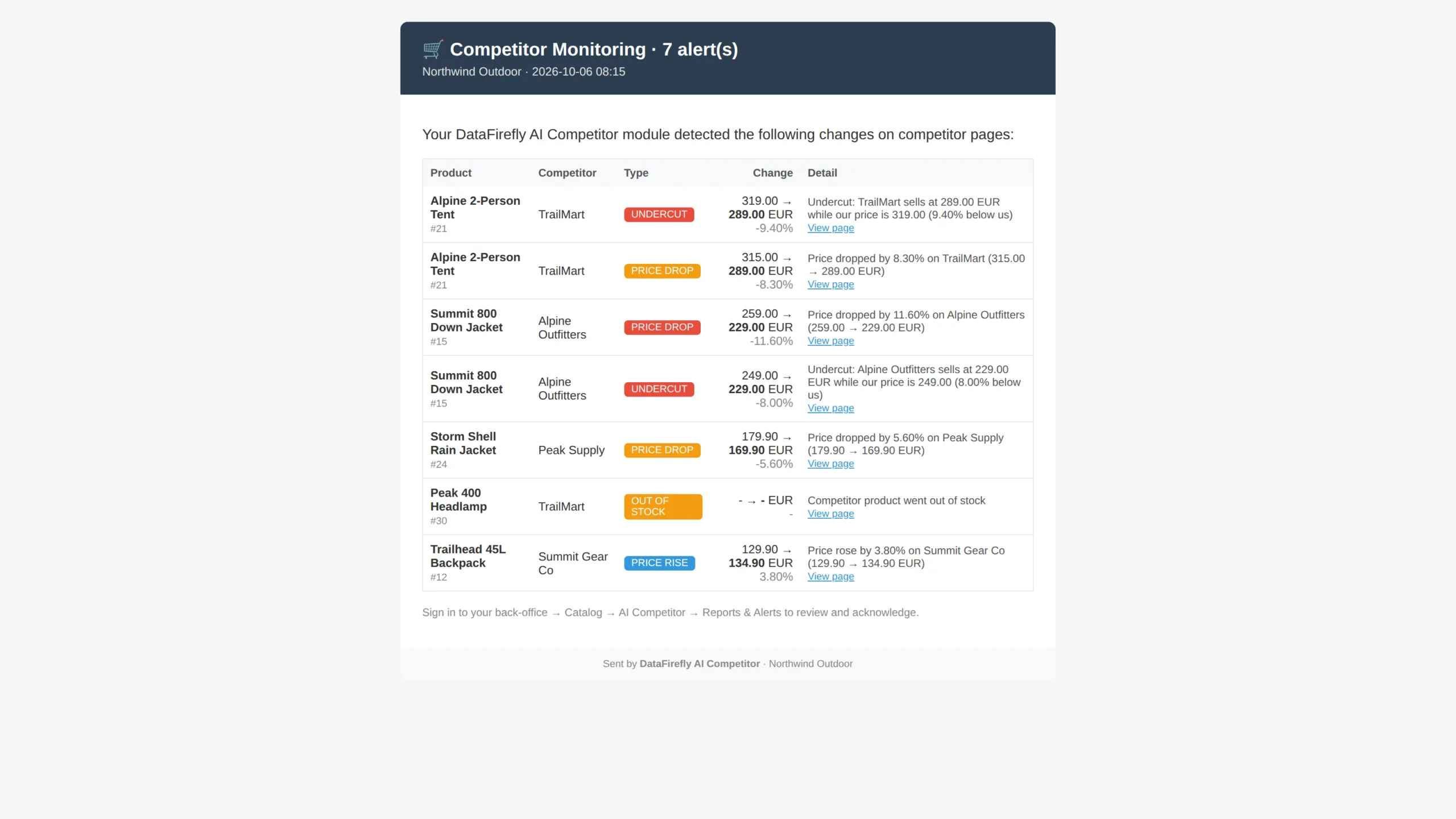
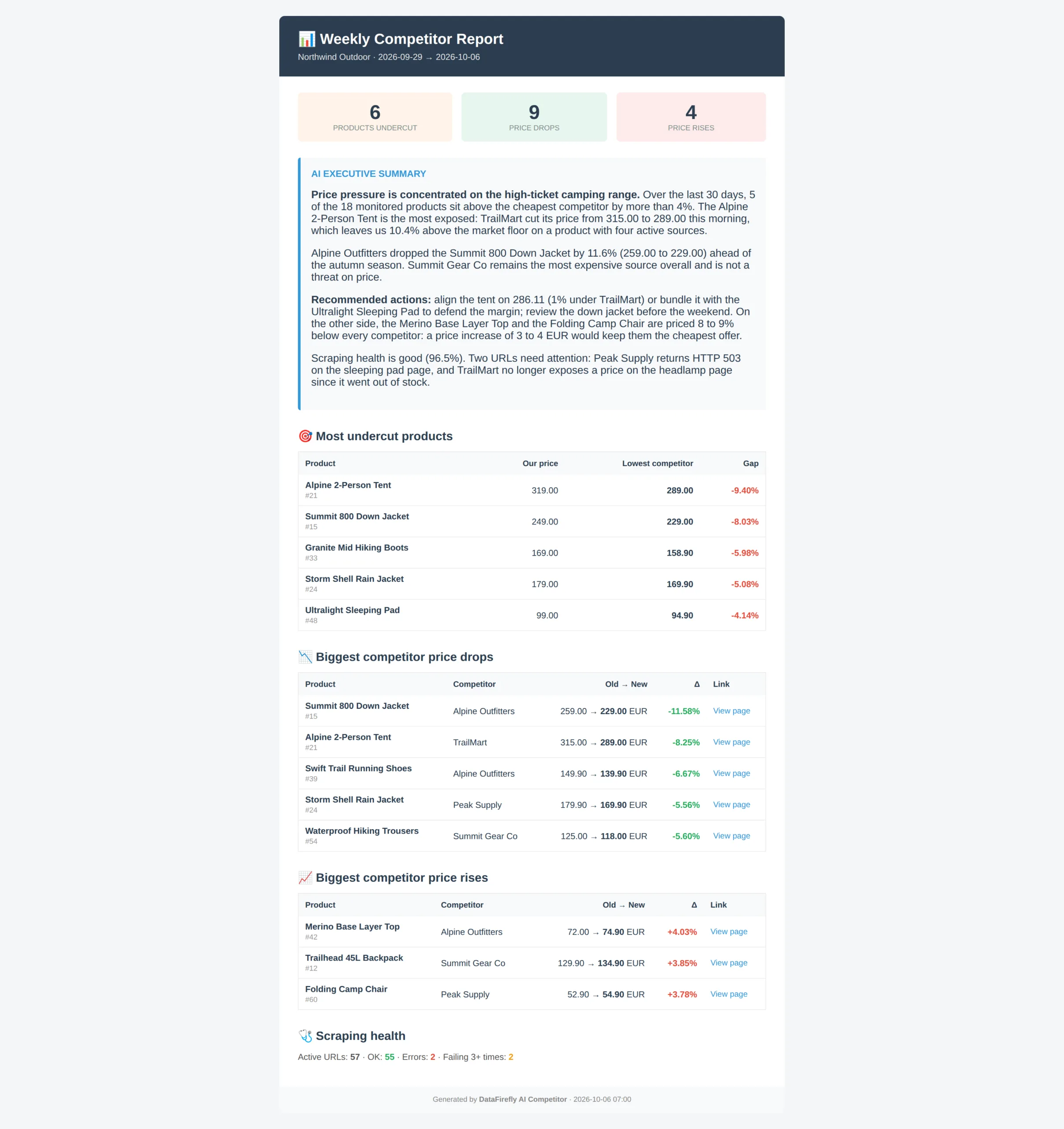
The trigger threshold is configurable, 3 percent by default. Five alert types are handled: price drop, price rise, out of stock, back in stock, and undercut when a competitor goes below your price. Each alert is graded by severity. A 1 percent move is logged as info, a 15 percent drop or an undercut is critical. Scraping errors only raise an alert after three consecutive failures, which removes the noise of transient outages. Every week, on the day you choose, an HTML report sums up the period and the AI writes its executive summary.
§ 09
The price suggestion, always under human control
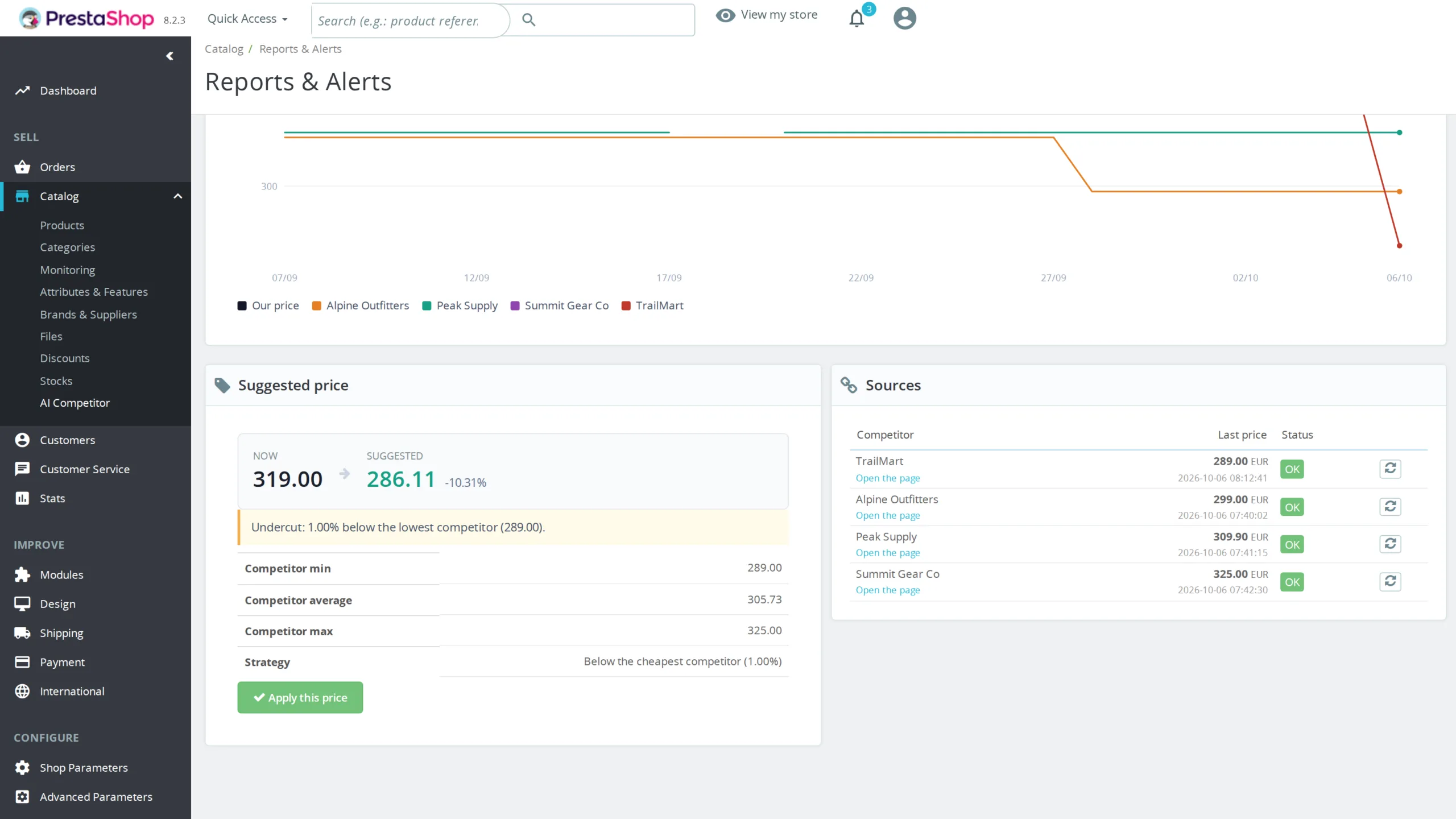
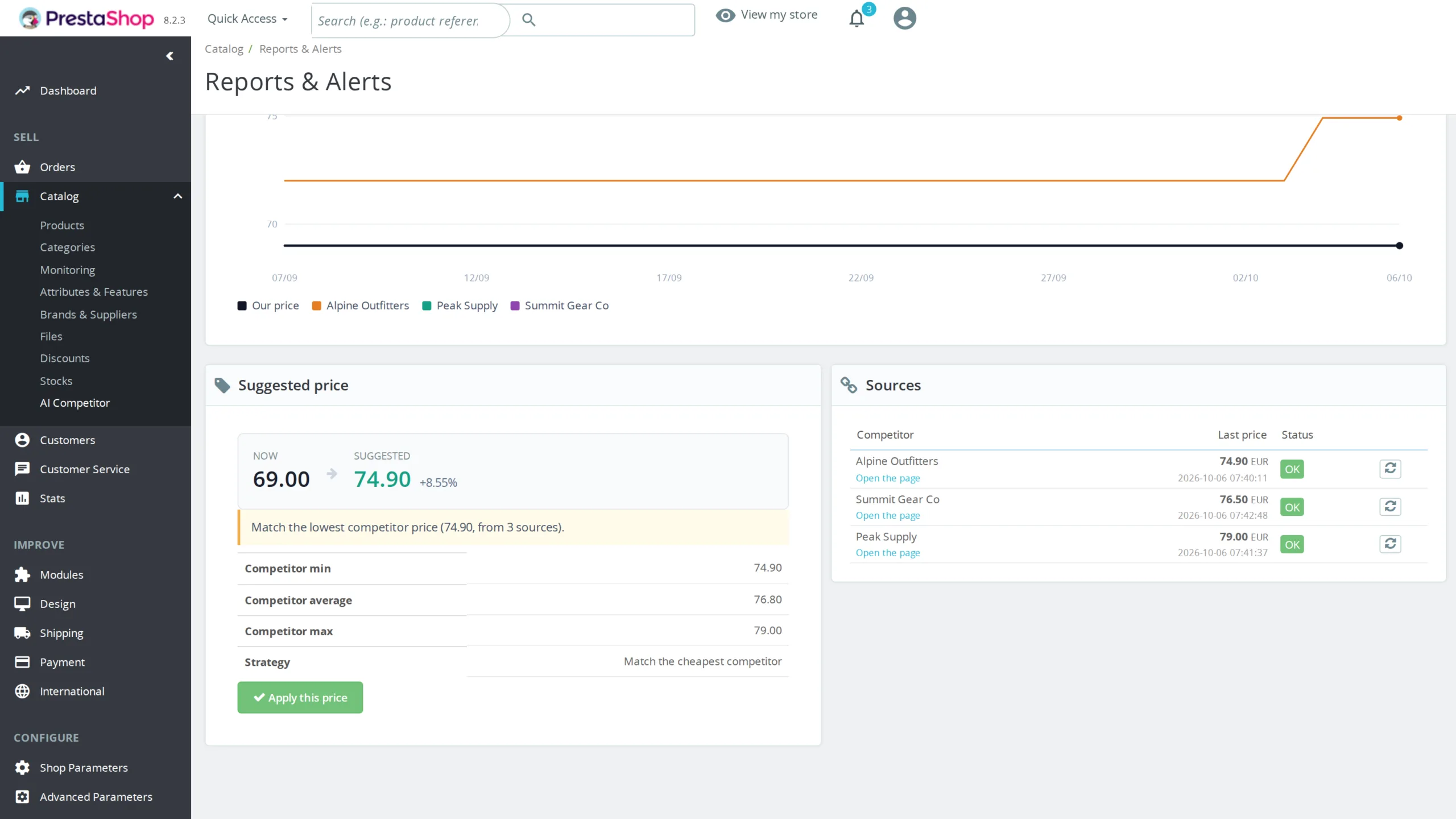
For every monitored product the module computes a suggested price from the configured strategy: match the lowest competitor, undercut by X percent, or premium positioning at X percent above. The suggestion is always shown to a human, with the current price and the proposed price side by side. A button applies the price to the PrestaShop product. No automatic adjustment: no mirrored race to the bottom with competitors running the same kind of tool, no uncontrolled drift. The commercial call stays yours.
§ 10
Crawling without becoming a nuisance
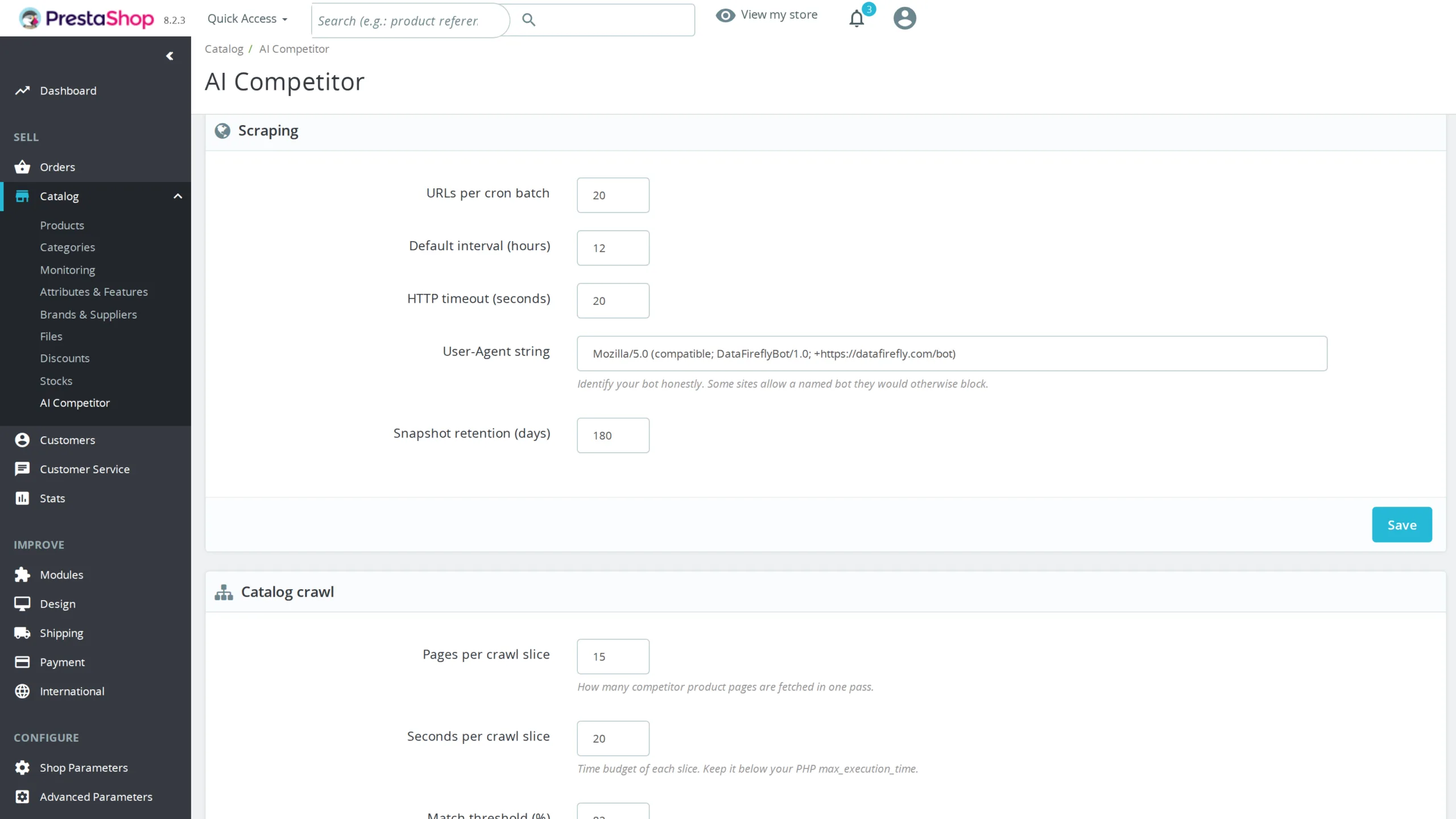
Reading a competitor's public prices is ordinary commercial practice, and the module is built to do it properly. The target site's robots.txt is respected by default, for discovery as well as for reading product pages, applying the standard's precedence rule between Allow and Disallow. A published Crawl-delay is honoured, and a delay between two requests applies per competitor, set by default to one request per second. A product cap bounds the volume of each crawl. The User-Agent identifies the bot by name rather than pretending to be a browser. These settings can be turned off competitor by competitor, but judging the target site's terms of service is your call.
§ 11
Straightforward install and operation
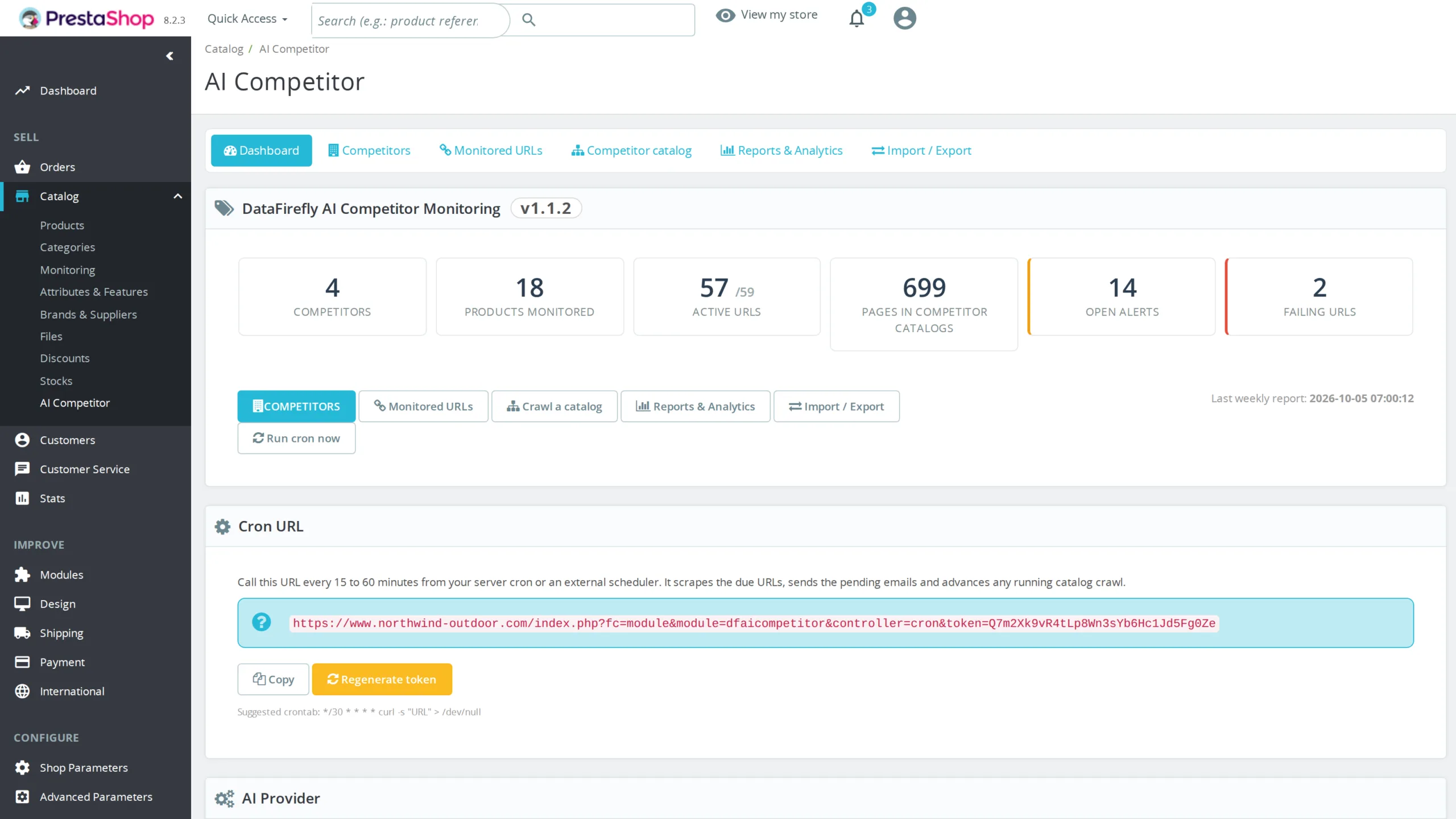
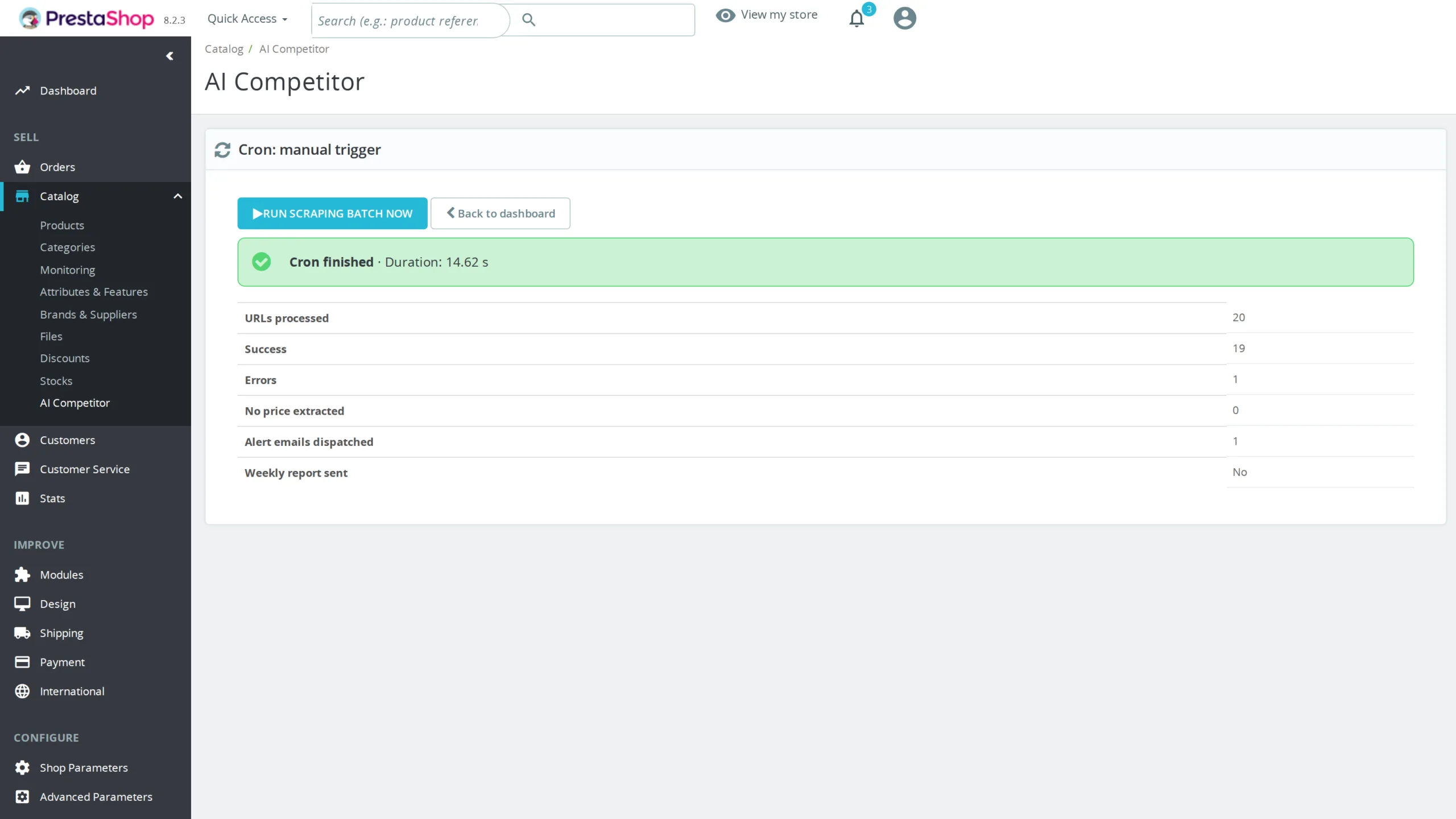
Install through the standard PrestaShop module uploader. Five minutes of configuration: AI provider, API key, notification email, weekly report day, adjustment strategy. The module gives you its own token-secured cron URL, regenerable from the dashboard. Suggested cron every 30 minutes: the pass reads the due URLs, sends the pending emails, advances any running crawl and purges expired history. No Composer dependency, no external service imposed beyond the AI provider you pick.
§ 12
PrestaShop 8 and 9 compatibility guaranteed
The module uses only stable cross-version APIs: ObjectModel for entities, ModuleAdminController with HelperList and HelperForm for the back office, ModuleFrontController for the cron endpoint. Translation goes through the module instance rather than the method removed from AdminController in PrestaShop 9, and AJAX links are built with the parameters in the fourth argument of getAdminLink, which is what PrestaShop 9 expects. No invasive injection into the Symfony product tab. You do not have to wait for an update when you migrate.

There are no reviews yet.