
A visitor who builds a precise search, with three filters and a sort order, produces a result that only exists for the length of their session. If they find nothing suitable today, they leave, and they will probably not come back to repeat the same operation in three weeks.
The saved search turns that visit without a purchase into a recurring point of contact.
Which catalogues it works on
The feature is not worth having everywhere. Three conditions make it relevant.
A catalogue that moves. If new arrivals are rare, a saved search has nothing to report. With frequent turnover, it has material to work with.
A multi-criteria search. On a catalogue of twenty products, nobody builds a complex search. The feature earns its place as soon as the visitor combines several filters.
A deferred purchase. The customer searches, compares, waits for the right opportunity. That is the case with second-hand goods, professional equipment, collectibles, property and spare parts.
On a stable catalogue of everyday consumer goods, the back-in-stock alert is better suited and simpler.
What to store
The central technical question, and it has a counter-intuitive answer.
Storing the URL of the results page is the simplest approach, and a fragile one: a catalogue reorganisation, a change in the filter structure or a category rename breaks the saved search without anyone noticing.
Storing the criteria themselves, in a structured form, is more robust. The search is replayed at each evaluation with the stored parameters, which makes it independent of the address.
The criteria to keep: the search terms entered, the active filters with their values, the price range, the starting category, and the sort order applied if it is meaningful.
A management point: plan for a filter being removed from the catalogue. A search based on an attribute value that no longer exists must be flagged to the customer, not run silently without that criterion.
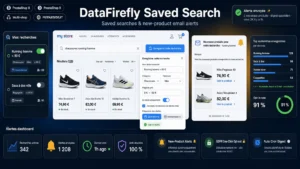 Saved Searches & New Product Alerts Module for PrestaShop 8/9The search that brings your customers back when the right product arrives.€99.00
Triggering the alert
Three possible modes, with very different effects.
On each matching new product. The most responsive, and the riskiest: on a broad search it produces several emails a day and a rapid unsubscribe.
As a periodic digest. A weekly email gathering the week’s new arrivals. This is the safest default setting, and it suits the majority of cases.
On a particular event: a price drop on a matching product, a return to stock, an end of line. Those triggers have a markedly higher open rate because they carry actionable information.
Leave the choice of frequency to the customer at the moment of saving, with the weekly digest preselected. That works better than guessing on their behalf.
The content of the email
Four elements, in this order.
The reminder of the search, phrased in natural language rather than as a list of technical parameters: “Your alerts for: cordless drills, 18 volts, under 200 euros”.
The matching new arrivals, with photo, price and availability. Three to five products at most, even if there are more: beyond that, the email turns into a catalogue.
A link to the full results, which replays the search on the site.
The management links: change the frequency, pause, delete. They must be visible, not buried in the footer.
One point not to neglect: never send an empty email. If there is nothing new this week, send nothing. A “no new products” message drives unsubscribes without bringing any value.
The consent framework
A saved search triggers sends. It therefore falls under the rules applicable to electronic marketing.
Two situations. If the customer has already bought and the alerts cover similar products, you can rely on the existing commercial relationship, provided you informed them at collection and allow them to object.
If the visitor is not a customer, prior agreement is required. In practice, a search saved by a visitor who is not logged in requires an explicit tick box, separate from any other.
In every case, the unsubscribe link must appear in each send, and it must unsubscribe from that specific alert rather than from all communication.
Saving without an account
A design question with a significant effect on usage.
Requiring account creation to save a search sharply reduces the number of saves. A form asking only for the email address, with confirmation by link, converts markedly better.
The trade-off: those searches are not attached to an account, so the customer cannot manage them from their area. A personal management link in each email settles that point.
The right compromise is to offer both: immediate saving by email, with an invitation to create an account to find all their searches in one place.
Maintaining the searches
A saved search ages. Three cleanup rules.
A lifespan, six to twelve months, with a renewal email before expiry. A customer who does not react is no longer interested.
A deactivation after several sends without an open, typically five. Continuing to send to someone who no longer opens degrades your sender reputation.
A limit per customer, ten searches for example. Beyond that, the person no longer manages them and each email becomes noise.
Measuring
Three indicators.
The save rate, the share of sessions with a search that end in a save. It tells you whether the button is visible and understood.
The return rate to the site from alert emails, which is the direct objective of the whole feature.
The conversion rate of visits coming from an alert, to compare with your other sources. It is generally high, since the visitor returns to a product matching a need they formulated themselves.
The Saved Searches and Alerts module for PrestaShop sets this up on PrestaShop 8 and 9: storing criteria rather than the URL, saving with or without an account, alert frequency chosen by the customer, sending only when there are new arrivals, and search management from the customer area.