



Everything you'd want to know before you install.
A detailed look at how Custom T-Shirt Printing for PrestaShop 1.7.8 to 9: Logo Printing, Screen Printing, Embroidery works, why we built it the way we did, and the thinking behind the features above.
Why custom apparel is hard to sell online
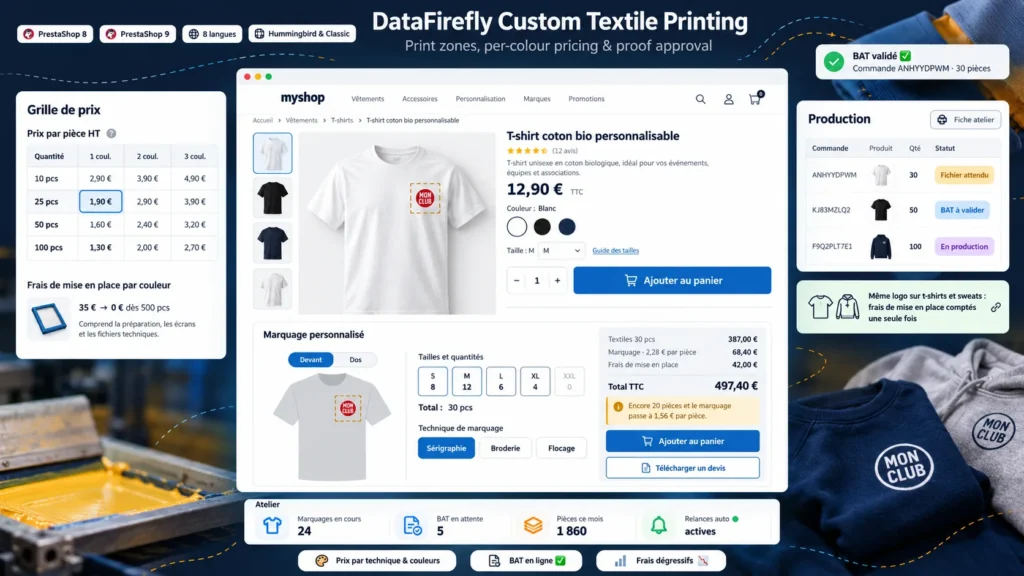
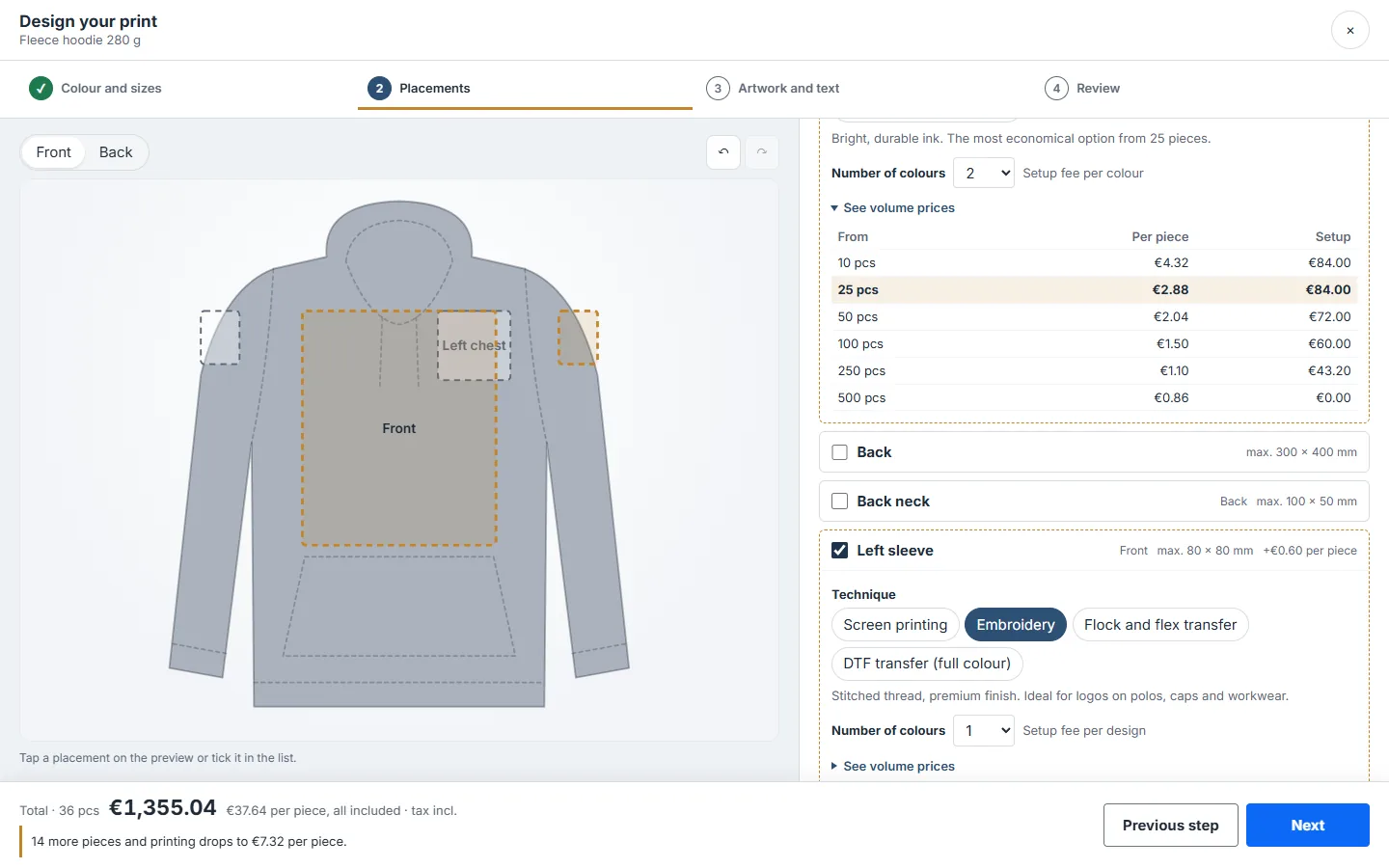
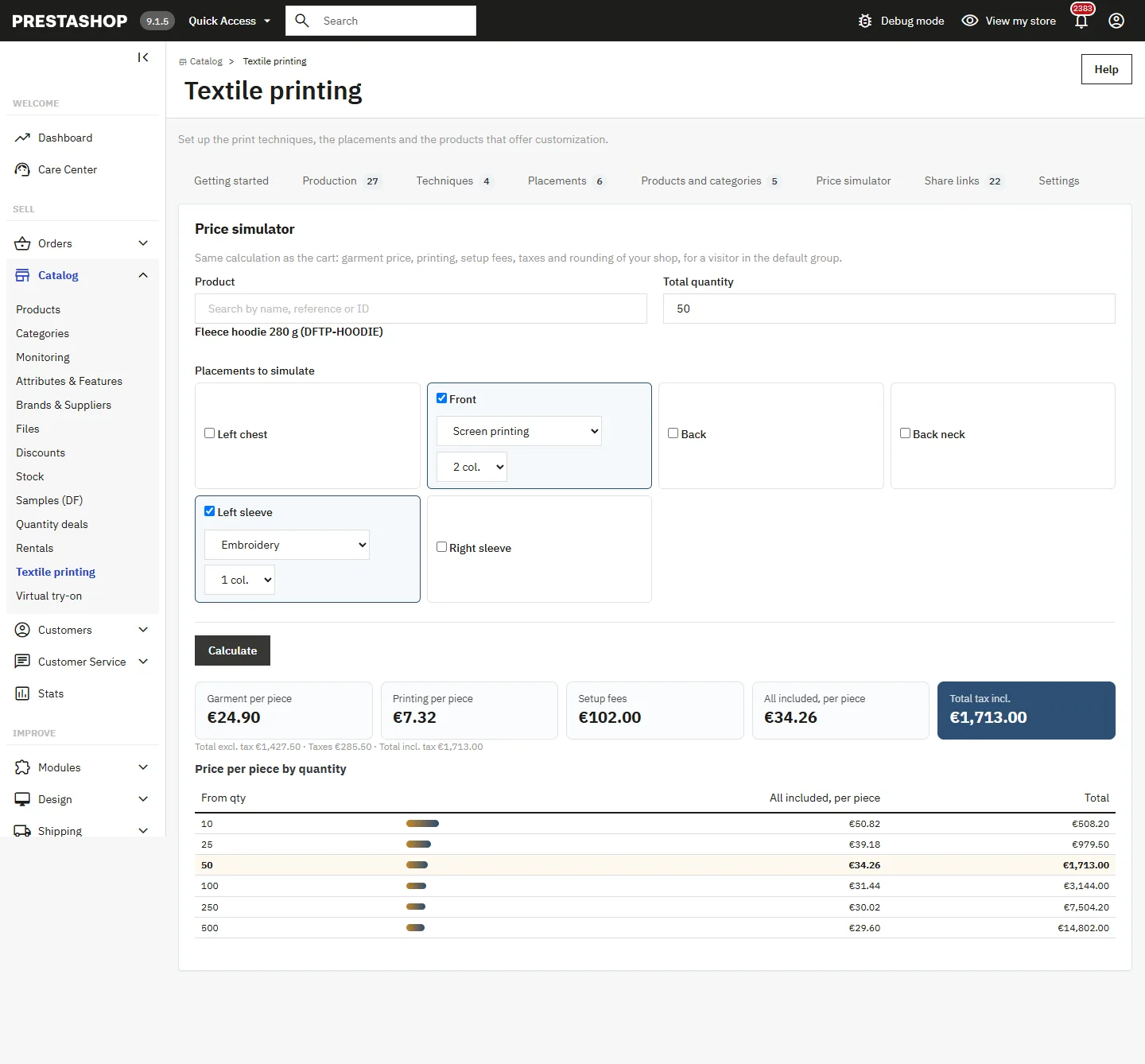
The price of a print job depends on the technique, the number of colours, the total quantity and setup fees that decrease with volume. PrestaShop cannot calculate this, so shops end up showing a teaser price and handling every order by email. This module calculates the price on the product page and carries it into the cart, the order and the invoice through PrestaShop's native customization.
A designer built for group orders
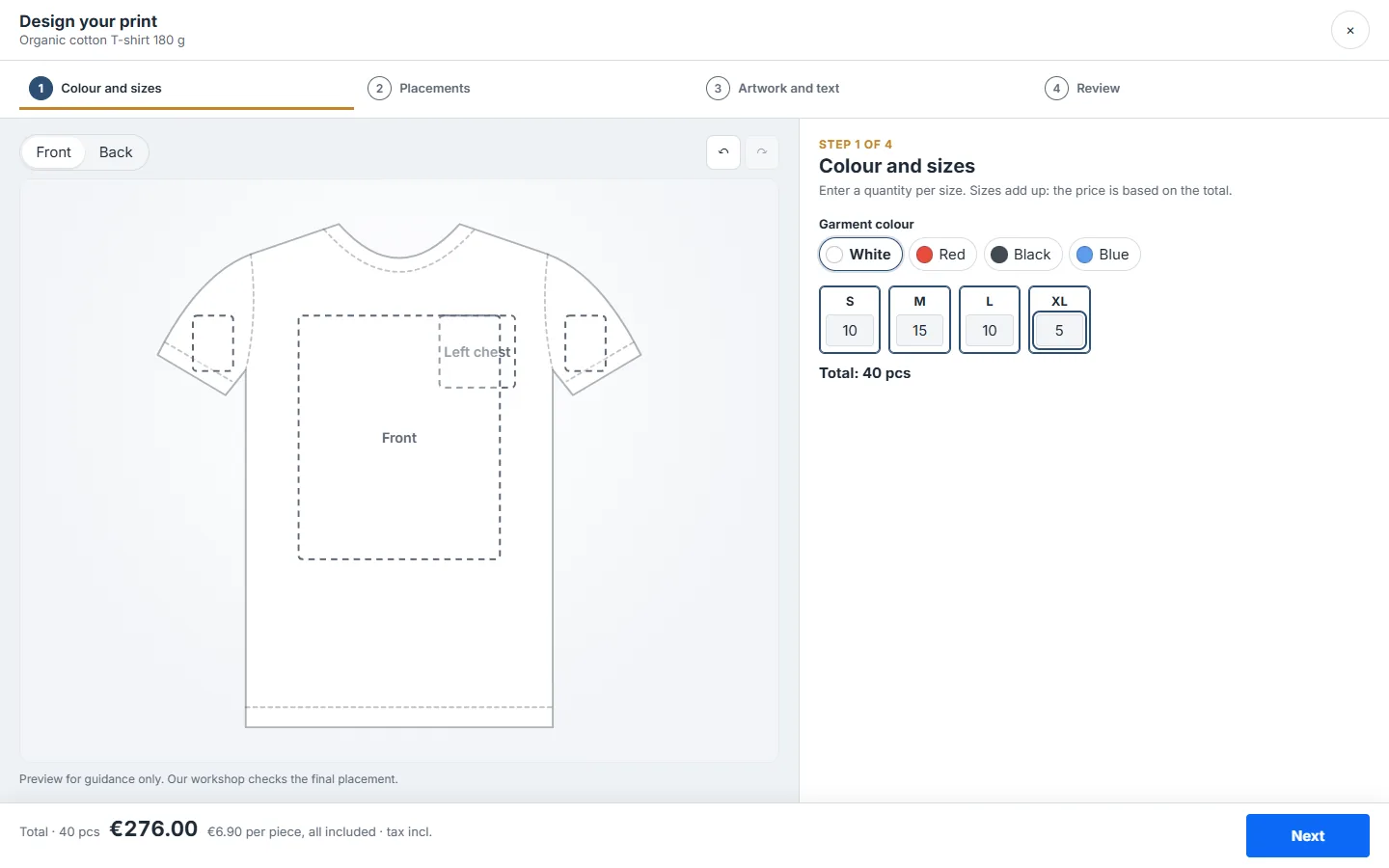
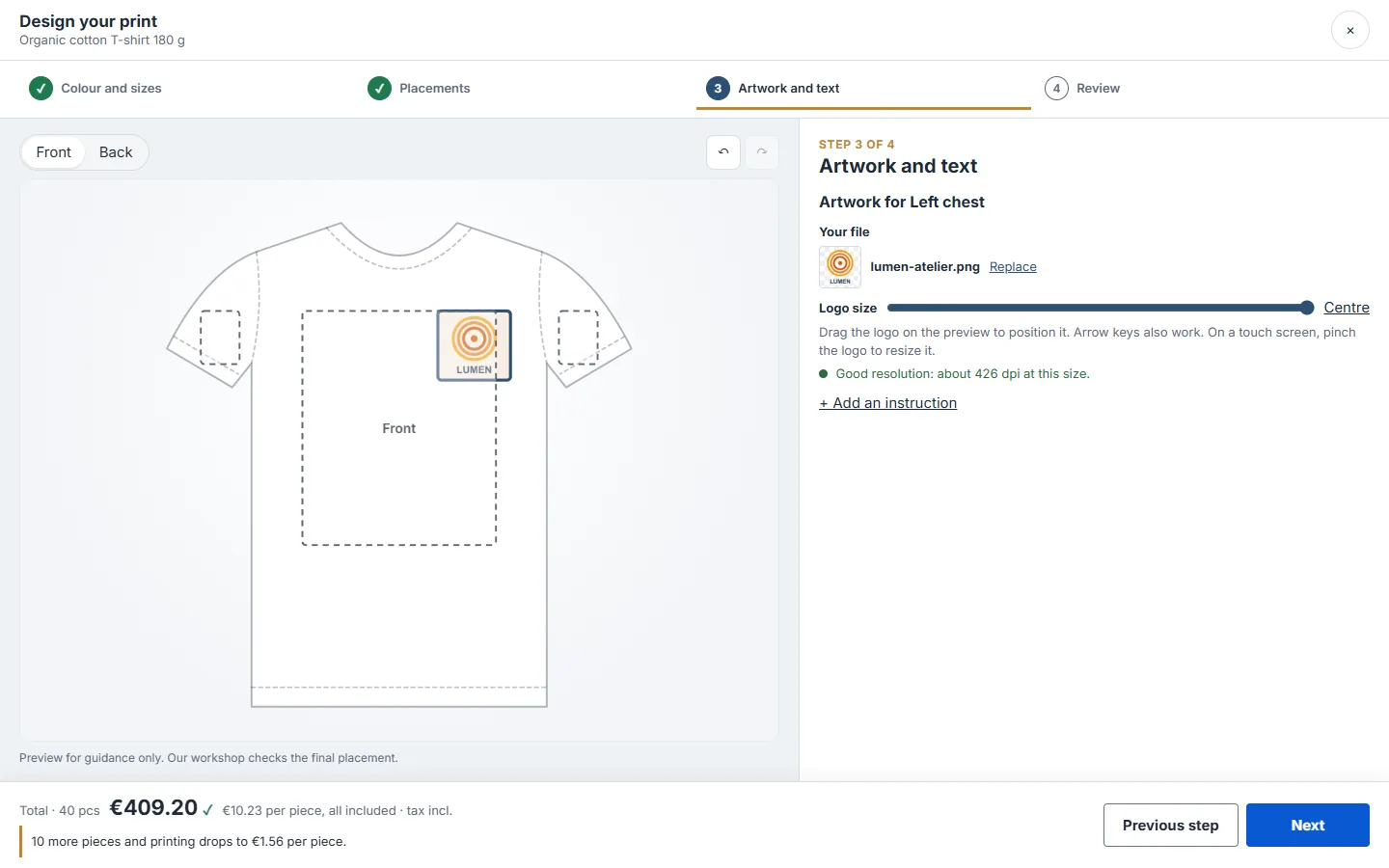
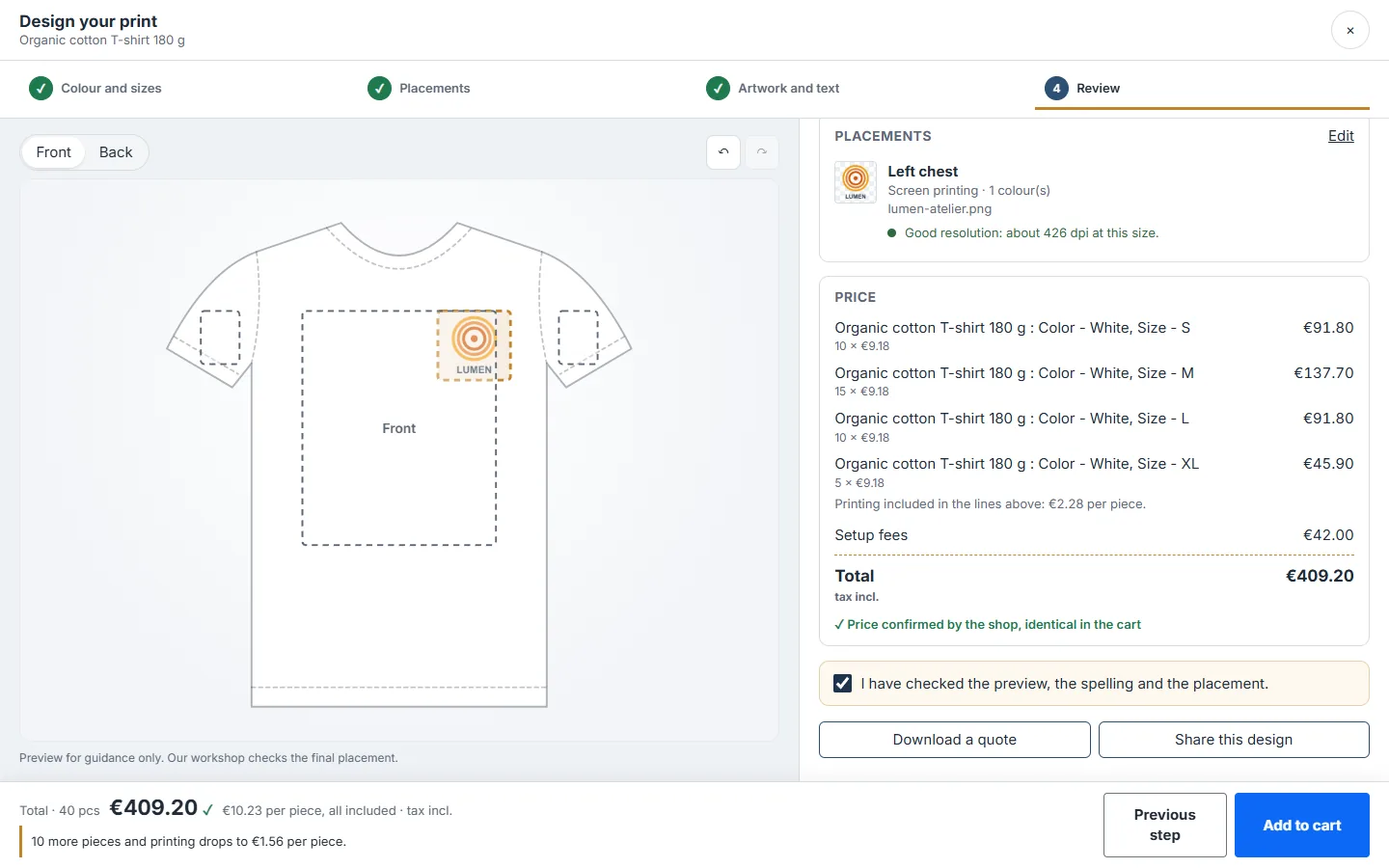
On the product page, a card shows the starting price per piece and the techniques offered. The Customise button opens the full-screen designer in four steps: colour and quantities per size, placements with technique and colour count, artwork or text, review. The preview shows the garment in the chosen colour, the logo is placed and resized directly on it, and a warning flags artwork that is too low in resolution for the print size. On mobile, the preview stays at the top of the screen, with the total and navigation at the bottom.
A price the shop confirms
The designer shows a live estimate, then asks the shop for the amount, which is calculated the way the cart will calculate it: the country's tax, the customer's currency, PrestaShop's rounding rule. Native quantity discounts and pieces already in the cart are included, and the module offsets percentage promotions on the garment so the printing stays at your grid price. Version 2.0 only picks by default a tax group that actually taxes the default country, and the Getting started tab warns you if setup fees would be invoiced without tax.
One logo on several products
When a club orders t-shirts and hoodies with the same file in the same placement, the workshop uses the same screen. The module recognises this: the price tier is calculated on the total number of pieces and setup fees are charged only once. If the first product is removed from the cart, the fees move to the other one automatically.
From share link to delivery
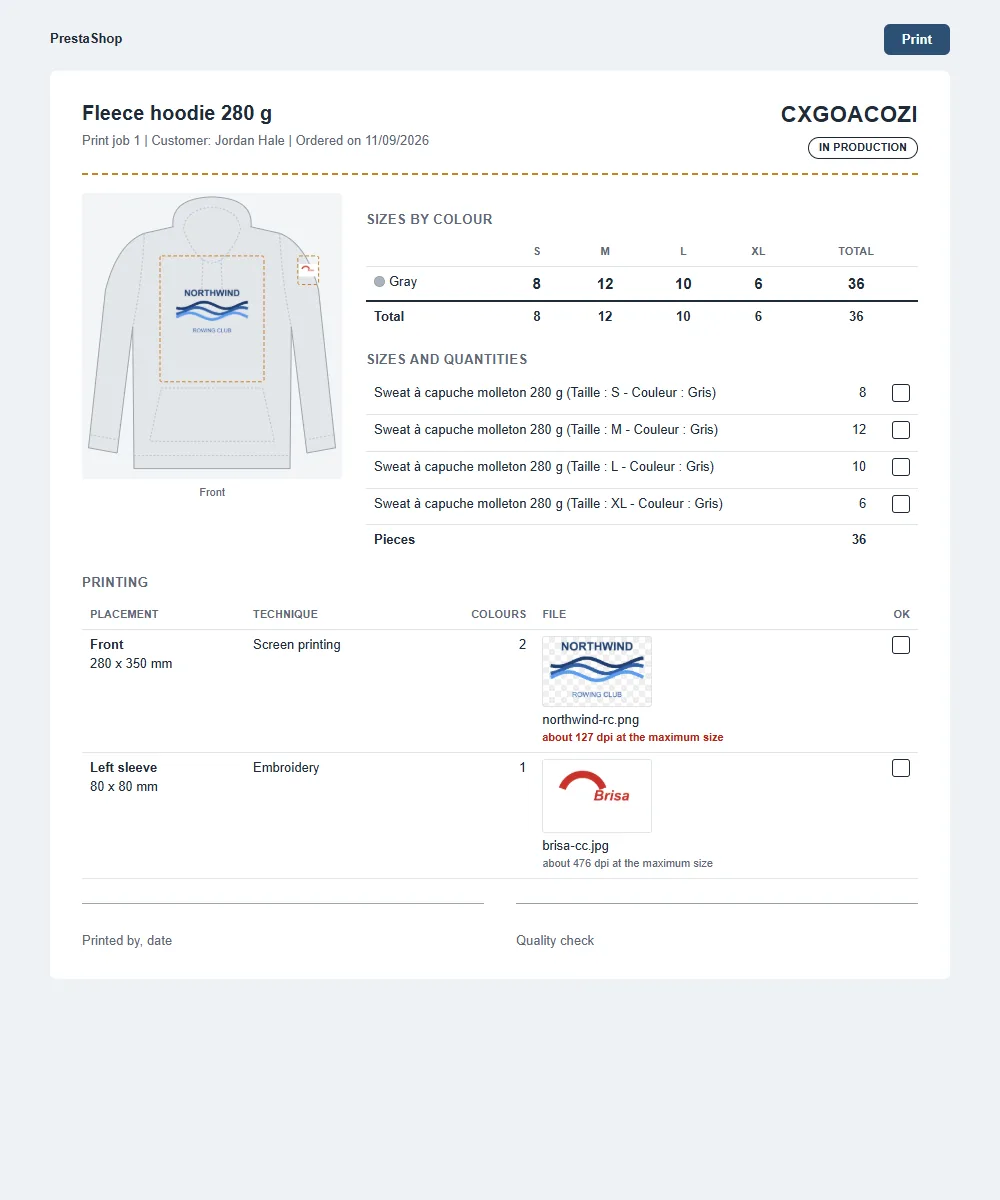
Before ordering, customers can send a read-only link to whoever has to approve: that person sees the preview, the sizes and today's price, and can start from this design without changing the customer's own. After ordering, each print job follows a status: file awaited, file received, proof to approve, changes requested, proof approved, in production, completed. Customers act from their order or the link in their email, the workshop is notified of every answer, and a reminder goes out when a customer forgets to reply.
Upgrading from version 1.5
The upgrade keeps ordered print jobs, open carts, customer files and your settings: we checked it ZIP to ZIP on a PrestaShop 8.2 shop holding data created by 1.5.1. New settings are only added when missing, and the older upgrade scripts can run again without overwriting your values.
There are no reviews yet.