
Many wholesalers and manufacturers do not want their trade rates visible to everyone. The reason is rarely secrecy: it is that these prices, excluding tax and discounted, mean nothing to a consumer and generate enquiries you cannot serve.
Hiding prices is easy. Doing it without wrecking your search visibility takes a few precautions.
The three levels of restriction
The decision should be made knowing what each one costs.
Hide the price alone. The product stays visible, with its photos, description and specifications. Only the price and the buy button disappear, replaced by an invitation to log in or request a quote. This is the least damaging option.
Hide the price and the button, with no purchase possible. A variant of the above where even logged-in visitors in an unvalidated group see nothing.
Hide the entire catalogue. Nothing is visible without a validated account. A drastic solution, with a considerable cost, justified only in specific cases: regulated products, confidential contract rates, a catalogue reserved for a network.
The difference between the first and third level is massive from a search point of view, and it is rarely measured before it is suffered.
The SEO cost of a closed catalogue
If you close the whole catalogue, your product pages no longer exist for search engines. You give up the entirety of the search traffic on your references, which is often the first acquisition channel in B2B.
The reasoning to hold on to: a trade buyer starts their search like everyone else, on a search engine, with a reference or a description. If they do not find your page, they find a competitor’s.
So the question is not “should we hide prices” but “should we hide pages”. In the vast majority of cases the answer is no: keep the pages visible and indexable, hide only the price.
Does a page without a price rank?
Yes, provided it brings something else.
A product page without a price is still a content page: description, reference, technical specifications, compatibility, documentation. On a trade catalogue, those elements are exactly what the buyer is looking for.
Two technical points.
Structured data markup describes an offer with a price. Without a price, the offer is incomplete and you will not be eligible for rich results. That does not block ranking, but it is worth knowing.
Product feeds to comparison engines and advertising platforms require a price. A catalogue with no visible price cannot feed those channels, a consequence to factor into your decision.
 DataFirefly B2B Quote RequestSell B2B: from quote to order, without leaving PrestaShop€79.00
What to put in place of the price
This is the point that decides conversion, and it is often rushed.
A plain “log in to see the price” converts badly: it asks for effort without announcing anything in return.
Three formulations that work better.
State the benefit. “Trade rates, volume discounts and 30-day payment terms reserved for validated accounts.” The visitor knows what they are getting.
Offer an immediate action. A quote request button, which requires neither an account nor validation. It is the shortest route for a prospect discovering your site, and it captures enquiries that would otherwise be lost.
Give an order of magnitude. On some catalogues, showing an indicative price range with no commitment saves the time of a visitor who is out of budget. To be handled carefully depending on your sector.
Account validation
A management point that decides whether the whole arrangement is workable.
A trade account must be validated, not self-declared. A “I am a business” tick box is enough for a consumer to reach your trade rates.
Validation rests on three things to ask for at registration: the company registration number, the intra-community VAT number if there is one, and the line of business.
Two ways of handling it. Manual validation, which is the safest and implies a delay to state clearly, ideally under 24 working hours. Or automatic validation on a VAT number check, which is faster but does not verify the actual activity.
One important experience point: while waiting for validation, the prospect must not end up stuck. Leave them the option of requesting a quote, otherwise you lose the urgent enquiries, which are often the best ones.
The inconsistencies to check
Hiding a price means hiding it everywhere. Five places where it regularly resurfaces.
Product blocks on the home page or at the foot of a product page, handled by modules that display the price without taking the restriction into account.
Internal search results, including autocomplete.
Faceted filters, where the price range filter reveals the information even if no amount is displayed.
The product feed, if it is generated without taking the restriction into account and is publicly reachable.
The structured data markup, which can carry the price in the code while it does not appear on screen. This is the most frequent oversight, and the easiest to spot.
The mixed case
Many shops sell to both audiences at different rates. Three approaches.
Public price visible, trade price after login. The most common and the most effective: the page keeps a price, so it keeps its ranking and its feeds, and the logged-in professional sees their discounted rate.
Price hidden on part of the catalogue only, typically the trade ranges. That implies a restriction per category rather than a global one.
Two separate shops in multistore, with their own catalogues and rules. The cleanest solution as soon as the two activities genuinely diverge.
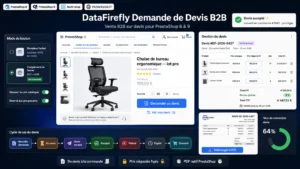
The B2B Quote Request module for PrestaShop provides the alternative to a hidden price on PrestaShop 8 and 9: a quote request button replacing the price and the buy button, a form attached to the product being viewed, and enquiry tracking in the back office with a priced reply to the customer.