
The question comes up at every checkout redesign: should account creation be compulsory, or should guest checkout be allowed? It is often settled on principle, when it depends entirely on the nature of your business.
What a compulsory account costs
It is the most documented friction in online retail, and it is easy to understand.
A visitor who wants to buy a 30-euro item is asked to create an account, choose a password, sometimes confirm an email address. They see that as a disproportionate price to pay, and above all as a commitment they do not want: another account, more emails.
Three groups abandon particularly at this step. First-time buyers, who do not yet know whether they will come back. Buyers in a hurry, who want to move fast. And buyers on mobile, for whom typing a password is a tiresome operation.
What the account actually brings
This needs to be precise, because not all the usual arguments hold.
Valid argument: order tracking. A customer with an account finds their orders, invoices and returns without contacting customer service. On a business with repeat purchases, that is a real saving of time.
Valid argument: repeat purchase. Saved addresses, stored payment method, viewable history. The second order is markedly faster.
Valid argument in B2B: agreed rates, credit limits, account validation, multi-user accounts. Without an account, none of that is possible.
Debatable argument: data collection. You obtain the email and the address either way, since you have to deliver and confirm. The account does not bring you the data, it brings persistence.
False argument: fraud prevention. An account created in thirty seconds with a disposable address offers no guarantee whatsoever. Anti-fraud systems rest on other signals.
The third way
This is the configuration that works best, and it is still not widespread.
The customer orders as a guest. After the order is confirmed, on the confirmation page, you offer them the chance to create their account in one action: the password is enough, all the other information has already been entered.
The argument changes completely. Before the order, creating an account is a constraint. Afterwards, it is a convenience: “keep your details to track your order and order faster next time”.
The acceptance rate at that moment is markedly higher, because the customer has already got what they came for and can see the concrete benefit.
Two technical points. The offer must stay valid for a few days through a link in the confirmation email, not only on the page. And the order placed as a guest must be attached to the account when it is created, otherwise the whole point disappears.
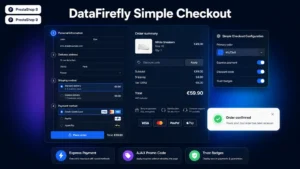 Simple & Elegant Checkout for PrestaShopAn elegant one-page checkout that converts€99.00
The native configuration
PrestaShop handles guest checkout without a module. The setting sits in the customer parameters, and it is disabled by default on many installations.
Three things to check after enabling it.
Is the conversion into an account after the order offered? Depending on the theme, it may be missing from the confirmation page.
Does order tracking without an account work? PrestaShop offers a tracking page by order number and email. Test it and check that the link appears in the transactional emails.
Do the modules that depend on an account behave correctly? Loyalty programme, wishlist, product reviews: each one must handle the case of a buyer with no account, at minimum without displaying an error.
The B2B case
The trade-off reverses.
In B2B, the account is not friction, it is the service. The trade buyer wants an account: it holds their negotiated rates, their history, their invoices, their multiple delivery addresses.
The friction moves elsewhere: onto the validation delay. A prospect who requests a trade account and waits three days will go elsewhere.
Two measures are enough to handle that point. State the delay clearly, ideally under 24 working hours. And allow an action during the wait: a quote request, or an order at the public rate, regularised afterwards.
The special cases
Digital products. Access to the file or the content presupposes a durable identification. The account is necessary, but it can be created automatically at the order, with a password set by the customer on first access.
Subscriptions. The account is indispensable, since the customer must be able to manage, pause and cancel. No ambiguity here.
Custom-made products. A configurator or a bespoke order benefits from being attached to an account so the work can be resumed, but the order itself can stay as a guest.
Regulated products. Some sales require an identity or age check, which imposes a validated account.
What not to do
The fake guest. A checkout that announces guest ordering then silently creates an account with a generated password. The customer then receives emails from an account they never wanted, and cannot access it.
The pre-ticked box. Ticking account creation or newsletter signup by default in the checkout. It is a questionable practice on consent grounds and it damages trust.
The account imposed at the last moment. Letting the visitor fill their basket and their address, then demanding an account before payment. That is the scenario that produces the most abandonments, because the effort already invested makes the constraint more irritating.
Measuring
Three figures, before and after a change.
The checkout completion rate, which should rise when guest ordering is opened up.
The share of guest orders, which tells you whether the option is being used. If it goes above 60%, your compulsory account was costing you dearly.
The guest-to-account conversion rate after the order. Below 20%, review the wording and the visibility of the offer.
A fourth figure, to watch over time: the repeat purchase rate of customers with and without an account. It justifies the effort of converting after the order, or puts it in perspective.
The Simple and Elegant Checkout module for PrestaShop handles this journey on PrestaShop 8 and 9: guest ordering on a single page, an offer to create an account after confirmation with the order attached, and a lightened address form to reduce typing in both cases.