WordPress WooCommerce

Access Manager for WooCommerce — Groups, Permissions & Restricted Content

User groups, plain-language permissions and members-only content that never leaks

  • 30-day refund
  • 12 months updates
  • 24h support

Decide who sees what — pages, products, prices, files — and check it in one click with the access simulator.

At a glance
  • Groups with plain-language back-office permissions and an escalation guard
  • Pages, posts, products, media, categories, blocks and menus reserved to groups
  • Protected everywhere: REST API, Store API, search, feeds, excerpts, comments, files
  • Access simulator and "View as" preview that always ends
  • WooCommerce: hidden prices, reserved products, payment and shipping per group
WooCommerce Block editor 8 languages HPOS ready Accessible GDPR ready
www.datafirefly.com/en/
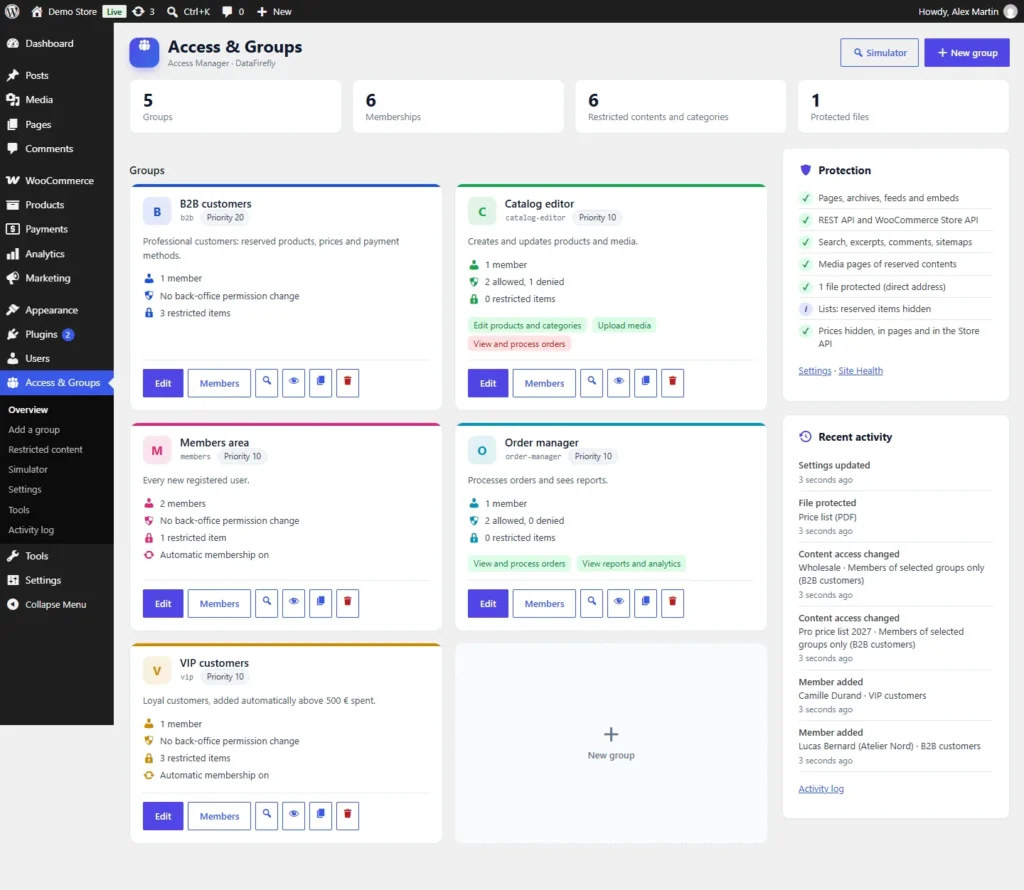
DataFirefly Access Manager – Overview: figures, user groups, protection status and recent activity
v2.0.0 · updated 2026-11-14
Access Manager for WooCommerce — Groups, Permissions & Restricted Content €59.00
What it does

The short version.

01

Members-only content that really stays private

Reserved contents are refused everywhere: direct address, REST API, WooCommerce Store API, search, feeds, comment feeds, excerpts, sitemaps, oEmbed, attachment pages and previous / next links. Files can be protected too.

02

An access simulator

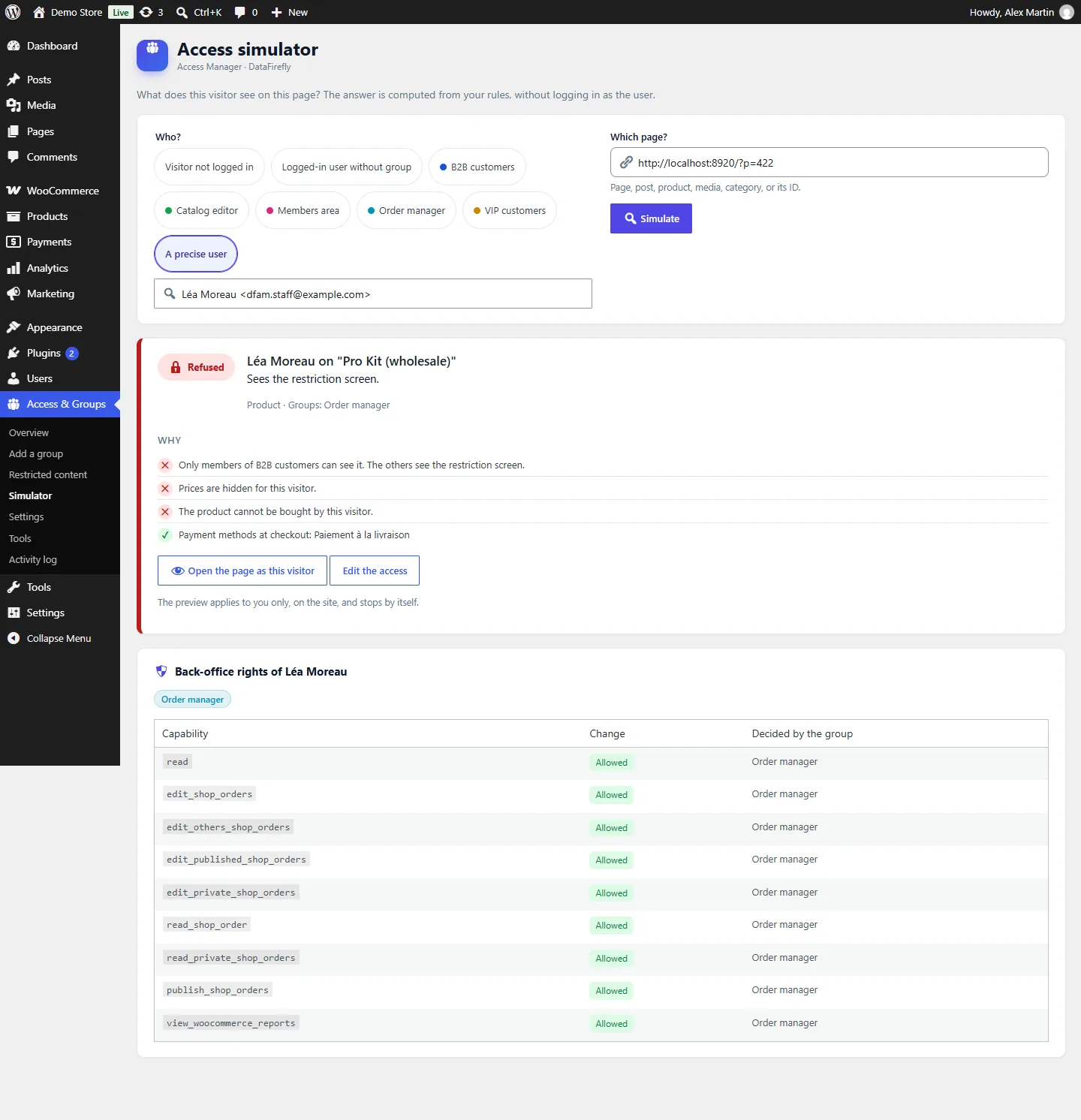
Choose a visitor, a group or a precise user and a page: see the verdict, the reasons (own rule, inherited category, restricted blocks, prices, payment methods) and the exact capability changes of the user.

03

Permissions written for humans

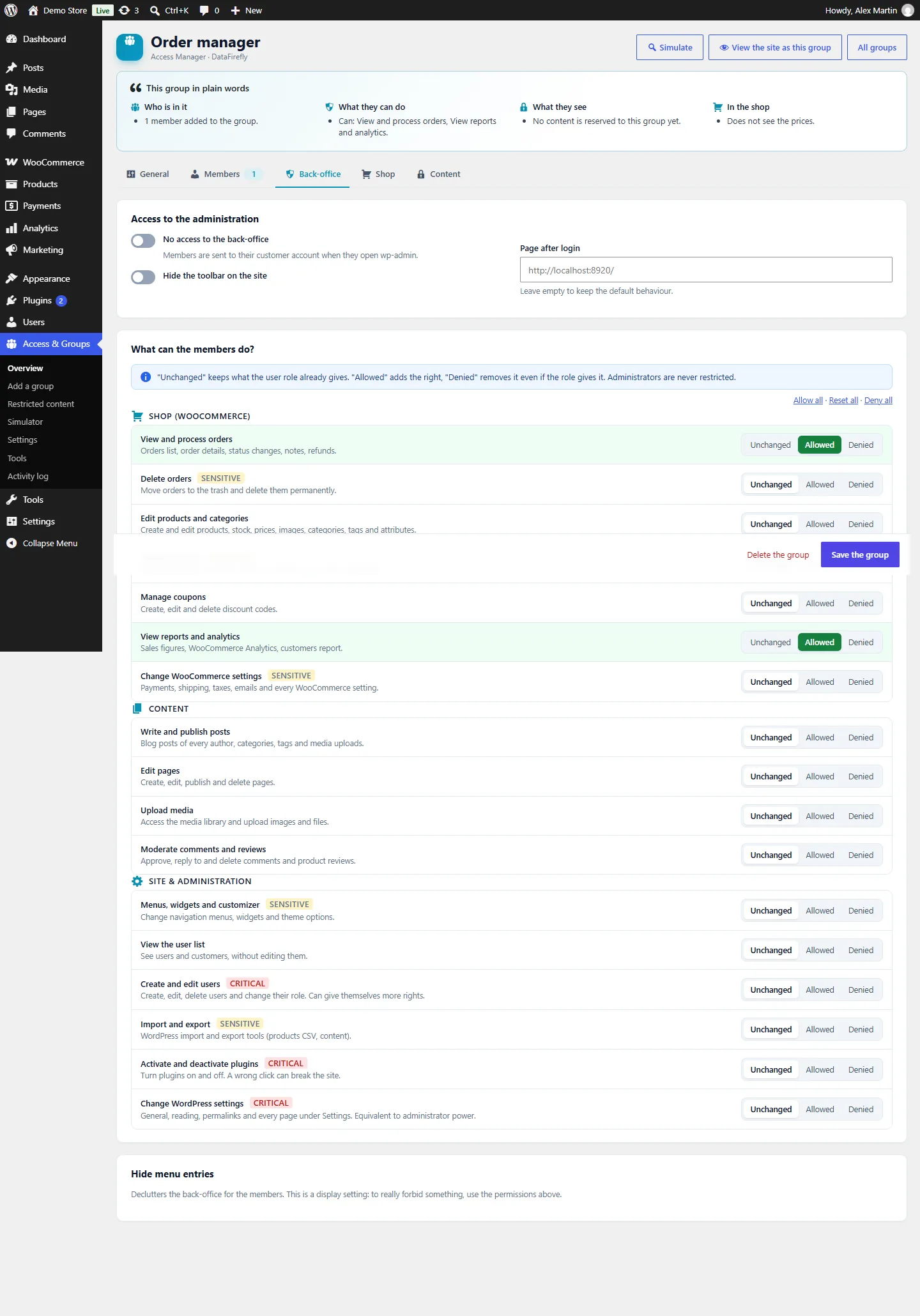
17 permissions such as "View and process orders" or "Edit products", each Unchanged / Allowed / Denied, plus every WordPress capability in advanced mode. Administrators are never restricted.

04

Native in the block editor

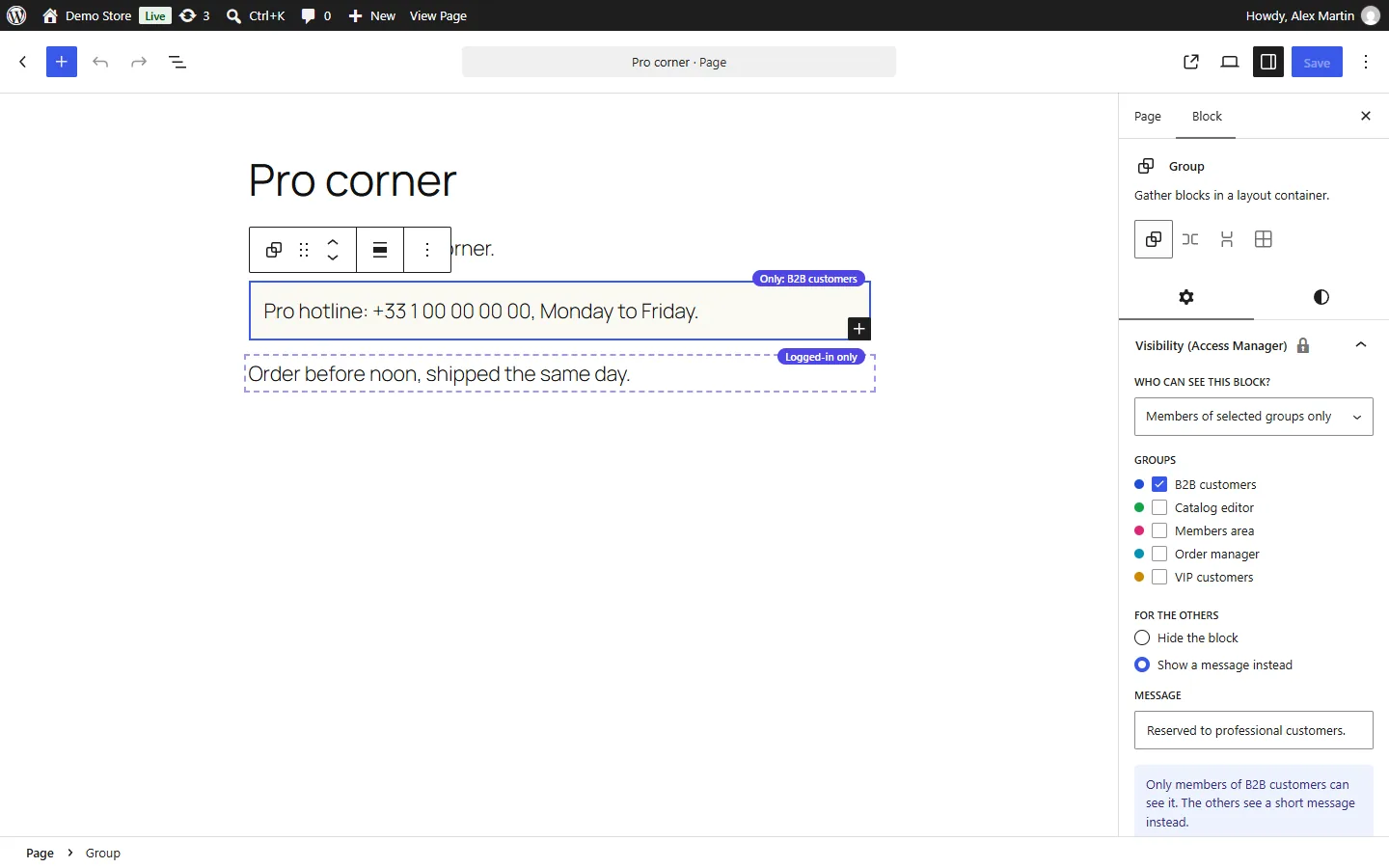
An "Access" panel in the document sidebar with a one-sentence summary and preview links, and a visibility setting on every block that hides it or shows a message instead.

05

Quick start in one click

Members area, team permissions, B2B / wholesale shop or VIP club: the groups and settings are created for you, with a 4-step checklist and plain-language group summaries.

06

A restriction screen you design

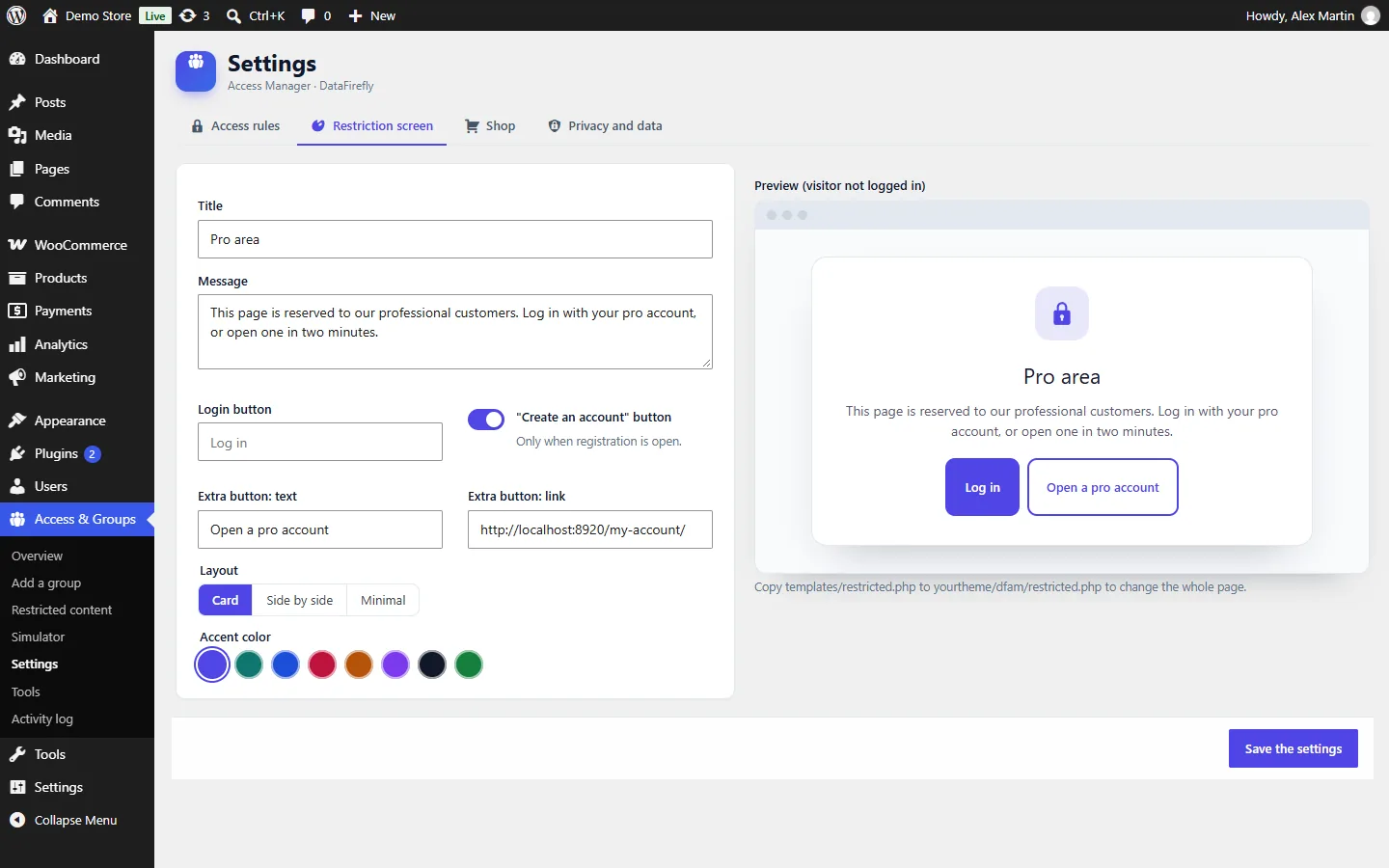
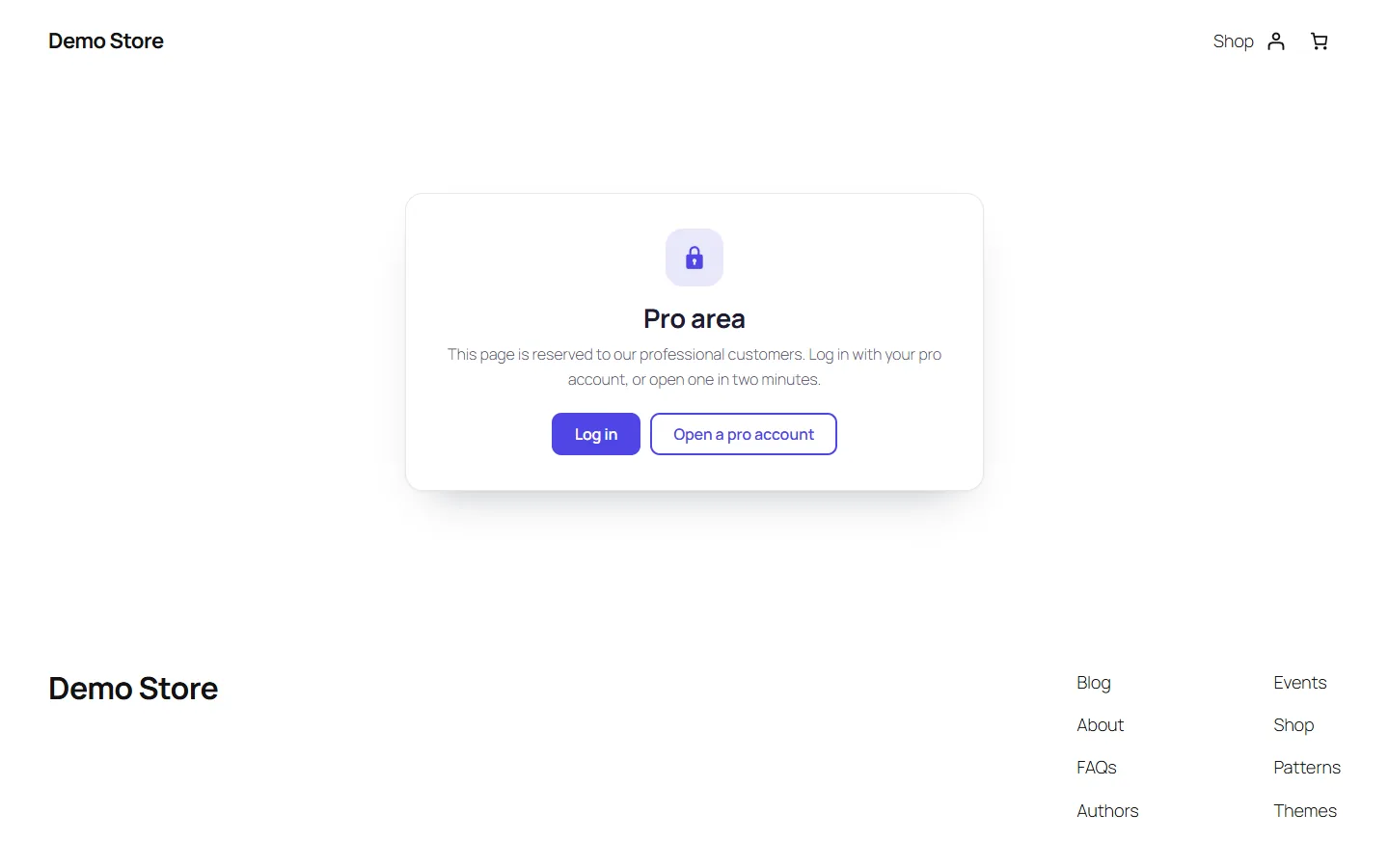
Title, message, login and sign-up buttons, an extra call-to-action, three layouts and eight accent colours, with a live preview. Works with block and classic themes.

The long version

Everything you'd want to know before you install.

A detailed look at how Access Manager for WooCommerce — Groups, Permissions & Restricted Content works, why we built it the way we did, and the thinking behind the features above.

§ 01

Groups that say what they do

Create groups in one click from a scenario or a template, add members by search, by e-mail list or automatically when a customer reaches a spending threshold. Each group shows a summary in plain words: who is in it, what its members can do in the back-office, which contents are reserved to them and what changes in the shop.

§ 02

Back-office permissions without the jargon

Give your team exactly what it needs: "View and process orders", "Edit products and categories", "Moderate comments"… each Unchanged, Allowed or Denied. Critical permissions are flagged and never ticked in bulk, administrators are never restricted, and a user who received rights from a group can never edit or promote someone with more rights than them.

§ 03

Restricted content that does not leak

Reserve a page, a post, a product, a media file, a category or a single block to logged-in users, to some groups or to everyone except some groups. Visitors without access see your restriction screen, the login page, a redirect or a 404. The protection does not stop at the page: the REST API, the WooCommerce Store API, search, feeds, comment feeds, excerpts, sitemaps, attachments and previous / next links all respect the same rules, and files can be served only after an access check.

§ 04

Check before your visitors do

The access simulator answers "what does this visitor see on this page?" for a visitor, a group or a precise user, with the reasons and the exact capabilities of the user. From there, open the page "as" that visitor: the preview applies to you only, on the site, and always ends by itself.

§ 05

Built for WooCommerce shops

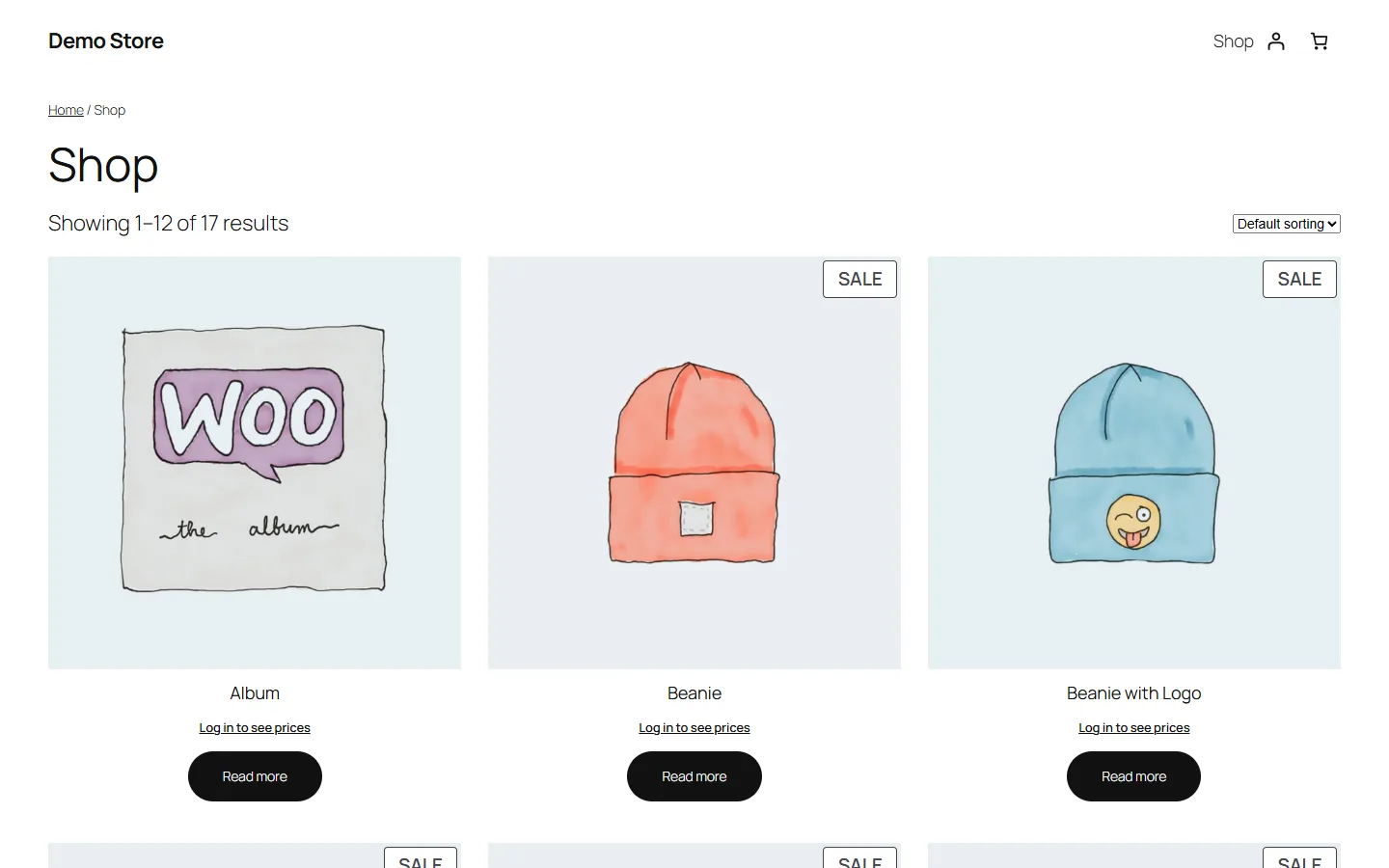
Hide prices from visitors or from everyone except your professional customers — in the pages and in the Store API used by blocks and apps — reserve products and categories, reserve payment and shipping methods and coupons to groups. HPOS and cart / checkout blocks compatible, accessible, translated into eight languages.
€59.00
One-time · 12 months updates
Read the docs
  • Unlimited dev & staging installs
  • Source code included
  • 30-day refund
  • 24h support · EN / FR
5.0/5 21 reviews
All customer reviews