
Everything you'd want to know before you install.
A detailed look at how Clear PrestaShop Cache — One-Click Purge (PS 8 & 9) works, why we built it the way we did, and the thinking behind the features above.
§ 01
PrestaShop cache, cleared in one click
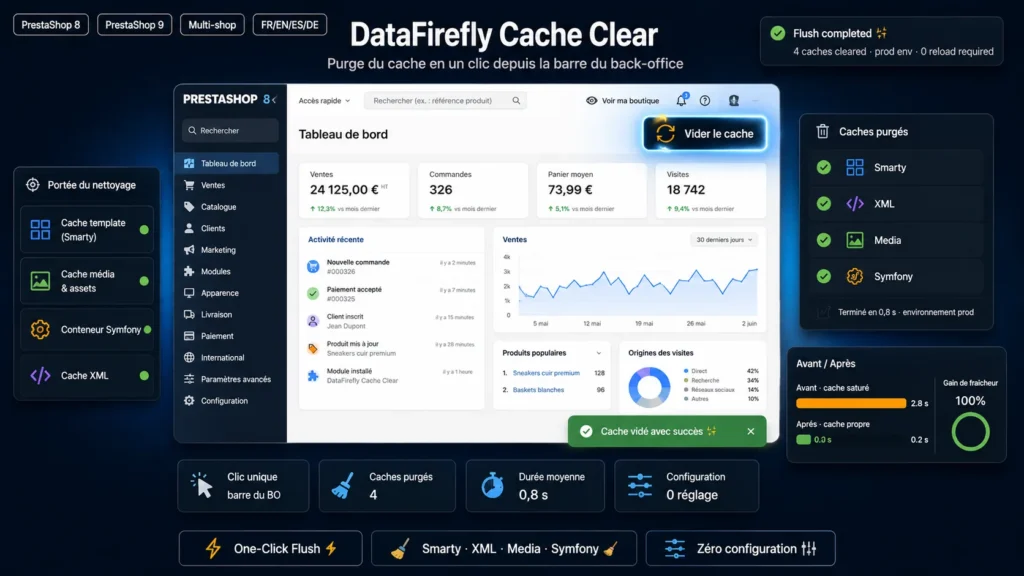
While developing and maintaining a store, you clear the cache dozens of times a day. DataFirefly Cache Clear adds a "Clear cache" button to the back-office toolbar: one click is enough, without going through Advanced Parameters > Performance.
§ 02
What gets cleared
The Smarty cache (compiled templates), the XML cache, the CSS/JS media cache and the PrestaShop 8/9 Symfony cache. The PHP OPcache is reset when the host allows it, and the Memcached or APCu object cache is flushed if it is enabled in the parameters.
§ 03
A Symfony purge that breaks nothing
The module first uses PrestaShop's native mechanism, which clears the Symfony cache at the end of the request. As a last resort, the environment's var/cache directory is renamed, then deleted once the response has been sent: other visitors rebuild a clean cache instead of reading a half-deleted one.
§ 04
Audit trail and permissions
Every purge is recorded in Advanced Parameters > Logs with the employee ID and the list of caches cleared. The button is only shown to employees whose profile has access to the module: super administrators and the profile of the employee who installed it.





There are no reviews yet.