

PrestaShop PrestaShop Modules

Shipping on Quote for PrestaShop 1.7.8, 8 & 9: checkout request, tax-aware quotes and dedicated carrier

Customers pay the real delivery of their furniture, machines or pallets, with no misleading “free shipping” and no guessed fees.

  • 30-day refund
  • 12 months updates
  • 24h support

When shipping cannot be calculated automatically, PrestaShop shows “Free” or a wrong rate. This module flags your bulky or special items as “Shipping on quote”: the customer requests a quote at the delivery step, you answer from a dedicated queue with an amount tax excluded or included, and a carrier of the module charges exactly that amount in the order. You can also keep sending quotes after the order, with a payment link and an attachment.

At a glance
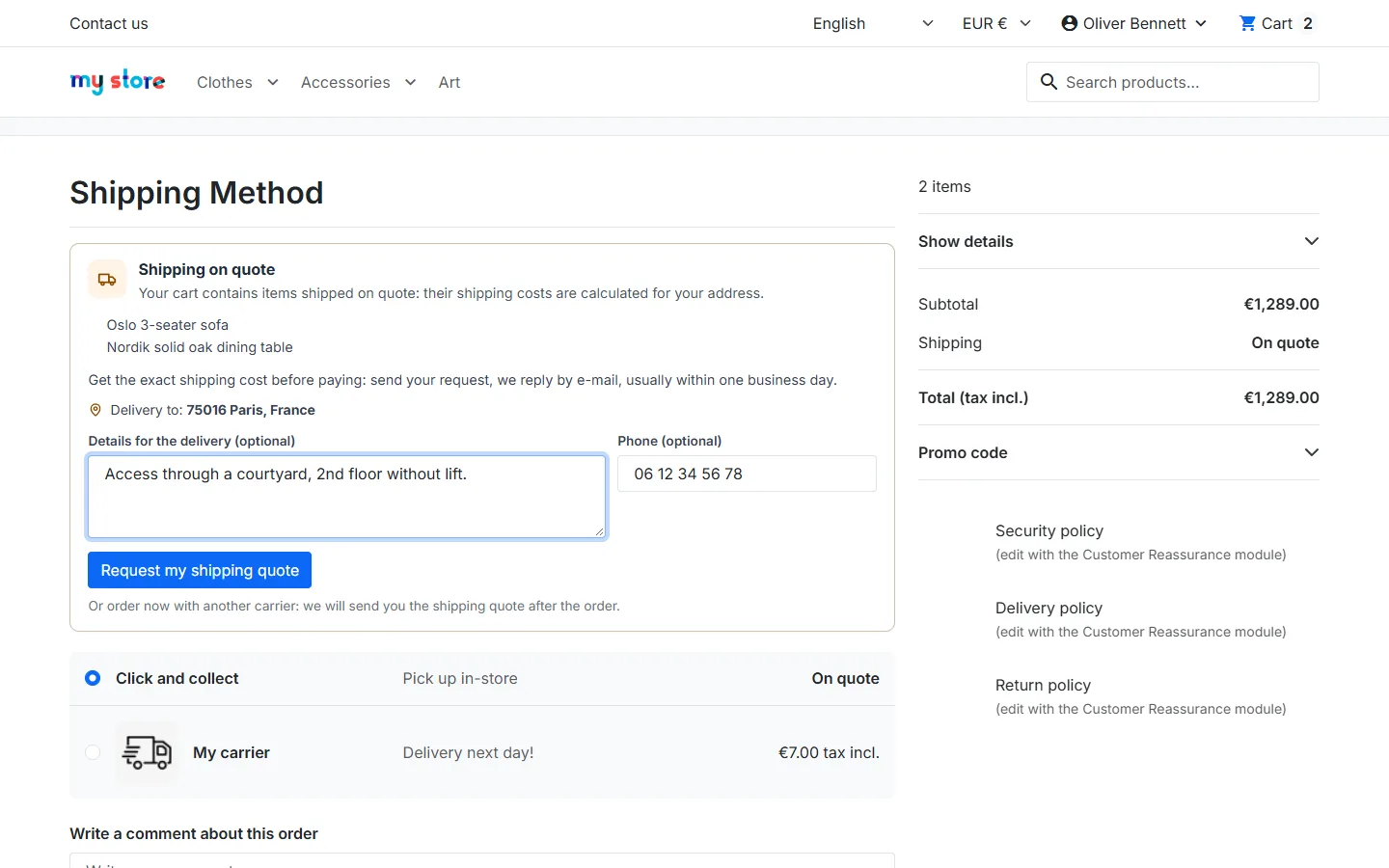
  • Quote request at the delivery step, with address, details and phone
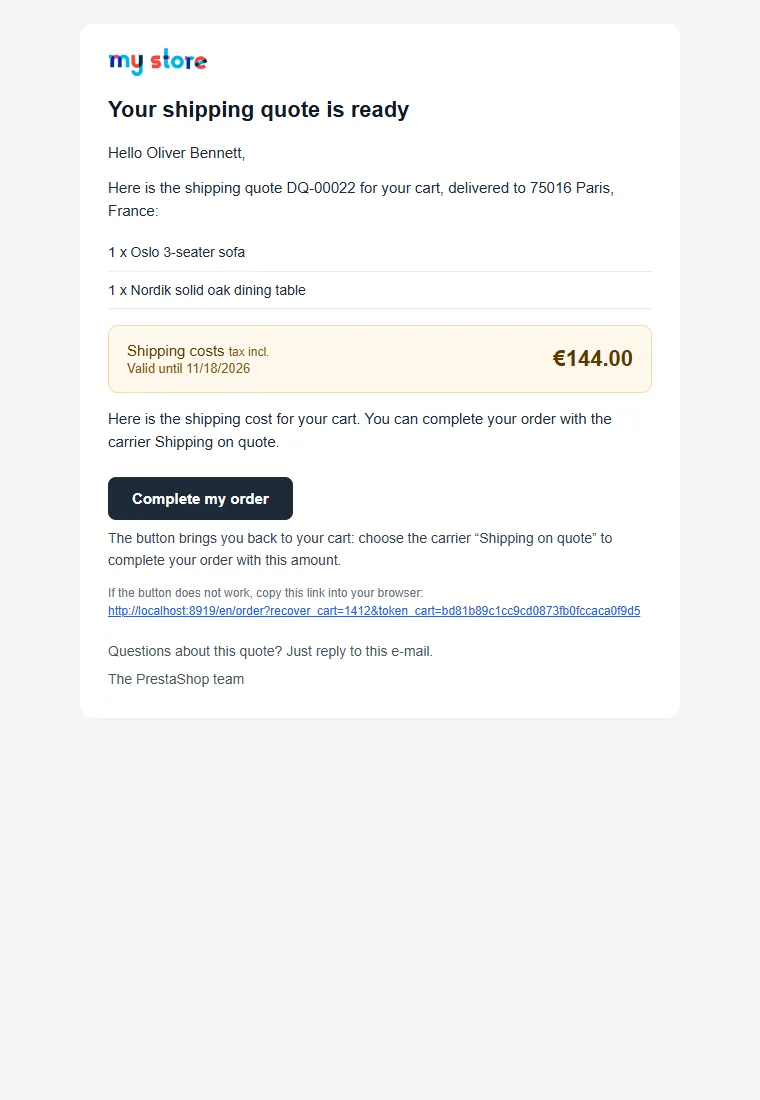
  • Quote queue and quick answer: tax excluded or included amount, validity, message, e-mail preview, attachment
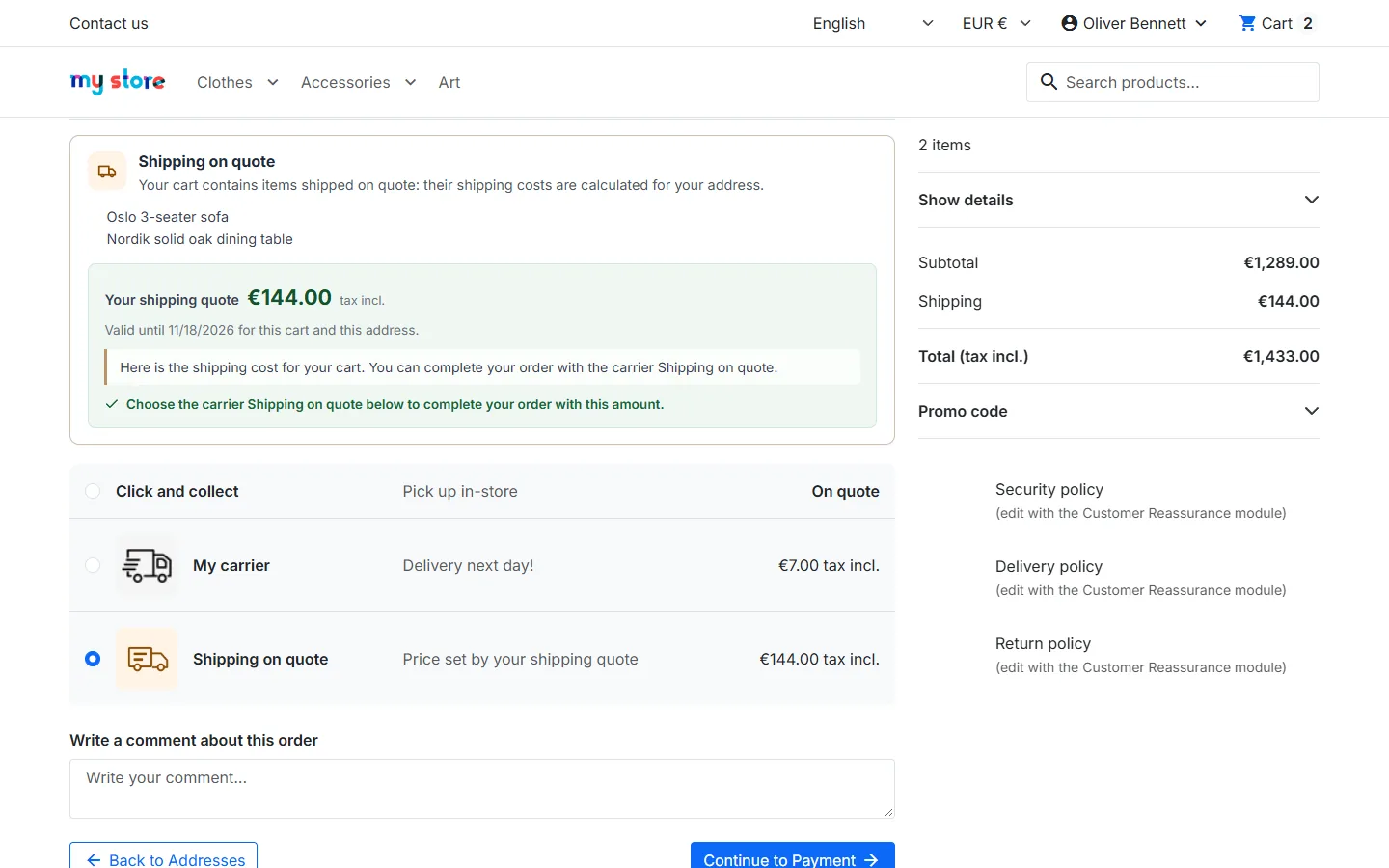
  • Dedicated carrier charging the quoted amount, checked by the server (cart, address, customer, expiry)
  • Quote after the order from the order page, with a payment link
  • PrestaShop 1.7.8, 8 and 9, Classic and Hummingbird, 8 languages
PrestaShop 1.7.8, 8 & 9 Classic & Hummingbird Dedicated carrier 8 languages
  • PrestaShop Certified Agency 2026
  • PrestaShop Expert Certification — Core Skills
  • PrestaShop Expert, level 3

Built by a PrestaShop Certified Agency

www.datafirefly.com/en/
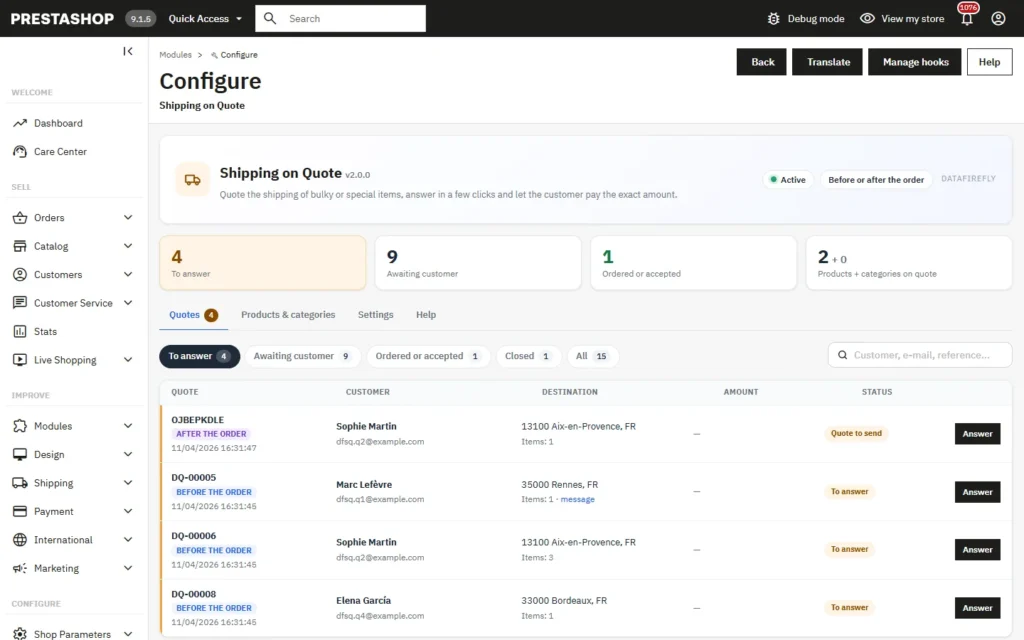
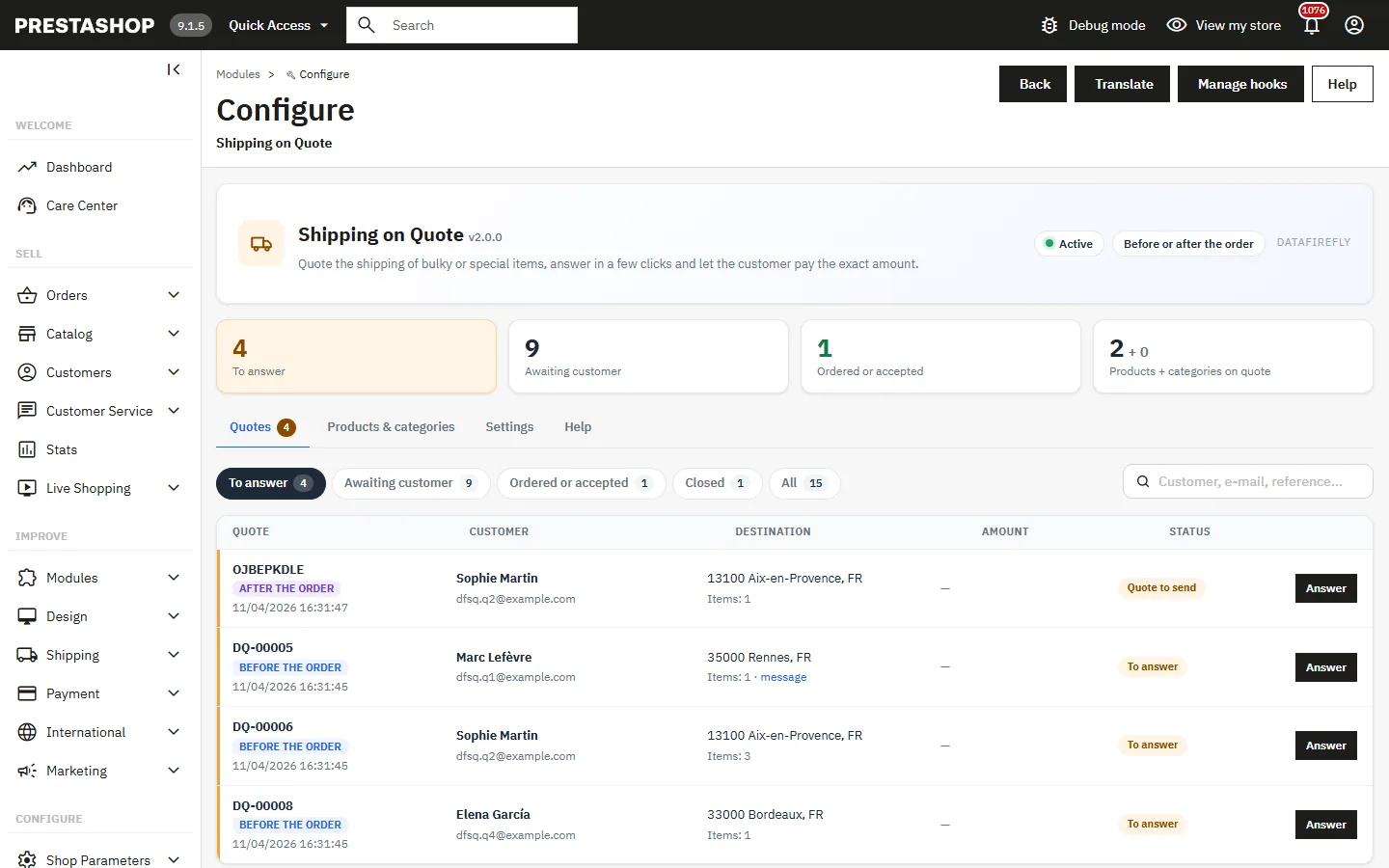
Shipping quote queue with status filters and counters in the PrestaShop back office
v2.0.1 · updated 2026-11-04
Shipping on Quote for PrestaShop 1.7.8, 8 & 9: checkout request, tax-aware quotes and dedicated carrier €89.00
What it does

The short version.

01

Customers request their quote at the right moment

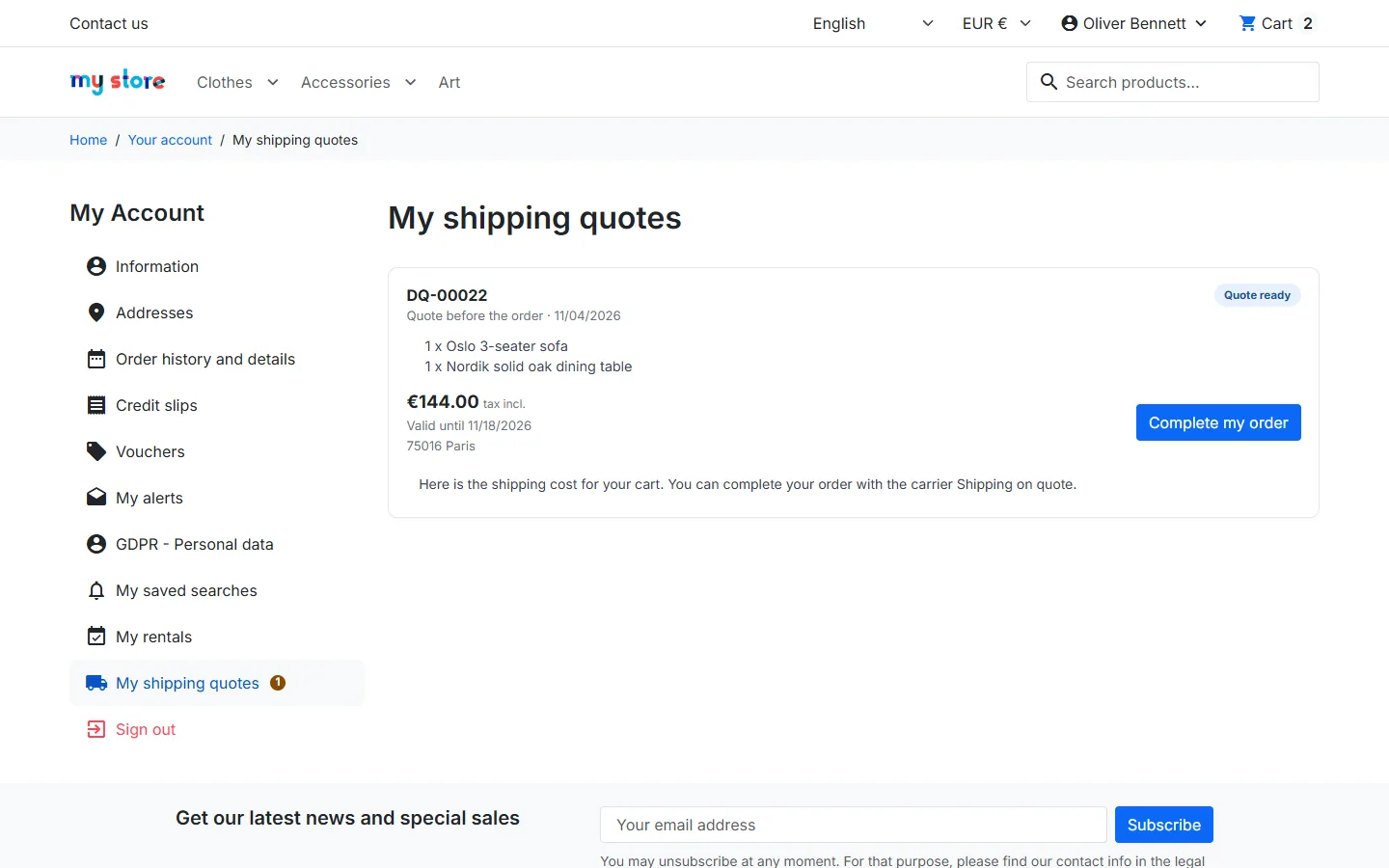
At the delivery step, a clear card lists the items concerned, recalls the address and lets the customer add details (access, floor, tail lift) and a phone number. After sending, the card follows the request: sent, quote ready, expired, cart changed or declined.

02

Answer in a few clicks

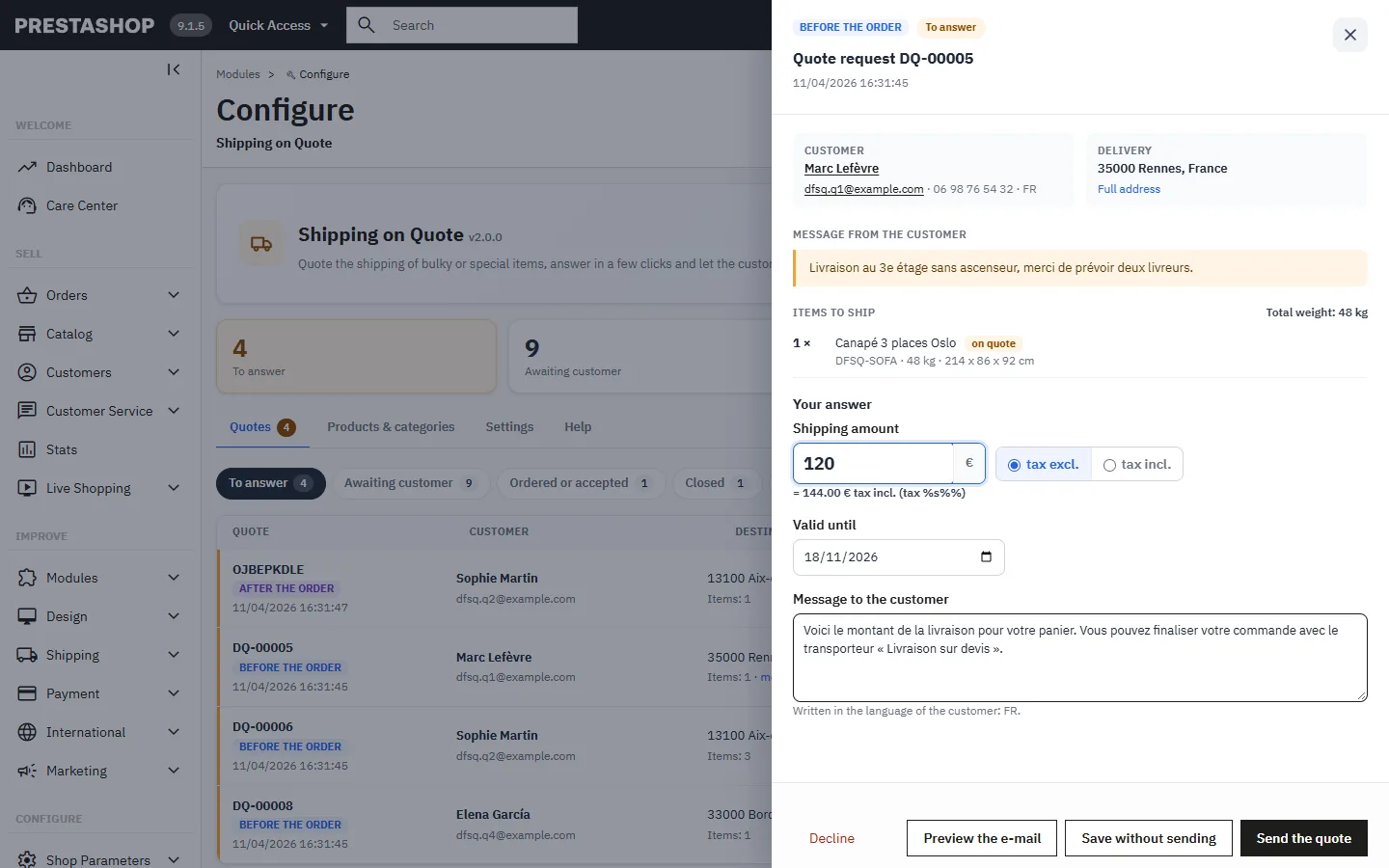
Every request lands in a queue with filters and counters. The answer panel shows the customer, the address and the items with weights and dimensions; you enter the amount tax excluded or included, the other one is calculated for the address, and you see the exact e-mail before sending it, with an attachment if needed.

03

An amount nobody can change

The Shipping on quote carrier reads the amount from the database and checks on every calculation the customer, the exact cart content, the address, the currency and the expiry date. The amount is part of the order, the invoice and the payment, with the carrier tax.

04

Before or after the order, your choice

Offer the request at checkout, require it before the order, or keep the quote after the order as before: card on the order page, e-mail with payment link, “On quote” label instead of “Free” in the cart, the e-mails and the confirmation.

The long version

Everything you'd want to know before you install.

A detailed look at how Shipping on Quote for PrestaShop 1.7.8, 8 & 9: checkout request, tax-aware quotes and dedicated carrier works, why we built it the way we did, and the thinking behind the features above.

§ 01

When shipping cannot be calculated

A sofa, a machine or a pallet is not delivered at the same price everywhere, and PrestaShop price ranges cannot quote it. The result: “Free shipping” in the cart, then a phone call to the customer, or guessed fees. With this module, these items clearly announce shipping on quote, and the real amount is known before payment.

§ 02

A simple request for the customer, complete for you

The customer requests the quote at the delivery step, without leaving the checkout. You receive everything you need to price it: items, quantities, weights, dimensions, address and message. The answer goes out in a few clicks, in the customer's language, with the validity of your choice.

§ 03

The amount becomes a real shipping cost

The Shipping on quote carrier charges the quoted amount like any shipping cost: it appears in the order, the invoice, the payment and the accounting, with the carrier tax. It is only offered for the cart, the address and the customer of the quote, until its validity date.

§ 04

Fits the way you work

Prefer sending the quote after the order? That workflow is still available, with a card on the order page, a payment link and an attachment. You can also let the customer choose, or require the quote before the order.
€89.00
One-time · 12 months updates
Read the docs
  • Unlimited dev & staging installs
  • Source code included
  • 30-day refund
  • 24h support · EN / FR
5.0/5 21 reviews
All customer reviews