

PrestaShop PrestaShop Modules

Tracking Number in the Shipped Email for PrestaShop 8 & 9: Carrier, Tracking Button and Email Hold

Your customers find their tracking number right in the Shipped email, not in a support ticket.

The default Shipped email of PrestaShop says that the order has left, but not how to follow it. Customers then write to ask for the tracking number. This module adds a clean block to that email with the carrier, the tracking number and a button that opens the carrier tracking page, in the language of the order. If the order is marked as shipped before the number is entered, the email waits and leaves as soon as the number is saved, without the duplicate In transit email. Your email templates are never modified.

At a glance
  • Carrier, tracking number and tracking button added to the Shipped email, in the language of the order
  • Email held until the tracking number is entered, then sent automatically, without duplicate In transit email
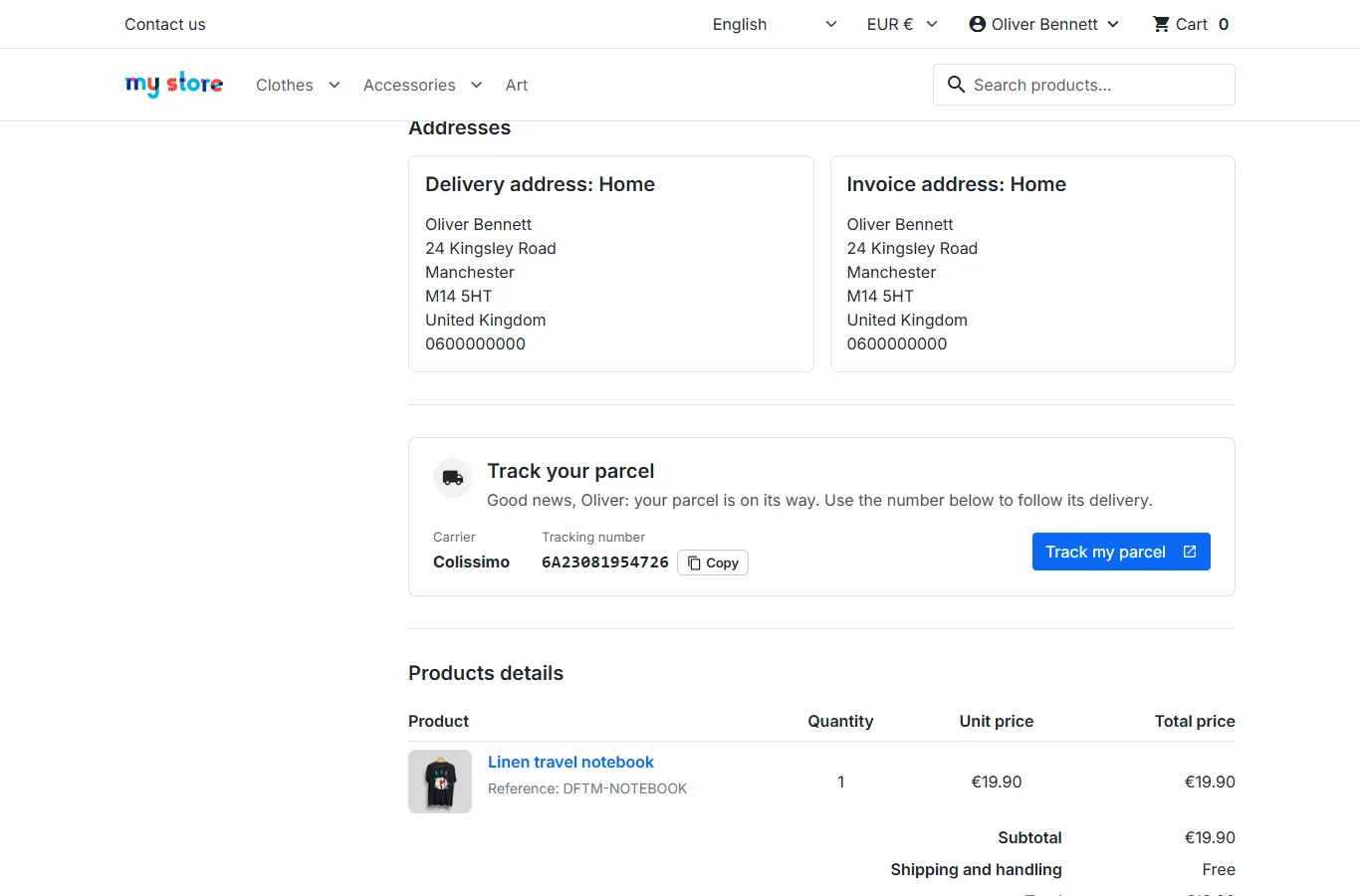
  • Tracking card in the customer account, on Classic and Hummingbird
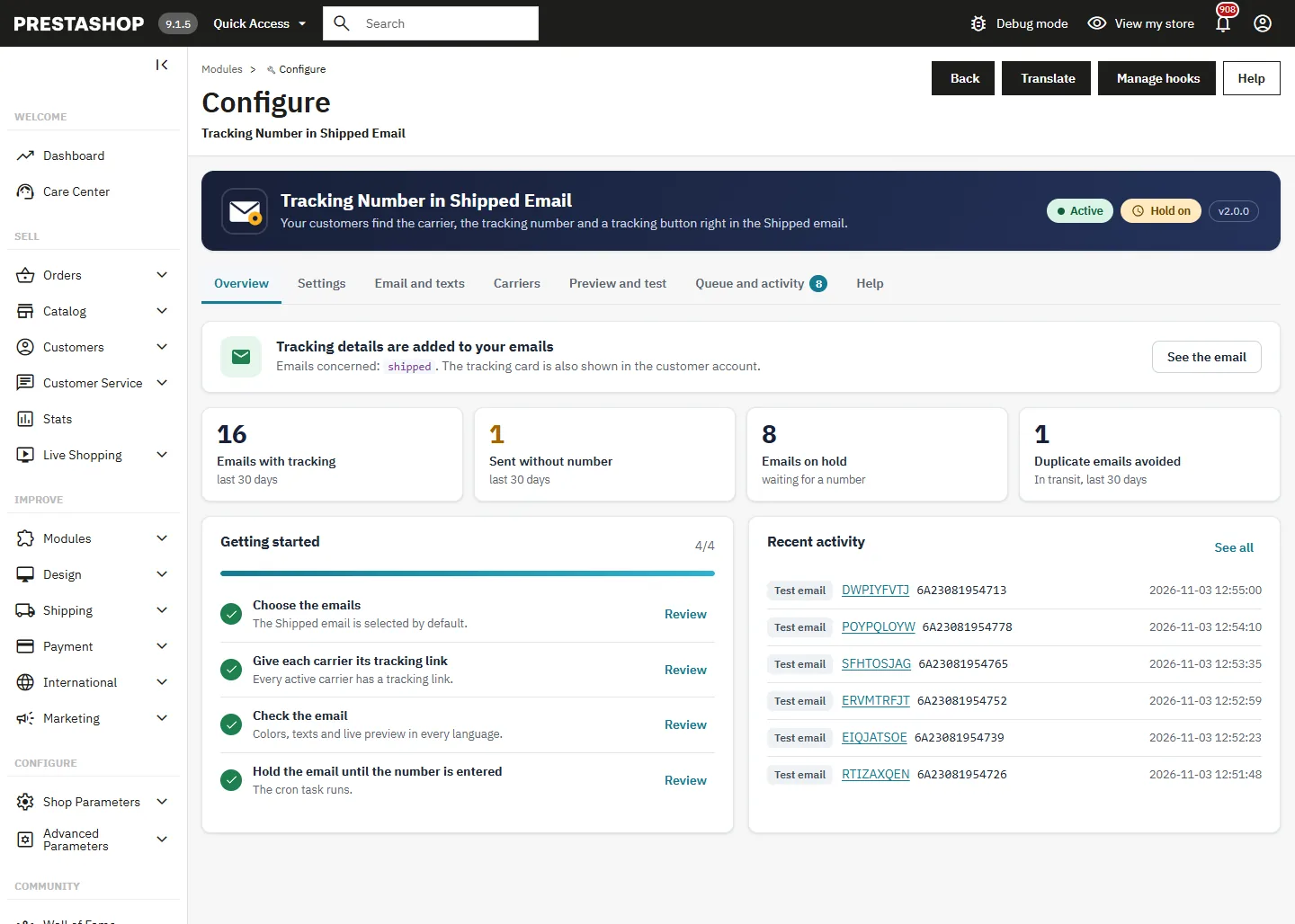
  • Live preview of the whole email, test email, 21 carrier tracking links ready to use
  • Works on PrestaShop 1.7.8, 8 and 9, translated into 8 languages, templates never modified
PrestaShop 1.7.8, 8 & 9 Classic & Hummingbird Email hold 8 languages
  • 30-day refund
  • 12 months updates
  • 24h support
  • PrestaShop Certified Agency 2026
  • PrestaShop Expert Certification — Core Skills
  • PrestaShop Expert, level 3

Built by a PrestaShop Certified Agency

www.datafirefly.com/en/
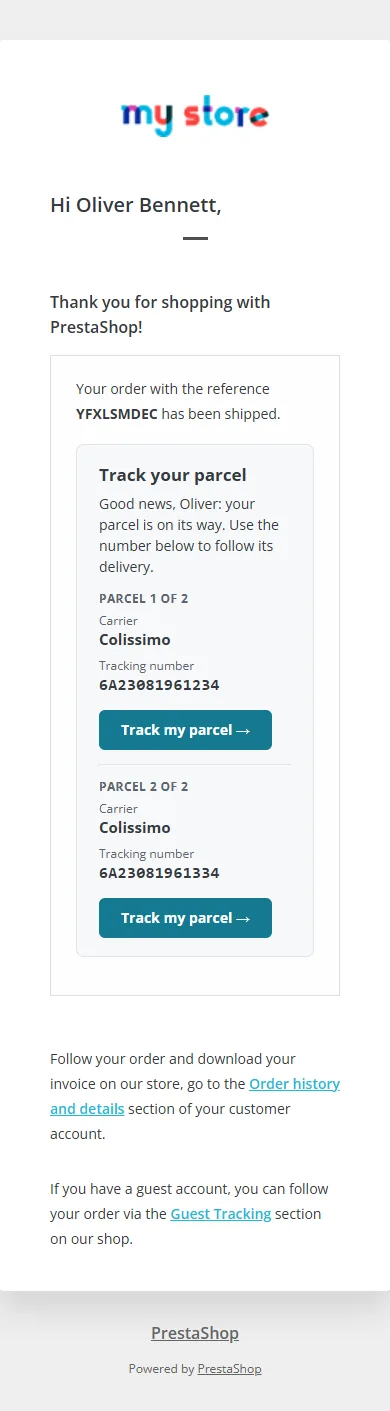
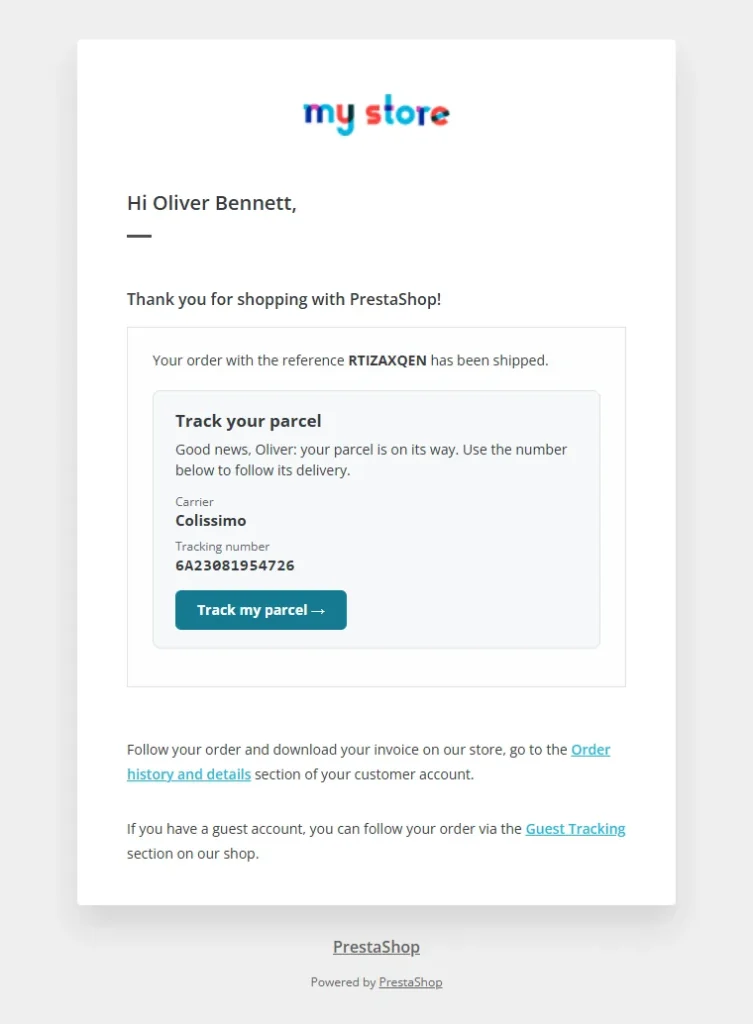
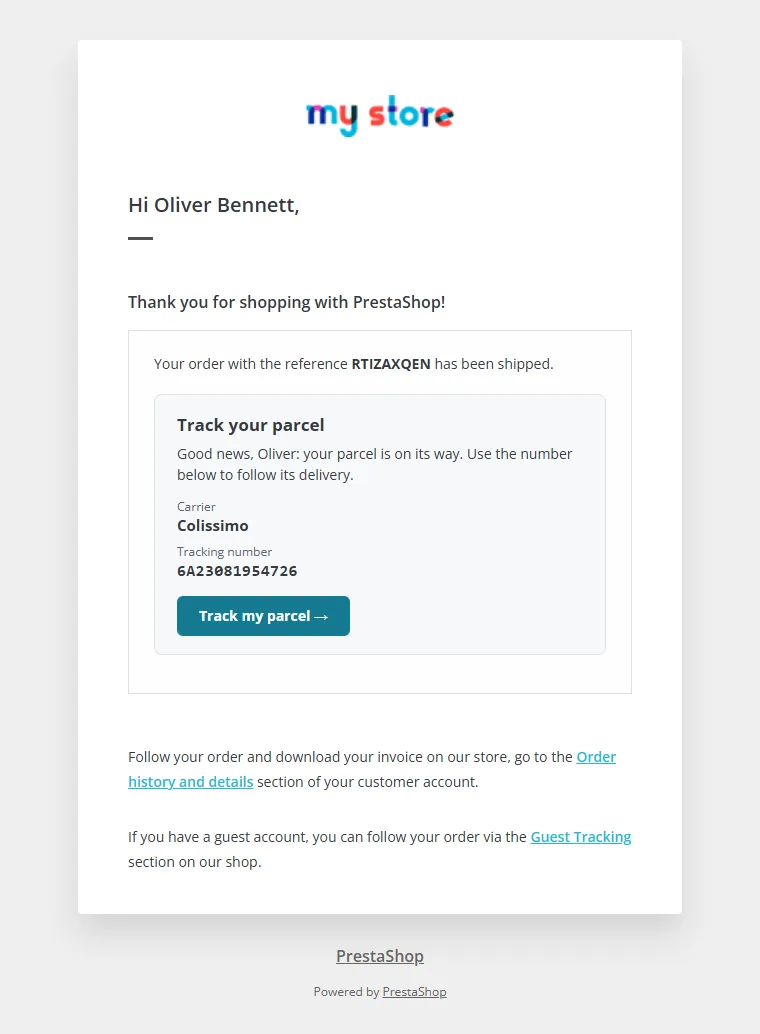
Shipped email with the carrier, the tracking number and a tracking button
v2.0.0 · updated 2026-11-03
What it does

The short version.

01

Tracking details where customers look first

The block sits right after the sentence with the order reference: carrier, tracking number in a readable font and a tracking button. Several parcels are numbered, each with its own button. Three styles, your colors with a live contrast check, and texts you can edit in every language.

02

No more Shipped email without number

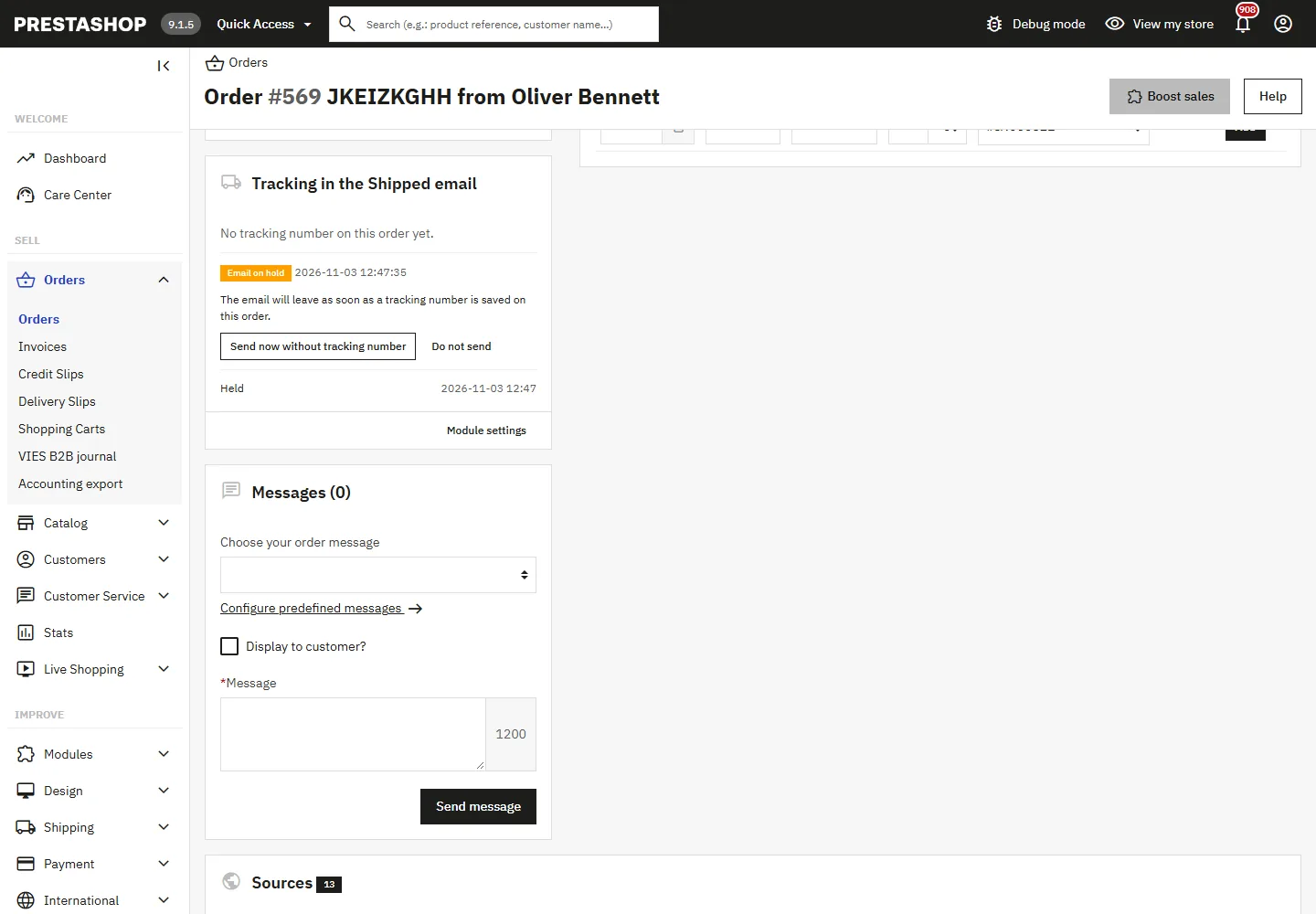
Many shops mark the order as shipped before the label is printed. With the hold turned on, the email waits in a queue and leaves the moment the tracking number is saved on the order page or by a carrier module. A delay sends it anyway if no number comes, and the duplicate In transit email is skipped.

03

A tracking link for every carrier

The button uses the tracking URL of the carrier, or a link set for the emails only. 21 ready-made links are suggested from the carrier name (Colissimo, Chronopost, Mondial Relay, DPD, GLS, UPS, DHL, PostNL, InPost, Correos, CTT and more), with a Test button. Postcode and country can be inserted for carriers that need them.

04

See the email before your customers do

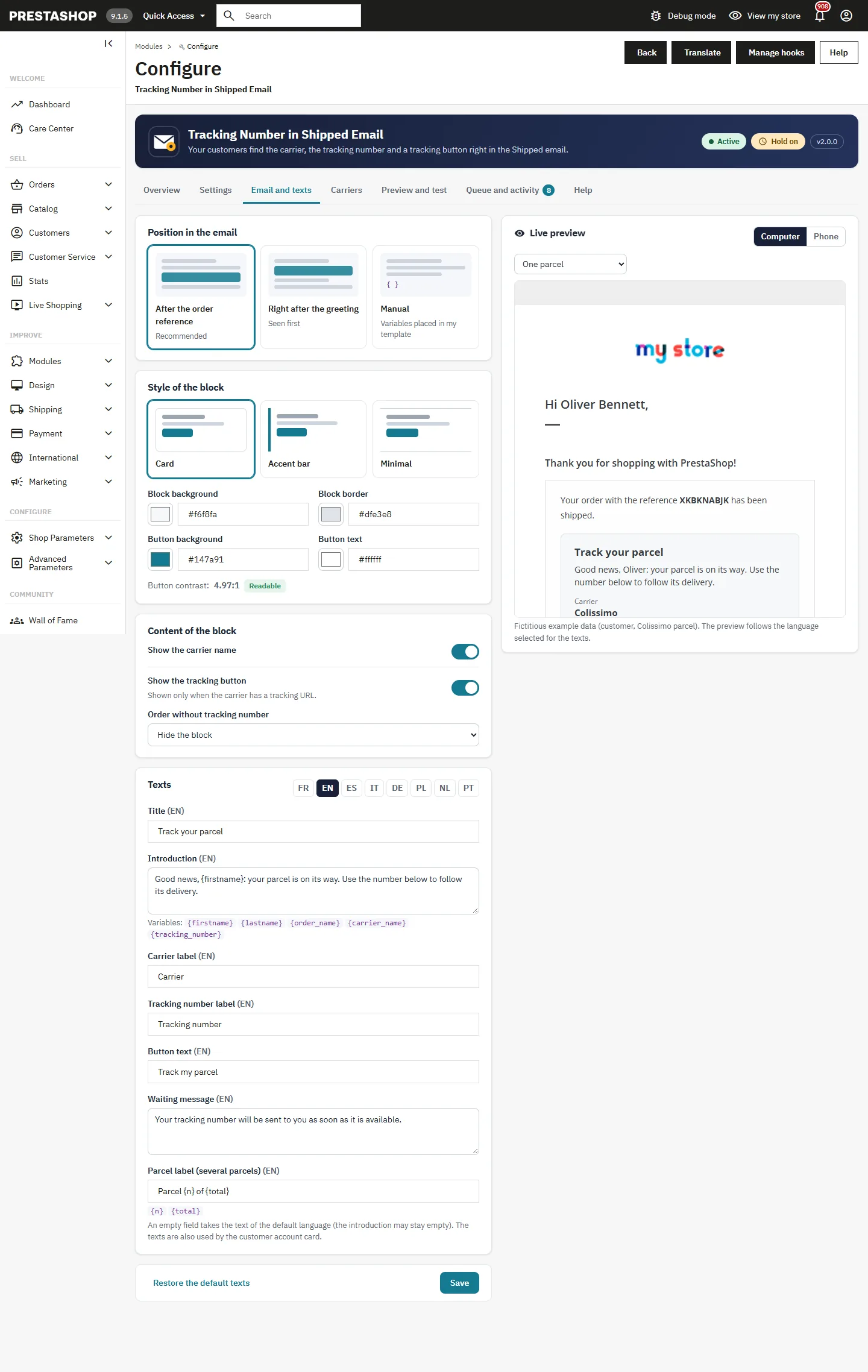
The live preview shows the whole email, built from your own templates, in each language, on a computer or a phone, while you change colors and texts. Send yourself a test with example data or a real order: the customer receives nothing.

The long version

Everything you'd want to know before you install.

A detailed look at how Tracking Number in the Shipped Email for PrestaShop 8 & 9: Carrier, Tracking Button and Email Hold works, why we built it the way we did, and the thinking behind the features above.

§ 01

Why customers ask where their parcel is

PrestaShop sends a Shipped email with the order reference and a link to the order history. The tracking number is entered somewhere else, often later, and the In transit email that carries it is easy to miss. Result: customers write to the support, or open a dispute before the parcel has even arrived. Putting the number in the email they actually read removes most of these messages.

§ 02

A block that fits your emails

The block is inserted while the email is sent, in the templates you already use: the PrestaShop theme, your theme, or an email editor module. It sits after the order reference by default, or after the greeting, or exactly where you place a variable. Three styles and your colors make it look like part of your brand, and the live preview shows the result before saving.

§ 03

When the label is printed after the status change

With the hold turned on, a Shipped email without tracking number is kept in a queue instead of leaving empty. It is sent as soon as the number is saved on the order page or written by a carrier module, or after the delay you choose. The In transit email that PrestaShop sends at the same moment is skipped, so the customer gets one complete email instead of two half ones. Carriers without tracking, like store pickup, are never held.

§ 04

The right link for each carrier

Each carrier gets the tracking page of its own website. The module reads the URL set in Shipping > Carriers and lets you replace it for the emails only. Suggestions cover 21 carriers across Europe and the US, with a Test button that opens the page with a sample number. Carriers that need the postcode or the country get them from the delivery address.

§ 05

Also in the customer account

The same information appears on the order details page and on the guest tracking page, as a card with the carrier, the number, a copy button and the tracking button. It follows Classic, Hummingbird and their child themes, and goes full width on phones.
€79.00
One-time · 12 months updates
Read the docs
  • Unlimited dev & staging installs
  • Source code included
  • 30-day refund
  • 24h support · EN / FR
5.0/5 20 reviews