
Everything you'd want to know before you install.
A detailed look at how DF Translate Pro — Multilingual Translation at Scale for WordPress & WooCommerce works, why we built it the way we did, and the thinking behind the features above.
§ 01
A complete translation workflow
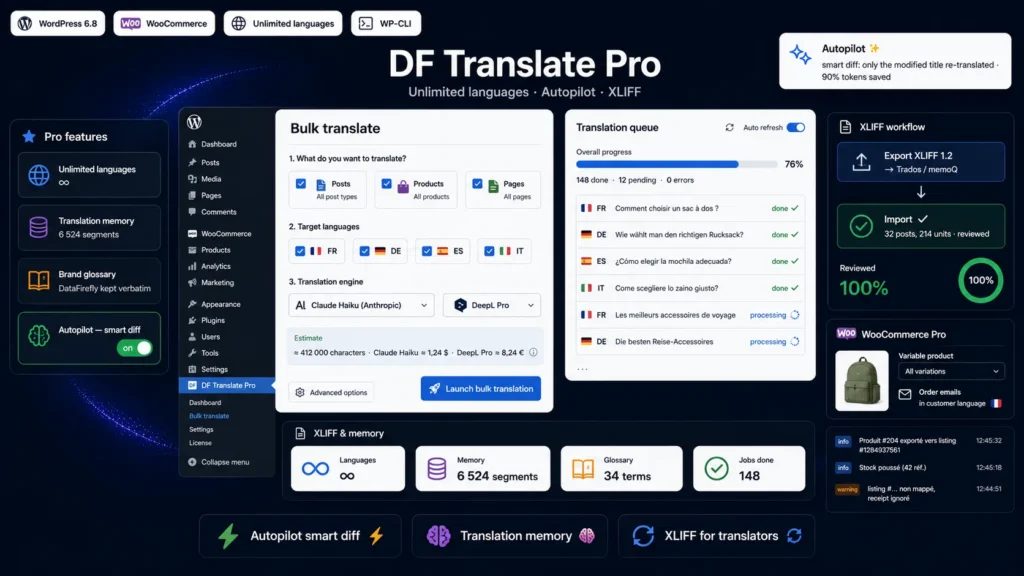
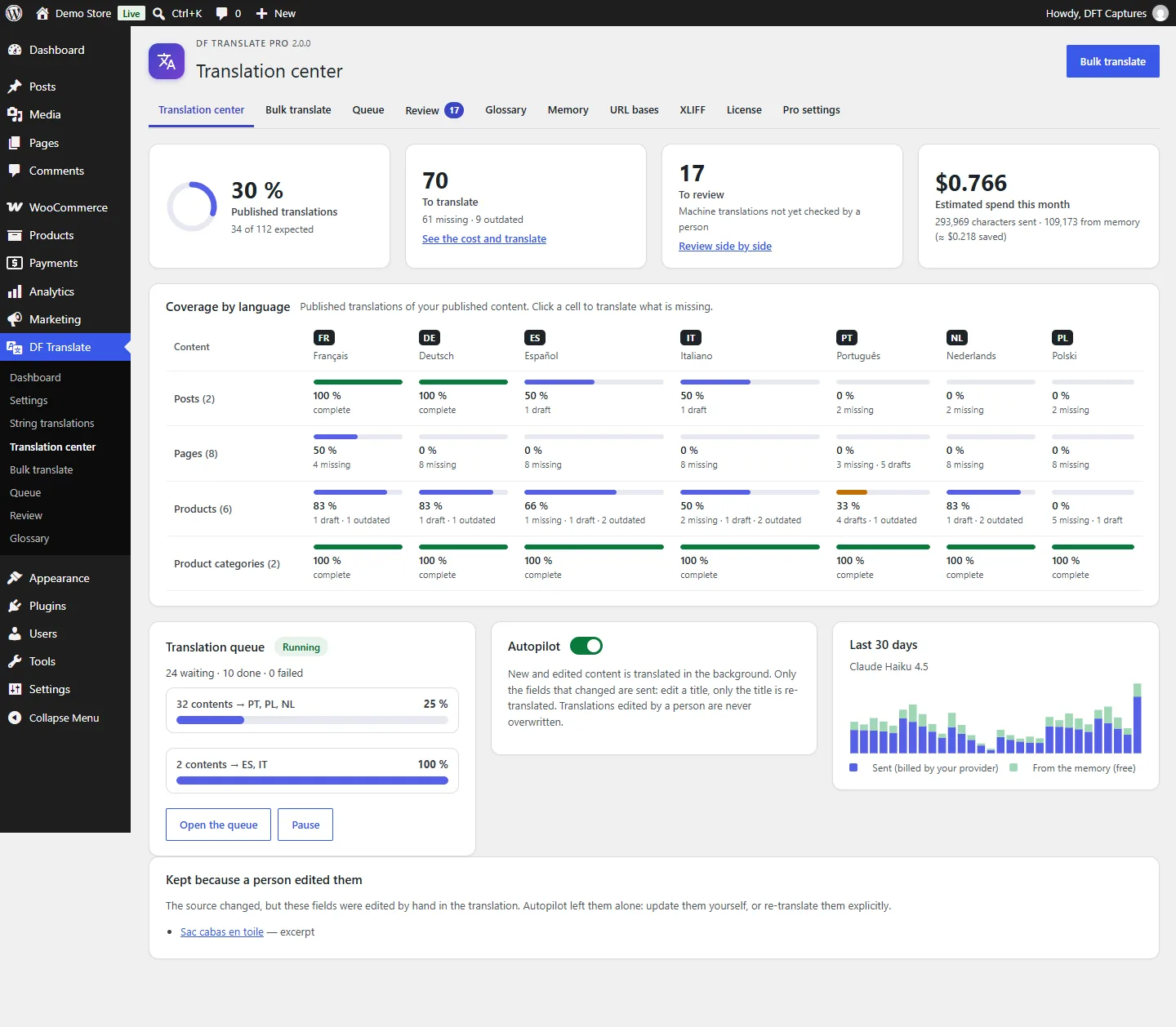
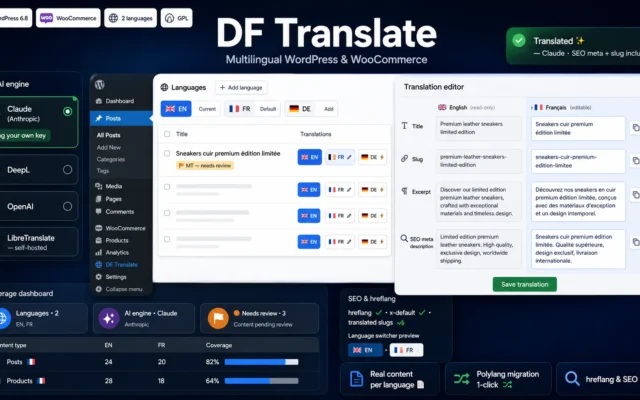
DF Translate Pro sits on top of the free DF Translate plugin (required), which handles languages, URLs, hreflang and the engines. Pro adds what a real multilingual store needs: a translation center to see where each language stands, bulk translation with the cost first, an Autopilot that keeps everything up to date, a memory, a glossary, a review queue and the WooCommerce details that matter.
§ 02
See the cost before you translate
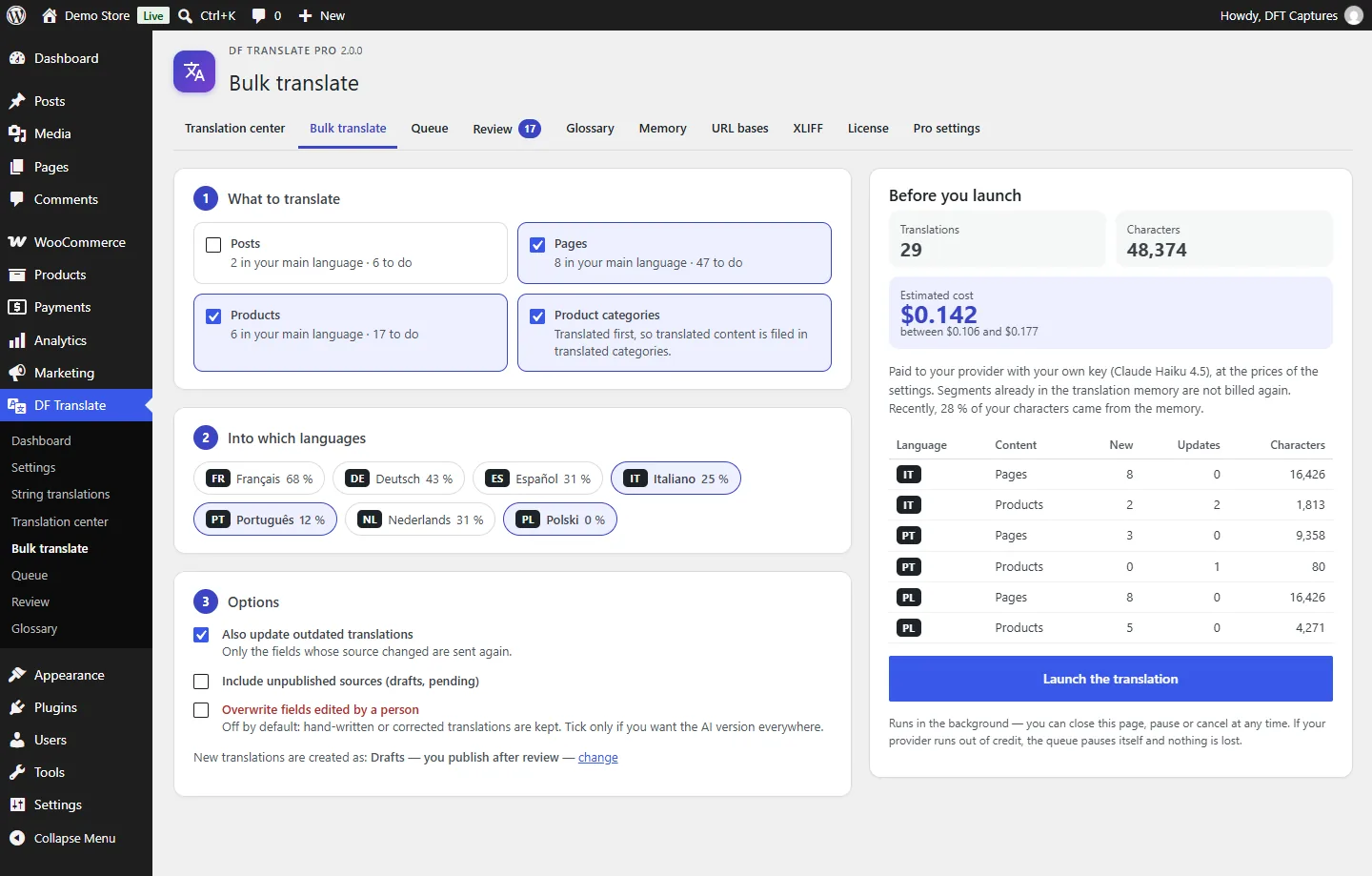
Choose content types, categories and languages: Pro counts the characters that will really be sent — titles, content, excerpts, SEO fields — and shows the estimated cost for the engine and model you use, with a low–high range and the share recently served by the memory. Prices come from the public list prices and can be edited. The run starts only when you confirm, and you can pause or cancel it at any time.
§ 03
Autopilot, without overwriting your team
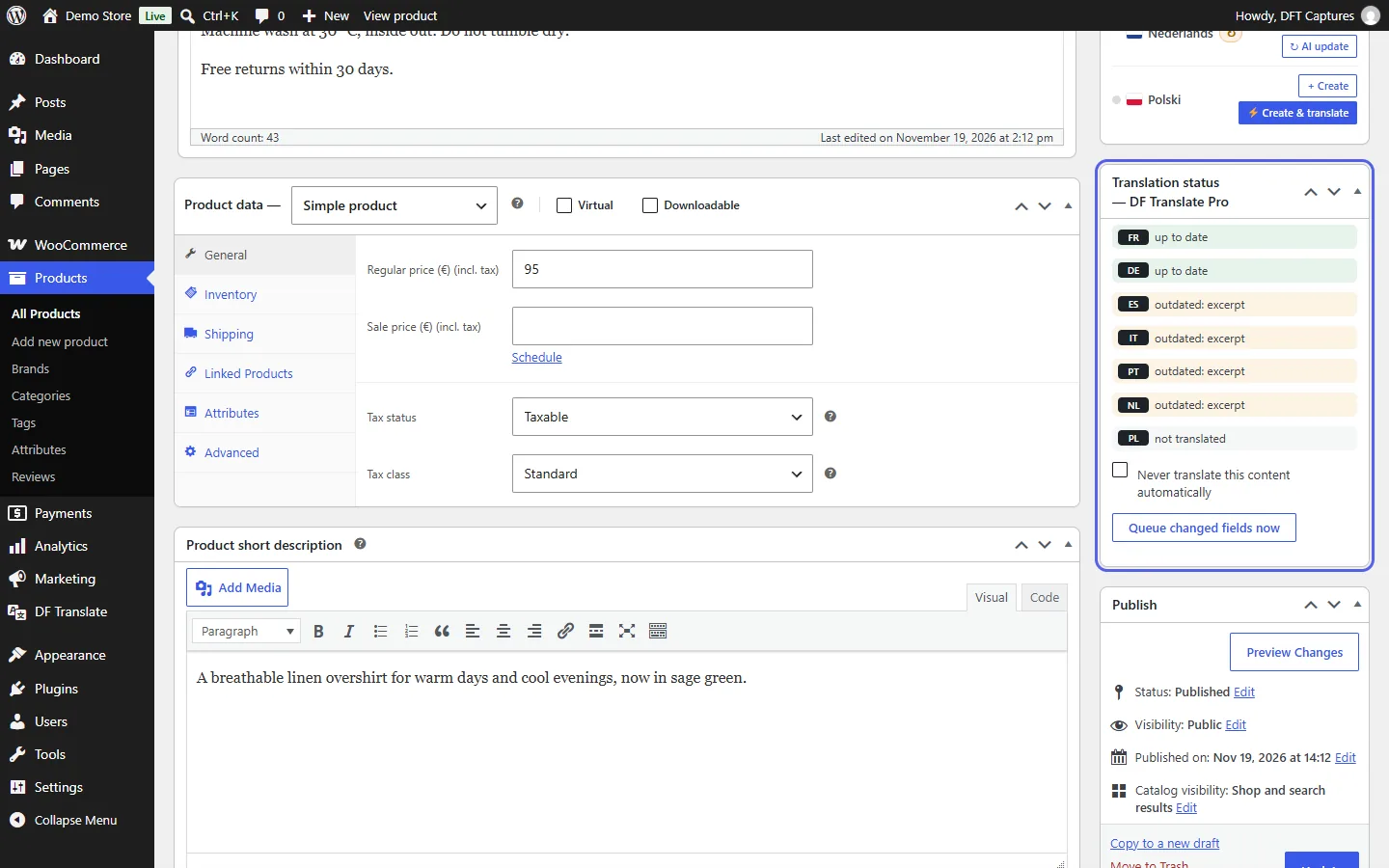
Turn Autopilot on and new or edited content is queued in the background with only the fields that changed. Each field remembers the machine version it received: as soon as a person corrects it, Autopilot leaves it alone and lists it as kept when the source changes, so you decide. You can still force a new machine translation from the review screen.
§ 04
A queue that does not waste your credit
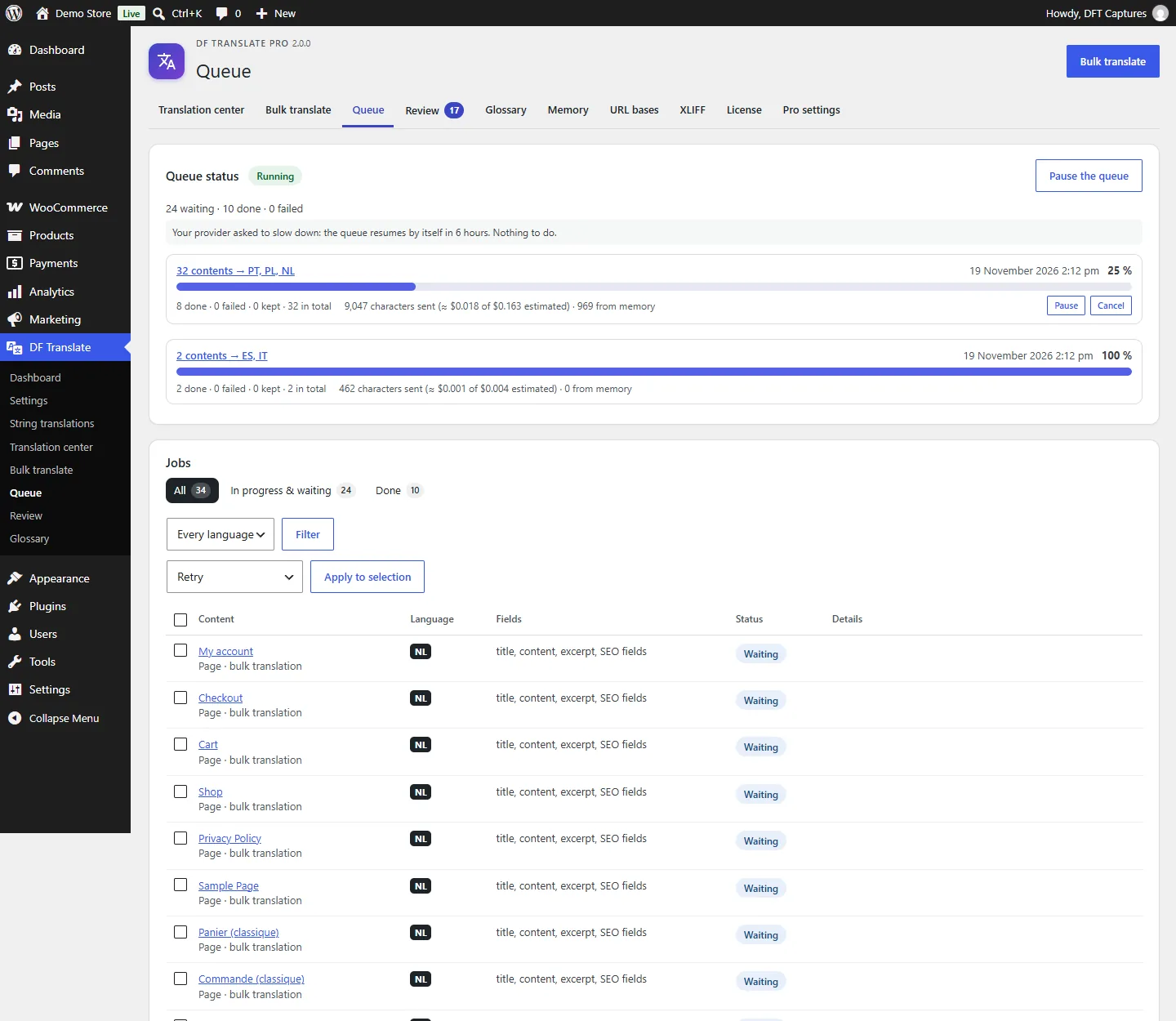
Jobs are claimed atomically, so none runs twice. When your provider refuses a request for quota or key reasons, the queue pauses after the first refusal, keeps every job and tells you what to do; rate limits are respected and temporary errors retried with an increasing delay. Thanks to the per-segment memory, a job interrupted halfway resumes without paying again for what was already translated.
§ 05
Glossary, quality and safety
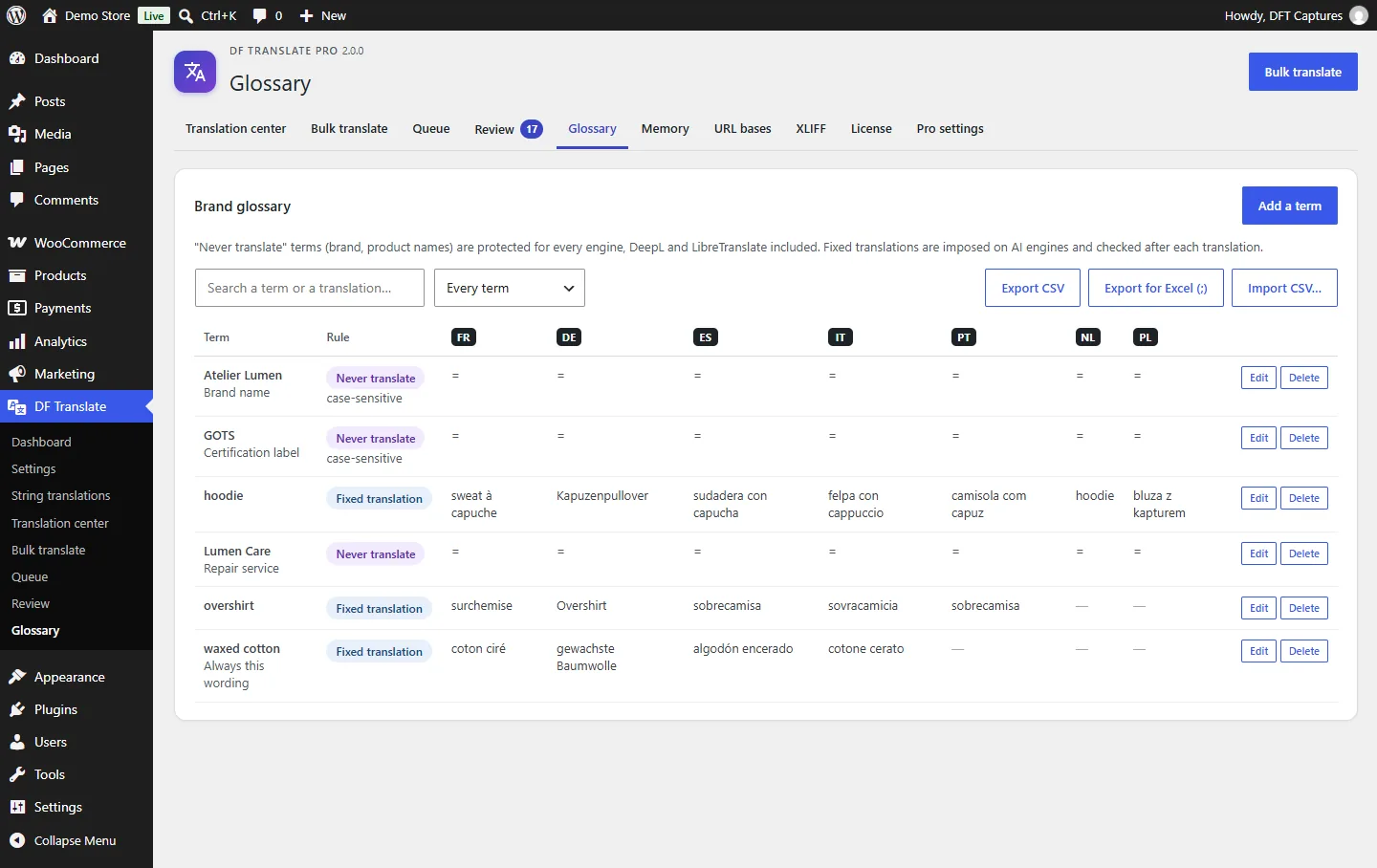
Never-translate terms (brand, product lines, codes) are protected for every engine, including DeepL and LibreTranslate. Fixed translations are imposed on AI engines and checked after each translation. Each translation goes through a quality gate: shortcodes, blocks, placeholders and structure must survive, and anything executable that the AI adds is removed. The AI is told your content is text to translate, never instructions.
§ 06
Review side by side
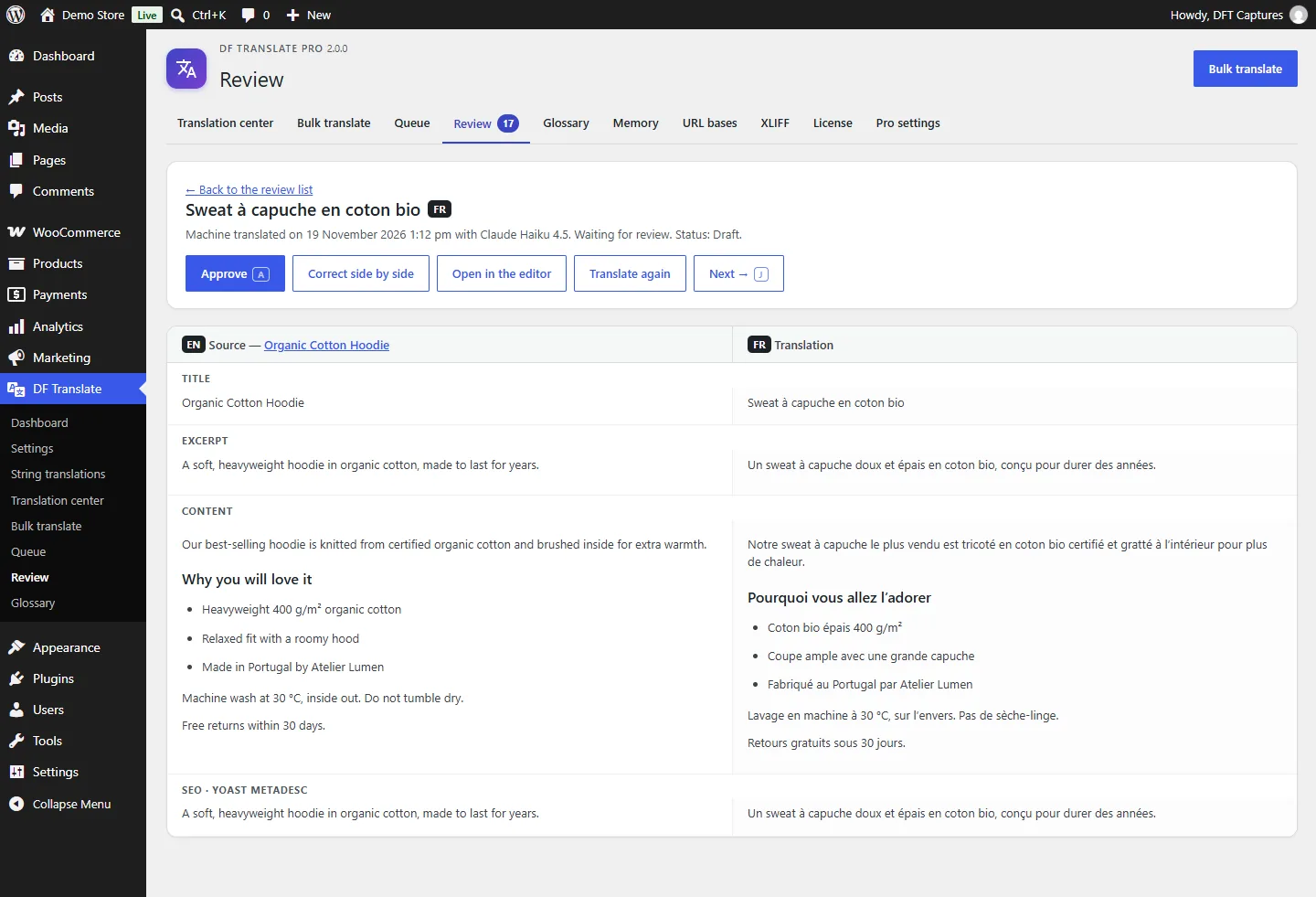
Machine translations wait in a review queue. Open one to see the source and the translation field by field, with the warnings explained (glossary not followed, length, removed markup), approve with one key and move to the next, or correct it in the side-by-side editor.
§ 07
Complete multilingual WooCommerce
Variations are mirrored and linked as translations: stock is shared, prices stay in sync, new and removed variations are followed. Customer e-mails — subject, heading and body — go out in the language of the order, including orders placed with the block checkout, while admin e-mails stay in your language. Translated URL bases answer immediately with a 301 from the old address, and every published translation appears in the XML sitemap.
§ 08
For translators and large catalogs
Export XLIFF 1.2 with one unit per paragraph and source fingerprints for Trados, memoQ, Smartcat or Phrase, then re-import with a dry-run report: units whose source changed, units that lost shortcodes or blocks and parts in the wrong language are left out; imported translations are marked reviewed and protected. WP-CLI commands estimate, queue, process, pause and resume for very large catalogs.
§ 09
A license that never blocks your site
Your license gives 12 months of hosted updates and support. Expired, invalid or never activated: every feature keeps working, and no call to the license server is made while visitors browse. Upgrading from 1.x keeps your queue, glossary, memory, URL bases, Autopilot setting and license, without re-translating anything.

There are no reviews yet.