

PrestaShop Accounting & Invoicing

Edit Orders in PrestaShop 8 & 9: Products, Addresses and Invoice

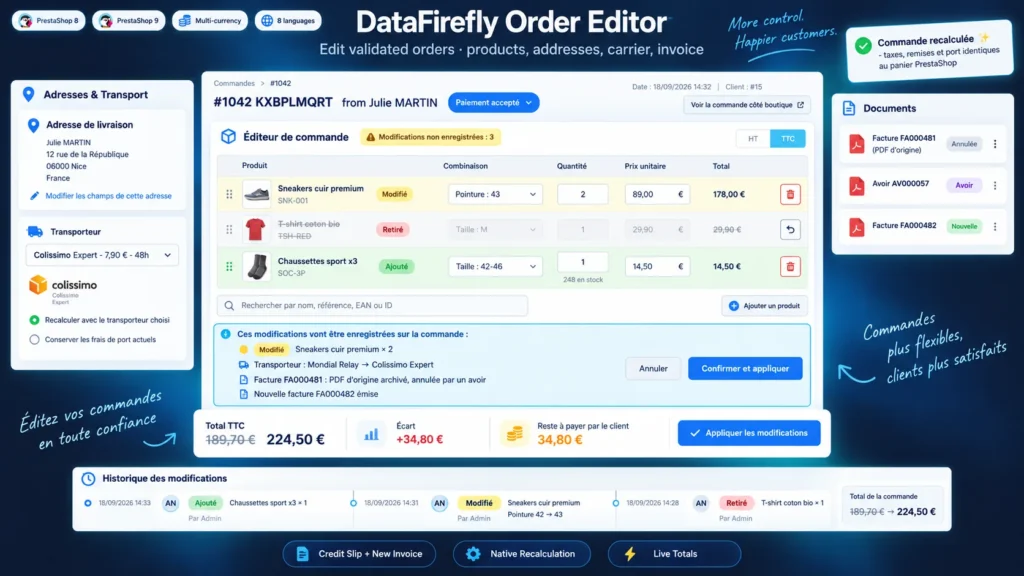
Edit a validated order like a cart: products, combinations, quantities, prices, addresses, carrier and discounts, with native recalculation and a reissued invoice.

  • 30-day refund
  • 12 months updates
  • 24h support

A customer wants another size, adds an item over the phone or entered the wrong address: in PrestaShop, the order page cannot change a combination, does not always recalculate discounts and edits an invoice already issued without keeping a record. This module adds an editor under the Products block of the order. Every change is recalculated by the PrestaShop cart engine, the new totals appear live, and on confirmation the invoice is cancelled by a credit slip and replaced by a new numbered invoice, with the original PDF archived.

At a glance
  • Add, remove or swap combinations, fix quantities and prices excl. or incl. tax on a validated order
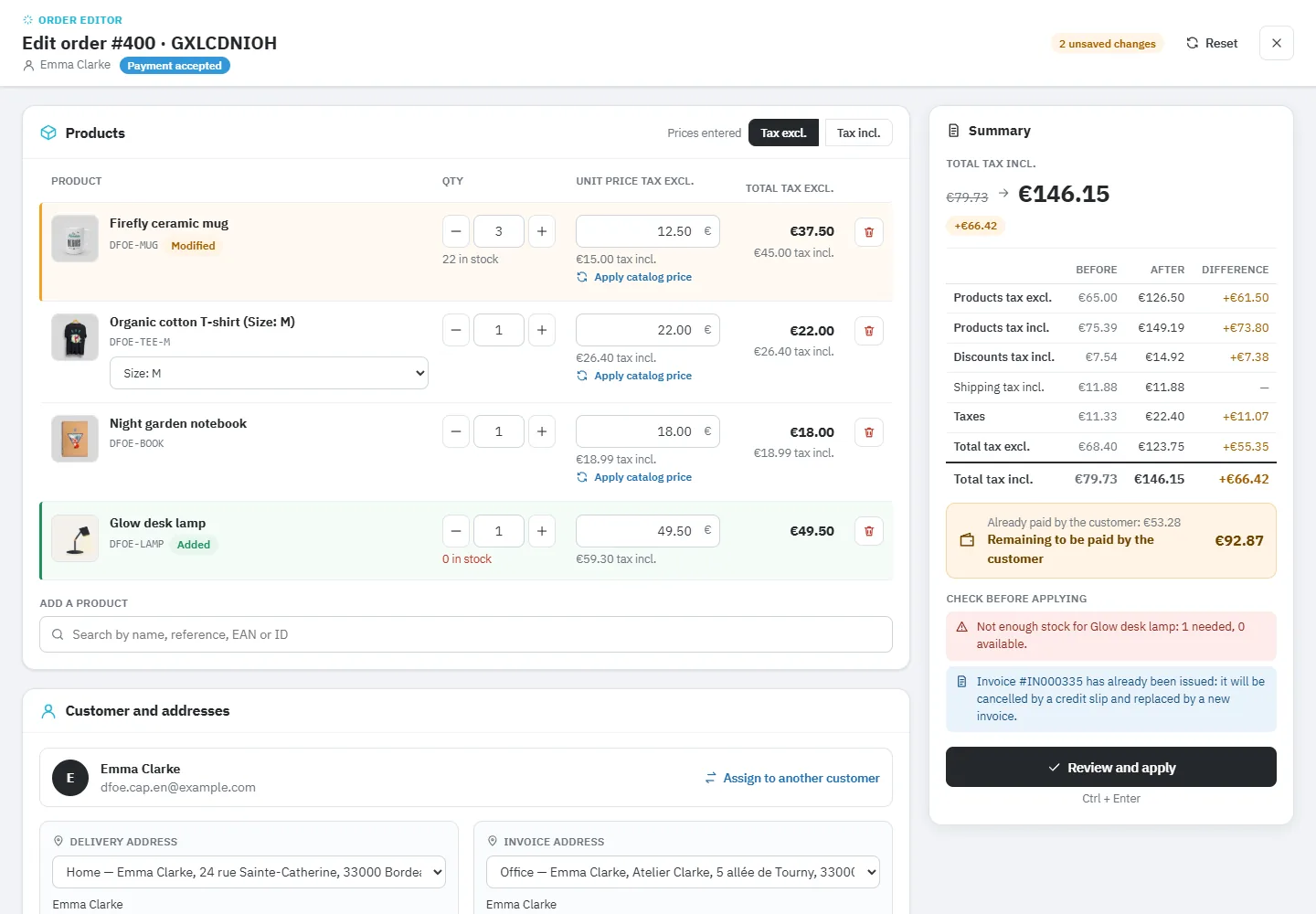
  • Full-screen editor with a before / after preview of totals, payment balance and alerts
  • Taxes, discounts, shipping and VAT breakdown recalculated like a real order
  • Credit slip and new invoice, cancelled invoices exported exactly as issued
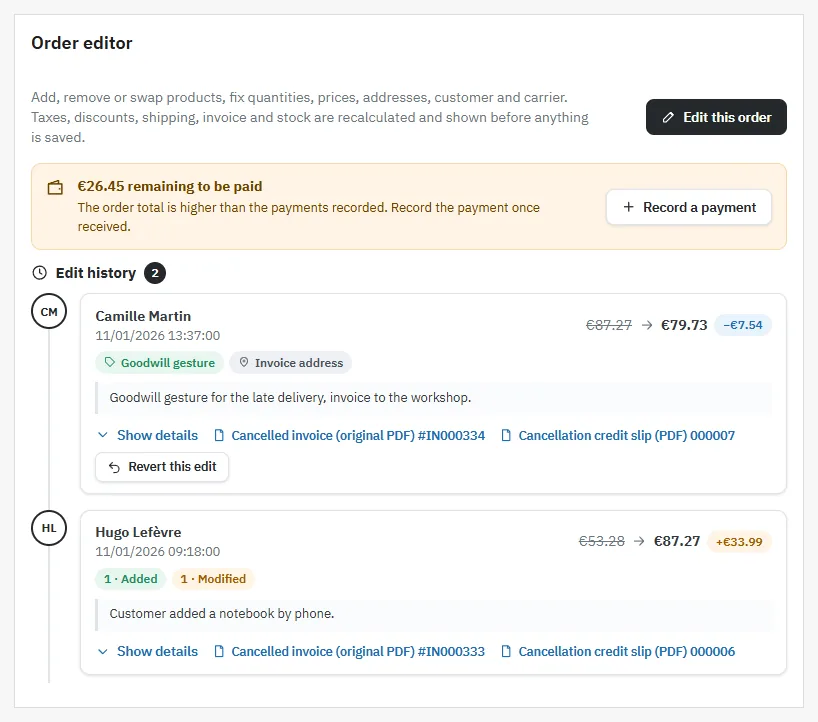
  • Edit history with comparison, revert of the last edit, journal and dashboard
PrestaShop 8 & 9 Credit slip + new invoice Native recalculation 8 languages
  • PrestaShop Certified Agency 2026
  • PrestaShop Expert Certification — Core Skills
  • PrestaShop Expert, level 3

Built by a PrestaShop Certified Agency

www.datafirefly.com/en/
Editing a PrestaShop 8 and 9 order in the back office: products, addresses and invoice
v2.0.0 · updated 2026-11-01
Edit Orders in PrestaShop 8 & 9: Products, Addresses and Invoice €129.00
What it does

The short version.

01

PrestaShop's own calculation, not a home-made one

The module rebuilds the order in a temporary cart and lets PrestaShop compute taxes, cart rules, gift products, ecotax and shipping. The VAT breakdown of the lines is then spread exactly like at checkout. In our tests on PrestaShop 8.2 and 9.1, an edited order gives the same totals and the same tax breakdown, to the cent, as an order placed directly with the same content.

02

See the result before saving

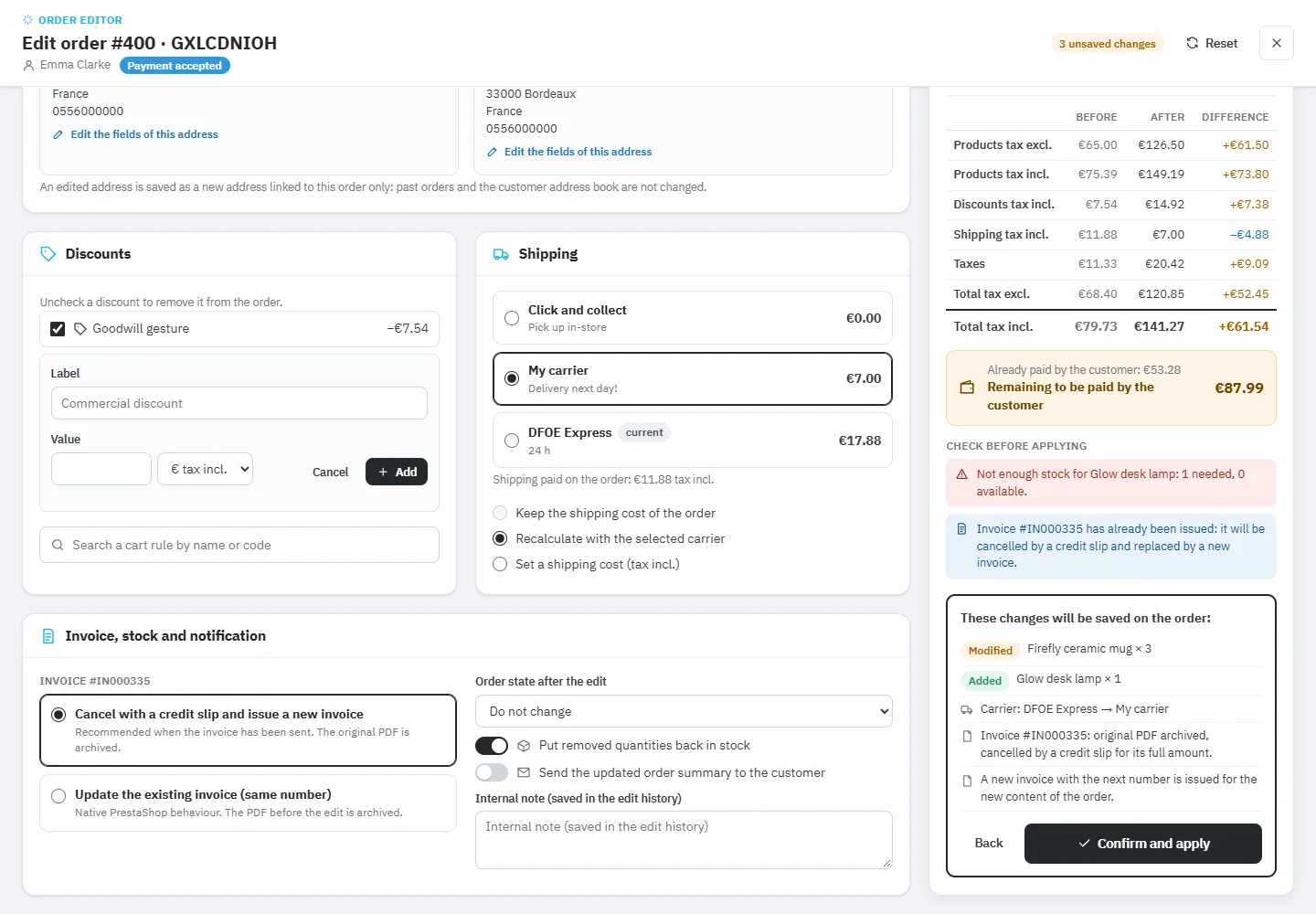
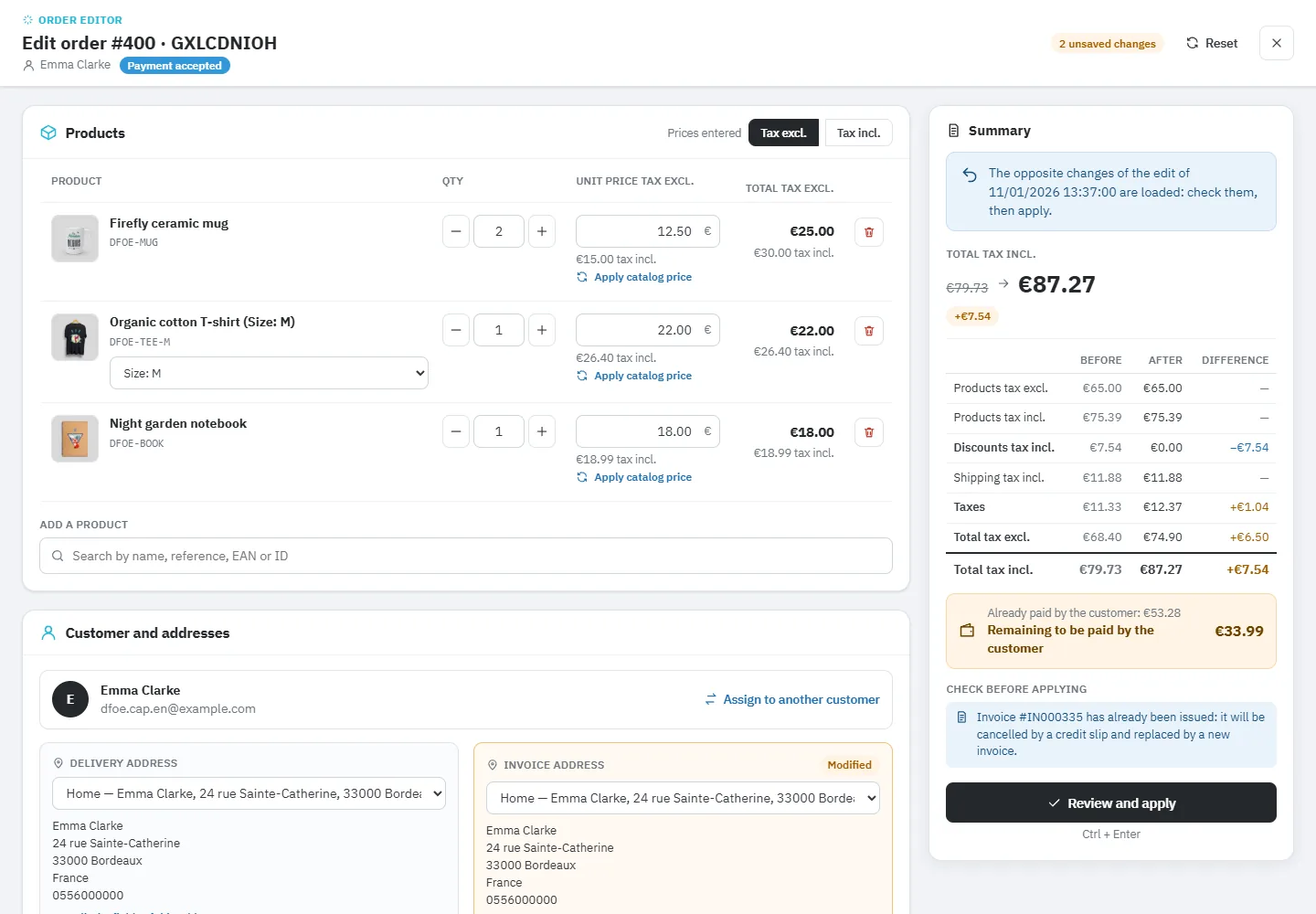
Editing happens in a full-screen workspace. On the right, an always-visible summary shows the total before and after, each difference, the remaining amount or overpayment, and sorted alerts: insufficient stock, invoice already issued, order already shipped, gift product. A confirmation then lists everything that will be saved and the documents that will be created.

03

Compliant invoices, even in exports

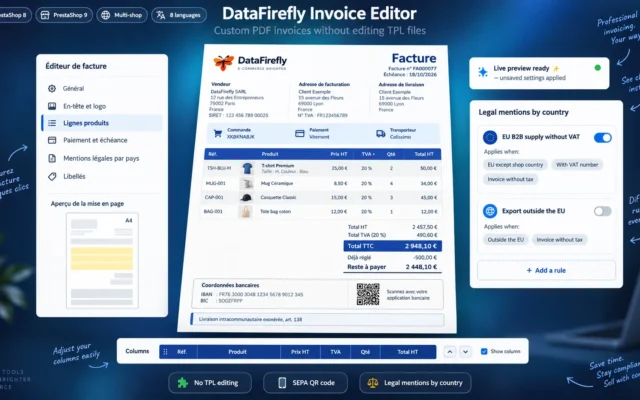
In the recommended mode, the invoice is archived, cancelled by a credit slip and replaced by an invoice with the next number. Cancelled invoices come out with their original content and a cancellation note, including in the bulk export of Orders > Invoices, and never receive a fake payment.

04

Every edit traced and reversible

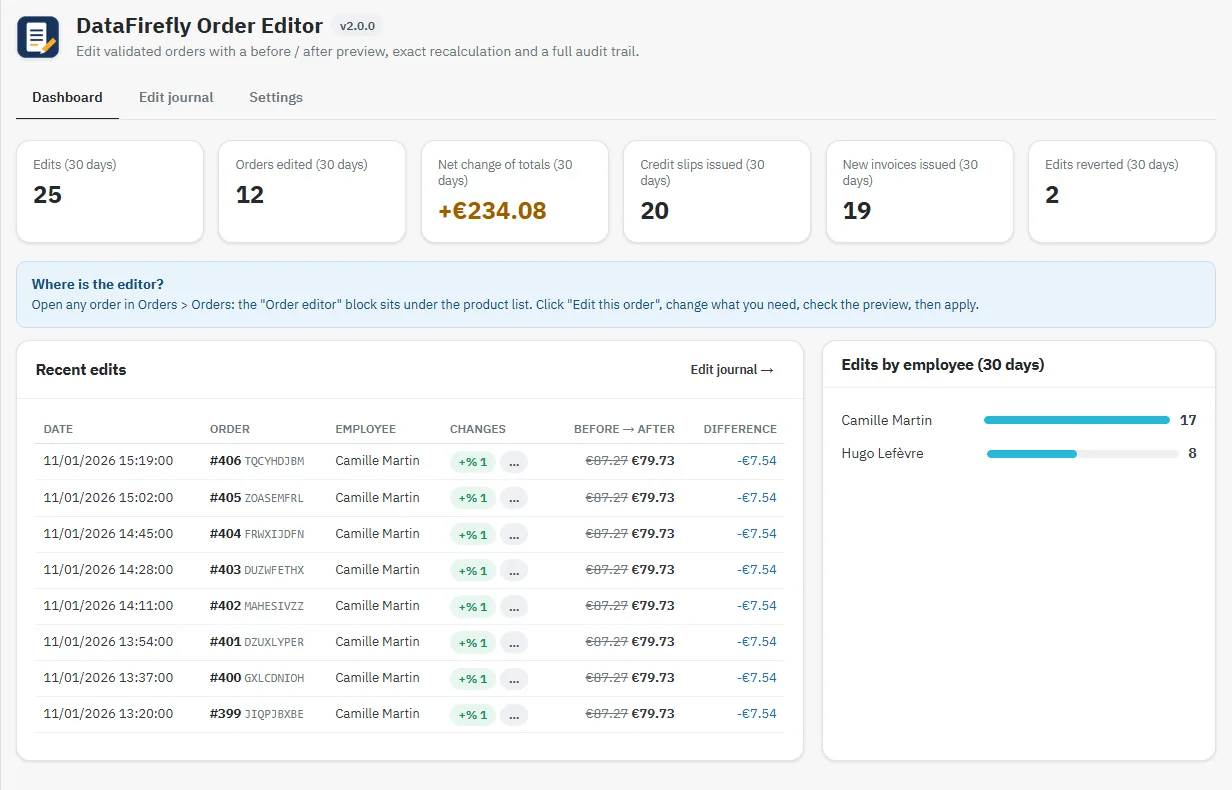
The order history shows the author, the date, a line-by-line comparison, the note and the PDFs. The last edit can be reverted in one click: the opposite changes are loaded into the editor and checked before being applied. A dashboard and a filterable journal with CSV export cover the whole shop.

The long version

Everything you'd want to know before you install.

A detailed look at how Edit Orders in PrestaShop 8 & 9: Products, Addresses and Invoice works, why we built it the way we did, and the thinking behind the features above.

§ 01

What the native order page cannot do

The PrestaShop back office lets you add a product or change a quantity, but not switch an existing line from size M to size L. Each change is saved at once, without preview, the VAT breakdown is not spread like at checkout, and an invoice already issued is modified in place, with the same number and no archive.

§ 02

A clear editing workspace

The Edit this order button opens a full-screen workspace. On the left: products, customer and addresses, discounts, shipping, invoice and options. On the right: the before / after summary, the payment balance and the alerts, refreshed a moment after each change. Nothing is saved before you confirm.

§ 03

A recalculation identical to a real order

The module rebuilds the order in a temporary cart and lets PrestaShop apply its rules: specific prices, customer groups, cart rules, gift products, ecotax, carrier ranges and rounding. Prices already paid are kept, except those you correct. The preview is computed in a transaction that is always rolled back and leaves no trace.

§ 04

Credit slip, new invoice and reliable exports

In many countries an issued invoice cannot be changed: it is cancelled by a credit slip and a new one is issued. This is the default mode. Before each edit, the module records the state of the order: a cancelled invoice keeps its original PDF and comes out as issued in bulk invoice exports. The update mode, close to the native behaviour, remains available.

§ 05

Tracking, revert and overview

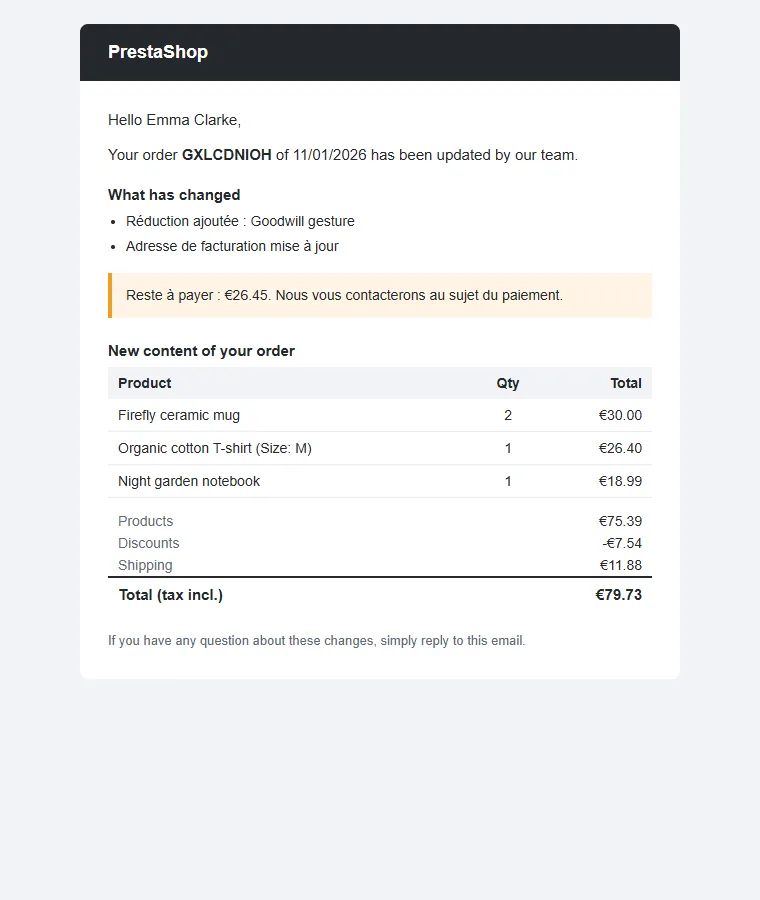
Each edit is traced with its author, note, line-by-line comparison and documents. The last one can be reverted after checking. The dashboard shows the activity of the last 30 days, the journal is filtered by order, employee and period and exported to CSV. Simultaneous edits are blocked, and the customer is only notified when you decide so.
€129.00
One-time · 12 months updates
Read the docs
  • Unlimited dev & staging installs
  • Source code included
  • 30-day refund
  • 24h support · EN / FR
5.0/5 21 reviews
All customer reviews