

PrestaShop Marketing & Promotions

WhatsApp Chat Module for PrestaShop 1.7.8 to 9

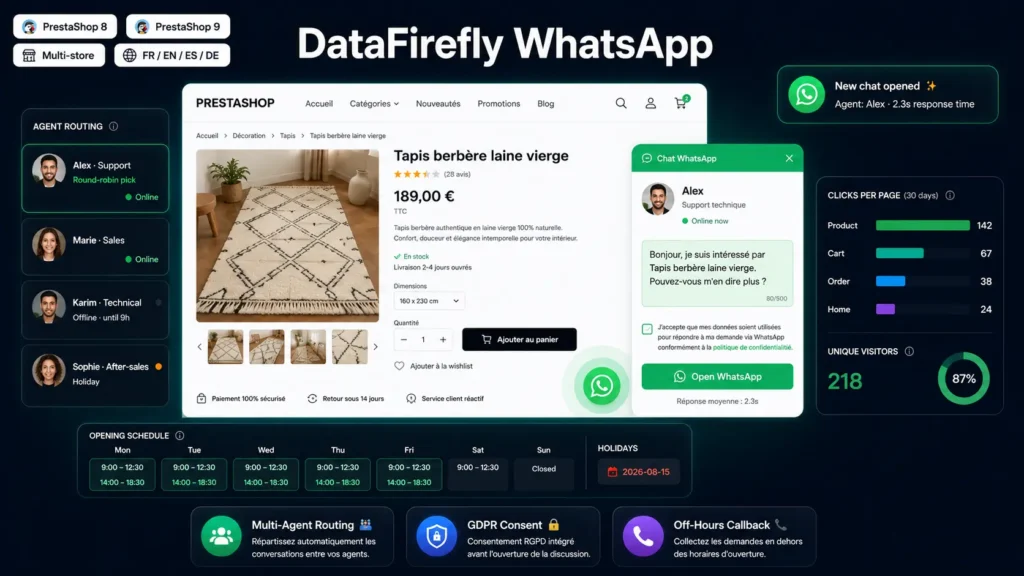
Floating multi-agent WhatsApp button for PrestaShop

  • 30-day refund
  • 12 months updates
  • 24h support

Your team reachable on WhatsApp from every page. The visitor chooses who to talk to, reads a message already filled in for the page and opens WhatsApp; outside opening hours, they see when you are back or leave their details.

At a glance
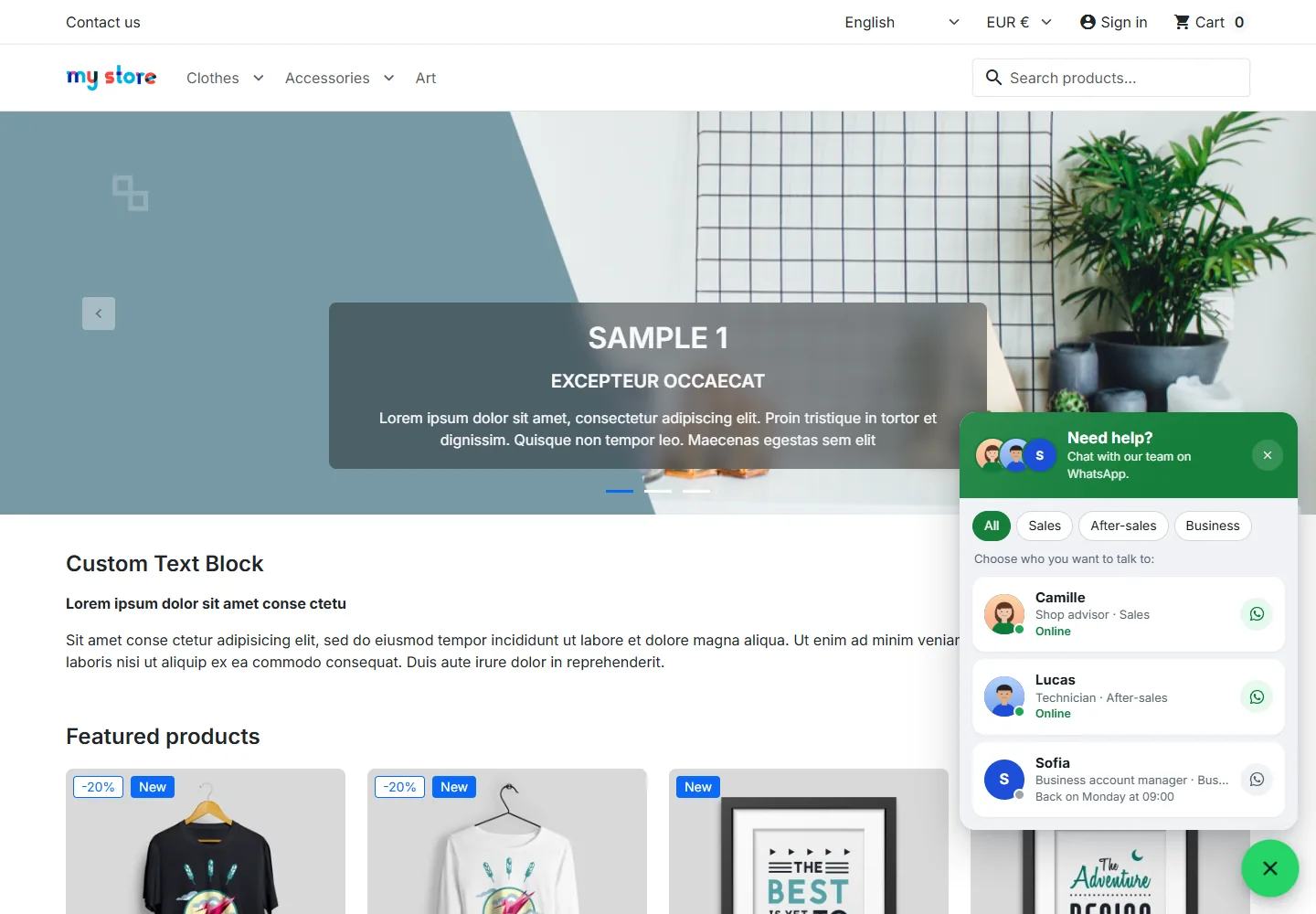
  • Chat window with your team: photos, departments, availability and an editable pre-filled message
  • Opening hours per agent with time zone, overnight slots, closures and an offline callback form
  • Buttons on product pages, the cart and the order confirmation, QR code on computers
  • Anonymous statistics, no third-party script, 8 languages, PrestaShop 1.7.8 to 9
New 2.0 No third-party script Multi-agent PS 1.7.8 → 9
  • PrestaShop Certified Agency 2026
  • PrestaShop Expert Certification — Core Skills
  • PrestaShop Expert, level 3

Built by a PrestaShop Certified Agency

WhatsApp contact button on a PrestaShop store
v2.0.0 · updated 2026-11-07
WhatsApp Chat Module for PrestaShop 1.7.8 to 9 €49.00
What it does

Overview

01

A real chat window

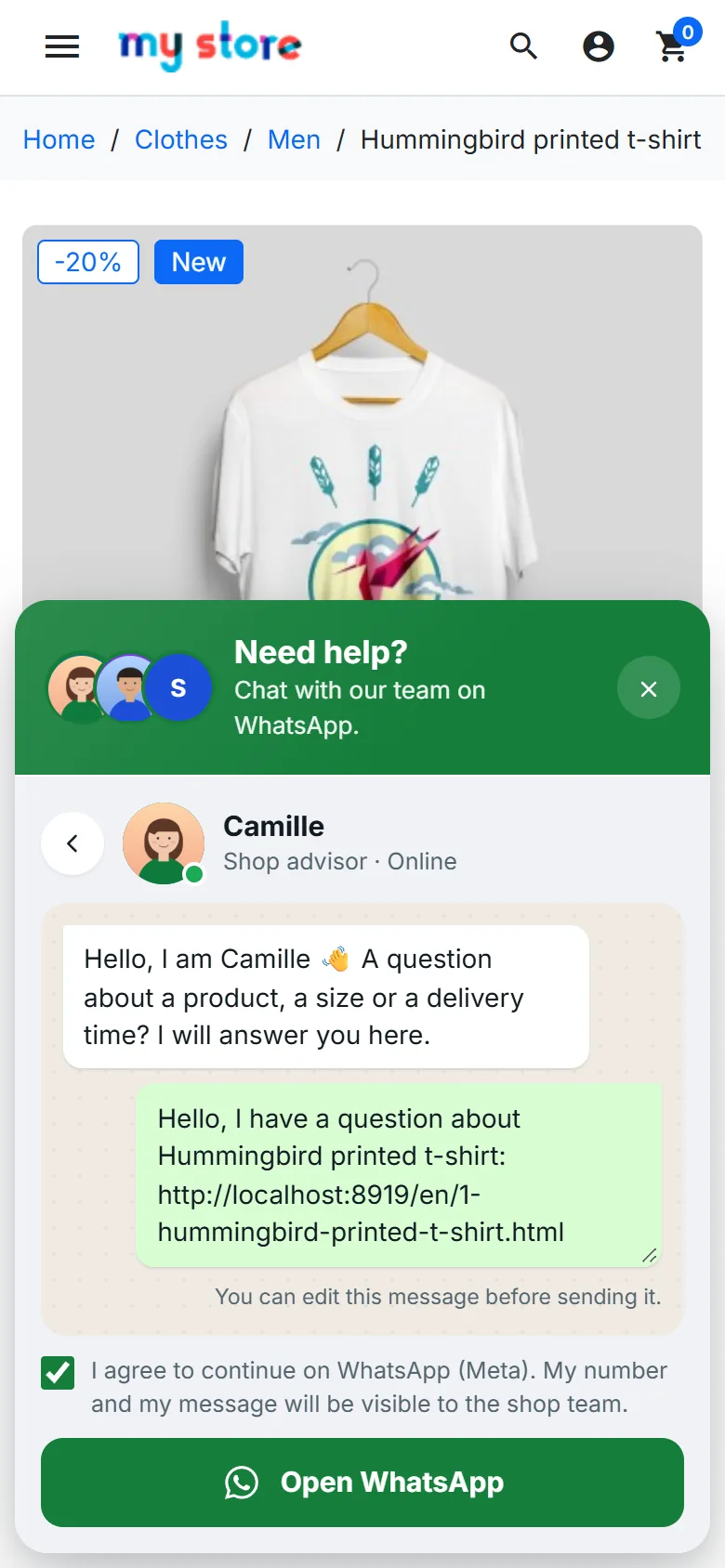
Your team with photo or initials, role, department and availability. The visitor chooses who to talk to, filters by department and reads the message before opening WhatsApp.

02

Pre-filled messages per page

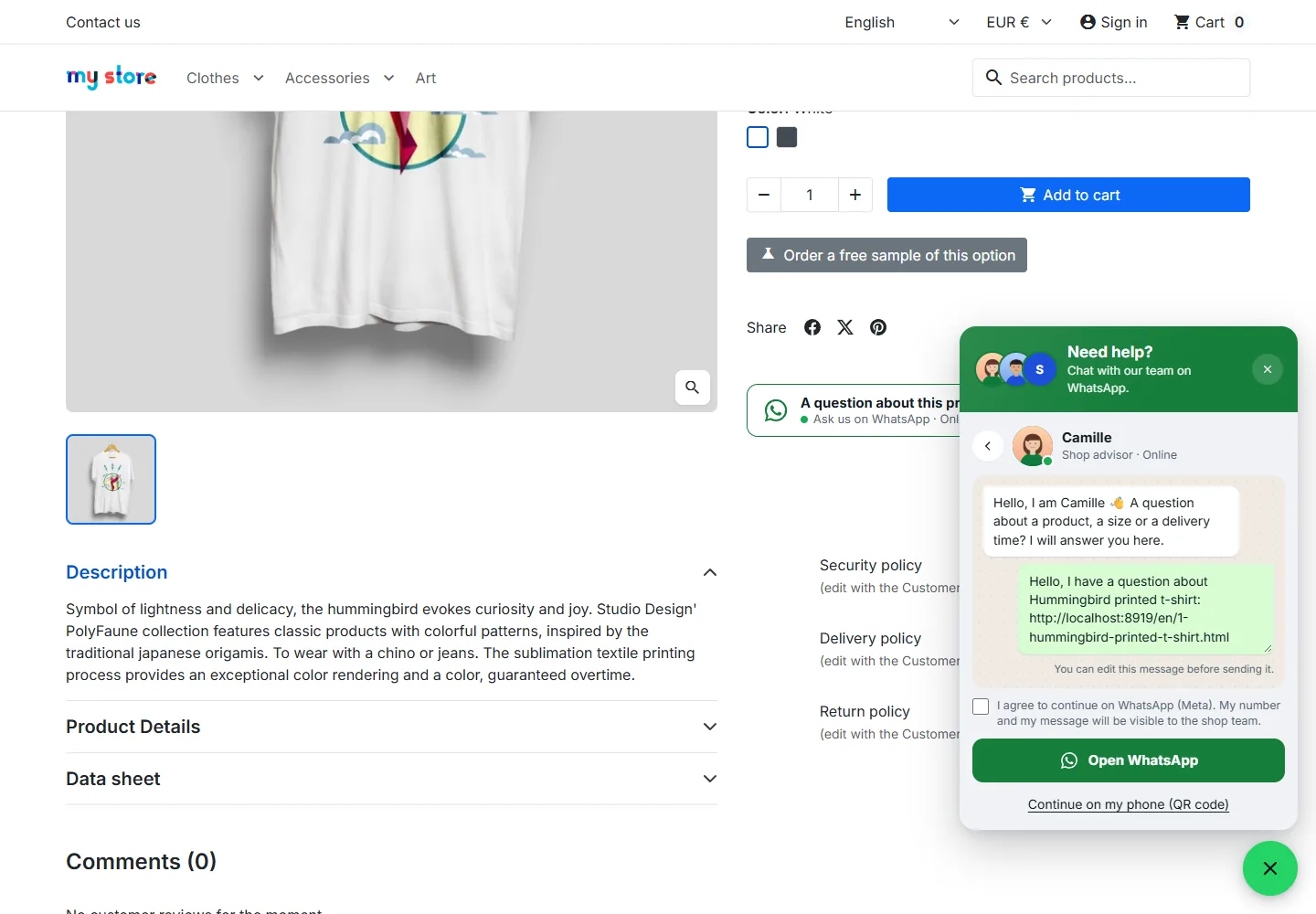
Product, category, cart, order, content, home: 15 variables (product, link, price, cart items, order reference…), in each language, and a message of each agent’s own if needed.

03

Opening hours and time zones

Several slots per day, overnight slots, time zone per agent, closures per agent or for the whole team. Visitors see “Back on Monday at 09:00”.

04

Offline without losing contact

Keep the button, hide it or offer a callback form protected against bots. Requests are followed up in the back office, with an optional email.

05

QR code without third-party service

On a computer, the visitor scans a QR code to continue on their phone. The code is generated in their browser: the link is sent to nobody.

06

Anonymous statistics

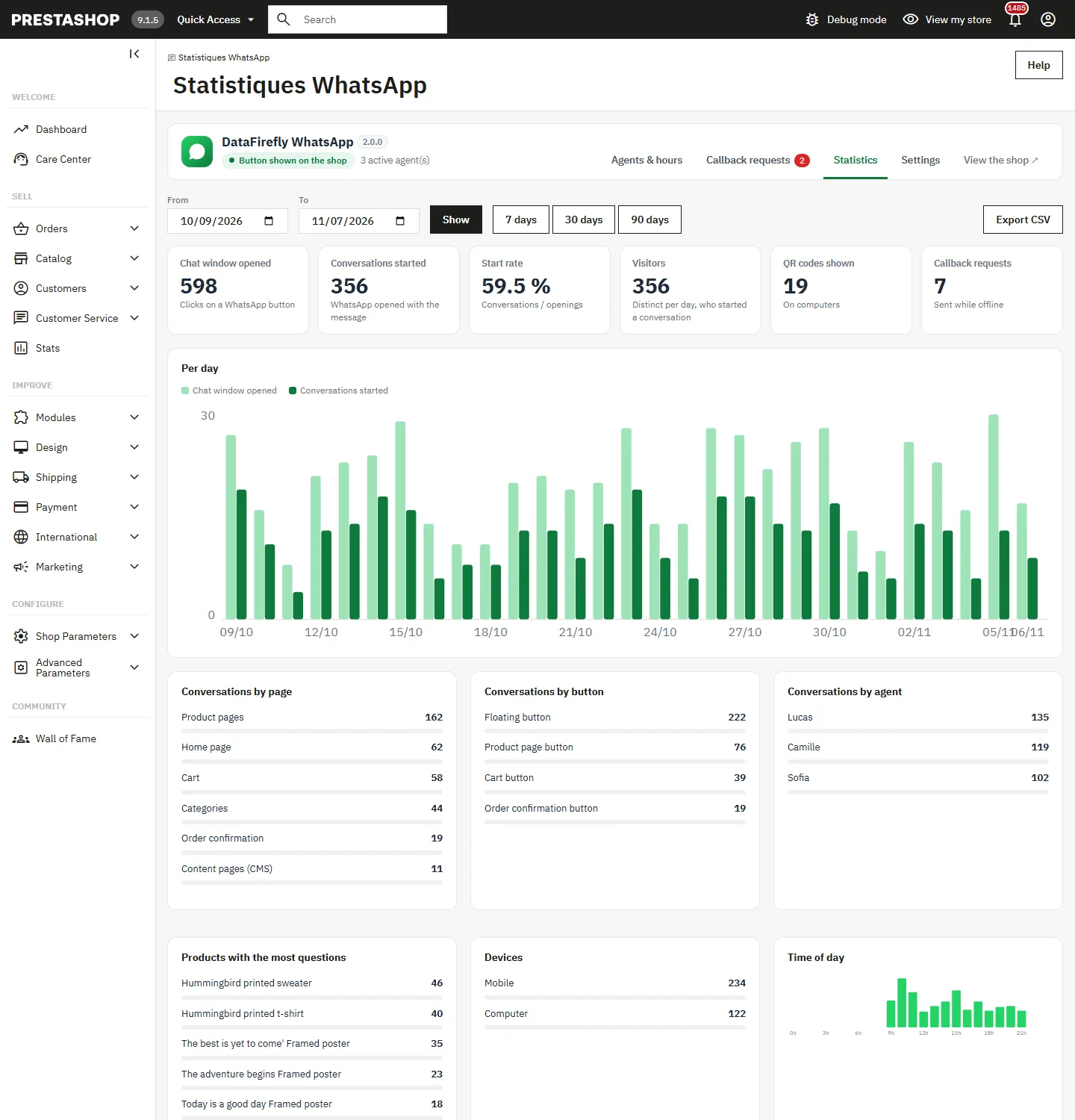
Openings, conversations started, per page, button, agent, product, device and hour, CSV export. No IP address stored, adjustable retention period.

The long version

Everything you'd want to know before you install.

A detailed look at how WhatsApp Chat Module for PrestaShop 1.7.8 to 9 works, why we built it the way we did, and the thinking behind the features above.

§ 01

The right person, with the right message

The chat window presents your team with photo, role, department and availability. The visitor chooses who to write to, or the module assigns them an online agent, then reads a message already filled in for the page: product name and link, cart items and total, order reference. They can edit it before opening WhatsApp, on their phone or on their computer.

§ 02

Opening hours that follow your team

Each agent has their own slots, several per day, including overnight, and their own time zone. Closures of one agent or of the whole team are taken into account, and visitors see when each person is back. Outside opening hours, the button can stay visible, disappear or offer a callback form whose requests are followed up in the back office.

§ 03

Shown where it is useful

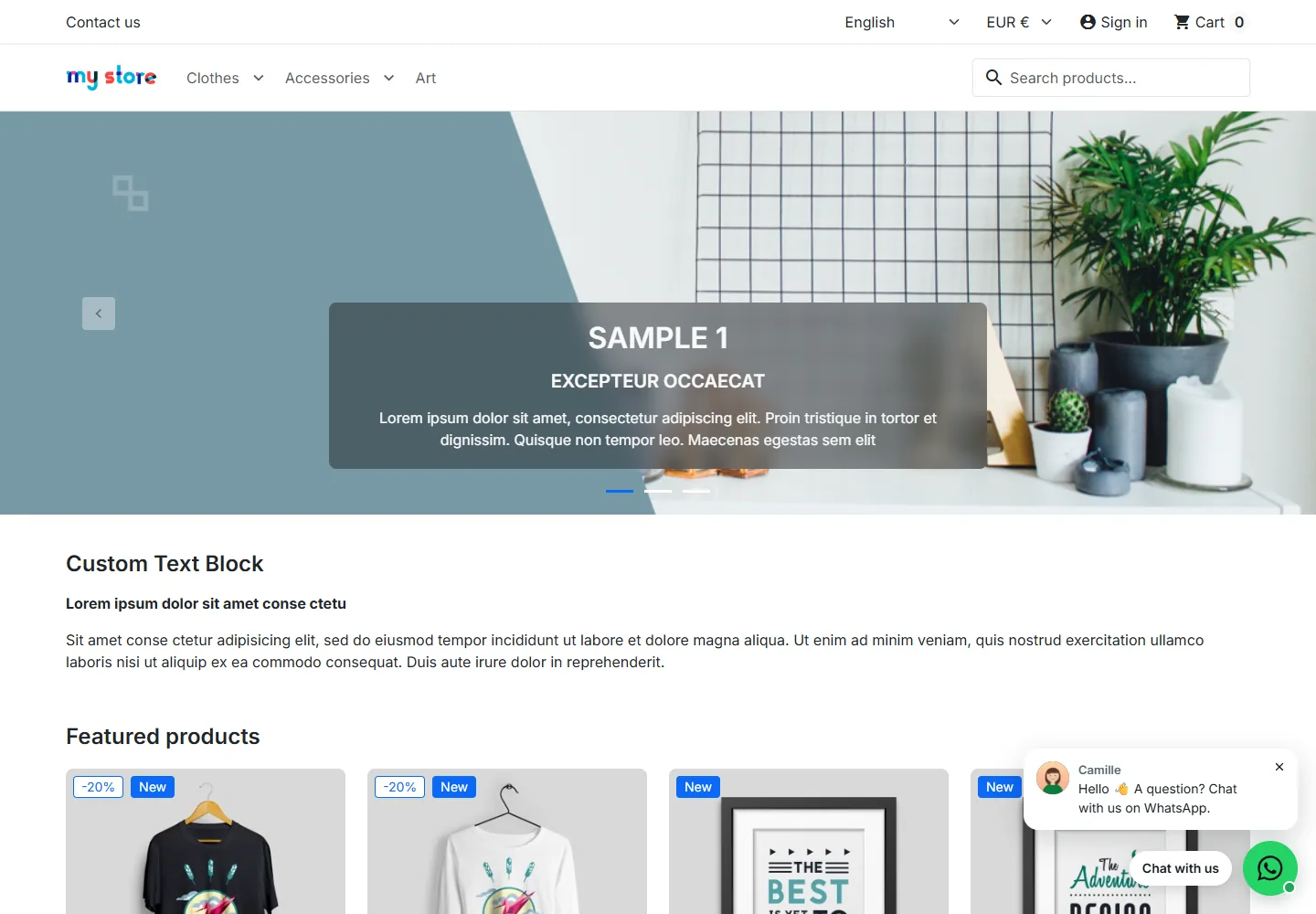
A floating button, and also “A question?” buttons on product pages, in the cart and on the order confirmation. You choose the pages, devices, customer groups, languages and shops, and each agent can be reserved for a language, a group (your business customers for example) or some pages.

§ 04

Respectful of your visitors

No WhatsApp or Meta script is loaded: WhatsApp only opens on click. The QR code is generated in the browser. An optional agreement box can be shown before WhatsApp opens. Statistics store no IP address and no customer identifier and are deleted after the period you choose.

§ 05

A clear back office

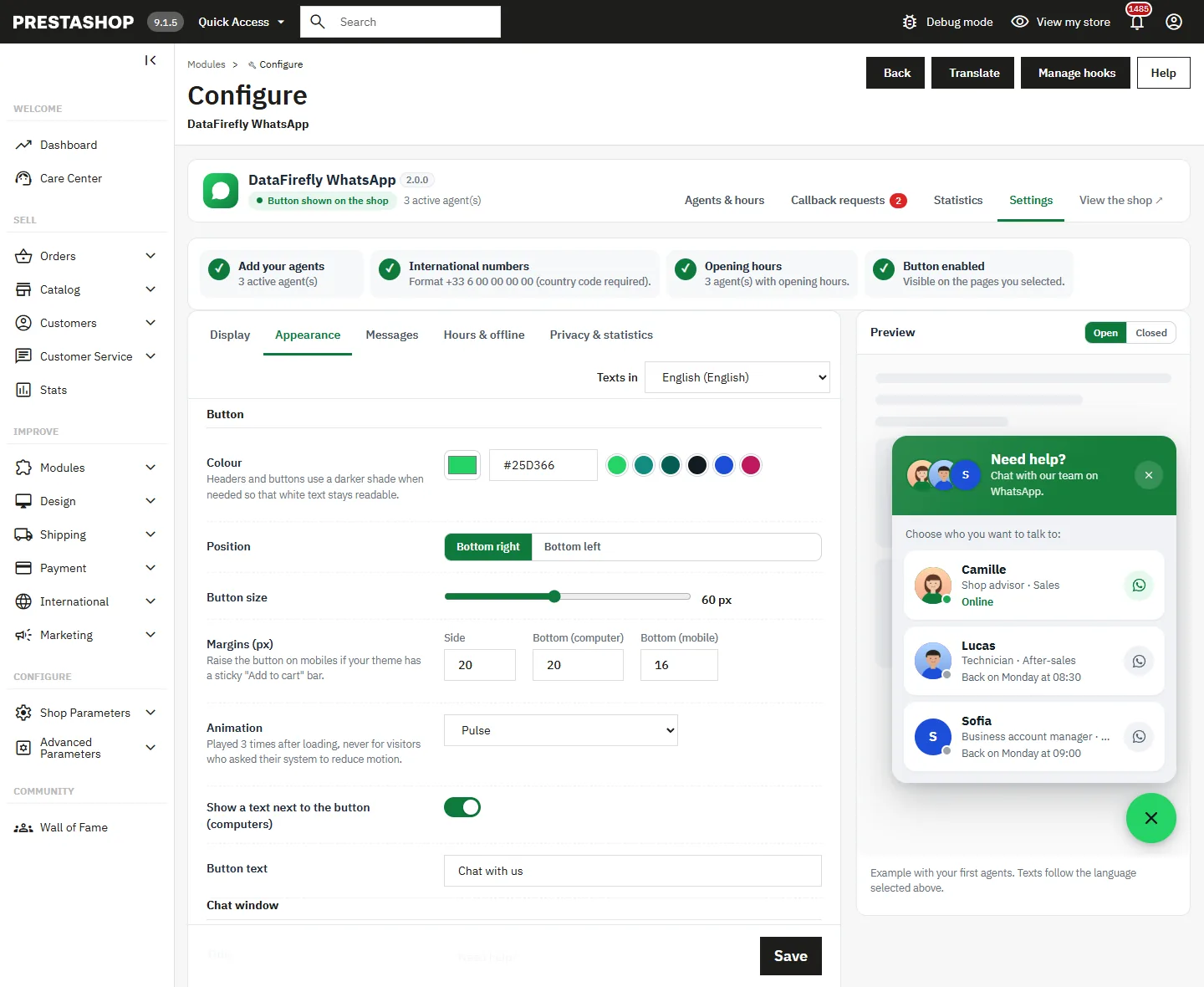
Customers > WhatsApp menu with four tabs: agents and hours, callback requests, statistics and settings. Settings are organised in five tabs, with an editing language, one-click variable insertion and a live preview of the button and the window.

§ 06

Compatible from PrestaShop 1.7.8 to 9

The same module works on PrestaShop 1.7.8, 8 and 9, with PHP 7.4 to 8.5, on the Classic and Hummingbird themes, without override. The upgrade from version 1.0.0 keeps your agents, hours, statistics, requests and settings.
€49.00
One-time · 12 months updates
Read the docs
  • Unlimited dev & staging installs
  • Source code included
  • 30-day refund
  • 24h support · EN / FR
5.0/5 25 reviews
All customer reviews