
A customer saved a search three weeks ago. You put a matching product online. Between these two events, you need a mechanism that makes the connection, decides whether to alert, and sends a message that actually lands in the inbox.
This article covers that engine. The customer-side search saving has been detailed separately.
When to evaluate the matches
Three possible moments, with very different costs.
At product creation. Every new product triggers an evaluation of all saved searches. Costly if you have thousands of searches, and pointless since you will not send immediately.
By periodic batch. A daily or weekly task compares the products added since the last run with the full set of searches. It is the most efficient approach and the simplest to maintain.
On demand. The evaluation happens when preparing the send. It avoids storing intermediate matches, at the cost of heavier processing at send time.
Periodic batch processing suits almost every case. Set its frequency to that of your sends, no more often.
What counts as new
A less obvious question than it seems, and it decides the relevance of your alerts.
A product can become relevant in four ways: it is created, it comes back in stock, its price drops and enters the searched range, or it is attached to a category that brings it into scope.
All four deserve an alert, but not the same message. A new arrival is presented differently from a restock or a price drop, and the open rate varies strongly with the subject line.
Two cases to exclude explicitly. A product reactivated after a temporary deactivation should not be announced as new. And a product whose only change is a description fix has nothing new about it.
The most reliable technical criterion is not the modification date, which moves with every import, but the first-publication date stored separately.
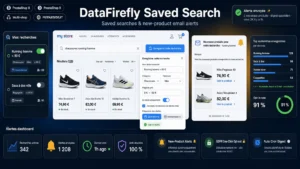 Saved Searches & New Product Alerts Module for PrestaShop 8/9The search that brings your customers back when the right product arrives.€99.00
The matching, in practice
The principle is to replay each saved search and compare the result with the previous run’s.
Two methods.
Set comparison. You store the list of identifiers matching each search at the last run. On the next run, the difference gives the new items. Simple, exact, and costly in storage with a large number of searches.
Filtering the new products. You do not replay the searches: you take the products added since the last run and test each one against the criteria of each search. Less costly, and it only detects creations, not price or stock changes.
The combination that works: filtering the new products for creations, plus a dedicated treatment for restocks and price drops, which are events identifiable without replaying the searches.
The sending rules
Four rules that protect your sender reputation as much as your customers’ attention.
No send without content. No new items, no email. It is the most important rule and the most often broken.
One email per customer and per period, even if they have five saved searches each with results. Group by search inside the message.
A relevance floor. If a search only surfaces one product and that product has already appeared in another section of the same email, do not repeat it.
A frequency cap. Even if your waves are daily, do not exceed one send per week and per customer unless they have explicitly asked for more.
Deliverability
These emails are automated, regular and commercial in content. They are therefore exposed to filtering, and three points protect them.
Authentication of the sending domain. The message authentication mechanisms must be correctly configured. It is the prerequisite, and it does not depend on the module but on your mail configuration.
Separation of streams. Your transactional emails, order confirmations and shipping updates, must not leave from the same subdomain as your commercial alerts. If your alerts degrade your reputation, they must not drag your confirmations down with them.
Cleaning the inactive. An alert sent five times without an open should be deactivated. Continuing to send to an address that never opens lowers your overall engagement rate, which affects all your sends.
The consent framework
These sends fall under electronic marketing, with two distinct situations.
For an existing customer, sending information about products similar to those they have bought can rely on the commercial relationship, provided they were informed at the time of collection and can object simply.
For a non-customer visitor, prior consent is required. It is collected via an explicit checkbox at the moment of saving, separate from any other request.
Three obligations in every message. Clear identification of the sender. The commercial purpose of the message, which must not be hidden behind a misleading subject. And a simple, free unsubscribe mechanism.
An important point on unsubscribing: it must allow opting out of this specific alert. A link that cuts all communication, including transactional emails, is badly designed and it will drive away customers you would have kept.
The message content
Four principles that distinguish a useful alert from a disguised newsletter.
The subject names the search. “3 new arrivals for your search: folding electric bikes” is opened far more often than “Our new arrivals this week”.
The content is limited to the matches. Do not add your current promotions or your best sellers: the customer asked for a precise alert, not a newsletter.
Three to five products maximum. If there are twelve, show five and offer the link to the full set.
Availability is displayed. On an alert, the delay between send and open can reach several days. A product sold out in the meantime produces an avoidable disappointment if the link points to a page that says so clearly.
Measuring
Three indicators specific to this device.
The open rate per trigger type. You will generally find that price drops and restocks are opened noticeably more than new arrivals, which should guide your implementation priorities.
The unsubscribe rate per send. Above 1%, your frequency or your relevance is a problem.
The revenue attributed to visits coming from the alerts, to compare with the cost of the device. On a fast-renewing catalogue, this channel often ranks among the most profitable, because the message answers a request the customer formulated themselves.
The Saved Searches and Alerts module for PrestaShop implements this engine on PrestaShop 8 and 9: periodic evaluation of matches with detection of creations, restocks and price drops, grouping of a customer’s searches into a single send, no send without content and per-alert unsubscribe.