
Factur-X — Complete guide (PrestaShop 8 & 9)
Install, configure and use DataFirefly Factur-X 2.0.0: PrestaShop invoices and credit notes in Factur-X (PDF/A-3 + EN 16931 XML), compliance report and mentions of the 2026/2027 reform.
This guide covers the installation, configuration and use of DataFirefly Factur-X (dffacturx) 2.0.0 for PrestaShop 8 and 9. The module turns the native PrestaShop invoices and credit notes into Factur-X electronic invoices: a readable, printable PDF/A-3 that contains the CII XML of the EN 16931 standard. Each document is checked as soon as it is generated and has its own compliance report.
Overview
A Factur-X invoice is a single file. Your customer opens an ordinary PDF; their accounting software or platform reads the embedded XML. The module:
- renders the native PrestaShop invoice and credit note in PDF/A-3b, with your template and the modules that modify the invoice, and embeds
factur-x.xmlin it; - builds the XML from the amounts of the invoice, in the chosen profile: MINIMUM, BASIC WL, BASIC, EN 16931 or EXTENDED;
- adds the data and mentions of the French 2026/2027 reform, in the XML and on the PDF;
- checks each document and shows a compliance report;
- makes the documents available in the customer account and in e-mails, and prepares ZIP exports (PDF, CII, UBL 2.1, batch for an approved platform).
The module does not send invoices to an approved platform (PA), does not do e-reporting and does not receive supplier invoices. See the section Reform 2026/2027: what the module does.
Requirements
- PrestaShop 8.0 to 9.x (tested on 9.1.5 and 8.2.1, Classic and Hummingbird themes).
- PHP 7.4 minimum, 8.1 or higher recommended.
- PHP extensions
dom,libxmlandzlib;zipfor the ZIP exports. - No external dependency: no Composer, no Java. TCPDF is the one shipped with PrestaShop.
Installation and update
- In the back office, open Modules > Module Manager and click Upload a module.
- Drop the
dffacturx-2.0.0.zipfile. - Open Orders > Factur-X. Until the configuration is finished, the dashboard offers the Setup assistant.
On installation, the company name, address, phone number and e-mail are copied from the shop details, and the payment means codes are detected for the installed payment modules.
Updating from 1.0.0: install the 2.0.0 zip over the existing version. Your settings are kept, the documents table is created, and the old generated/ folder is closed to web access (no files are deleted). If your SIREN (French company number) was already filled in, the assistant is considered complete; open its steps anyway to check the new settings.
Setup assistant
The assistant is in Orders > Factur-X > Settings. It has five steps; each field is checked when you save. In multistore mode, the configuration is done per shop.
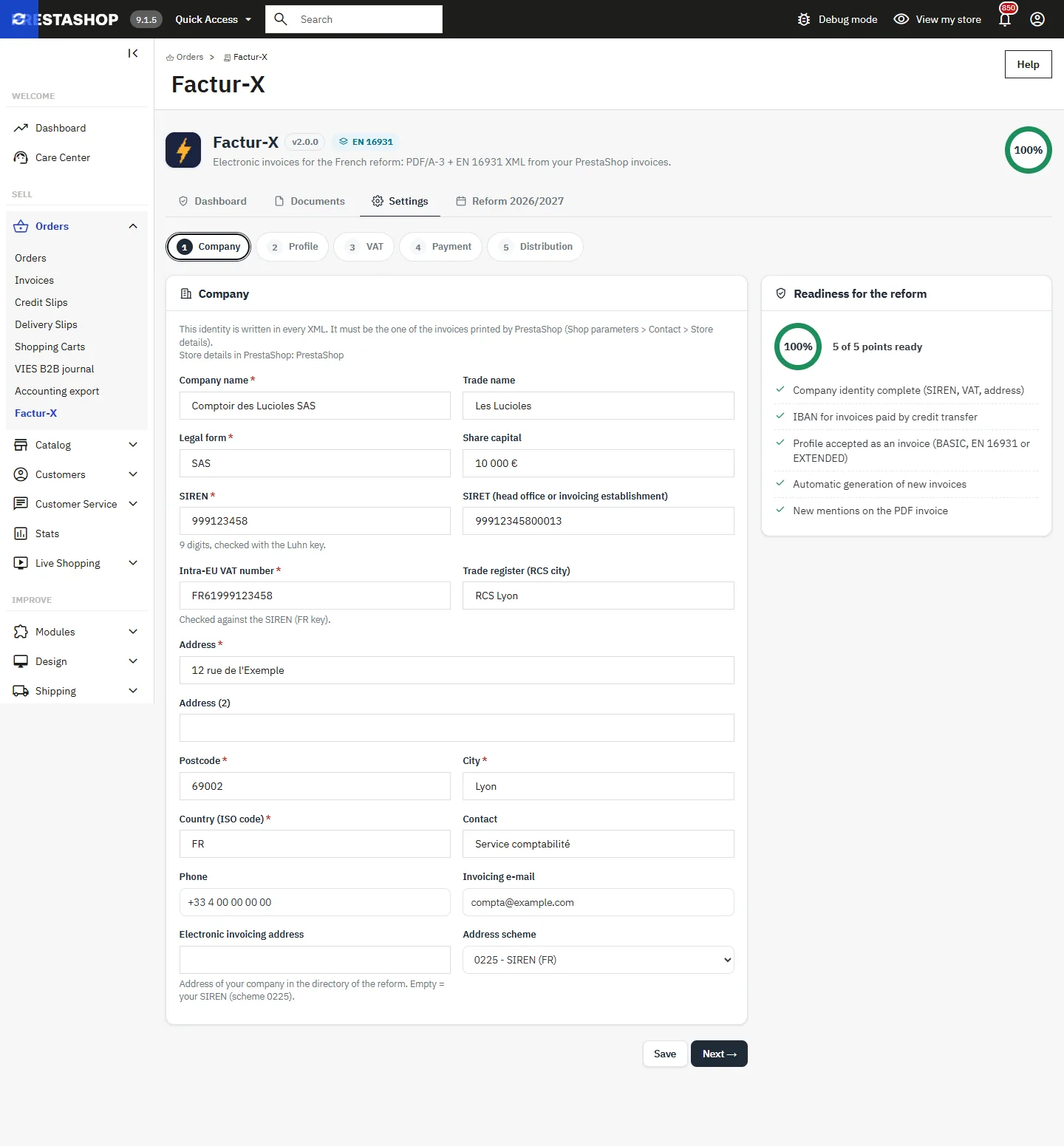
1. Company
- Company name, legal form, share capital and trade register (RCS): written in the legal note of the XML.
- SIREN (French company number, 9 digits) and SIRET (establishment number, 14 digits): the check key is verified. The SIREN is sent with the scheme identifier 0002, the SIRET with 0009.
- Intra-EU VAT number: the FR key is verified and the number is suggested from the SIREN.
- Electronic invoicing address (directory of the reform): the SIREN by default.
- Address, contact, phone and e-mail.
2. Profile
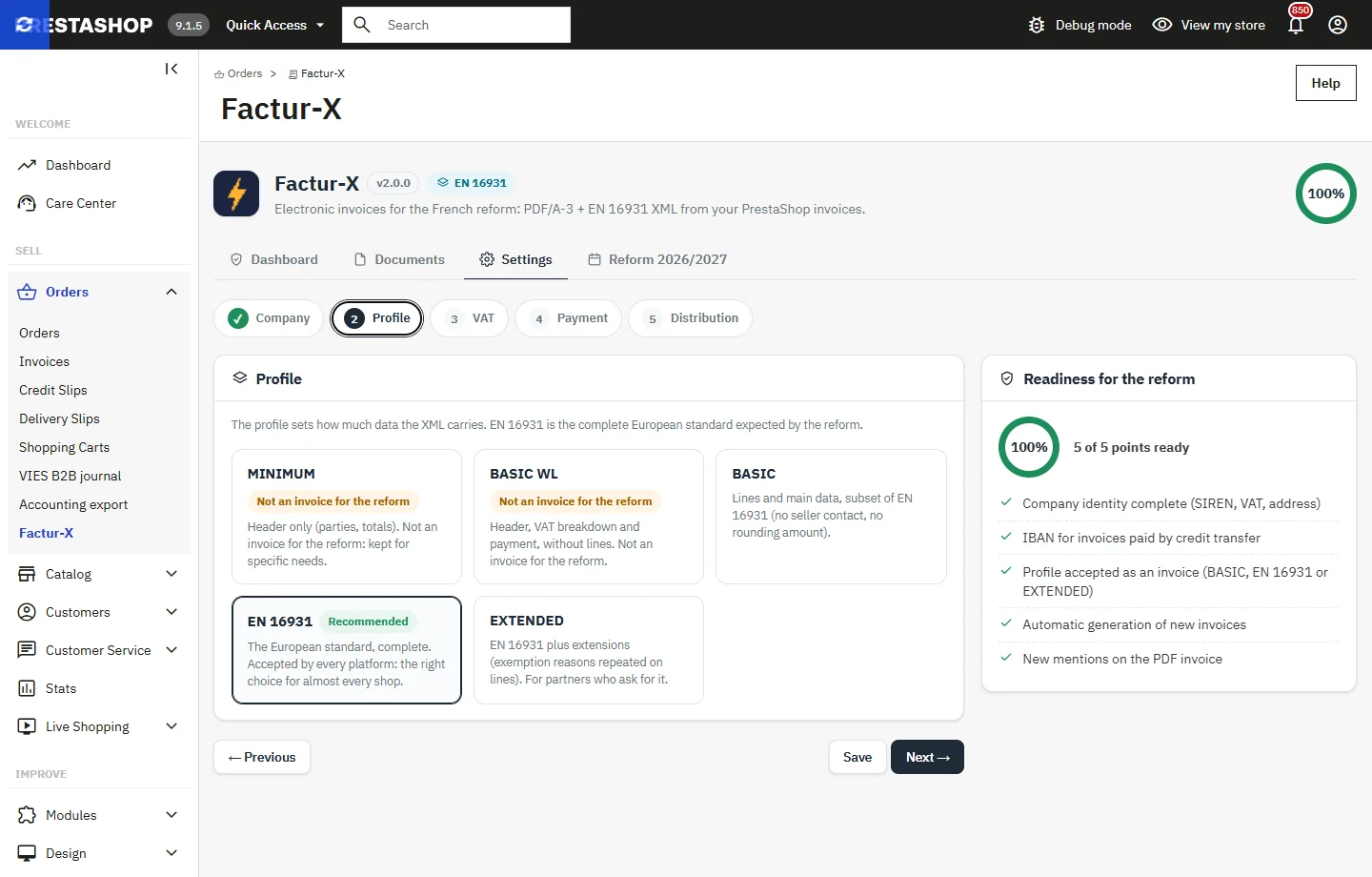
The profile determines the content of the XML:
- EN 16931 (recommended): the complete core of the European standard.
- EXTENDED: additional data, exemption reasons repeated on the lines.
- BASIC: invoice lines, without contact or rounding.
- MINIMUM and BASIC WL: no lines. They are not a complete invoice in the sense of the reform; the assistant points this out.
The option Invoice number accepted by the French rules removes from the electronic number the characters that the French rules refuse (for example #). Invoices are not renumbered: the PDF then shows the electronic number.
3. VAT
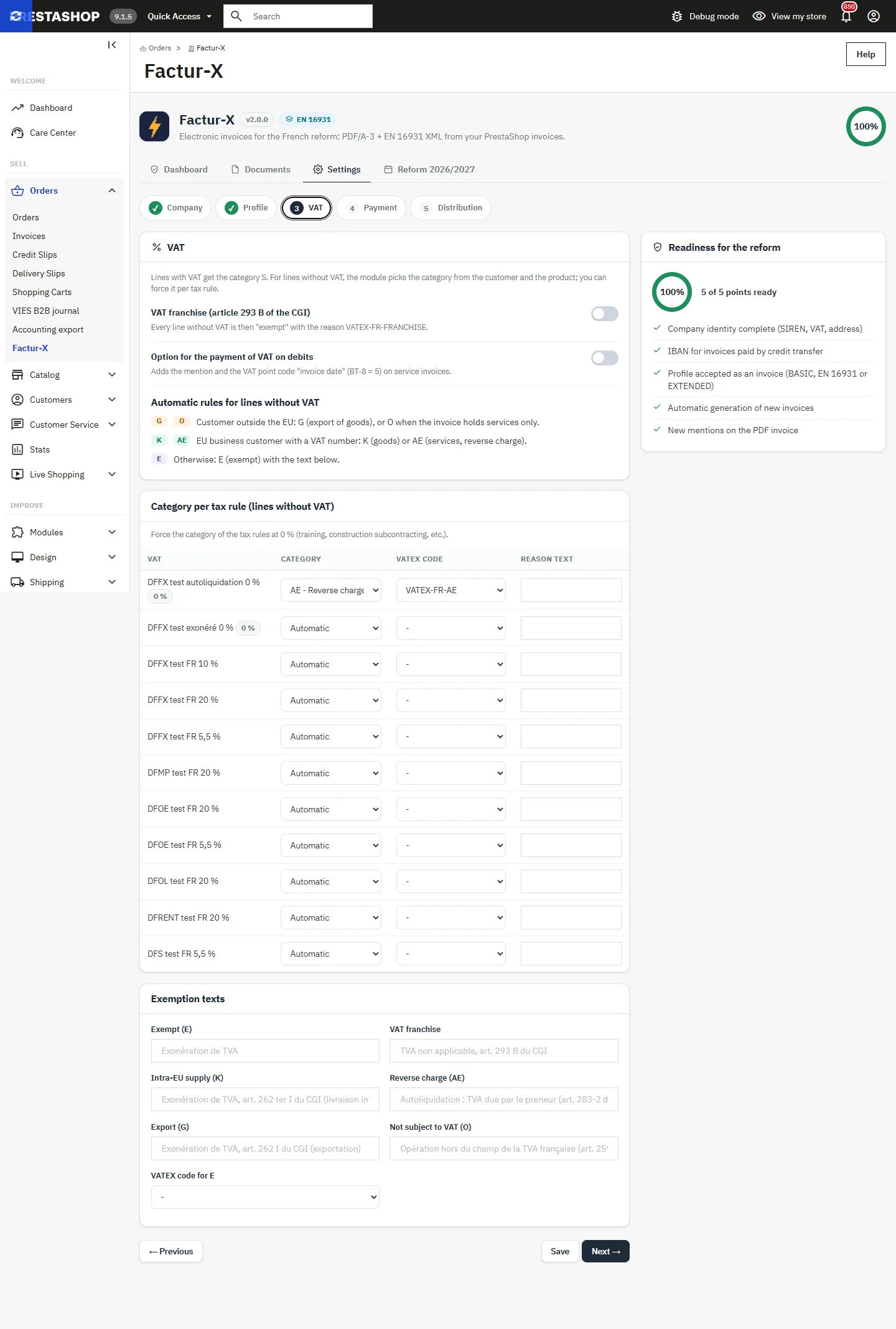
The module automatically assigns a VAT category to each line:
- S: positive rate;
- G: export outside the European Union (or O for a services invoice);
- K: intra-EU supply of goods to a customer with a VAT number; AE for services (reverse charge);
- E: exemption, with the reason
VATEX-FR-FRANCHISEif you use the VAT franchise for small businesses (“franchise en base”).
For a case specific to your business, link a category and a VATEX code to a tax rule. The default exemption reasons are French legal texts, and you can edit them.
4. Payment
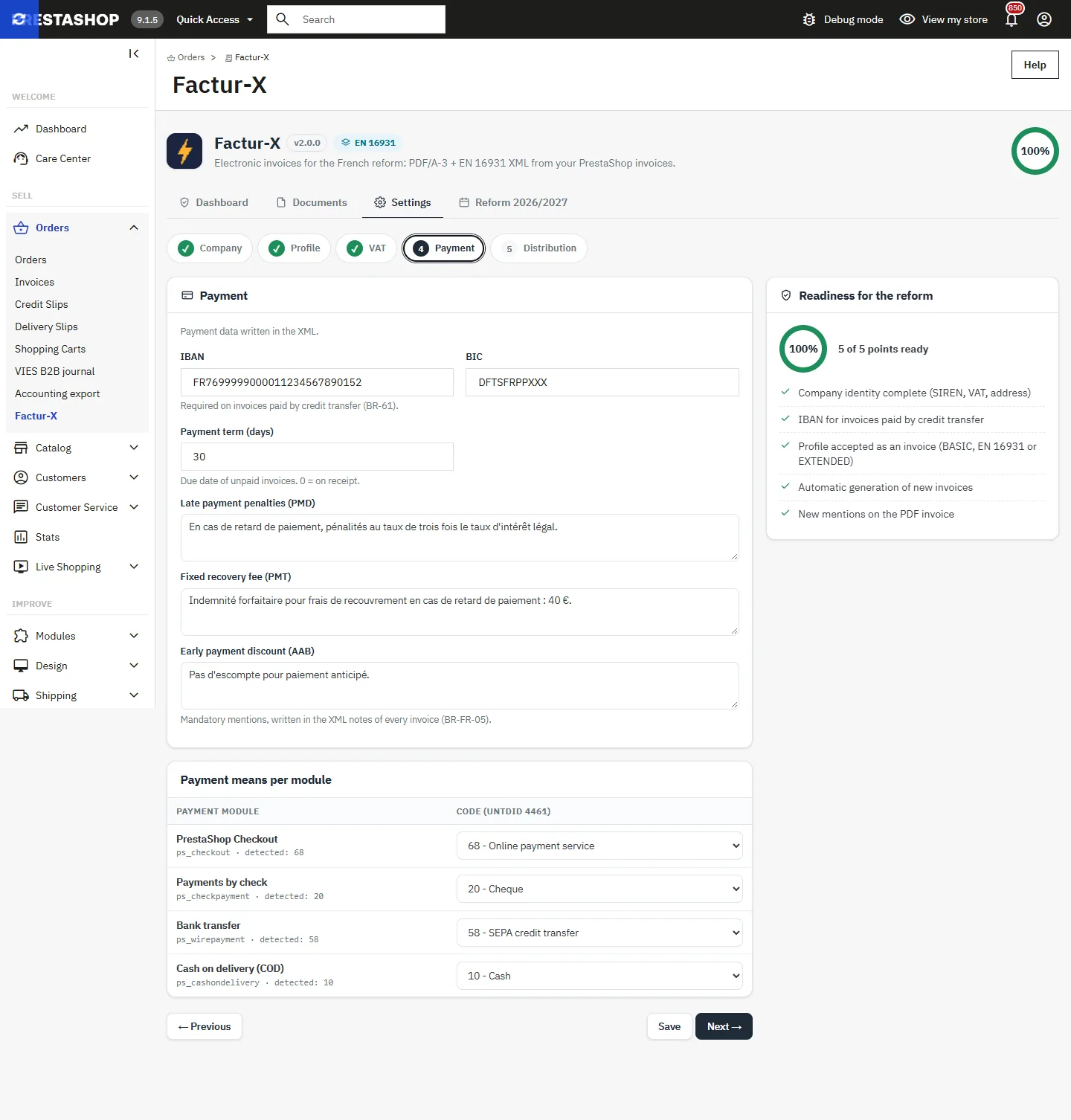
- IBAN and BIC: required for payment by credit transfer; the IBAN is checked.
- Payment term (days): used to calculate the due date of unpaid invoices.
- Mentions: late payment penalties (PMD), fixed recovery fee of 40 € (PMT), early payment discount (AAB).
- Option for the payment of VAT on debits (option to pay VAT on invoicing rather than on receipt of payment), if you have chosen it.
- Payment means per module (UNTDID 4461): detected automatically, editable.
For an invoice that is already paid, the XML shows the amount paid, an amount due of zero and the payment date.
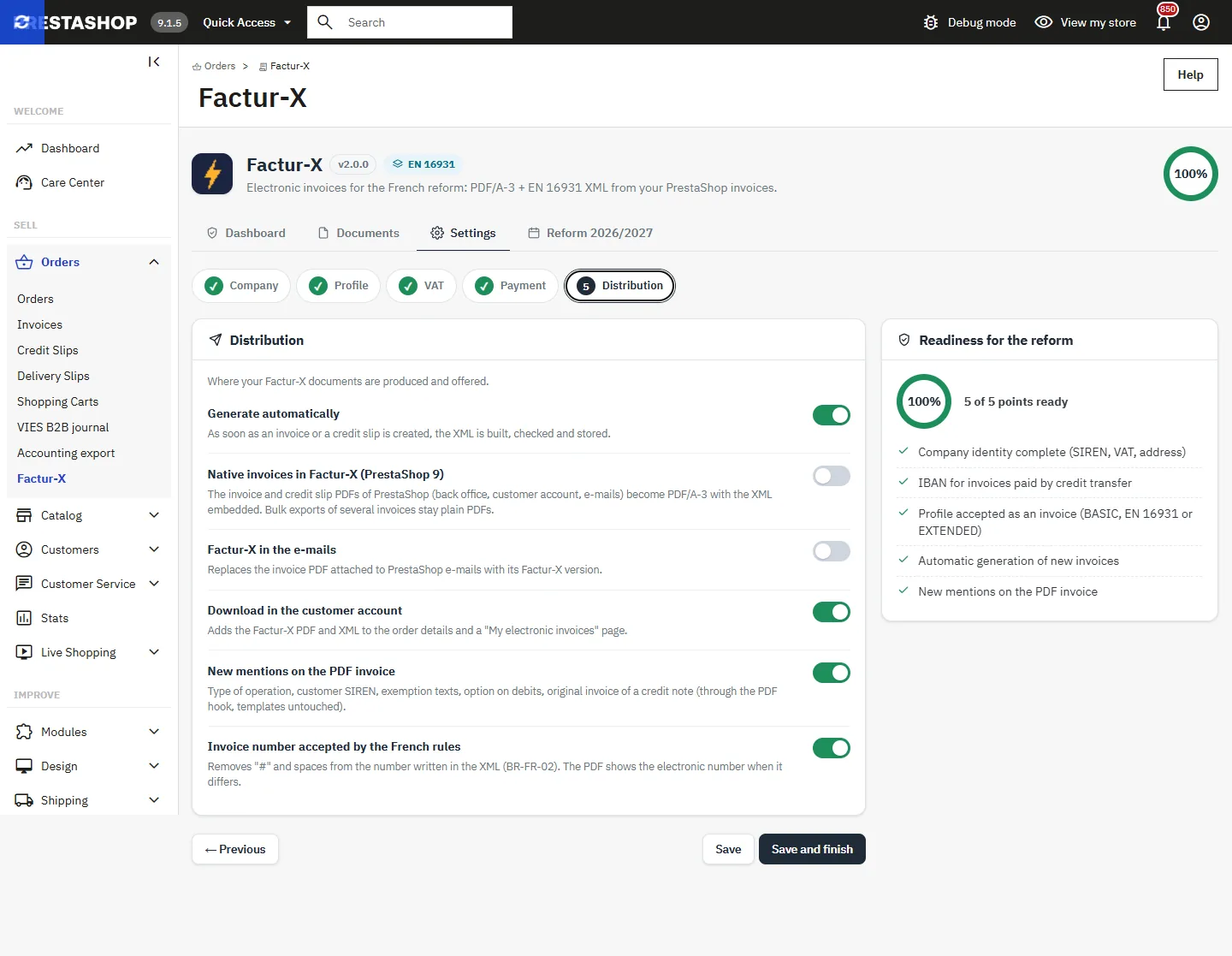
5. Distribution
- Generate automatically: a document is created for each new invoice and each new credit note.
- Native invoices in Factur-X (PrestaShop 9): the invoice and credit note PDFs of the back office, the customer account and the e-mails become Factur-X. Bulk exports of several invoices remain PDF/A-3 files without XML, and delivery slips do not change.
- Factur-X in the e-mails: the invoice attached to PrestaShop e-mails is replaced with its Factur-X version.
- Download in the customer account: a block on the order details and a “My electronic invoices” page.
- New mentions on the PDF invoice: type of operation, customer SIREN, exemption reasons, original invoice of a credit note.
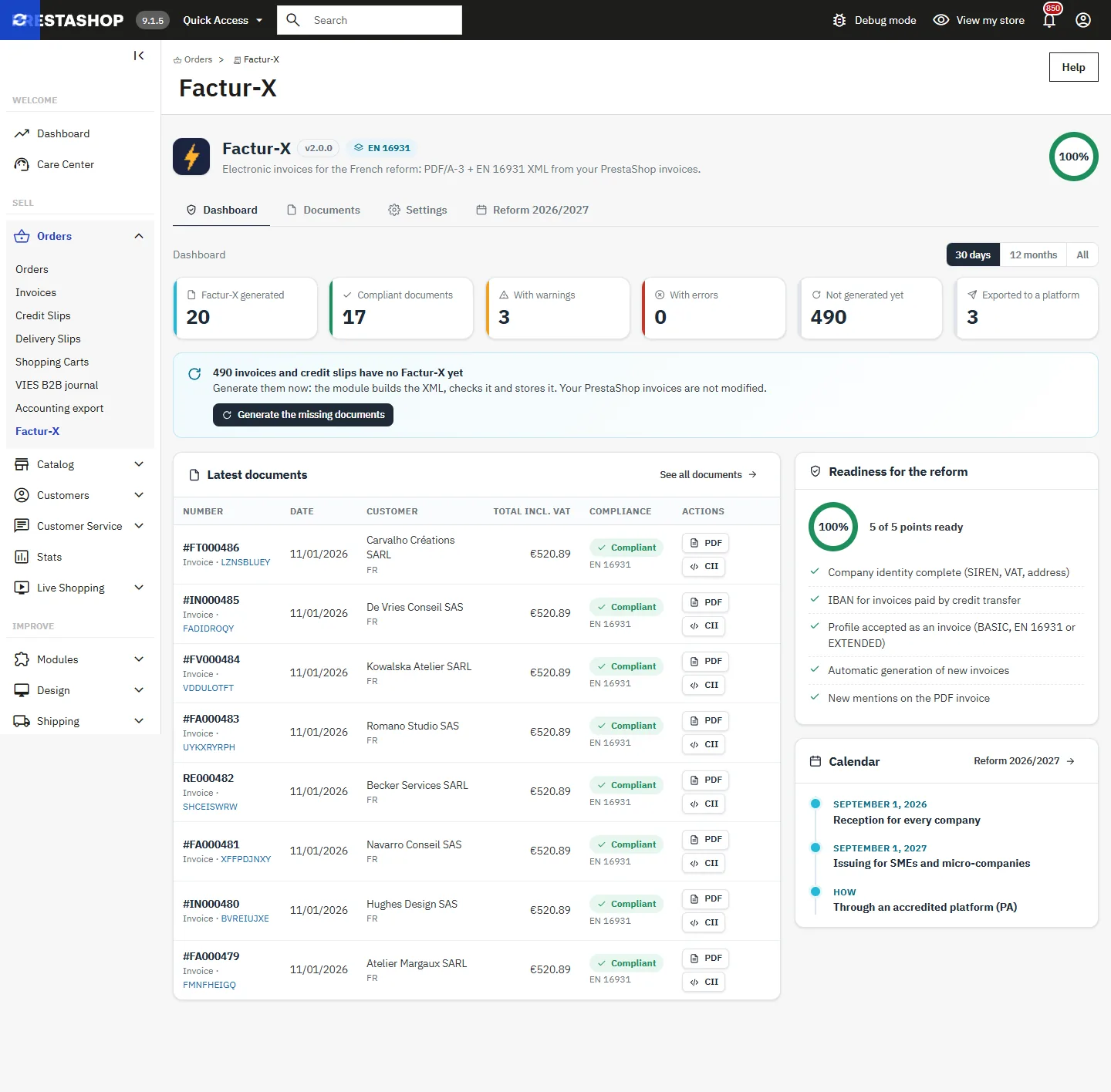
Dashboard
The dashboard counts the documents that are generated, compliant, with warnings, with errors, not generated and exported. The Generate the missing documents button processes invoices and credit notes in batches, with a progress bar. It also shows the latest documents, a readiness indicator for the reform and the calendar.
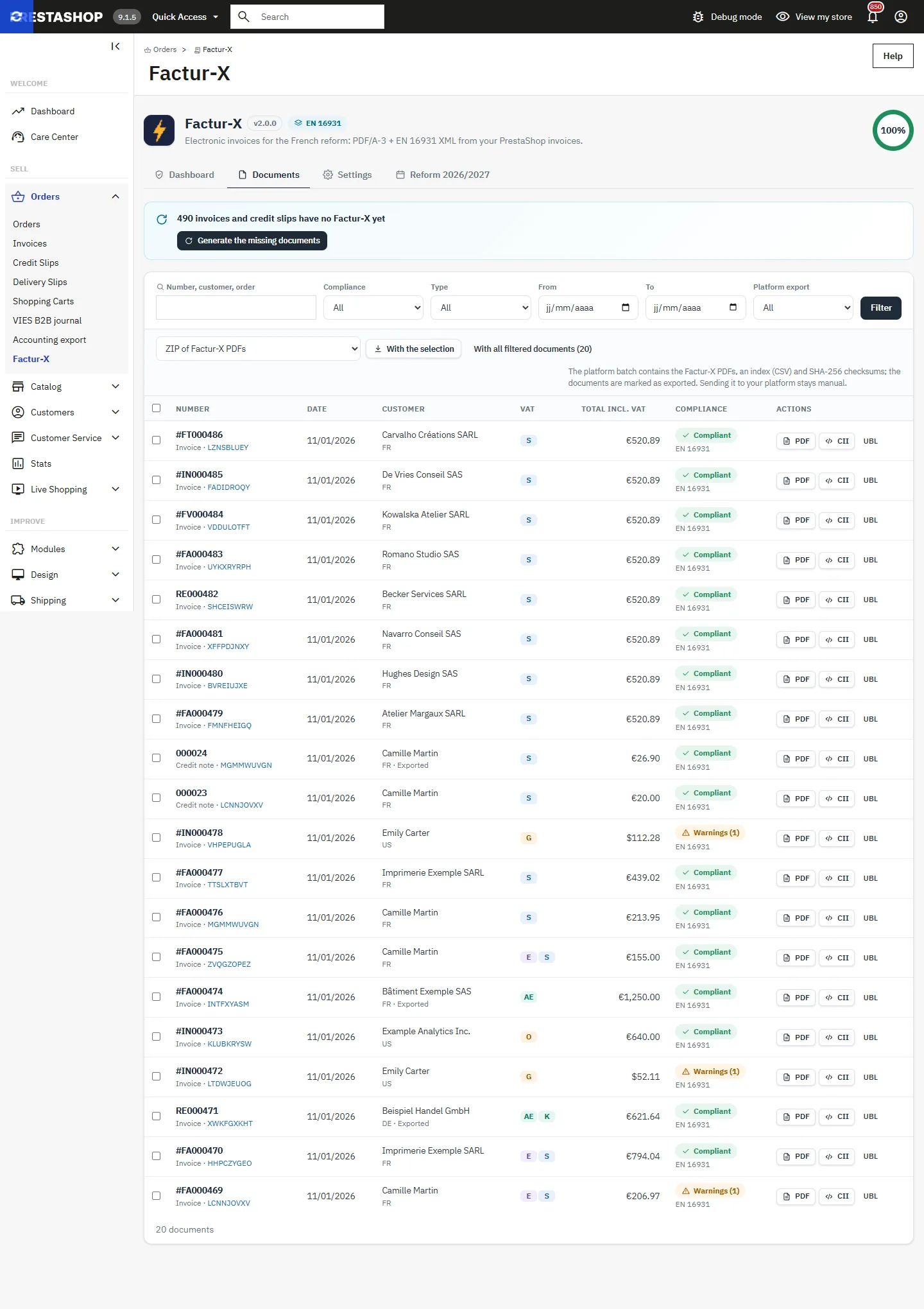
Documents and exports
The Documents page lists invoices and credit notes with their profile, VAT categories and status. You can search by number or customer, filter by compliance, type, period or export status, then select documents to:
- download a ZIP of Factur-X PDFs, CII XML or UBL 2.1 XML;
- prepare a Batch for an accredited platform (ZIP + index): the PDFs, an
index.csvfile and aSHA256SUMSfile. The documents are marked as exported; sending them to the approved platform remains your task; - regenerate documents, for example after correcting the settings.
Compliance report
Each document has its own report. Checks are classified as errors, warnings and information, with the code of the rule concerned (BR-…, BR-FR-…). The report details the lines, the VAT breakdown and the totals BT-106 to BT-115, compared with the total of the PrestaShop invoice.
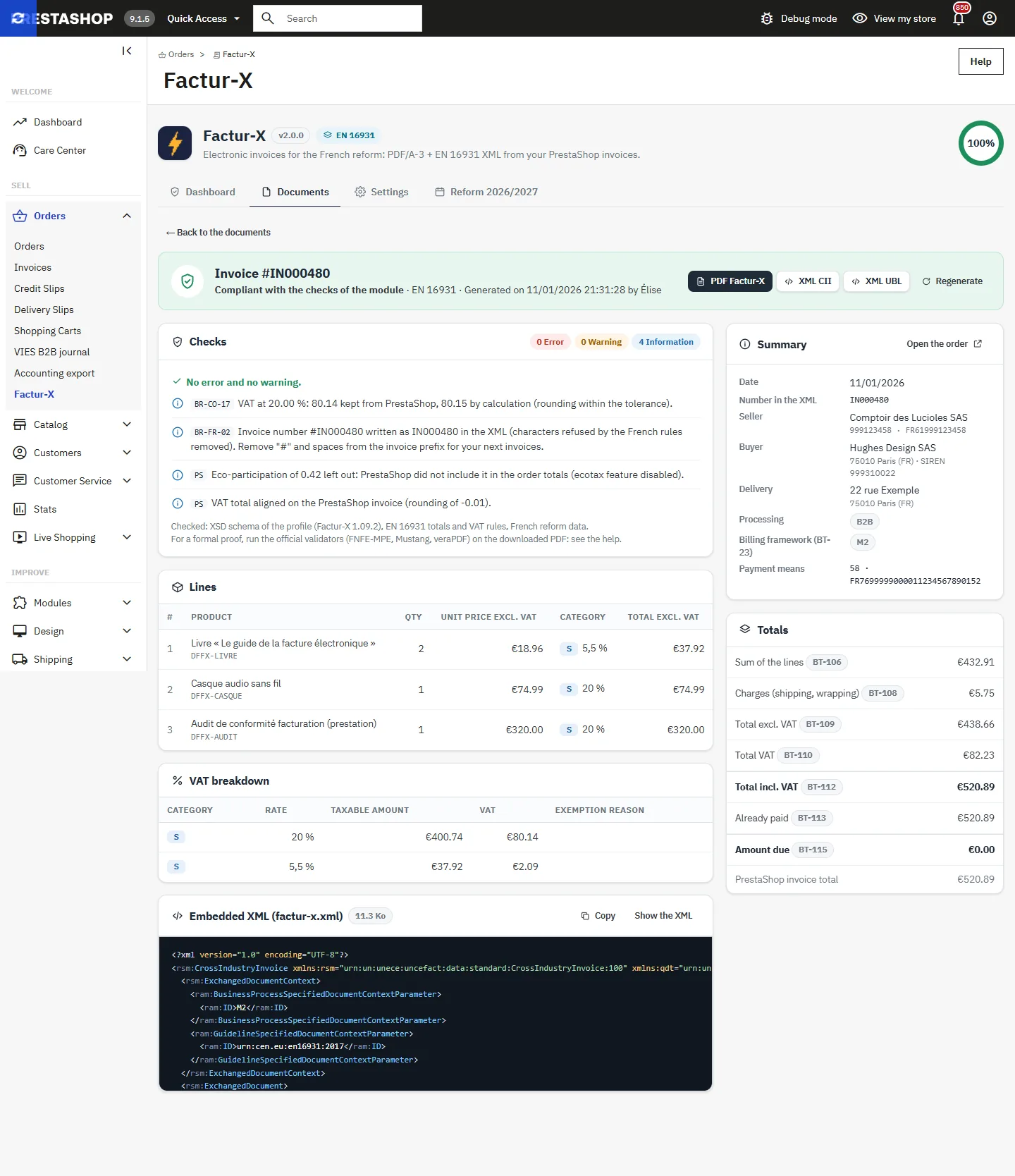
The embedded XML is shown with syntax colouring and can be copied.
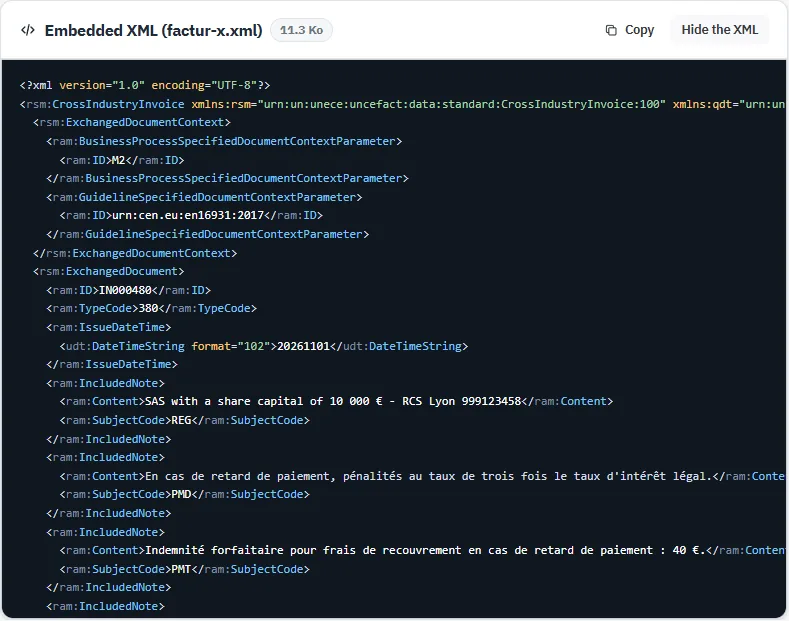
The built-in check verifies the Factur-X 1.09.2 XSD schema of the profile, the key rules of EN 16931 (totals, breakdown, categories, payment) and the French checks. A document with errors is never offered to the customer or embedded in the native PDF.
On an invoice to a consumer or to a foreign buyer, the BR-FR-12 warning (electronic address of the buyer) is expected: these customers have no address in the French directory.
Panel on the order page
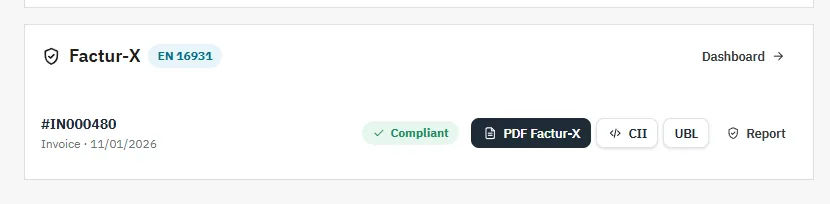
On each order, the Factur-X panel lists the invoices and credit notes with their status and the PDF, CII, UBL and report buttons. If the order was changed after generation, an alert suggests regenerating the document.
The PDF/A-3 invoice
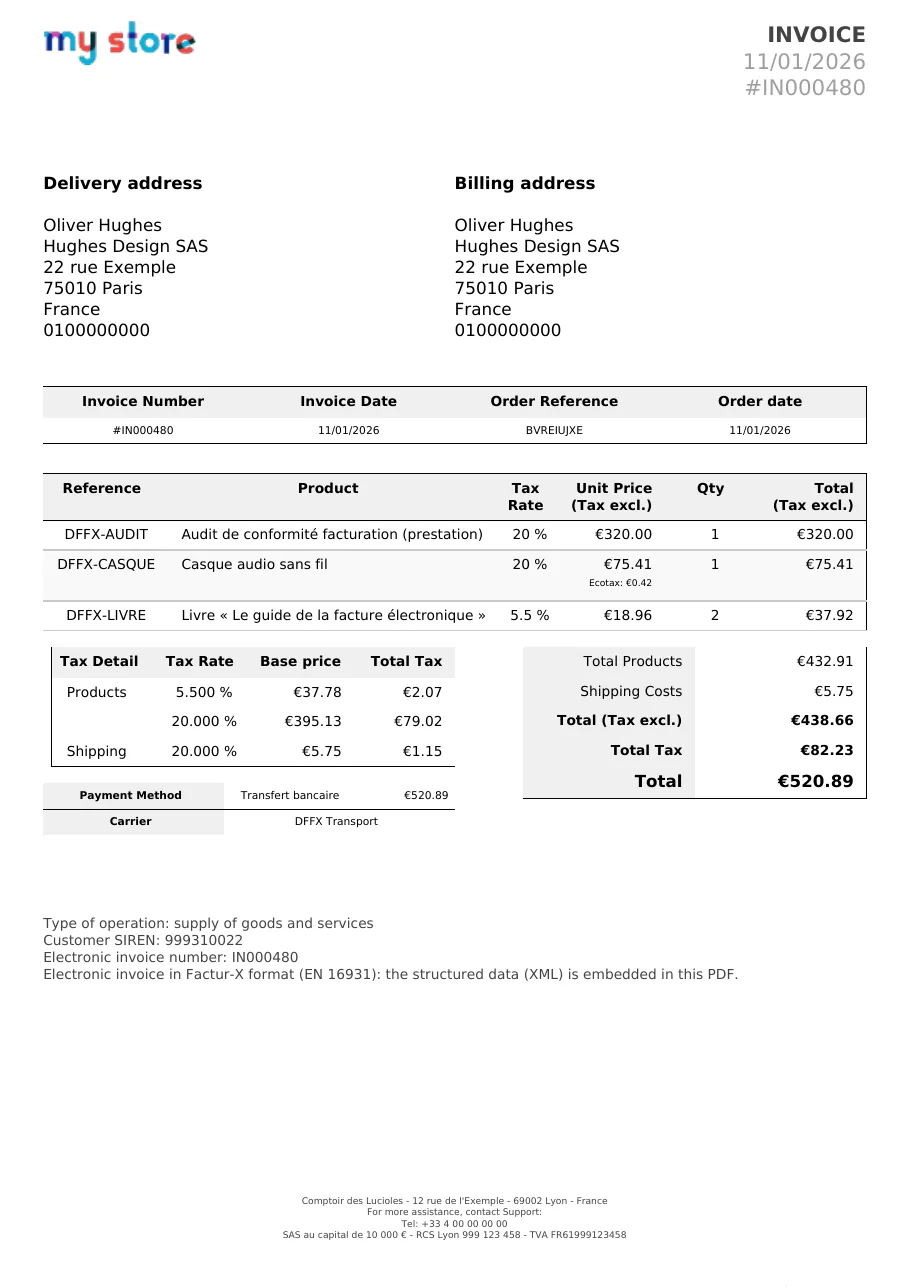
The PDF is your native PrestaShop invoice, rendered in PDF/A-3b, with the embedded XML and the Factur-X XMP metadata. The relevant reform mentions are added at the bottom of the invoice through the PrestaShop PDF hooks, without changing your templates. If the DataFirefly Invoice Editor module is active, its layout is kept.
Customer account and e-mails
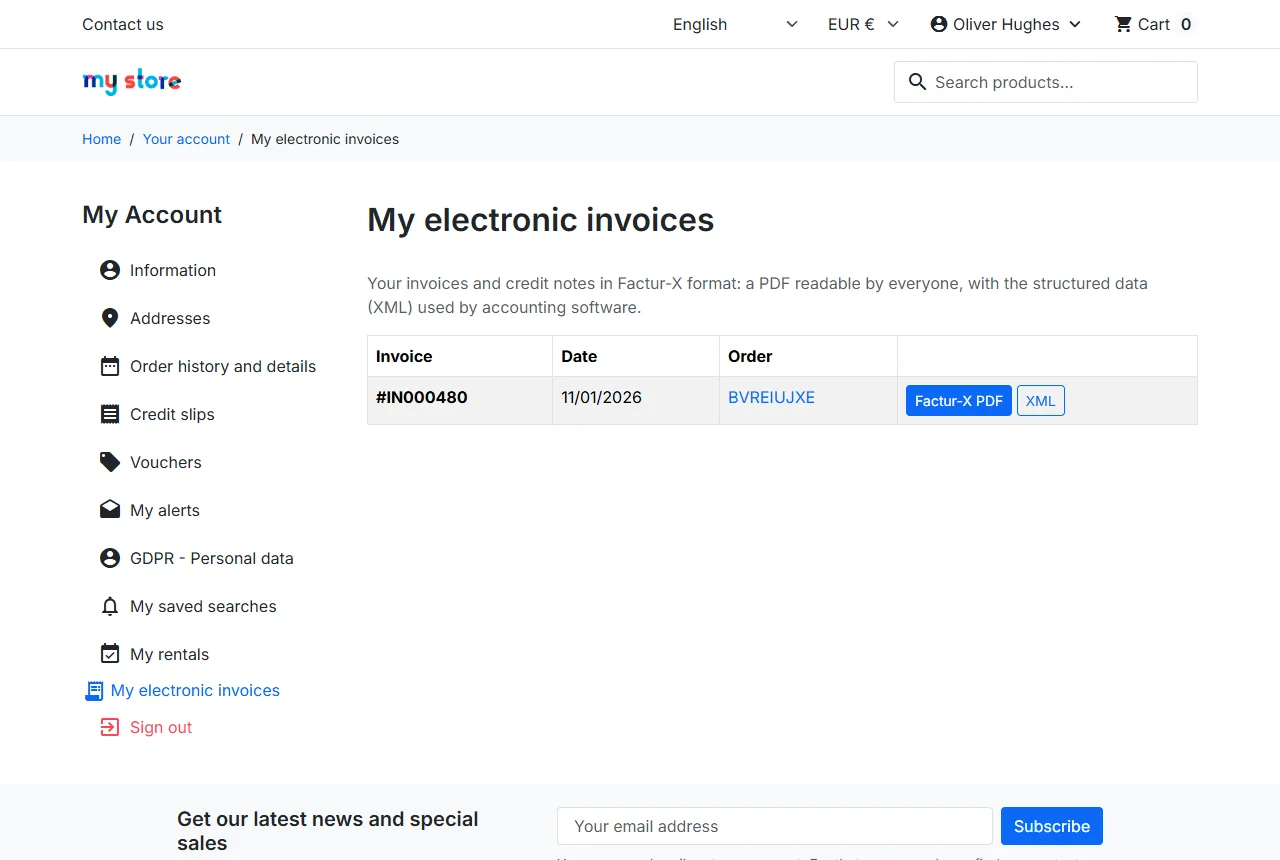
When the invoice is visible to the customer (same rule as PrestaShop: an order status with an invoice), they download it as Factur-X from their order details or from the My electronic invoices page, together with the XML. The module checks that the document belongs to the logged-in customer.
Validate before going live
Generate a few invoices that represent your business (several VAT rates, a discount, a business customer, a foreign customer, a credit note), then check them with the official validators:
- the FNFE-MPE validation service or Mustang, for the XML and the French rules;
- veraPDF, for PDF/A-3 conformance.
The CII button of the order panel downloads the XML alone, which is handy during this phase.
Reform 2026/2027: what the module does
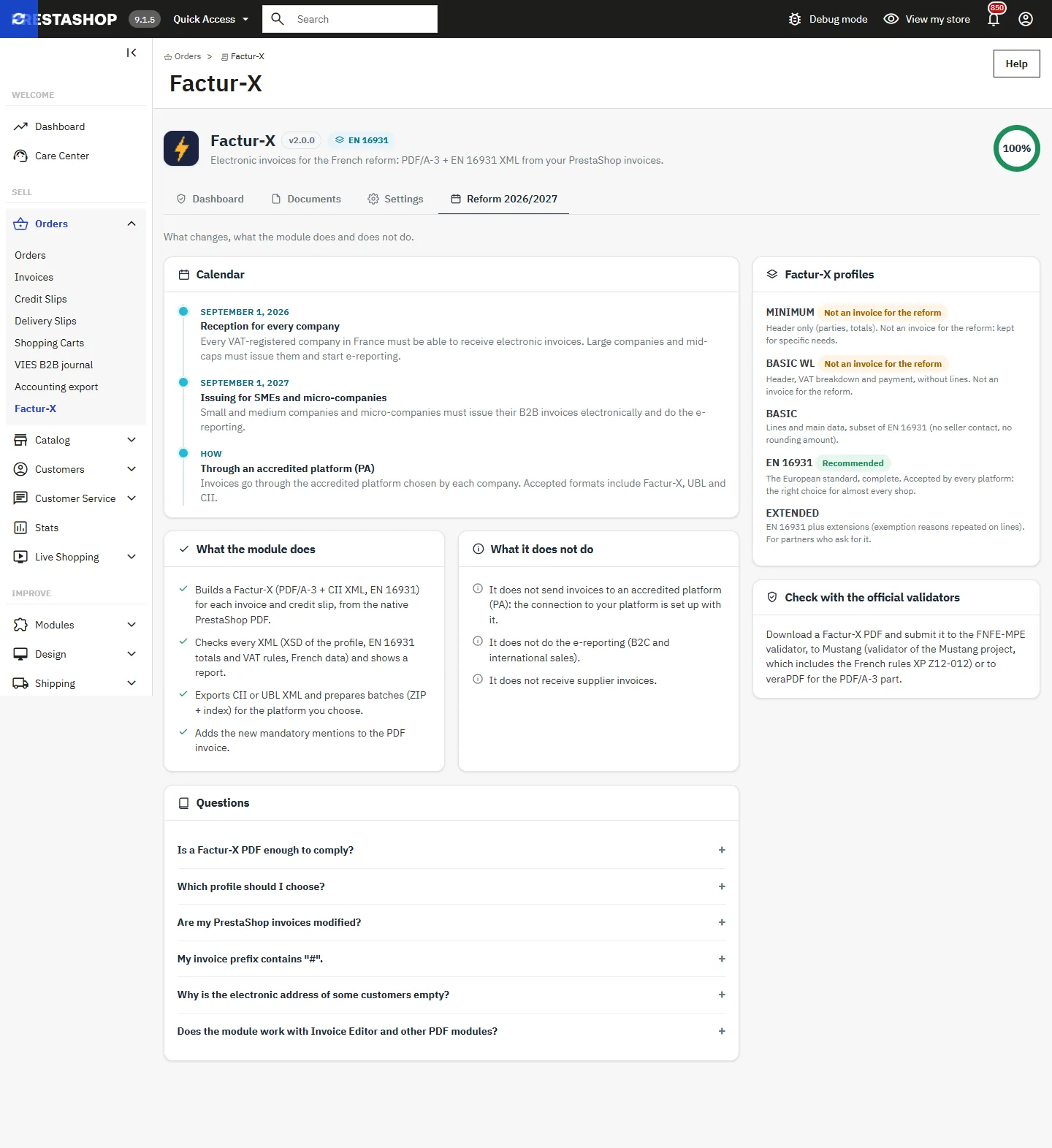
In France, all businesses subject to VAT must be able to receive electronic invoices from 1 September 2026. Issuing becomes mandatory on that date for large companies and mid-sized companies (ETI), then on 1 September 2027 for SMEs and micro-businesses.
- Producing and checking Factur-X invoices with the data of the reform: this is the role of the module. No certification is needed.
- Sending the invoices and doing the e-reporting: this is the role of the approved platform (PA) you choose. The module prepares the files and the export batch; it sends nothing.
The module’s Reform 2026/2027 help page covers the calendar, the profiles, the validators and a FAQ.
Troubleshooting
A document has errors
Open its report: each error shows the rule and the data concerned. The most frequent causes are a missing SIREN or VAT number, no IBAN for a payment by credit transfer, or an incomplete customer address. Correct the setting or the data, then regenerate the document.
Warning about the eco-participation
When the ecotax feature is disabled in PrestaShop, the eco-participation stays in the line prices but not in the order totals. The XML follows the total actually invoiced and the report flags it. Check your ecotax settings and the associated tax rule.
The invoice does not appear in the customer account
The customer sees their invoices when the order status allows the invoice, as in PrestaShop. Also check the customer account option in the Distribution step, and that the document has no errors.
ZIP exports are unavailable
The PHP zip extension is not enabled on the server. Single downloads remain available.
The logo is missing on the invoice
PrestaShop loads the invoice logo through the shop URL. If the server cannot reach its own URL, the logo is also missing on native invoices; the problem then comes from the server configuration, not from the module.
Changelog
2.0.0 (2 November 2026)
- CII XML rewritten: namespaces, schema order and content specific to each profile.
- Native PrestaShop invoice and credit note rendered in PDF/A-3b, XMP metadata corrected.
- Amounts taken from the PrestaShop invoice: discounts per rate, shipping, gift wrapping, eco-participation, rounding.
- VAT categories S, Z, E, AE, K, G, O with exemption reasons; credit notes (type 381); invoices in foreign currencies.
- Data and mentions of the French reform in the XML and on the PDF.
- Built-in check and compliance report for each document.
- New back office: dashboard, documents, setup assistant, reform help, order panel.
- ZIP exports in PDF, CII and UBL 2.1; batch for an approved platform.
- Customer account fixed, Factur-X in e-mails, native invoices in Factur-X on PrestaShop 9.
- Security: no more files in a public folder, no invoice without a PrestaShop number.
- Translations FR, EN, ES, DE, IT, PL, NL, PT; update from 1.0.0 with settings kept.
1.0.0 (4 June 2026)
- First version: generation of Factur-X invoices (PDF/A-3 + CII XML), BASIC, EN 16931 and EXTENDED profiles, download from the order, bulk generation, link in the customer account.