
Detect the visitor’s language and country (no redirect)
Install, configure and test the language, currency and store suggestion, with no redirect.
Overview
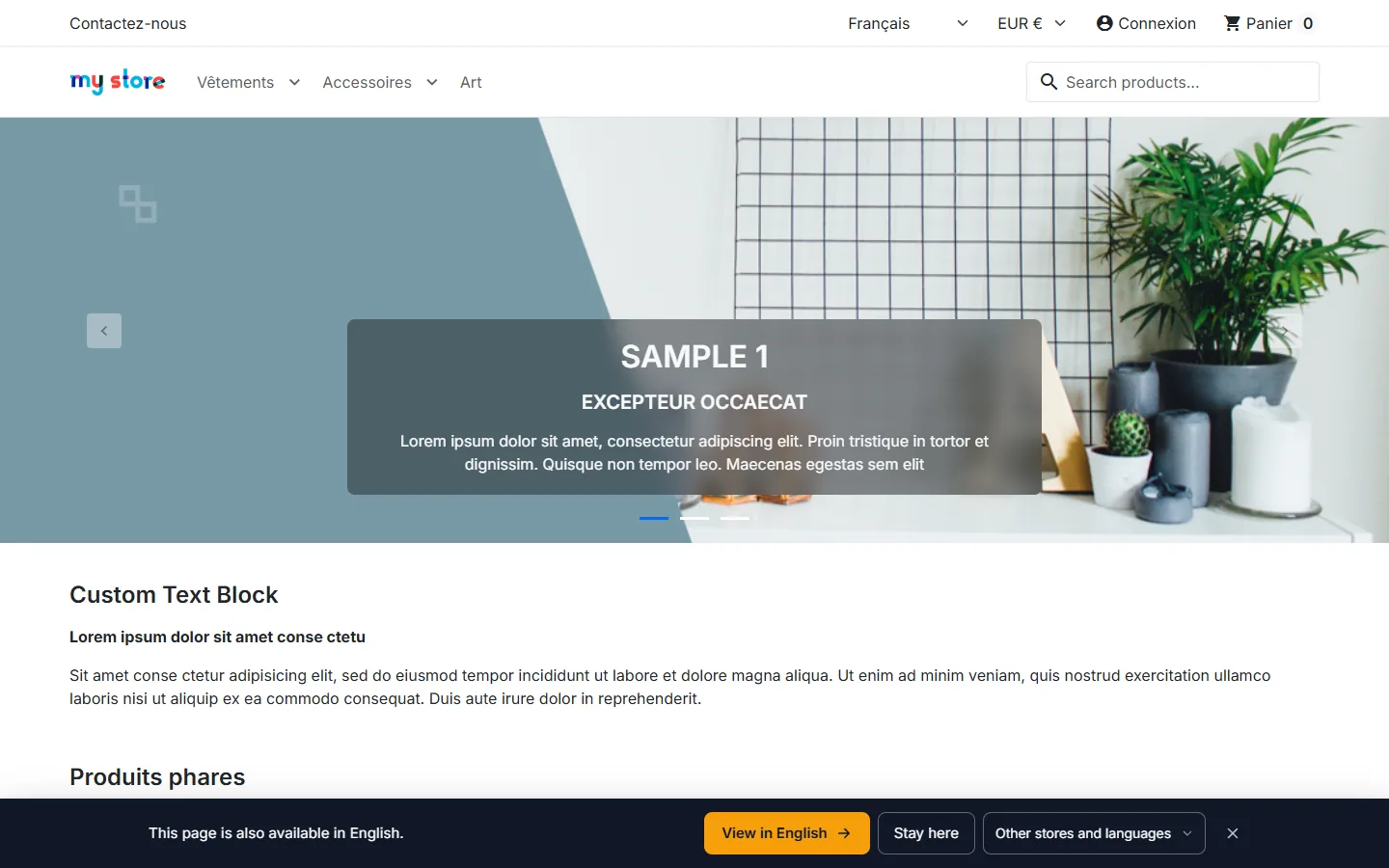
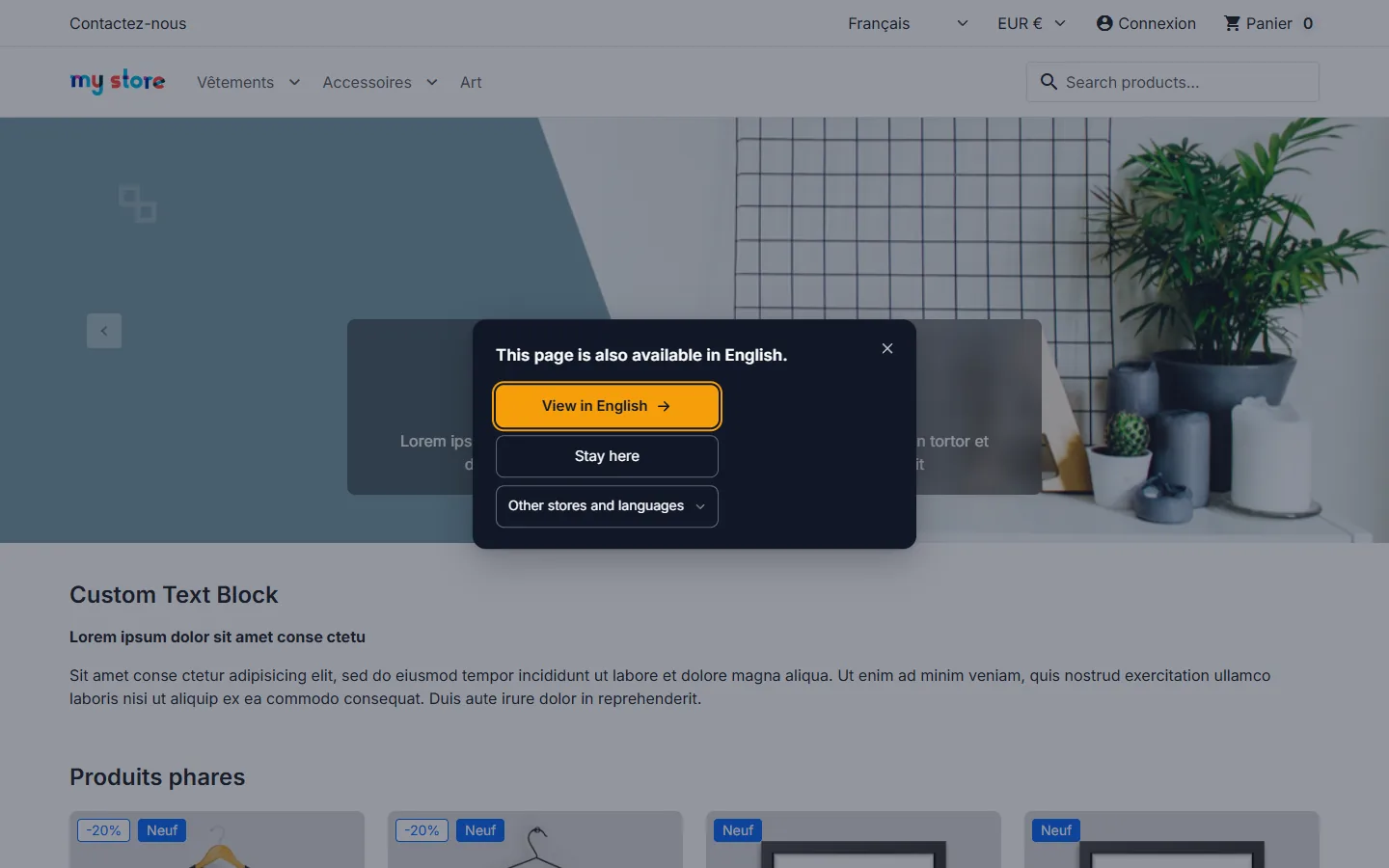
The module detects the visitor’s country and browser languages, then offers, in a non-blocking banner, the same page in the right language, currency or store. It never redirects: the visitor stays in control, crawlers get the page they asked for and your hreflang tags stay as they are.
Compatible with PrestaShop 1.7.8 to 9.x, single store, multistore and multidomain. Nothing is loaded on the store when it has a single language and a single currency.
What’s new in version 2.0
- Setup assistant in five steps, with countries pre-filled for each language.
- Test mode: the banner only appears in your own browser, opened with a signed link valid for 24 hours.
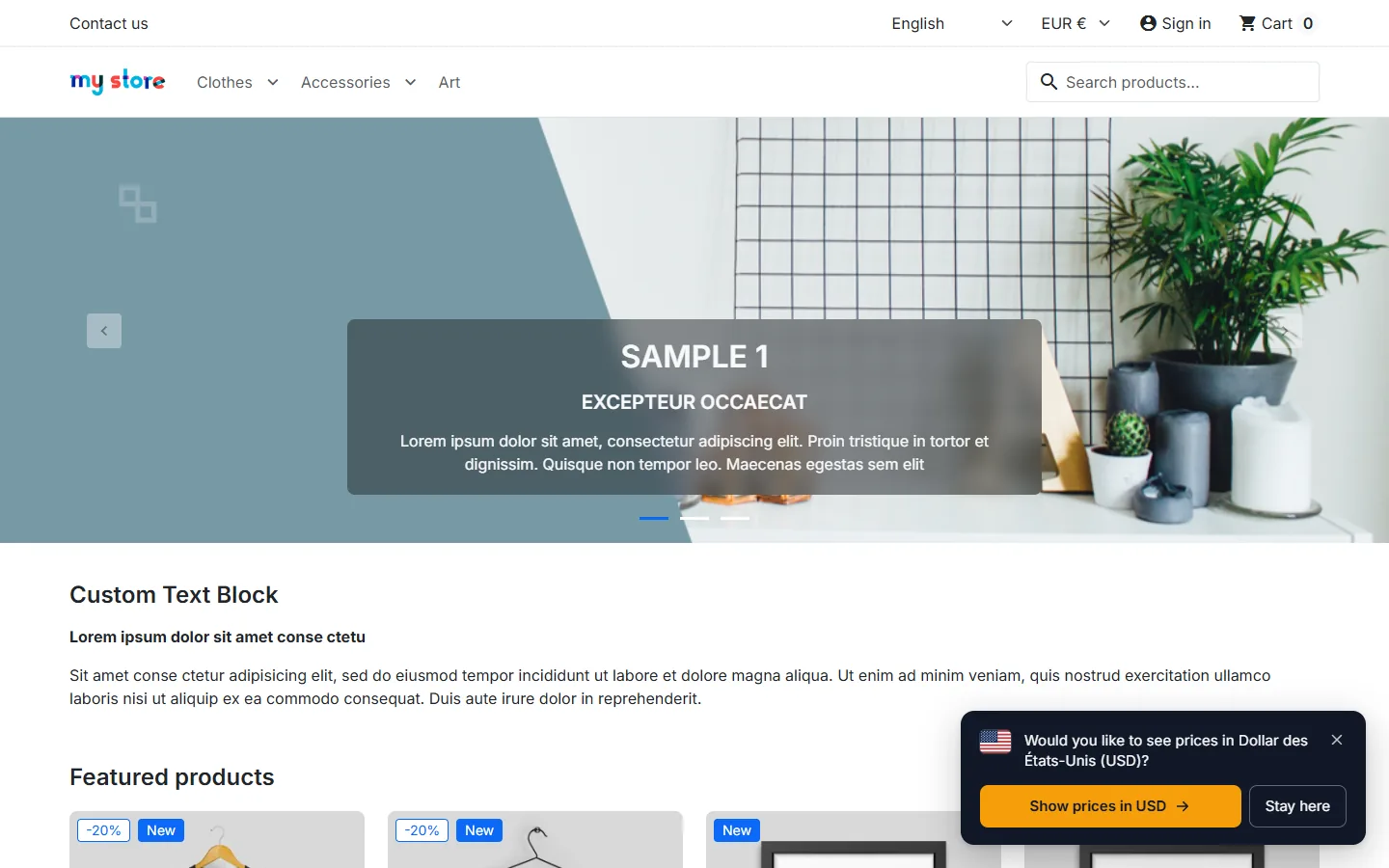
- Currency suggestion: a visitor still seeing the default currency is offered the currency of their country, when you sell in it.
- Trusted CDN headers: a header is used only once you have chosen it, optionally restricted to your CDN’s addresses.
- Pinned and verified built-in database (SHA-256 fingerprint), reorderable detection sources, .mmdb file upload.
- New styles (top or bottom bar, toast, accessible dialog), contrast check, flags reserved for countries.
- Statistics protected against replay (one-time token, hourly ceiling) and refusals counted per country.
Installation and upgrade
- In Modules > Module Manager, click Upload a module and send the ZIP file.
- The module creates one destination per active store and language pair, then opens on the Setup assistant.
- After a fresh install the module is in test mode: your visitors see nothing until you put it live.
Upgrading from 1.0, 1.1 or 1.2 keeps your destinations, texts, colours and statistics. Two deliberate changes: no CDN header is used until you confirm it in Geolocation (a notice tells you when one is received), and the currency suggestion stays off until you turn it on.
On a multistore setup, install the module in the “All stores” context and check it is enabled on every destination store: it remembers the visitor’s choice on arrival.
Setup assistant
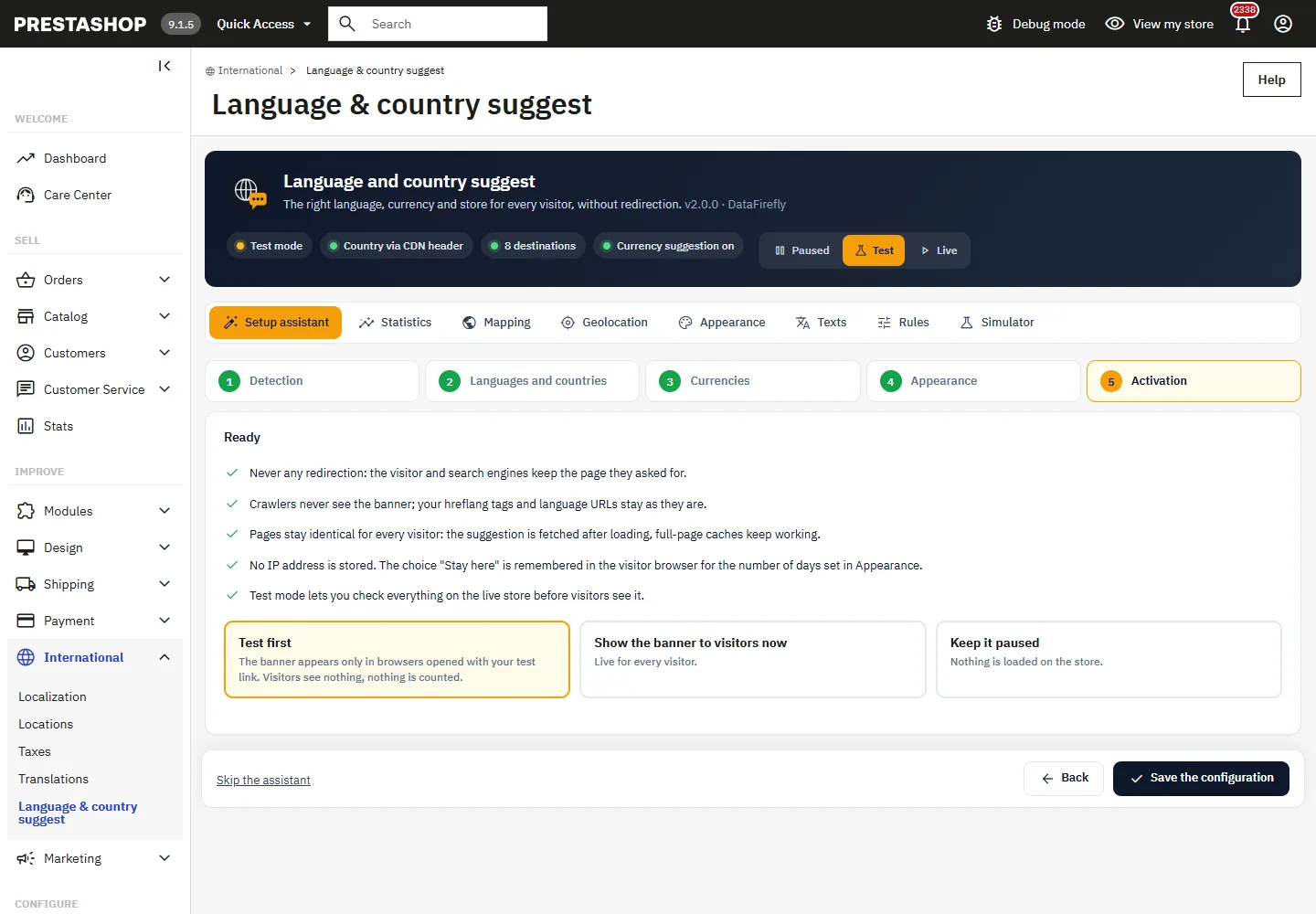
The assistant gathers what needs setting at the start in five steps. You can skip it and reopen it at any time from its tab.
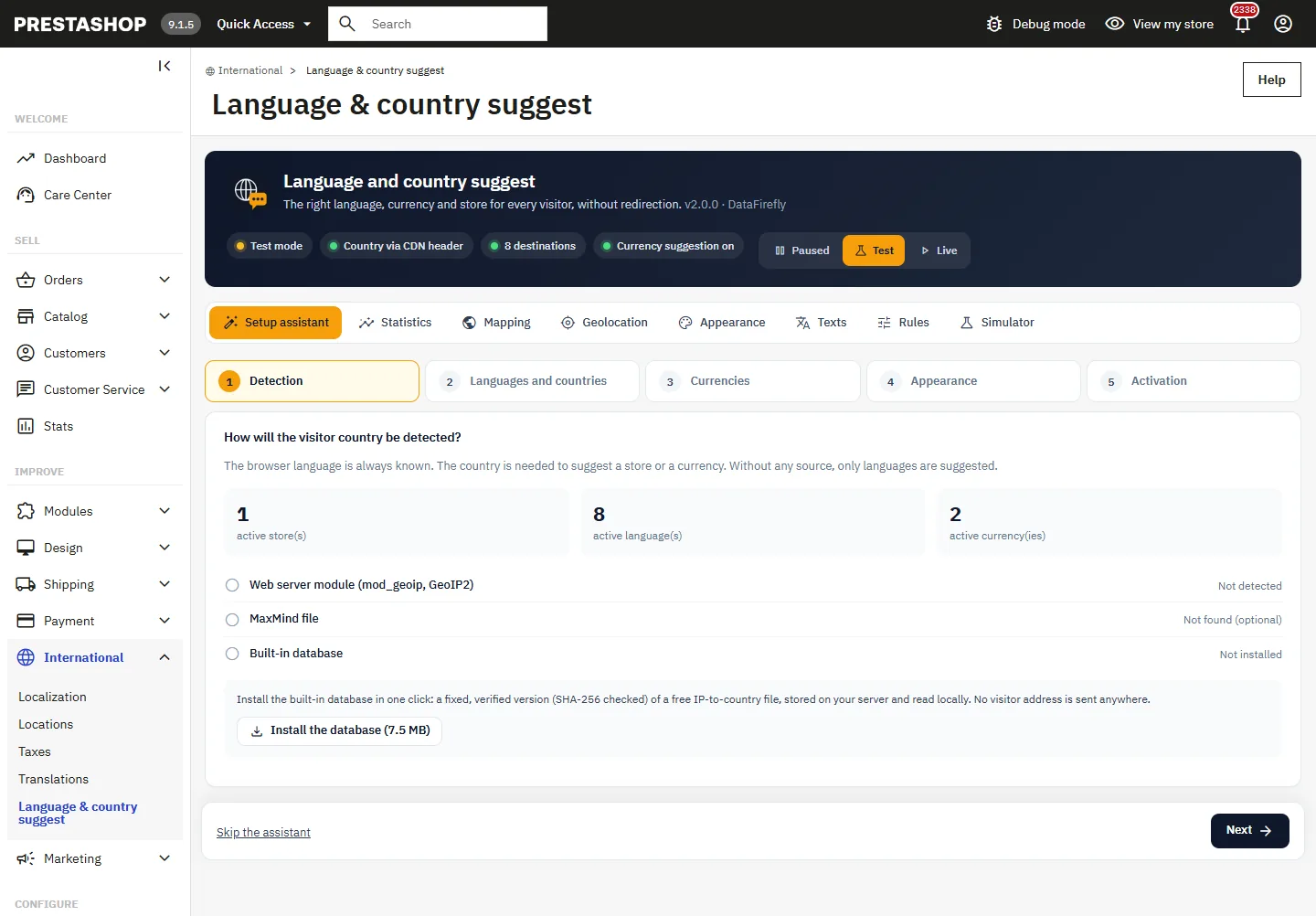
- Detection: number of stores, languages and currencies, country header received by the store, web server module, MaxMind file and built-in database.
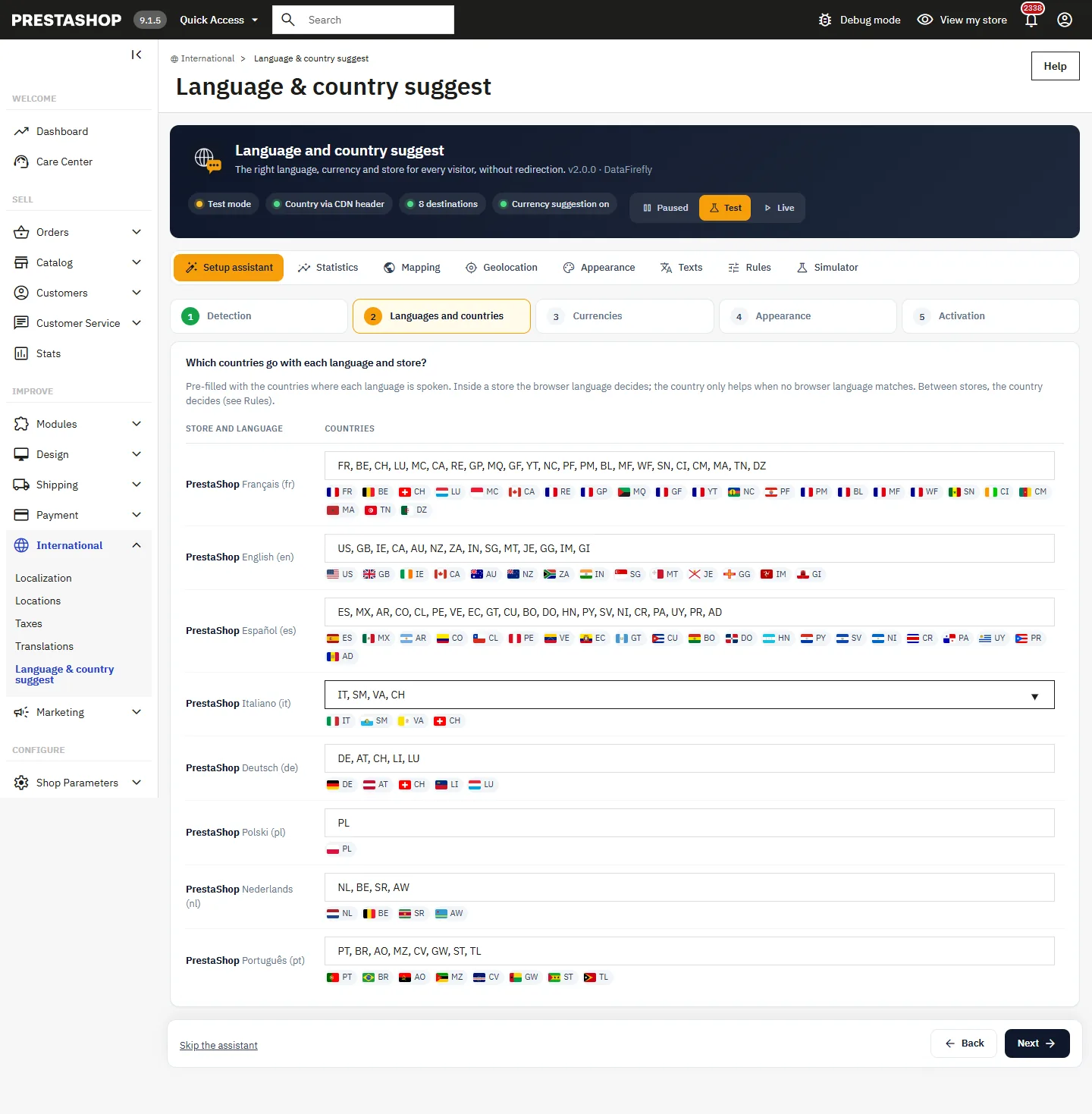
- Languages and countries: for each destination, the countries where the language is spoken are pre-filled (GB, US, IE, CA, AU… for English). Adjust them before saving.
- Currencies: turning the suggestion on and the list of countries that will be offered another currency.
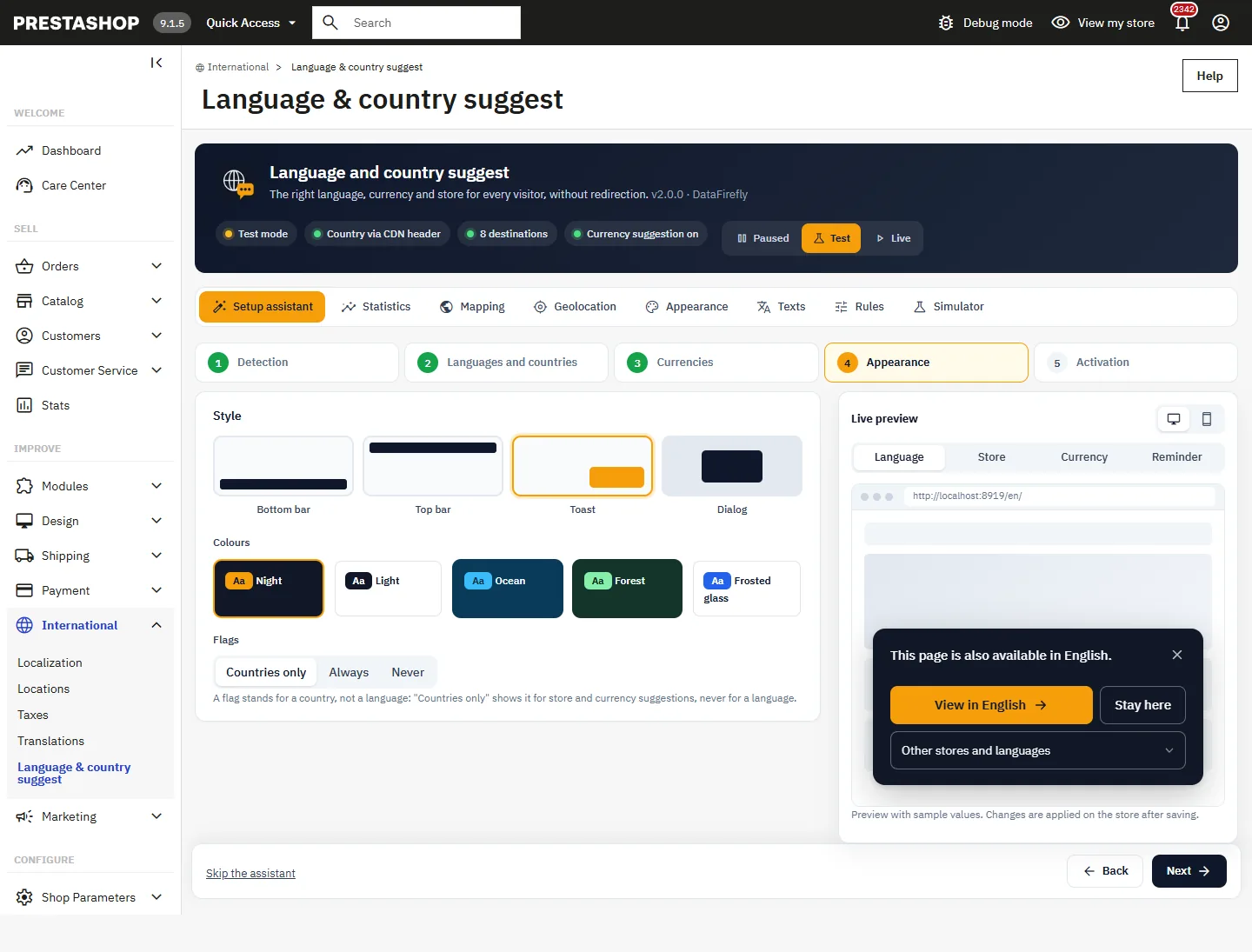
- Appearance: style, colours and flags, with a live preview.
- Activation: test first, go live or keep paused.
Geolocation
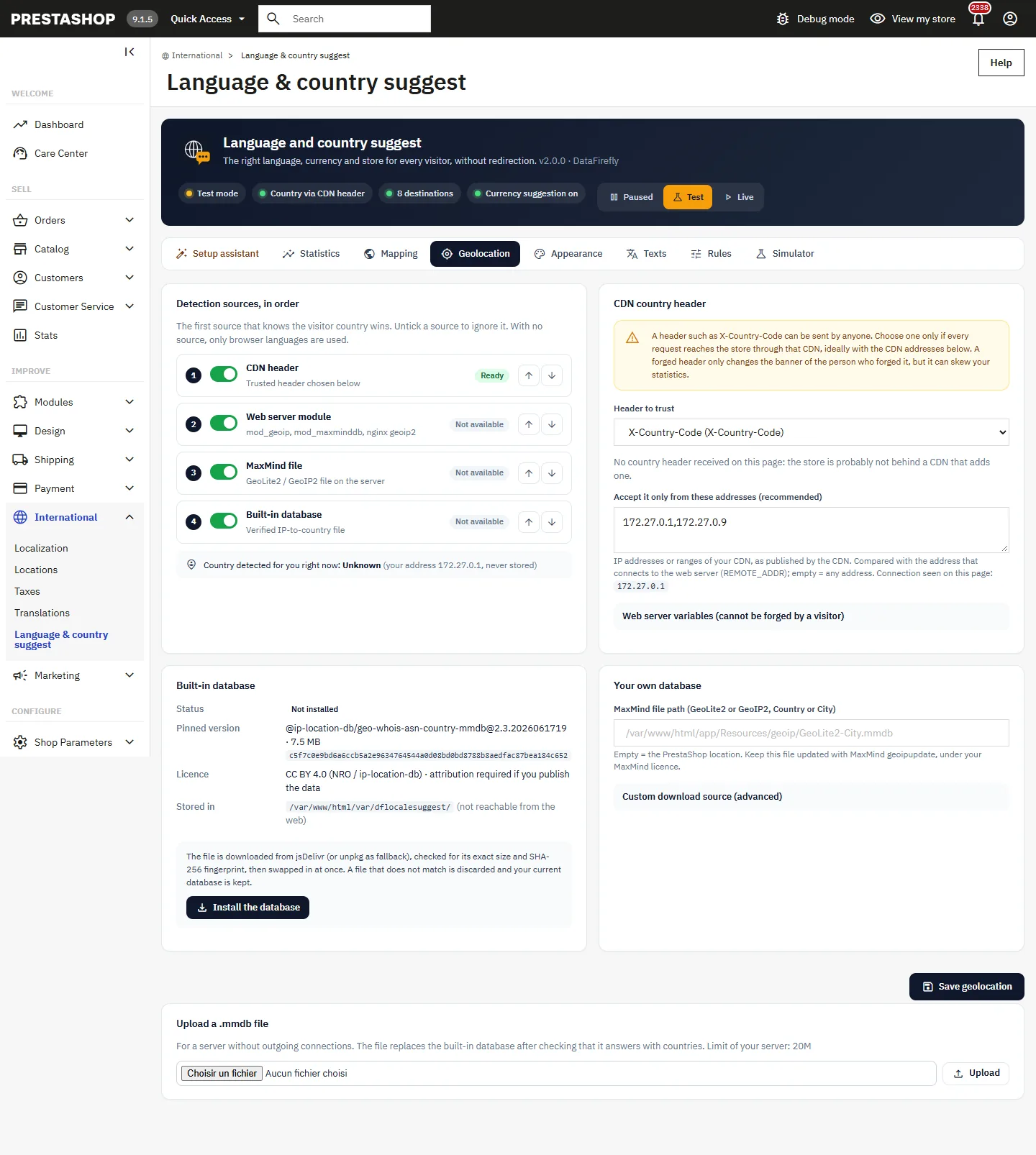
The browser language is always known. The country is used to suggest a store or a currency. Four sources are available; the first one that knows the country wins and you set their order with the arrows:
- CDN header (Cloudflare, CloudFront, Vercel, App Engine, Fastly or X-Country-Code);
- Web server module (mod_geoip, mod_maxminddb, nginx geoip2);
- MaxMind file GeoLite2 or GeoIP2, at PrestaShop’s location or at the path you enter;
- Built-in database, installed from the module.
The IP address is only used for the lookup, in memory: it is never stored or sent to a third party.
A header such as X-Country-Code can be sent by anyone. Choose one only if every request goes through that CDN and, preferably, enter the CDN’s addresses in Accept it only from these addresses. They are compared with the address connecting to the web server, never with X-Forwarded-For.
Built-in database
The Install the database button downloads a fixed version of the geo-whois-asn-country database from the ip-location-db project (about 7.5 MB, IPv4 and IPv6) from jsDelivr, or unpkg as a fallback. Before replacing the file, the module checks its exact size and SHA-256 fingerprint; a file that does not match is discarded and the current database is kept. The file is stored in var/dflocalesuggest/, protected from web access. The previous copy can be restored.
This data is published under the CC BY 4.0 licence (data from the NRO internet registries): attribution is required if you republish the data. As the project’s npm distribution is no longer updated, the date of the data is shown: for the best precision, prefer your CDN header or an up-to-date MaxMind file.
Custom source and file upload
In Your own database you can enter the HTTPS address of a .mmdb file with its SHA-256 fingerprint (or the address of the .sha256 file published by the source); an unverified file is never installed. The scheduled update is run by your server cron with the secret address shown, never by a visitor. Without outgoing connections, upload a .mmdb file directly.
Mapping
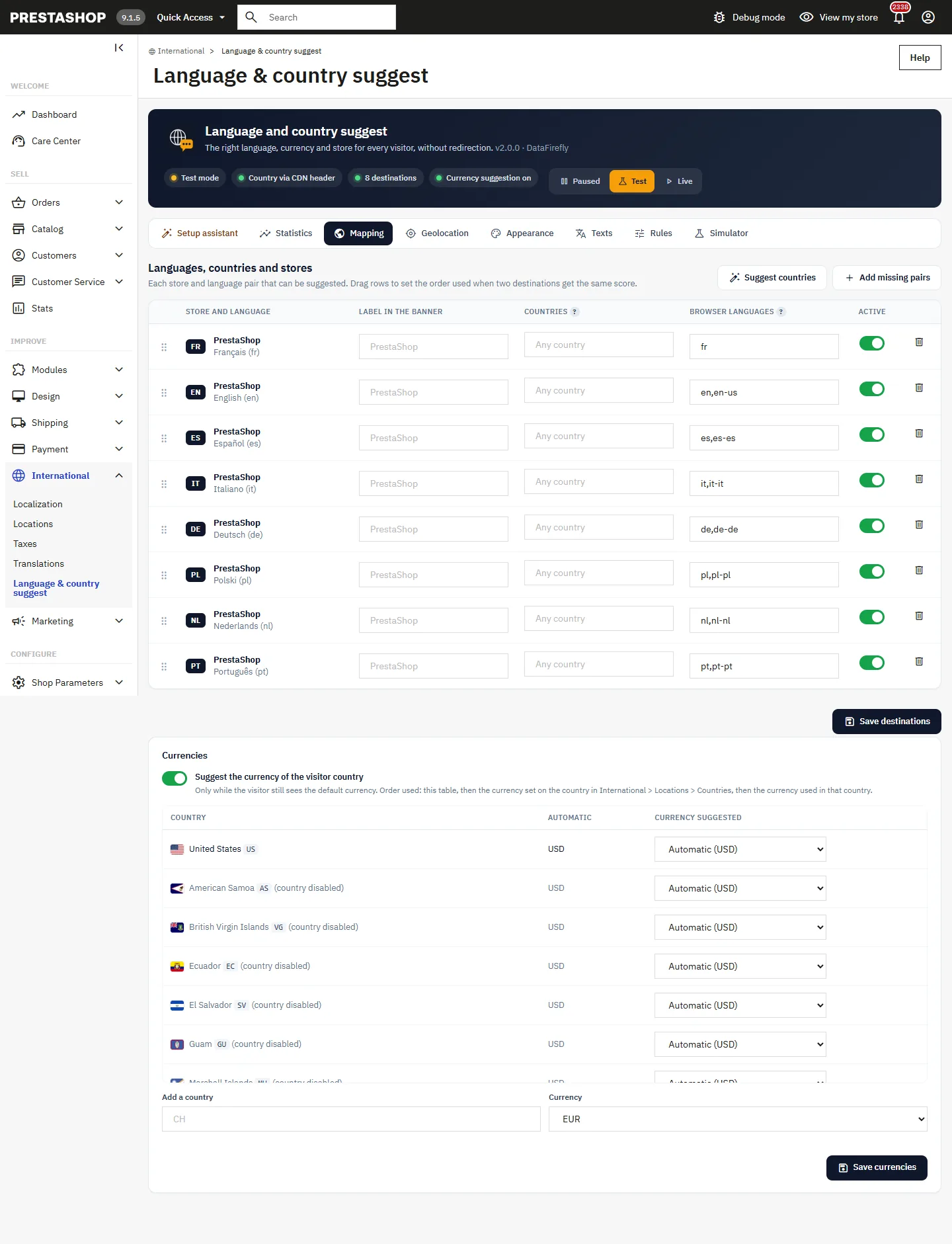
Each row is a store and language pair the banner can suggest: label shown, countries (ISO codes, empty = all), browser languages (de, de-at, en-gb…) and tie-break order by drag and drop. Suggest countries fills the destinations without countries, Add missing pairs creates the rows of new stores or languages.
The Currencies table lists the countries whose currency is active in your stores. For each: automatic (the currency set on the country in PrestaShop, otherwise the currency used in that country), a specific currency, or never suggest one.
Appearance
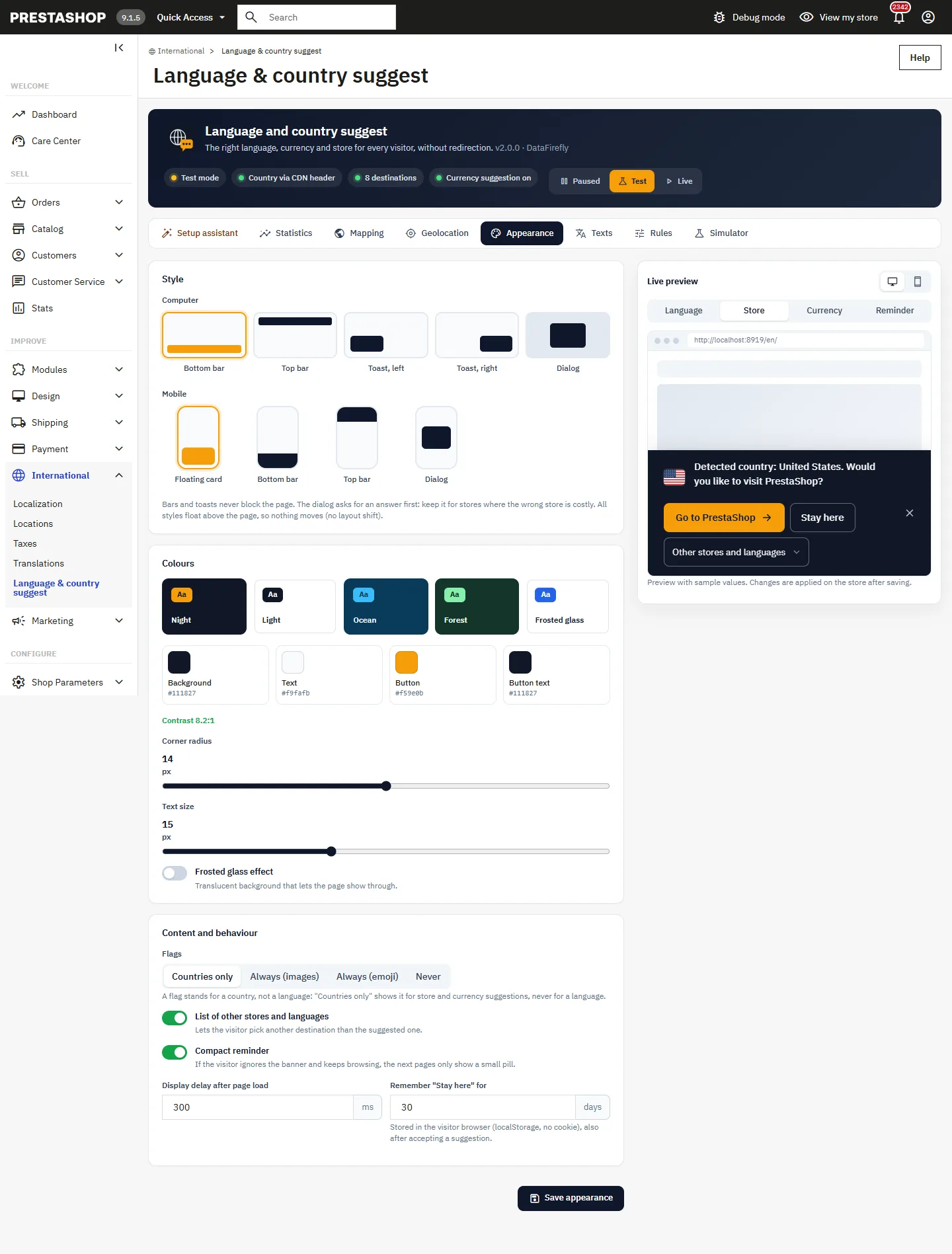
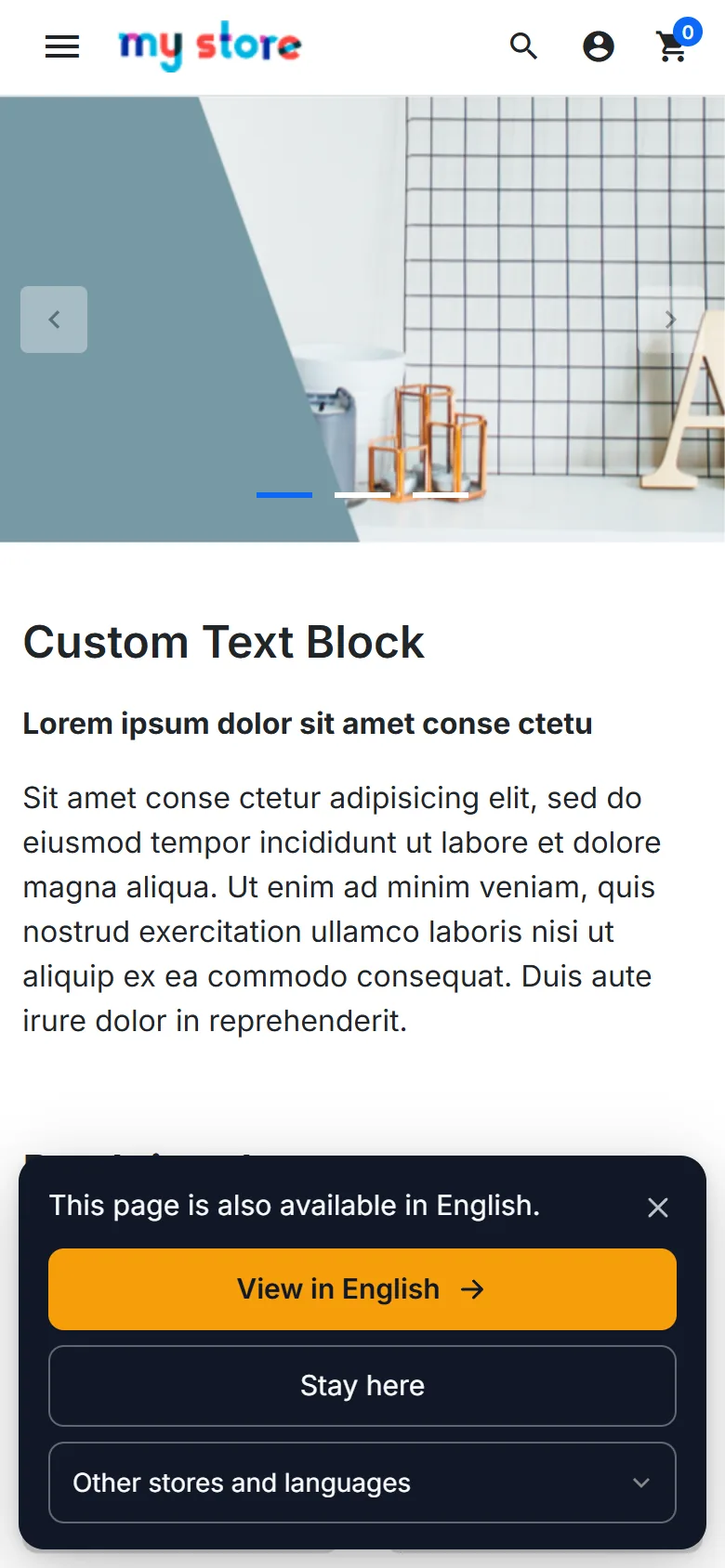
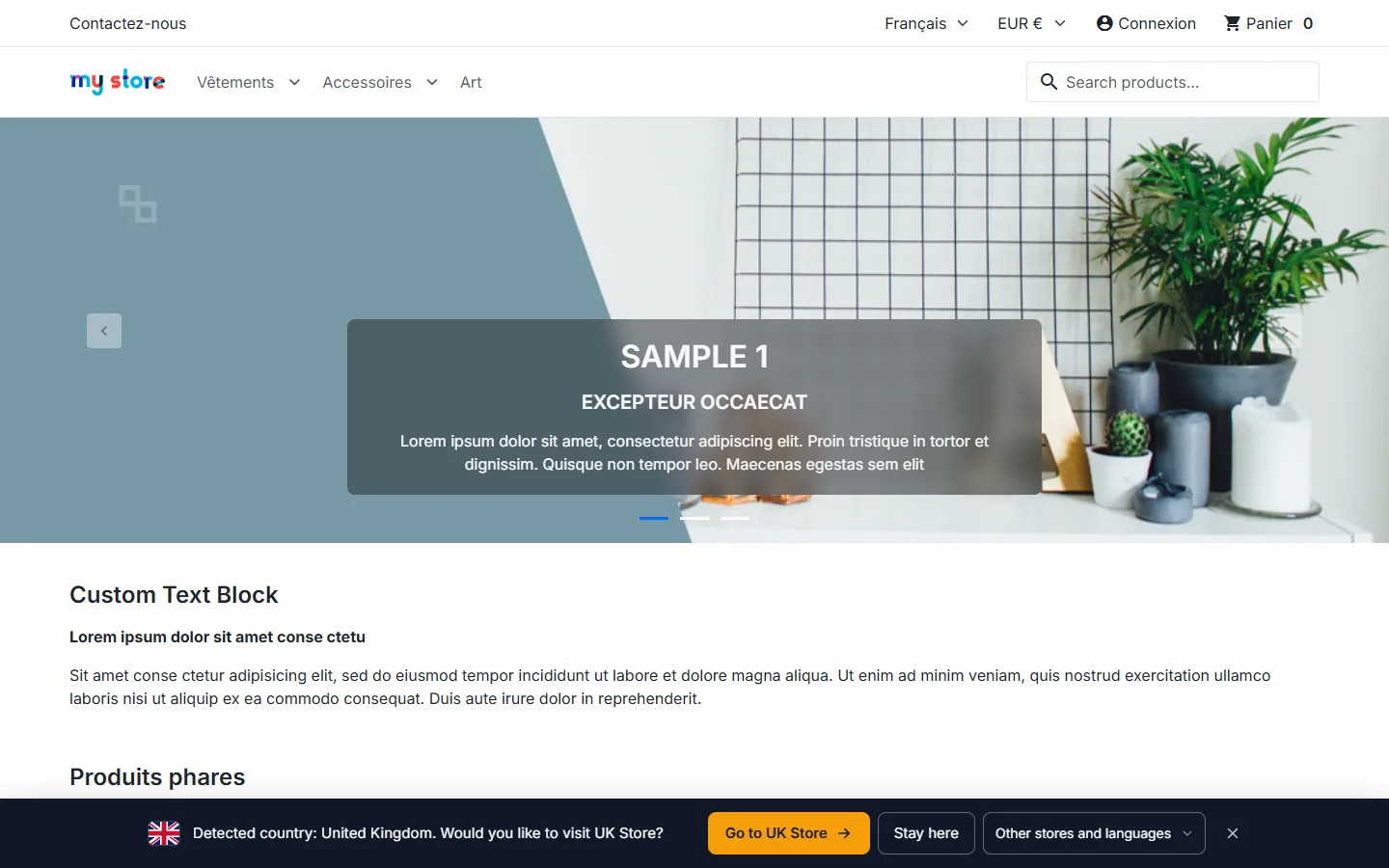
On computer: bottom bar, top bar, toast on the left or right, or dialog. On mobile: floating card, bars or dialog. Every style floats above the page: nothing moves when it appears. The dialog asks for an answer before going on; keep it for stores where being in the wrong one is costly.
- Colours: five themes and four free colours. Contrast is computed live and flagged below 4.5:1.
- Flags: “Countries only” (default) shows a flag for a store or a currency, never for a language.
- Compact reminder, display delay and how long “Stay here” is remembered (30 days by default, in the browser’s local storage, without a cookie).
Texts
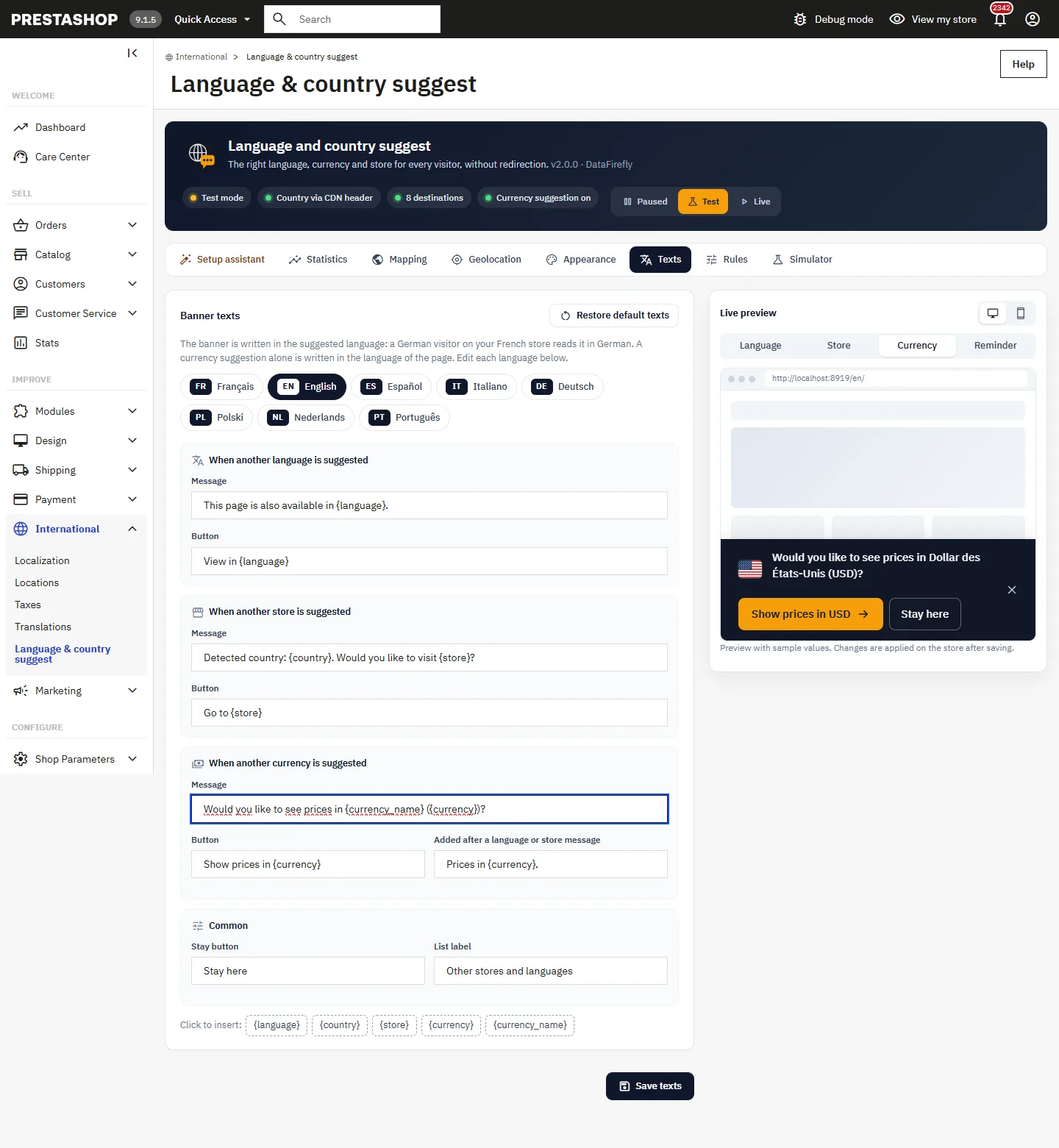
The banner is written in the suggested language: a German visitor reads it in German on your French store. A currency suggestion alone is written in the language of the page. Each language has its language, store and currency messages, with the variables {language}, {country}, {store}, {currency} and {currency_name}. An empty field falls back to the built-in text.
Rules
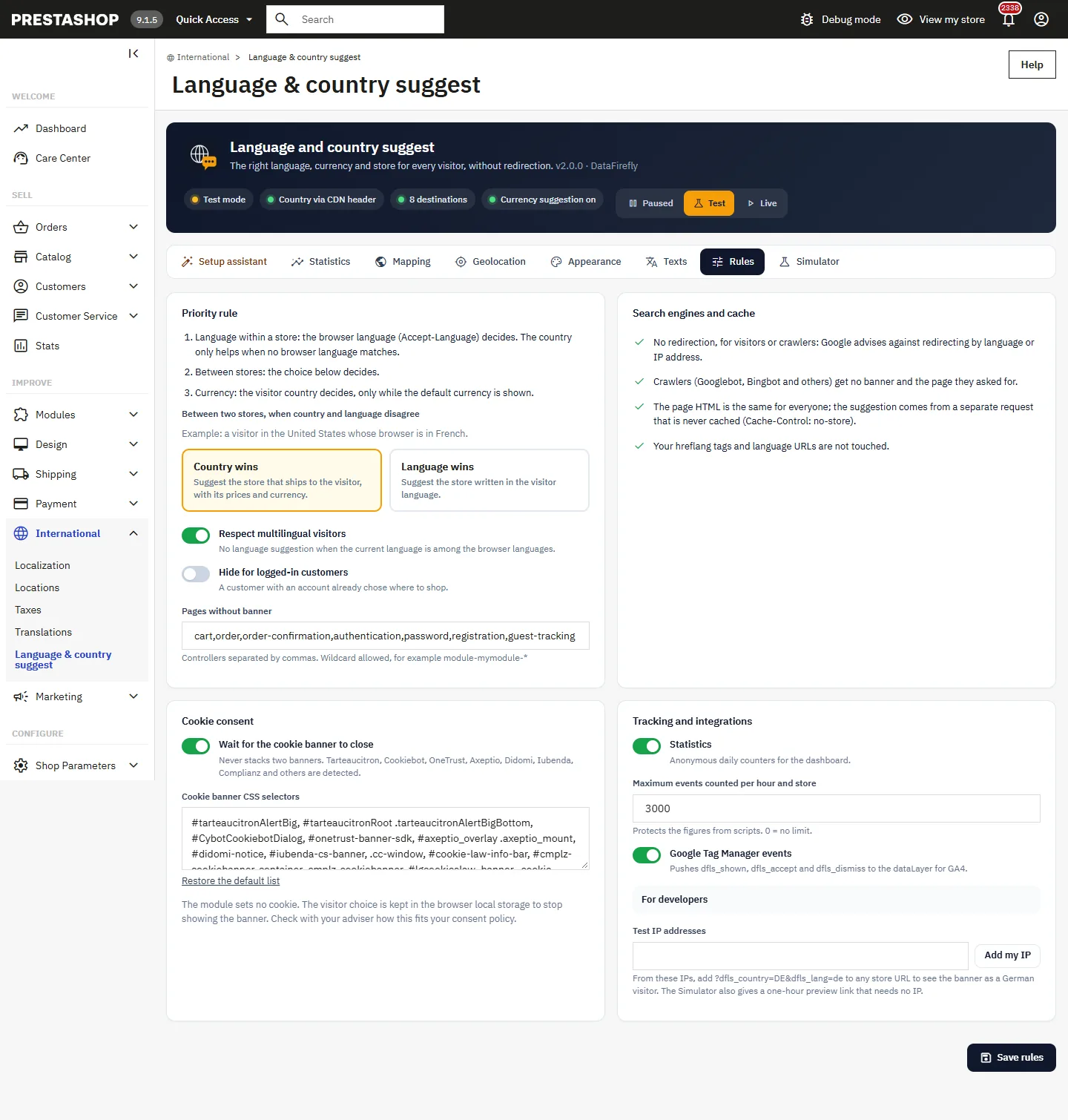
- Language within a store: the browser language decides; the country only breaks ties.
- Between stores: the country wins (the store that ships to the visitor, with its prices) or the language wins.
- Currency: the country decides, only while the visitor still sees the default currency.
- Respect for multilingual visitors, hiding for logged-in customers, pages without banner (cart and checkout by default), waiting for the consent banner, hourly statistics ceiling, Google Tag Manager events.
Testing before going live
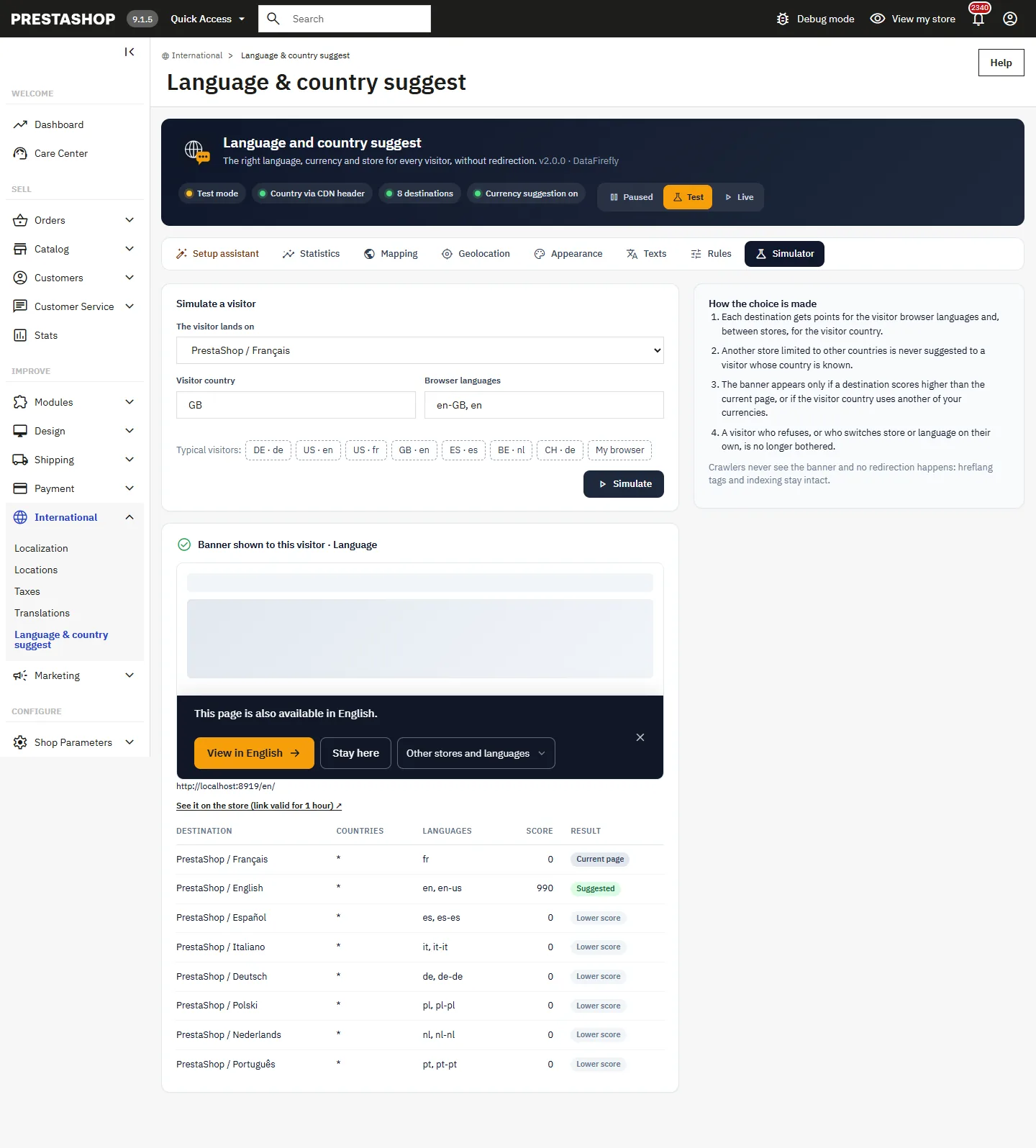
The Simulator shows, for a page, a country and browser languages, the resulting banner, its link and each destination’s score. It provides a preview link valid for one hour. In test mode, open the test link shown in Statistics once: the banner then appears in that browser for 24 hours with the real detection, and nothing is counted. Visitors see nothing.
Statistics
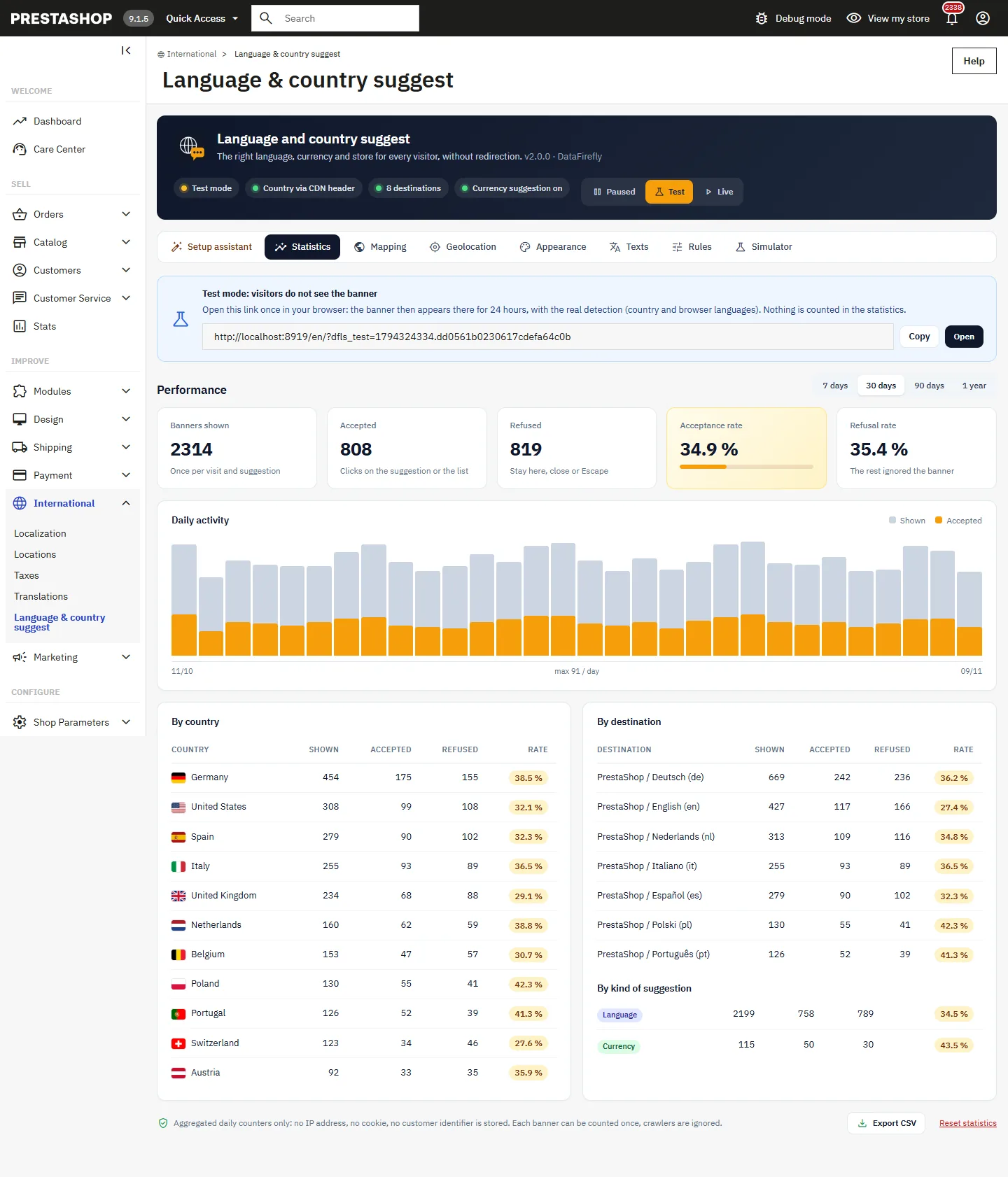
Banners shown (once per visit and suggestion), accepted, refused, acceptance and refusal rates, daily activity, rankings by country, by destination and by kind of suggestion, over 7, 30, 90 days or one year, with CSV export. Each banner is counted only once; crawlers and replayed requests are ignored. No IP address, cookie or customer identifier is stored.
On the visitor side
- No redirection, for visitors or crawlers: Google advises against redirecting by language or IP address. Crawlers never see the banner, which carries
data-nosnippet. - The suggested link is the same page in the other language or store, identical to the page’s hreflang alternate.
- The page HTML is the same for everyone; the suggestion comes from a separate request that is never cached. The module works behind a full-page cache.
- Bar and toast do not take the focus; Escape closes the banner; the dialog keeps the focus inside and gives it back to the page when closed.
For developers
DOM events on document: dfls:shown, dfls:accept, dfls:dismiss (with language, store, country, kind and currency). dataLayer option for Google Tag Manager. The PHP hook actionDflocalesuggestResponse receives the response by reference; only your stores’ URLs are kept.
Troubleshooting
The banner does not appear
Check the state (paused, test or live), that at least two destinations are valid or a second currency is active, that the page is not excluded and that this browser has not already refused or accepted a suggestion (clear the site’s local storage). The simulator tells you why a destination is skipped.
The country stays “Unknown”
This is normal from a local or private IP, or without any detection source. Open the Geolocation tab: it shows which source is active and the country detected for you.
The database download fails
The message gives the cause: outgoing connection blocked (allow HTTPS to cdn.jsdelivr.net and unpkg.com, or upload the file), folder not writable, missing cURL extension or fingerprint mismatch.