
Security Headers: security headers and CSP for PrestaShop 8 and 9
Install and configure Security Headers 2.0: setup assistant, Report-Only observation, nonce and CSP editor, services, reports, revisions, server export, HSTS and emergency stop.
DataFirefly Security Headers sends the HTTP security headers of your shop from PrestaShop 1.7.8, 8 and 9: Content-Security-Policy with a random nonce on every page, HSTS, X-Frame-Options, X-Content-Type-Options, Referrer-Policy, Permissions-Policy and, optionally, COOP, COEP and CORP. A setup assistant analyzes the shop, a Report-Only observation period shows what the CSP would block before anything is blocked, and the go-live is guided, with an optional safety net. Everything is in Advanced Parameters > Security headers.
Installation
- In Modules > Module Manager, click Upload a module and send the ZIP file.
- Open Advanced Parameters > Security headers. Nothing is sent to your visitors until the setup assistant has been completed.
- Upgrading from 1.0 or 1.1: settings, tokens, services, revisions and recorded reports are kept, and the assistant is marked as done.
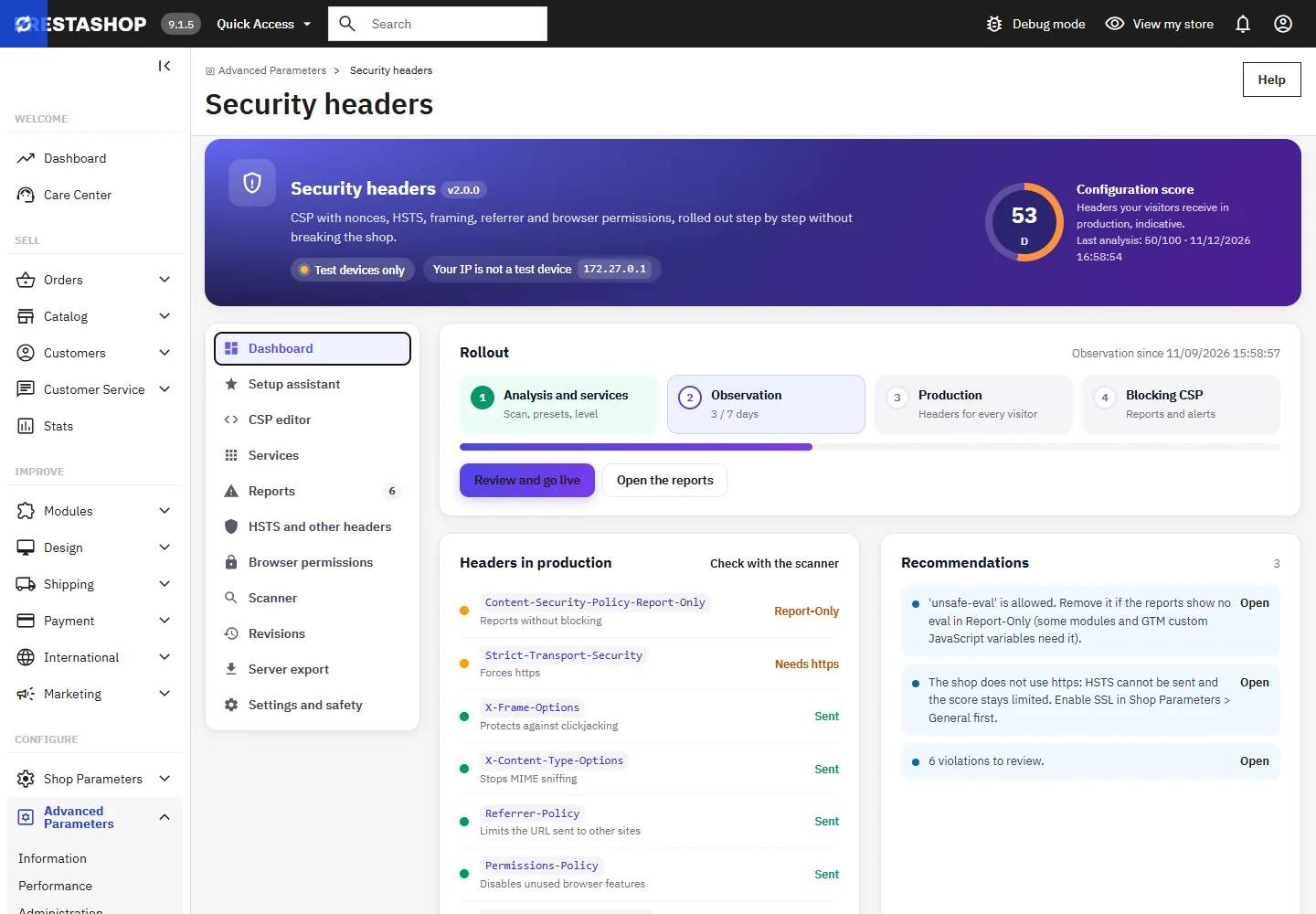
Dashboard
The header shows the status (no header, observation, test devices only, production with the CSP in Report-Only or blocking) and an indicative configuration score computed from the headers your visitors receive in production. The Rollout card follows the four steps: analysis and services, observation, production, blocking CSP.
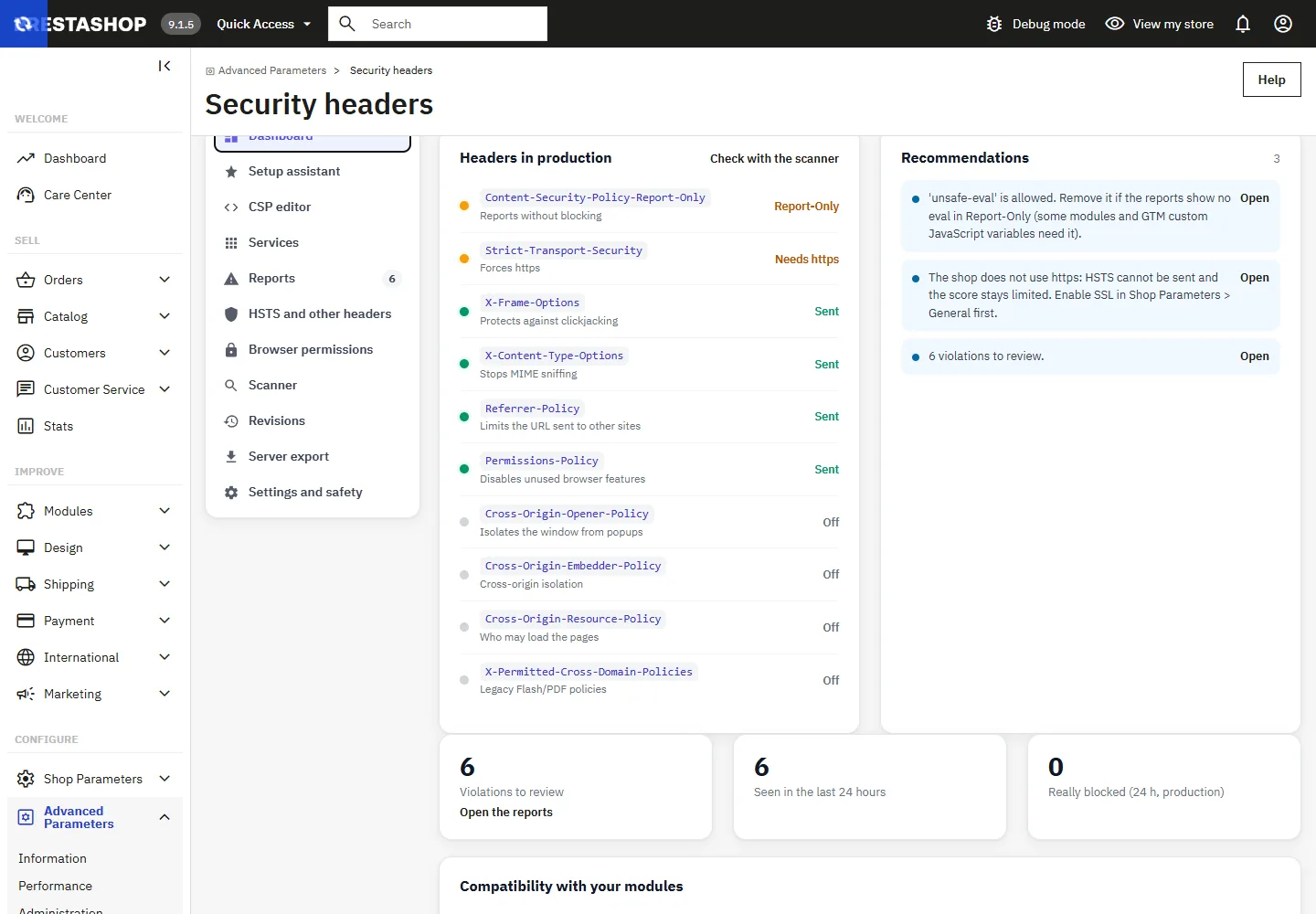
The Recommendations list is computed from your settings, the last analysis, the reports and your modules: each item says what to do and opens the right section. The score uses this module’s own weighting: public scanners apply their own criteria and may grade differently. It is not a certification.
Setup assistant
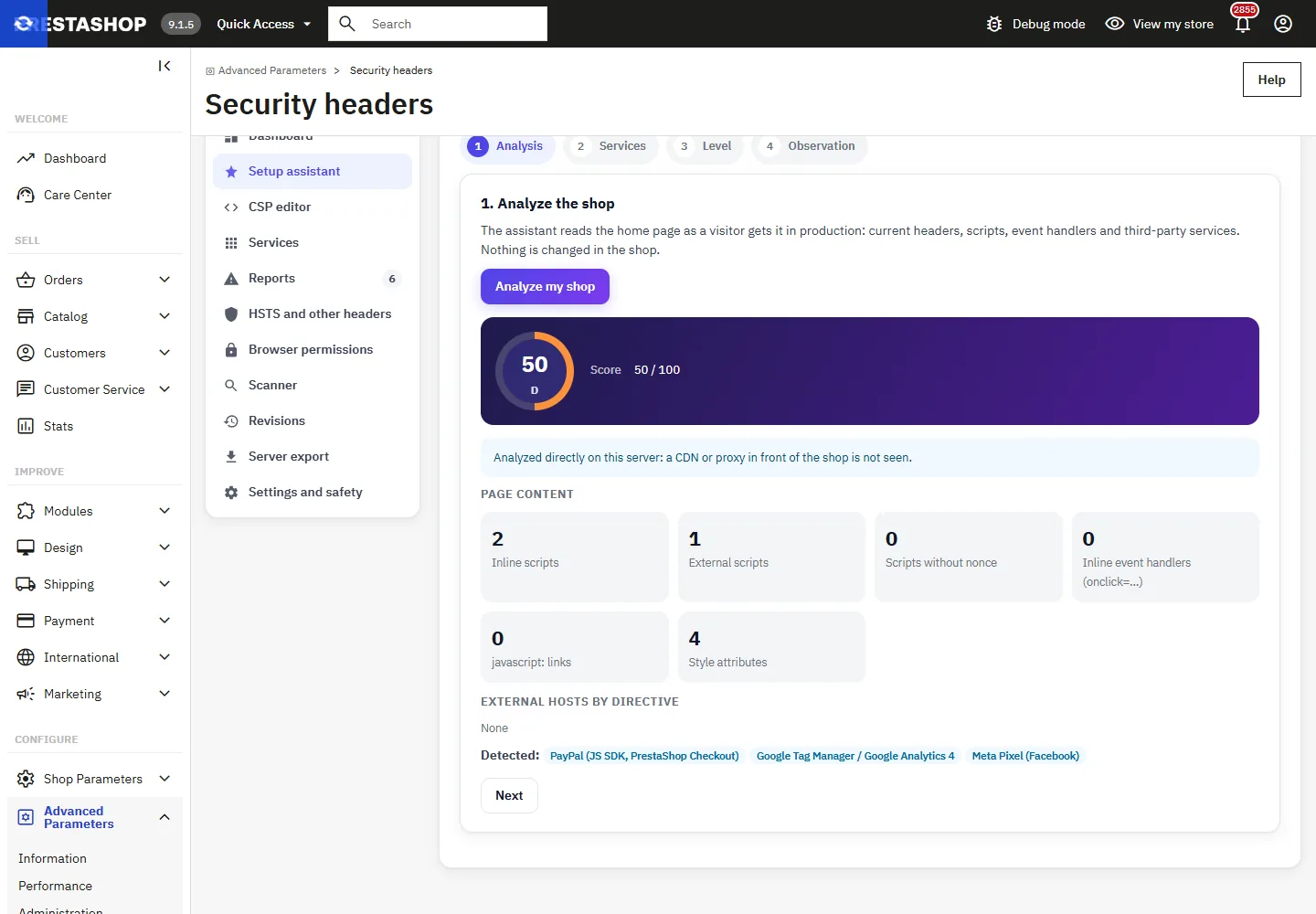
- Analysis: the assistant reads the home page as a visitor gets it in production: current headers, inline scripts, inline event handlers (
onclick=...),javascript:links and the external hosts per directive. Only the shop’s own pages can be analyzed.
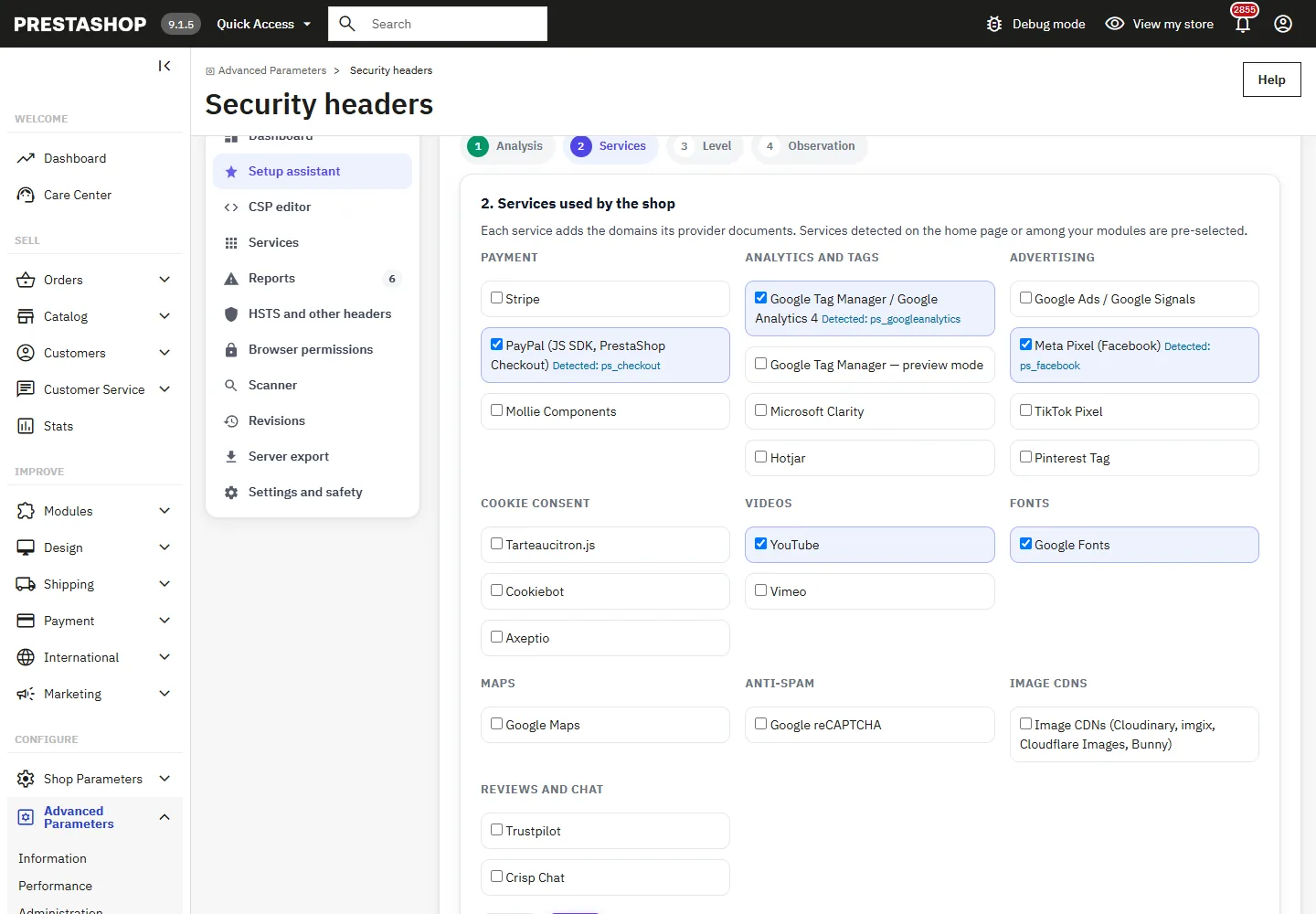
- Services: the services detected on the page or among your modules (PrestaShop Checkout, DataFirefly Google Tag Manager, Product Videos…) are pre-selected.
- Level: Essential filters the domains but allows inline scripts; Recommended adds a random nonce on every page so that only the scripts written by the shop and those from allowed domains run, inline event handlers stay allowed; Strict adds
'strict-dynamic'and removes'unsafe-eval'and inline handlers. On the Classic theme,'unsafe-eval'is kept in every level: its Bootstrap 4 alpha library usesnew Function().
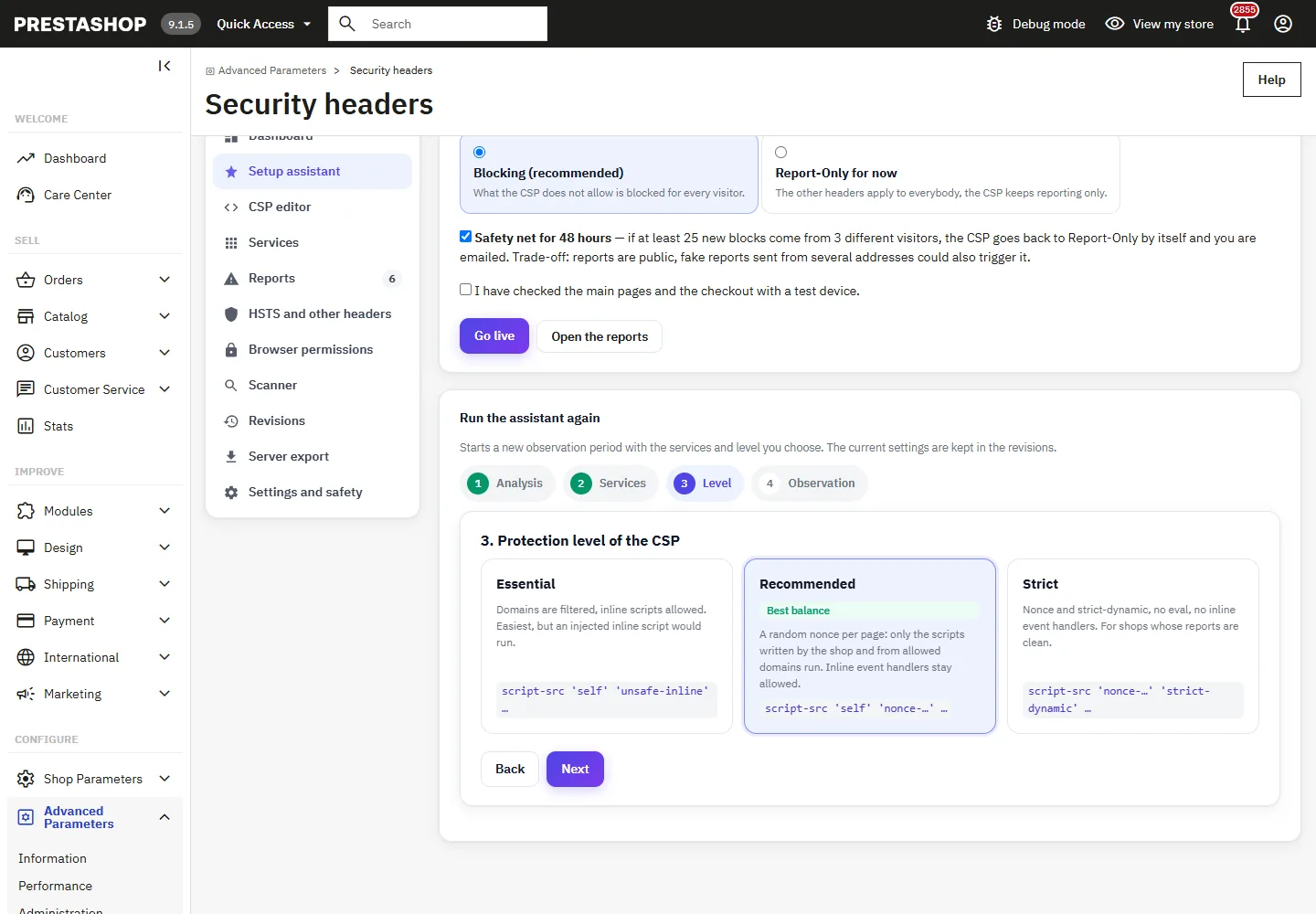
- Observation: choose 3, 7, 14 or 30 days. Every visitor receives the CSP in Report-Only (their browsers report what it would block, nothing is blocked), or nothing at all if you choose Test devices only. An alert email address can be entered.
Going live
During the observation, browse the main pages (home, category, product, cart, checkout, account) with a test device and handle the reports. Then, in the assistant, choose the CSP mode once live: Blocking (recommended) or Report-Only for now, tick the confirmation and click Go live.
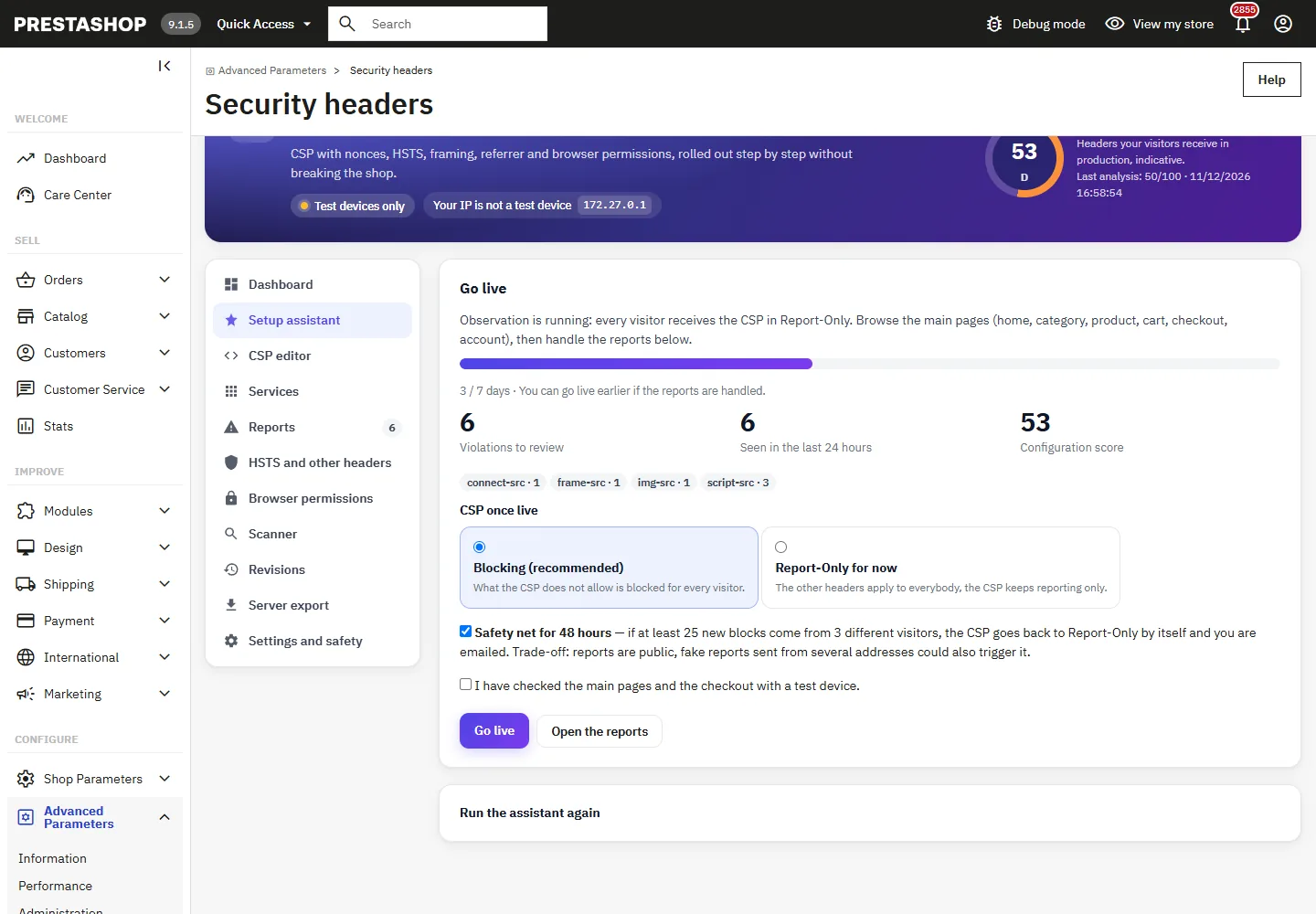
The optional safety net watches the 48 hours that follow a switch to blocking: if at least 25 new blocks come from 3 different visitors, the CSP goes back to Report-Only by itself, a revision is stored and you are emailed. Trade-off: reports are public, so fake reports sent from several addresses could also trigger it. Back to Report-Only on the dashboard does the same by hand at any time.
Test mode and test devices
- Test devices (IP address in the list, or browser opened with the test link): every header, the CSP blocking whatever the chosen mode, HSTS capped at 5 minutes and never with preload.
- Other visitors: the CSP in Report-Only, or nothing (Test devices only).
The IP list accepts IPv4, IPv6 and CIDR ranges. The test link marks a browser as a test device for 24 hours, useful on a phone; open the address with ?dfsh_test=off to stop. Behind a proxy or load balancer, enter its addresses in Trusted proxies: X-Forwarded-For is only read for those addresses, from right to left, so that a visitor cannot pretend to be a test device by writing the header himself.
CSP editor and nonce
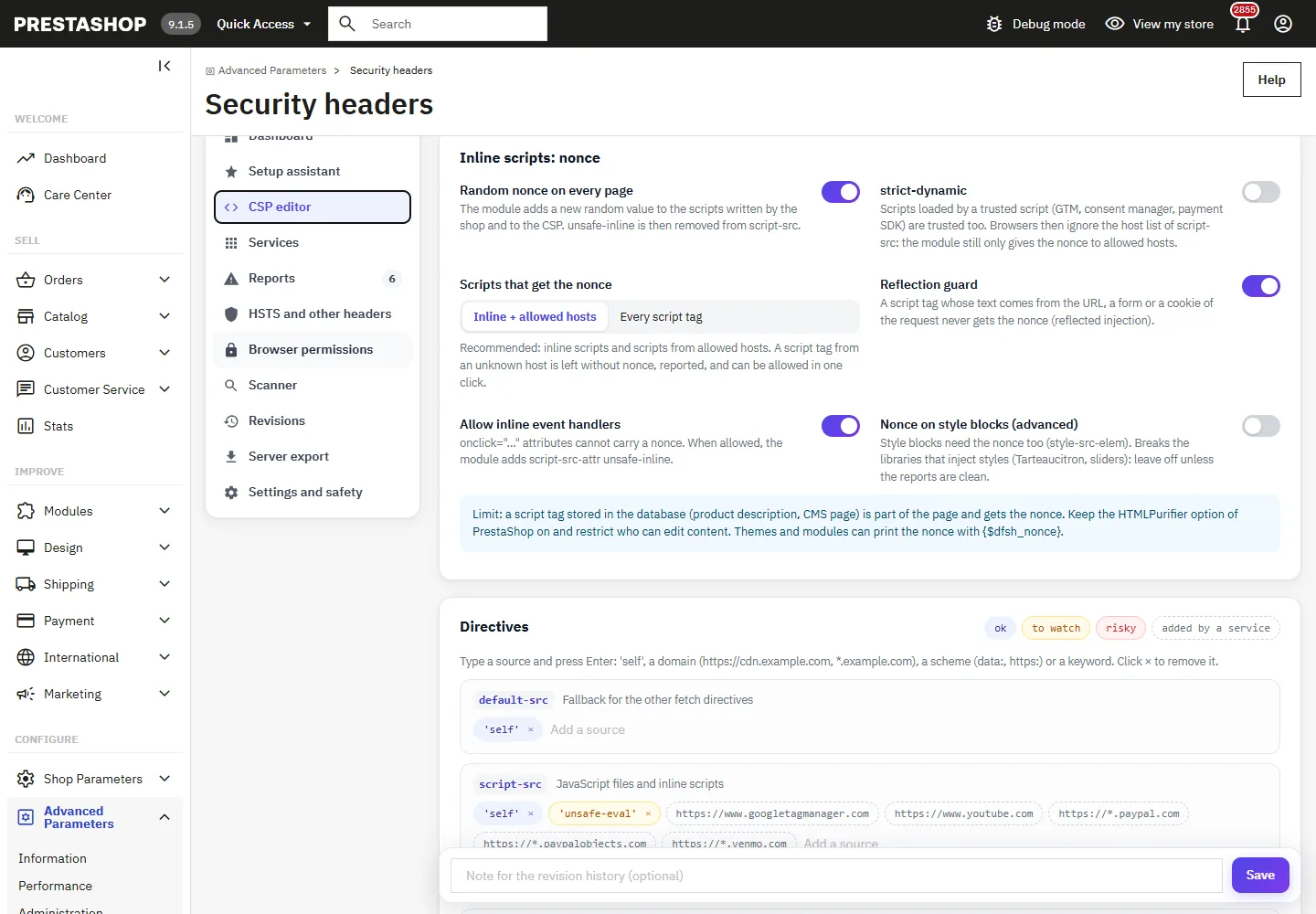
- Random nonce on every page: the module adds a new value to the scripts written by the shop and to the CSP, and removes
'unsafe-inline'fromscript-src. The theme is not modified. - Scripts that get the nonce: inline scripts and scripts from allowed hosts (recommended), or every script tag. A script tag from an unknown host is left without nonce: the browser reports it and you can allow its host in one click.
- Reflection guard: a script tag whose text comes from the URL, a form or a cookie of the request never gets the nonce.
- strict-dynamic: scripts loaded by a trusted script (Google Tag Manager, consent manager, payment SDK) are trusted too.
- Allow inline event handlers adds
script-src-attr 'unsafe-inline':onclickattributes cannot carry a nonce. - Nonce on style blocks (advanced) requires the nonce on
<style>blocks; it breaks the libraries that inject styles, Tarteaucitron included.
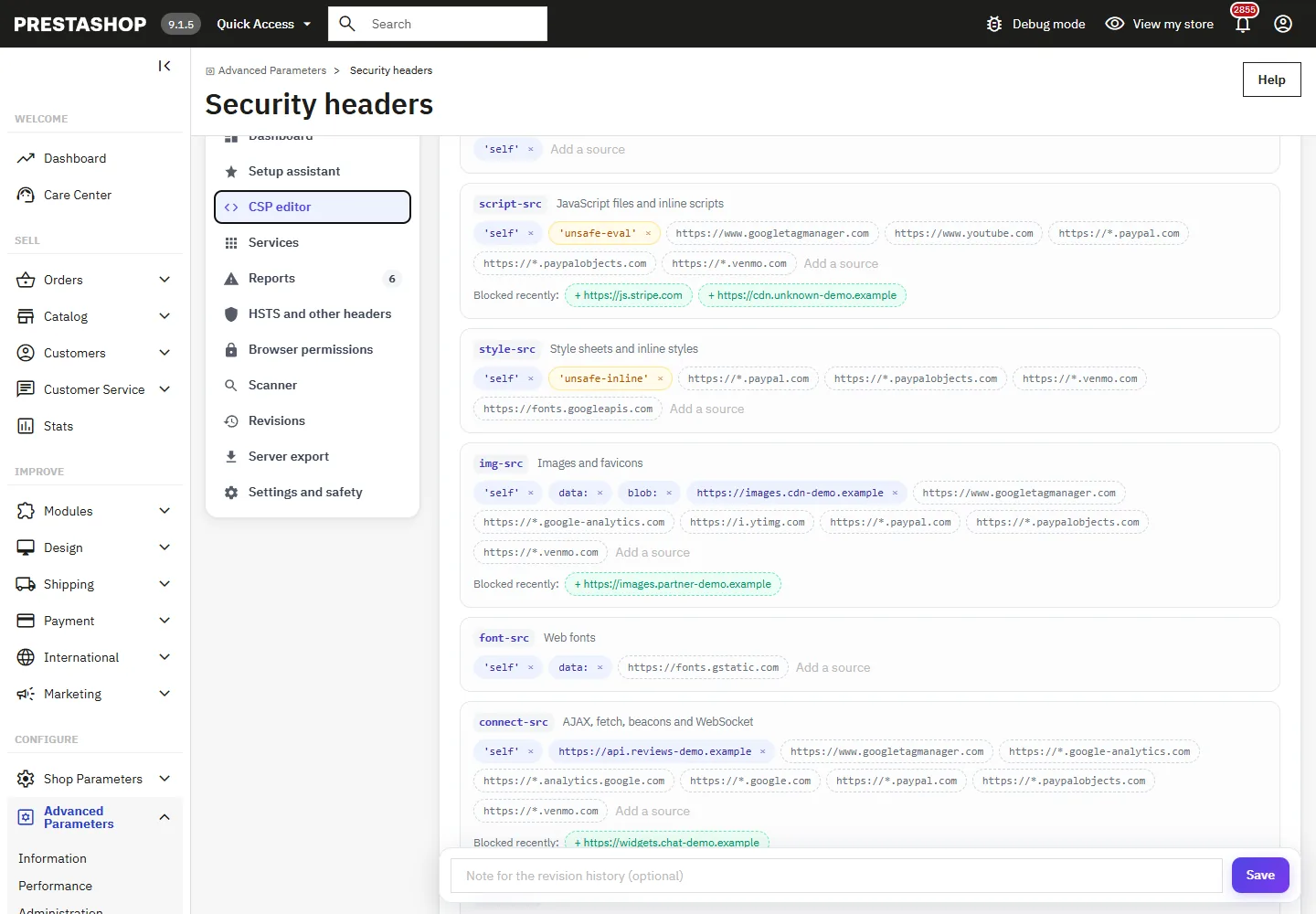
Each directive is edited as a list of sources: type a source and press Enter ('self', a domain such as https://cdn.example.com or *.example.com, a scheme such as data:, a keyword). Risky sources are highlighted, the domains added by the enabled services are shown in dashed outline, and the domains recently blocked appear under the directive with a button to add them.
For developers: the page nonce is available in Smarty as {$dfsh_nonce} and in PHP with DfSecurityHeaders::getNonce().
Third-party services
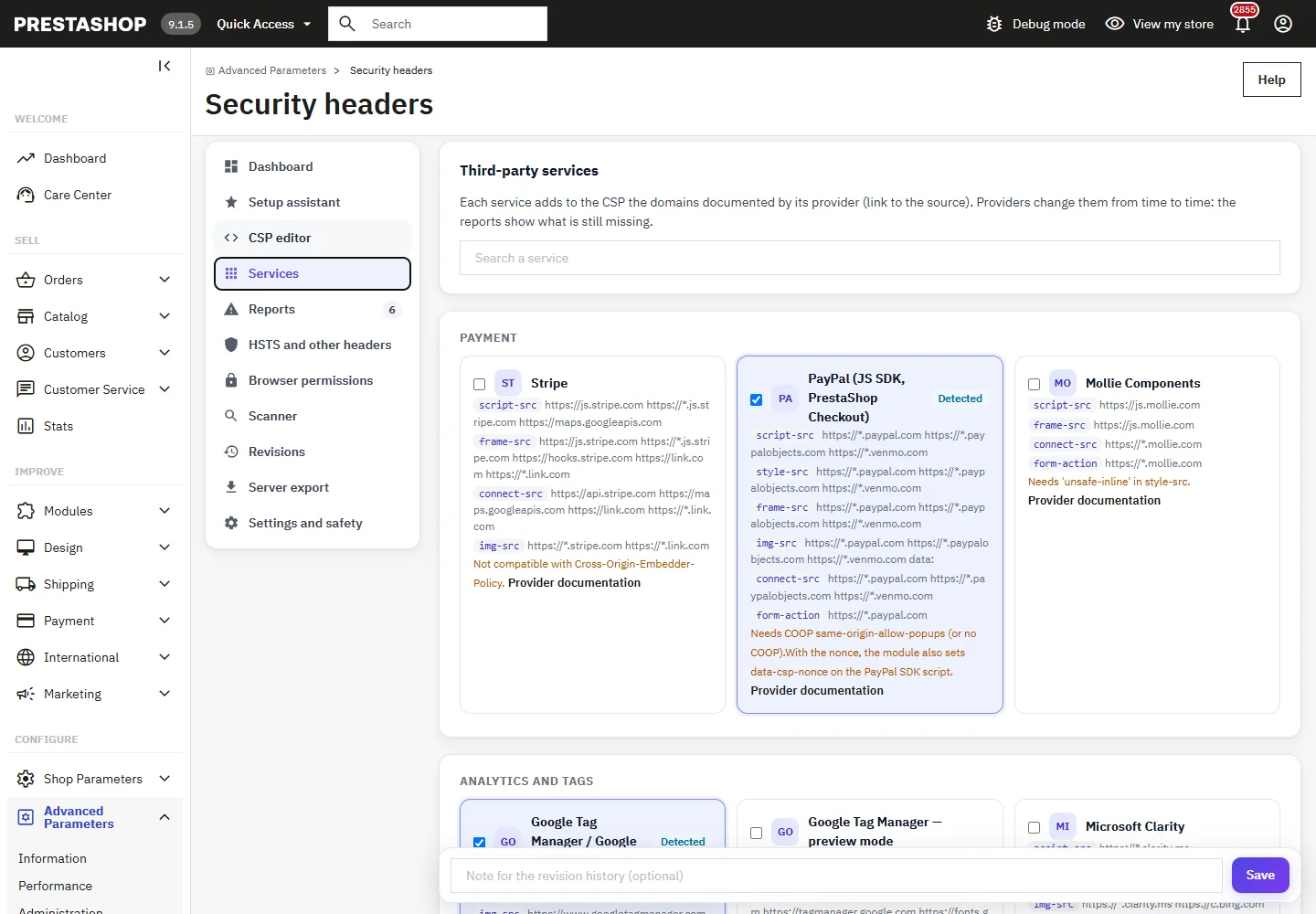
Each service adds the domains documented by its provider, with a link to that documentation: Stripe, PayPal (JS SDK, PrestaShop Checkout), Mollie, Google Tag Manager / GA4 and its preview mode, Google Ads, Meta Pixel, TikTok, Pinterest, Microsoft Clarity, Hotjar, Tarteaucitron.js, Cookiebot, Axeptio, YouTube, Vimeo, Google Fonts, Google Maps, reCAPTCHA, image CDNs (Cloudinary, imgix, Cloudflare Images, Bunny), Trustpilot and Crisp. Notes flag the constraints: PayPal needs COOP same-origin-allow-popups, Stripe does not support COEP, Tarteaucitron needs 'unsafe-inline' in style-src, GTM custom JavaScript variables need 'unsafe-eval'. Providers change their domains from time to time: the reports show what is still missing.
Reports
Browsers send their reports to the module (report-uri, and report-to with Reporting-Endpoints when the shop uses https). Reports are grouped by directive and blocked source, with the hits, the hits really blocked, the number of distinct visitors, the last page and script, and the first characters of the blocked code.
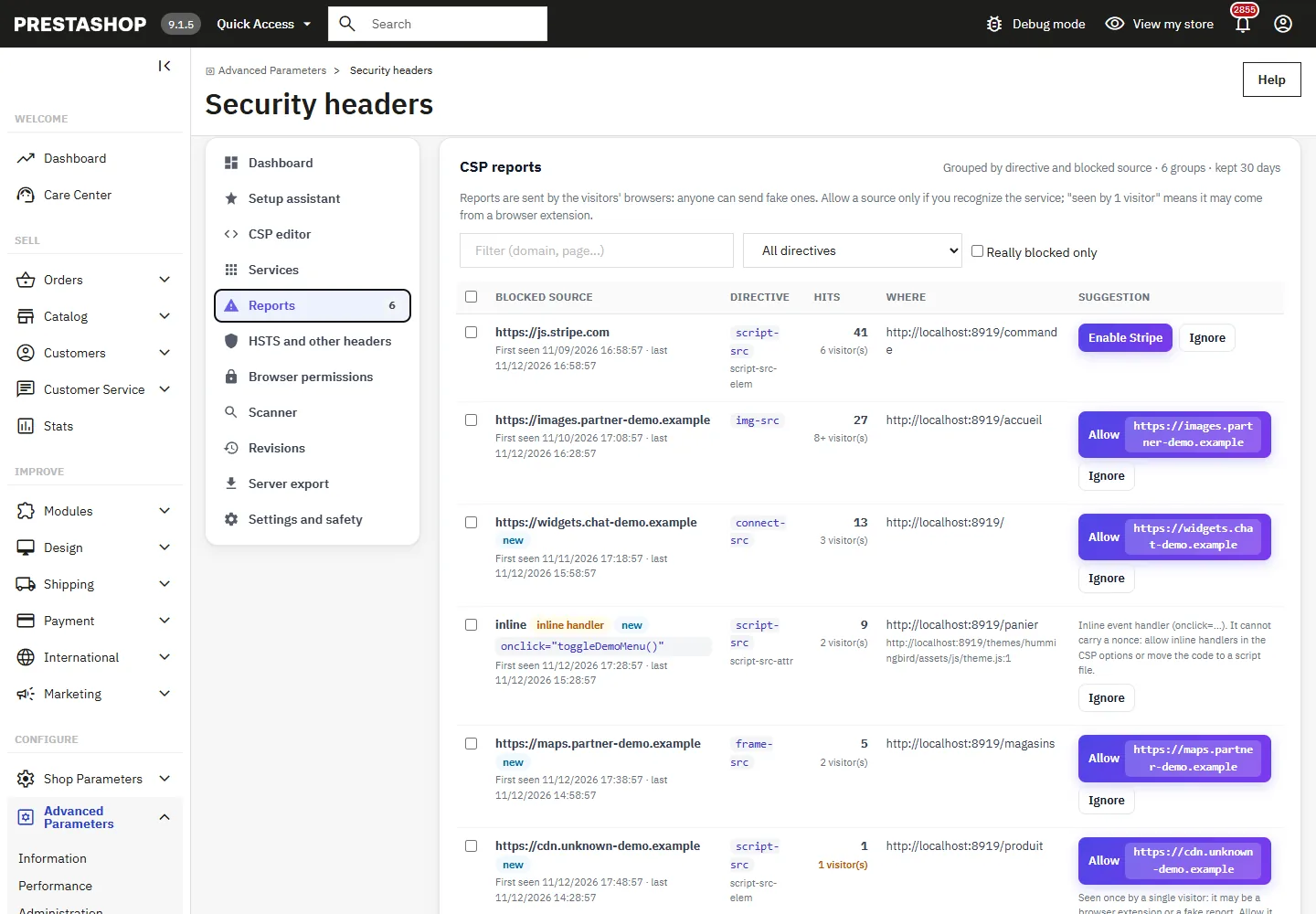
- Enable turns on the service matching the domain, Allow adds the source to the right directive, Ignore moves the line to the Ignored list, where it keeps being counted silently.
- Inline code,
eval,data:in scripts and plain http scripts are never allowed in one click: the hint explains the right fix. - Anyone can send reports: a source seen by a single visitor is marked as such. Allow only what you recognize.
- The endpoint accepts at most 120 reports per minute and per sender, 1,500 per minute for the shop, 64 KB per request; reports about pages that are not on the shop are dropped. No IP address is stored, URLs are kept without parameters, and groups not seen for the retention period (7 to 90 days) are purged.
Revisions
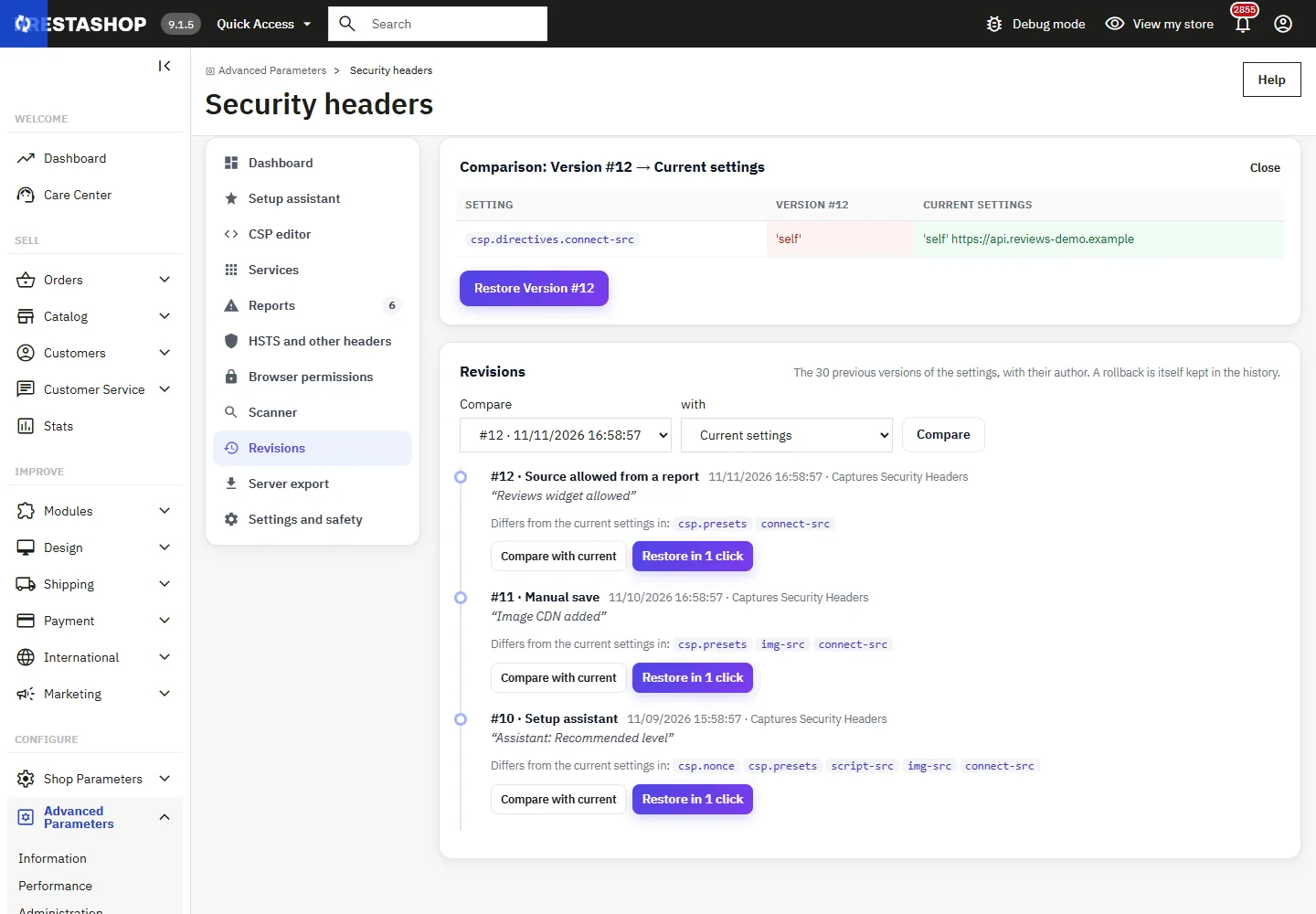
Every change keeps the previous settings with the date, the employee, the action and an optional note typed in the save bar. The last 30 versions are kept. Compare with current shows the differences setting by setting, two versions can be compared, and Restore in 1 click goes back to a version; the replaced state joins the history.
Server export
To let Apache or nginx send the static headers, copy the block of the Server export section, then enable Headers sent by the server in Settings: the module then only sends the CSP (the nonce and the reports need PHP).
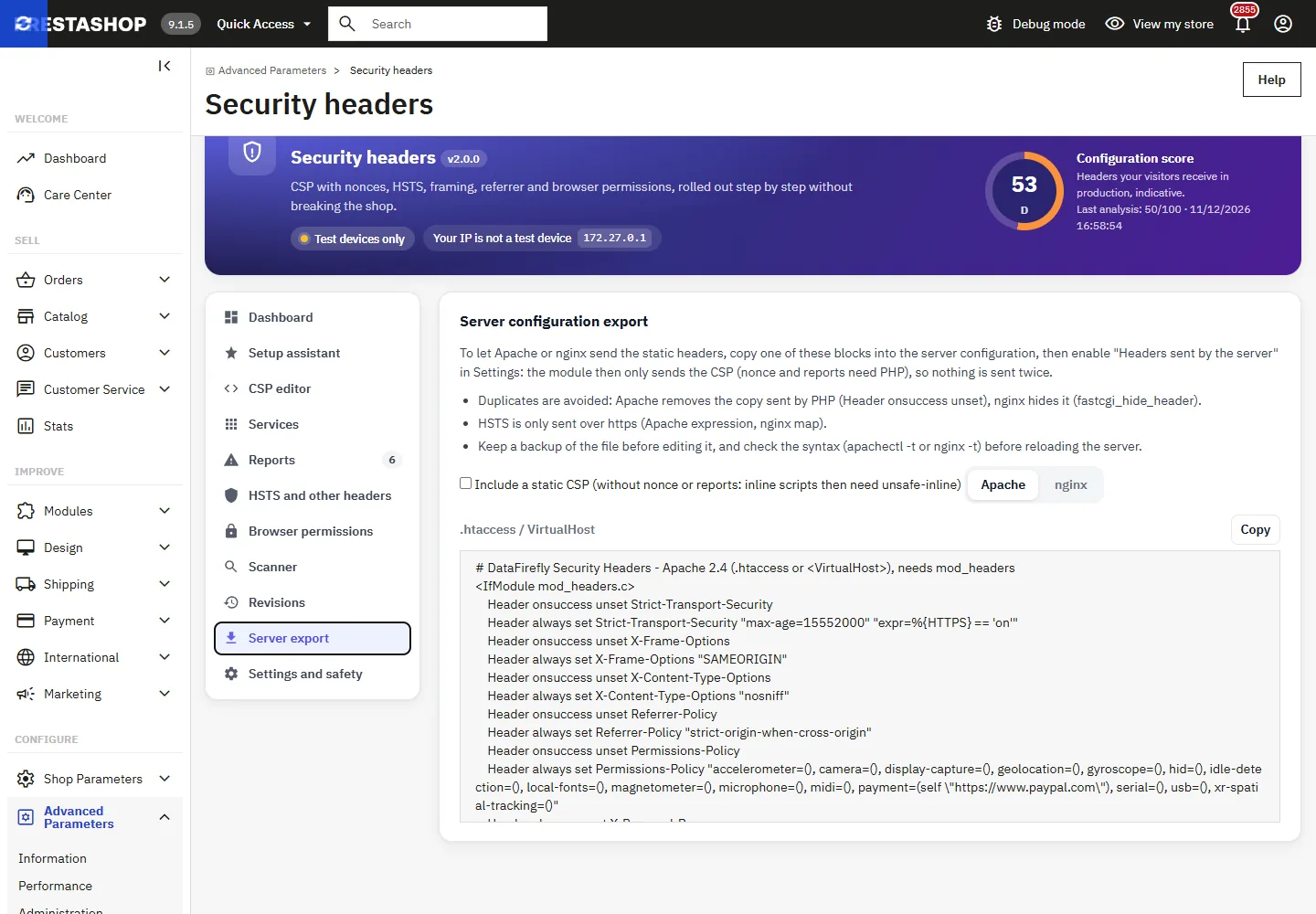
- No duplicates: Apache removes the copy sent by PHP (
Header onsuccess unset), nginx hides it (fastcgi_hide_header). - HSTS is only sent over https (Apache expression, nginx
map). - Keep a backup of the file and check the syntax with
apachectl -tornginx -tbefore reloading. In nginx,add_headerin alocationblock replaces those of theserverblock.
Scanner
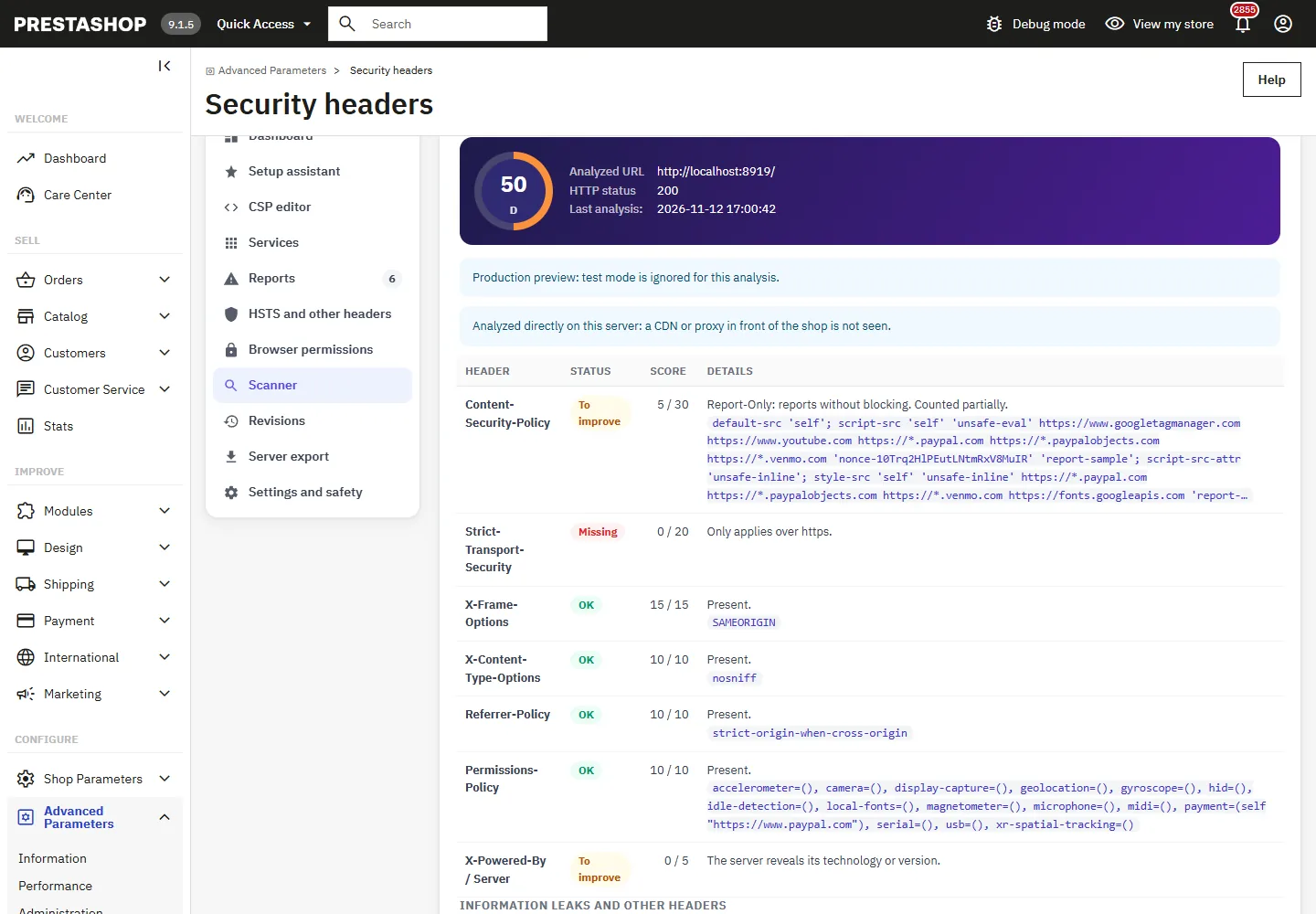
Analyze current headers requests a page of the shop from the server; Preview production shows the headers every visitor will get once test mode is off. The result lists each header with its points, the information leaks (X-Powered-By, server version), duplicates and the content of the page. Only the domains and ports of the shop can be requested, redirects to another site are not followed, and on hosts where the server cannot reach its own address (Docker, NAT) the analysis is done directly on the server.
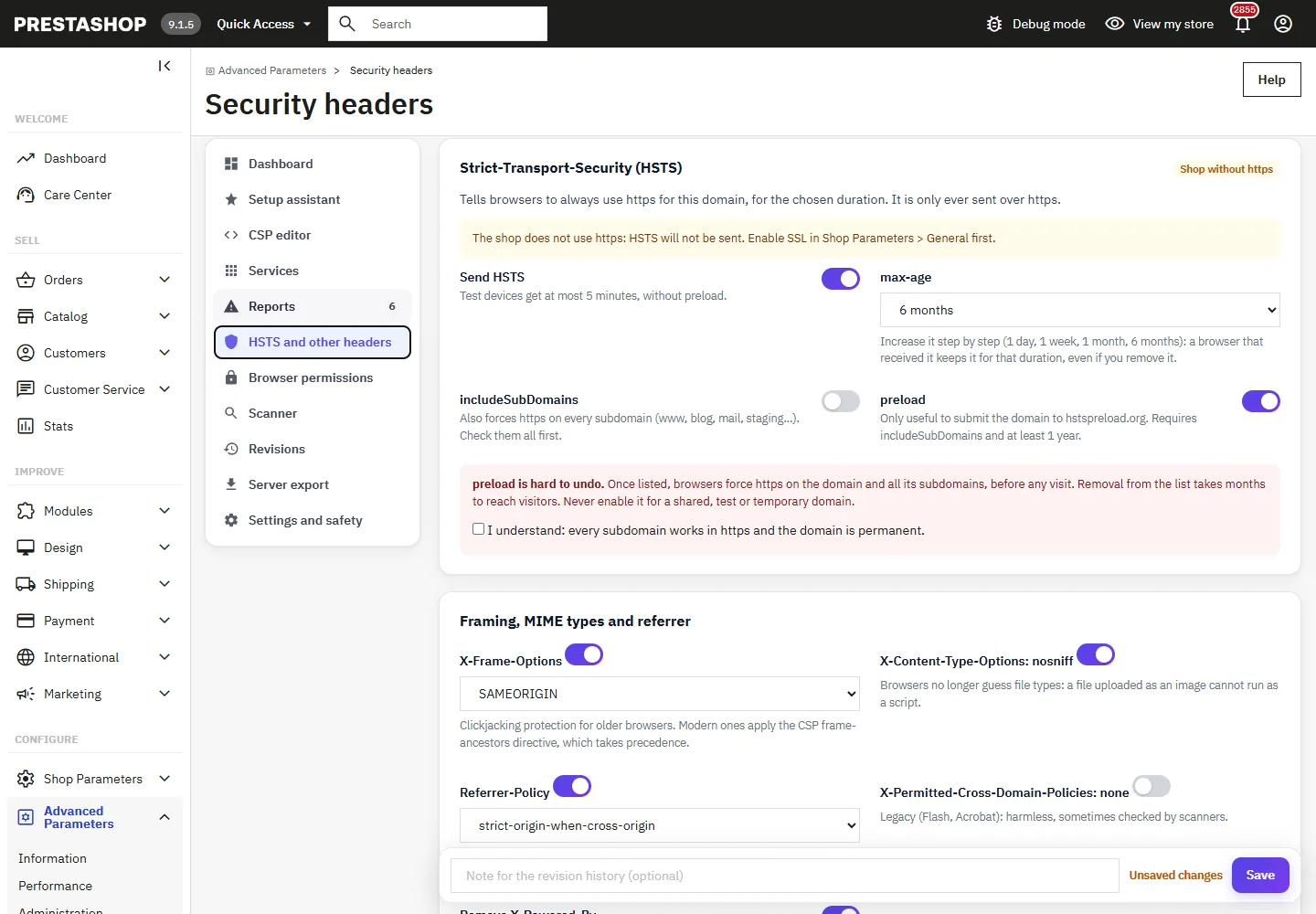
HSTS and other headers
- HSTS is only sent over https. Start short and increase step by step: a browser keeps it for the whole duration, even if you remove it.
includeSubDomainsforces https on every subdomain.preloadis only sent withincludeSubDomainsand at least 1 year, and requires a confirmation: removal from the preload list takes months. - X-Frame-Options SAMEORIGIN for older browsers; modern ones apply the CSP
frame-ancestorsdirective. - Referrer-Policy
strict-origin-when-cross-origin;no-referrercan break YouTube embeds. - COOP, COEP, CORP are off by default: COOP
same-origincuts payment popups, COEP blocks iframes and files that do not opt in. - Back office: the optional back office preset sends HSTS (https), X-Frame-Options SAMEORIGIN, nosniff and Referrer-Policy, never a CSP.
Permissions-Policy: for each feature, Blocked, This site only (plus the origins you enter and those of the enabled services) or All sites. Only features known to current browsers are listed, so that no console error is produced.
Alerts
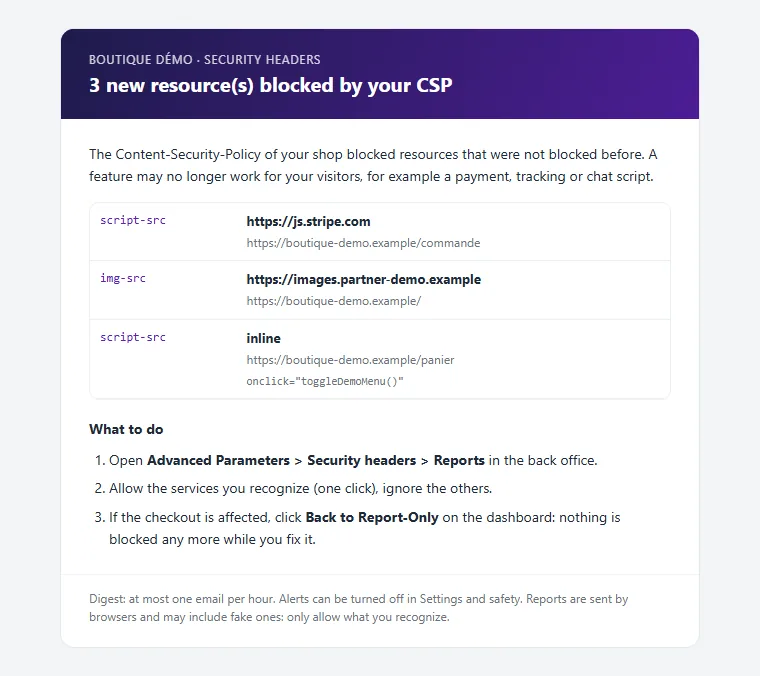
When the CSP blocks in production, each resource really blocked for the first time is added to a digest email: at most one email per hour and 12 per day, up to 5 recipients. Send a test email checks the setup.
Emergency stop and troubleshooting
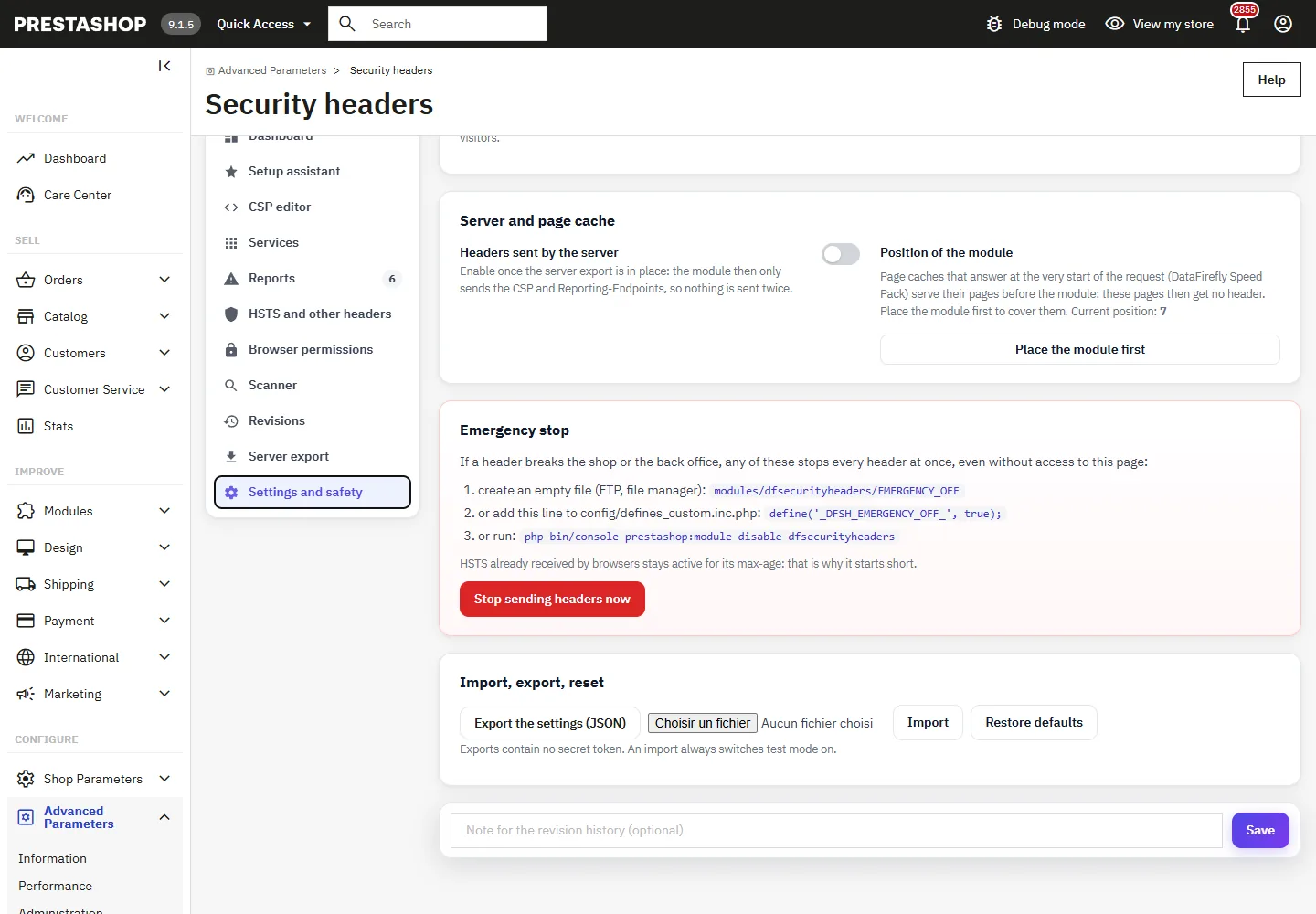
- If a header breaks the shop or the back office, any of these stops every header at once, even without access to the back office: create an empty file
modules/dfsecurityheaders/EMERGENCY_OFF, or adddefine('_DFSH_EMERGENCY_OFF_', true);toconfig/defines_custom.inc.php, or runphp bin/console prestashop:module disable dfsecurityheaders. - A page no longer works: Back to Report-Only, or restore the previous revision.
- Page cache modules that answer at the very start of the request (DataFirefly Speed Pack) serve their pages before the module. Place the module first (Settings) to give them the headers; when such a cache prints a stored page itself, the module sends the same policy without nonce for that response so that nothing breaks.
- A browser that received HSTS refuses http until the duration expires, even after the module is disabled.